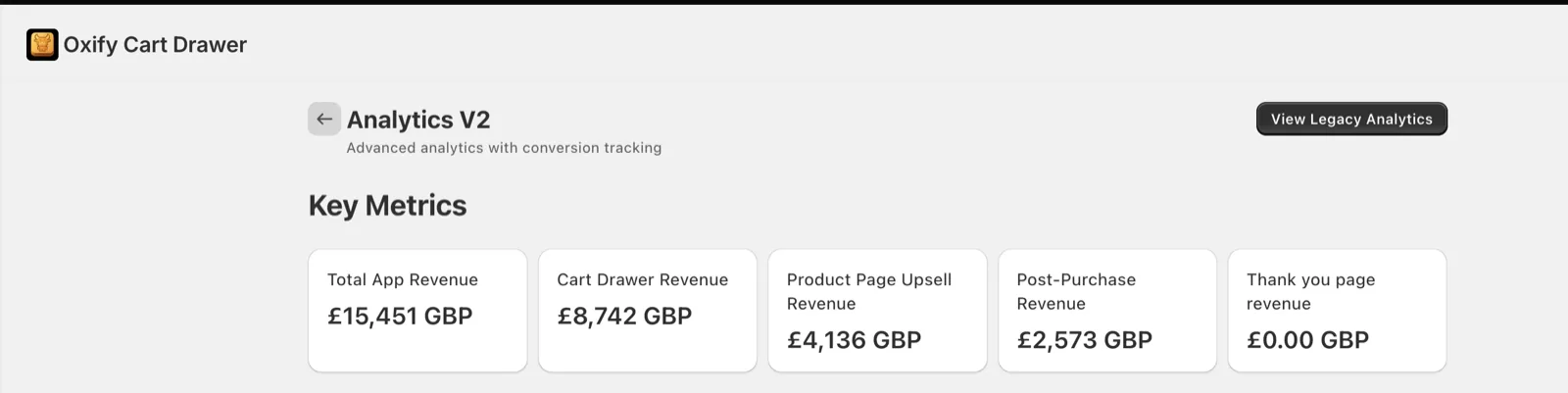
Upselling is the strategy of encouraging customers to purchase additional items, upgrades, or premium versions that increase the total transaction value.
Instead of spending money on Facebook ads or Google campaigns to find new customers, upselling helps you make more money from the shoppers already in your store.
Think of it like this: Would you rather spend $50 to get one new customer who buys $40 worth of products, or spend $0 to get your existing customers to buy $60 instead of $40?
The math is simple. And powerful.
The Revenue Impact of Shopify Upselling
Here are the numbers that matter:
- Effective upselling strategies increase average order value (AOV) by 10-30% without additional marketing costs
- Well-placed cart upsells can boost AOV by 17% on average according to Shopify Plus store data
- Post-purchase upsell offers convert at 10-15% because customers are already in buying mode
- Stores using product bundles see 20-40% higher order values compared to single-item purchases
- Free shipping threshold strategies drive 15-22% AOV increases as customers add items to qualify
Real example: A Shopify store with 500 orders per month at $50 AOV generates $25,000 monthly. Add strategic upselling to increase AOV by just 20% ($60 per order), and that same traffic now generates $30,000 monthly—an extra $60,000 per year with zero additional ad spend.
What is Average Order Value (AOV) and Why Does It Matter?
Average Order Value (AOV) is the average amount customers spend per transaction in your Shopify store.
Formula: Total Revenue ÷ Number of Orders = AOV
Industry benchmarks for 2026
- Fashion/Apparel: $65-95
- Beauty & Cosmetics: $45-75
- Electronics: $150+
- Home & Garden: $80-120
- Health & Wellness: $60-90
Your AOV directly impacts profitability. Increasing AOV is almost always more cost-effective than acquiring new customers because:
- You’ve already paid to get them to your store
- They already trust your brand enough to buy
- Their payment information is ready
- The incremental cost of adding products to an order is minimal
Upselling vs. Cross-Selling: What’s the Difference?
People often confuse these terms. Here’s the clear distinction:
Upselling: Encouraging customers to buy a more expensive or upgraded version of what they’re considering.
- Example: Customer views basic yoga mat ($30) → You suggest premium eco-friendly yoga mat ($45)
Cross-selling: Suggesting complementary products that go with their purchase.
- Example: Customer buys yoga mat → You suggest yoga blocks and strap
Both strategies increase AOV, but this guide focuses primarily on upselling tactics. Many of the strategies work for both approaches.
Why Upselling Works Better Than Ever in 2026
Customer acquisition costs keep rising. Facebook ads that cost $10 per customer in 2020 now cost $30-50 in 2026. Google Ads costs have jumped similarly.
Meanwhile, customer expectations have evolved. Shoppers now expect:
- Personalized product recommendations
- Convenient bundled options
- Free shipping incentives
- One-click purchase additions
Smart Shopify store owners recognize that maximizing revenue per customer is the fastest path to profitability. Upselling meets customer expectations while boosting your bottom line.
Now let’s dive into the seven proven strategies you can implement today.
Strategy 1: In-Cart Upsells (The Highest-Converting Upsell Opportunity)
In-cart upsells are product recommendations shown inside the shopping cart before checkout. This is your absolute best moment to suggest additional products because customers have already committed to buying—they’re in “spending mode” with their credit card ready.
Why In-Cart Upsells Convert So Well
The psychology is powerful:
High purchase intent: When someone adds a product to cart, they’ve crossed the biggest mental barrier (deciding to buy). Adding one more relevant item feels natural, not pushy.
Minimal friction: Modern cart upsell apps like Oxify let customers add products with one click—no navigating back to product pages or re-entering information.
Anchoring effect: Once customers commit to spending $50, adding $10 more feels small by comparison. The initial purchase amount “anchors” their spending mindset.
Peak engagement: The cart page has your customer’s full attention. They’re reviewing their order and making final decisions—perfect timing for helpful suggestions.
How to Implement Cart Upsells with Oxify
Oxify Cart Drawer & Upsell is specifically built for Shopify and makes cart upselling effortless.
Based on the screenshots you’ve provided, here’s a rewritten setup guide:
Setting Up Manual Upsells in Oxify
Step 1: Access Upsell Settings
- Navigate to Cart Editor Settings in your Oxify dashboard
- Click on “Upsells” from the left sidebar menu
- Verify that “Upsells Active” toggle is turned On (shown in green)
Step 2: Configure Your Recommendation Algorithm In the Upsell Recommendation Settings section, you’ll find three algorithm options:
- Related (Using A.I.) – Automatically suggests products based on AI analysis
- Complementary – Shows products that complement the cart items
- Manual – Allows you to manually select which products to upsell (currently selected)
For Manual upsells, click the “Configure Manual Upsells (2)” button to set up your custom product recommendations.
Step 3: Customize Upsell Text Settings
Configure the button text that customers will see:
- Add Upsell Button Text: “ADD”
- This is the main button customers click to add the upsell product
- Choose Options Button Text: “Choose”
- Appears when the upsell product has variants or options
- Bottom Sheet Button Text: “ADD TO CART”
- Button text displayed when options are shown in the bottom sheet
- Upsell Title: Use the rich text editor (with Bold, Italic, Underline, and Link options) to create a compelling headline for your upsell section
Step 4: Set Market Targeting
- Select which markets see these upsells
- Current setting shows “All Markets (2)”
- Click the dropdown to target specific markets if needed
Step 5: Add Translations (Optional)
- Click “Add Translations” next to any text field to provide multilingual support for international customers
Step 6: Select Your Cart Template
- Current template: “Modern Carousel”
- Click “View Templates” to browse other cart display options

Cart Upsell Best Practices That Actually Work
✓ Keep upsell prices low (25-50% rule)
Your upsell should cost no more than 25-50% of the original product price. If someone bought a $40 item, suggest products in the $10-20 range, not $50+.
✓ Show only 1-2 recommendations
More options create decision paralysis. Oxify lets you prioritize which upsell shows first based on conversion data.
✓ Make additions one-click easy
Oxify pre-selects variants (size, color) so customers don’t have to make extra decisions. Just click “Add” and it’s in the cart.
✓ Use social proof messaging
Instead of “You might like this,” try:
- “Customers also grabbed this”
- “Frequently bought together”
- “Complete your order with this”
✓ Ensure mobile optimization
60% of Shopify traffic comes from mobile devices. Oxify’s cart drawer is built mobile-first with touch-friendly buttons and responsive design.
Real-World Cart Upsell Examples and Results
Example 1: Skincare brand
Setup: When customers added a full-size cleanser ($24) to cart, Oxify showed a mini travel-size cleanser ($8) as an upsell.
Message: “Grab a travel size for $8—perfect for your gym bag!”
Results:
- 22% of customers accepted the upsell
- Added $1.76 to every order on average
- Over 500 monthly orders = $880 extra monthly revenue
- Zero complaints about being “too pushy”
Example 2: Fitness equipment store
Setup: Cart contained yoga mat ($35) → Oxify suggested yoga blocks ($15)
Message: “Complete your practice with yoga blocks (20% off in cart)”
Results:
- 18% attach rate
- AOV increased from $52 to $61
- Simple implementation took under 15 minutes
Common Cart Upsell Mistakes to Avoid
❌ Suggesting unrelated products
Don’t show random bestsellers. Only suggest items that logically complement what’s in the cart.
Bad: Yoga mat in cart → Suggest dog treats Good: Yoga mat in cart → Suggest yoga strap
❌ Upselling more expensive items than the original
Customers buying a $30 product won’t add a $70 upsell. It feels like a cash grab.
❌ Showing too many options
Three or more recommendations overwhelm shoppers. Stick to one strong suggestion.
❌ Complicated add process
If customers have to leave the cart, select variants, and navigate back, they won’t do it. One-click additions with Oxify eliminate this friction.
❌ Ignoring cart abandonment impact
Monitor your cart abandonment rate after implementing upsells. If it increases by more than 5%, your upsells may be too aggressive. Scale back.
How to Measure Cart Upsell Success
Track these metrics in Oxify’s analytics dashboard:
Upsell attach rate: Percentage of orders that included an upsell (target: 15-25%)
Revenue per upsell: Average dollars added when customers accept (track by product)
Overall AOV change: Compare before/after implementing cart upsells
Cart abandonment rate: Should stay stable or improve (if it increases 10%+, dial back)
Click-through rate: What percentage of customers who see the upsell actually click it
Oxify provides built-in analytics showing exactly how much revenue each upsell generated, which products convert best, and optimization suggestions.
Strategy 2: Product Page Upsells and “Frequently Bought Together” Recommendations
Product pages are where buying decisions happen. This is the moment customers research, compare, read reviews, and convince themselves to purchase. Strategic upsells placed right here capture customers before they even add to cart.
Why Product Page Upselling Works
High engagement: Product pages get the most focused attention. Customers spend 2-3 minutes reviewing details—perfect time to plant the seed for additional purchases.
Educational opportunity: You can show how complementary products work together, creating value bundles customers didn’t know they needed.
Reduces research time: Instead of forcing customers to hunt through your store for matching products, you present complete solutions immediately.
Increases initial cart value: When customers add multiple items from the start, they’re more committed to completing the purchase.
Types of Product Page Upsells
1. “Frequently Bought Together” bundles
Shows 2-3 products that other customers purchased alongside the current item, displayed as a package with combined pricing.
Example: Camera product page shows:
- Camera ($499)
- Memory card ($29)
- Camera bag ($39)
- Buy all 3 together: $547 (save $20)

2. “Complete the Look” suggestions
Popular for fashion, beauty, and home decor. Shows styled combinations that help customers visualize using products together.
Example: Dress product page shows:
- Featured dress ($68)
- Matching belt ($24)
- Coordinating shoes ($52)
- Statement necklace ($32)
- Complete the look: $165 (save $11)
3. Product upgrade recommendations
Suggests premium versions or larger sizes right on the product page.
Example: Basic protein powder page ($35) shows banner: “Upgrade to premium grass-fed protein ($45) – most popular choice!”
4. Accessory add-ons
Displays essential accessories customers often forget to buy.
Example: Phone case page shows:
- Screen protector ($8)
- Cleaning kit ($6)
- PopSocket ($10)
- Add all 3 for $20 (save $4)
Setting Up Product Page Recommendations with Oxify
Oxify makes this incredibly simple with built-in widgets.
Method 1: AI-powered “Frequently Bought Together”
- Open Oxify settings → Product Recommendations
- Enable “Frequently Bought Together” widget
- Choose AI-powered mode (app learns from your store’s purchase data)
- Select number of products to display (2-3 recommended)
- Choose widget position on product pages (below description works best)
- Customize “Add All to Cart” button text and styling
- Save and publish
The AI automatically identifies which products customers actually buy together and updates recommendations as patterns change.
Method 2: Manual product selection
For stores without much purchase history yet:
- In Oxify → Product Recommendations
- Select “Manual mode”
- For each key product, choose 2-3 complementary items
- Set bundle discount percentage (10-20% works well)
- Create bundle title (“Complete Yoga Starter Kit”)
- Add lifestyle image showing products together

Method 3: Collection-based recommendations
Show products from related collections:
- Set rule: “If viewing product from Collection A, show items from Collection B”
- Example: Viewing hiking boots → Show products from “Hiking Gear” collection
Product Page Bundle Strategies That Convert
Bundle pricing psychology
Show clear savings to make the decision obvious:
Example display:
Regular Price: $89 + $22 + $15 = $126 Bundle Price: $110 You Save: $16 (13% off)
The explicit savings calculation triggers loss aversion—customers don’t want to “lose” that $16 discount.
Progressive disclosure
Start with the main product fully visible, then show bundle options below:
- Main product details and “Add to Cart”
- Scroll down reveals: “Complete Your Purchase”
- Show bundle visualization with add-all button
Lifestyle imagery
Use photos showing all products styled together in real-life context. This helps customers visualize owning and using the complete set.
Bad: Three separate product photos on white background Good: One styled photo showing all three items being used together
Social proof messaging
Leverage data to build confidence:
- “1,247 customers bought this bundle”
- “4.8★ bundle rating (892 reviews)”
- “89% of customers add the complete set”
Real Success Stories
1. Home goods store
Setup: Added Oxify’s “Frequently Bought Together” widget to kitchen product pages
Example bundle: French press + coffee grinder + artisan beans
Results:
- 24% of French press viewers added the complete bundle
- AOV increased from $45 to $89 for bundle purchasers
- Bundle became the #2 revenue driver in kitchen category
- Setup time: 20 minutes
2. Fashion boutique
Setup: Created “Complete the Look” bundles on dress pages using Oxify’s manual selection
Example: Sundress + sandals + sun hat + beach bag
Results:
- 18% of dress page visitors purchased at least 2 items from the suggestion
- Average order jumped from $67 to $103 for these customers
- Customer feedback praised the “styling help”
- Reduced return rates (customers loved how items worked together)
Optimization Tips for Maximum Conversions
1. Test placement positions
Try recommendations:
- Immediately below “Add to Cart” button
- After product description
- Above reviews section
- In a sticky sidebar (desktop)
Use Oxify’s A/B testing to see which position converts best for your store.
2. Limit to 2-3 products max
More than three items creates decision paralysis. Keep bundles tight and focused.
3. Match price points appropriately
Bundle items should be similar or lower price than the main product. Don’t bundle a $200 product with $20 accessories—feels mismatched.
4. Update seasonally
Refresh bundles for:
- Holidays (gift sets)
- Back-to-school season
- Summer/winter collections
- New product launches
5. Mobile-first design
Oxify’s widgets are responsive, but always preview on mobile. Ensure:
- Bundle images are clear on small screens
- “Add all” buttons are thumb-sized
- Pricing is easily readable
- Widgets don’t slow page load
Advanced Product Page Tactics
Dynamic pricing based on cart value
If cart is empty: Show full bundle price If cart has $50+: Show extra discount on bundle
Personalization by customer segment
New visitors: Show bestseller bundles Returning customers: Show new arrivals or related to past purchases VIP customers: Show premium/exclusive bundles
Scarcity messaging
“Only 2 complete kits left in stock” “Bundle deal ends tonight”
Tiered bundle options
- Starter bundle (2 items): $X
- Complete bundle (3 items): $Y (best value)
- Premium bundle (4 items): $Z
Let customers choose their commitment level.
Strategy 3: Post-Purchase Upsells (Capturing Revenue After Checkout)
Post-purchase upsells appear immediately after customers complete their initial purchase—before they land on the thank-you page. This is one of the highest-converting upsell moments because customers are still in buying mode, payment info is saved, and there’s zero risk of losing the original sale.
The Psychology Behind Post-Purchase Upsells
Peak buying momentum: Customers just said “yes” to spending money. Their mental barrier to purchasing is at its lowest point.
Positive emotional state: They feel good about their purchase decision. This satisfaction makes them receptive to enhancing that feeling with add-ons.
Convenience factor: One-click additions without re-entering payment information make acceptance effortless.
No abandonment risk: Even if customers decline the upsell, you keep the original sale. It’s pure upside potential.
Recency effect: The products they just bought are fresh in their mind, making complementary suggestions feel natural.
How Post-Purchase Upsells Work
The customer flow looks like this:
- Customer completes checkout and payment processes
- Before reaching thank-you page, they see a special offer screen
- Offer presents one product: “Add this to your order for $X?”
- Customer clicks “Yes, add to my order” or “No thanks”
- If accepted, the original order updates automatically with the new item
- Customer proceeds to thank-you page
No re-entering credit cards. No complicated forms. Just one decision, one click.
Recommended post-purchase apps for Shopify:
- ReConvert Post Purchase Upsell ($5-99/month) – Most popular, extensive features
- Zipify OneClickUpsell ($25-125/month) – Created by Ezra Firestone, tested on $100M+ revenue
- AfterSell Post Purchase Upsell ($9-99/month) – Great for smaller stores
- CartHook ($50+/month) – Enterprise-level features
The smart approach: Use Oxify for cart and product page upsells, then add a post-purchase app for complete upsell coverage.
What to Offer Post-Purchase (And What to Avoid)
Best post-purchase offers:
Low-priced add-ons ($5-25)
- Digital products (warranties, guides, courses)
- Consumables that complement the purchase
- Small accessories
- Service upgrades (gift wrapping, rush shipping)
Example: Customer bought running shoes ($85) → Offer running socks ($12)
Complementary products
- Items that enhance the original purchase
- Products customers often forget initially
- Matching accessories
Example: Customer bought camera ($450) → Offer memory card ($28)
Subscription upgrades
- Convert one-time buyers to subscribers
- Offer recurring deliveries at discount
Example: Customer bought protein powder ($40) → Offer monthly subscription ($35/month)
Extended warranties or protection
- Especially effective for electronics, appliances
- Pure margin (50%+ typically)
- Customers see as risk mitigation
Example: Customer bought laptop ($899) → Offer 2-year protection plan ($79)
What NOT to offer:
❌ Expensive items – $50+ upsells after a $40 purchase feel like a cash grab
❌ Unrelated products – Random suggestions break the trust
❌ Complex choices – Multiple options or variants create friction
❌ Items needing research – Keep it simple and obvious
Post-Purchase Upsell Framework
Step 1: Identify your best post-purchase products
Look through your catalog and find products that:
- Cost under $25
- Complement your popular items
- Don’t require size/color selection
- Have high margins
- Make logical sense after the main purchase
Step 2: Map upsells to your top products
| Main Product | Post-Purchase Offer | Price | Logic |
|---|---|---|---|
| Yoga mat ($35) | Yoga towel ($12) | $12 | Absorbs sweat during practice |
| Coffee maker ($89) | Coffee beans ($16) | $16 | Need coffee to use maker |
| Phone case ($22) | Screen protector ($8) | $8 | Complete phone protection |
| Skincare set ($54) | Travel bag ($9) | $9 | Carry products on trips |
Step 3: Create compelling offer messaging
Template:
“Thanks for your order! Before you go…
[Image of upsell product]
[Benefit-focused headline]
Add [Product] for just $[Price]
[1-2 sentence benefit explanation]
✓ One-click add – no re-entering payment ✓ Ships with your order ✓ [Special limited-time discount/bonus]
[YES, ADD TO MY ORDER] [No thanks, continue]”
Example:
“Thanks for ordering the Premium Yoga Mat!
Don’t Forget Your Yoga Towel
Add the Ultra-Absorbent Yoga Towel for just $12
Stay dry and focused during hot yoga sessions. Made with antimicrobial microfiber that wicks moisture 3x faster than cotton.
✓ One-click add ✓ Ships with your mat ✓ 20% off (today only)
[YES, ADD TO MY ORDER] [No thanks]”
Step 4: Set up in your post-purchase app
- Install your chosen post-purchase app
- Create your first funnel
- Select trigger products
- Choose upsell offer
- Design offer page (use template above)
- Set acceptance page (confirms addition)
- Set decline page (proceeds to thank you)
- Test with real checkout
Post-Purchase Conversion Optimization
Keep it singular focus
One product, one decision. Don’t show multiple options or “choose your favorite” scenarios.
Use urgency (honestly)
“One-time offer – won’t be shown again” “24-hour exclusive pricing”
But only if actually true. Fake urgency destroys trust.
Show product in context
Use lifestyle images showing the upsell product being used with what they just bought.
Emphasize convenience
“Added to your order – no extra shipping cost” “Ships together with your [main product]”
Create perceived value
“Normally $15, yours for $12 when added now” “Save 20% by adding today”
Real Post-Purchase Results
1. Apparel brand
Setup: After purchasing any clothing item, offered matching accessories
Example: Bought dress → Offered belt ($18)
Results:
- 12% acceptance rate
- Added $2.16 to every order on average
- 1,500 monthly orders = $3,240 extra monthly revenue
- $38,880 additional annual revenue from one simple offer
2. Electronics retailer
Setup: After purchasing gadgets, offered extended warranty protection
Example: Bought wireless headphones ($129) → Offered 2-year protection ($19)
Results:
- 14% acceptance rate
- High margin (warranty cost minimal)
- Increased customer lifetime value (protected customers returned more often)
- Built trust (customers appreciated the safety net)
Advanced Post-Purchase Strategies
Tiered upsells (funnel within funnel)
If customer declines first offer, show cheaper second offer:
- Decline $25 accessory → Show $12 alternative
- Decline both → Proceed to thank you
Downsell strategy:
First offer: Premium version ($45) If declined: Basic version ($22)
Upsell sequences by order value
Small orders ($0-50): Show low-priced add-ons ($5-12) Medium orders ($50-100): Show mid-priced complementary products ($15-25) Large orders ($100+): Show premium upgrades or bundles ($30-50)
Seasonal post-purchase offers
- Holiday season: Gift wrapping, greeting cards
- Summer: Express shipping for vacation items
- Back-to-school: Bulk bundles
- New year: Subscription conversions
Combining Oxify with Post-Purchase Apps
For maximum upsell coverage, use both:
Oxify handles:
- Product page “Frequently Bought Together”
- Cart drawer upsells
- Free shipping progress bars
- Bundle recommendations
Post-purchase app handles:
- Thank-you page offers
- One-click order additions
- Subscription conversions
- Warranty upsells
The complete customer journey:
- Product page: Oxify shows bundle → Customer adds multiple items
- Cart: Oxify shows one more accessory → Customer adds it
- Checkout: Customer completes purchase
- Post-purchase: App shows final offer → Customer accepts
- Thank-you page: Order complete with 4 items instead of 1
Result: 3-4x the original order value through strategic upselling at every stage.
Strategy 4: Product Bundles and “Buy More, Save More” Offers
Bundling groups complementary products together at a special combined price. This strategy directly increases order size because customers purchase multiple items in one transaction—and they feel smart doing it because of the perceived savings.
Why Product Bundling Boosts Average Order Value
Reduces decision fatigue: Instead of researching and selecting individual items, customers get a curated solution in one click.
Creates perceived value: Bundled pricing makes customers feel they’re getting a deal, even though your revenue increases.
Increases units per transaction: Each bundle sale moves multiple products, improving inventory turnover.
Simplifies shopping: Customers appreciate the convenience of “complete solutions” rather than piecemeal buying.
Higher margins (when done right): Even with bundle discounts, selling 3 items at 15% off typically generates more profit than selling 1 item at full price.
Types of Bundles That Drive Revenue
1. Fixed bundles (curated sets)
Pre-selected combinations of products sold as one unit.
Example: “Complete Home Office Bundle”
- Desk lamp ($45)
- Ergonomic mouse pad ($18)
- Cable organizer ($12)
- Desk plant ($15)
Individual total: $90 Bundle price: $79 (save $11)
Best for: Products that naturally complement each other, gift sets, starter kits
2. Mix-and-match bundles (build your own)
Customers choose X items from a category for a set price or discount.
Example: “Build Your Skincare Routine”
- Choose any 3 products from cleanser, toner, serum, moisturizer, mask
- Individual price: $30 each ($90 total)
- Bundle price: $75 (save $15)
Best for: Categories where customers have preferences (colors, scents, flavors)
3. Quantity break pricing (volume discounts)
Tiered pricing that rewards buying multiple units of the same product.
Example: Protein Bars
- 1 box (12 bars): $24
- 2 boxes: $22 each ($44 total, save $4)
- 3+ boxes: $20 each (save $12 on 3 boxes)
Best for: Consumables, non-perishable goods, items customers need multiples of

4. BOGO and conditional bundles
Automatic deals when certain conditions are met.
Example:
- Buy 2, Get 1 Free
- Buy 3, Get 25% Off
- Spend $75, Get Free Gift
Best for: Moving inventory, launching new products, seasonal promotions
Creating Bundles with Oxify
Oxify’s Product Bundles & Quantity Breaks app makes this incredibly easy.
Setting up a fixed bundle:
- Open Oxify Bundles app in Shopify admin
- Click “Create New Bundle”
- Select bundle type: “Fixed Bundle”
- Add products to bundle:
- Choose 2-5 complementary products
- Select specific variants if needed
- Set bundle pricing:
- View individual total
- Set bundle price (typically 10-20% discount)
- Add bundle details:
- Create descriptive title (“Complete Yoga Starter Kit”)
- Write benefit-focused description
- Upload lifestyle photo showing all products together
- Choose display options:
- Show on specific product pages
- Display in cart
- Feature on collection pages
- Save and publish
The bundle appears as its own product that customers can add to cart in one click.
Setting up quantity break pricing:
- In Oxify Bundles, select “Quantity Breaks”
- Choose the product
- Define tiers:
- Tier 1: 1 unit = $40 (full price)
- Tier 2: 2 units = $36 each (10% off)
- Tier 3: 3+ units = $32 each (20% off)
- Customize display:
- Show savings percentage prominently
- Add progress bar: “Buy 1 more to save 20%”
- Auto-apply discounts at checkout (no codes needed)
- Enable tier display on product pages
Customers see exactly how much they save by buying more, and discounts apply automatically.
Setting up mix-and-match bundles:
- Create “Build Your Bundle” collection
- In Oxify, set rule: “Buy any 3 from Collection X for $Y”
- Customers add qualifying products
- Discount auto-applies when threshold reached
- Display progress: “Add 1 more item to unlock bundle pricing”
Bundle Pricing Strategy (The Math That Works)
The 10-20% discount sweet spot:
Bundle discounts should be meaningful but not margin-killing.
Example calculation:
Individual products:
- Product A: $30 (cost: $12, margin: $18)
- Product B: $22 (cost: $9, margin: $13)
- Product C: $18 (cost: $7, margin: $11)
- Total individual: $70 (total cost: $28, total margin: $42)
Bundle pricing:
- Bundle price: $60 (15% off)
- Total cost: $28 (unchanged)
- Bundle margin: $32
You “lose” $10 in margin BUT:
- Moved 3 products instead of 1
- Customer still perceives great value
- $32 profit is better than $18 profit from selling Product A alone
- Inventory turnover improved
The formula: Aim for bundle margins at 60-70% of combined full-price margins.
Bundle Presentation Best Practices
Visual merchandising:
✓ Use lifestyle photography: Show all bundled products in use together, not separate white-background shots
✓ Highlight savings clearly: Make the discount obvious with strikethrough pricing
- Regular Price: ~~$90~~
- Bundle Price: $75
- You Save: $15
✓ Create urgency: “Limited-time bundle” or “While supplies last”
✓ Show what’s included: Use checkmarks or icons listing each item
Messaging that converts:
❌ “Bundle deal available” ✅ “Complete Yoga Starter Kit – Everything You Need in One Purchase”
❌ “Save money on multiple items” ✅ “Save $15 and Get Started Today”
❌ “Products included: A, B, C” ✅ “You Get: Premium Mat + Alignment Blocks + Stretch Strap”
Real Bundle Success Stories
1. Pet supplies store
Bundle: “New Puppy Essentials”
- Dog bed ($42)
- Food bowls ($18)
- Puppy toys set ($15)
- Training treats ($12)
Individual total: $87 Bundle price: $75 (save $12)
Results:
- 27% of puppy product browsers purchased the bundle
- AOV increased from $42 (average dog bed sale) to $75
- Became top revenue generator in dog category
- Customer feedback: “So convenient to get everything at once”
2. Coffee subscription
Bundle: Quantity break pricing on bags
- 1 bag: $18
- 2 bags: $16 each
- 4 bags: $14 each
Results:
- 42% of customers chose 4-bag option (vs. 8% before implementing tiers)
- AOV jumped from $18 to $56 average
- Reduced order frequency but increased order size (net positive on margins)
3. Beauty brand
Bundle: “Build Your Routine” – Choose any 4 products for $80
- Individual products: $25 each ($100 for 4)
- Bundle savings: $20
Results:
- 31% of site visitors purchased a bundle
- Higher engagement time (customers enjoyed “building”)
- Lower return rates (customers chose products they wanted)
- AOV increase: $63 to $80
Advanced Bundling Tactics
Tiered bundle options
Give customers choice between bundle levels:
Example: Fitness Bundle Tiers
Starter Bundle – $49
- Resistance band
- Exercise guide
Complete Bundle – $89 (MOST POPULAR)
- Resistance band set
- Yoga mat
- Exercise guide
- Workout towel
Premium Bundle – $139
- Everything in Complete
- Foam roller
- Water bottle
- Premium gym bag
This strategy captures different spending levels while anchoring customers toward the “most popular” option.
Seasonal bundles
Create time-limited bundles for:
- Holiday gift sets (November-December)
- Back-to-school packs (July-August)
- Summer outdoor kits (May-June)
- New Year fitness bundles (January)
Subscription + bundle combo
Offer bundle pricing for subscription sign-ups:
“Subscribe and save 20% on our Starter Bundle”
- One-time purchase: $75
- Subscribe monthly: $60 (and save 20%)
Mystery bundles
“Surprise Bundle – $50 for $75+ worth of products”
- Great for clearing varied inventory
- Creates excitement and discovery
- Works well for beauty, snacks, accessories
Common Bundle Mistakes
❌ Bundling products that don’t make sense together
Don’t just throw random products into a bundle to increase order size.
Bad: Candle + dog toy + coffee beans Good: Candle + matches + candle snuffer
❌ Over-discounting
15%+ discounts are unnecessary. Even 10% savings motivate customers when properly positioned.
❌ Too many products in one bundle
Keep bundles to 2-5 items. More than that feels overwhelming and expensive.
❌ Not using compelling imagery
Stock photos or separate product images don’t sell bundles. Show styled, in-use photography.
❌ Making bundles hard to purchase
Customers should add complete bundles with one click. Don’t make them add items individually.
Tracking Bundle Performance
Key metrics:
- Bundle attach rate: % of visitors who purchase bundles vs. individual products
- Bundle AOV contribution: How much bundles increase average order
- Units per transaction: Should increase when bundles sell
- Bundle vs. individual margin: Track profitability
- Customer satisfaction: Monitor reviews and returns
Oxify’s analytics show exactly which bundles perform best, letting you double down on winners and pause underperformers.
Strategy 5: Free Shipping Thresholds (Turning Shipping Costs into Upsell Opportunities)
Free shipping thresholds encourage customers to add more items to reach a minimum order value that qualifies for free shipping. This is one of the easiest upselling strategies to implement and consistently drives 15-22% AOV increases.
Why Free Shipping Thresholds Work
Customer psychology: Shoppers hate paying for shipping. Studies show 48% abandon carts due to unexpected shipping costs. But flip it around—offer free shipping at a threshold—and customers actively seek more products.
Loss aversion: Once customers see they’re $15 away from free shipping, not adding one more item feels like “losing” that free benefit.
Perceived value: Free shipping feels like a discount, even though customers spend more to get it.
Win-win scenario: You cover shipping costs with the incremental product margin from additional items.
Setting the Perfect Free Shipping Threshold
The 30% rule: Set your threshold approximately 30% above your current average order value.
Formula: Free Shipping Threshold = Current AOV × 1.3
Examples:
- Current AOV $40 → Threshold $52
- Current AOV $75 → Threshold $98
- Current AOV $120 → Threshold $156
Why 30% works:
- High enough to meaningfully increase revenue
- Low enough that customers believe they can reach it
- Encourages adding 1-2 additional products
Testing different thresholds:
Start with the 30% rule, then test:
- If 90%+ of customers hit threshold: raise it by $10
- If only 10% hit threshold: lower it by $10
- Target: 40-60% of customers reaching threshold
Implementing Free Shipping Bar with Oxify Cart Drawer
Oxify Cart Drawer has a built-in free shipping progress bar that dynamically updates as customers shop.
Setup (5 minutes):
- Open Oxify Cart Drawer
- Navigate to “Rewards”
- Toggle ON
- Set your threshold amount (e.g., $60)
- Customize messaging:
- Before threshold: “You’re $[X] away from FREE SHIPPING!”
- After threshold: “🎉 You’ve unlocked FREE SHIPPING!”
- Choose bar style as per your store
- Match brand colors
- Save and test

The bar updates in real-time as customers add/remove products—no page refresh needed.
Optimizing Your Free Shipping Message
Progressive messaging based on cart value:
Cart $0-20: “Add $60 for FREE SHIPPING + 10% off”
Cart $21-40: “You’re $20 away from FREE SHIPPING!”
Cart $41-59: “Almost there! Just $5 more for FREE SHIPPING”
Cart $60+: “🎉 You’ve earned FREE SHIPPING!”
Action-oriented language:
❌ “Free shipping over $50” ✅ “Add $12 more for FREE SHIPPING!”
❌ “Shipping threshold not met” ✅ “You’re so close! Just $8 away from free shipping”
Visual progress:
Use Oxify’s progress bar that fills up as cart value increases. Gamification motivates completion.
Product suggestions:
Below the shipping bar, show low-priced items customers can add:
“Need $12 more? Try these:”
- Travel-size product ($8)
- Add-on accessory ($10)
- Sample pack ($15)
Free Shipping + Upsell Combination Strategies
Tiered free shipping:
- Standard shipping: Free at $50
- Express shipping: Free at $100
Encourages customers to spend even more for faster delivery.
Free shipping with first order:
“New customers: Free shipping on orders $40+ (normally $60)”
Conditional free shipping:
“Free shipping on bundles over $50” “Free shipping when you subscribe”
Gift with purchase at threshold:
“Spend $60 and get free shipping + free gift”
Real Results from Free Shipping Thresholds
1. Accessories store
Before: No free shipping threshold, $8 flat rate
- AOV: $42
- Cart abandonment: 72%
- 850 monthly orders
After: $55 free shipping threshold with Oxify progress bar
- AOV: $58 (38% increase!)
- Cart abandonment: 65% (improved 7%)
- 820 monthly orders (slight decrease)
- Net revenue increase: $13,120 monthly (+26%)
Despite slightly fewer orders, higher AOV more than compensated.
2. Health supplements
Implementation: $60 free shipping threshold (AOV was $45)
Tactics:
- Progress bar in cart
- Product suggestions below threshold
- “Add one more bottle to qualify” messaging
Results:
- 52% of customers reached threshold
- AOV increased from $45 to $61
- Free shipping “cost” covered by extra product margins
- Customer satisfaction improved (loved avoiding shipping fees)
Common Free Shipping Mistakes
❌ Setting threshold too low
If threshold is only $5 above AOV, you give away free shipping without meaningful revenue gain.
❌ Setting threshold too high
If threshold is 2x your AOV, customers give up. They perceive it as unattainable.
❌ Not promoting the threshold
The shipping bar should be visible, prominent, and constantly reminding customers of the benefit.
❌ Complicated shipping rules
Don’t create confusing conditions like “free shipping on Tuesdays for orders over $50 from California.”
Keep it simple: “Free shipping on all orders $X+”
❌ Forgetting to update for seasonality
During holidays, consider temporarily lowering threshold to drive more orders.
Advanced Free Shipping Tactics
Dynamic thresholds by customer segment:
- New visitors: $65 threshold
- Email subscribers: $55 threshold
- VIP customers: $45 threshold
Geographic pricing:
- Domestic: Free at $50
- International: Free at $100
Product category thresholds:
- Furniture: Free shipping over $200
- Accessories: Free shipping over $50
- Electronics: Free shipping over $100
Combine with flash sales:
“Today only: Free shipping at $40 (normally $60)”
Creates urgency while lowering barrier temporarily.
Strategy 6: Urgency and Scarcity Tactics (FOMO-Driven Upselling)
Urgency and scarcity create fear of missing out (FOMO), pushing hesitant customers to buy now rather than later. When applied to upsells, these psychological triggers can significantly boost acceptance rates.
The Psychology of Urgency in Upselling
Loss aversion principle: Humans fear loss more than they value gains. A limited-time 20% discount feels more powerful than a permanent product benefit.
Scarcity increases perceived value: When something is rare or running out, we want it more.
Decision compression: Time pressure forces faster decisions, preventing procrastination and cart abandonment.
Competitive instinct: Seeing others buy (“5 people viewing this”) triggers competitive behavior.
Types of Urgency for Upsells
1. Time-limited offers
Countdown timers on special deals:
- “Add this item in the next 10 minutes for 20% off”
- “Flash sale ends in 4:23:15”
- “Limited-time bundle pricing expires today”
2. Stock scarcity
Low inventory warnings:
- “Only 3 left in stock!”
- “Limited quantity available”
- “Back in stock – likely to sell out again”
3. Social proof urgency
Real-time activity indicators:
- “12 people added this to cart in the last hour”
- “127 customers bought this bundle today”
- “Trending: #1 bestseller this week”
4. Exclusive access
Special offers for specific circumstances:
- “One-time offer (won’t show again)”
- “Cart exclusive: 25% off when you add now”
- “New customer special – today only”
Implementing Urgency with Oxify
Oxify includes several urgency features built into the Cart Drawer.
Countdown timer announcement bar:
- Oxify settings → Announcement Bar
- Enable countdown timer
- Set duration (hours/minutes)
- Write message: “Flash Sale! 20% off ends in:”
- Style the timer (red/orange creates urgency)
- Position at top of cart drawer
- Set what happens when timer expires (hide bar, show different message)
Low stock badges:
- Enable “Stock Urgency” in Oxify
- Set threshold (show when ≤ X units remain)
- Customize badge: “Only [X] left!”
- Choose badge color and position
- Badge appears automatically on low-stock products
Real-time social proof:
- Turn on “Live Activity” notifications
- Shows messages like: “15 people viewing this item”
- Updates based on actual store traffic
- Displays in cart drawer and product pages
Time-sensitive cart upsells:
- Create upsell offer in Oxify
- Set display rule: “Show for 15 minutes after cart opens”
- Add timer: “This offer expires in [countdown]”
- After time expires, offer disappears or changes to less aggressive version
Urgency Messaging That Converts
For cart upsells:
✅ “Add within 10 minutes to lock in this price”
✅ “Limited offer: Bundle discount expires soon”
✅ “Cart special – won’t be available at checkout”
❌ “Limited time offer” (too vague, no deadline)
❌ “Sale happening now” (no end specified)
For low stock:
✅ “Only 2 left at this price – grab yours now”
✅ “Almost sold out – 5 remaining”
✅ “Back in stock but selling fast”
❌ “Limited stock” (when you have 500 units – this is lying)
❌ “Selling out!” (with no actual quantity shown)
For social proof:
✅ “18 people bought this in the last 24 hours”
✅ “Customers are adding this bundle 3x more this week”
✅ “Our #2 bestseller this month”
❌ “Everyone loves this” (vague, unverifiable)
❌ “Bestseller” (without context or data)
Real Success with Urgency Tactics
Ethical Urgency (The Right Way)
✓ Be honest with all urgency tactics
Only show real stock numbers. Only use actual deadlines. Fake urgency destroys long-term trust for short-term gains.
✓ Use urgency strategically, not everywhere
Reserve countdowns for actual flash sales, not every day. Overuse causes “urgency blindness.”
✓ Match urgency level to the offer
- Big discount (30%+ off): 24-hour countdown makes sense
- Small incentive (5% off): Don’t create artificial pressure
✓ Honor your deadlines
If countdown hits zero, the offer must end. Don’t reset it for new visitors.
✓ Provide value with urgency
Urgency + genuine benefit = effective Urgency alone = manipulative
When Urgency Backfires
Warning signs you’re overdoing it:
1. Customer complaints about “fake timers”
2. Social media comments calling out manipulative tactics
3. Cart abandonment increases despite urgency
4. Email unsubscribes spike after urgency campaigns
5. Return rates increase (customers bought impulsively, regretted it)
How to fix it:
- Remove evergreen countdowns (don’t reset for each visitor)
- Only show stock warnings when truly low
- Reduce frequency of “limited time” messaging
- Focus urgency on real events (holiday sales, product launches)
- A/B test urgent vs. non-urgent messaging
Advanced Urgency Strategies
Tiered urgency:
First 30 minutes in cart: “Add now for 25% off this upsell” After 30 minutes: Offer drops to 15% off After 60 minutes: Back to regular pricing
Trains customers that early decisions get better deals.
Seasonal urgency windows:
- Black Friday/Cyber Monday: Heavy urgency tactics work
- Regular season: Light urgency (stock warnings, mild time pressure)
- Post-holiday: Minimal urgency to rebuild trust
Segment-based urgency:
- New visitors: Gentle urgency (“New customer offer expires in 24 hours”)
- Returning customers: More aggressive (“Welcome back – flash sale ends in 2 hours”)
- VIP customers: Exclusive urgency (“Early access ends tonight”)
Urgency + personalization:
“Based on your browsing history, we’re holding this item for 20 minutes”
Exit-intent urgency:
When customer moves to close tab, show:
“Wait! Complete your order in the next 10 minutes for free shipping”
Measuring Urgency Impact
Track these metrics:
Conversion rate during urgent periods vs. normal
- Good urgency: 15-30% increase
- Overdone urgency: decrease or negative feedback
Time to purchase
- Urgency should shorten decision time
- Track average minutes from cart-add to purchase
Cart abandonment rate
- Good urgency: decreases abandonment
- Bad urgency: increases abandonment
Return rates
- Watch for increases (sign of impulse buying regret)
Customer feedback
- Monitor review sentiment
- Check social media mentions
- Track support tickets about “misleading” offers
Oxify’s analytics show how urgency features impact conversion, letting you optimize timing and intensity.
Strategy 7: AI-Powered Product Recommendations
Artificial intelligence analyzes purchase patterns, browsing behavior, and customer data to automatically suggest the most relevant upsells to each individual shopper. This personalization dramatically outperforms generic “you might like” suggestions.
Why AI Recommendations Beat Manual Selections
Scale: AI processes thousands of data points instantly—patterns you’d never spot manually.
Real-time adaptation: As customer behavior changes, AI updates recommendations automatically.
Personalization: Different customers see different suggestions based on their unique behavior.
Continuous learning: AI gets smarter over time, improving conversion rates month after month.
Discovery: AI identifies unexpected product pairings that actually sell, expanding your upsell opportunities.
How AI Recommendations Work
Shopify AI engine analyzes multiple data sources:
Purchase history: What products customers actually buy together
Browsing patterns: Which products get viewed in the same sessions
Cart combinations: What items customers add before checking out
Conversion data: Which recommendations lead to actual purchases
Seasonal trends: How product pairings shift throughout the year
Customer segments: Purchase patterns for new vs. returning vs. VIP customers
The AI then predicts which specific products each customer is most likely to add, showing personalized recommendations in cart, on product pages, and in emails.
Setting Up AI Recommendations in Cart Editor
Step 1: Access Upsell Settings
- Navigate to Cart Editor Settings in your Oxify dashboard
- Select “Upsells” from the left sidebar
- Ensure “Upsells Active” toggle is turned ON (displays green status)
Step 2: Select AI-Powered Recommendation Algorithm
In the Upsell Recommendation Settings section, choose from three algorithm options:
- Related (Using A.I.) – Automatically analyzes customer behavior and suggests relevant products
- Complementary – Shows products that complement cart items
- Manual – Allows complete manual control over recommendations
Select “Related (Using A.I.)” to enable AI-powered upsells.
Step 3: Customize Upsell Button Text
Configure the customer-facing text for your upsell interface:
- Add Upsell Button Text: Default is “ADD” (customizable)
- Choose Options Button Text: Default is “Choose” (appears when upsell product has variants)
- Bottom Sheet Button Text: Default is “ADD TO CART” (displayed when selecting product options)
- Upsell Title: Use the rich text editor with formatting options (Bold, Italic, Underline, Link) to create an engaging headline
Click “Add Translations” next to any text field for multilingual support.
Step 4: Configure Upsell Display Settings
Under Upsell Other Settings, customize how recommendations appear:
Upsell Position
- Select where upsells appear in your cart drawer
- Default: “At Absolute Bottom”
- Dropdown allows you to choose alternative positions
Limit the Number of Upsells
- Toggle ON to control how many recommendations display
- Set “Maximum number of upsells to display”: Default is 10
- Note: Maximum 10 upsells allowed
- This prevents overwhelming customers with too many options
Show Compare at Price in Upsell
- Toggle ON to display original pricing alongside current pricing
- Helps customers see the value proposition
- Effective for highlighting discounts or savings
Step 5: Advanced Settings (Optional)
Click “Show Advanced Settings” to access additional AI configuration options for fine-tuning recommendation behavior.
Step 6: Choose Your Cart Template
- Current template: “Modern Carousel”
- Click “View Templates” to explore other visual layouts

Pro Tip: The AI algorithm continuously learns from customer interactions. Start with 3-5 upsells displayed to avoid overwhelming shoppers while the AI gathers data on what converts best. You can adjust the maximum number as you analyze performance.
Real Results from AI-Powered Upselling
Electronics retailer
Before AI: Manually selected 3 accessories for each product
- 7% recommendation click-through rate
- 3% actually purchased the upsell
- Added $5.20 to AOV on average
After Oxify AI:
- 21% click-through rate (3x improvement)
- 13% purchase rate (4.3x improvement)
- Added $19.40 to AOV
- ROI: 273% increase in upsell revenue
AI vs. Manual Recommendations Comparison
| Factor | Manual Selection | AI-Powered (Oxify) |
|---|---|---|
| Setup time | 2-4 hours per product | 10 minutes one-time |
| Accuracy | Guesswork + intuition | Data-driven patterns |
| Personalization | Same for all customers | Unique per shopper |
| Conversion rate | 3-8% typical | 15-22% average |
| Maintenance | Constant manual updates | Self-optimizing |
| Learning | Never improves | Gets smarter over time |
| Scale | Difficult beyond 100 products | Handles unlimited SKUs |
Optimizing AI Recommendations
Give AI enough data:
Minimum 100 orders for basic patterns 500+ orders for strong recommendations 1,000+ orders for highly accurate predictions
Test different recommendation types:
- “Frequently Bought Together” vs. “You May Also Like”
- 2 products vs. 3 vs. 4
- Above-the-fold vs. below description
Monitor AI performance monthly:
- Which product pairs convert best
- Are recommendations staying relevant
- Any unusual patterns to investigate
Provide feedback loops:
When customers accept recommendations, AI learns that pairing works When customers decline, AI adjusts future suggestions
Combine AI with business rules:
AI handles personalization You set guardrails (margins, categories, price limits)
Advanced AI Strategies
Segment-specific AI:
Train AI differently for:
- First-time buyers: Show popular, safe choices
- Returning customers: Show new arrivals, past-purchase-related items
- High-value customers: Show premium products
Seasonal AI adaptation:
AI automatically shifts recommendations:
- November-December: Gift bundle suggestions
- January: Health/fitness products
- Summer: Outdoor/vacation items
Cross-sell + upsell AI:
Combine both tactics:
- Customer views basic yoga mat ($30)
- AI shows premium mat upgrade ($45) [upsell]
- Plus yoga blocks and strap ($20) [cross-sell]
Predictive reorder AI:
For consumables, AI predicts when customers need refills:
- 25 days after coffee purchase → Email with reorder reminder
- 55 days after supplement purchase → Cart recommendation for replenishment
Common AI Misconceptions
Myth: “AI will recommend random weird products”
Reality: AI only suggests items based on proven purchase patterns from real customers
Myth: “I need millions of orders for AI to work”
Reality: Oxify’s AI starts learning from day one—just gets better with more data
Myth: “AI removes my control”
Reality: You set rules and filters; AI optimizes within your parameters
Myth: “Customers will feel creeped out by personalization”
Reality: Customers expect relevant recommendations—generic suggestions feel lazy
When to Use Manual vs. AI Recommendations
Use AI when: ✓ You have 100+ orders (enough data) ✓ Large product catalog (50+ SKUs) ✓ Want hands-off optimization ✓ Need personalization at scale
Use manual when: ✓ Very few orders yet (not enough data) ✓ Small, curated catalog ✓ Strong brand vision for pairings ✓ Launching specific bundle campaigns
Best approach: Start with AI, override manually when needed for campaigns, then return to AI.
Best Shopify Upsell Apps Comparison 2026
Choosing the right apps makes or breaks your upselling strategy. Here’s how the top solutions compare:
Complete Feature Comparison Table
| App | Best For | Key Features | Setup Difficulty | Rating |
|---|---|---|---|---|
| Oxify Cart Drawer | Cart upsells, bundles, upselling, AI recommendations | Fast cart (<500ms), one-click upsells, AI-powered recommendations, free shipping bar, bundles, quantity breaks | ⭐ Easy | 4.9★ (100+ reviews) |
| ReConvert | Post-purchase upsells | Thank-you page upsells, checkout optimization, thank-you page builder | ⭐⭐ Moderate | 4.9★ (4,800+ reviews) |
| Zipify OneClickUpsell | Post-purchase funnels | Advanced split testing, multi-step funnels, detailed analytics | ⭐⭐⭐ Complex | 4.6★ (2,100+ reviews) |
| Bold Upsell | Product page upgrades | True/false funnels, A/B testing, swap products | ⭐⭐ Moderate | 4.2★ (1,900+ reviews) |
| AfterSell | Post-purchase (budget-friendly) | One-click upsells, mobile-optimized, simple setup | ⭐ Easy | 4.8★ (890+ reviews) |
| Honeycomb Upsell | AI personalization | Machine learning, automatic recommendations | ⭐⭐ Moderate | 4.7★ (650+ reviews) |
| Candy Rack | Simple cart upsells | One-click add-ons, basic recommendations | ⭐ Very easy | 4.8★ (1,100+ reviews) |
How to Track Upselling Success (Metrics That Actually Matter)
You can’t optimize what you don’t measure. Here are the exact metrics to track and what they tell you about your upselling performance.
Core Metric #1: Average Order Value (AOV)
What it is: Average dollar amount customers spend per transaction
Formula: Total Revenue ÷ Number of Orders = AOV
Where to find it: Shopify Admin → Analytics → Reports → Average Order Value
Why it matters: This is your main scoreboard. All upselling strategies aim to increase this number.
How to track it:
- Note your baseline AOV before implementing upsells
- Check AOV weekly after launching upselling
- Compare month-over-month growth
- Segment by traffic source (Facebook vs. Google vs. Email)
- Break down by product category
Good benchmarks by industry (2025):
| Industry | Average AOV | Top Performers |
|---|---|---|
| Fashion/Apparel | $65-95 | $120+ |
| Beauty/Cosmetics | $45-75 | $90+ |
| Electronics | $150+ | $250+ |
| Home & Garden | $80-120 | $160+ |
| Health/Wellness | $60-90 | $110+ |
| Pet Supplies | $55-85 | $100+ |
What success looks like:
- 10-15% AOV increase within 30 days: Good start
- 20-30% increase within 90 days: Excellent performance
- 30%+ increase within 6 months: Outstanding execution
Core Metric #2: Upsell Attach Rate
What it is: Percentage of orders that include an accepted upsell
Formula: (Orders with Upsells ÷ Total Orders) × 100
Where to find it: Oxify Analytics Dashboard
Example: 150 orders included an upsell out of 500 total orders = 30% attach rate
Benchmarks:
- 10-15%: Decent (room for improvement)
- 15-25%: Strong performance
- 25-35%: Excellent execution
- 35%+: Top 10% of stores
What it tells you:
- Low attach rate (<10%): Upsells not relevant or not visible enough
- Declining attach rate: Customers are getting “upsell fatigue”
- Increasing attach rate: Your optimization is working
Core Metric #3: Upsell Conversion Rate
What it is: Percentage of customers who saw an upsell offer and accepted it
Formula: (Upsells Accepted ÷ Upsells Displayed) × 100
Where to find it: Oxify tracks this for each individual offer
Example: Upsell shown to 800 customers, 160 accepted = 20% conversion
Benchmarks by placement:
| Upsell Type | Good | Strong | Excellent |
|---|---|---|---|
| In-cart upsells | 15-20% | 20-30% | 30%+ |
| Product page bundles | 18-25% | 25-35% | 35%+ |
| Post-purchase offers | 10-15% | 15-20% | 20%+ |
| Quantity breaks | 20-30% | 30-40% | 40%+ |
What low conversion means:
- Upsell price too high
- Product not relevant to cart contents
- Unclear value proposition
- Poor placement/visibility
How to improve it:
- Test lower-priced upsells
- Improve product relevance (use AI recommendations)
- A/B test messaging
- Make “add” button more prominent
Core Metric #4: Revenue Per Upsell
What it is: Average additional dollars generated when a customer accepts an upsell
Formula: Total Upsell Revenue ÷ Number of Accepted Upsells
Example: $8,500 in upsell revenue from 340 accepted offers = $25 per upsell
Why it matters:
Some upsells generate more revenue than others. Focus on the high-revenue opportunities.
What to track:
- Revenue per upsell by product
- Revenue per upsell by placement (cart vs. product page)
- Revenue per upsell by customer segment
Optimization strategy:
- Double down on high-revenue upsells
- Test increasing prices on well-converting upsells
- Pause or rework low-revenue upsells
Core Metric #5: Upsell Revenue as % of Total Revenue
What it is: How much of your total income comes from upselling
Formula: (Total Upsell Revenue ÷ Total Revenue) × 100
Example: $12,000 upsell revenue, $60,000 total revenue = 20%
Industry benchmarks:
- 10-15%: Average for stores with basic upselling
- 15-25%: Strong upselling implementation
- 25-35%: Advanced upselling mastery
- 35%+: Top-tier optimization (rare but possible)
What this tells you:
Low percentage means untapped opportunity High percentage shows successful monetization of existing traffic
Supporting Metric #6: Cart Abandonment Rate
What it is: Percentage of carts created but not purchased
Formula: (Abandoned Carts ÷ Carts Created) × 100
Why track it: Aggressive upselling can increase abandonment—you need to monitor this
Where to find it: Shopify Admin → Analytics → Cart Analysis
Benchmarks:
- 60-70%: Industry average
- Below 60%: Excellent
- Above 75%: Concerning (investigate friction points)
What to watch:
If cart abandonment increases by 10%+ after implementing upsells, you’re being too aggressive:
- Reduce number of upsell offers
- Lower upsell prices
- Improve relevance
- Test removing certain upsell placements
Supporting Metric #7: Checkout Conversion Rate
What it is: Percentage of people who start checkout and complete purchase
Formula: (Completed Purchases ÷ Checkouts Started) × 100
Benchmark: 40-50% is average
Why track it: Checkout upsells shouldn’t harm completion rates
What healthy performance looks like:
- Checkout conversion stays stable or improves with upsells
- If it drops 5%+, your checkout upsells add too much friction
Supporting Metric #8: Customer Lifetime Value (CLV)
What it is: Total revenue a customer generates over their entire relationship with your store
Why it matters for upselling:
Customers who accept upsells typically:
- Have higher CLV
- Return more frequently
- Are more engaged with your brand
Where to track it: Shopify Analytics or apps like Lifetimely
What to compare:
| Segment | Avg CLV | Repeat Purchase Rate |
|---|---|---|
| Customers who never upsell | $87 | 15% |
| Customers who upsell once | $156 | 32% |
| Customers who upsell 2+ times | $284 | 58% |
This data shows upselling attracts/creates better customers.
Simple Monthly Tracking Spreadsheet
Create a simple tracker:
| Month | Orders | Revenue | AOV | Upsell Revenue | Upsell % | Attach Rate | Cart Aband. |
|---|---|---|---|---|---|---|---|
| Jan | 420 | $21,000 | $50 | $2,100 | 10% | 18% | 69% |
| Feb | 450 | $27,000 | $60 | $4,050 | 15% | 24% | 66% |
| Mar | 480 | $33,600 | $70 | $6,720 | 20% | 28% | 64% |
This simple view shows if your strategies are working over time.
What to Do With the Data
Weekly: ✓ Check AOV trend (going up?) ✓ Monitor cart abandonment (staying stable?) ✓ Review top-performing upsells
Monthly: ✓ Deep dive into Oxify analytics ✓ Identify underperforming upsells to pause ✓ Find opportunities to test new upsells ✓ A/B test one element (product, price, or messaging)
Quarterly: ✓ Compare performance to baseline ✓ Calculate ROI on upselling apps ✓ Review overall strategy effectiveness ✓ Plan next quarter’s upselling initiatives
Common Upselling Mistakes to Avoid (Learn from Others’ Failures)
Even great upselling strategies fail when executed poorly. Here are the pitfalls that kill conversion.
Mistake #1: Upselling Irrelevant Products
The problem:
Showing random products just to “add more to cart” confuses and annoys customers.
Examples of bad upselling:
❌ Yoga mat in cart → Suggest dog treats
❌ Men’s shoes in cart → Suggest women’s dresses
❌ Electronics in cart → Suggest food products
Why it fails:
Breaks the shopping flow and signals you don’t understand customer needs.
The fix:
Only suggest products that logically complement cart contents.
✓ Yoga mat → Yoga blocks, strap, towel
✓ Men’s shoes → Shoe cleaner, insoles, no-show socks
✓ Electronics → Cables, cases, warranties
Oxify solution:
Use AI recommendations to identify actual purchase patterns, or manually curate upsells within related collections.
Mistake #2: Upselling Too Many Products at Once
The problem:
Showing 5+ upsell offers overwhelms customers, creating decision paralysis.
Example:
Customer opens cart and sees:
- 4 product recommendations
- 2 bundle offers
- Free shipping bar
- Discount code popup
- Exit-intent overlay
- Newsletter signup
Result: They close the tab.
The paradox of choice:
More options = lower conversion rates
The fix:
Limit to 1-2 upsell offers per stage
✓ Product page: 2-3 “Frequently Bought Together” items
✓ Cart: 1 primary upsell offer
✓ Post-purchase: 1 single offer
Oxify best practice:
Use prioritization rules—show the highest-converting upsell first. If declined, optionally show a secondary offer.
Mistake #3: Upsell Prices Too High (Breaking the 25-50% Rule)
The problem:
Suggesting expensive upsells relative to cart value feels like a cash grab.
Bad examples:
❌ $30 product in cart → Suggest $75 upsell
❌ $100 order total → Suggest $150 additional product
❌ $20 item → Suggest $60 “upgrade”
Why it fails:
The price jump feels disproportionate. Customers perceive it as greedy, not helpful.
The 25-50% rule:
Upsells should cost 25-50% or less of the original item price.
Good examples:
✓ $30 product → Suggest $8-15 add-on
✓ $100 order → Suggest $25-50 upgrade
✓ $20 item → Suggest $5-10 accessory
The fix:
Filter Oxify recommendations by price range to ensure upsells stay within acceptable limits.
Mistake #4: Making Upsells Hard to Add
The problem:
Multi-step processes kill upsell conversion.
Bad user flow:
- Customer sees upsell recommendation
- Clicks product link
- Redirected to product page
- Must select size/color
- Click “Add to Cart” again
- Navigate back to cart
Result: 90% abandonment rate.
The fix:
One-click upsell additions
✓ Oxify cart drawer: One button adds product instantly ✓ Pre-select most popular variants ✓ No page redirects—everything happens in cart ✓ Clear confirmation: “Added to your order!”
Mobile consideration:
Ensure buttons are thumb-sized and easy to tap on mobile devices.
Mistake #5: Using Fake Urgency and Scarcity
The problem:
“Only 2 left!” (when you have 500 in stock) “Sale ends in 10 minutes!” (but it resets for every visitor)
Customers notice. Trust evaporates.
Real examples of fake tactics:
❌ Evergreen countdown timers that reset
❌ Fake stock numbers
❌ “100 people viewing” when traffic is low
❌ “Sale ends today” every single day
Why it’s terrible:
Short-term, it might boost sales. Long-term, it destroys brand reputation and customer loyalty.
The fix:
Only use real, honest urgency
✓ Show actual inventory levels (Oxify syncs with real stock)
✓ Honor countdown deadlines (when time hits zero, offer ends)
✓ Display genuine activity (“12 purchased in last 24 hours”)
✓ Run true flash sales, not permanent “limited time” offers
Mistake #6: Ignoring Mobile Experience
The problem:
60% of traffic is mobile, but upsells are designed for desktop.
Mobile upsell failures:
❌ Tiny product images
❌ Buttons too small to tap accurately
❌ Text too small to read
❌ Slow loading (adds 3+ seconds)
❌ Upsells push content off-screen
The fix:
Design mobile-first
✓ Oxify is built mobile-responsive
✓ Test all upsells on real phones
✓ Use thumb-sized buttons (minimum 44×44 pixels)
✓ Keep upsell images clear even on small screens
✓ Ensure fast load times (<500ms for Oxify)
Mobile-specific tactics:
- Show fewer upsell options on mobile (1 instead of 2-3)
- Use sticky “Add” buttons that stay visible
- Simplify messaging for small screens
Mistake #7: Not Personalizing by Customer Segment
The problem:
Treating all customers the same—first-timers, returning customers, and VIPs see identical offers.
Why it fails:
Different customer types have different needs and price sensitivities.
The fix:
Segment your upsells
First-time visitors:
- Show bestsellers and starter bundles
- Use social proof heavily
- Keep prices accessible
Returning customers:
- Show new arrivals
- Suggest products related to past purchases
- Offer loyalty discounts
VIP customers:
- Show premium products
- Offer exclusive bundles
- Higher-priced upsells are acceptable
Oxify segmentation:
Use customer tags and purchase history to target offers appropriately.
Mistake #8: Setting Free Shipping Threshold Wrong
Too high:
Free shipping at $150 when AOV is $45 → customers give up
Too low:
Free shipping at $50 when AOV is $48 → barely increases revenue, you eat shipping costs
The fix:
Use the 30% formula:
Free Shipping Threshold = Current AOV × 1.3
Examples:
- AOV $40 → Set at $52
- AOV $75 → Set at $98
- AOV $120 → Set at $156
Monitor and adjust:
- If 90%+ hit threshold: raise it $10
- If only 10% hit threshold: lower it $10
- Target: 40-60% reaching threshold
Mistake #9: Never Testing or Optimizing
The problem:
Set up upsells once, never look at them again.
Why it fails:
- Customer preferences change
- Seasonal trends shift
- New products launch
- What worked 6 months ago may not work now
The fix:
Monthly optimization routine:
✓ Review Oxify analytics ✓ Identify top 3 performing upsells → create similar offers ✓ Identify bottom 3 performing upsells → pause or redesign ✓ A/B test one element (product, price, or messaging) ✓ Update bundles for seasonal relevance
Quarterly deep dive:
✓ Compare performance to baseline ✓ Calculate ROI ✓ Survey customers for feedback ✓ Research new upselling tactics
Mistake #10: Upselling Before Building Trust
The problem:
Hitting customers with aggressive upsells before they’ve even browsed.
Bad sequence:
- Customer lands on homepage
- Immediately hit with popup
- Browse one product
- Popup asks for email
- Add to cart
- Bombarded with 5 upsell offers
Result: Feels pushy and overwhelming.
The fix:
Let customers browse first
Give them space to explore and decide on their initial purchase.
Better sequence:
- Customer browses freely
- Views product → See gentle “Frequently Bought Together”
- Adds to cart → See 1 relevant cart upsell
- Checks out → Simple, helpful offer
Oxify targeting:
Set rules to show different offers based on:
- Time on site (wait 2 minutes before showing offers)
- Pages viewed (3+ pages = more receptive)
- Cart value (higher cart = ready for upsells)
Frequently Asked Questions About Shopify Upselling
What is upselling and how does it work?
Upselling encourages customers to purchase additional items, upgrades, or premium versions to increase order value. For example, when someone buys a yoga mat, you suggest yoga blocks. It works by showing relevant recommendations at key moments—product pages, cart, or after checkout.
What’s the difference between upselling and cross-selling?
Upselling = Encouraging customers to buy a more expensive or upgraded version (basic mat → premium mat)
Cross-selling = Suggesting complementary products (yoga mat → yoga blocks)
Both increase AOV, but upselling focuses on upgrades while cross-selling adds related items.
How much can upselling increase my average order value?
Most Shopify stores see 10-30% AOV increases. Realistic timeline: 10-15% in 30 days, 20-25% in 90 days, and 25-35% in 6 months with optimization. Top performers achieve 40%+ increases.
Will upselling hurt my conversion rate?
No, if done correctly. Well-placed, relevant upsells improve customer experience. However, aggressive or irrelevant upselling can increase cart abandonment by 10%+. Monitor your cart abandonment rate—it should stay stable at 60-70%.
How long does it take to set up upselling?
Basic setup: 30-60 minutes for cart upsells and free shipping bar.
Complete setup: 2-4 hours including bundles, AI recommendations, and post-purchase offers.
First results: Within 24 hours of going live.
What products make the best upsells?
Best upsells are low-priced ($5-25), complementary to main purchase, small/lightweight (no extra shipping), high-margin, and have no complex variants. Examples: accessories, consumables, warranties, digital products, or service upgrades like gift wrapping.
Should I offer discounts on upsells?
Not necessary, but helpful. Full-price add-ons work when value is clear (15-20% conversion). Small discounts of 10-15% increase conversion to 20-28%. Bundle discounts of 15-20% convert at 25-35%. Test both—sometimes full price converts just as well.
What is the best Shopify upsell app?
Oxify Cart Drawer is best for cart and product page upsells—fast loading (<500ms), AI recommendations, bundles, and no-code setup. For post-purchase, add ReConvert (most popular) or Zipify (advanced features). Combination gives complete upsell coverage.
Will upselling slow down my store?
Not with Oxify. It loads in under 500ms with no impact on page speed. Avoid poorly-coded apps that add 2-3 seconds to load time. Always test mobile performance—60% of traffic is mobile.
Can I use upselling for digital products?
Yes, highly effective! Try course upsells (basic → advanced modules), ebook bundles (one book → complete series), template packs (single → full library), or memberships (one-time → subscription). Digital products have zero fulfillment cost and higher margins.
Can I upsell on mobile devices?
Yes, and you must—60% of traffic is mobile. Use mobile-first apps like Oxify, show fewer options on mobile (1 vs 2-3), use thumb-sized buttons, ensure fast loading (<1 second), and test on real phones, not just responsive preview.
How often should I update my upsell offers?
Minimum: Monthly review of analytics to pause underperformers.
Quarterly: Major refresh for seasonal changes and new products.
Ongoing: A/B test one element at a time.
Event-driven: Update for new launches, holidays, sales, and inventory changes.
Will offering free shipping hurt my margins?
Not if threshold is set correctly. Example: $40 order with 50% margin ($20 profit) + $7 shipping cost. With $55 threshold, customer adds $15 more (margin: $7.50). New profit: $27.50 – $7 shipping = $20.50. You make MORE profit after covering shipping.
What’s the 25-50% upsell pricing rule?
Upsells should cost 25-50% or less of the original item price. Customer buying $30 product → suggest $8-15 add-on (NOT $75). This keeps offers reasonable and increases acceptance rates. Break this rule and conversion tanks.
Should I use fake urgency tactics?
No. Only show real stock numbers, honor countdown deadlines, display genuine activity, and run true flash sales. Fake urgency destroys long-term trust for short-term gains. Customers notice and your brand reputation suffers.
Let’s calculate what these strategies mean for your actual revenue.
Example 1: Small Shopify Store
Current performance:
- 300 orders per month
- $45 average order value
- $13,500 monthly revenue
- $162,000 annual revenue
After implementing upselling (conservative 20% AOV increase):
- 300 orders per month (same traffic!)
- $54 average order value
- $16,200 monthly revenue
- $194,400 annual revenue
Net gain: $32,400 per year
That’s an extra $2,700 per month from customers who were already buying from you. No additional ad spend. No hunting for new traffic. Just smarter monetization.
Example 2: Medium Shopify Store
Current performance:
- 800 orders per month
- $65 average order value
- $52,000 monthly revenue
- $624,000 annual revenue
After implementing upselling (25% AOV increase):
- 800 orders per month
- $81.25 average order value
- $65,000 monthly revenue
- $780,000 annual revenue
Net gain: $156,000 per year
That’s an extra $13,000 per month. Enough to hire another team member, invest in inventory, or expand your product line.
Example 3: Growing Shopify Store
Current performance:
- 1,500 orders per month
- $85 average order value
- $127,500 monthly revenue
- $1,530,000 annual revenue
After implementing upselling (30% AOV increase):
- 1,500 orders per month
- $110.50 average order value
- $165,750 monthly revenue
- $1,989,000 annual revenue
Net gain: $459,000 per year
Nearly half a million dollars in additional revenue from the exact same number of customers.
The Compound Effect
These numbers assume you implement once and maintain. But here’s what actually happens with continuous optimization:
Year 1: 20% AOV increase = $32,400 extra Year 2: Optimization improves to 25% = $40,500 extra
Year 3: Mastery reaches 30% = $48,600 extra
3-year total additional revenue: $121,500
And that’s just for the small store example. Scale this to your actual traffic and the numbers become truly significant.
Your Clear 4-Step Action Plan (Start in the Next 20 Minutes)
Don’t overthink this. Here’s exactly what to do right now:
Step 1: Install Oxify (2 minutes)
- Go to Shopify App Store
- Search “Oxify Cart Drawer”
- Click “Add app”
- Follow the simple setup wizard
- Customize colors to match your brand
You’re now ready to start upselling.
Step 2: Set Up Your Free Shipping Bar (8 minutes)
- Calculate your current AOV (Shopify Analytics → Reports)
- Set threshold at AOV × 1.3
- In Oxify settings, enable “Free Shipping Bar”
- Enter your threshold amount
- Customize message: “Add $[X] more for FREE SHIPPING!”
- Position at top of cart drawer
- Save and test by adding products to cart
You’ll see customers adding items to qualify within hours.
Step 3: Create Your First Cart Upsell (5 minutes)
- Identify your bestselling product
- Choose a logical add-on (priced 25-50% or less)
- In Oxify admin, go to Upsells
- Click “Create New Upsell”
- Set trigger: “When cart contains [bestseller]”
- Choose upsell product
- Write message: “Customers also grabbed: [Product Name]”
- Enable one-click “Add to Cart” button
- Save and test
Your first upsells will start converting within 24 hours.
Step 4: Enable AI Recommendations (5 minutes)
- In Oxify, navigate to Product Recommendations
- Toggle “AI-Powered Recommendations” ON
- Select “Frequently Bought Together” widget
- Choose to display 2-3 products
- Position on product pages (below description works best)
- Let AI learn from your store data for 1-2 weeks
- Check analytics to see performance
AI will identify purchase patterns you never knew existed.
Total time investment: 20 minutes
Expected first-month impact: 10-15% AOV increase
Expected 90-day impact: 20-30% AOV increase
The Truth About What Happens Next
Here’s what you can realistically expect:
Week 1: Initial Setup and First Results
- You’ll set up basic upselling in under an hour
- First upsells will start converting within 24 hours
- You’ll see 5-10% of customers accepting offers
- Data will start flowing into Oxify analytics
Week 2-4: Pattern Recognition
- You’ll identify which upsells work best
- Some offers will surprise you (AI finds unexpected pairings)
- You’ll adjust and refine based on data
- AOV will increase 10-15% from baseline
Month 2-3: Optimization Phase
- You’ll double down on top performers
- Pause or redesign underperformers
- Add more sophisticated strategies (bundles, urgency)
- AOV will reach 20-25% increase
Month 4-6: Mastery
- Upselling becomes automatic and refined
- AI recommendations hit peak performance
- You’ve built systematic processes
- AOV stabilizes at 25-35% increase
Month 6+: Continuous Improvement
- Monthly optimization becomes routine
- You test new strategies and products
- Revenue compounds month after month
- You wonder why you waited so long to start
One More Thing: The Cost of Waiting
Every day you delay is revenue left on the table.
Let’s say you’re a small store doing 300 orders/month at $45 AOV.
If upselling would add just $10 to your average order (conservative):
Per day: 10 orders × $10 = $100 lost Per week: $700 lost Per month: $3,000 lost Per year: $36,000 lost
Waiting just one month costs you $3,000 in revenue you’ll never get back.
The setup takes less than an hour. The potential upside is tens of thousands of dollars per year. The risk is zero—you can start with Oxify’s free plan.
What are you waiting for?
Your Bottom Line Will Thank You
Upselling isn’t about being pushy. It’s about being helpful.
When you suggest the right products at the right time, customers appreciate it. They get more value from their purchase, solve problems they didn’t realize they had, and feel good about their buying decision.
Meanwhile, you generate more revenue per customer, improve profitability, and build a stronger business—all without spending more on ads or chasing new traffic.
The stores that master upselling aren’t more aggressive. They’re just more intentional.
They understand what their customers need. They present helpful suggestions at the perfect moments. They use data to continuously improve.
And they reap the rewards: 20-30% higher revenue with the same traffic, lower customer acquisition costs, better profit margins, and happier customers who return more often.
Ready to transform your Shopify store’s revenue?
Install Oxify Cart Drawer now and start upselling in the next 10 minutes.
Your future self (and your bank account) will thank you. 💰
Have questions about implementing these strategies? Drop a comment below or reach out to Oxify’s support team. We’re here to help you succeed.