A customer places an order. Two minutes later, they email you: “Wrong address! Please fix it before it ships!”
You open Shopify admin. The shipping label is queued. Now it’s a tangle of refunds, reorders, and apologies.
Every Shopify store hits this wall. And in 2026, the smart move isn’t hiring more support agents. It’s installing the best Shopify order editing app and letting customers fix their own mistakes.
This guide compares the 10 top-rated Shopify order editing apps — tested against real Shopify App Store data, merchant reviews, pricing, integrations, and Built for Shopify badge status. By the end, you’ll know exactly which app fits your store, whether you do 50 orders a month or 50,000.
Quick Answer: The Best Shopify Order Editing App for Each Situation
If you’re in a hurry, here’s the short version:
| Your Situation | Best App | Starting Price |
|---|---|---|
| Shopify Plus / 5,000+ orders per month | OrderEditing.com / Revize: Order Editing & Upsell | $99/mo |
| Best value + subscription editing | Revize: Order Editing & Upsell | Free, then $49/mo |
| Best UX + address validation | AE: Order Editing & Upsell | $39/mo |
| Longest track record (12+ years) | Cleverific Order Editing | $49/mo |
| Pay-as-you-grow, no monthly commitment | CP: Order Editing & Upsell | Free to install |
| Admin-side backdating for POS | Editify | $19/mo |
| Cheap address edits only | Relocate+ Order Editor | Free, then $9.99/mo |
| Simple cancel + reorder | Orderify | $4.99/mo |
| Tiny stores under 100 orders | EOE – Easy Order Editing | Free, then $9.99/mo |
| B2B / wholesale draft orders | Cleverific | $49/mo |
Now let’s go deep on each one.
Why You Need an Order Editing App for Shopify
Shopify’s native order editor is useful, but limited. Here’s what it can’t do:
- Let customers edit their own orders without emailing support
- Validate addresses before the label prints
- Offer post-purchase upsells during the edit flow
- Handle orders after a shipping label is generated
- Sync edits with your 3PL or warehouse management system
- Change the order date (backdating for offline sales)
- Refund to store credit instead of the original payment method
- Edit subscription orders before the next charge
- Let your team backdate POS orders synced in from the weekend
Roughly 1 in every 15 online orders has something the customer wants to change after checkout — wrong size, wrong color, wrong address, wrong quantity, or simply “can I add one more?”
Multiply that by your monthly order count. If you do 1,000 orders, that’s 67 support tickets every month — or about 22 hours of someone’s time at 20 minutes per ticket.
An order editing app makes that problem solve itself.
Full Comparison Table: 10 Best Shopify Order Editing Apps
Here’s the complete side-by-side. All data pulled directly from the Shopify App Store as of April 2026.
| App | Starting Price | Free Plan | Built for Shopify | Self-Serve Portal | Address Validation | Post-Purchase Order Edit | 3PL Integrations | Subscription Edits |
|---|---|---|---|---|---|---|---|---|
| OrderEditing.com | $99/mo | ❌ Free trial | ❌ | ✅ | ✅ | ✅ | 100+ | Via Recharge |
| Revize: Order Editing & Upsell | $49/mo | ✅ 20 edits/mo | ✅ | ✅ | Coming soon | ✅ | 100+ | Supports Most apps |
| AE: Order Editing & Upsell | $39/mo | ❌ Free trial | ✅ | ✅ | ✅ Google-powered | ✅ | ShipStation, CartRover, etc. | ❌ |
| Cleverific Order Editing | $49/mo | ❌ 21-day trial | ❌ | ✅ | ❌ | ❌ (focus on draft orders) | ShipStation, NetSuite | Via Recharge |
| CP: Order Editing & Upsell | Free to install | ✅ 100 edits/mo | ✅ | ✅ | ✅ Google Maps | ✅ | 3PL/WMS sync | ❌ |
| Editify | $19/mo | ❌ 3-day trial | ✅ | ✅ | ❌ | ✅ | ERP (Enterprise plan) | ❌ |
| Relocate+ Order Editor | $9.99/mo | ✅ Free plan | ❌ | ✅ | ❌ | ❌ | ShipStation, Recharge | Via Recharge |
| Orderify | $4.99/mo | ❌ Free trial | ❌ | ✅ (cancel-and-reorder) | ❌ | ❌ | All Shopify gateways | ❌ |
| EOE – Easy Order Editing | $9.99/mo | ✅ 5 orders/mo | ❌ | ✅ | ❌ | Limited | Basic | ❌ |
| LEO – Order Editing & Upsell | Free | ✅ Fully free | ❌ | ✅ | ❌ | ✅ | Basic | ❌ |
Key takeaway: There’s no single “best” app. Your order volume, whether you run subscriptions, and your international footprint decide which one fits.
1. OrderEditing.com — Best for Shopify Plus & High-Volume Brands
Rating: 5.0 stars (277+ reviews) Pricing: From $99/month with a 7-day free trial Used by: Mejuri, Grüns, Koh, Aviator Nation, Oh Polly, HexClad, Ridge, Liforme Best for: Stores doing 2,500+ orders/month, Shopify Plus brands
OrderEditing.com is the category heavyweight. The team has partnered with thousands of Shopify brands representing over $6B worth of GMV, and the listing shows 5-star reviews from Liforme, ellaandjo.ie, and AlienSeal USA.
What makes it different
Most order editors treat Shopify as the source of truth and push edits into your 3PL. OrderEditing.com flips that model. It acts as an integration platform that stops your 3PL from pulling orders from Shopify immediately after checkout, creating a protected editing window before fulfillment begins.
That’s a big deal if you use ShipHero, Fulfil, NetSuite, Brightpearl, or any warehouse system that normally pulls orders within seconds.
Standout features
- Self-service edits for address, product, shipping method, discount code, and order cancel
- Address validation with smart post-purchase suggestions
- One-click post-purchase upsells (replaces $100+/mo upsell apps)
- 100+ integrations with fulfillment, shipping, fraud, and subscription apps
- Customer edits update the original order number — no duplicate orders
- Mejuri uses it to let customers edit orders before Forter fraud checks and before Fulfil receives them
- Grüns uses it to let customers upgrade Recharge subscription orders from monthly to yearly
Real results from customers
One merchant shared this on the developer’s site: “We tracked a 98% reduction in customer enquiries for order changes after going live with Order Editing. From 2,000 monthly contacts to just 40.”
Nakie, an Australian hammock brand, reported “In two months it’s already generated over $22,000 in upsell revenue — an incredible ROI.”
Pricing breakdown
- 0–2,500 orders/month: $99/mo
- 2,500–5,000 orders/month: $199/mo
- 5,000–10,000 orders/month: $399/mo
- 10,000–20,000 orders/month: $599/mo
Pros & cons
✅ Pros: Most integrations, proven at scale, enterprise-grade architecture, dedicated Slack support from founders ❌ Cons: No free plan for live stores, expensive for small stores, only supports English
Verdict: If you run a brand that processes thousands of orders and integrates with a 3PL, this is the gold standard. If you’re doing under 500 orders/month, the price tag is hard to justify.
2. Revize: Order Editing & Upsell — Best Overall Value + Subscription Editing
Rating: 5.0 stars (96 reviews, 100% 5-star) Pricing: Free plan available, Starter $49/mo, Pro $149/mo Badge: Built for Shopify ✅ Best for: Growing Shopify Plus and DTC brands
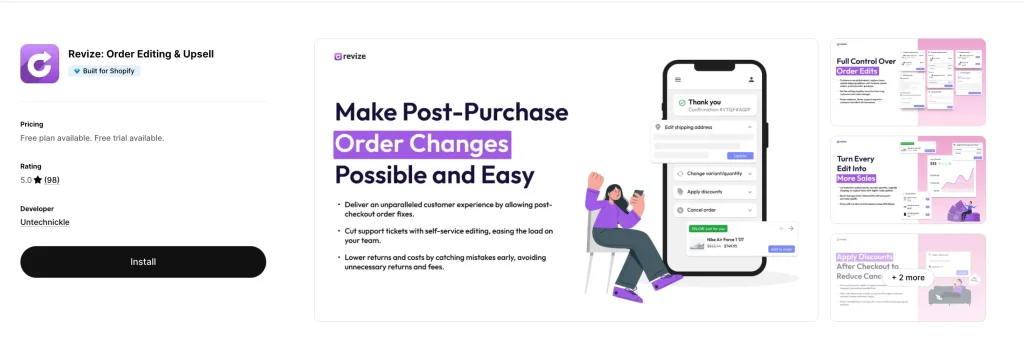
Revize is the sweet spot on this list. You get a real free plan (20 edits/mo), then unlimited edits for $49/mo on the Starter tier.
What makes it different
Revize integrates with nearly every major subscription app (including Recharge) to enable subscription order editing. It’s not a native subscription platform itself — instead, it works in sync with whatever subscription app you’re already using, so customers can edit their upcoming subscription orders before the next charge.
It also supports 20 languages including Japanese, Korean, Arabic, Thai, and Chinese (both Simplified and Traditional). For any store selling internationally, that’s a huge advantage.
Standout features
- Edit address, variants, quantity, shipping, swap/add products, discounts
- Order status page and email upsells — customers can add products even after they leave your site
- Self-serve order cancel with refund-to-store-credit option (retains revenue)
- Auto-cancel rules for high-risk orders
- AI upsells on the Pro plan
- Integrated with thank you page, order status page, and customer accounts
- 100+ integrations and full Shopify Markets support
Real merchant feedback
- Sybotanica (Netherlands) : 10/10 onboarding experience. I tried lots of apps, always a headache, something never works as you like. This one actually not. I was surprised. The translations (We have 10 languages) were auto-added and after a quality check actually pretty good too. Already in first 24 hours 10 orders edited so pretty nice.
- Horsham Coffee Roaster (United Kingdom) : “We have been using Revize for 6 months now and I am very happy to confidently give a 5 star review. It has saved us hundreds of hours that would have been spent on customer support emails to make simple changes to orders. Recently we encountered an issue with how the app was working in collaboration with another app we use and the technical support we received from Revize was exceptional — they took ownership of the issue from the outset, and subsequently identified and resolved the bug the same day. I highly recommend this app, it will save you a lot of time and money.”: “Works great for customers who realize they put in wrong address or want to change their order — or add something.”
Pricing breakdown
- Free: 20 order edits/mo, basic features, priority chat
- Starter ($49/mo): Unlimited edits, address editing, Shopify Markets support
- Pro ($149/mo): AI upsells, invoice generation, shipping method upgrades, auto-refunds as store credit
Pros & cons
✅ Pros: Real free plan, integrates with all major subscription apps, 20-language support, Built for Shopify badge, lowest entry price among premium apps ❌ Cons: Fewer integrations than OrderEditing.com, newer app (launched November 2024)
Verdict: For most merchants, Revize delivers 90% of what OrderEditing.com offers at half the price. The combination of a real free plan, unlimited edits at $49/mo, and deep subscription app integrations makes it the top pick for growing DTC brands.
3. AE: Order Editing & Upsell (Account Editor) — Best UX & Google Address Validation
Rating: 5.0 stars (222 reviews, 100% 5-star) Pricing: From $39/month with 14-day free trial Badge: Built for Shopify ✅ Best for: Stores where address errors drive high shipping costs
AE (Account Editor) is loved for one specific strength: its Google-powered address validation. If your store struggles with typos and undeliverable addresses, this is the app that catches them before the label prints.
Standout features
- Self-serve order editing on the order status page and customer accounts
- Google-powered address validation with deliverable suggestions
- Smart cancel order retention rules with restocking fees
- Post-purchase upsell offers shown during the edit flow
- Automatic tax and shipping recalculation after edits
- Full Shopify Flow integration for automation
- 3PL support including Brightpearl, CartRover, and ShipStation
- Available in English, French, Dutch, Spanish, Portuguese, Italian, Swedish, and German
Real merchant feedback
- Kore Essentials (US): “We’ve been using Account Editor since they were just starting out, the app has always worked well and they are continually improving the features. The address edits, order cancellations and order edit features have saved us a lot of time and are well worth the price.”
- Mondo Cattolico (Italy): “The support has been outstanding, they helped us very quickly and implemented an important customization for us in no time.”
- MySecretCase (Italy): “Support has been amazing, super responsive and always quick to help.”
Pricing breakdown
- 0–1,200 orders/month: $39/mo
- 1,201–5,000 orders/month: $99/mo
- 5,001–10,000 orders/month: $179/mo
- 10,001–20,000 orders/month: $259/mo
Pros & cons
✅ Pros: Lowest entry price with Built for Shopify badge, strong Google-powered address validation, deep Shopify Flow integration, 8 languages ❌ Cons: No subscription editing, no free plan, English-first UI
Verdict: Best pick if your #1 problem is bad addresses costing you in reshipments and customer service time. Cheaper than OrderEditing.com with 80% of the features.
4. Cleverific Order Editing — Best for B2B, Wholesale & Complex Orders
Rating: 4.6 stars (234 reviews) Pricing: From $49/month with 21-day free trial Launched: February 2014 (12+ years on Shopify) Trusted by: 3,500+ brands including Incrediwear, Limited Run Games, TopJob Best for: B2B, wholesale, custom orders, Shopify Plus stores with complex operations
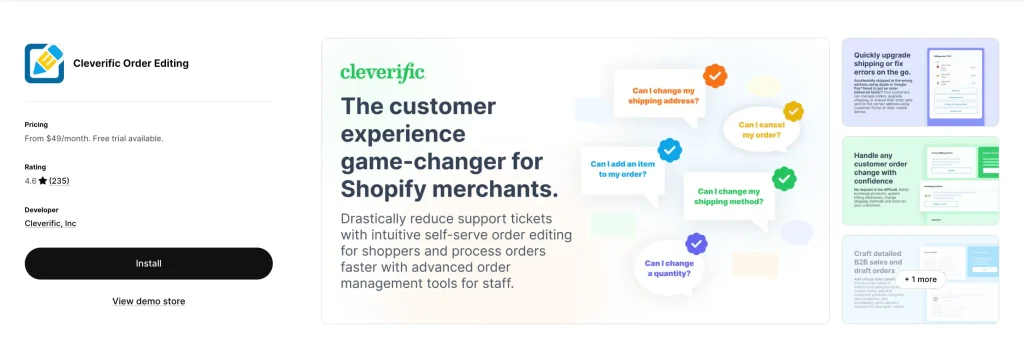
Cleverific is one of the longest-running order editors on Shopify. It launched in February 2014 — a full decade before most of the newer apps on this list. That history shows — it handles edge cases others don’t, especially for wholesale, custom, and draft orders.
What makes it different
Unlike the newer upsell-focused apps, Cleverific prioritizes backend power for your team. Its “Advanced Mode” lets staff edit things Shopify normally locks down — billing addresses, product customizations, taxes after an order is placed. It also enhances draft orders for sales, custom orders, wholesale orders, backorders, and preorders.
Standout features
- Self-serve customer portal for standard edits
- Advanced staff editor for complex changes (billing address, taxes, custom pricing)
- Order editing automations via Shopify Flow (e.g., auto-add free gifts to orders over $100, auto-split bundles for fulfillment)
- Abandoned cart recovery with payment requests
- Draft order enhancements for wholesale and B2B
- ShipStation, NetSuite, Recharge, Klaviyo, Order Printer Pro integrations
- SOC 2 Type II attestation on Premium Plus plan (rare for this category)
Real merchant feedback
- Incrediwear Holdings (US, 9+ years using): “Have had a couple of issues with the app here and there over the years, but customer service is excellent and quick to respond and stay in contact.”
- Limited Run Games (US, 7+ years using): “A game-changer for anyone struggling with the limitations of Shopify’s native order edit options.”
- TopJob (US): “Great app for customers to edit the order after placing them, as many would change their minds. It saved us TONs of time for our customer service team.”
Pricing breakdown
- Growth ($49/mo): 100 edits + 200 automations
- Professional ($99/mo): 400 edits + 500 automations
- Premium Plus ($299/mo): 800 edits + 2,500 automations + SOC 2 + white-glove onboarding
Pros & cons
✅ Pros: Longest track record, best for complex B2B/wholesale, strong Flow integration, SOC 2 compliance available ❌ Cons: No post-purchase upsells, no Built for Shopify badge, no address validation, English only, edit count caps (not unlimited)
Verdict: If you run a wholesale, B2B, or custom-order store (think enterprise apparel, industrial products, specialty retail), Cleverific is the pick. If you’re a DTC brand focused on upsells, skip it.
5. CP: Order Editing & Upsell (Clickpost) — Best Pay-As-You-Grow Pricing
Rating: 5.0 stars (25 reviews) Pricing: Free to install — 100 edits/upsells free every month, then $1 per extra Badge: Built for Shopify ✅ Best for: New stores testing the waters, high-growth stores with unpredictable volume
Clickpost’s model stands out among apps in this guide. Instead of a flat monthly fee based on order tiers, you pay only for what you use after 100 free edits per month.
Standout features
- Self-service editing on thank-you page, order status page, and customer accounts
- Address validation via Google Maps
- Auto-cancellations with automated refunds or store credit
- Post-purchase upsells to lift AOV
- 3PL/WMS integrations (Easycom, Unicommerce, and more)
- 24/7 chat + Slack support on paid plans
- Klaviyo and Judge.me integration
Real merchant feedback
- Mars By GHC (US): “Customers can handle order edits themselves, and the post-purchase upsells have been a solid bonus for incremental revenue.”
- Samoh by TATA (India): “We already edit 100+ orders monthly and has resulted in lower support tickets. What I appreciate is the flexibility, from modifying addresses to changing products and even adding upsells, it all just works.”
- Bonhomie (India): “A much needed solution to a very common support issue.”
Pricing breakdown
- Free to install: 100 edits/upsells per month + $1 per extra edit after that
- 1,000–5,000 orders/mo plan ($49/mo): Unlimited edits + upsells
- 5,000–10,000 orders/mo plan ($129/mo): Dedicated Account Manager
Pros & cons
✅ Pros: Truly zero-risk start, usage-based pricing, Built for Shopify badge, 24/7 support ❌ Cons: $1/edit adds up fast past 100 edits if you skip the monthly plan, smaller review base, English only
Verdict: Best for stores that want to test order editing without committing to a monthly subscription. Once you’re consistently above 150 edits/month, the $49/mo plan is the better deal. want to test order editing without committing to a monthly subscription. Once you’re consistently above 150 edits/month, the $49/mo plan is the better deal.
6. Editify Order Editing & Upsell — Best for Admin-Side Editing & Backdating
Rating: 4.2 stars (27 reviews) Pricing: Starter $19/mo, Pro $39/mo + 1% upsell fee, Enterprise $199/mo Badge: Built for Shopify ✅ Best for: Retail + online stores using a separate POS
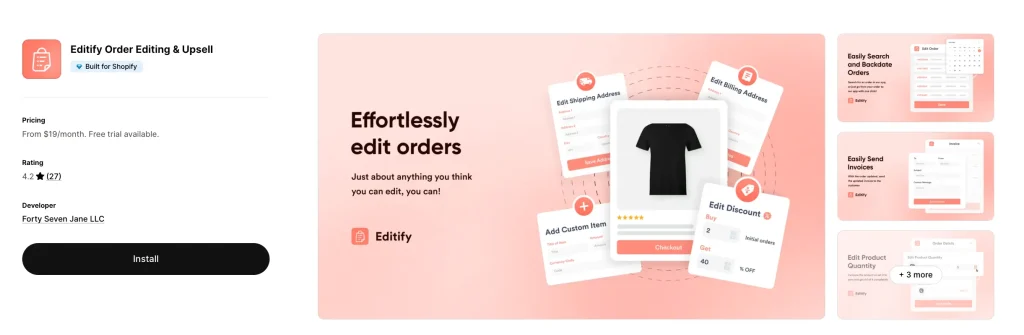
Editify is best known on this list for letting you backdate orders. If you run a physical store with a separate POS system (Clover, Square, Lightspeed, etc.) and enter weekend sales into Shopify on Monday, Editify fixes your analytics. While some enterprise tools like Cleverific’s Advanced Mode allow staff to edit locked-down fields, Editify’s dedicated backdating feature is purpose-built for this specific workflow.
Standout features
- Backdate Orders — change the order date to match when the sale actually happened
- Edit products, shipping costs, and billing addresses from Shopify admin
- Custom Shopify Flow actions for post-purchase automation
- Customer Portal on the Pro plan for self-serve edits
- Invoice generation with custom branding
- Financial reporting accuracy (correct revenue by actual sale date)
Real merchant feedback
- High Cotton Decor (US): “We use a separate POS in our store on are too busy on the weekends to scan items in Shopify so on Mondays I manually add all the orders from the weekends and back date them. Editify does it perfectly! And the support is excellent! I had a question and Alberto scheduled a video call with me immediately to walk me through what I needed to do.”
- Beer Golf (US): “Easy to onboard, easy to use. Has reduced the amount of time I have had to spend each day responding to customers who commonly put in the wrong shipping address.”
The cautionary note
Editify has a few 1-star reviews. One merchant (Wil Shrike Art) reported a duplicate-charge issue when amending a billing address — the developer responded within 24 hours and offered a fix. That said, if you rely on perfect billing data, test carefully before going live.
Pricing breakdown
- Starter ($19/mo): Backdating, edit shipping cost, billing address, invoices, financial reporting
- Pro ($39/mo + 1% upsell fee): Everything plus customer portal and Flow actions
- Enterprise ($199/mo): ERP integrations, white-glove onboarding, 1-to-1 Slack support
Pros & cons
✅ Pros: Dedicated backdating workflow, cheapest entry price with BFS badge, strong for admin-side operations ❌ Cons: Mixed reviews on edge cases, 1% upsell fee on Pro plan, English only
Verdict: Niche but necessary if you backdate offline orders into Shopify. For pure e-commerce stores, skip it.rs into Shopify. For pure e-commerce stores, skip it.
7. Relocate+ Order Editor — Best Lightweight Rule-Based Editor
Rating: 5.0 stars (34+ reviews) Pricing: Free plan, Pro $9.99/mo, Basic $19/mo, Advanced $39/mo Languages: 30 languages including Arabic, Hebrew, Hindi, Japanese, Korean, Thai, Vietnamese, and Chinese Best for: Pre-orders, shipping delays, and stores that need granular rules
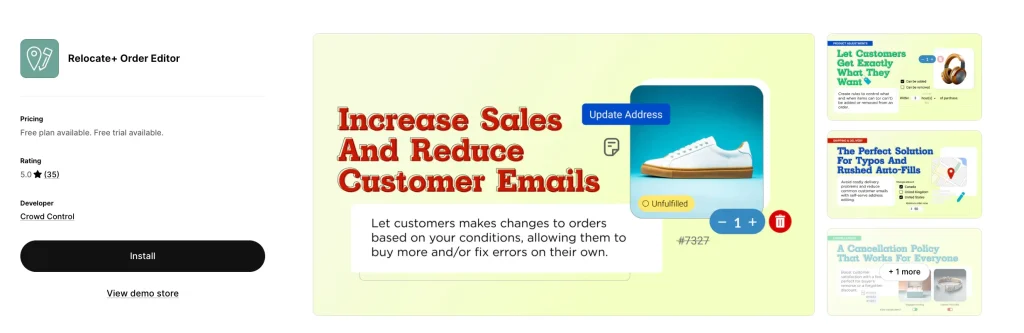
Relocate+ (by Crowd Control) is the rule-based specialist. It’s not trying to do upsells or subscription edits — it nails one thing: giving you precise control over what customers can change, when, and under what conditions.
Standout features
- Time-based restrictions for when the address editor is available
- Customers can edit variants-only or add/remove products based on your rules
- Integrates with ShipStation and Recharge
- Available on thank-you page, order status page, order confirmation emails, AND store accounts
- Exclude certain products from being edited (e.g., preorders, final sale)
- Set expiration dates for editing specific product types
- 30+ language support — one of the widest on this list
Real merchant feedback
- Merchant review (US): “This app is an absolute no brainer. If you have customers that provide the wrong shipping address (happens to every store owner really) this app allows your customer to edit their shipping address after checkout. 15 minutes has been our sweet spot.”
- Not-for-profit retailer: “It gives our customers peace of mind during times when we’re not monitoring our customer service email, such as over the weekend and on holidays.”
- Common theme: easy setup, responsive support, minimal friction.
Pros & cons
✅ Pros: Cheapest real self-serve option, widest language support, strong rule-based editing, free plan ❌ Cons: No post-purchase upsells, no Built for Shopify badge, smaller review base than Cleverific/OrderEditing
Verdict: Best for international stores that don’t need upsells but do need granular control — especially fashion brands with preorders and made-to-order items.
8. Orderify — Simplest Cancel + Reorder Tool
Rating: 4.8 stars (71+ reviews, 197 reviews total according to third-party trackers) Pricing: From $4.99/month with free trial Developer: Customer First Focus Best for: Stores that want fast cancel + reorder without complex edits
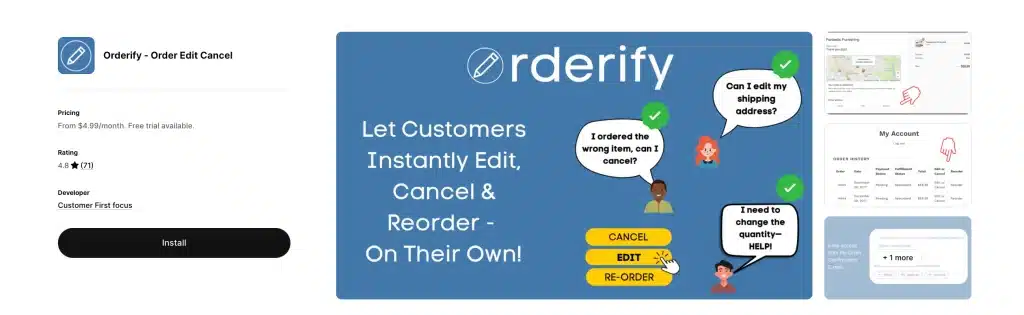
Orderify takes a fundamentally different approach. Instead of modifying orders in place, it cancels the original order and drops items into a fresh cart for the customer to re-checkout.
How it works
Orderify adds a self-service customer portal to your order status pages, confirmation emails, and account section. Customers can easily modify unfulfilled orders or place one-click reorders, while automatic refunds and inventory restocking handle the backend processes.
Standout features
- One-click cancel from the thank-you page and order status page
- One-click reorder for repeat customers
- Automatic refunds and inventory restocking
- Setup takes 5 minutes
- Works with all Shopify payment gateways
- Customizable edit-time limits
Real merchant feedback
- Multi-site merchant: “We are using Orderify across 10 of our websites and it has saved our customer service team a lot of time and effort dealing with requests to cancel orders.”
- Endless Blading Co.: Gave a tip for other merchants — “implement a Flow automation to delay payment capture on new orders so that when customers cancel and create new orders (for edits) you don’t lose the Shopify payments fees.”
- stamplab.com.au: “It’s reduced those ‘can I make a change?’ emails, which has been a relief.”
The important caveat
Because Orderify cancels and recreates orders instead of editing them, you will lose Shopify Payments processing fees unless you configure a Flow automation to delay payment capture. Several negative reviews cite this as a dealbreaker — one merchant reported the app “messed up my whole checkout code.” Test in a development store before going live on high-volume sites.
Pros & cons
✅ Pros: Cheapest paid option at $4.99/mo, simple setup, great for reorder-heavy stores, long track record ❌ Cons: Cancel-and-reorder model loses payment fees, outdated UI (“early 2000’s vibes” per one reviewer), no true in-place editing
Verdict: Best for stores where most “edits” are really just cancellations or full reorders. Avoid if you rely on preserving original order IDs for accounting.
9. EOE – Easy Order Editing — Cheapest Way In
Rating: 5.0 stars (13 reviews) Pricing: Free (5 orders/mo), Pro $9.99/mo (100 orders), Elite $89.99/mo (1,000 orders), Ultra $299.99/mo (unlimited) Languages: 7 (English, French, Spanish, Portuguese, Italian, German) Best for: Micro stores doing under 100 orders/month
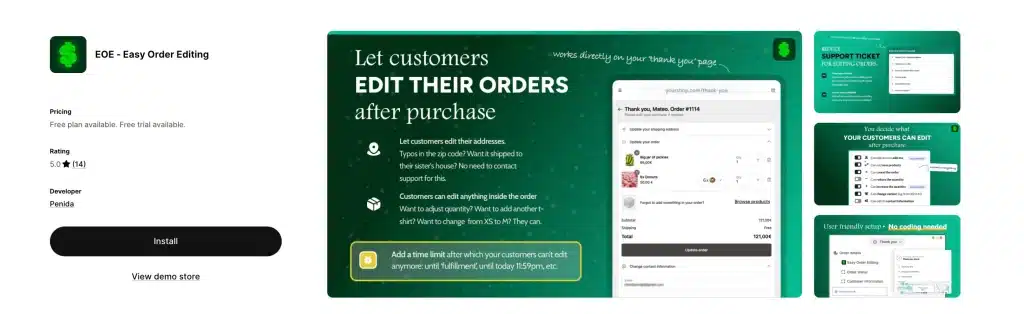
EOE (Easy Order Editing) is the budget-friendliest way to get real order editing on Shopify. The free plan covers 5 orders per month — enough to test whether self-serve editing is worth the investment.
Standout features
- Customers can edit order details post-purchase
- Update shipping address, product variants, or quantities
- Generate branded invoices with custom logo and colors
- Change variants (size, color) after purchase
- Enable/disable order cancellation
- Quantity adjustments
- Free gift and shipping protection offers (on higher tiers)
Real merchant feedback
- Zoyoka (India): “EOE works smoothly, and their customer service is truly the best. The support person who helped me set up the app was super kind, patient, and awesome to work with.”
- Rebellious Pins (US): “Customers began using the feature the first day I installed the app. I don’t have to manually update orders anymore which saves so much time!”
- Madre Tierra Celestial (Mexico): “Es de esas apps que siempre deberías tener configurada para evitarte dolores de cabeza con clientes que se equivocan al colocar sus direcciones.”
The caveat
EOE’s listing warns: “If your store uses the manual payment capture method, secondary payments added to edited orders may need to be captured separately.” Translation: if you hold charges until fulfillment, you’ll need manual intervention on edit fees.
Pros & cons
✅ Pros: Cheapest real free plan, simple UI, 7-language support, great for side-hustle stores ❌ Cons: No Built for Shopify badge, limited upsell features, 1,000-order cap on Elite plan forces Ultra plan jump
Verdict: Perfect for micro stores, Etsy migrants, and first-time Shopify sellers who want to try self-serve editing without financial risk.
10. LEO – Order Editing & Upsell — Best Truly Free Option
Rating: 5.0 stars (7 reviews) Pricing: Free Best for: Hobby stores and brand-new Shopify merchants
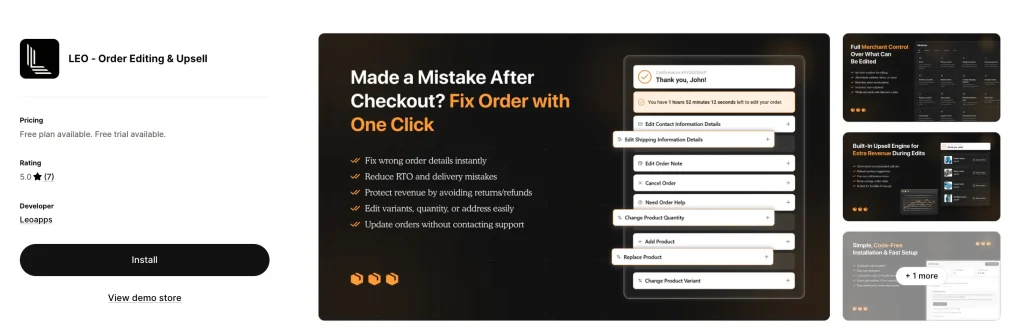
LEO is the newest entry on this list, with only 7 reviews, but it’s showing up in “more apps like this” across the category. Its claim: full order editing and upsells, completely free.
Standout features
- Self-serve order editing (address, items, variants)
- Order cancellation
- Basic post-purchase upsells
- Works with Shopify customer accounts
- Zero cost
The honest reality
LEO is early-stage. 7 reviews isn’t enough to validate long-term reliability or support quality. But for merchants who want to experiment before committing to a paid app, LEO is a low-risk way to see if order editing moves the needle for your store.
Pros & cons
✅ Pros: Truly free, includes upsells, 5-star rated ❌ Cons: Very small review base, no BFS badge, unclear roadmap for long-term sustainability
Verdict: Test it on a staging store. If support is responsive and the features hold up, it’s a fantastic free option.
Shopify Order Editing App Feature Deep-Dive: What Actually Matters
You’ve seen the table. Now let’s break down what each feature actually does for your business and which apps execute it best.
Self-Serve Customer Portal
This is the #1 reason to install any of these apps. It lets customers fix their own orders without emailing support.
Best execution: OrderEditing.com, Revize, AE — all three surface the portal on the order confirmation page, order status page, AND in customer accounts. Orderify only uses the cancel-and-reorder flow, which is less elegant.
Address Validation
This catches typos and undeliverable addresses before the label prints. The ROI is huge if you ship internationally or have lots of mobile checkouts where typos are common.
Best execution: AE (Account Editor) and CP (Clickpost) both use Google Maps-powered validation with deliverable suggestions. OrderEditing.com flags bad addresses but doesn’t always suggest corrections.
Post-Purchase Upsells
Turn order edits into revenue. When a customer opens the edit flow to fix an address, you show them “Customers like you also bought…”
Best execution: OrderEditing.com, Revize, and AE all offer one-click upsells. OrderEditing.com reports brands like Forme boosting AOV at checkout and post-purchase, and Nakie’s email drives six figures of additional revenue.
3PL / WMS Integrations
Critical if your warehouse pulls orders fast. Without this, customers edit orders after your warehouse has already started picking — creating chaos.
Best execution: OrderEditing.com (100+ integrations, explicitly stops 3PLs from pulling orders until edit window closes). Revize (100+ integrations). AE (ShipStation, CartRover, Brightpearl). Cleverific (NetSuite, ShipStation).
Subscription Order Editing
Let customers edit subscription orders before the next billing cycle. Rare but growing in demand — and every app on this list that supports it does so through integration with third-party subscription apps (like Recharge), not as a native feature.
Best execution: Revize integrates with nearly all major subscription apps. OrderEditing.com and Cleverific also support subscription editing via Recharge integration. There is no order-editing app on Shopify that has native subscription billing built in — you’ll always need a subscription app (like Recharge or Shopify Subscriptions) running alongside.
Store Credit Refunds
Instead of refunding to the original payment method (losing the revenue), refund to store credit (keeping the revenue). Huge for LTV.
Best execution: Revize (Pro plan), AE, CP — all three offer store credit as a refund option.
Shopify Flow Integration
Automate order-edit triggers: tag edited orders, notify Slack, add free gifts, split bundles for fulfillment.
Best execution: Cleverific (strongest Flow automation focus, with automation counts explicitly built into pricing tiers). AE, OrderEditing.com, and Editify all have Flow actions too.
Edit Windows
Set a time limit on edits — for example, “customers can edit for 30 minutes after checkout” — so orders close for editing before they’re pulled by the warehouse.
Best execution: Every app supports this. OrderEditing.com’s default is 30 minutes and they rarely find customers using the order editing app after 30 minutes.
How to Edit an Order in Shopify (Without an App)
Before you install anything, here’s what Shopify already lets you do:
- Go to Shopify admin → Orders
- Click the order you want to change
- Click Edit at the top right
- Add items with “Add products,” remove line items, or change quantities
- Click Save and choose whether to send the customer an updated invoice
That’s the native flow. It works — but only for staff-side edits, only on unfulfilled orders, and only for line items, quantities, and a limited set of fields.
What you can’t do natively:
- Customers can’t edit their own orders
- You can’t validate addresses
- You can’t offer upsells during the edit
- You can’t edit fulfilled orders
- You can’t change the order date (backdate)
- You can’t auto-refund to store credit
- You can’t set rules by product type
That’s the entire business case for every app in this article.
Can I Edit a Shopify Order After Shipping?
Short answer: mostly no, not through Shopify itself.
Once a shipping label exists, Shopify locks most edits. Your options are:
- Cancel the label (if your carrier allows it — varies by carrier and timing)
- Issue a partial refund and ship a replacement
- Contact the carrier to reroute (extra fees usually apply)
- Intercept at the facility (UPS, FedEx, and USPS all offer paid intercept services)
The apps above handle this differently:
- OrderEditing.com and Revize set an “edit window” (typically 30 minutes) so orders are flexible right after checkout but lock once warehouse picks begin
- AE and CP auto-close the edit window when fulfillment starts
- Relocate+ lets you set custom time limits per product type
If post-shipping edits are your main problem, focus on preventing bad orders with address validation (AE or CP) rather than trying to fix them after the fact.
How Order Editing Reduces Support Tickets: Real Numbers
Across every app listing we reviewed, merchants consistently report the same metric:
Support tickets drop 40–98% in the first 30 days after installing an order editing app.
Breaking down the math:
- Baseline: ~7% of orders trigger a support ticket for changes
- After installing a self-serve editor: That drops to 0.5–2%
- Savings: For a 5,000-order/month store, that’s 250–350 fewer tickets per month
At an average cost of $5 per support ticket (salary + time + software), that’s $1,250–$1,750 in savings every month — more than enough to cover any app on this list, including the $99+ enterprise tiers.
One Order Editing customer tracked a 98% reduction — from 2,000 monthly support contacts down to just 40.
How Order Editing Increases AOV: The Upsell Opportunity
Order editing isn’t just defensive. It’s offensive revenue generation.
Here’s why: the moment right after checkout is the highest-intent moment of the entire customer journey. The shopper already entered their card, already committed, and is feeling buyer’s satisfaction. If you show a relevant add-on during the edit flow, conversion rates explode.
Nakie, an Australian hammock brand, generates six figures of additional revenue from a single post-purchase email sent through Order Editing.
Upsell winners across these apps:
- Free shipping unlocks (“Add $15 more for free shipping”)
- Warranty & protection (one-click add)
- Frequently bought together bundles
- Gift wrap & priority processing
- Volume discounts (“Buy 2, get 15% off”)
Apps that natively support this: OrderEditing.com, Revize, AE, CP, LEO.
Which Shopify Order Editing App Should You Pick? Decision Tree
Use this tree to narrow down in under 60 seconds:
Start here:
Are you on Shopify Plus or doing 5,000+ orders/month?
- Yes → OrderEditing.com (enterprise proven, $6B+ GMV handled)
- No → Continue
Do you run subscriptions (Recharge, Shopify Subscriptions)?
- Yes → Revize (integrates with all major subscription apps and offers the widest feature set for subscription-aware editing)
- No → Continue
Is your #1 problem wrong addresses and bad shipping data?
- Yes → AE: Order Editing & Upsell or CP: Order Editing & Upsell (both have Google-powered validation)
- No → Continue
Do you run B2B, wholesale, or custom orders?
- Yes → Cleverific Order Editing (12 years on Shopify, strongest B2B features)
- No → Continue
Do you need to backdate orders from offline POS sales?
- Yes → Editify (dedicated backdating feature, purpose-built for this workflow)
- No → Continue
Do you want zero monthly commitment?
- Yes → CP: Order Editing & Upsell (100 free edits/mo, $1 per extra)
- No → Continue
Are you a micro-store doing under 100 orders/month?
- Yes → EOE ($9.99/mo) or LEO (free)
- No → Continue
Are you international and need 20+ language support?
- Yes → Revize (20 languages) or Relocate+ (30 languages)
- No → AE or Revize will cover most cases
Frequently Asked Questions: Shopify Order Editing
Can customers edit their own Shopify orders natively?
No. Shopify only allows staff-side edits from the admin panel. To enable self-serve order editing, you need a third-party app like the ones in this guide.
What happens if I edit a Shopify order after payment?
Shopify (and these apps) automatically calculate the difference. If the new total is higher, the customer is charged the balance as a secondary payment. If lower, a partial refund is issued to the original payment method — or to store credit, if the app supports it.
Can I edit a Shopify order after fulfillment?
Once an order is marked fulfilled, Shopify locks most edits. The best workaround is to set a short “edit window” (30 minutes is the industry standard) so customers have a safety net immediately after checkout, before your 3PL picks the order.
Does order editing work with Shopify subscriptions?
Yes, but not natively — every order-editing app on Shopify that supports subscription editing does so through integration with a subscription app (Recharge, Shopify Subscriptions, Bold, etc.). Revize offers the broadest subscription app integrations and explicitly lists subscription order editing as a supported use case. OrderEditing.com and Cleverific also support subscription editing through Recharge integration. You’ll always need both a subscription app and an order-editing app working together.
Is there a free Shopify order editing app?
Yes. Revize (20 edits/month), CP: Order Editing & Upsell (100 edits/month), Relocate+ (free tier), EOE (5 edits/month), and LEO (fully free) all offer no-cost plans. Revize and LEO give the most functionality on their free tiers.
How do I change the shipping address on a Shopify order?
From Shopify admin: Orders → click the order → click the three-dot menu next to the shipping address → Edit shipping address. For customer self-service, install an app like AE, Revize, or Relocate+ and enable the address edit feature on your order status page.
Will edits affect my 3PL?
Yes, if your warehouse pulls orders immediately. This is the #1 reason to use OrderEditing.com, Revize, or Cleverific — they all integrate with 3PLs to pause order pulling during the edit window.
Can I cancel a Shopify order automatically?
Yes. All the apps above support customer-initiated cancellations with auto-refunds or store credit. Revize, AE, and OrderEditing.com have the most sophisticated cancel-retention logic (e.g., offer a discount to keep the sale before canceling).
What’s the best Shopify order editing app for small stores?
For stores doing under 500 orders/month, Revize’s free plan or Relocate+ ($9.99/mo) offer the best value. If you’re under 100 orders/month, EOE’s free plan works fine.
How do order editing apps handle refunds?
Most apps offer two refund methods:
Refund to original payment — Shopify standard behavior
Refund as store credit — keeps the revenue in your store, encourages repurchase
Revize, AE, and CP all support store credit refunds. This is typically the higher-LTV choice.
Final Verdict: Our Top Picks for 2026
After testing 10+ apps against Shopify App Store data, review sentiment, and feature depth, here are our final recommendations:
🥇 Best Overall: Revize: Order Editing & Upsell
The combination of a real free plan, Built for Shopify badge, subscription editing, 20-language support, and unlimited edits at $49/mo makes Revize the best app for 80% of merchants.
🥈 Best for Enterprise: OrderEditing.com
If you’re on Shopify Plus or processing 5,000+ orders/month, the integrations, 3PL protection, and case study results from brands like Mejuri, Aviator Nation, and Oh Polly justify the $99+ price tag.
🥉 Best for Address Problems: AE: Order Editing & Upsell
Best UX, Built for Shopify badge, and the cleanest Google-powered address validation in the category — all starting at $39/mo.
🏅 Best Hidden Gem: Cleverific Order Editing
12 years of reliability, strong B2B and draft-order features, and deep Shopify Flow automation. The pick for wholesale and custom-order merchants who need staff-side power more than DTC upsells.
Your Next Step: Install, Test, Measure
Pick one app that fits your store size. Install the free plan or free trial. Run it for 14 days. Track these three numbers:
- Support tickets about order changes — should drop 40%+ immediately
- Post-purchase upsell revenue — any positive number is pure profit
- Bad address shipments — if you installed AE or CP, this should approach zero
If those numbers move, you’ll have your answer. If they don’t, uninstall and try the next app — most offer full free trials.
The merchants who win in 2026 aren’t the ones with the most traffic. They’re the ones who recover every order that would have otherwise become a refund, cancellation, or support ticket.
Your shoppers will make mistakes. The question is whether they can fix those mistakes in 30 seconds, or whether your support team has to fix them in 30 minutes.
Pick your app. Install it today. Watch the tickets disappear.