 Oxify
Oxify15 Best Back in Stock & Preorder Apps for Shopify (October 2026)
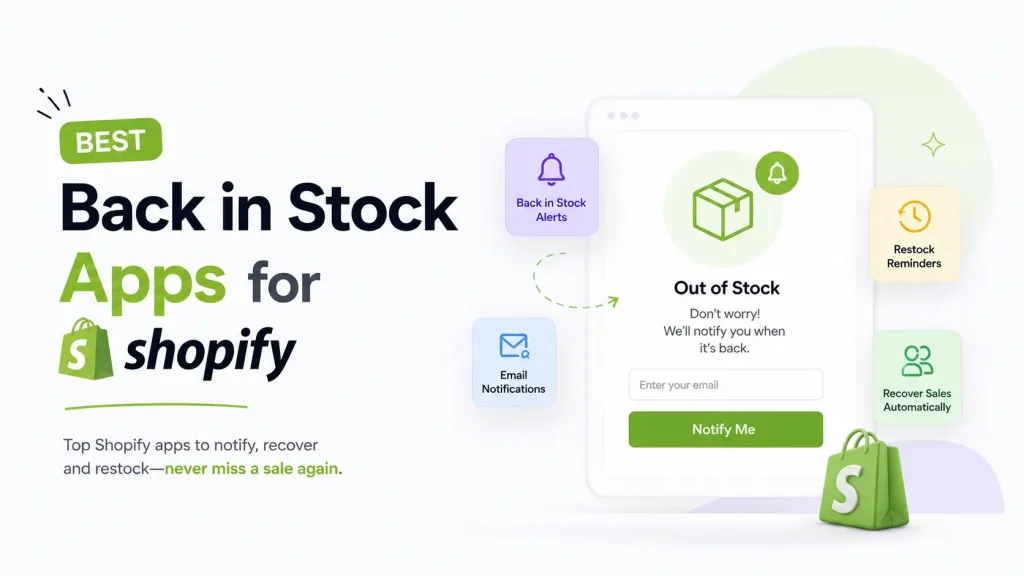
Short answer (updated October 11, 2026): The best back in stock apps for Shopify depend on the job. STOQ (5.0 across 3,799 reviews) and Notify Me! (4.9 across 3,897) are the most proven all-rounders, Essent and Timesact have the roomiest free plans, and Oxify Preorder & Back in Stock (our app, no reviews yet) is a free app that does restock alerts and preorders together.
- Best free app that does both jobs: Oxify Preorder & Back in Stock (our app, free, launched July 2026, no reviews yet).
- Most proven all-rounder: STOQ, 5.0 across 3,799 reviews, free plan then $10/month.
- Restock alerts plus a wishlist: Notify Me! Back in Stock Alert, 4.9 across 3,897 reviews.
- Product drops and launches: Timesact, 5.0 across 2,104 reviews, paid plans from $5/month.
- Roomiest free plans: Essent (300 restock notifications and 25 preorders a month) and Timesact (20 orders a month with unlimited emails).
- Already on Klaviyo: test its built-in back in stock form and flow before adding an app.
Every rating, review count, plan price, and Built for Shopify badge below was re-read from the live Shopify App Store on October 11, 2026.
A back in stock app adds a "Notify me" button to a sold-out product and emails, texts, or pushes the shopper when the item returns. The better apps also take preorders, so a shopper can pay now instead of waiting for the restock. This guide compares 15 options on live App Store ratings, free-plan limits, and what each one does not do.
Best back in stock apps at a glance
| App | Rating (reviews) | Price | Preorder? | Best for |
|---|---|---|---|---|
| Oxify Preorder & Back in Stock | New (no reviews yet) | Free plan | Yes | Best free app that does both jobs |
| STOQ | 5.0 (3,799) | Free plan, then $10/mo | Yes | Most proven all-rounder |
| Notify Me! Back in Stock Alert | 4.9 (3,897) | Free plan, then $9.90/mo | Yes | Alerts plus a wishlist |
| Timesact | 5.0 (2,104) | Free plan, then $5/mo | Yes | Product drops and launches |
| Essent Preorder Back in Stock | 5.0 (1,305) | Free plan, then $4.95/mo | Yes | Simple preorder and waitlist |
| Swym Back in Stock Alerts | 4.7 (443) | From $19.99/mo | Yes | Big stores that need deep integrations |
| Klaviyo | 4.7 (3,370) | Free to start | No | Stores already using Klaviyo |
| Amp Back in Stock & Preorder+ | 4.9 (959) | Free plan, then $19/mo | Yes | Long-running alerts plus preorders |
| Alert Me! Restock Alerts | 4.3 (254) | Free plan, then $4.99/mo | No | Tracking alert revenue |
| Appikon Back In Stock | 4.8 (1,458) | Free plan, then $19.99/mo | No | Simple alerts-only setup |
| Kbite Back In Stock, Notify Me | 5.0 (4,251) | Free plan, then $5/mo | No | Alerts plus price drops, cheaply |
| PreOrder Globo | 4.9 (1,947) | Free plan, then $9.90/mo | Yes | Presales plus restock alerts |
| Brevo PushOwl | 4.8 (2,299) | Free plan, then $19/mo | No | Web push to anonymous visitors |
| Stok | 4.8 (125) | Free plan, then $10/mo | Yes | Price drop and WhatsApp alerts |
| Ordersify: Restocked Alerts | 4.9 (689) | Free plan, then $9.99/mo | No | Dependable alerts-only |
Ratings, review counts, plan prices, and badges come from the live Shopify App Store listings, which we re-read on October 11, 2026 (rating and review count from each listing's page data, then its pricing panel and Built for Shopify badge). Since our September 23 check, review counts rose on 13 of the 14 rated apps (STOQ +81, Notify Me! +97, Kbite +80), Appikon's rating moved from 4.7 to 4.8 as its count dipped from 1,461 to 1,458, and none of the plan prices or free-plan limits quoted here changed. Hulk Restock & Back in Stock still shows "not currently available" on its listing. Earlier this year Back In Stock: Customer Alerts was renamed Amp Back in Stock & Preorder+, and Stok added preorders. App Store numbers change over time, so treat them as a snapshot, not a fixed score.
How we picked these apps
We did not just copy other lists. On October 11, 2026 we opened each of the 15 live App Store listings and looked at:
- The current Shopify App Store rating and review count
- Real merchant reviews, including the complaints, not just the praise
- Pricing, including free plans and hidden limits
- Whether the app can both send restock alerts and take preorders
- How easy it is to set up with no code
That is why you will see honest "watch out" notes below, even for popular apps and for our own. Disclosure: we make Oxify Preorder & Back in Stock. It is listed first as the best free app that does both jobs, not as the best reviewed: it has no reviews yet, so the ratings below are the better guide to track record.
Why a "Sold Out" button quietly drains your sales
A plain "Sold Out" button is a dead end: the shopper leaves, may forget the product name, and can buy the same item on another site. A back in stock button turns that dead end into a door. Instead of leaving, the shopper leaves an email or phone number, and when you restock they get a message that links straight back to the product.
Out of stock is only one way stores lose sales. For the rest, see our guide to the best Shopify apps to reduce cart abandonment.
Back in stock vs preorder: the difference that matters
There are really two ways to save a sale when stock is low or zero.
Back in stock alerts. The shopper joins a waitlist. You email or text them when the item returns. This is great, but there is a catch. You still have to wait for them to come back and buy. Some will. Some will forget.
Preorders. The shopper buys the item now, even though it is out of stock. You take the payment, or just a small deposit, and you ship it when it arrives. The sale is done. No waiting. No "maybe." Preorders usually need an app, since Shopify has no full preorder feature built in.
Here is a simple example. Say you sell candles, and your best scent sells out. With a preorder, a superfan buys it today and you ship next week. With a back in stock alert, a casual shopper leaves their email and you win them back on restock day. Use both, and you catch both kinds of buyer.
Many of the top apps now bundle preorders and restock alerts together. When you shop this list, check the "Preorder?" column in the table above. If preorders are the main job, our comparison of the best Shopify preorder apps lines up deposits, charge-later options and free-plan caps side by side.
The 15 best back in stock apps for Shopify
1. Oxify Preorder & Back in Stock (best free app that does both)
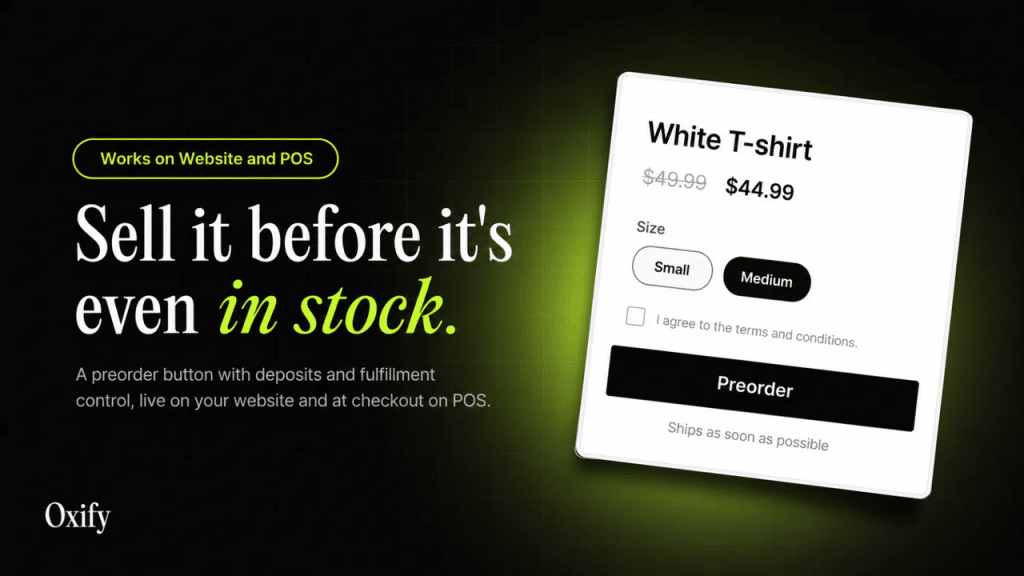
Oxify Preorder & Back in Stock does the two things that matter most, and it does them for free.
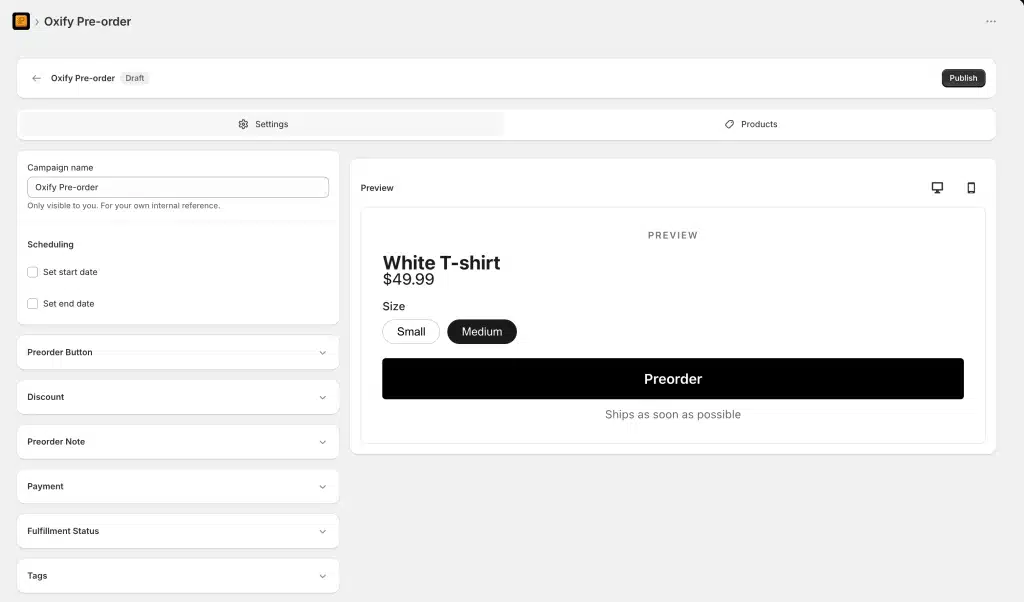
You can add a preorder button to any product that is out of stock, low on stock, or coming soon. Shoppers can buy right away, pay a deposit, or split the cost into parts. When something is fully sold out, they can join a waitlist and get an automatic email the moment it is back.
- Preorder button and badge for out of stock or upcoming items
- Take a deposit, partial payment, or split payment at checkout
- Automatic back in stock emails for your waitlist
- Add a discount to reward early buyers
- Works inside your current theme with no code, and works with Shopify POS
- Listed in eight languages: English, German, Spanish, French, Portuguese (Brazil), Italian, Japanese, and Chinese (Simplified)
Rating: New. Its listing shows a July 8, 2026 launch, 0 reviews, and no Built for Shopify badge (checked October 11, 2026).
Best for: Any store that wants preorders and restock alerts in one free app.
Watch out: It is the newest app on this list, with no reviews and no Built for Shopify badge yet. Its listing describes email back in stock alerts only, so skip it if you need SMS, WhatsApp, or push restock alerts, or if you want a long review history before you install.
Price: Free (the listing shows a free plan and no paid plan).
Because it covers both jobs in one place, you are not paying for two apps or stitching tools together. If you want a free way to try both jobs today, start here. If you want a long review history first, start with STOQ or Notify Me!.
2. STOQ (most proven all-rounder)
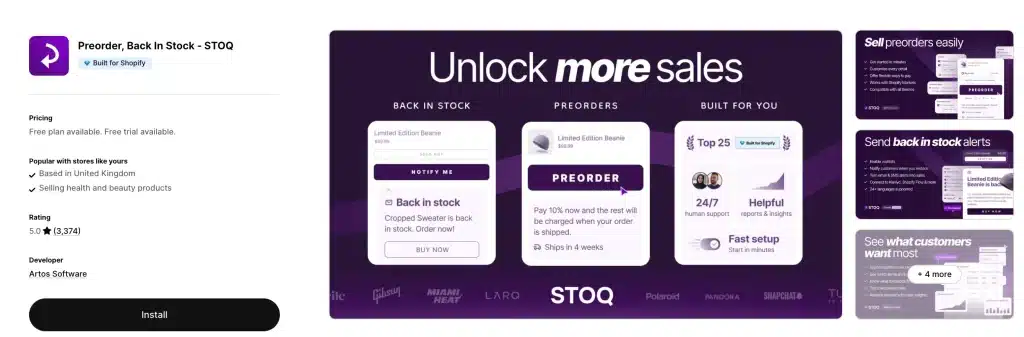
STOQ is one of the most reviewed apps on this list, with a perfect 5.0 rating across nearly 3,800 reviews. That kind of track record is rare.
It adds a "Notify Me" button to sold-out products and sends alerts by email, SMS, or push. It also handles preorders with deposits and partial payments, syncs with Klaviyo and Mailchimp, works with Shopify POS, and supports more than 20 languages. Support is available around the clock.
Rating: 5.0 (3,799 reviews). Built for Shopify.
Best for: Store owners who want a well-known app with a long, proven history.
Watch out: The free plan is small (10 preorders and 30 emails per month), and SMS costs extra (listed at $0.025 per message). You will likely need a paid plan as you grow.
Price: Free plan, then Lite $10 (100 preorders, 1,000 emails/SMS a month), Pro $29 (400 preorders, 2,000 messages), or Unlimited $69 per month.
3. Notify Me! Back in Stock Alert (alerts plus a wishlist)
Notify Me! Back in Stock Alert blends restock alerts, a wishlist, and preorders into one app, with a 4.9 rating across 3,897 reviews. Shoppers can save items they love and get told when those items come back. (An earlier version of this guide credited it to Appikon; the listing names its developer as Notify Me!, and Appikon publishes a separate app, Appikon Back In Stock, covered at number 10 below.)
It sends email, SMS, and push alerts, shows low-stock counts, gives you demand reports, and sets up on most themes fast.
Rating: 4.9 (3,897 reviews). Built for Shopify.
Best for: Stores that want alerts plus a wishlist to track what people want.
Watch out: The free Lite plan is tiny (10 restock notifications and 5 preorders), and a few reviewers have reported alert delays during very large launches, so test it before a big product drop.
Price: Free Lite plan, then Kickstart $9.90, Starter $19.90, or Standard $39.90 per month.
4. Timesact (best for product drops)
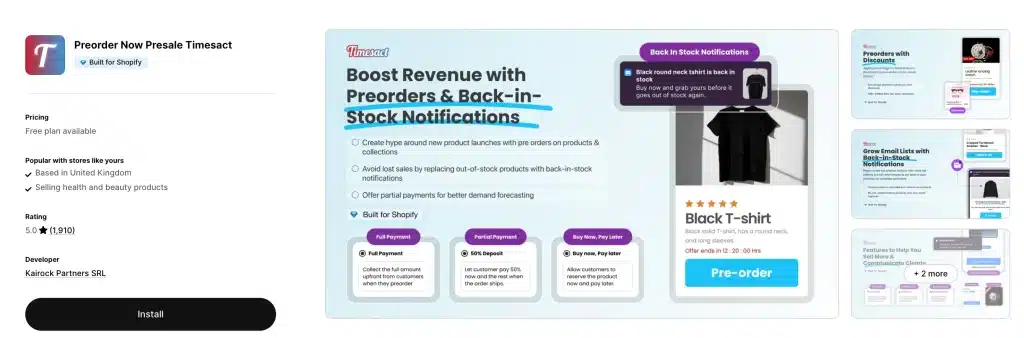
Timesact is built for stores that run launches and drops. It has a 5.0 rating across more than 2,000 reviews. It handles "coming soon," preorders, and back in stock alerts, and it works closely with your inventory, so the message on the page updates on its own as stock changes.
Rating: 5.0 (2,104 reviews). Built for Shopify.
Best for: Owners who plan drops and want the product state to drive the message.
Watch out: It is preorder-first, so back in stock alerts are one part of a bigger toolset, and the flexible plans are priced per extra batch of orders, so model a big launch month before you pick one.
Price: Free for new users (20 orders a month, unlimited emails), then CORE Flex $5, PRO Flex $7, or CORE Fixed $23 per month for unlimited orders.
5. Essent Preorder Back in Stock
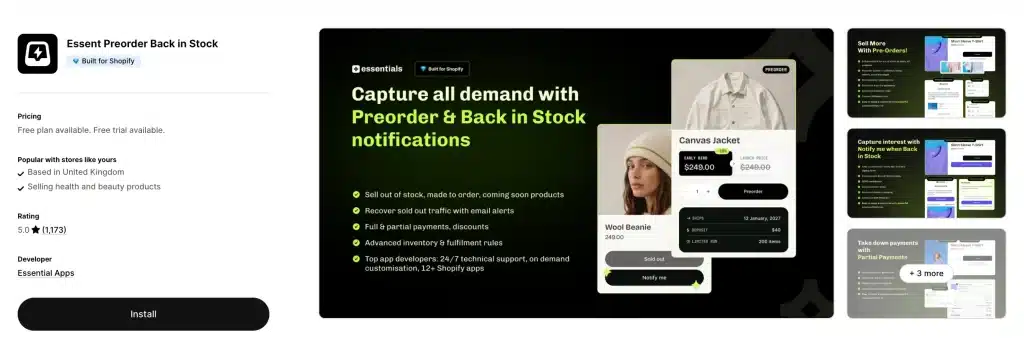
Essent is a clean, well-liked option with a 5.0 rating across more than 1,300 reviews. It focuses on preorders and a simple back in stock waitlist, without a lot of extra clutter.
Rating: 5.0 (1,305 reviews). Built for Shopify.
Best for: Stores that want a simple, solid preorder and waitlist app.
Watch out: It is lighter on marketing extras than bigger apps like STOQ.
Price: Free (25 preorders and 300 notifications a month), then Lite $4.95, Starter $8.95, or Essentials $24.95 per month.
6. Swym Back in Stock Alerts
Swym Back in Stock Alerts is a long-time name with a 4.7 rating. It sends email and SMS restock alerts, supports preorders, shows AI-powered "you might also like" picks for sold-out items, and links up with many marketing tools like Klaviyo, Mailchimp, and Postscript.
Rating: 4.7 (443 reviews).
Best for: Bigger stores that already use several marketing tools and want deep links between them.
Watch out: There is no free plan anymore. Plans start at $19.99 per month, and one recent reviewer said the entry plan "costs almost as much as Shopify itself." Its listing shows English as the only language, although the description says it works with a theme in any language, so test the widget in your languages during the trial.
Price: Starter $19.99, Pro $59.99, or Premium $99.99 per month (about 17% off annually), with a 30-day free trial.
7. Klaviyo (if you already use it)
Klaviyo (4.7 across 3,370 reviews) is a full email and SMS marketing platform, and it has a built-in back in stock form and flow. If you already send your newsletters and flows through Klaviyo, you can collect restock sign-ups without adding a separate app.
Klaviyo's help center lists the catches (how to set up a back in stock form, updated March 27, 2026, read October 11, 2026). The form works only on Shopify and BigCommerce, an account can have only one back in stock form, and A/B testing is not supported. It also does not work with Shopify's "Continue selling when out of stock" setting: with that on, the Notify Me button never appears and no restock emails are sent. Text alerts need explicit promotional SMS consent.
Best for: Stores that already run their email marketing on Klaviyo.
Watch out: It does not offer preorders, it is a full marketing platform rather than a simple alert app, and it is priced by the size of your contact list, so it can get costly.
Price: Free to start (email is free up to 250 contacts), then priced by your number of contacts. The Email plan starts at $20 a month for 251 to 500 contacts.
8 more back in stock apps, compared
The seven above are our top picks, but these apps can fit special needs. Here they are at a glance, then in detail. Prices were checked on October 11, 2026 and change over time, so check the App Store before you install.
| Also compared | Standout feature | Starting price |
|---|---|---|
| Amp Back in Stock & Preorder+ | Long-running listing, now with preorders and wishlists | Free plan, then $19/mo |
| Alert Me! Restock Alerts | Dashboard revenue total for orders that follow an alert | Free plan, then $4.99/mo |
| Appikon Back In Stock | Simple alerts-only app (replaces the delisted Hulk) | Free plan, then $19.99/mo |
| Kbite | Most reviewed app in this guide; price drop alerts | Free plan, then $5/mo |
| PreOrder Globo | Preorders alongside restock alerts | Free plan, then $9.90/mo |
| Brevo PushOwl | Leads with browser push, not just email | Free plan, then $19/mo |
| Stok | Restock, price drop, and WhatsApp alerts | Free plan, then $10/mo |
| Ordersify | Clean, reliable "Email me" alerts | Free plan, then $9.99/mo |
8. Amp Back in Stock & Preorder+ (formerly Back In Stock: Customer Alerts)
One of the oldest back in stock listings on Shopify has a new name. The apps.shopify.com/back-in-stock listing, long known as Back In Stock: Customer Alerts, now appears as Amp Back in Stock & Preorder+, with HEL SG PTE LTD named as the developer. It is no longer alerts-only: the listing now covers preorders, wishlists, and low-stock badges too.
- Automatic email, SMS, and push restock alerts
- Preorders, wishlists, and low-stock badges in the same app
- Demand data to see which products people want most
Rating: 4.9 (959 reviews). Built for Shopify.
Best for: Stores that want a long-running listing with alerts and preorders together.
Watch out: The free plan covers only 10 notifications a month and does not include preorders (they start on the $19 Starter plan), and the paid tiers start higher than most rivals.
Price: Free, then Starter $19, Growth $49, or Pro $99 per month (Shopify Plus stores pay $49, $99, or $299).
9. Alert Me! Restock Alerts (Dibble Development)
Alert Me! is built around one idea: showing whether your restock alerts pay off. It adds sign-up forms to product and collection pages, and its dashboard keeps a running revenue total for orders placed after an alert email.
- One running revenue total on the dashboard (its developer says it is a single total, not a per-alert breakdown), plus a list of your most requested out-of-stock products
- Sign-up by variant, so buyers do not wait for every size to sell out
- Customizable buttons and emails to match your brand
Best for: Store owners who want a simple running total of what their alerts earn.
Rating: 4.3 (254 reviews), the lowest score in this list, with some reviewers reporting theme compatibility problems.
Watch out: Revenue is one total rather than a per-alert breakdown, design options are a bit limited, and it does not carry the Built for Shopify badge.
Price: Free plan, then Light $4.99, Growth $9.99, or Pro $29.99 per month.
10. Appikon Back In Stock (replaces Hulk Restock Alerts)
Hulk Restock & Back in Stock, which held this spot in July, now shows "not currently available on the Shopify App Store" on its listing (checked September 23 and again October 11, 2026), so it is out. Its natural replacement is Appikon Back In Stock, a long-running alerts-only app with a 4.8 rating across 1,458 reviews.
- Automatic email and SMS restock alerts, plus back-order reminders
- Customizable sign-up form and notifications that fit most themes
- Demand reports for new and existing products, plus Klaviyo and Mailchimp sync
Rating: 4.8 (1,458 reviews).
Best for: Stores that want a simple, well-reviewed alerts app and do not need preorders.
Watch out: No preorders, no Built for Shopify badge, a 10-email free plan, and SMS billed per message.
Price: Free (10 emails a month), then Starter $19.99, Pro $29.99, or Premium $49.99 per month, with 20% off annually.
If you still run Hulk: the listing directs support questions to HulkApps directly. Export your waitlist subscribers and plan a move to one of the apps above before your next big restock.
11. Kbite Back In Stock, Notify Me (most reviewed)
Kbite (listed as "Back In Stock, Notify Me: Kbite") packs a lot into a low price, and it quietly has the largest review base of any app in this guide: 5.0 across 4,251 reviews, with the Built for Shopify badge. On top of restock alerts, it sends price drop alerts and shows waitlist analytics so you can see real demand.
- Email and SMS restock alerts, plus price drop alerts for items on sale
- Out-of-stock waitlist analytics, batch delivery, and mailing list sync
- 22+ languages and a very low starting price
Rating: 5.0 (4,251 reviews). Built for Shopify.
Best for: Small stores that run frequent sales and want alerts plus price-drop nudges for a few dollars a month.
Watch out: No preorders, a 30-email free plan, and SMS billed per message (from $0.02 in the US).
Price: Free (30 emails a month), then Basic $5, Starter $9, or Pro $19 per month, with a 14-day trial.
12. PreOrder Globo | Back in Stock
As the name says, PreOrder Globo leans toward preorders, but it also handles back in stock alerts. You can add a preorder button to any product, take partial payments, and add an automatic discount.
- Preorder button with partial payments and automatic discounts
- Back in stock "notify me" button and automated restock emails
- Preorders by inventory level or on a schedule with start and end dates
Rating: 4.9 (1,947 reviews). Built for Shopify.
Best for: Stores running presales that also want restock alerts in the same app.
Watch out: The free plan covers only your first 20 presale orders and first 100 restock emails, and a few users hit small bumps when switching products in and out of preorder.
Price: Free, then Lite $9.90 (100 presales, 1,000 restock emails a month) or PRO $19.90 per month (unlimited presales, 5,000 emails).
13. Brevo PushOwl
Brevo PushOwl takes a different path. Instead of leading with email, it leads with browser push, so a shopper only has to click "Allow," with no email or phone needed. It carries a 4.8 rating across 2,299 reviews.
- Web push, email, and SMS in one app, with unlimited subscribers
- Back in stock reminders and price drop alerts
- Fast setup and strong abandoned cart recovery
Best for: Stores that want to reach anonymous visitors who never share an email.
Watch out: Push works best with real traffic, so very small stores get less from it, and the many features can feel like a lot at first.
Rating: 4.8 (2,299 reviews).
Price: Free Basic Bundle (500 web pushes and 500 emails a month, back in stock reminders included), then Plus $19 or Power $79 per month.
14. Stok: Back in Stock, Notify Me
Stok (listed as "Back in Stock, Notify Me: Stok") focuses on getting the right message out fast. It sends back in stock alerts by email, SMS, and WhatsApp, and it also sends price drop alerts, which many alert apps skip. Since our July check it has added preorders too.
- Email, SMS, and WhatsApp restock alerts in 27 languages
- Price drop alerts for items on sale
- Preorder and waitlist buttons that sit under a "Sold Out" button
Rating: 4.8 (125 reviews). Built for Shopify.
Best for: Stores that want restock and price drop alerts, including WhatsApp, in one simple tool.
Watch out: A much smaller review base than the leaders. (This is a different app from Notify Me! in our top 7.)
Price: Free (20 email notifications and one preorder offer of up to 10 orders a month), then Plus $10, Pro $20, or Business $49.99 per month (the listing was running introductory discounts on the first two months when we checked).
15. Ordersify: Restocked Alerts
Ordersify: Restocked Alerts keeps things clean and reliable. Shoppers join with a simple "Email me when available" button, and the app sends automatic or manual restock alerts by email and SMS.
- Automatic or manual email and SMS restock alerts
- Works with most themes and syncs with your inventory
- Simple, no-fuss setup
Best for: Stores that just want dependable restock alerts without a learning curve.
Rating: 4.9 (689 reviews).
Watch out: It is focused on alerts, so preorder features are limited, and the free plan stops at 100 notifications a month.
Price: Free, then Basic $9.99, Professional $19.99 (unlimited notifications), or Unlimited $39.99 per month (adds unlimited SMS).
Email vs SMS vs push: which alert works best?
Most apps let you send alerts in more than one way. Here is a simple guide:
- Email is free or cheap, works everywhere, and is the safe default. Downside: inboxes are crowded, so some people miss it.
- SMS (text) gets opened fast and works great for hot items. Downside: it costs extra per message, and the price varies a lot between apps (table below).
- Push notifications pop up on the phone or browser with no email needed. Downside: the shopper has to opt in first, so fewer people get them.
These are the per-message SMS prices each listing showed when we read them on October 11, 2026:
| Option | SMS price shown on the listing | Plans it applies to |
|---|---|---|
| STOQ | $0.025 per SMS | Lite, Pro, and Unlimited |
| Kbite | From $0.02 for US numbers | Basic, Starter, and Pro |
| Timesact | From $0.02 for US numbers, only if you use SMS | CORE Flex and PRO Flex |
| Stok | SMS and WhatsApp from $0.02 | Plus, Pro, and Business |
| Appikon Back In Stock | $0.05 to $0.40 per message, by message length | Every plan, including free |
| Notify Me! | Priced by country, no figure shown | Starter and Standard |
| Amp Back in Stock & Preorder+ | Priced by destination country, no figure shown | Starter, Growth, and Pro |
| Ordersify | Unlimited SMS included | Unlimited plan, $39.99 a month |
Simple rule: turn on email for everyone. Add SMS for your best sellers, where a fast alert is worth the small cost.
If you already send a lot of marketing email, a dedicated tool can handle restock emails too. See our roundup of the best Shopify email marketing apps.
How to write restock alerts that sell
Getting the shopper to sign up is only half the job. The message you send when the item returns is what makes the sale. Keep these tips in mind:
- Send it fast. The best time to reach a shopper is the minute the item is back. A late alert is a missed sale.
- Show the exact product with one clear button. Put the product name and a photo in the message and link straight to the product, so buying takes one tap.
- Add a small reason to act now. A line like "Only a few left" or free shipping for the next day can tip a maybe into a yes.
- Let them choose email or text. Some people never open email.
Here is the difference in practice. A weak alert says: "Back in stock. The item you wanted is available again." It is easy to ignore. A strong alert says: "Your size is back, and it is selling fast. Only a few left of [product name]." Then it shows the product photo and one clear "Buy now" button. Same news, but the second one gets the click.
How to choose the right app for your store
You do not need the app with the longest feature list. You need the one that fits how you sell. Ask yourself:
- Do I want the sale now, or later? If now, you need preorders, not just alerts.
- Do I run drops or restocks often? If yes, pick an app with reminders and smart automation.
- Do I sell in many countries? Check each listing's language line and test the widget in your languages. On October 11, 2026 Stok listed 27 languages, STOQ and Essent 24 each, and Oxify Preorder & Back in Stock eight, while Swym, Amp, Alert Me!, Appikon, and Ordersify list English only (Swym's and Amp's descriptions still mention non-English or multi-language support, so test them).
- Do I want to keep costs low? Start with a free plan like Oxify Preorder & Back in Stock, Essent, Timesact, STOQ, or Notify Me!.
- Do I want one app or two? An app that does both preorders and alerts saves money and time.
Short answer: if you want free and simple, start with Oxify Preorder & Back in Stock. If you want the most proven app and do not mind paying as you grow, go with STOQ.
Which back in stock apps also have a wishlist?
Two apps in this guide mention a wishlist in their App Store listings as of October 11, 2026: Notify Me! Back in Stock Alert and Amp Back in Stock & Preorder+. A wishlist lets a shopper save a product and come back to it, which gives you an early signal of demand before the item sells out.
- Notify Me! Back in Stock Alert: adds "Wishlist" buttons alongside "Notify Me" and "PreOrder". Wishlist actions are capped by plan: 50 on the free Lite plan, 2,000 on Kickstart ($9.90 a month), and 10,000 on Standard ($39.90).
- Amp Back in Stock & Preorder+: wishlists and low-stock badges are included on its free plan, which covers 10 notifications a month.
The other 13 apps do not mention a wishlist in their listings. If you only want alerts, you do not need one.
Free and cheap back in stock apps: what the free plans really include
"Free" means very different things on this list. Some free plans are a real long-term option for a small store; others run out after a handful of alerts. Here is what each free plan allowed on October 11, 2026, and what the first paid step costs.
| Free plan | Restock alerts included | Preorders included | First paid plan |
|---|---|---|---|
| Oxify Preorder & Back in Stock | Included, no cap shown | Included, no cap shown | None listed (free only) |
| Essent | 300 notifications/month | 25/month | $4.95/mo |
| Timesact | Unlimited emails | 20 orders/month | $5/mo |
| Stok | 20 email notifications/month | 1 offer (10 orders/month) | $10/mo |
| PreOrder Globo | First 100 restock emails | First 20 presale orders | $9.90/mo |
| Ordersify | 100 notifications/month | None | $9.99/mo |
| Alert Me! | 10 notifications/month | None | $4.99/mo |
| STOQ | 30 emails/month | 10/month | $10/mo |
| Kbite | 30 emails/month | None | $5/mo |
| Notify Me! | 10 notifications | 5 | $9.90/mo |
| Amp Back in Stock & Preorder+ | 10 notifications/month | Paid plans only | $19/mo |
| Appikon Back In Stock | 10 emails/month | None | $19.99/mo |
| Swym | No free plan (30-day trial) | Yes, on paid plans | $19.99/mo |
Cheapest real options: Essent at $4.95, Alert Me! at $4.99, and Kbite or Timesact at $5 a month are the lowest paid entry points here, but the allowances differ a lot. Essent's $4.95 Lite plan includes 1,000 notifications and 100 preorders a month, Kbite's $5 Basic plan 500 email notifications, and Alert Me!'s $4.99 Light plan only 50 notifications. If you want to pay nothing at all, start on Oxify Preorder & Back in Stock's free plan, and Essent's and Timesact's free plans are the roomiest of the freemium apps.
Does Shopify have built-in back in stock alerts?
No. Shopify has no native "notify me when available" button for sold-out products, and no built-in preorder flow either (here is what Shopify does and does not include for preorders). To create back in stock alerts on Shopify you have two routes: install a dedicated app from this list, which adds the button and sends the alert for you, or use the back in stock form and flow in an email platform you already pay for, such as Klaviyo. Either way the steps below are the same shape.
How to set up back in stock alerts in 4 steps
You do not need to be a developer. Most apps follow the same simple path:
- Install the app from the Shopify App Store and open it in your admin.
- Turn on the button. Pick "Notify me" for alerts, "Preorder" to sell now, or both.
- Match your brand. Change the button text and colors so it fits your store.
- Write your message. Set a short, friendly email that goes out the moment you restock.
That is it. Once it is live, the app does the work while you focus on running your store.
Get more from every saved sale
A back in stock or preorder sale is a great win. But you can make each one bigger.
When a shopper finally buys the item they waited for, that is the perfect moment to show a matching product or a small "add this too" offer. A slide-out cart with upsells, like Oxify Cart Drawer & Upsells (our app), can turn one saved sale into a slightly larger order. Pairing preorders with smart cart upsells is a simple way to lift your average order value without paying for more traffic.
Related: Running limited beauty drops? See the best Shopify apps for beauty and skincare brands.
Frequently Asked Questions
What is the difference between a preorder and a back in stock alert?
What features should a back in stock app have to recover the most revenue?
What is the best free back in stock app for Shopify?
What is the cheapest back in stock app for Shopify?
Which back in stock app has the most reviews?
Which back in stock apps also have a wishlist?
Can one app handle both preorders and back in stock alerts?
Can I collect a deposit on a preorder?
Is email or SMS better for restock alerts?
Does Shopify have built-in back in stock alerts?
Do back in stock apps slow down my store?
Which back in stock app is best for limited drops with heavy traffic?
The bottom line
A "Sold Out" sign should never be the end of the sale. With the right app, it becomes the start of one.
If you want the simplest way to save more sales, pick an app that does both preorders and back in stock alerts. Oxify Preorder & Back in Stock does exactly that, it is free, and you can set it up today with no code. If you would rather start with a long review history, STOQ and Notify Me! are the proven choices.
Turn your sold-out products into your next round of orders.