 Oxify
OxifyShopify announcement bar app
The free Shopify announcement bar app every visitor reads
Announce free shipping, sales and delivery cut-offs in a sticky bar shoppers actually see. Rated 4.9 ★ · Built for Shopify · 100% free, live in two minutes.
Merchants running Oxify apps












Your best billboard is showing a blank wall
The header banner sits above your logo, above your hero, above everything. It gets 100% impressions at zero cost. The usual ways to waste it: leave the theme default in place, hard-code one message and forget it, or bury a genuinely useful line — like the free shipping threshold — three clicks deep in a policy page.
The theme's default bar
- One static line of text, edited by hand in the theme customiser.
- No scheduling, so your Black Friday bar is still up in December.
- The same message for every country, however irrelevant.
- No way to rotate more than one announcement.
- Changing it means opening the theme editor and republishing.
With Oxify Announcement Bar
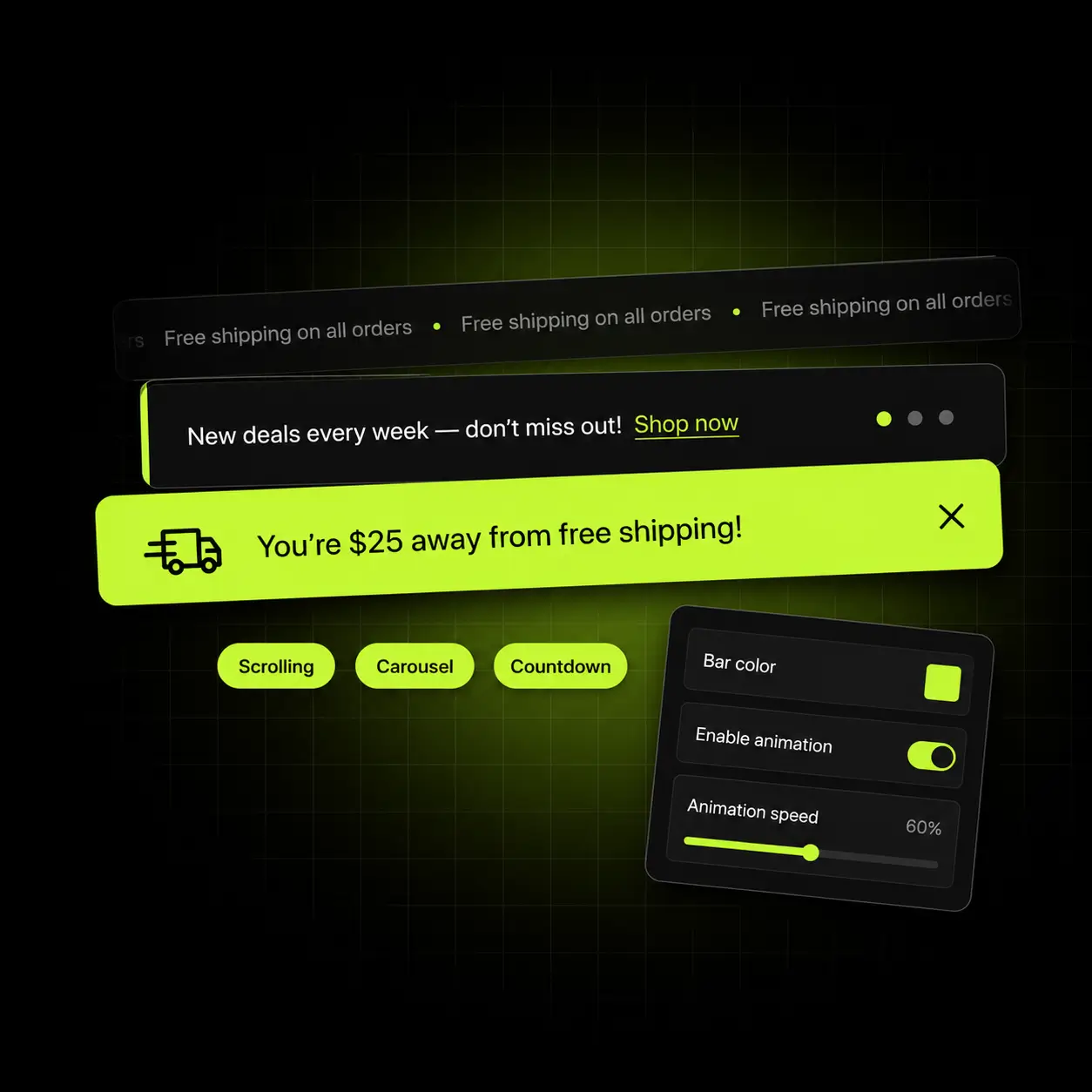
- Multiple announcements rotating in a carousel or scrolling marquee.
- Scheduled start and end times, so campaigns retire themselves.
- Geo-targeting by country, so shipping claims are actually true.
- A sticky bar that stays in view as the visitor scrolls.
- Edited in the app, live in seconds, with no theme republish.
Four jobs a good bar does quietly
An announcement bar is not decoration — it is a promo banner with a job. Done properly it removes friction that would otherwise cost you the sale.
State the shipping threshold
A free shipping bar — “Free shipping over $50” at the top of every page — answers the question that otherwise gets answered at checkout, badly.
Create a real deadline
Sale end times and delivery cut-offs give the visitor a reason to act today rather than bookmark you.
Say the right thing per country
Shipping promises and currency claims that are true where the visitor actually lives.
Announce without an email
Restocks, new drops and delays reach everyone on the site, not just the fraction who open your emails.
More than one message, without shouting
Run multiple announcements in one rotating or sliding announcement bar — as a carousel that fades between them, or a marquee that scrolls continuously. You get to say the shipping threshold and the sale deadline without choosing between them.
- Carousel and scrolling marquee modes, with adjustable speed
- Unlimited announcements per bar, reordered by drag
- Sticky option so the bar stays in view as the visitor scrolls
- Emoji, icons and a CTA button on any announcement
Why rotate: a second message costs you nothing, and the shipping threshold deserves permanent residency.

Bars that retire themselves
Set the start and end time when you build the bar. Your Black Friday flash sale banner goes up at midnight and comes down on the Tuesday without anyone remembering to do it, which is the part that usually goes wrong.
- Start and end date-times per bar, in your store’s timezone
- Recurring and scheduled campaigns for repeat promotions
- Queue several bars so the next one takes over automatically
- Preview exactly what will be live on a given date before you publish
The real win: nobody has to remember to take the sale banner down.
Say what is true where they live
“Free shipping over $50” is a promise, and it is a false one for any visitor outside the countries you ship free to. Target bars by country so the claim matches the market, in the shopper’s own language.
- Target any bar by country, so shipping claims stay accurate
- 23 languages supported, including right-to-left layouts
- Different thresholds and currencies per market
- Falls back to a default bar for any country you haven’t targeted
Fewer surprises: a shipping promise that isn’t true in the shopper’s country is an avoidable support ticket.
A bar that looks built in, not bolted on
Colours, fonts, padding, animation and corner radius are all yours. The default inherits from your theme, so the bar looks like part of the store rather than an app that was installed on top of it.
- Full control of colours, fonts, size, padding and animation
- Inherits your theme’s typography by default
- Mobile-specific sizing so it never eats half a phone screen
- Custom CSS if you want something the settings don’t cover
Mobile matters most: a bar that is two lines tall on a phone costs you more than it earns.
One bar, every page, every device
The announcement bar is the only component that appears on all of them — and a sticky top bar keeps it in view even after the shopper scrolls. That is exactly why it is worth getting right.
Every page
Home, collection, product, cart — site-wide by default, or targeted to specific pages.
Mobile-tuned
Separate sizing and text so it stays one line on a phone.
Scheduled
Campaigns that start and stop themselves.
Targeted
By country, language and market.
The bar that fits your store
The best message depends entirely on what your visitors are unsure about. Here is where we’d point you first.
Stores with a shipping threshold
The single most useful thing you can say.
Start with: “Free shipping over $X” as a permanent free shipping bar, geo-targeted per market so the shipping threshold is true everywhere it shows.
Stores running promotions
Deadlines that need to feel real.
Start with: A scheduled flash sale banner with an end time, queued to retire itself automatically.
International stores
Claims that differ by country.
Start with: Country-targeted bars in local language and currency, with a default fallback.
What five popular announcement bar apps charge for
On 13 October 2026 we searched the Shopify App Store for “announcement bar” and read the pricing section of the five announcement-bar apps with the most reviews among the organic results. Four cap their free plan at 1,500–2,000 views or impressions a month, and all four put scheduling on a paid plan ($9.99–$29.99 a month). Oxify Announcement Bar (our app) is free with no paid plan, but it has far fewer reviews than the three biggest.
| Announcement bar app | Rating (reviews) | Free plan limit | Scheduling | Country targeting |
|---|---|---|---|---|
| Essential Announcement Bar | 5.0 (1,308) | 2,000 views/month | Essential plan, $9.99/month | Essential plan, $9.99/month |
| TA Banner Slider, Sales Pop up | 5.0 (1,257) | 2,000 views/month | Advanced plan, $9.99/month | Not named |
| Attrac Popup, Announcement Bar | 5.0 (1,178) | 1,500 impressions/month | Max plan, $29.99/month | Not named |
| WebRex Multi Announcement Bar | 4.8 (271) | None listed | Not shown | Not shown |
| Yeps Announcement Bar Banner | 5.0 (198) | 2,000 views/month | Pro plan, $12.99/month | Plus plan, $6.99/month |
| Oxify Announcement Bar (our app) | 4.9 (52) | None, free | Free | Free |
Plan details read from each app’s Shopify App Store listing on 13 October 2026. Each cell names the cheapest plan whose feature list mentions the capability, billed monthly. “Not named” means the listing’s plan list does not mention it, which is not proof the app lacks it; WebRex’s listing shows only a free plan and links to the developer’s own pricing page, which we did not read. Selection: organic (not paid) results on the first page of the App Store search for “announcement bar”, leaving out countdown-only, cart-drawer, bundle and free-gift apps. Review counts differ a lot (1,178–1,308 for the three largest here, 52 for Oxify Announcement Bar), and plans change, so check the listing before you decide.
Pick a different app if: review history is your first test (Essential Announcement Bar has 1,308 reviews against Oxify Announcement Bar’s 52); or you want pop-ups or email capture in the same app (TA Banner Slider, Attrac and Yeps list them). Oxify publishes this page and makes Oxify Announcement Bar.
Live in about two minutes
No developer, no theme edits, no republish.
Install
Add the app from the Shopify App Store. It connects through an app embed block — no theme files touched.
Write your bar
Type the message, pick a style, add a CTA button if you want one.
Target and schedule
Choose countries and set a start and end time, or leave it running permanently.
Publish
Toggle it live. Changes appear instantly with no theme republish.
Free. Not “free tier”.
Every feature on this page is included at no cost. There is no trial clock, no impression cap and no app branding you have to pay to remove.
No trial to expire, no credit card, no usage cap and no “upgrade to unlock” on any feature listed here.
Install freeSo what’s the catch?
- Every feature on this page is free. There is no locked tier behind it.
- No trial clock — the app does not stop working after 14 days.
- No usage cap, no order limit and no branding you have to pay to remove.
- We build paid apps too, and free apps are how merchants meet us.
- If you never install the paid one, this still costs you nothing.
- Uninstall whenever you like — it leaves nothing behind in your theme.
When you want to raise average order value rather than just fix one surface, our paid app, Oxify Cart Drawer & Upsells, covers the product page, the cart, the sticky cart and post-purchase from one install — from $9.99/month with a 30-day ROI guarantee.
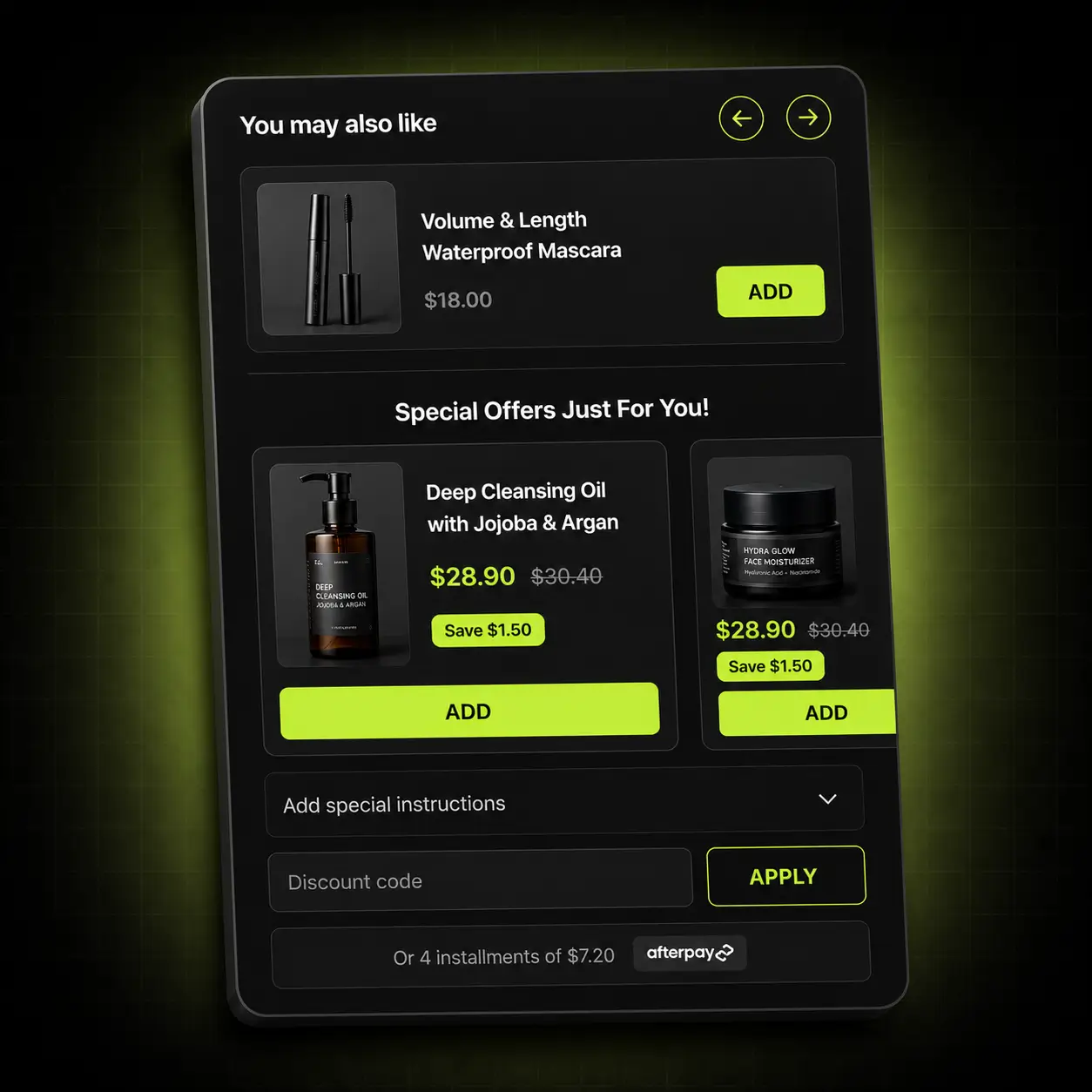
See Oxify Cart Drawer & Upsells- Free gift & reward tiers A live progress bar toward free shipping and free gifts, with unlimited tiers.
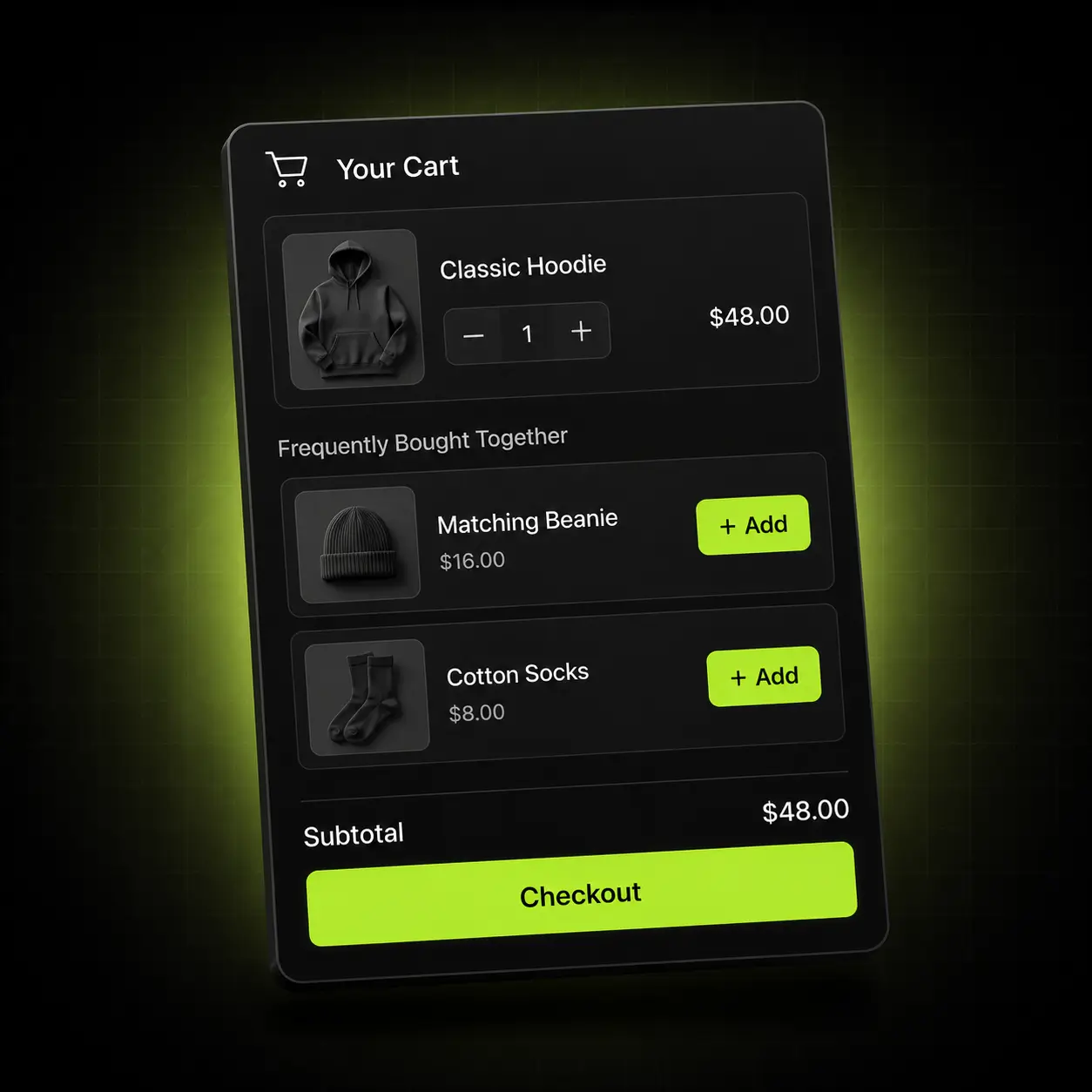
- In-cart upsells & Subscribe & Save Frequently Bought Together and subscription upgrades inside the cart drawer.
- One rule set across four surfaces Product page, cart, sticky cart and post-purchase, with no discount collisions.
Rated 4.9 by merchants running it
Built for Shopify is Shopify’s own quality standard — it covers performance, app-embed compliance and admin UX, and it has to be earned.
52 reviews on the Shopify App Store (checked 13 October 2026)
✓ Built for Shopify
A performance limit it has to meet
Built for Shopify repeats Shopify’s own rule that an app may not lower a store’s Lighthouse performance score by more than 10 points. The listing showed the badge on 13 October 2026.
No theme edits
Installs as an app embed block, so uninstalling leaves nothing behind.
Part of the Oxify family
Seven Oxify apps on the Shopify App Store share the same support team; five carry the Built for Shopify badge (checked 13 October 2026).
Bars are better with a reason to act
An announcement bar tells the shopper about the free shipping threshold. A free shipping progress bar in the cart shows them how close they are to it. Building a free shipping bar? See how to add a free shipping progress bar to the Shopify cart, or compare an announcement bar with a cart drawer message.
Oxify Cart Drawer & Upsells
A live free shipping progress bar and free gift tiers in the cart, so the threshold your announcement bar promotes becomes a goal shoppers can watch fill. See the cart drawer app: paid, from $9.99/month with a 14-day free trial.
Oxify Countdown Timer Bar
Also free. A countdown bar that adds a real deadline under the announcement, for flash sales and delivery cut-offs. See the countdown timer app, or read our guide to countdown timers and the FTC rules.
Oxify Quantity Breaks & BYOB
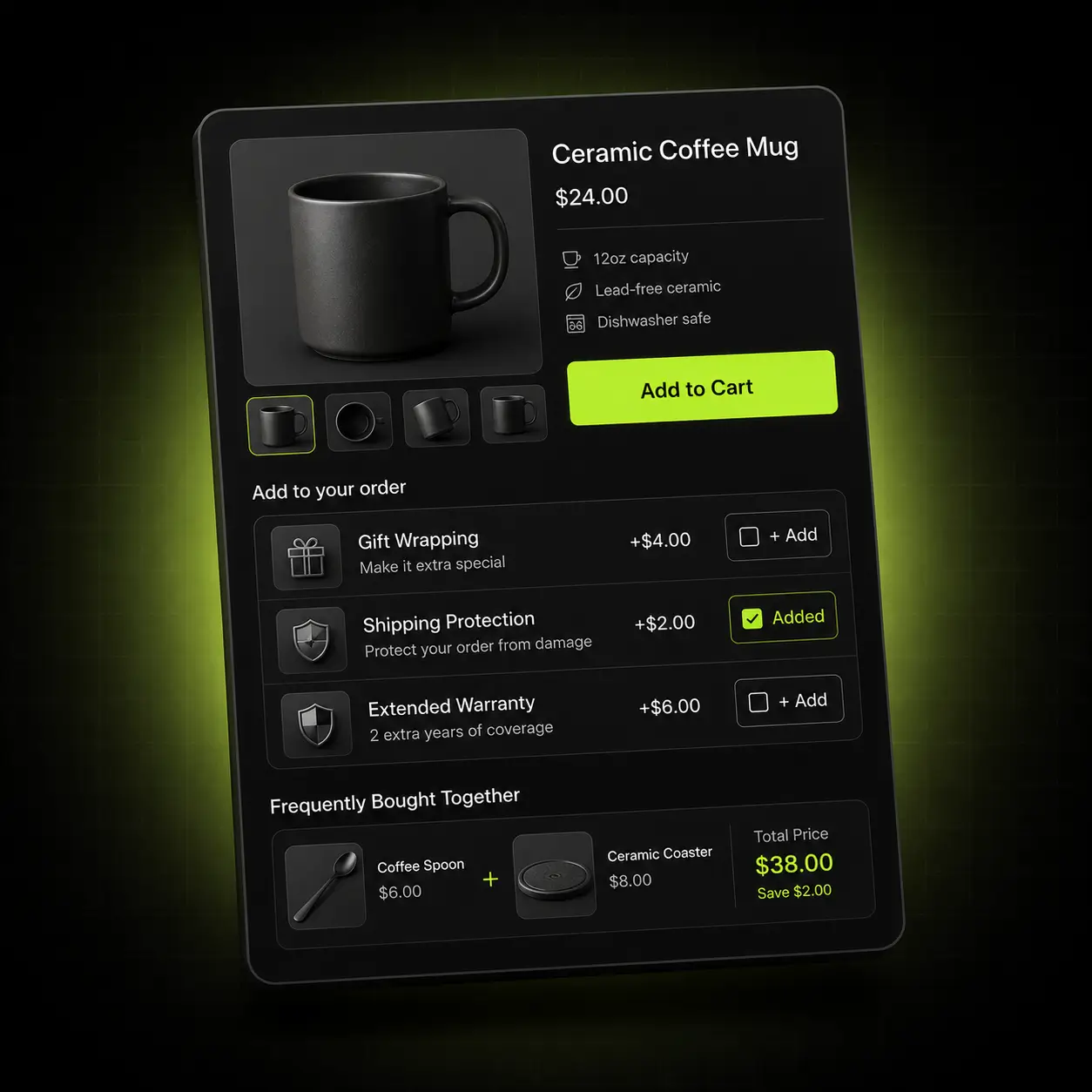
Quantity breaks and build-your-own-box offers to lift the order the bar just brought in. See the bundle app: paid, $14.99/month (or $129.99/year) with a 14-day free trial.
Not ready to install?
Get the free Store Optimization Checklist
Cart friction, upsell gaps, merchandising and trust fixes — the audit we run on every store. No call, no install.
Shopify announcement bar apps — frequently asked questions
What is Oxify Announcement Bar?
Oxify Announcement Bar is a free Shopify app from Oxify (developer “Oxify App”) that adds a sticky, rotating, sliding or scrolling marquee announcement bar to every page, with call-to-action buttons, scheduling, country targeting and 23 languages. It is rated 4.9 from 52 reviews, is Built for Shopify, has been listed since December 2024 and lists a single price: Free (listing checked 13 October 2026).
How does it compare with Essential Announcement Bar and TA Banner Slider?
Both have far more reviews: Essential Announcement Bar is rated 5.0 from 1,308 and TA Banner Slider, Sales Pop up 5.0 from 1,257, against 4.9 from 52 for Oxify, and all three are Built for Shopify. Both free plans stop at 2,000 views a month, and both put scheduling on a $9.99-a-month plan; Essential puts country targeting there too. TA also includes pop-ups and email sign-up forms. Oxify Announcement Bar has no view cap and includes scheduling and country targeting free. Figures from the live listings, 13 October 2026.
What is an announcement bar?
An announcement bar is a slim banner, usually at the very top of the page, that carries a short message — a shipping threshold, a sale deadline, a delivery cut-off. It is the only element on a store that every visitor sees before scrolling.
What should I put in an announcement bar?
Start with free shipping if you offer it. After that, in this order: sale deadlines, delivery cut-offs, restock news. Keep each message to one short line so it stays on one line on a phone.
Can I show more than one message, and can the bar be sticky?
Yes to both. Run several messages as a fading carousel or a continuously scrolling marquee, with unlimited announcements per bar, adjustable speed and drag-to-reorder, so the shipping threshold and the sale message no longer compete for one slot. A sticky bar stays in view as the visitor scrolls; it is worth using for a shipping threshold and worth avoiding for anything less important, since it costs vertical space on mobile.
Can I schedule a bar in advance?
Yes. Give a bar a start and end date-time in your store’s timezone and it publishes and retires itself, which avoids the usual failure of a sale banner that stays up a week after the sale ended. Queue a second bar behind it — your permanent free shipping bar, say — and it takes over automatically when the sale ends.
Can I show different bars in different countries?
Yes. Target any bar by country, which is how you keep “free shipping over $50” from being a false promise in markets where it isn’t true. Untargeted countries fall back to a default bar. The app supports 23 languages, including right-to-left layouts.
How do I add an announcement bar to my Shopify store without code?
Install the app from the Shopify App Store, turn on the app embed block, type your message and toggle it live. There is no code to paste and no Liquid to edit, so you do not need a developer — the whole thing is a visual editor and takes about two minutes.
Will it work with my theme?
Yes. It runs on Online Store 2.0 themes including Dawn, Horizon, Impulse, Prestige, Motion and Warehouse, and on most older themes too.
Does it slow my store down?
Every app adds some load, so the fair test is your own store with the app embed switched on and off. For reference, Shopify’s Built for Shopify rules cap an app’s effect at a 10-point drop in a store’s Lighthouse performance score, and this app showed the badge on 13 October 2026. It is a small CDN-delivered script that loads asynchronously and does not block rendering or your buy button.
Is it really free, or free to install?
Free. Every feature described on this page is included at no cost, with no usage cap, no app branding on your bar and no paid tier hiding behind it. We also build paid apps — Oxify Cart Drawer & Upsells and Oxify Quantity Breaks — and free apps are how most merchants find us, but you are never required to install them.
What happens if I uninstall it, and what data does it use?
Everything is removed cleanly. Because it installs as an app embed block rather than editing theme files, there is no orphaned Liquid left behind to clean up. The app requests only the Shopify scopes it needs to function, we do not sell data, and everything is deleted on uninstall in line with Shopify’s data-retention requirements.
Can the bar show how far a shopper is from free shipping?
The bar itself states the shipping threshold — “Free shipping over $50” — site-wide. For a live free shipping progress bar that updates as the cart fills, pair it with the reward bar in Oxify Cart Drawer & Upsells (our paid app), which shows the shopper exactly how far they are from the goal.