 Oxify
OxifyShopify thank you page upsell app
Shopify thank you page upsells: your most wasted page, now selling
Your Shopify thank you page is your next sale. One-tap offers right after payment, plus recommendations on the order-status page. Rated 4.9 ★ · 14-day free trial.
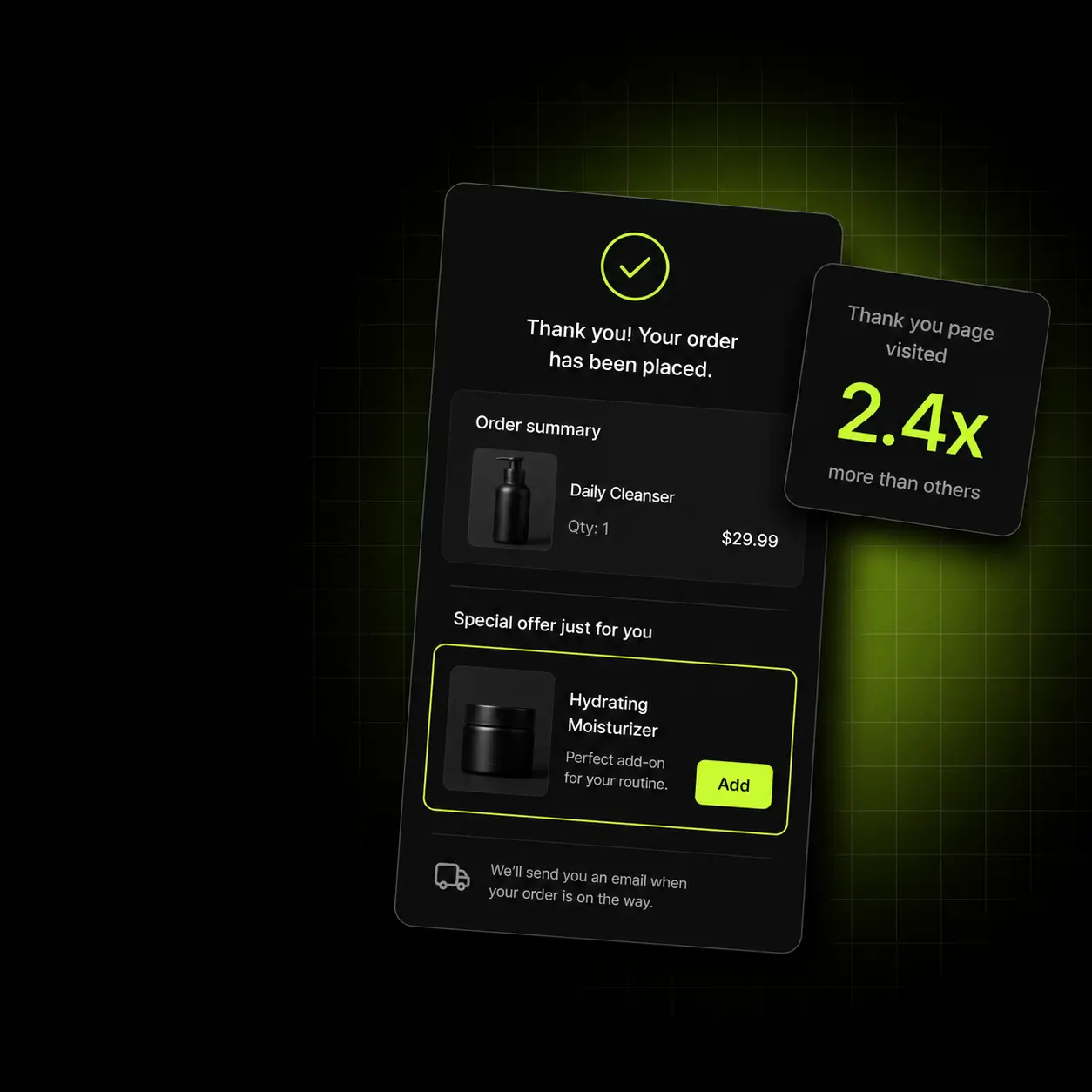
Merchants running Oxify












You paid for the customer twice, then stopped selling
Acquisition is the expensive part and you have already paid it. The customer is on your thank-you page with their guard down and their card already charged — the single cheapest revenue available to any store — and the order confirmation page is showing them a receipt.
The default thank-you page
- An order number, a shipping estimate, and nothing to buy.
- The order-status page gets revisited for days and sells nothing on any visit.
- Any follow-up offer goes out by email and competes with everything else in the inbox.
- Discount codes in a confirmation email get forgotten before they get used.
- The most trusting moment in the entire relationship goes unused.
With Oxify
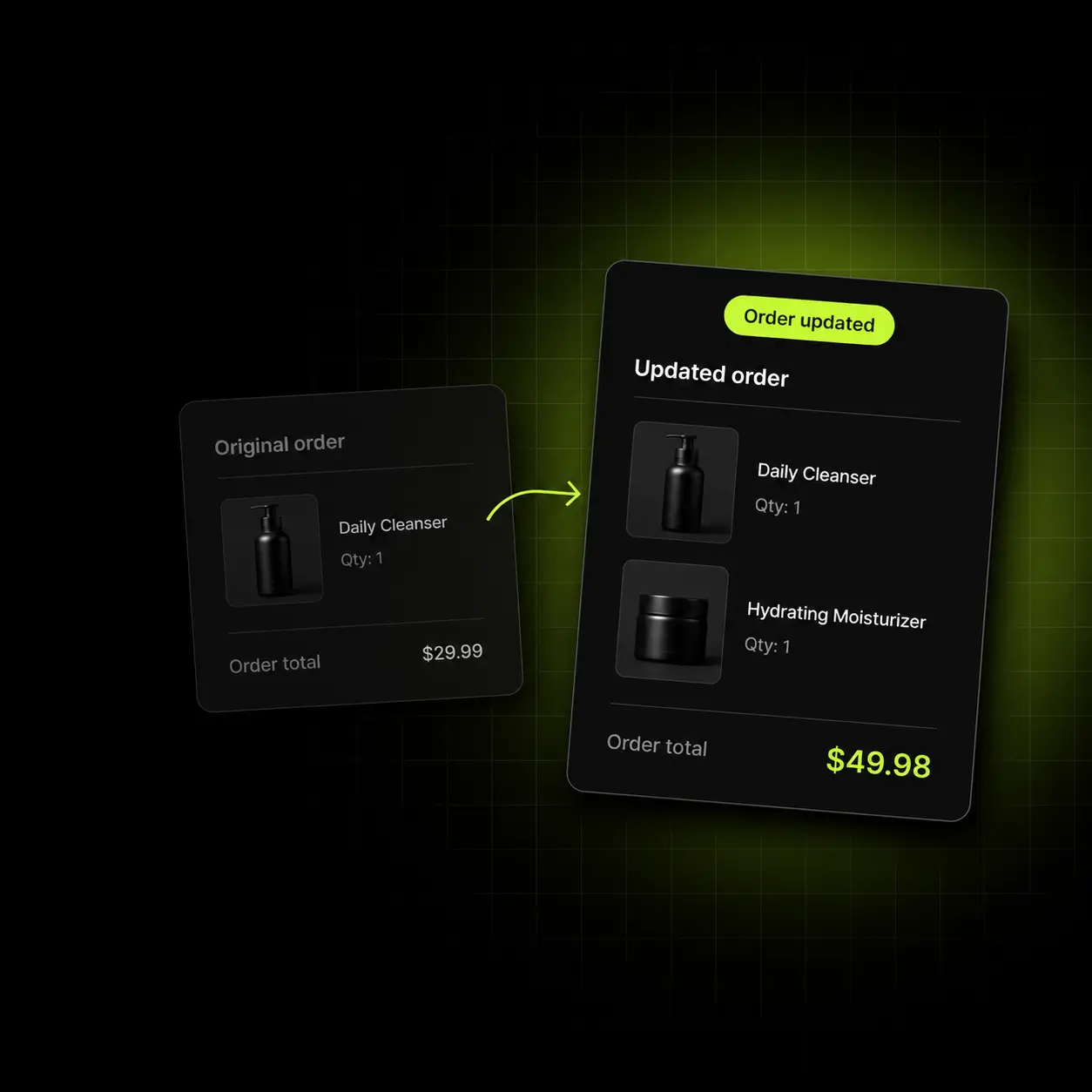
- A relevant offer on the thank-you page, added in one tap.
- The same offer on the order-status page, live on every revisit.
- No second checkout — payment details are already on file.
- Automatic discounts applied without a code to remember.
- Revenue attributed per offer, so you keep only what earns.
Four reasons this page beats every email you send
Post-checkout offers work for structural reasons, not clever copy. These are the four that matter.
Trust is at its peak
They just paid you. The risk question is already answered, which is most of what a checkout has to overcome.
No second checkout
Payment and address are on file, so accepting is a tap rather than a form.
It cannot be filtered
Unlike an email, the page is already open. There is no spam folder and no promotions tab.
It keeps working
The order-status page is revisited for days while the parcel is in transit, and the offer is live on every visit.
One relevant offer, one tap
Immediately after payment, the thank you page upsell shows a single offer chosen from what they just bought — the refill, the matching item, the size up. It is a cross-sell after purchase, not before it, so it never risks the original sale. Accepting adds it to the existing order, so nothing about the checkout has to happen again.
- Rules by product, collection, cart value or customer tag
- One-tap accept — no re-entering payment or shipping
- Automatic discounts applied with no code for the customer to find
- Skips gracefully rather than showing a bad offer when no rule matches
The economics: zero additional acquisition cost on every sale this page makes.

The page they keep coming back to
Shopify’s developer docs note that customers often reach the Order status page from the link in their order confirmation email and can revisit it throughout fulfilment. Each visit is a free impression to a warm buyer — and order status page customization is how you stop selling nothing on any of them.
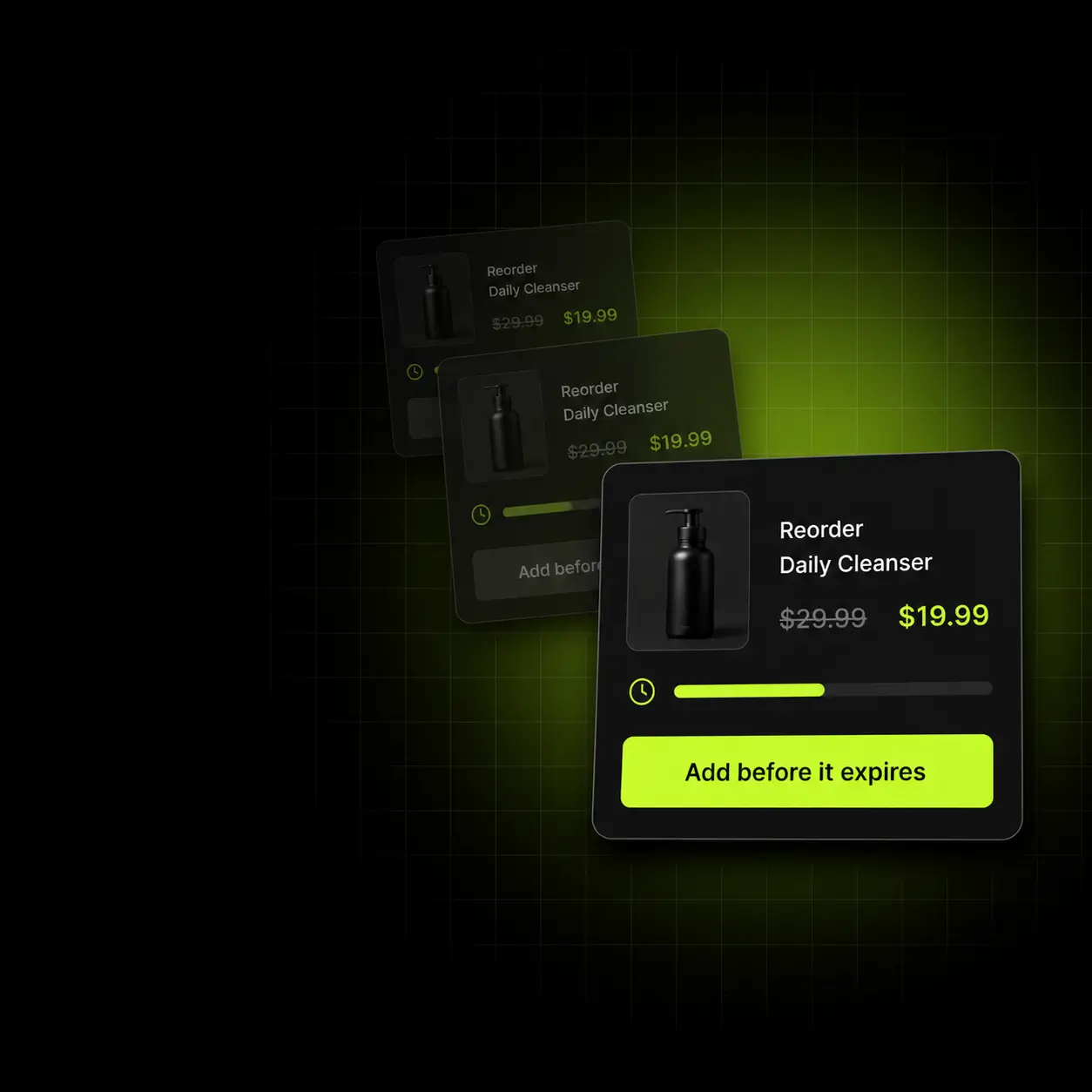
- A recommendation block on the order-status page, live on every revisit
- Refreshes as the order moves through fulfilment — including a one-tap reorder button for consumables
- Automatic recommendations from order history, or your own manual picks
- Respects inventory so nothing unbuyable is ever shown
Free impressions: you already paid for this customer — the revisits cost you nothing.
Turn one purchase into the start of a second
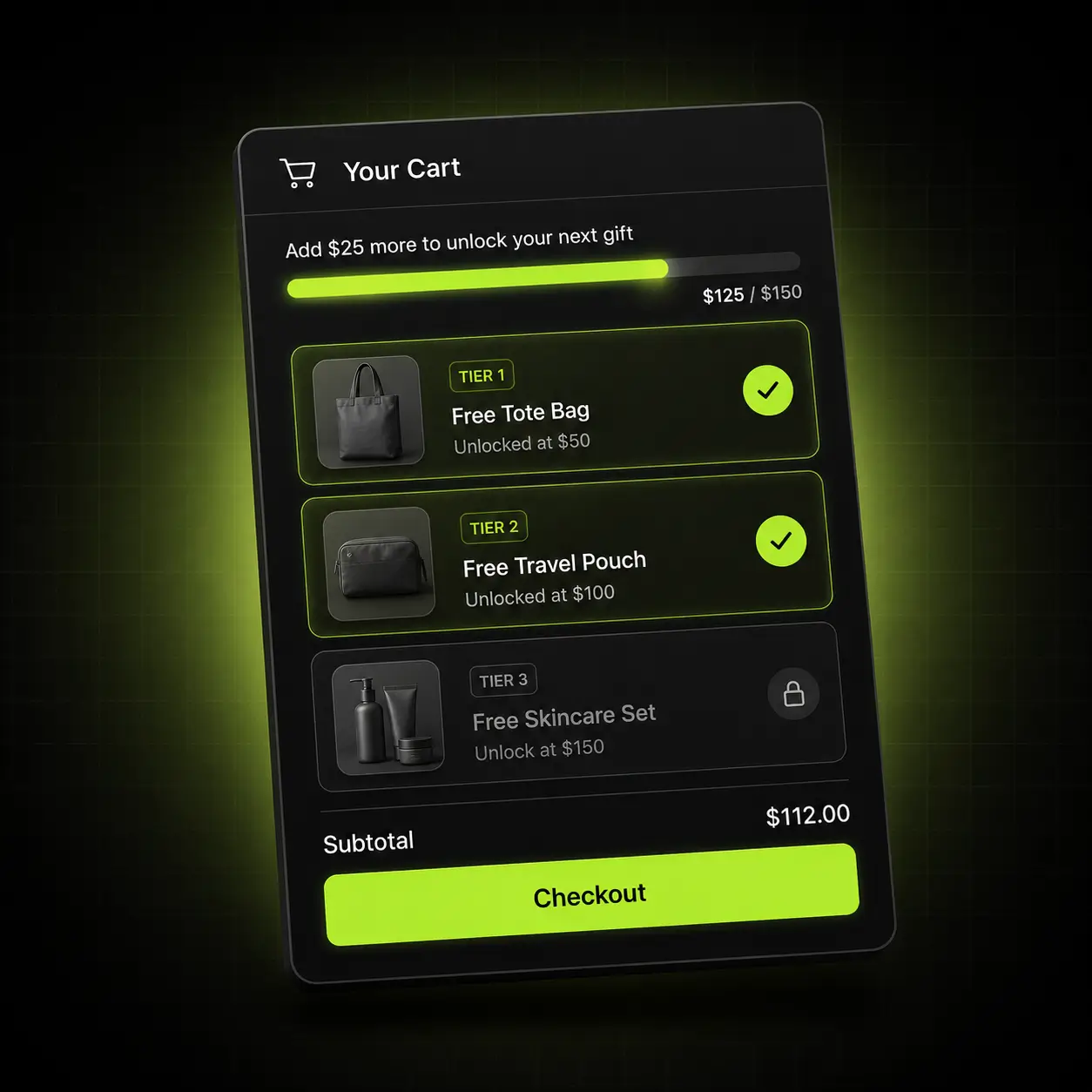
A free-gift threshold shown on the thank-you page gives the customer a concrete reason to come back rather than a vague hope that they will. It converts a one-off buyer into a returning one without an email campaign.
- Unlimited reward tiers: free shipping, free product, percentage or fixed discount
- Thresholds convert per market automatically with Shopify Markets
- Shown as a live progress bar, not buried in terms
- Rolls back cleanly if the next order changes
Retention, cheaply: the second order is always the cheapest one you will ever get.
Catch the repeat buyer before they forget
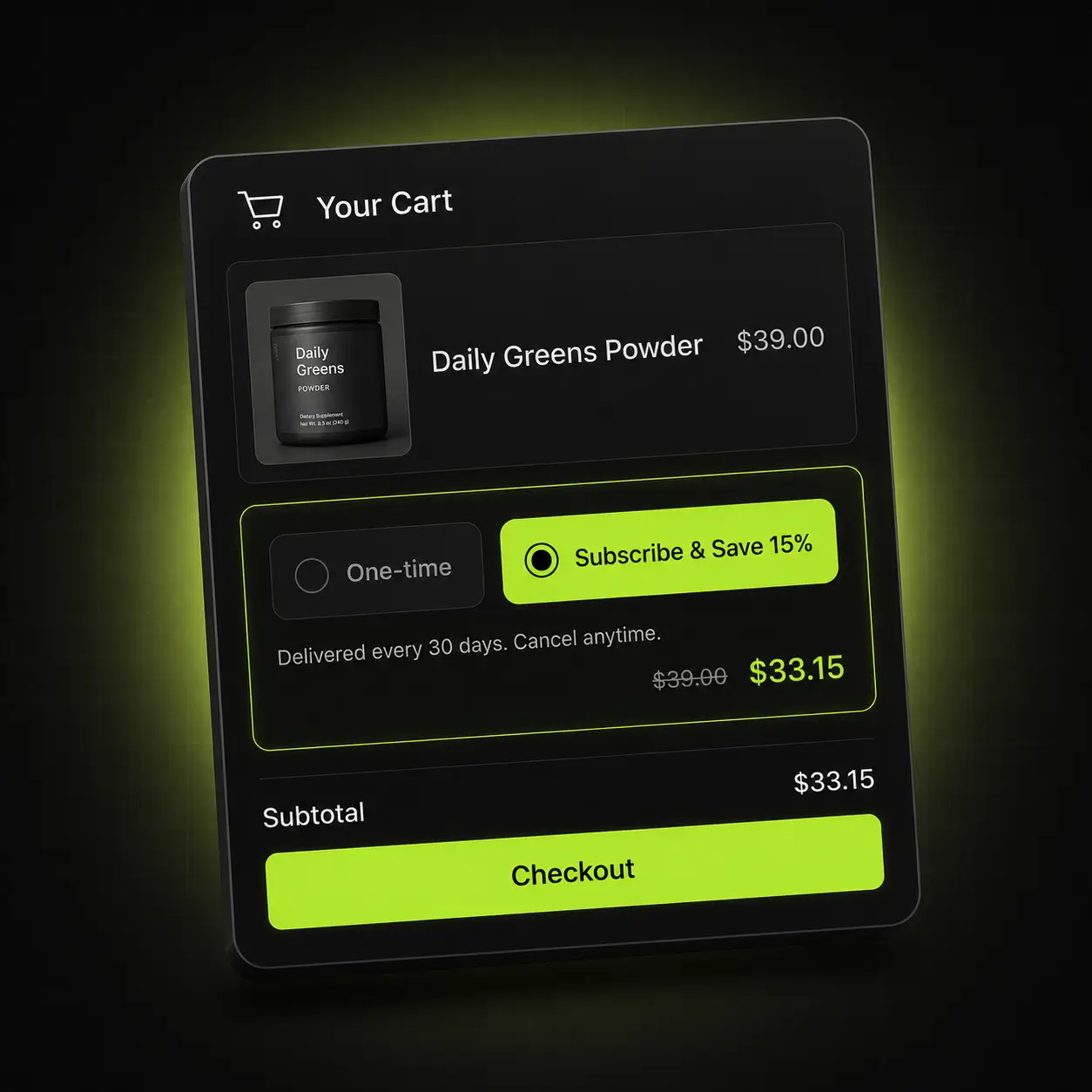
For a consumable, the best moment to pitch a subscription is right after someone has proved they want the product. The thank-you page offers the switch with the saving shown in currency, and hands off to the subscription app you already run.
- Works with ReCharge, Appstle, Seal and Shopify’s native subscriptions
- Shows the saved amount and the delivery interval before they commit
- No separate subscription landing page to build or maintain
- Falls back to one-time if a product isn’t subscription-eligible
Compounding: a subscriber converted here costs nothing in ad spend on every order after the first.
Four chances to raise the order. One install.
The thank-you page is one surface of four. Oxify owns all of them, so the rules are written once and a customer never sees two offers fighting each other.
Product page
Add-ons and Frequently Bought Together before the cart.
Cart drawer
Gift progress, cross-sells, Subscribe & Save, volume pricing.
Post-purchase
A one-click offer between payment and the thank-you page.
Thank-you & order status
Post-checkout offers and recommendations on every revisit.
Which customers never see a post-purchase offer?
Customers who pay with a wallet or installment service such as Apple Pay or Klarna, with a gift card, or with any non-credit-card method never see Shopify’s post-purchase page. Shopify’s developer documentation lists these exclusions:
| Order situation | Shopify post-purchase page |
|---|---|
| Paid by wallet or installment service | Not shown |
| Paid by gift card or any non-credit-card method | Not shown |
| Order with duties and multiple currencies | Not shown |
| Order for local delivery | Not shown |
| Order under $0.50 | Not shown |
| Order placed outside the Online Store channel | Not shown |
| Gateway that retains the card’s CVV | Not supported |
Wallets and installment services named in the docs: Klarna, Affirm, Afterpay, Apple Pay, Amazon Pay and Google Pay. Gateways named as examples of the CVV rule: Braintree, Payflow Pro, PayPal Payments Pro and Eway.
Three more limits shape any stack: only one app can fill the post-purchase page (you choose it in your checkout settings), a customer can accept at most three post-purchase offers per checkout, and Shopify holds fulfilment on orders in a post-purchase flow until the customer reaches the Order status page — or releases it one hour after checkout if they close the browser. Shopify still labels post-purchase extensions beta.
The Thank you and Order status pages follow different rules: Shopify’s documentation for them lists one limitation, that an extension cannot change the order directly. Oxify runs offers on all three pages, and its post-purchase upsell app page covers the first slot.
The offer that fits your catalogue
What belongs on a thank-you page depends entirely on what was just bought. Here is where we’d point you first.
Supplements & consumables
A known refill cycle and a proven buyer.
Start with: Subscribe & Save at a visible saving, or a second-month top-up at a bundle price.
Apparel & accessories
Strong complement logic and repeat browsing.
Start with: The matching item in the size they just bought, plus a return-visit gift threshold.
Home, beauty & giftable goods
High gifting intent and long consideration.
Start with: A curated add-on to the set they bought, then a reward tier on the next order.
Oxify, ReConvert, Zipify and Rebuy, side by side
The three established apps below all list thank-you page upsells, as Oxify does, so coverage is not what separates them; pricing model, free plan, trial length and review base are. Every figure comes from each app’s own Shopify App Store listing, read on 13 October 2026. Oxify publishes this page and makes the first app in the table.
| Listing fact | Oxify Cart Drawer & Upsells (our app) | ReConvert | Zipify One Click Upsell | Rebuy Personalization Engine |
|---|---|---|---|---|
| Thank-you page upsell | Listed | Listed | Listed | Listed |
| Post-purchase upsell | Listed | Listed | Listed | Listed |
| A/B testing | Not listed | Listed | Listed | Listed |
| Earning from the thank-you page | Not listed | Not listed | Listed (PostProfit) | Listed (Rebuy Monetize, free) |
| Free plan for live stores | No (14-day trial) | Yes (50 orders or $50 upsell revenue) | Development stores only | Rebuy Monetize plan only |
| Paid plans start at | $9.99/month | $9.99/month | $9.95/month | $25/month |
| What the bill follows | Total store orders | Store orders or upsell revenue | Upsell revenue (capped at $999/month) | Orders per month, by module |
| Free trial | 14 days | 14 days (paid plans) | 30 days | 14 days |
| Rating on the listing | 4.9 (40 reviews) | 4.8 (3,111 reviews) | 4.6 (569 reviews) | 4.7 (852 reviews) |
| Built for Shopify badge | Yes | No | Yes | No |
“Listed” means the feature appears in the app’s App Store feature list or plans. Zipify’s listing describes “built-in thank you page offers via PostProfit” as a new revenue stream, and Rebuy’s says its free Monetize plan earns $0.20–0.35+ per order; both are about earning from the page rather than selling your own products on it. Ratings, review counts and prices change, so re-check before you decide.
Pick a different app if: you want a free plan (ReConvert is free to 50 orders or $50 of upsell revenue); review history is your first test (ReConvert has 3,111 reviews); you need A/B testing, which ReConvert, Zipify One Click Upsell and Rebuy list and Oxify’s listing does not; you would rather pay on upsell revenue than on store orders (Zipify, from $9.95 up to $200 a month); or you would rather be paid for the thank-you page than sell on it (Rebuy Monetize). Oxify makes more sense if you also want the cart drawer, free-gift tiers and reward bars on the same bill. Oxify publishes this page. More options: 18 thank you page apps compared.
Live in about ten minutes
No developer, no theme edits, no staging copy of your store — built on Shopify checkout extensibility, so it survives theme and checkout updates.
Install
Add Oxify from the Shopify App Store. It connects through an app embed block — no theme files touched.
Match your theme
Fonts, colours and button style pull from your theme, then you adjust anything you want visually.
Write the rules
Decide what gets offered after what — by product, collection, order value or customer tag.
Publish and measure
Go live and read revenue per offer. Keep what earns, switch off what doesn’t.
One plan. Every feature. Priced by order volume.
Nothing is locked behind a higher tier — the only thing that changes is how many orders your store does. Start at $9.99/month, 14 days free.
| Total monthly store orders | Price |
|---|---|
| 0–100 orders | $9.99/month |
| 101–200 orders | $19.99/month |
| 201–500 orders | $29.99/month |
| 501–1,000 orders | $49.99/month |
| 1,001–2,000 orders | $79.99/month |
| 2,001–3,000 orders | $99.99/month |
| 3,001+ orders | $149.99/month |
Based on your store’s total monthly orders, not just orders Oxify influenced. Billed through Shopify.
For high-volume brands that would rather we built it than build it themselves.
Talk to sales- Done-for-you setup We configure your offers, rules and targeting around your catalogue and your margins — you approve, we ship it.
- Custom design templates Built to your brand rather than adapted to it, matched to your theme by our designers.
- Priority support A dedicated channel with the people who build the app, and your feature requests at the front of the queue.
4.9 from 40 reviews on the Shopify App Store
Rated 4.9 from 40 reviews on the Shopify App Store (checked 13 October 2026): 38 five-star reviews, one three-star and one two-star. Three five-star reviews are excerpted below word for word; read all 40 on the App Store.
“…Post purchase upsell setup was super easy.. we had setup the thank you page and it worked for uss!”
“This app combines a bunch of different upsell and cart drawer needs I have in one place, which is great!”
“Such a great support team, easy to understand UI, the team is super responsive to suggestions, requests, and reasoning.”
Switching is a Tuesday, not a project
If you’re on Aftersell, ReConvert, Zipify or a stack of separate upsell apps, the migration is short and we do the setup with you.
We map your current offers
Send a screenshot of what you run today and we’ll rebuild it in Oxify before you switch anything on.
Nothing added to your theme
Oxify installs as an app embed block, so it adds no code to your theme files. Leftovers from your old app depend on how it was installed, so search your theme for its snippets after you remove it.
Run both for a week
Keep the incumbent installed while you compare; the trial is free either way. One catch from Shopify’s docs: only one app can fill the post-purchase page, so choose which one owns it in your checkout settings.
The 30-day ROI guarantee
Install Oxify, put it live with at least one offer, and give it thirty days. If your average order value hasn’t increased in that window, email us and we refund 100% of what you paid. No conditions about ad spend, no minimum order count, no arguing about attribution — if the number didn’t move, you don’t pay.
Not ready to install?
Get the free Store Optimization Checklist
Cart friction, upsell gaps, merchandising and trust fixes — the audit we run on every store. No call, no install.
Shopify thank you page upsell apps — frequently asked questions
What is Oxify Cart Drawer & Upsells?
Oxify Cart Drawer & Upsells is a Shopify upsell app from Oxify (listed as “Oxify App”) that adds offers to the thank-you and order-status pages and to Shopify’s post-purchase page, alongside a slide-out cart drawer with free-gift tiers and cross-sells and product page add-ons, all from one install. On 13 October 2026 its Shopify App Store listing showed 4.9 from 40 reviews and the Built for Shopify badge. It costs $9.99 to $149.99 a month by total monthly store orders, with every feature on every tier, a 14-day free trial and no free plan for live stores.
How does Oxify compare with ReConvert and Rebuy?
ReConvert (4.8 from 3,111 reviews) is free up to 50 orders or $50 of upsell revenue, then $9.99 for 51–100 orders, and lists A/B testing. Rebuy Personalization Engine (4.7 from 852) starts at $25 a month by orders and modules, and its free Rebuy Monetize plan, according to the listing, earns $0.20–0.35+ per order from your thank-you page. Neither is Built for Shopify. Oxify Cart Drawer & Upsells (4.9 from 40, Built for Shopify) is $9.99 up to 100 total store orders, with the cart drawer and post-purchase page included, but its listing does not list A/B testing. AfterSell could not be installed. Figures from the live listings, 13 October 2026.
What is a thank-you page upsell?
A thank-you page upsell is an offer shown on the page a customer lands on immediately after paying, and on the order-status page they revisit while waiting for delivery. Because payment details are already on file, accepting is a single tap rather than a second checkout.
Can you customize the Shopify thank you page, and on which plans?
Yes. Shopify’s Thank you and Order status pages accept app extensions on every plan except Shopify Starter (Shopify developer docs, checked 11 October 2026), and Oxify uses them to add offers, recommendations and a reorder button — no Liquid, no developer. The old route is closed: checkout.liquid and additional scripts were sunset on those pages on 28 August 2025, and script tags were sunset for non-Plus stores on 26 August 2026.
What is the difference between the thank you page and the order status page?
The Thank you page is the purchase confirmation customers see once, right after checkout. If they return to it later, or check their order status, Shopify shows the Order status page instead; customers often arrive there from the link in the order confirmation email and can revisit it through fulfilment. Oxify puts an offer on the first view and keeps recommendations live on every revisit.
Is a thank-you page upsell the same as a post-purchase upsell?
No. Shopify’s post-purchase page appears after the order is confirmed but before the Thank you page, and Shopify skips it for wallet, installment, gift-card and other non-credit-card payments, among other cases. Only one app can own it, and Shopify still labels post-purchase extensions beta. The thank-you and order-status pages come after it, and Oxify runs offers on all three. Post-purchase page vs thank-you page explains the split.
Can customers add products from the thank you page without paying again?
Yes. Payment and shipping details are already on file, so accepting an offer is one tap with no second checkout, and where Shopify supports it the item joins the existing order and shipment instead of creating a second order. Shopify’s docs list upsells added through order editing as an Order status page use, and Oxify’s App Store listing requests order-edit access.
How do I choose what to offer, and what if no rule matches?
Set rules by product, collection, cart value or customer tag. The reliable defaults are the refill for a consumable, the complement for an apparel item, and a reward threshold on the next order for everything else. If no rule matches, the block skips rather than showing something irrelevant: an empty slot costs you nothing, a bad offer costs you trust. Frequency is capped, and an accepted or dismissed offer is not shown again on later revisits. More thank you page ideas.
Do I need a developer, and will it work with my theme?
No developer: there is no code to paste and no Liquid to edit — Oxify installs as an app embed block and everything after that is a visual editor. The thank-you and order-status offers run as Shopify checkout extensions rather than theme code. The storefront parts run on Online Store 2.0 themes including Dawn, Impulse, Prestige, Motion and Warehouse, and on most older themes too. If your theme has a heavily customised cart or product template, book a call and we’ll confirm before you install.
Does it slow my store down?
Offers on the thank-you and order-status pages run as Shopify checkout extensions, not as code in your storefront pages. For anything an app loads on the storefront, Shopify enforces one rule for every app: it must not lower the store’s Lighthouse performance score by more than 10 points, and Built for Shopify requirements repeat that limit. Oxify’s App Store listing shows the Built for Shopify badge (checked 13 October 2026).
Does it conflict with my discount codes?
It is not meant to. Oxify’s public reply to an App Store review on 24 August 2026 says the cart drawer has a built-in discount code field (the Discount Codes module is off by default) and that codes stack with the upsell offer, because the two use separate mechanisms. The reply adds that the upsell runs as an automatic discount, so your Shopify code must be set to combine with automatic discounts or Shopify blocks it.
Does it work for international stores?
Yes. Thresholds and discount tiers convert per market through Shopify Markets, and the interface supports 8+ languages including right-to-left layouts.
How is my store’s data handled?
Oxify’s App Store listing (checked 11 October 2026) lists the data access it requests: customer device and activity data, store-owner contact details, and view or edit access to customers, products, orders (including order edits and the last 60 days of order history), discounts and the Online Store theme. Under Oxify’s privacy policy, data is not sold, rented or traded, and a store’s data is deleted from our servers within 30 days of uninstall unless the law or billing records require otherwise.
How do the free trial and the 30-day ROI guarantee work?
You get 14 days free with no credit card, and you can uninstall from your Shopify admin at any time. The 30-day ROI guarantee starts after that if you decide to stay: if your average order value has not increased within 30 days of going live, we refund 100% of what you paid. We ask only that the app was actually live with at least one offer configured.
How do I find the thank you page in Shopify?
In the Shopify admin go to Settings, then Checkout, and click Customize. The checkout editor opens on the first step; use the page selector at the top to switch to Thank you, or to Order status. That is where apps such as Oxify place their blocks. The page itself has no fixed address you can visit, because it is generated for each order after payment, so preview it in the editor or place a test order.