 Oxify
OxifyShopify countdown timer app
A free Shopify countdown timer: the cheapest conversion tool you own
Create real urgency with a countdown sales timer for flash sales, BFCM and delivery cut-offs — and close more sales today. Rated 5.0 ★ · free forever, no trial to run out.
Merchants running Oxify apps












Without a deadline, “later” is always the easier answer
Nothing on a product page forces a decision. The shopper can leave, think about it and come back — and a visible deadline is the one thing on the page that makes “later” cost something. That only works when the deadline is real.
Without a timer
- Your sale end date is a line of small text nobody registers.
- Delivery cut-offs are invisible, so orders miss the courier and become complaints.
- Flash sales feel identical to a permanent discount.
- No urgency in the cart, where hesitation is most expensive.
- Every campaign needs the theme edited to start and to stop.
With Oxify Countdown Timer Bar
- A live timer that makes the deadline impossible to miss.
- Delivery cut-off timers: “order in 2h 14m for dispatch today”.
- Evergreen timers per visitor for always-on offers.
- Cart-page urgency where hesitation costs you the order.
- Campaigns that start and stop themselves, with no theme edit.
Four rules that separate urgency from noise
A timer that is obviously fake trains shoppers to ignore everything you say. These four keep it credible.
The deadline must be real
Tie the timer to an actual sale end or courier cut-off. A permanently resetting five-minute timer is noise.
Put it where the decision is
Product page and cart. A timer on the home page is decoration.
Target it
By country, device or customer tag — a cut-off timer is wrong in every other timezone.
Say what happens at zero
“Sale ends” or “dispatch moves to Monday”. A number with no consequence is just a number.
Four timer types, one for each job
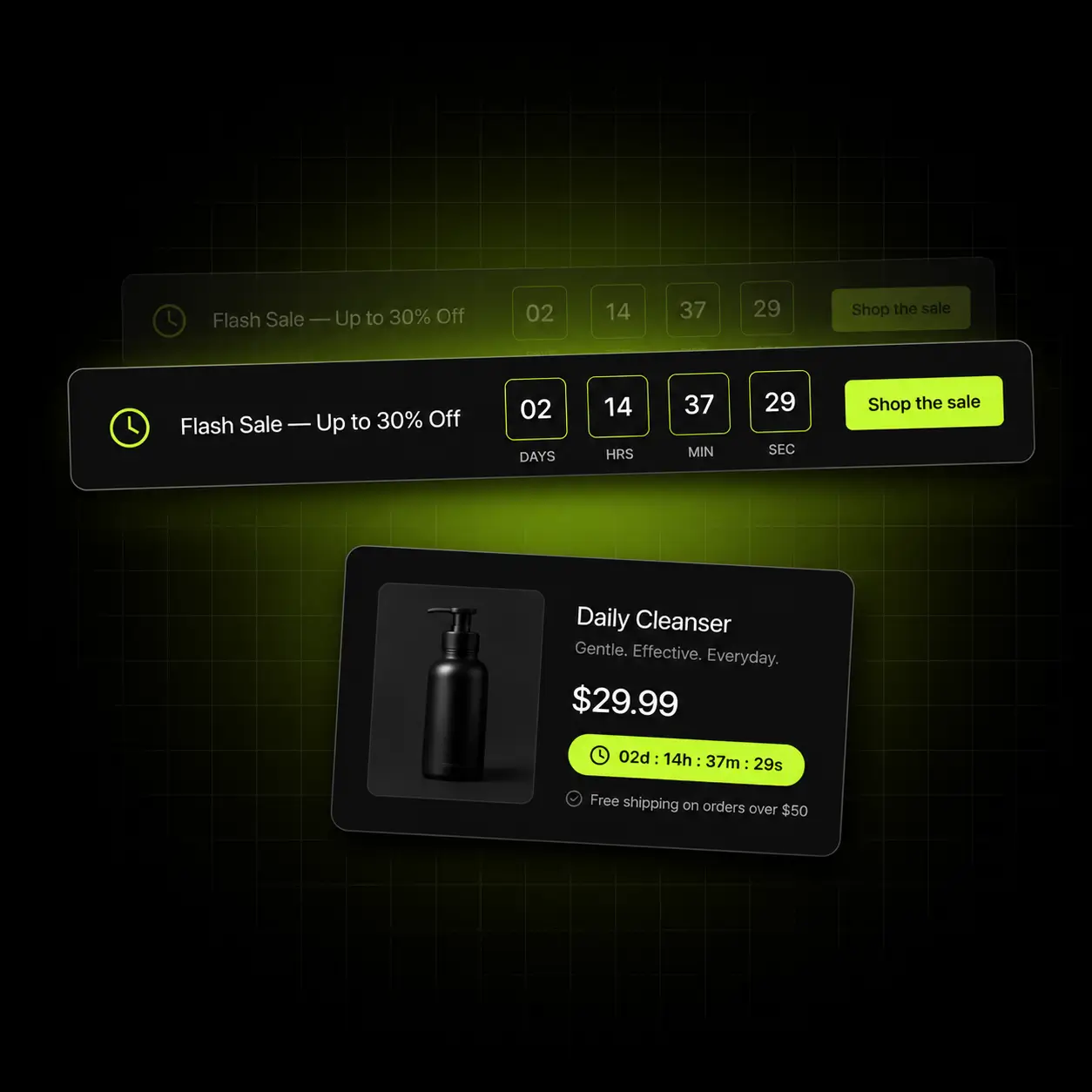
Fixed-date for a flash sale countdown with a real end. Evergreen for an always-on sales timer that restarts per visitor. Daily for recurring courier cut-offs. Session-based for cart urgency. Each one solves a different problem and they are all free.
- Fixed-date, evergreen, daily-recurring and session-based timers
- Place on the product page, cart page, or as a site-wide countdown timer bar
- Set exactly what the message becomes when the timer hits zero
- Sticky bars so the deadline stays in view as they scroll
Evergreen vs fixed-deadline: use a fixed-date timer when the sale really ends for everyone at once, and an evergreen one for an offer that is always available, such as a first-order discount. Most stores need both, in different places.

The nudge for the shopper about to leave
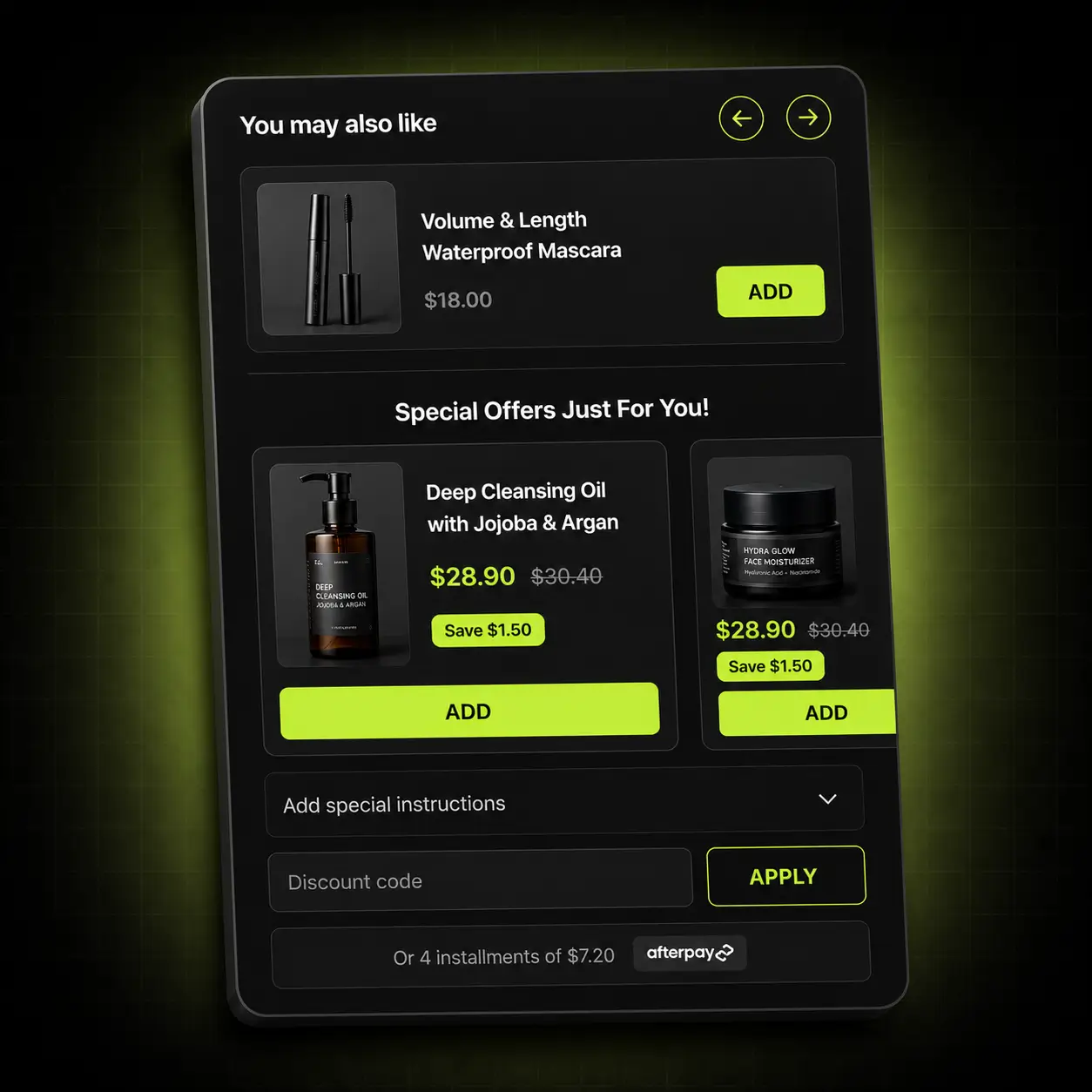
A FOMO popup on the product or cart page, carrying the same deadline as the bar. Used sparingly it recovers hesitation; used constantly it trains people to close popups without reading, so frequency control matters more than the popup itself.
- Popups on product and cart pages, carrying the live countdown
- Frequency capping and per-visit reset rules
- Fully templated: colour, font, animation and copy
- Targeted by page, collection, device or customer tag
Restraint is the feature: the frequency controls exist because most stores overdo this.
The right deadline for the right visitor
A dispatch cut-off is wrong in every timezone but yours. Target timers by country, language, customer tag, collection, vendor or device, and schedule campaigns to start and retire on their own.
- Target by country, language, customer tag, collection, vendor or device
- Recurring and scheduled campaigns with date ranges
- Per-visit reset rules for evergreen timers
- Timezone-aware, so a cut-off means what it says where they are
Credibility: a cut-off timer that is wrong for a visitor’s timezone is worse than no timer at all.
A timer that looks like your store
Templates you can take apart — colour, font, animation, layout, custom CSS. It is mobile-first, and it installs as an app embed block rather than as code in your theme files.
- Customisable templates: colour, font, animation, layout
- Custom CSS for anything the settings don’t reach
- Mobile-first sizing so it never dominates a phone screen
- Works with Dawn, Horizon and Online Store 2.0 themes
Check the speed yourself: the timer is an app embed, so you can switch it off in the theme editor and compare two PageSpeed Insights runs. Shopify’s own rule for App Store apps is a drop of no more than 10 Lighthouse performance points.
Urgency where it changes the decision
A timer only earns where a decision is being made. These are the four places that qualify.
Site-wide bar
An announcement bar countdown — the sale deadline above every page.
Product page
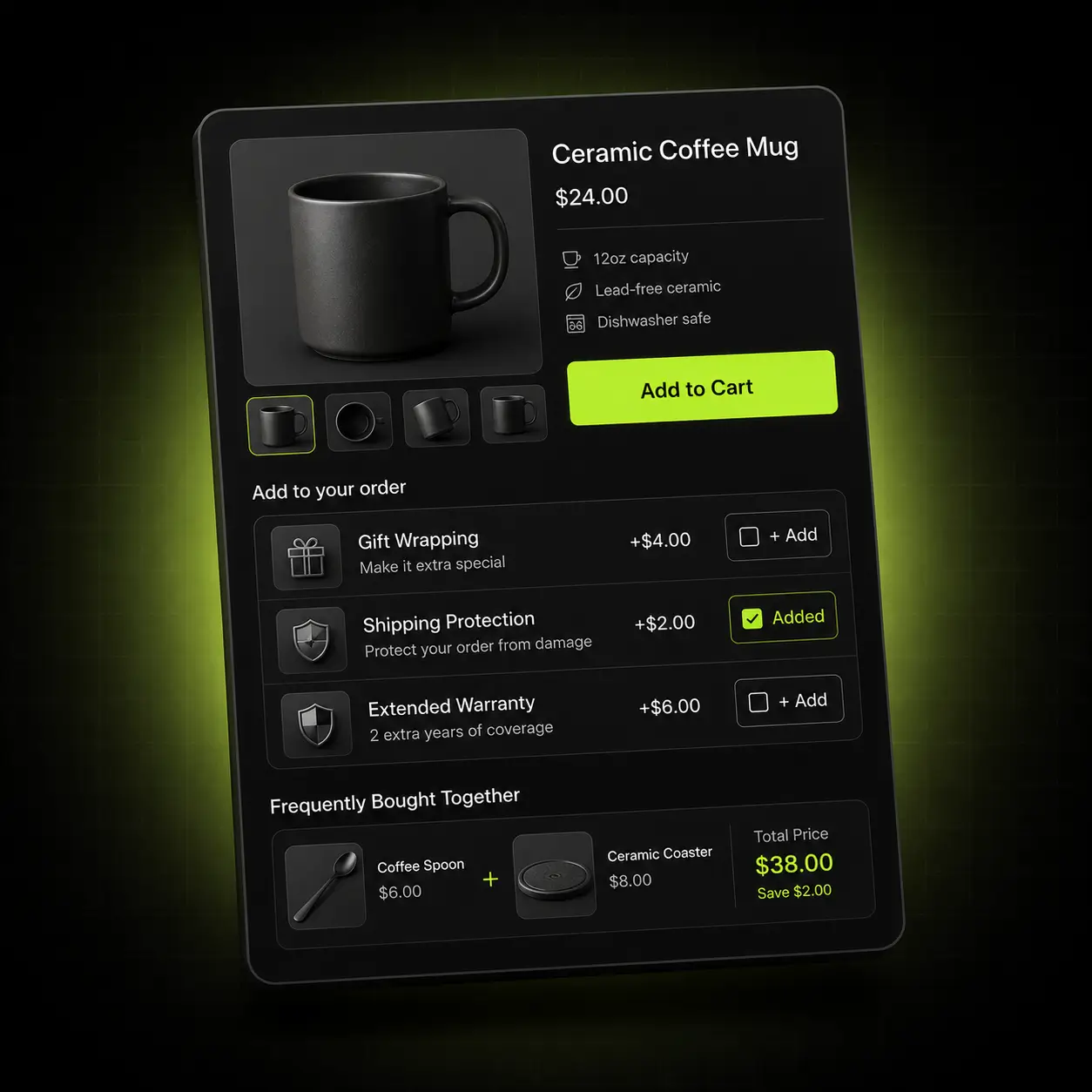
A product page timer with the cut-off and the sale end, next to the buy button.
Cart page
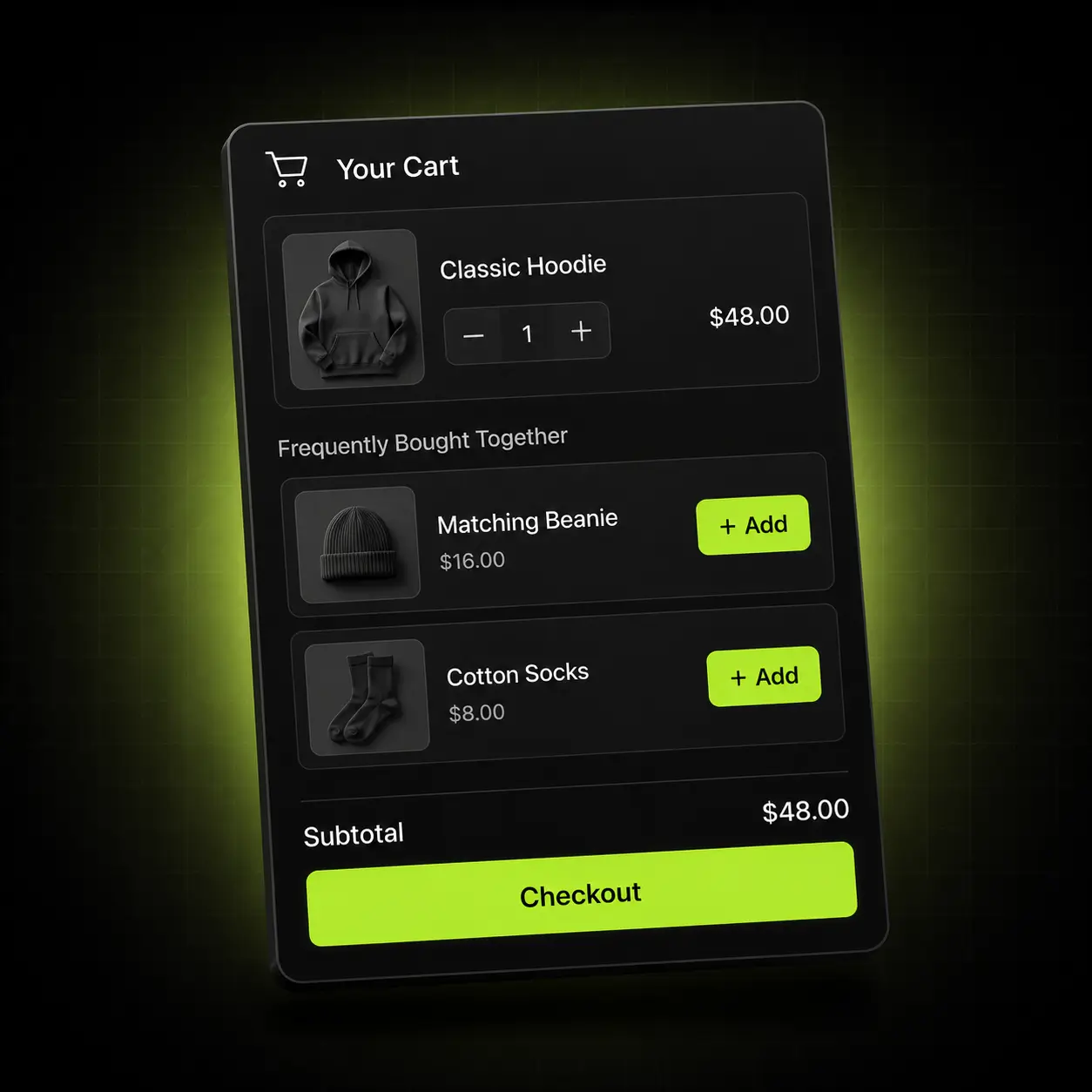
Session urgency where hesitation costs most.
Popup
A last nudge, frequency-capped so it stays credible.
The timer that fits your calendar
The right timer depends on whether your deadline is real, recurring or manufactured. Here is where we’d point you first.
Stores running flash sales & BFCM
Real, dated deadlines with genuine stakes.
Start with: A fixed-date timer in a site-wide bar plus the product page, scheduled to retire itself.
Stores with dispatch cut-offs
A daily deadline that genuinely matters.
Start with: A daily-recurring timer on the product page: “order in 2h 14m for dispatch today”.
Launches & drops
Anticipation before, urgency after.
Start with: A fixed-date countdown to the launch, followed by a scheduled fixed-date sale timer the moment it goes live.
How five free Shopify countdown timer apps compare
On 13 October 2026 we read the live App Store listing of each app below. Two have a paid ladder; the other three list a single free price. Oxify is first because this is its page; the rest are sorted by review count.
| Countdown timer app | App Store rating | Built for Shopify | Price |
|---|---|---|---|
| Oxify Countdown Timer Bar (our app) | 5.0 (4 reviews) | No | Free |
| Essential Countdown Timer Bar | 5.0 (1,729 reviews) | No | Free plan; paid $6.99–$29.99/mo |
| GSC Countdown Timer Bar | 4.9 (699 reviews) | Yes | Free |
| Profy Banner & Countdown Timer | 5.0 (124 reviews) | Yes | Free plan; paid $5.99–$9.99/mo |
| VR Urgency Countdown Timer Bar | 4.9 (96 reviews) | Yes | Free |
Checked 13 October 2026 from each live listing: rating and review count from the listing, plans from its pricing section, the Built for Shopify badge beside the app name. All four rivals appeared on the first page of the App Store search for “countdown timer” that day. Plans change — re-check the listing before you rely on this.
What the paid plans gate. Essential’s free plan covers up to 1,000 timer views a month, with unlimited product-page and top-bar timers. Scheduled and recurring timers start on its $6.99/month plan, and cart timers and geo-targeting on its $9.99/month plan. Profy’s free plan covers up to 2,000 monthly views. Oxify Countdown Timer Bar lists fixed-date, evergreen, daily and session timers, popups and geo-targeting on a single free price.
Pick a different app if: a long review history or the Built for Shopify badge matters more to you than free scheduling and targeting. Oxify Countdown Timer Bar has 4 reviews against Essential’s 1,729, and no badge, so start with the Built for Shopify apps in the table: GSC Countdown Timer Bar, Profy or VR Urgency. Oxify publishes this page and makes Oxify Countdown Timer Bar.
Live in about two minutes
No developer, no theme edits, no republish.
Install
Add the app from the Shopify App Store. It connects through an app embed block — no theme files touched.
Pick your timer type
Fixed-date, evergreen, daily or session-based, depending on what the deadline actually is.
Place and target
Choose the pages, set the countries and devices, and write the message for when it hits zero.
Schedule and publish
Set the campaign window and go live. It retires itself when the window closes.
Free. Not “free tier”.
Some countdown apps put scheduling, recurring timers and geo-targeting behind a paid plan — Essential Countdown Timer Bar starts them at $6.99 and $9.99 a month (listing checked 13 October 2026). On this app they sit on the one free listing.
No trial to expire, no credit card, no usage cap and no “upgrade to unlock” on any feature listed here.
Install freeSo what’s the catch?
- Every feature on this page is free. There is no locked tier behind it.
- No trial clock — the app does not stop working after 14 days.
- No usage cap, no order limit and no branding you have to pay to remove.
- We build paid apps too, and free apps are how merchants meet us.
- If you never install the paid one, this still costs you nothing.
- Uninstall whenever you like — it leaves nothing behind in your theme.
When you want to raise average order value rather than just fix one surface, our paid app, Oxify Cart Drawer & Upsells, covers the product page, the cart, the sticky cart and post-purchase from one install — from $9.99/month with a 14-day free trial and a 30-day ROI guarantee.
See Oxify Cart Drawer & Upsells- Free gift & reward tiers A live progress bar toward free shipping and free gifts, with unlimited tiers.
- In-cart upsells & Subscribe & Save Frequently Bought Together and subscription upgrades inside the cart drawer.
- One rule set across four surfaces Product page, cart, sticky cart and post-purchase, with no discount collisions.
Rated 5.0 by merchants running it
A small number of reviews so far — we’d rather show you the real count than round it into something vaguer.
4 reviews on the Shopify App Store, checked 13 October 2026
✓ Listed since April 2023
Inspect it first
The App Store listing links a demo store. When we read its HTML on 11 October 2026, the timer attached through a single app embed block, with its files served from Shopify’s CDN.
No theme edits
Installs as an app embed block, so there are no theme files for you to edit or clean up.
Part of the Oxify family
Seven Oxify apps on the Shopify App Store share the same support team; five carry the Built for Shopify badge (checked 13 October 2026).
A deadline works better with a reason
A timer tells the shopper when. These apps tell them why.
Announcement Bar
The Oxify Announcement Bar is also free (4.9 from 52 reviews and Built for Shopify, checked 13 October 2026). It carries the offer above every page while the timer carries the deadline.
Oxify Quantity Breaks
Quantity breaks and bundles that make the deadline worth acting on (our app, listed as Oxify Quantity Breaks & BYOB). $14.99/month, 14-day free trial, Built for Shopify.
Oxify Cart Drawer & Upsells
Our paid app, from $9.99/month with a 14-day free trial — free gift tiers and in-cart cross-sells for when urgency has done its job.
Not ready to install?
Get the free Store Optimization Checklist
Cart friction, upsell gaps, merchandising and trust fixes — the audit we run on every store. No call, no install.
Shopify countdown timer apps — frequently asked questions
What is Oxify Countdown Timer Bar?
Oxify Countdown Timer Bar is a free Shopify app from Oxify (developer “Oxify App”) that adds a countdown timer bar, an announcement bar and urgency popups to product, cart, drawer, landing and collection pages. It runs fixed-date, evergreen, daily and session timers, targets by country, language, customer tag, collection, vendor and device, and supports 30 languages. It is rated 5.0 from 4 reviews, has been listed since April 2023, does not carry the Built for Shopify badge, and lists a single price: Free (listing checked 13 October 2026).
How does it compare with Essential Countdown Timer Bar and GSC Countdown Timer Bar?
Both have far more reviews: Essential Countdown Timer Bar is rated 5.0 from 1,729 and GSC Countdown Timer Bar 4.9 from 699, against 5.0 from 4 for Oxify. GSC is free and Built for Shopify. Essential is not Built for Shopify; its free plan covers up to 1,000 timer views a month, with scheduled and recurring timers from $6.99 a month and cart timers and geo-targeting from $9.99. Oxify Countdown Timer Bar lists all of those on its free price but has no Built for Shopify badge. Figures from the live listings, 13 October 2026.
What is a countdown timer app?
A Shopify countdown timer app displays a live countdown to a deadline — a sale end, a product launch, a courier cut-off — on a bar, a product page, the cart or in a popup. Its job is to give a hesitating shopper a dated reason to decide now, so the deadline has to be real.
What is the difference between fixed-date and evergreen timers?
A fixed-date timer counts down to one real moment and ends for every visitor at once — use it for genuine sales. An evergreen timer starts when each visitor arrives and resets on rules you set, such as per visit — use it for offers that are always available, like a first-order discount. Most stores want both, in different places.
Are evergreen timers dishonest?
They can be, so be deliberate. A timer that restarts every time the same person reloads is transparently fake and costs you credibility. Set a per-visit reset rule that is long enough to be meaningful, and never use an evergreen timer to imply a store-wide sale deadline that doesn’t exist. Our guide to FOMO countdown timers in the cart covers the FTC rules.
Where should I put the timer?
Product page and cart, where decisions are actually made. In the cart, a session-based timer works like a cart reservation timer — a soft deadline on the order itself. A site-wide bar works well for a genuine sale deadline. A timer on the home page alone is decoration.
What are the types of Shopify countdown timer pop-ups?
Pop-ups differ in what the clock does and where they appear. By clock: fixed-date (a sale or launch that ends for everyone), evergreen (resets per visitor), daily recurring (a dispatch cut-off) and session-based (a cart deadline). By place: product page or cart. Oxify’s pop-up shows on product and cart pages, carries the same live countdown as the bar, and can be frequency-capped.
How do I add a countdown timer to my Shopify store?
Install the app from the Shopify App Store, turn on its app embed in the theme editor, pick a timer type — fixed-date, evergreen, daily or session-based — choose where it appears, set a date range if the campaign should start and stop on its own, and publish. There is no code to paste and no developer needed; most stores are live in about two minutes.
Can I add a countdown timer bar to the top of my store?
Yes. The site-wide bar sits above every page — an announcement bar countdown carrying your sale deadline — and you can make it sticky so it stays in view as shoppers scroll. It runs alongside product page and cart timers, all free.
Will it work with my theme?
Yes on Online Store 2.0 themes: the App Store listing (checked 13 October 2026) says it is compatible with Dawn, Horizon and all OS 2.0 themes. Check that your own theme is Online Store 2.0 before installing.
Does it slow my store down?
We have not published a speed test, so check on your own store: switch the app embed off in the theme editor and compare two PageSpeed Insights runs. What we can verify (11 October 2026): Shopify requires every App Store app to cost a store no more than 10 Lighthouse performance points, this app does not carry the Built for Shopify badge, and on its demo store it loads as one app embed with files from Shopify’s CDN.
How is my store’s data handled?
The listing’s Data access panel (11 October 2026) shows the app can view store-owner contact details, products and collections, the Online Store theme, and locale and Markets settings, and can edit metaobjects and Shopify admin files. We do not sell data, and everything is deleted on uninstall in line with Shopify’s data-retention requirements. As an app embed, it leaves no pasted Liquid to clean up.
Is it really free, or free to install?
Free. The App Store listing shows a single price, Free (checked 13 October 2026): every feature described on this page is included at no cost, with no usage cap, no app branding on the timer and no paid tier hiding behind it. We also build paid apps — Oxify Cart Drawer & Upsells and Oxify Quantity Breaks — and free apps are how most merchants find us, but you are never required to install them.
Do countdown timers actually increase conversions?
We don’t publish a conversion figure for this app. To find out for your store, use a real deadline, place the timer on the product page or cart, and compare it against a similar period or product without one for a few weeks. A fake, endlessly resetting timer is the version that backfires: it trains shoppers to ignore you.
What is a countdown sales timer?
A countdown sales timer is a visible clock counting down to a real deadline, such as the end of a sale or a same-day dispatch cut-off, shown as a bar across the store, a block on the product page or a popup. It works because it turns “later” into a decision; it only stays credible if the deadline is real, which is why fixed-date timers suit sales and evergreen timers suit per-visitor offers.