 Oxify
OxifyShopify free gift with purchase app
The Shopify free gift app that makes the next item a goal
Reward bigger carts automatically with a free gift with purchase. A live progress bar shows shoppers how close they are to a free gift — so they add more. Rated 4.9 ★ · 14-day free trial.
Merchants running Oxify












A discount cuts your margin. A gift raises your order.
A 10% off code costs you real margin on an order that was already happening. A free gift at a minimum spend threshold above your average order costs you the wholesale price of one item and only triggers on baskets that grew to earn it. The economics usually favour the gift — but only if the shopper can see how far away the reward is.
Discount codes
- Margin comes off orders that would have happened anyway.
- The shopper has to find, copy and remember a code.
- It trains customers to wait for the next sale before buying.
- No effect on basket size — it just makes the same basket cheaper.
- Codes leak to deal sites and get used by people who never needed them.
Free gift thresholds
- Only pays out on baskets that grew in order to qualify.
- Costs you a wholesale unit, not a percentage of revenue.
- Applies automatically — there is no code to find.
- The progress bar makes the gap concrete, and small gaps get closed.
- Stacks with your other promotions instead of replacing them.
Four things that decide whether a gift earns
The mechanic is simple. Getting a GWP promotion to actually pay is about these four choices, and most stores get the first one wrong.
Set the threshold above AOV
The reward has to require a bigger basket. A threshold below your average order is a discount you are giving away.
Pick a gift they want
A desirable small item beats a bigger unwanted one. Letting the shopper choose beats both.
Show the gap, live
“$12 away” is a task. “Spend $75 for a gift” is a terms-and-conditions line.
Stack a second tier
One threshold lifts the basket once. A second tier just above it keeps the same shopper climbing.
The gap is small, so shoppers close it
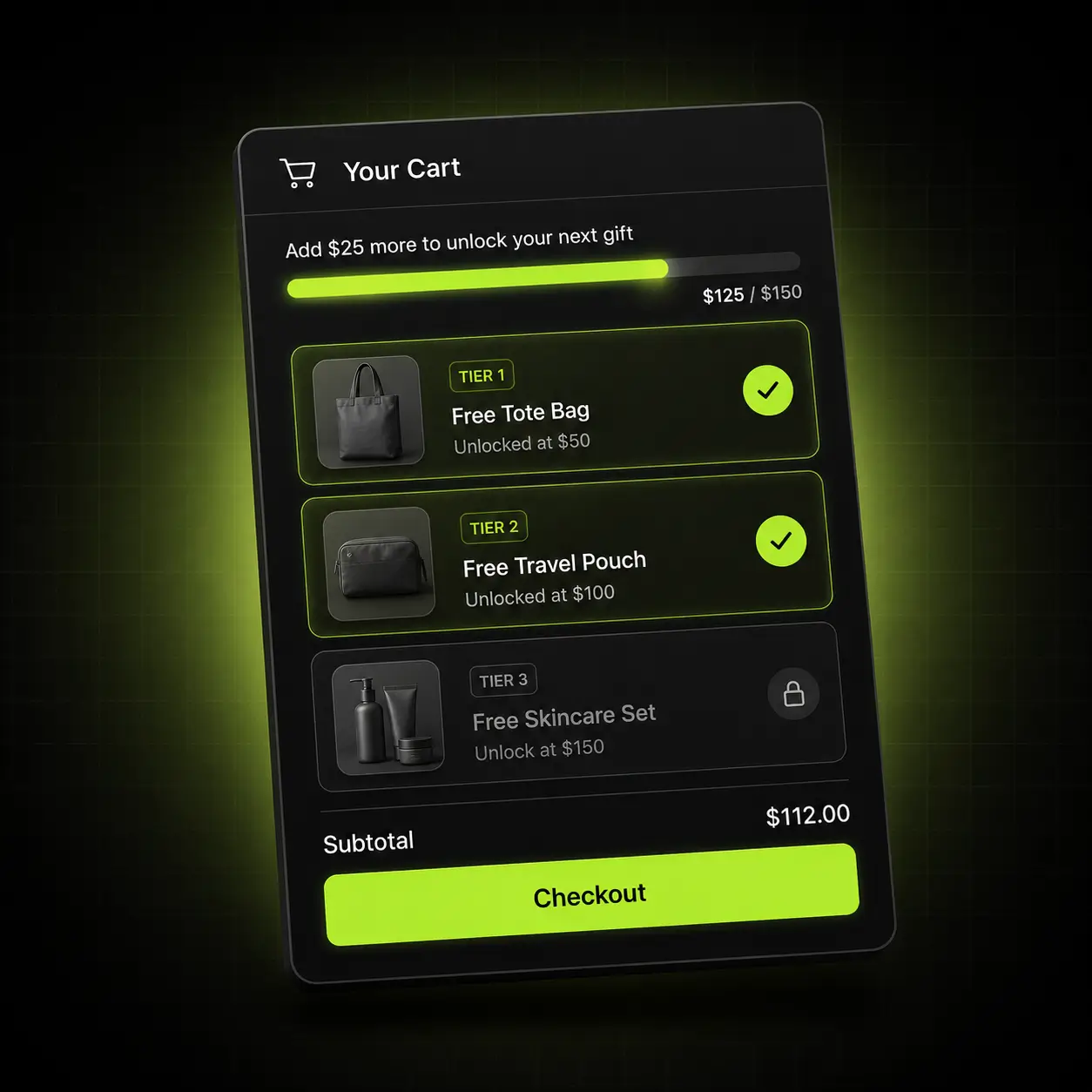
Set the thresholds — free shipping at $50, a free gift at $75, a better gift at $120 — and the drawer shows exactly how far the shopper has to go. Tiered gifts, one ladder: the free gift progress bar moves as they add.
- Unlimited tiers: free shipping, free product, percentage or fixed discount
- The shopper picks the gift, or you set it — both are supported
- Thresholds convert per market automatically with Shopify Markets
- Removing an item rolls the reward back cleanly, with no orphaned free products
Why it works: the gap to the next reward is concrete and small. Shoppers close small gaps.

Let them choose, and they will qualify
A gift someone actually wants gives them a better reason to reach the threshold than one you picked for them. Oxify can present a small selection at each tier and let the shopper choose, with full control over what is eligible and when.
- Offer a curated selection per tier, or lock it to a single product
- Exclude sale items, gift cards or specific collections from counting toward the threshold
- Limit gifts by collection, customer tag, market or date range
- Inventory-aware — an out-of-stock gift is swapped or hidden automatically
Protect your margin: exclude the products where a free gift would cost more than it earns. Setup guide: manual gift selection on Shopify.
The threshold that needs no inventory
Free shipping needs no inventory, and it is the natural first rung of the ladder. Run it below your gift tier so the shopper hits an easy win, then keeps climbing toward the harder one.
- A sticky progress bar visible on every page, not only in the cart
- Set a different threshold per market with Shopify Markets
- Works as the first rung under your gift tiers rather than competing with them
- Copy is fully editable, including the message after the threshold is met
The ladder effect: an easy first win makes the second threshold feel achievable. Build guide: free shipping progress bar in the cart drawer.
A reward that doesn’t fight your other offers
Free gifts break most often when a second app applies a discount that pushes the subtotal back under the threshold. Because Oxify owns the cross-sells, bundles and volume discounts too, the rules are evaluated together rather than racing each other.
- Gift tiers, bundle pricing and volume breaks evaluated as one rule set
- Applies through Shopify Automatic Discounts — no codes to distribute
- Your campaign codes keep working alongside the gift threshold
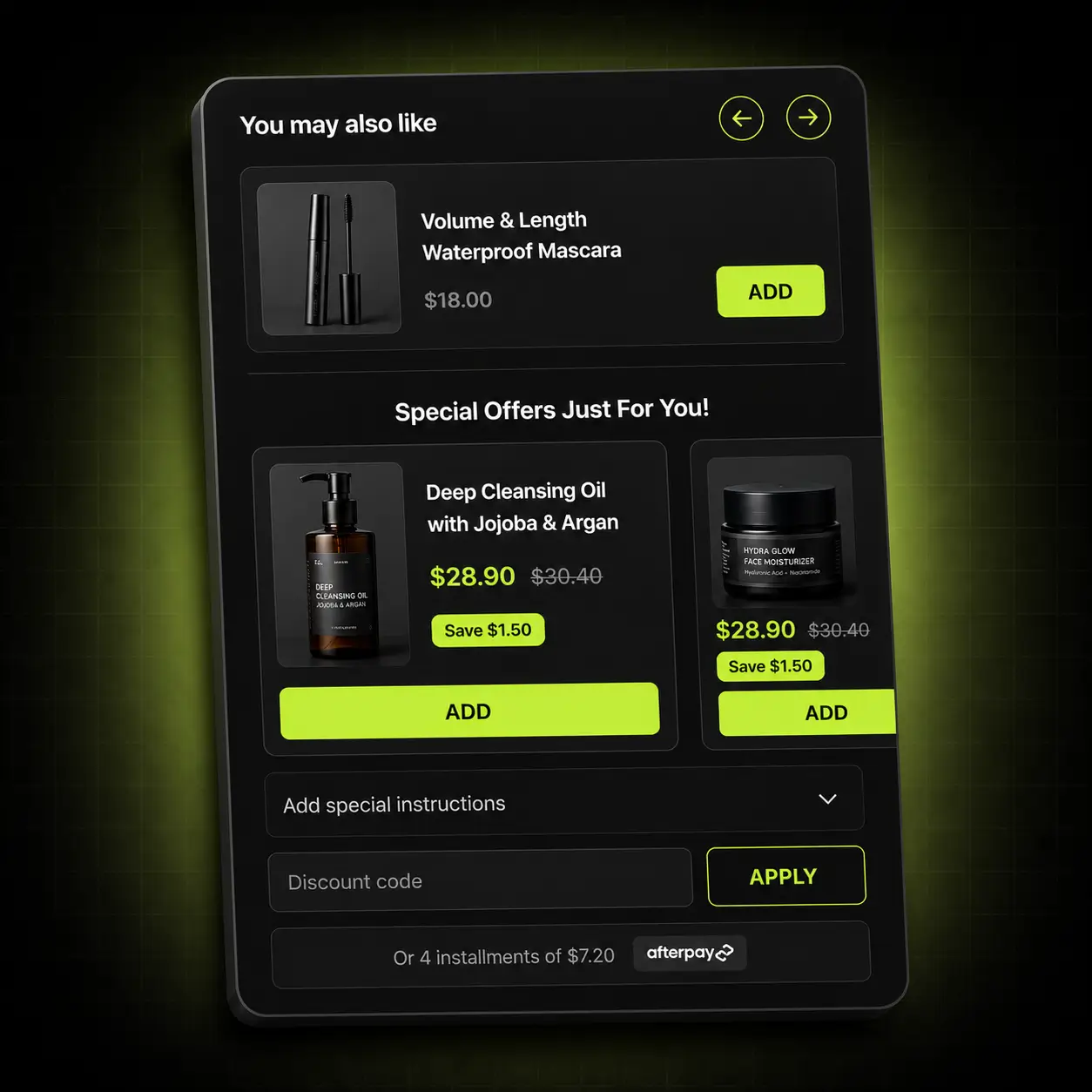
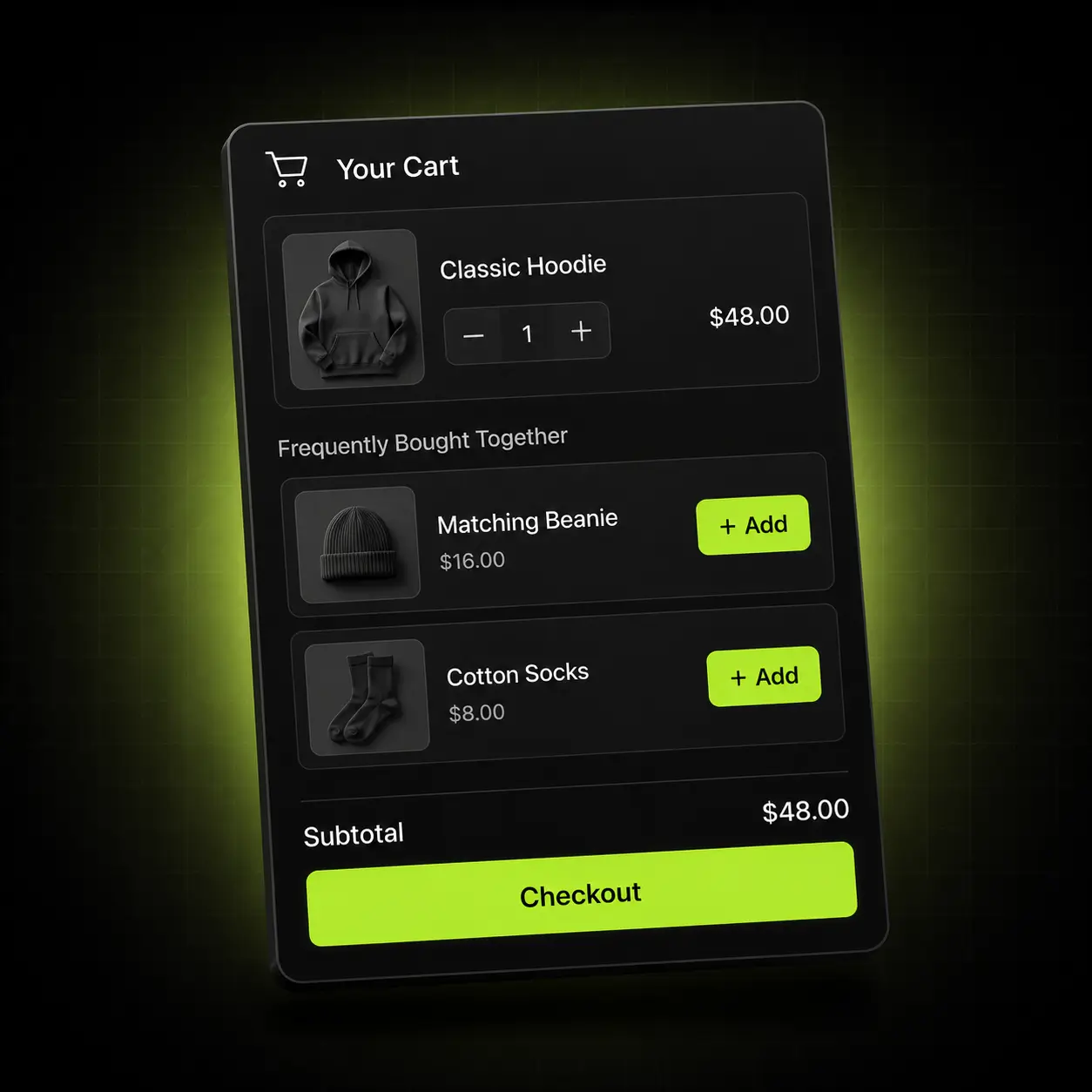
- Cross-sells in the drawer are the obvious way to close the remaining gap
The usual failure mode, removed: no second app can push the basket back under the line.
Show the goal everywhere, not just in the cart
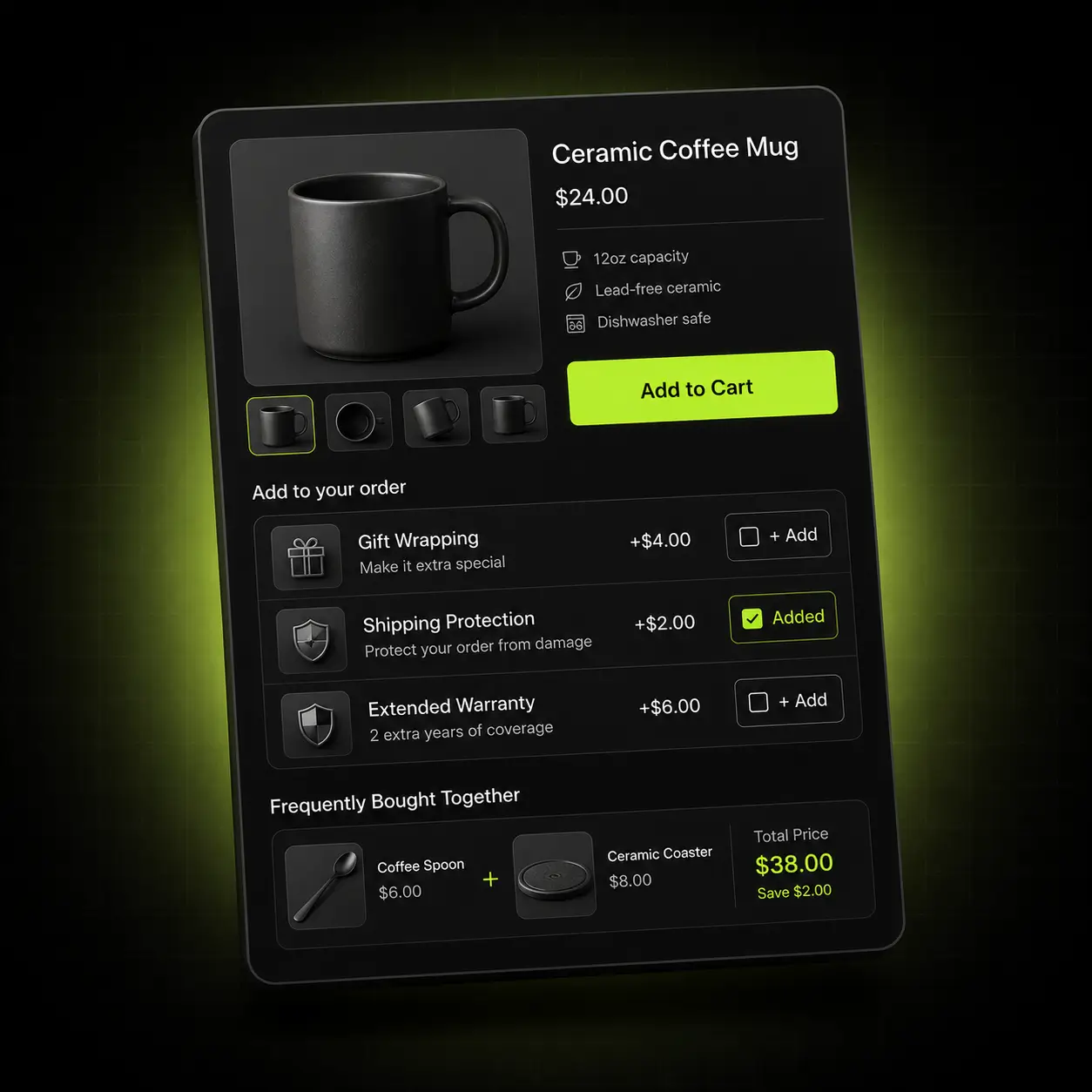
A progress bar only in the cart is a progress bar most shoppers never see. Oxify keeps the goal in view across the session, from the product page to the moment after payment.
Product page
The threshold shown before the item is even in the cart.
Cart drawer
The live progress bar, the gift picker and the cross-sells.
Sticky cart
A persistent bar keeping the reward goal in view on every page.
Post-purchase
A reward on the next order, offered the moment they pay.
The threshold that fits your catalogue
The right gift and the right threshold depend on your margins and your average order. Here is where we’d point you first.
Beauty & skincare
Sampling is already how the category sells.
Start with: A deluxe sample or travel size at 1.3× AOV — it doubles as trial for a full-size repeat purchase.
Apparel & accessories
Wide baskets and strong add-on logic.
Start with: A branded accessory at 1.4× AOV, with free shipping as the first rung below it.
Supplements & consumables
Multi-buy behaviour and predictable refills.
Start with: A shaker, scoop or single-serve pack on multi-month orders, above your two-month price.
How Oxify compares with other free gift apps
We read the App Store listings of three free gift apps on 13 October 2026. All three are rated 4.9 or higher, as is Oxify, so the choice comes down to scope and price model. Oxify’s 4.9 rests on 40 reviews, against 596 to 4,485 for the other three.
| Checked 13 Oct 2026 | EG Auto Add to Cart Free Gift | BOGOS: Free Gift Bundle Upsell | Monk Free Gift with Purchase | Oxify Cart Drawer & Upsells (our app) |
|---|---|---|---|---|
| Listing rating (reviews) | 4.9 (1,138) | 5.0 (4,485) | 4.9 (596) | 4.9 (40) |
| Free plan | Yes: 1 live gift rule | Yes: 30 orders, lifetime | None listed; 7-day trial | No; 14-day trial |
| Cheapest paid plan | $14.99/mo (3 active rules) | $29.99/mo (300 orders; Shopify Basic stores only) | $1 first month (Black Friday 2026 offer), then not shown | $9.99/mo (up to 100 orders) |
| What the listing covers | Gift and BOGO rules, popup gift picker | BOGO, gifts, bundles, volume discounts | BOGO, gifts, volume discounts, quantity breaks | Cart drawer, upsells, gifts, reward bars, quantity breaks |
Ratings, plans and features come from each app’s App Store listing, read on 13 October 2026; all four listings showed a Built for Shopify badge. Plans change, so check the listing before you decide.
Pick a different app if: one live gift rule is enough and you want no monthly fee (EG Auto Add to Cart’s free plan covers it; Oxify has a 14-day trial, not a free plan); you mainly run BOGO or bundle offers (BOGOS and Monk list those as core features); or review history is your first test (BOGOS has 4,485 reviews against Oxify’s 40). Oxify fits when the gift is one part of a cart drawer that also runs cross-sells, reward bars and quantity breaks. Oxify publishes this page and makes Oxify Cart Drawer & Upsells.
Live in about ten minutes
How to add a free gift with purchase on Shopify, in four steps — no developer, no theme edits, no staging copy of your store.
Install
Add Oxify from the Shopify App Store. It connects through an app embed block — no theme files touched.
Match your theme
Fonts, colours and button style pull from your theme, then you adjust anything visually.
Set your tiers
Pick the thresholds and the gifts, decide whether the shopper chooses, and set your exclusions.
Publish and tune
Go live, watch AOV, then move the threshold until the basket grows without the gift costing more than it earns.
One plan. Every feature. Priced by order volume.
Nothing is locked behind a higher tier — the only thing that changes is how many orders your store does. Start at $9.99/month, 14 days free.
| Total monthly store orders | Price |
|---|---|
| 0–100 orders | $9.99/month |
| 101–200 orders | $19.99/month |
| 201–500 orders | $29.99/month |
| 501–1,000 orders | $49.99/month |
| 1,001–2,000 orders | $79.99/month |
| 2,001–3,000 orders | $99.99/month |
| 3,001+ orders | $149.99/month |
Based on your store’s total monthly orders, not just orders Oxify influenced. Billed through Shopify.
For high-volume brands that would rather we built it than build it themselves.
Talk to sales- Done-for-you setup We configure your offers, rules and targeting around your catalogue and your margins — you approve, we ship it.
- Custom design templates Built to your brand rather than adapted to it, matched to your theme by our designers.
- Priority support A dedicated channel with the people who build the app, and your feature requests at the front of the queue.
4.9 on the Shopify App Store
Rated 4.9 from 40 reviews on the Shopify App Store (checked 13 October 2026). Here is what they say about it.
“…I set up an automatic free gift with a progress bar in my cart drawer and it works beautifully — the gift adds automatically when customers reach the spending threshold, with a “you’re almost there” bar that motivates them to buy more.”
“best cart drawer, they have some amazing features which is very helpful like free shipping bar and manual gift selection and lot of customization we can do it.”
“Fantastic app and customer service. Much better than native Shopify carts and has helped increase revenue. Highly recommended for anyone looking to upgrade their cart designs”
Switching is a Tuesday, not a project
If you’re on a dedicated gift with purchase app or a rewards app — or fighting a stack of them — the migration is short and we do the setup with you.
We map your current offers
Send a screenshot of what you run today and we’ll rebuild it in Oxify before you switch anything on.
Nothing is left behind
Oxify installs as an app embed block. Uninstalling your old app leaves no orphaned Liquid in your theme to clean up.
Run both for a week
Keep the incumbent installed while you compare. There is no theme conflict, and the trial is free either way.
The 30-day ROI guarantee
Install Oxify, put it live with at least one offer, and give it thirty days. If your average order value hasn’t increased in that window, email us and we refund 100% of what you paid. No conditions about ad spend, no minimum order count, no arguing about attribution — if the number didn’t move, you don’t pay.
Not ready to install?
Get the free Store Optimization Checklist
Cart friction, upsell gaps, merchandising and trust fixes — the audit we run on every store. No call, no install.
Shopify free gift with purchase apps — frequently asked questions
What is Oxify Cart Drawer & Upsells?
Oxify Cart Drawer & Upsells is the Shopify app behind Oxify’s free gift with purchase. It is made by Oxify (listed on the App Store as “Oxify Cart Drawer & Upsell” by Oxify App) and replaces the store’s cart with a slide-out drawer that auto-adds free gifts at spend thresholds you set, with free-shipping and gift progress bars, one-click cross-sells, BOGO, volume discounts and post-purchase offers. It is rated 4.9 from 40 reviews, is Built for Shopify, and costs $9.99 to $149.99 a month by total store orders, with unlimited gift tiers on every plan and a 14-day free trial (listing checked 13 October 2026).
How does it compare with BOGOS and EG Auto Add to Cart Free Gift?
Both are free-gift specialists with far more reviews: BOGOS: Free Gift Bundle Upsell is rated 5.0 from 4,485 and EG Auto Add to Cart Free Gift 4.9 from 1,138, against 4.9 from 40 for Oxify, and all three are Built for Shopify. Both have a free plan, which Oxify does not: EG allows 1 live gift rule and BOGOS 30 orders in total. Their cheapest paid plans are $14.99 a month (EG, 3 active rules) and $29.99 (BOGOS, 300 orders a month, Shopify Basic stores only), against $9.99 for Oxify up to 100 orders. Oxify’s difference is that the gift sits in a full cart drawer with cross-sells and reward bars. Figures from the live listings, 13 October 2026.
What is a free gift with purchase app?
It adds a free product to the cart automatically when the shopper meets a condition you set — usually a spend threshold, sometimes a specific product or collection. The useful part is not the gift itself but the progress bar showing how close they are to it.
How do I add a free gift with purchase on Shopify?
Install a free gift app like Oxify, set a spend threshold and pick the gift. Shopify’s own Buy X Get Y discount can give a free product above a minimum purchase amount, but the free item is never added to the cart automatically (Shopify Help), so an app handles the auto-add, the progress bar and the rollback. Setup typically takes about ten minutes with no developer. Our guide covers four ways to set it up.
Can the free gift be added to the cart automatically?
Yes — that is the point. When the basket crosses the threshold, Oxify auto-adds the free gift to the cart at $0. If you offer a choice of gifts, the shopper picks one and it is added the moment they qualify. Either way there is no code to enter and nothing to remember at checkout.
Where should I set the threshold?
Above your current average order value, typically 20 to 30 percent above it: a $60 AOV points to $75 or $80. Go a little higher in categories with wide baskets, such as apparel. Below your AOV you are simply giving away margin on orders that were already going to happen. These are our rules of thumb, not measured results, so watch a fortnight and adjust.
Can I run more than one tier, or set a minimum spend?
Yes to both, with unlimited tiers on every plan. A minimum spend is the standard setup — spend $75, get the gift — and the pattern that works is free shipping first as an easy win, then a gift above it, then a better gift above that. Eligibility can also rest on specific products or collections instead of spend.
Can I run buy-one-get-one-free with this?
Yes. Buy X get Y free is a supported trigger — buy two, get one free; buy this product, get that one added at $0. Because Oxify also runs your bundles and volume discounts, a BOGO offer and a spend-threshold gift can run side by side without fighting over the same discount. For other options see the best Shopify BOGO apps.
What happens if the shopper removes an item?
The reward state recalculates immediately. If the basket drops below the threshold the free product is removed and the progress bar rolls back to show the remaining gap, so you never ship a free item on an order that did not qualify.
Can I exclude sale items from counting toward the threshold?
Yes. Exclude products, collections, gift cards or discounted items from the qualifying subtotal, so baskets built from items you would rather not count never trigger the free gift. Set this up before you launch, not after, and test it with a sale item in the cart.
Will it conflict with my discount codes?
No. Gift tiers run through Shopify’s native automatic-discount engine and are evaluated alongside your bundle and volume rules rather than racing them, so your campaign codes keep working alongside them. Stacked apps fighting over the same discount is the usual failure mode, and it is why we built it this way.
Does it work with multi-currency and international stores?
Yes. Thresholds convert per market through Shopify Markets, so a $75 threshold becomes a sensible local number rather than an odd converted figure, and the drawer is multi-language, including right-to-left layouts. You can also give each country a different gift — see free gifts by country.
Do I need a developer, and will it work with my theme?
No developer is needed: there is no code to paste and no Liquid to edit — Oxify installs as an app embed block and everything after that is a visual editor. It runs on Online Store 2.0 themes including Dawn, Impulse, Prestige, Motion and Warehouse, and on most older themes too. If your cart or product template is heavily customised, book a call and we’ll confirm before you install.
Does it slow my store down?
Shopify’s rule for apps is that an app must not lower a storefront’s Lighthouse performance score by more than 10 points, measured across the home, product and collection pages, and Built for Shopify repeats that limit. Oxify Cart Drawer & Upsells carries the Built for Shopify badge on its App Store listing (checked 13 October 2026). Offers load asynchronously and do not block rendering.
How do I let customers choose their free gift on Shopify?
Set the reward tier to offer a choice instead of one fixed product. When the cart crosses the threshold, the drawer shows the eligible gifts and the shopper picks one; or set a single gift that is added automatically. Oxify Cart Drawer & Upsells supports both, and if the cart drops back below the threshold the gift is removed cleanly. More on the trade-offs in manual gift selection on Shopify.
Can the cart show “You’re $10 away from a free gift”?
Yes. That message is the progress bar: it updates as items are added and counts down the gap to the next tier, for example free shipping at $50 and a free gift at $75. Thresholds convert per market with Shopify Markets, so the amount shows in the shopper’s own currency.
How do I give a free gift with a discount code on Shopify?
Natively, create a Buy X Get Y discount code with the gift as the free item. It works, but the shopper has to add the gift to the cart and enter the code themselves. An app removes both steps: Oxify adds the gift automatically once the cart qualifies, with no code, and your normal discount codes keep working alongside it.