 Oxify
OxifyShopify product page upsell app
Upsell on the Shopify product page, before the cart
Upsell on the product page, before the cart even opens. Add-ons, bundles and quantity discounts right under the buy button. Rated 4.9 ★ · 14-day free trial.
Merchants running Oxify












The product page asks one question and then stops
Your product page is built to answer “should I buy this?” and it usually does that well. It rarely asks the question that follows — “what goes with it?” — until the cart, when the shopper has already decided. A Shopify product page upsell asks it earlier, while they are still choosing.
The default product page
- One product, one variant picker, one button.
- Add-ons like warranties or gift wrap need a separate app or a custom line-item hack.
- “You may also like” sits below reviews and navigates away when clicked.
- Bundle pricing requires a code the shopper has to find and remember.
- Every AOV tactic gets deferred to the cart.
With Oxify
- Add-ons as one-tap checkboxes directly under the buy button.
- Frequently Bought Together in place, with no navigation.
- Bundle and volume pricing applied automatically as quantity qualifies.
- A reward threshold shown on the page, so the second item has a reason.
- The same rules continue into the cart drawer rather than restarting.
Everything a product page can sell besides the product
Add-on checkboxes, cross-sell widgets, bundle pricing and subscriptions — four distinct plays, all running from the same install, none of them fighting the others for the same discount.
Add-ons
Warranties, gift wrap, express handling, accessories — near-zero fulfilment cost and pure margin.
Frequently Bought Together
The obvious pair, added in one tap without leaving the page.
Bundles & volume breaks
Buy 2 save 10%, buy 3 save 15% — priced automatically as quantity qualifies.
Subscribe & Save
The recurring option offered at the moment of choice, with the saving shown in currency.
The highest-margin revenue on the page
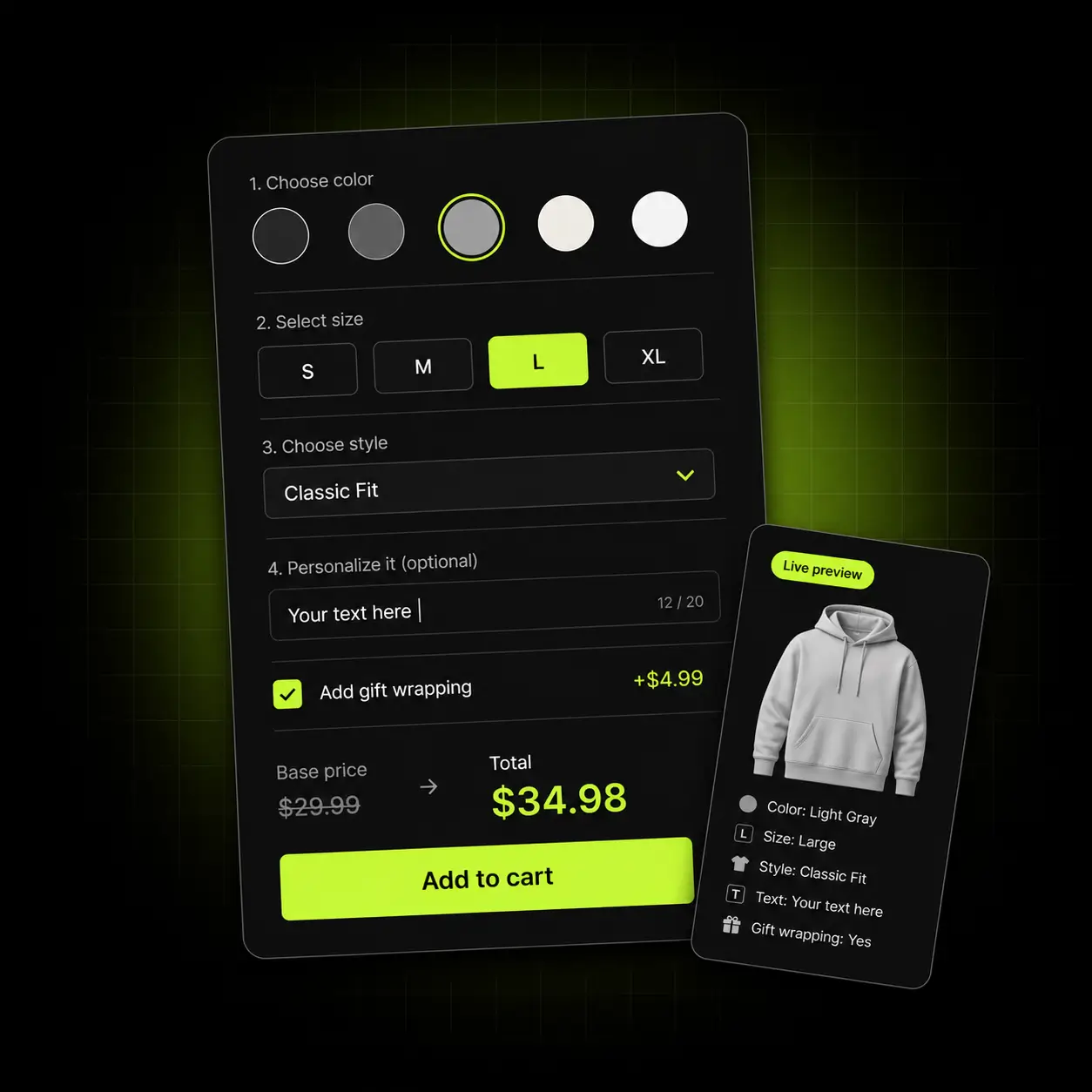
Product add-ons are the cheapest yes in ecommerce. Warranty and gift wrap add-ons, express handling, a spare part — low price, almost no fulfilment cost, and no extra ad spend. Oxify renders each one as an add-on checkbox under the buy button, a one-click add with nothing to configure.
- One-tap add-ons rendered directly under the buy button
- Rules per product, per collection or store-wide
- Priced as a flat fee or a percentage of the item
- Carries through to the cart drawer as a proper line item
Pure margin: almost nothing you add here costs you anything to deliver.

Answer “what goes with it?” in place
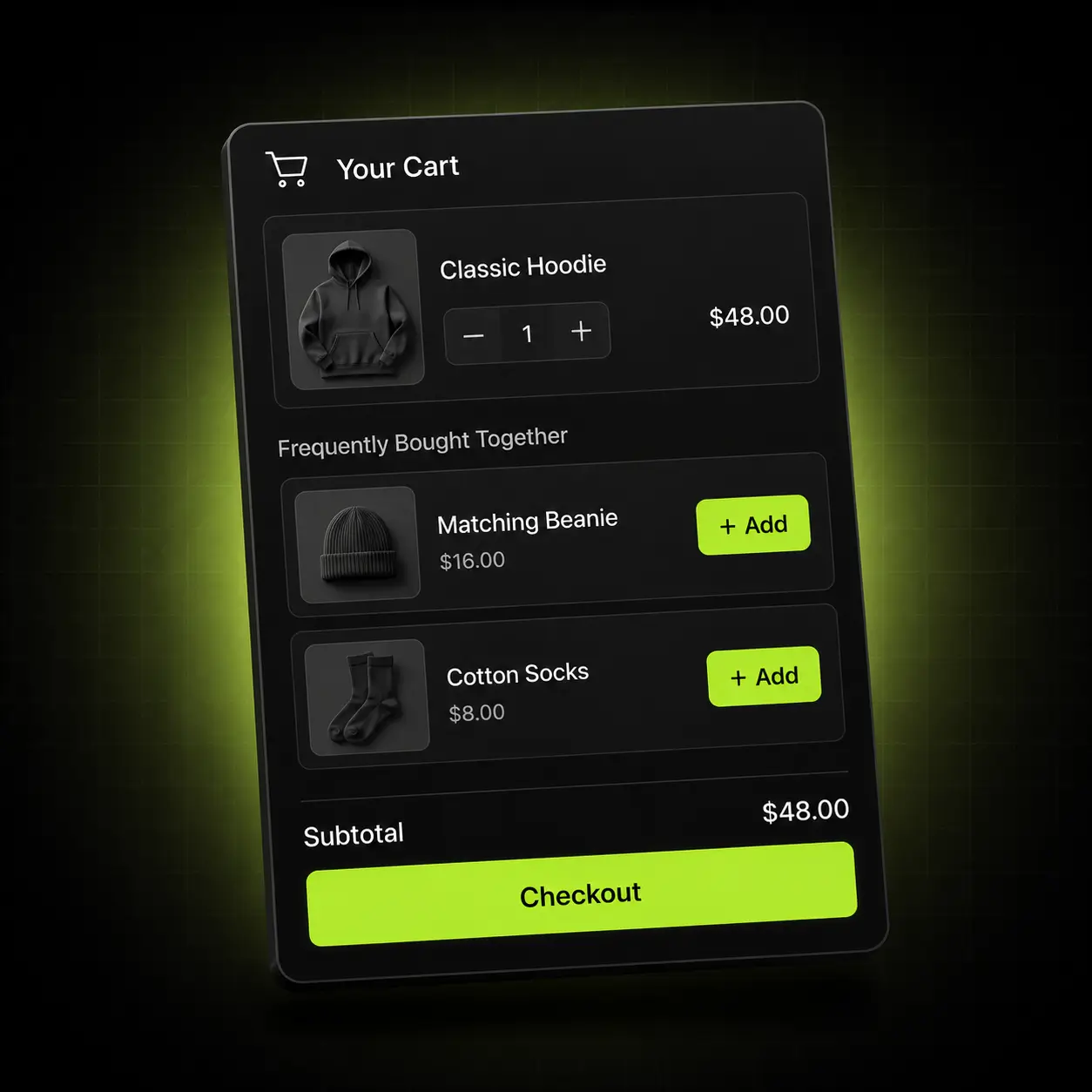
Frequently Bought Together on the product page sits under the buy button with a one-click add, so the shopper never navigates away from the product they came for. Product recommendations are yours to curate, or generated automatically from your own order history.
- Manual pairings, or automatic recommendations from real order data
- One-tap add with no page change and no risk to the original item
- Respects variants, live inventory and subscription eligibility
- Per-offer revenue analytics show which pairs genuinely earn
No lost carts: nothing here ever navigates the shopper away.
Price the bigger basket automatically
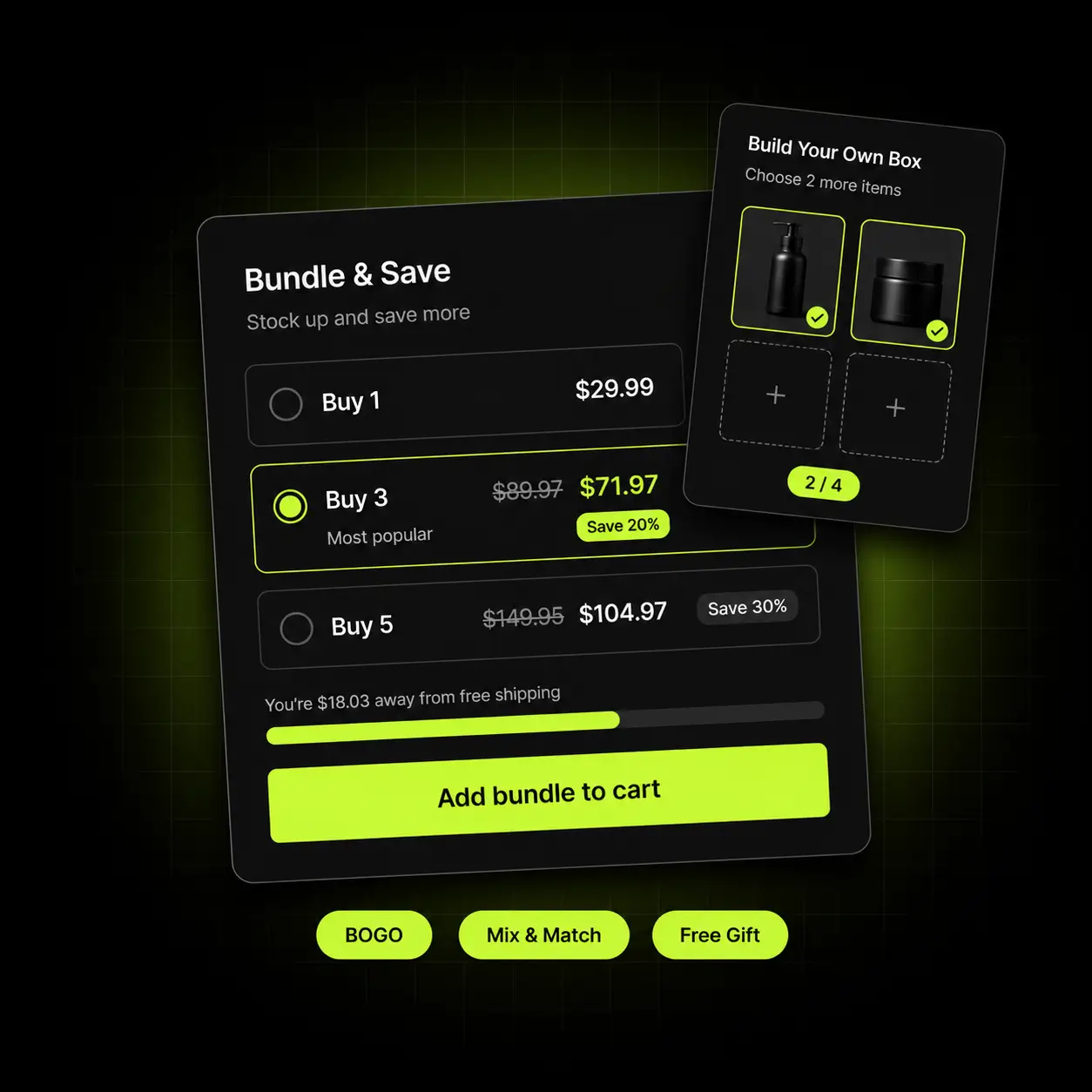
Show the ladder on the product page — buy 2 save 10%, buy 3 save 15% — and the discount applies the moment the quantity qualifies. It runs through Shopify’s own automatic-discount engine, so it never collides with your campaign codes.
- Quantity breaks, mix-and-match bundles and BOGO from one rule builder
- The ladder is visible on the page, so the next tier is a concrete goal
- Applies through Shopify Automatic Discounts — no codes to distribute
- Multi-currency and RTL supported out of the box
No code conflicts: because it uses the native engine, your promotions keep working.
Give the extra item a reason, not just a slot
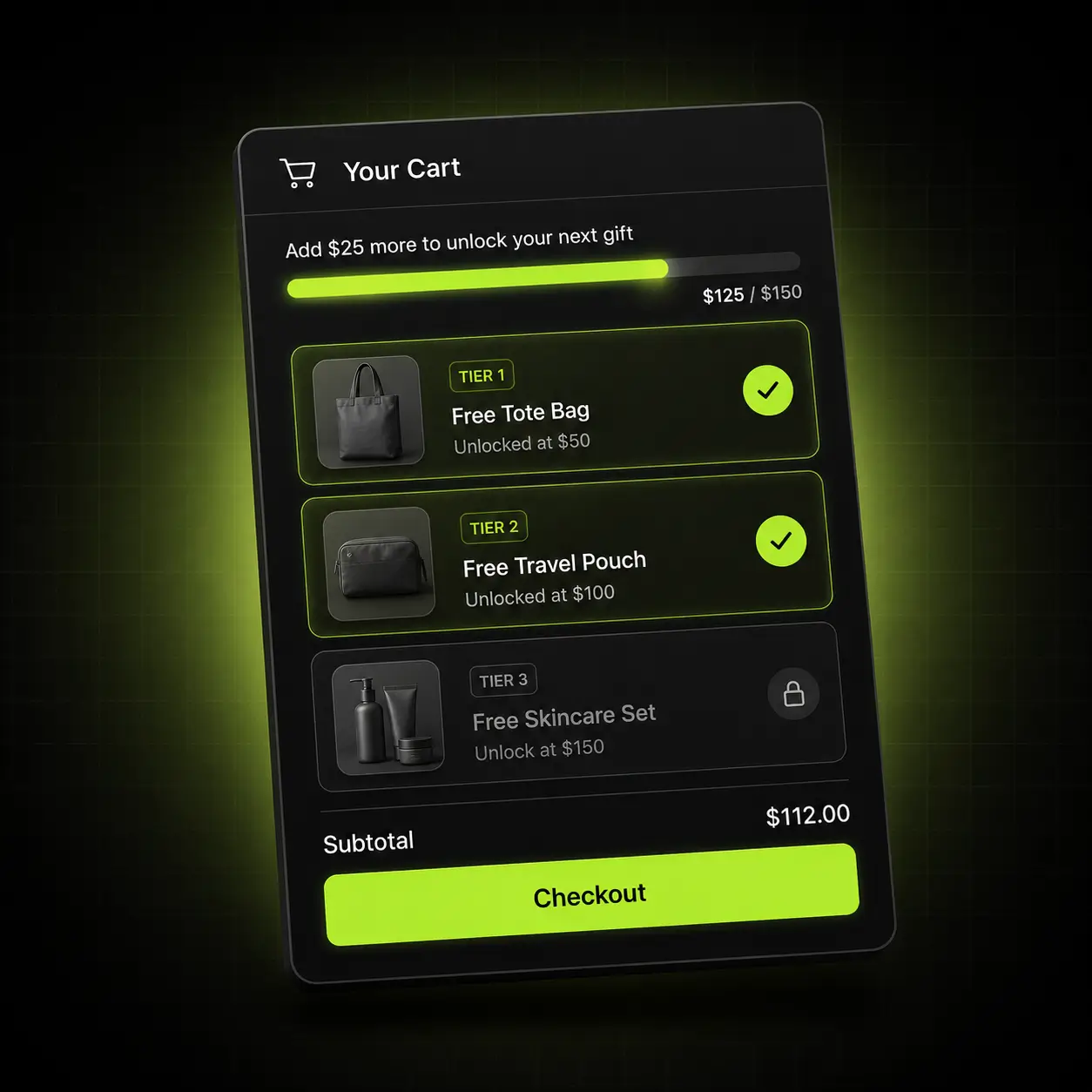
An add-on block tells the shopper what else exists. A reward threshold tells them why to take it now. Shown on the product page and carried into the cart drawer as a live progress bar, so the goal never resets.
- Free shipping and free gift thresholds shown as a live progress bar
- Continues seamlessly into the cart drawer — the same goal, not a new one
- Thresholds convert per market automatically with Shopify Markets
- Reward rolls back cleanly if an item is removed
One continuous story: the shopper sees one goal from product page to checkout.
The product page is the start, not the whole job
An upsell that appears on the product page and then vanishes in the cart wastes the setup. Oxify runs the same rules — add-ons, cross-sell widgets, product recommendations and reward goals — across all four surfaces, so the shopper sees one coherent story.
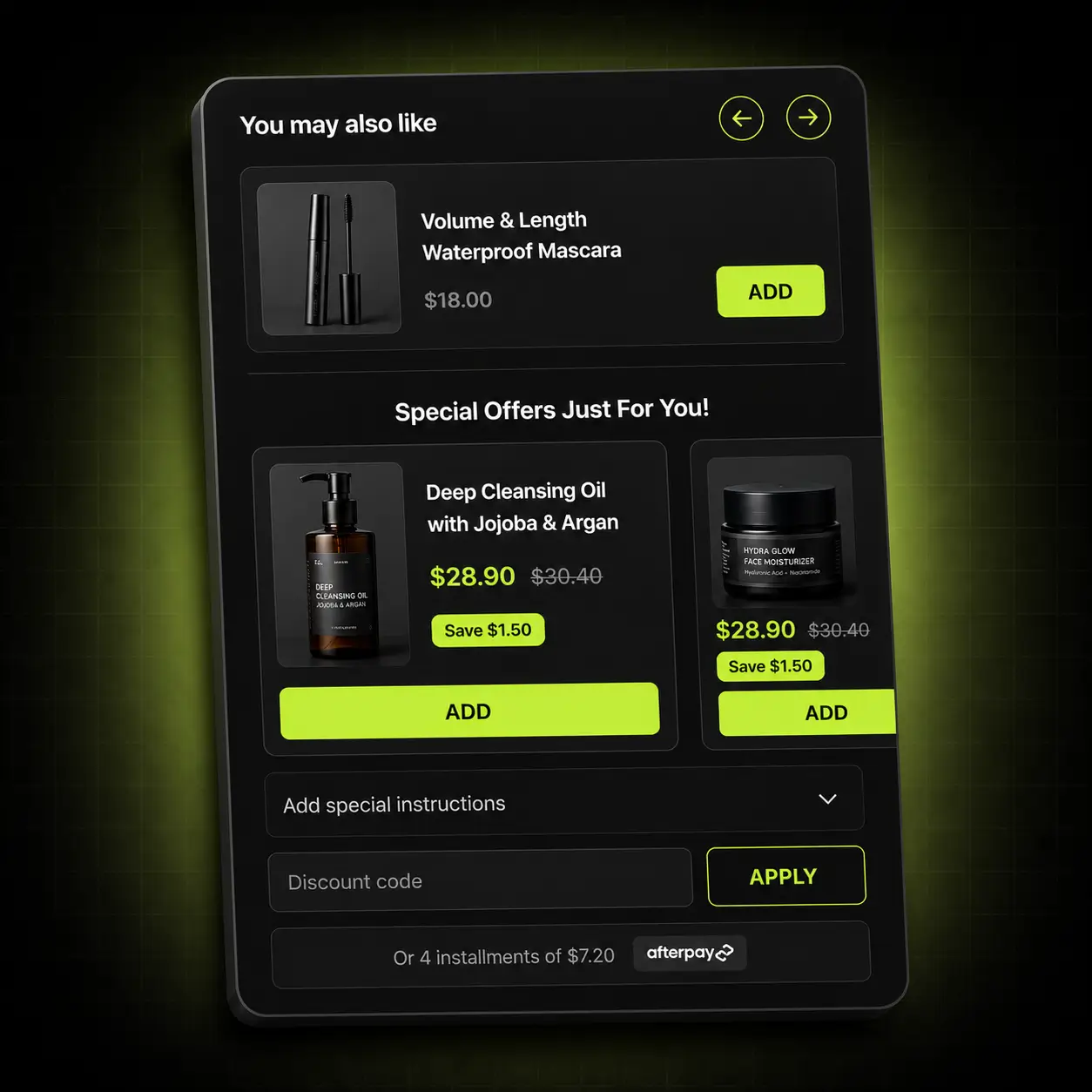
Product page
Add-ons, FBT, bundle pricing and the reward goal.
Cart drawer
The same goal continued, plus in-cart cross-sells.
Sticky cart
A persistent basket keeping the reward in view on every page.
Post-purchase
A one-click offer after payment with no second checkout.
The play that fits your catalogue
Product-page upselling is not one tactic, and the AOV — average order value — lever that works for a high-ticket single item is not the one that works for a consumable. Here is where we’d point you first.
High-ticket & considered goods
Long consideration and real anxiety about the purchase.
Start with: Warranties and protection plans as add-ons — they speak to the risk in a considered purchase, not to a want for more.
Supplements & consumables
Predictable refill cycles and multi-buy logic.
Start with: A volume ladder on multi-month packs, with Subscribe & Save alongside it.
Home, beauty & giftable goods
High gifting intent and natural sets.
Start with: Gift wrap and a card as add-ons, plus a curated FBT pair at a bundle price.
Oxify vs Kaching Bundles, Essential Upsell and CBB
Product-page upselling often ends up as a stack of apps, each with its own discount logic and its own bill. These three put upsells on the product page and all appear on the first page of the Shopify App Store search for “product page upsell”; we read each live listing on 13 October 2026. All three have far more reviews than Oxify. The differences are how each one bills and how far past the product page it reaches.
| Listing fact | Oxify Cart Drawer & Upsells | Kaching Bundles App & Upsells | Essential Upsell & Cross Sell | Frequently Bought Together CBB |
|---|---|---|---|---|
| App Store rating | 4.9 (40 reviews) | 5.0 (6,282 reviews) | 5.0 (2,424 reviews) | 4.9 (1,207 reviews) |
| Built for Shopify | Yes | Yes | Yes | Yes |
| Free plan for a live store | No — 14-day trial | No — development stores only; 7-day trial | Yes — up to $100 of extra revenue generated | Yes — up to 3 manual bundles |
| Cheapest paid plan | $9.99/month, up to 100 orders | $14.99/month, up to $1,000 of extra revenue | $9.99/month, up to $500 of extra revenue | $9.99/month, up to 50 orders |
| Billed on | Total monthly store orders | Extra revenue the app generates | Extra revenue the app generates | Orders a month |
| Product page offers on the listing | Add-ons, FBT pairs, quantity breaks | Bundles, quantity breaks, FBT, add-ons, free gifts | FBT, related products, add-ons, one-click upsells | FBT bundles and product add-ons |
| Cart drawer in the same app | Yes | Not on its listing (Kaching lists CartDrawer as a separate app) | Yes (cart offers from $19.99) | Cart pages; a drawer is not named |
| Post-purchase offers | Yes, plus the thank-you page | Not on its listing (Kaching lists Post Purchase Upsell as a separate app) | Yes, on every plan | Not on its listing |
| On the App Store since | January 2024 | August 2022 | June 2024 | March 2017 |
Pick a different app if: quantity breaks and bundle deals are your main offer and you want the most-reviewed specialist (Kaching Bundles, 6,282 reviews); you want a free plan to start (Essential Upsell & Cross Sell and CBB have one; Oxify has a 14-day trial); or you would rather pay by the revenue an app generates than by store orders (Kaching Bundles and Essential). Oxify fits when you want add-ons, FBT, volume tiers, free-gift goals and the cart drawer under one set of discount rules. Oxify publishes this page and makes Oxify Cart Drawer & Upsells. “Not on its listing” means the listing does not mention it, not that the app cannot do it.
Live in about ten minutes
No developer, no theme edits, no staging copy of your store.
Install
Add Oxify from the Shopify App Store. It connects through an app embed block — no theme files touched.
Match your theme
Fonts, colours, radius and button style pull from your theme, then you adjust anything visually.
Place your offers
Choose add-ons, FBT pairs and volume tiers per product or collection, and set the reward threshold.
Publish and measure
Go live and read revenue per offer. Keep what earns, switch off what doesn’t.
One plan. Every feature. Priced by order volume.
Nothing is locked behind a higher tier — the only thing that changes is how many orders your store does. Start at $9.99/month, 14 days free.
| Total monthly store orders | Price |
|---|---|
| 0–100 orders | $9.99/month |
| 101–200 orders | $19.99/month |
| 201–500 orders | $29.99/month |
| 501–1,000 orders | $49.99/month |
| 1,001–2,000 orders | $79.99/month |
| 2,001–3,000 orders | $99.99/month |
| 3,001+ orders | $149.99/month |
Based on your store’s total monthly orders, not just orders Oxify influenced. Billed through Shopify.
For high-volume brands that would rather we built it than build it themselves.
Talk to sales- Done-for-you setup We configure your offers, rules and targeting around your catalogue and your margins — you approve, we ship it.
- Custom design templates Built to your brand rather than adapted to it, matched to your theme by our designers.
- Priority support A dedicated channel with the people who build the app, and your feature requests at the front of the queue.
4.9 on the Shopify App Store
4.9 from 40 reviews on the Oxify Cart Drawer & Upsells listing, which shows the Built for Shopify badge (checked 13 October 2026). Read every review, then see one store’s product-page numbers in full.
£4,136Oxify-attributed revenue from Replenhair’s product-page placement, added before the shopper reaches the cart.
27%Share of Replenhair’s £15,451 total Oxify-attributed revenue that came from the product page. The cart drawer gave £8,742 and post-purchase offers £2,573.
4.9Rating from 40 reviews on the Shopify App Store, with the Built for Shopify badge.
One store, not an average: nearly every Replenhair product has a natural partner, which suits pairing offers. Read the full Replenhair case study.
Switching is a Tuesday, not a project
If you’re on a dedicated add-ons, bundles or recommendations app — or all three — the migration is short and we do the setup with you.
We map your current offers
Send a screenshot of what you run today and we’ll rebuild it in Oxify before you switch anything on.
Nothing is left behind
Oxify installs as an app embed block. Uninstalling your old app leaves no orphaned Liquid in your theme to clean up.
Run both for a week
Keep the incumbent installed while you compare. There is no theme conflict, and the trial is free either way.
The 30-day ROI guarantee
Install Oxify, put it live with at least one offer, and give it thirty days. If your average order value hasn’t increased in that window, email us and we refund 100% of what you paid. No conditions about ad spend, no minimum order count, no arguing about attribution — if the number didn’t move, you don’t pay.
Not ready to install?
Get the free Store Optimization Checklist
Cart friction, upsell gaps, merchandising and trust fixes — the audit we run on every store. No call, no install.
Shopify product page upsell apps — frequently asked questions
What is Oxify Cart Drawer & Upsells?
Oxify Cart Drawer & Upsells is the Shopify app behind Oxify’s product page upsells. It is made by Oxify (listed on the App Store as “Oxify Cart Drawer & Upsell” by Oxify App) and adds product page add-ons, frequently bought together pairs and quantity discount ladders, then continues them in a slide-out cart drawer with free-gift and free-shipping progress bars, Subscribe & Save and post-purchase and thank-you page offers. It is rated 4.9 from 40 reviews, is Built for Shopify, and costs $9.99 to $149.99 a month by total store orders, with every feature on every tier and a 14-day free trial (listing checked 13 October 2026).
How does it compare with Kaching Bundles and Essential Upsell & Cross Sell?
Kaching Bundles App & Upsells (5.0 from 6,282 reviews) and Essential Upsell & Cross Sell (5.0 from 2,424) have far more reviews than Oxify (4.9 from 40), and all three are Built for Shopify. Both bill by the extra revenue they generate: Kaching Bundles from $14.99 a month for up to $1,000 of it, Essential free up to $100 and $9.99 a month up to $500. Oxify bills by total store orders, $9.99 a month up to 100. Kaching Bundles focuses on product page bundles and quantity breaks and lists its cart drawer as a separate app; Essential covers the product page, cart drawer and post-purchase. Oxify adds free-gift tiers and Subscribe & Save to the same rule set. Figures from the live listings, 13 October 2026.
What is a product page upsell?
It is any offer presented on the product page itself rather than in the cart or at checkout — an add-on checkbox, a Frequently Bought Together pair, a quantity discount ladder, or a subscription option. It works because the shopper is still in choosing mode rather than trying to leave.
How do I add an upsell to my Shopify product page?
Install Oxify from the Shopify App Store; it connects through an app embed block, so no theme files are touched. Then choose your offers per product or collection — add-ons, Frequently Bought Together pairs, volume tiers — set an optional reward threshold and publish. Setup typically takes about ten minutes. For a step-by-step guide that also covers theme-only options, see product page upsells on Shopify.
Product page upsell vs cart upsell — which should I use?
Both, in that order. A product page upsell — an add-on checkbox, an FBT pair, a volume tier — starts the basket bigger while the shopper is still choosing. A cart upsell then works on a basket that is already larger. Oxify runs the same rules across both surfaces, so you do not have to pick.
Can I add an add-on checkbox under the buy button?
Yes — that is the default placement, and you can move it in the visual editor if your theme needs something different. Warranties, gift wrap and similar add-ons render as one-click checkboxes, priced as a flat fee or a percentage of the product, and carry through to the cart and checkout as proper line items, so they appear on the order, in your reporting and in the customer’s confirmation.
Does it work with my variant picker?
Yes, including complex variant setups. Offers respect variant availability and live inventory, so a shopper is never shown an option that cannot be bought in the combination they have selected.
Do I need a developer, and will it work with my theme?
No developer is needed: there is no code to paste and no Liquid to edit. Oxify installs as an app embed block and everything after that is a visual editor. It runs on Online Store 2.0 themes including Dawn, Impulse, Prestige, Motion and Warehouse, and on most older themes too. If your theme has a heavily customised product or cart template, book a call and we’ll confirm before you install.
Will it slow my product page down?
Oxify is built to load its blocks asynchronously so they do not hold up your buy button or images, but we do not publish speed figures, so measure your own store: run Lighthouse on a product page with the app embed on, then off. Shopify’s enforced rule for every app is a maximum 10-point drop in the storefront Lighthouse performance score. The Oxify Cart Drawer & Upsells listing shows the Built for Shopify badge (checked 13 October 2026).
Does it conflict with my discount codes?
No. Discounts run through Shopify’s native automatic-discount engine rather than a parallel system, so your campaign codes keep working alongside them. Stacked apps fighting over the same discount is the usual failure mode, and it is why we built it this way.
How much can product page upsells raise average order value?
It depends on your catalogue and which levers you use, so look at one store in full rather than an average. At Replenhair, a UK hair-care brand, the product page brought in £4,136 of £15,451 total Oxify-attributed revenue (27%) since install, beside £8,742 from the cart drawer and £2,573 from post-purchase offers, per its Analytics dashboard on 31 July 2026. Replenhair case study.
Is there a free trial, and what does the ROI guarantee cover?
Yes — 14 days free, no credit card, and you can uninstall from your Shopify admin at any time. Once you are live, the 30-day ROI guarantee applies: if your average order value has not increased within 30 days of going live, we refund 100% of what you paid. We ask only that the app was actually live with at least one offer configured.
Does it work for international stores?
Yes. Thresholds and discount tiers convert per market through Shopify Markets, and the app is multi-language, including right-to-left layouts.
How is my store’s data handled?
Oxify requests only the Shopify scopes it needs to read products and write cart and discount data. We do not sell data, and everything is deleted on uninstall in line with Shopify’s data-retention requirements.
What is an upsell in Shopify?
An upsell is an offer that raises the value of an order: a bigger size, a premium version, an add-on such as a warranty or gift wrap, or a second product bought with the first. Shopify’s own tools stop at product recommendations, so stores add upsell products with an app. On the product page that usually means add-on checkboxes, Frequently Bought Together and quantity or bundle pricing placed under the buy button.