
15 Best Shopify Cart Drawer & Slide Cart Apps (October 2026)
A Shopify cart drawer is the panel that slides in when a shopper adds a product. Many themes already include a basic drawer, so the real question is rarely whether to have a drawer. It is what the drawer offers a shopper before checkout.
This guide compares the 15 best Shopify cart drawer apps (also called slide cart, side cart, or mini cart apps). We re-read every rating, review count, badge, and price from each app's live Shopify App Store listing on October 5, 2026. Revenue figures come from Oxify merchants' own analytics dashboards, with the screenshot, currency, and time window shown next to each one. Where we do not have a number, we say so instead of quoting an industry average nobody can trace.
The cart drawer is one of four upsell placements. For product page, post-purchase and checkout tools too, see the best Shopify upsell apps.
New in the October 2026 update: a Shopify Plus and high-volume section with real prices at 1,500, 4,000, and 12,000 orders a month.
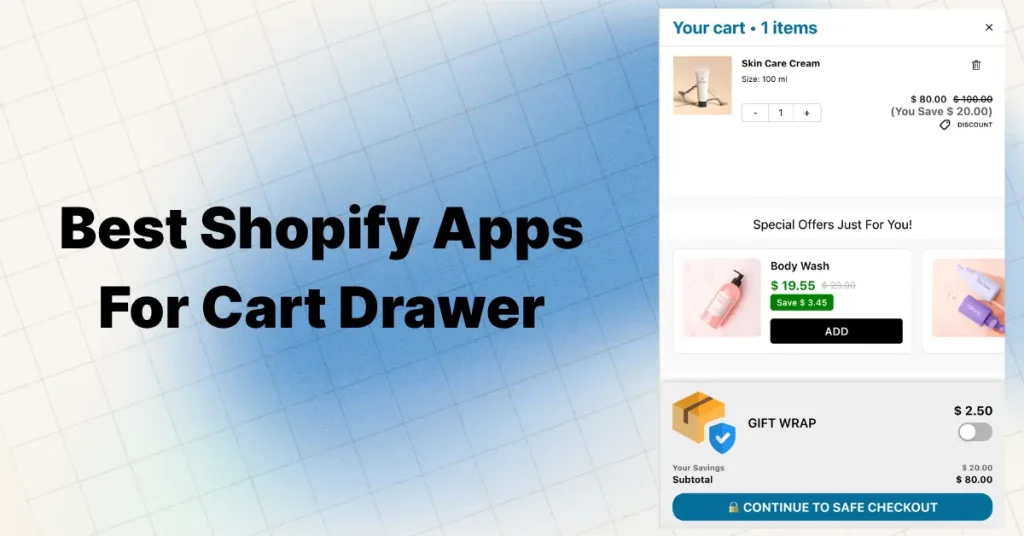
Quick answer: our pick is Oxify Cart Drawer (our own app, so weigh that): 4.9 stars from 40 reviews, Built for Shopify, from 9.99 dollars a month, with upsells from the product page to the thank you page. It has far fewer reviews than the big names, so here are the picks by situation:
- Most reviewed dedicated drawer: Kaching CartDrawer (5.0 stars, 1,450 reviews, from 9.99 dollars a month)
- Shopify Plus and 1,000+ orders a month: Oxify Cart Drawer for checkout upsells on Plus, expansion stores, and a 299 dollar Enterprise plan; Ego or AOV.ai if you want unlimited orders at a price set by your Shopify plan (39.99 and 55.99 dollars on Plus). See the Plus section.
- Best known name: UpCart (4.7 stars, 954 reviews, from 29.99 dollars a month)
- Free with no order cap: qikify Slide Cart Drawer (4.9 stars, 417 reviews; cart upsells need Premium), AMP (design only on the free plan), or CornerCart (drawer and sticky cart only)
- Free with every feature, small stores only: Essent (5.0 stars, 1,058 reviews, free to 30 orders a month), AOV.ai (5.0 stars, 865 reviews), or Ego (4.9 stars, 558 reviews), both also free to 30 orders a month
- Flat price that never rises with orders: AMP (29.99 dollars a month)
- Bundles and BOGO: Monster Cart (4.7 stars, 532 reviews)
Disclosure and method: Oxify publishes this blog and makes the app ranked first. Three things keep the list checkable. (1) Every rating, review count, badge, and price was read from the live App Store listing on October 5, 2026, and each app links to its listing so you can check us. (2) Every revenue figure is a merchant's own Oxify dashboard with its time window stated; none is modelled or annualised. (3) Each app, including ours, has a "skip it if" line. Oxify wins only the categories we can defend (funnel coverage and the AOV refund promise); on review volume, price, and free plans we send you elsewhere.
All 15 Cart Drawer Apps Compared (October 2026)
| App | Rating | Reviews | Built for Shopify | Paid plans from (USD/mo) | Free plan? | Best for |
|---|---|---|---|---|---|---|
| Oxify Cart Drawer | 4.9 | 40 | Yes | 9.99 | None (14 day trial; dev stores free) | Full funnel AOV, Shopify Plus |
| UpCart | 4.7 | 954 | Yes | 29.99 | Dev stores only | Best known name |
| Kaching CartDrawer | 5.0 | 1,450 | Yes | 9.99 | Dev stores only | Most reviewed, low price |
| AMP Slide Cart | 5.0 | 774 | Yes | 29.99 | Yes, no order cap (design only, no upsells) | Flat pricing, paid ads |
| AOV.ai Cart Drawer | 5.0 | 865 | Yes | 15.99 | To 30 orders/mo | New stores |
| Essent Cart Drawer | 5.0 | 1,058 | Yes | 8.99 | All features to 30 orders/mo | Shopify Markets |
| Ego Cart Drawer | 4.9 | 558 | Yes | 12.99 | To 30 orders/mo | Unlimited orders, priced by Shopify plan |
| CornerCart | 4.9 | 316 | Yes | 15 | Yes | Speed, real inventory gifts |
| qikify Slide Cart Drawer | 4.9 | 417 | No | 14.99 | Yes, no order cap (cart upsells need Premium) | Simple sticky cart |
| Monster Cart | 4.7 | 532 | No | 9.99 | To 50 orders (launch offer) | Bundles and BOGO |
| Cartly Slide Cart Drawer | 4.9 | 93 | Yes | 16.99 | First 20 orders in total | Long track record (2017) |
| iCart | 4.7 | 451 | No | 9 | First 100 orders in total | Cheap ladder |
| GoKwik Cart Drawer | 4.3 | 43 | No | 19.99 | None (14 day trial) | COD markets |
| Selleasy | 4.9 | 2,738 | Yes | 9 | To 50 orders/mo | Budget upsell engine |
| Candy Rack | 4.9 | 263 | Yes | 29.99 | Trial and dev stores only | Upsell popups |
Every cell was read from the live App Store listing on October 5, 2026. Listings show at most four plans; higher order tiers usually sit on the developer's own pricing page.
What Is a Shopify Cart Drawer (Slide Cart, Side Cart, Mini Cart)?
Yes. A cart drawer is a panel that slides in when a shopper adds a product, so they can review the cart and keep browsing without a page reload. "Slide cart" names the motion, "side cart" the position, and "mini cart" sometimes also means a small dropdown under the cart icon (more in our slide cart vs mini cart guide and what is a cart drawer). So the best slide cart app and the best mini cart app for Shopify come from the same list: Oxify for the full funnel, Kaching for review volume at a low price, AMP for a flat price, and qikify or AMP if you need a free drawer with no order cap.
What Cart Upsells Actually Earn: Oxify Merchant Data
Most roundups, including earlier versions of this one, quote lift percentages with no source. These are real dashboards instead. Each figure is revenue the Oxify app attributed to its own placements in that store's analytics. They are individual stores we can show, not an average and not controlled A/B tests, so use them to judge what is possible, not what is guaranteed.
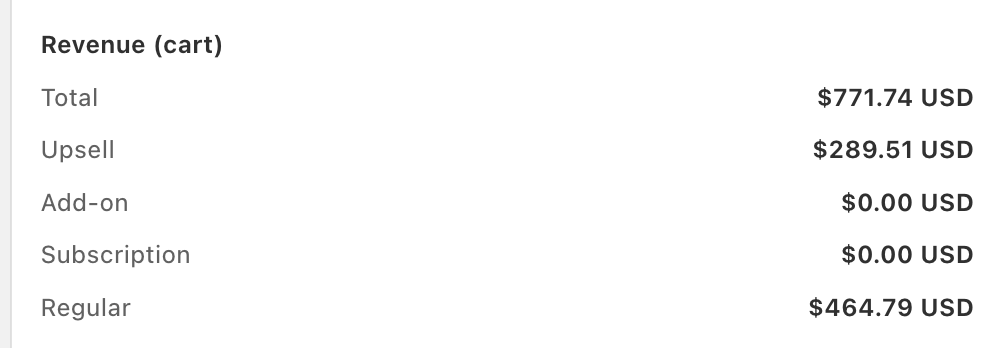
Supplement brand (USD). In this cart revenue panel, 289.51 dollars of 771.74 dollars came from in-cart upsells. That is 37.5 percent of cart revenue from products the shopper did not originally add, with add-ons and subscription upgrades still switched off (both read 0.00). Supplements suit cart upsells well: shoppers already buy in multiples, so a second tub or a matching product is a natural add. For the full supplement stack, including subscriptions and payment rules, see the best Shopify apps for supplement brands.
| Store | What the dashboard shows | Window |
|---|---|---|
| Supplement brand | 289.51 of 771.74 dollars cart revenue from upsells (37.5 percent) | Snapshot, September 2026 |
| Replenhair (hair care, UK) | 15,451 pounds total app revenue; 8,742 pounds (57 percent) from the cart drawer | Since install, read July 31, 2026 |
| Crossword Bookstores (India) | 340,639 rupees cart drawer revenue from a 3 tier rewards bar; Crossword itself reports 20 percent additional revenue against its pre-Oxify baseline | Since install, read July 31, 2026 |
| US brand (screenshot) | 90,334 dollars upsell revenue | 30 days, February 2026 |
| One store, in-cart offers only (screenshot) | 16,438 dollars cart drawer revenue with no product page offers running | 30 days |
Two honest limits. App-attributed revenue counts every order that included an accepted offer, so some of it would have happened anyway; only a holdout test separates the two. And our site states a 30 percent average AOV lift across active stores, a figure we have not published a sample size or date range for, so treat it as a vendor claim. The refund promise exists so you do not have to: if your AOV does not rise in 30 days, you pay nothing.
The 15 Best Shopify Cart Drawer & Slide Cart Apps for 2026
1. Oxify Cart Drawer: Best Overall Cart Drawer App for 2026
Rating: 4.9 stars (40 reviews) | Pricing: from 9.99 dollars a month by orders (9.99 to 49.99 on the App Store listing; higher volume tiers via oxify.app/pricing) | Trial: 14 days | Built for Shopify
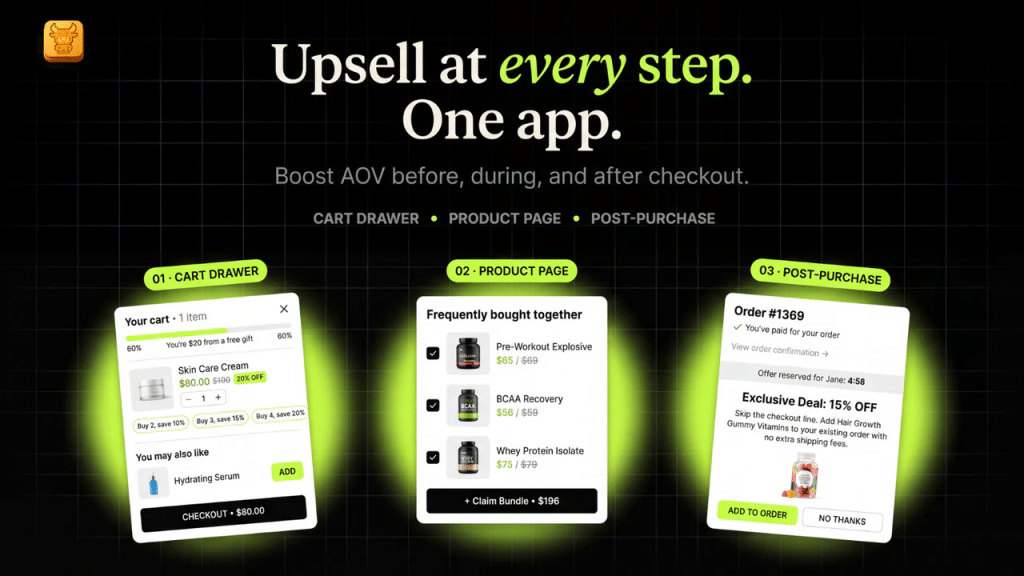
Oxify Cart Drawer (listed as Oxify Cart Drawer & Upsell) is our app — see the disclosure above — and here is the checkable case for ranking it first: most cart drawer apps stop at the cart. Oxify lifts average order value at five points in the buying journey — product page bundles and frequently bought together offers, upsells and one click add ons inside the slide cart, checkout offers powered by Shopify checkout extensions, a one click post purchase upsell after payment, and a thank you page offer. No other app in this ranking covers all five stages in one install.
What you get
- Full funnel upsells: product page, cart drawer, checkout, post purchase, and thank you page, with smart FBT and AI recommendations or rule based control
- A free shipping progress bar with tiered rewards and auto add free gifts (BOGO, spend goals, or shopper's choice)
- Bundles, quantity breaks, and buy more save more volume discounts
- Countdown timers, trust badges, announcement bars, order notes, and a discount code field in the drawer
- One click add ons (shipping protection, warranties, gift wrap) and in cart subscription upgrades (ReCharge, Appstle, Seal, and more)
- Full funnel analytics (revenue per offer — see how to measure cart upsells), many languages and currencies, Shopify Markets support, a drag and drop editor, and integrations with GemPages, PageFly, Klaviyo, Judge.me, and Reviews.io
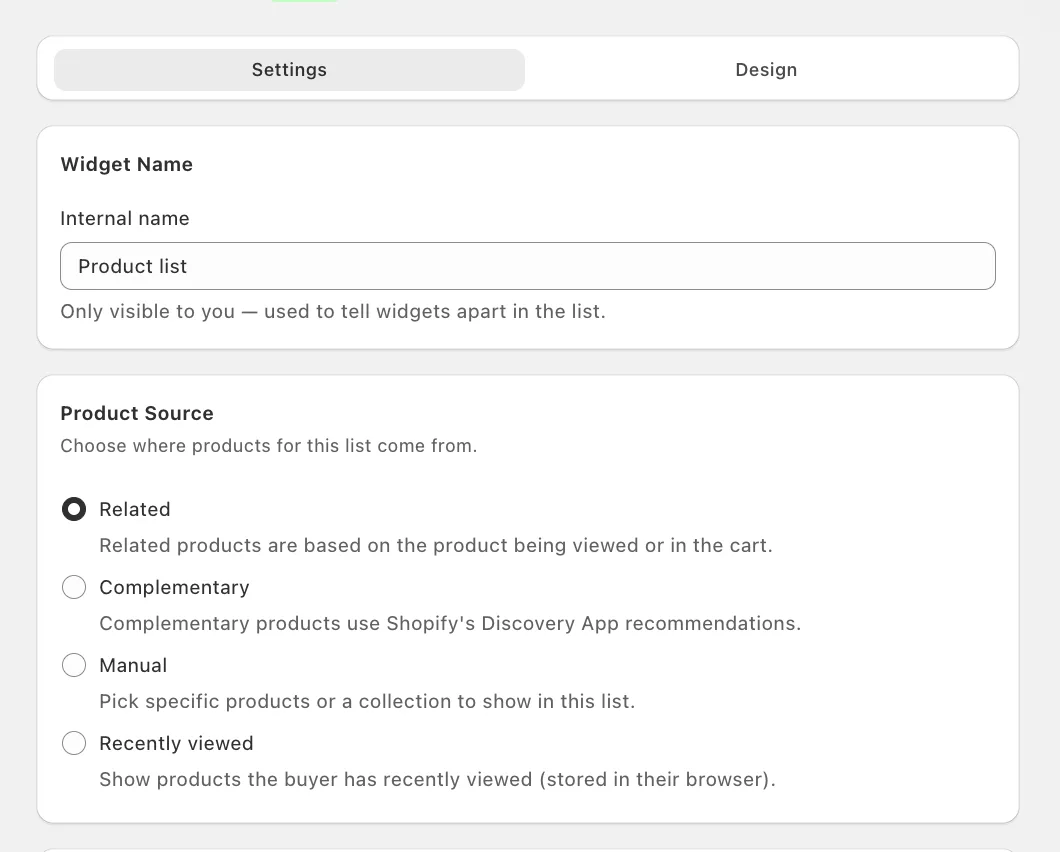
New in October 2026: the Product list widget. Oxify's newest widget places a product list in the cart drawer or on the product page, and you choose where its products come from: Related (based on the product being viewed or already in the cart), Complementary (Shopify's own complementary product recommendations from the Search & Discovery app, so pairings your merchandisers already curate in Shopify show up in the cart), Manual (specific products or a whole collection), or Recently viewed (products this shopper looked at, stored in their browser, so it works for guests without an account).
Built for Shopify Plus and high-volume brands. On Plus, Oxify's checkout upsells run inside Shopify checkout through Checkout Extensibility. Reward bar thresholds can be set per market, so a free shipping goal can be 75 dollars in the US and its own round number in each other market's currency. In-cart subscription upgrades work with all Shopify subscription apps, and one setup can run across expansion stores. Above 3,000 orders a month the standard plan stays at 149.99 dollars, so the price stops rising where most order-tiered drawers keep climbing to about 200 dollars. The optional Enterprise plan (299 dollars a month) adds 24/7 support, custom features, 1:1 onboarding, and full HTML templates. The full comparison is in the Plus section.
Why it is number one: it replaces four or five separate apps with one install, carries the Built for Shopify badge, holds a 4.9 rating across 40 reviews, and is the only app on this list with a 30 day money back promise tied to your average order value: if your AOV does not rise in 30 days, you get a full refund. The merchant dashboards above show what that looks like in practice, including a supplement brand where 37.5 percent of cart revenue came from upsells. Agencies favor it for the same reason: one dashboard for the whole funnel means fewer conflicts across client stores, and the Enterprise plan adds full HTML template support for pixel perfect custom layouts.
What merchants say: one store put it bluntly after switching: they had tried several apps like Rebuy and UpCart, and Oxify clearly outperformed them for their needs. Reviews repeatedly praise how fast the team ships custom tweaks.
Skip it if: you want a free plan for a live store (there is none), you only need a plain drawer with no offers, or a large review count is your main trust signal. At 40 reviews Oxify has a fraction of Kaching's or UpCart's.
Best for: DTC brands, Shopify Plus stores, and agencies that want to lift average order value across the whole funnel, not just the cart, without juggling many apps.
Oxify Cart Drawer pricing
Order based pricing; every tier includes all funnel features, with a 14 day free trial. The App Store listing shows the four tiers up to 1,000 orders; higher tiers are sold via oxify.app/pricing and are not shown on the listing.
| Plan | Price per month | Where it is sold |
|---|---|---|
| 0 to 100 orders | 9.99 dollars | App Store listing |
| 101 to 200 orders | 19.99 dollars | App Store listing |
| 201 to 500 orders | 29.99 dollars | App Store listing |
| 501 to 1,000 orders | 49.99 dollars | App Store listing |
| 1,001 to 2,000 orders | 79.99 dollars | oxify.app/pricing |
| 2,001 to 3,000 orders | 99.99 dollars | oxify.app/pricing |
| 3,001 and up | 149.99 dollars | oxify.app/pricing |
| Enterprise | 299 dollars | oxify.app/pricing |
2. UpCart — Cart Drawer Cart Upsell — Best for Established Stores
Rating: 4.7 stars (954 reviews) | Pricing: Free for dev stores only, then 29.99 (to 200 orders), 34.99 (201 to 500), or 54.99 dollars a month (501 to 1,000), 14 day trial | Built for Shopify
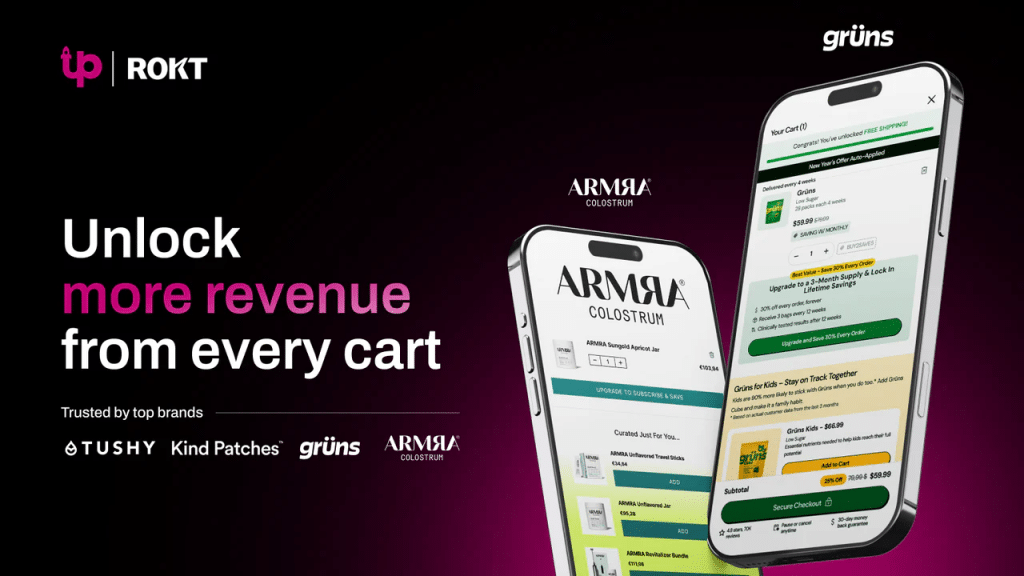
UpCart (now listed under Rokt, the company behind AfterSell) is the best known name in this category, battle tested across fashion, supplements, home goods, and everything in between. It does not try to do everything — a branded sliding cart with upsells, free shipping bars, and add ons — but what it does, it does consistently well.
One thing many roundups get wrong: UpCart is not free. The "free plan" on its listing is for development stores only — a live store pays from 29.99 dollars a month after the 14 day trial.
On 11 October 2026 the UpCart listing showed "not currently available"; check the listing before installing.
Key features: in cart upsell and cross sell blocks, a free shipping and rewards progress bar, free gift automation, a sticky cart button, add ons (shipping insurance, warranty, gift wrap), cart announcements, and a fully branded UI with custom CSS and HTML.
What merchants say: "The best slide cart app — easily customizable and they have another app LTV which helps automate upsells with AI. Best customer service too, REAL people."
Weakness: no bundles, no countdown timers, no real analytics dashboard. If you want those, you need additional apps — or look at Oxify or Monster Cart instead.
Best for: stores doing 10,000 dollars a month or more that value plug and play reliability over cutting edge features.
3. Kaching CartDrawer Cart Upsell — Best Value Under 25 Dollars
Rating: 5.0 stars (1,450 reviews) | Pricing: Free for dev stores, then 9.99 (to 99 orders), 14.99 (to 199), or 24.99 dollars a month (to 499) | Trial: 14 days | Built for Shopify
Kaching is the newest big name here and the fastest growing slide cart by a wide margin: since launching in December 2024 it has collected 1,450 reviews at 5.0 stars, more in about 21 months than UpCart has in five years, while staying under 25 dollars a month up to 499 orders. That combination is why it holds our value slot.
What you get: a clean slide cart with an upsell slider (frequently bought together style), a free shipping progress bar, countdown timers, one click add ons like gift wrap and shipping protection, payment icons, translations for seven languages including German, French, and Spanish, and compatibility with PageFly and GemPages.
Weakness: it is a focused cart drawer, not a full funnel system. If you want bundles, free gift tiers, or post purchase offers on top of the drawer, Oxify or Monster Cart cover more ground.
Best for: stores that want a polished, Built for Shopify slide cart with upsells and timers for under 25 dollars a month.
4. AMP — Slide Cart Drawer — Best for Paid Ad Stores & CRO
Rating: 5.0 stars (774 reviews) | Pricing: Free Forever plan (design only), then Growth 29.99 or Pro 49.99 dollars a month flat, 7 day trial | Built for Shopify
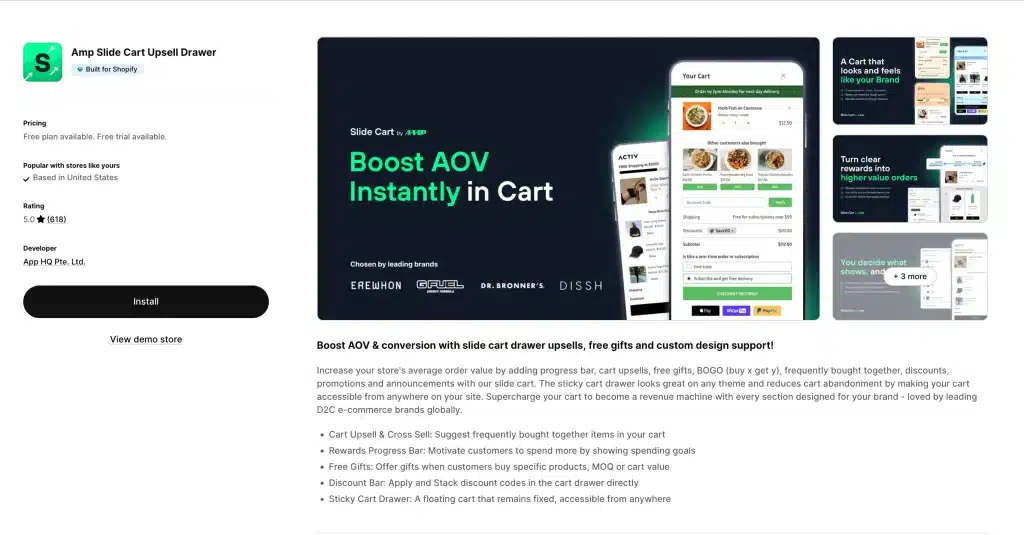
AMP is built around one goal: make every cart worth more. It uses simple psychology — progress bars, free gift goals, and stacked offers — to push shoppers past spending steps, which is exactly what you need when every visitor arrived via a paid click.
What you get: cart upsells including frequently bought together, a rewards progress bar with spend goals, free gifts triggered by product, quantity, or cart value, discount stacking, announcement bars, one click shipping protection upsells, and a sticky cart drawer reachable from any page.
Pricing note: AMP is the only app here whose listing promises the price "never increases with sales". At 100 orders a month that makes it the dearest dedicated drawer; past roughly 500 orders it becomes one of the cheapest.
Skip it if: you want upsells for free. The Free Forever plan covers cart design, announcements with a timer, trust badges, and a discount box; upsells and the progress bar start at 29.99 dollars, and free gifts at 49.99.
Best for: stores running heavy Meta or Google ads, where every visitor needs to convert at the highest value.
5. AOV.ai Cart Drawer — Best Free Way to Start (Up to 30 Orders a Month)
Rating: 5.0 stars (865 reviews) | Pricing: Forever Free plan up to 30 monthly orders, then 15.99, 25.99, 35.99, or 55.99 dollars a month set by your Shopify plan (Basic, Grow, Advanced, Plus) with unlimited orders, 7 day trial | Built for Shopify
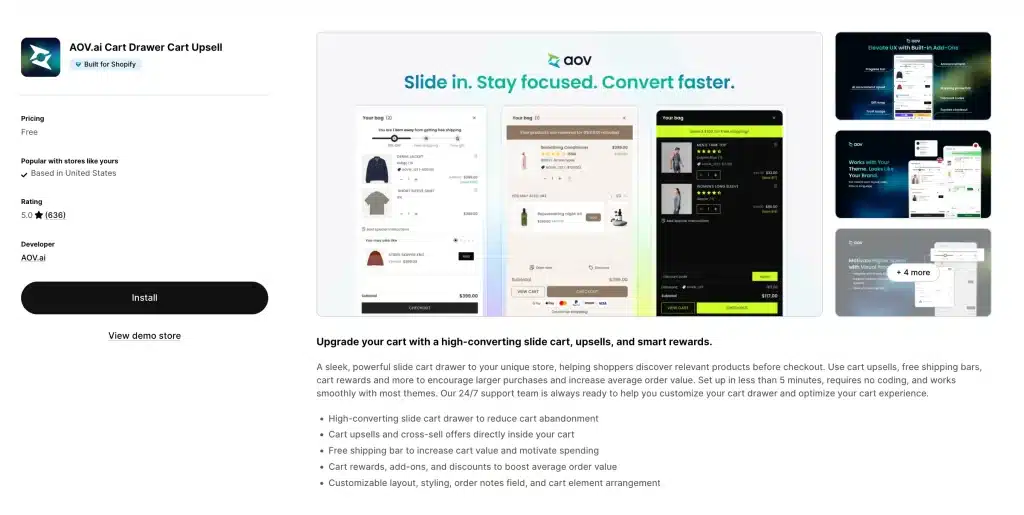
A perfect 5.0 rating across 865 reviews, and the core drawer is free — with one catch most roundups skip: the Forever Free plan caps at 30 orders a month. Under that cap it is the classic no risk test for a brand new store; past it, you pay by Shopify plan, not by orders, from 15.99 dollars a month.
What you get: a clean, fast slide cart, built in product upsells, a free shipping progress bar, and a high converting mobile layout.
Weakness: no countdown timers, bundles, or analytics — and the 30 order cap means a growing store outgrows the free plan within months. At that point compare the paid tiers against Kaching and Essent, which are cheaper below 200 orders.
Best for: new stores, side projects, and bootstrapped brands doing fewer than 30 orders a month.
6. Essent Cart Drawer (Essential Cart Drawer): Best for Shopify Markets
Rating: 5.0 stars (1,058 reviews) | Pricing: Free to 30 orders a month with every feature, then 8.99 (to 99 orders), 13.99 (to 199), or 23.99 dollars a month (to 499), higher tiers on the developer's site | Trial: 14 days | Built for Shopify
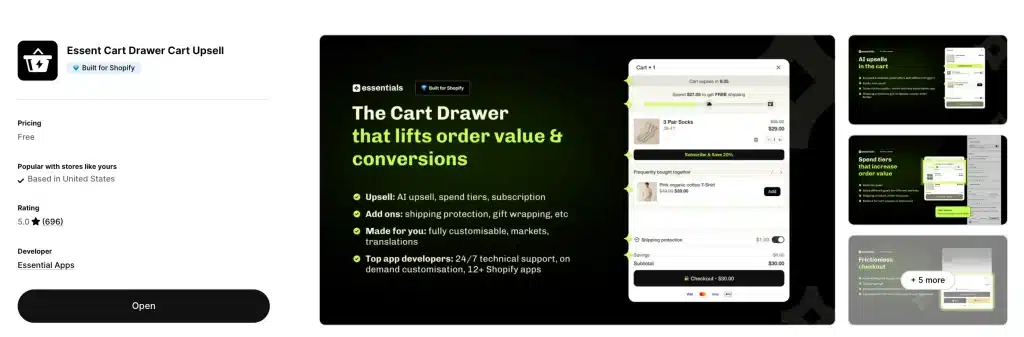
Essent, which many merchants search for as "Essential Cart Drawer" because of its listing URL, is the fastest climber in this update: 694 reviews when we checked in August 2026, 1,010 on September 19, and 1,058 on October 5, all at 5.0 stars. One change to know: in August its listing was free with no order cap. It now caps the free plan at 30 orders a month and charges from 8.99 dollars above that. No feature is gated on any plan, which is still unusual.
What you get: a customizable slide cart, in cart upsells, subscription support, a reward bar with free shipping goals, countdown timers, discount codes, order notes, a sticky add to cart bar, an announcement bar, custom HTML for deeper design control, and full support for many languages, currencies, and Shopify Markets.
What merchants say: reviews highlight fast setup and strong support; one merchant called it one of the only options that worked cleanly with Shopify Markets, another the Rebuy cart drawer replacement they had been hunting for.
Skip it if: you chose it because older roundups call it free with no limit. That is no longer true above 30 orders a month.
Best for: stores selling in many countries that want real Shopify Markets support at the lowest paid price here.
7. Ego Cart Drawer (formerly Opus): Best Unlimited-Order Pricing by Shopify Plan
Rating: 4.9 stars (558 reviews) | Pricing: Free to 30 orders a month, then priced by your Shopify plan with unlimited orders: Grow 12.99 (Basic and Grow stores), Adv 19.99 (Advanced), Plus 39.99 dollars a month (Plus), 7 day trial | Built for Shopify
If you knew this app as Opus Cart Drawer, it is the same listing under a new name: Ego Cart Drawer Cart Upsell, by Egohub, on the App Store since August 2024. In September its free plan said "unlimited orders"; on October 5, 2026 the listing caps it at 30 orders a month, the same as Essent and AOV.ai. What did not change is the paid model: you pay by Shopify plan, never by order count, so a Plus store doing 20,000 orders a month pays 39.99 dollars. That is the lowest published Plus price for an unlimited-order drawer in this guide.
What you get: free (to 30 orders): all design templates, smart upsells, a single tier rewards bar, one announcement with countdown, trust badges, note and discount boxes, a sticky cart, and basic analytics. Paid: unlimited orders, a multi tier animated rewards bar, AI upsells (conditional and subscription), multiple announcements, free gifts with cart conditions, shipping protection add-ons, express payment buttons, and multi cart.
Skip it if: you need offers beyond the cart. Ego is a drawer, so product page bundles, checkout offers, and post purchase upsells need other apps.
Best for: high-order, low-AOV stores (and Plus stores on a budget) that want a cart-only drawer whose price never rises with order volume.
8. CornerCart: Best for Speed and Real Inventory Free Gifts
Rating: 4.9 stars (316 reviews) | Pricing: Free plan, then 15 (Basic), 29 (Grow), or 59 dollars a month (Advanced) by Shopify plan, each up to 5,000 orders, 30 day trial | Built for Shopify
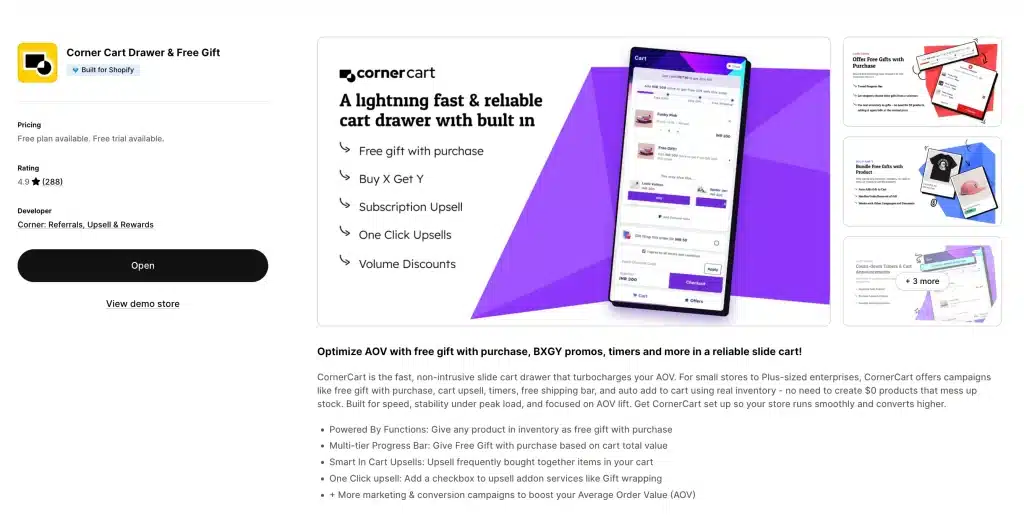
CornerCart positions itself as a drawer that stays stable under load, such as during flash sales; we have not measured any app's speed in this guide. It is also one of the oldest apps here (launched November 2019), with a 4.9 rating and 96 percent five star reviews to show for it.
What you get: a lightweight cart drawer, a multi step progress bar for free gifts and free shipping, smart frequently bought together upsells, one click add ons, an FAQ widget in the corner popup, and support for many currencies and languages.
Why it stands out: most free gift apps make you create zero dollar dummy products, which breaks inventory reports. CornerCart uses real products as gifts — if a shopper adds the gift on its own, they pay full price. That small design choice solves a real problem other apps ignore.
Best for: high traffic stores and Shopify Plus brands that cannot afford any speed drop.
9. qikify Slide Cart Drawer: Best Simple Sticky Cart
Rating: 4.9 stars (417 reviews) | Pricing: Free plan with basic slide cart features, Premium 14.99 dollars a month, Shopify Plus 99 dollars a month, 7 day trial | On the App Store since: July 2019 | No Built for Shopify badge
qikify is one of the oldest slide carts on the App Store and one of the few with no order limits on any plan. Its listing was unavailable for part of August 2026 and is fully back, which is why it returns to the ranking in this update.
What you get: free: the slide cart, a floating sticky cart button, sticky add to cart, an announcement bar, order notes, gift wrapping, a subscription upsell, and analytics. Premium (a flat 14.99 dollars): cart upsells, a reward bar, a shipping estimate bar, variant editing in the cart, and volume upsell integration.
Skip it if: the Built for Shopify badge matters to you, or you are on Shopify Plus, where the price jumps to 99 dollars a month.
Best for: small and mid size stores that want a sticky cart plus drawer at a flat, low price.
10. Monster Cart: Best for Bundles and BOGO
Rating: 4.7 stars (532 reviews) | Pricing: Free up to 50 orders (listed as a launch offer), then Starter 9.99 or Scaler 14.99 dollars a month, 10 day trial | No Built for Shopify badge on October 5, 2026
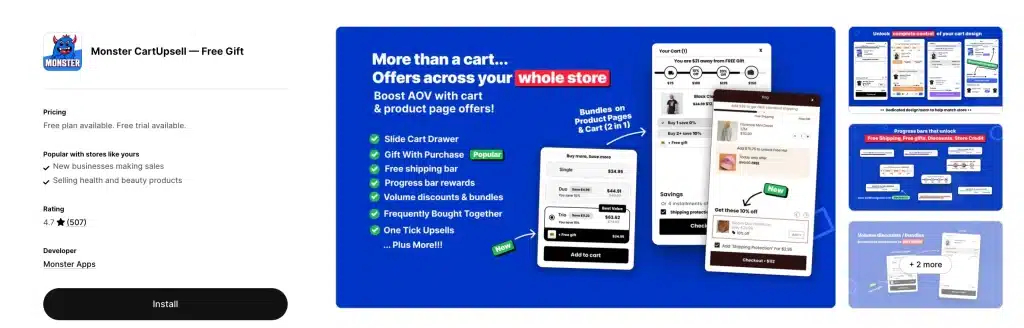
Monster Cart (listed as Monster Cart Upsell+ Free Gift) is built for stores that live on bundles and volume deals, and it works across the whole store, not just the cart drawer.
What you get: buy more save more volume discounts on product pages, progress bars that unlock free gifts, free shipping, and store credit, smart frequently bought together picks, one click add ons, in cart scarcity timers, announcement banners, and a fully custom slide cart.
What merchants say: many praise the responsive support and the AOV lift without popups. A few older reviews mention billing confusion, so watch your plan tier as orders grow.
Skip it if: you need clear pricing. The listing's two paid bands overlap as written (Starter "51 to 200" orders, Scaler "100 to 199"), so confirm your tier with the developer before installing. The Built for Shopify badge it showed in August 2026 was not on the listing when we checked on September 19.
Best for: bundle heavy and BOGO focused stores that want volume discounts and cart rewards in one app. If bundles are your main lever, also compare the dedicated picks in our best Shopify bundle apps guide.
11. Cartly Slide Cart Drawer: Longest Track Record
Rating: 4.9 stars (93 reviews) | Pricing: Free for your first 20 orders in total, then 16.99 (to 100 orders a month), 24.99 (to 300), or 49.99 dollars a month (to 750), 14 day trial | On the App Store since: September 2017 | Built for Shopify
Cartly shows up in more competing roundups than any app we had left out, so it joins the list in this update. It is the oldest app here, launched in 2017, and carries the Built for Shopify badge.
What you get: cart upsells, a free shipping progress bar, product add-ons, express checkout buttons, a discount code field, countdown and announcements, and order notes, with the same features on every plan.
Skip it if: price per order matters. At 100 orders a month it costs 16.99 dollars against 9.99 for Oxify and 14.99 for Kaching, and the free tier ends after 20 orders in total, not per month.
Best for: stores that value a long, stable track record over the lowest price.
12. iCart Cart Drawer Cart Upsell: Low Cost Ladder With Bundles
Rating: 4.7 stars (451 reviews) | Pricing: First 100 orders free, then 9 dollars (to 100 orders a month), 19 dollars (101 to 200), or 29 dollars a month (201 to 500) | Developer: Identixweb | On the App Store since: June 16, 2020 | No Built for Shopify badge
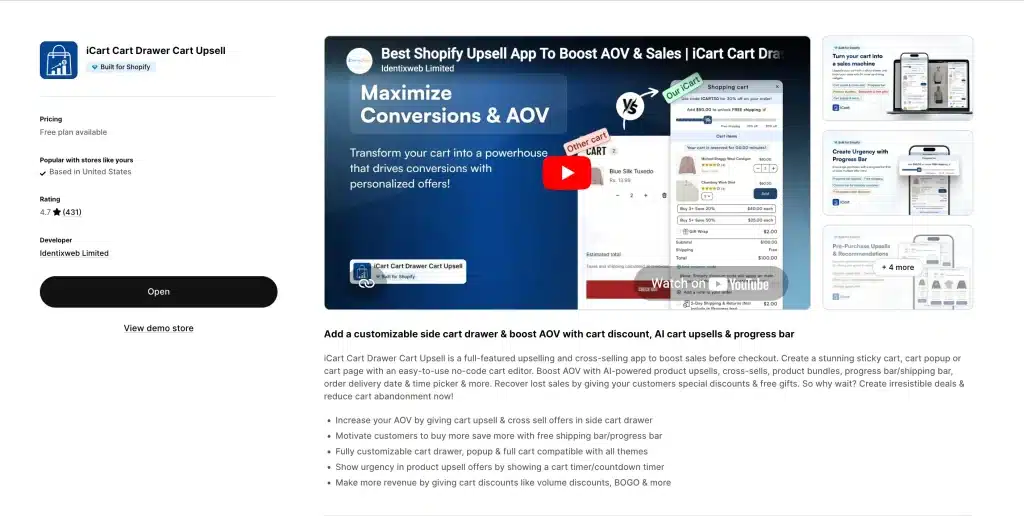
iCart remains one of the cheapest ladders here, topping out at 29 dollars for 500 orders. Read the free plan carefully: the listing now words it as "first 100 orders free for lifetime", which is an allowance of 100 orders in total, not 100 a month. After that a store with under 100 monthly orders pays 9 dollars. Our iCart cart drawer alternative guide goes deeper.
What you get: a customizable cart drawer with in-cart upsells and cross sells, bundle and volume offers, free gift and free shipping progress goals, and countdown urgency — with the full feature set on every plan.
Weakness: its 4.7 rating is the joint lowest here, it carries no Built for Shopify badge, and the editor is denser than the newer drawers — expect a longer setup than Essent or AOV.ai.
Best for: low volume and early stage stores that want bundles, volume offers, and a drawer in one low cost app.
13. GoKwik Cart Drawer & Upsell — Best for COD and Fraud Prone Markets
Rating: 4.3 stars (43 reviews) | Pricing: 19.99 (to 500 orders), 39.99 (to 2,000), 69.99 (to 5,000), or 149.99 dollars a month (above 10,000) | Trial: 14 days
GoKwik comes at the cart drawer from a different angle: fraud and RTO (return to origin) protection built into the cart itself. Launched in December 2024 by the team behind GoKwik's checkout suite, it pairs an AI powered slide cart with the risk tools that matter in cash on delivery markets like India.
What you get: an AI powered drawer with one click add on upsells, a progress bar with rewards and free gift rules, countdown timers, tiered discounts, fraud and RTO protection for COD orders, and multi currency support.
Weakness: only 43 reviews, a rating that slipped from 5.0 to 4.5 between our August and September checks, no free plan, and no Built for Shopify badge. If your store rarely sees COD orders, Oxify or Kaching give you more per dollar.
Best for: stores selling in India or other cash on delivery heavy markets where RTO fraud eats margins.
Upsell Engines With Cart Drawer Features
These last two are upsell apps first and cart apps second. Their drawers are more basic than the thirteen above, but if your priority is upsell offers at every step rather than a deeply customized cart, they belong on your shortlist.
14. Upsell & Cross Sell — Selleasy: Best Budget Upsell Engine
Rating: 4.9 stars (2,738 reviews) | Pricing: Free up to 50 orders a month, then 9 (to 500 orders), 19 (to 1,000), or 29 dollars a month (above 1,000), 30 day trial | Built for Shopify
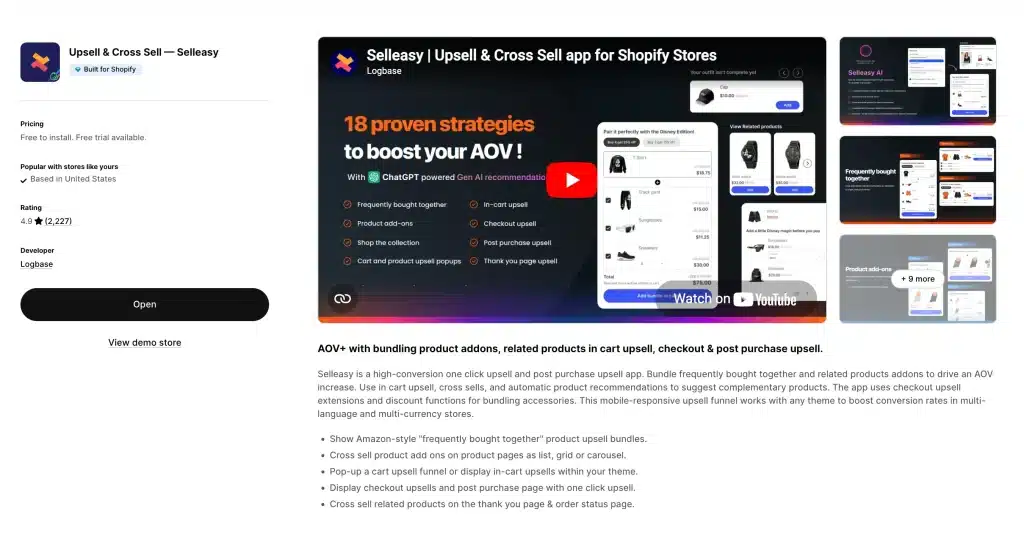
Selleasy has quietly built one of the most reviewed upsell apps on the whole App Store — 2,738 reviews at 4.9 stars — and stays cheap at every tier, covering upsells on the product page, cart, checkout, and after purchase.
What you get: frequently bought together bundles on product pages, in cart upsell widgets, post purchase one click upsell pages, checkout upsells (works with Shopify Plus), cart add ons like warranty and gift wrap, a free plan with all features up to 50 orders a month, and many languages and currencies.
Weakness: the drawer itself is not as customizable as the dedicated drawers above — it is an upsell engine with cart features, not a cart builder.
Best for: budget minded stores that want upsells at every step for under 30 dollars a month.
15. Candy Rack — Best All-in-One Upsell Popups
Rating: 4.9 stars (263 reviews) | Pricing: Free for trial and dev stores, then Lite 29.99 (up to 50 orders), Starter 39.99 (51 to 200 orders), or Growth 59.99 dollars a month (201 to 500 orders) | Trial: 8 days, with a 60 day money back guarantee
Candy Rack (listed as Candy Rack • Upsell Cross‑sell) runs upsells across the whole journey: product page, cart, checkout, and after purchase. Its listing moved to a new URL in 2026.
What you get: upsell offers at every stage including the thank you page, a minimal built in drawer tuned for upsell performance, an AI mode that picks products for you, targeting by cart value, product, or collection, and A/B testing for offers.
Weakness: at 29.99 dollars a month minimum for a live store it costs more per order at low volume than Selleasy, and the drawer is minimal. If you want heavy cart design with bundles and timers, Oxify fits better.
Best for: stores that want polished upsell popups everywhere and are happy with a simple cart.
How to Switch Cart Drawer Apps in 5 Steps
- Document your current setup. Screenshot every drawer setting, offer rule, threshold, and custom text in the old app — you will rebuild these.
- Pick your replacement. If you want a sticky cart plus drawer at no cost, qikify and AMP have it free with no order cap. If you want a full funnel on top of the drawer, Oxify Cart Drawer covers upsells, bundles, and timers too; Kaching is the closest low cost match at 9.99 dollars a month.
- Build the new drawer on a duplicate theme. Duplicate your live theme, install the replacement, and recreate your offers there. Never run two cart apps live at once.
- Test on mobile, then publish. Add to cart, hit every threshold, apply a discount code, and complete a test checkout on your phone before switching the theme live. Our cart drawer best-practices checklist lists the 10 pass/fail tests to run.
- Uninstall the old app and check for leftover code. Check theme.liquid and snippets for orphaned script tags — leftover code slows your store even after the app is gone.
What Cart Drawer Apps Actually Cost
Most of these apps price by monthly order volume, so the sticker price tells you little. Here is the math merchants actually need.
What you would pay at 100 and 500 orders a month
| App | At 100 orders/mo | At 500 orders/mo |
|---|---|---|
| Selleasy | 9 dollars | 9 dollars |
| iCart | 9 dollars | 29 dollars |
| Oxify Cart Drawer | 9.99 dollars | 29.99 dollars |
| Essent | 13.99 dollars | Above the listed 499 order tier; see developer pricing |
| Kaching | 14.99 dollars (the 9.99 tier stops at 99 orders) | Above the listed 499 order tier; see developer pricing |
| qikify | 0 or 14.99 dollars (flat, by features) | 0 or 14.99 dollars |
| Ego | 12.99 to 39.99 dollars (by Shopify plan) | 12.99 to 39.99 dollars |
| Monster Cart | 9.99 or 14.99 dollars (listed bands overlap) | Not shown on the listing |
| AOV.ai | 15.99 to 35.99 dollars (by Shopify plan) | 15.99 to 35.99 dollars |
| CornerCart | 15 to 59 dollars (by Shopify plan) | 15 to 59 dollars |
| Cartly | 16.99 dollars | 49.99 dollars |
| GoKwik | 19.99 dollars | 19.99 dollars |
| AMP | 29.99 dollars flat (0 for design only) | 29.99 dollars flat |
| UpCart | 29.99 dollars | 34.99 dollars |
| Candy Rack | 39.99 dollars | 59.99 dollars |
Read across the rows and the pattern is clear: order tiered apps (Oxify, Kaching, Essent, iCart) are cheapest for small stores, while flat priced apps (AMP, qikify, Ego, AOV.ai) win once you pass a few hundred orders a month.
The free plan fine print
"Free plan available" means at least five different things across these apps, and it changes: Essent was free with no cap in August 2026 and Ego in September 2026, and neither is now.
| App | What "free" really means (October 5, 2026) |
|---|---|
| Ego | Up to 30 orders a month, with basic upsells and a single tier rewards bar (was unlimited orders until September 2026) |
| qikify | Free with no order limit; basic slide cart, sticky cart, announcement bar, gift wrap, subscription upsell. Cart upsells and the reward bar need Premium (14.99 dollars) |
| AMP | Free Forever; cart design, announcements, trust badges, discount box, no upsells or progress bar |
| CornerCart | Free plan with cart drawer, sticky add to cart, and mini cart |
| Essent | Every feature, up to 30 orders a month |
| AOV.ai | Up to 30 orders a month |
| Selleasy | Every feature, up to 50 orders a month |
| Monster Cart | Up to 50 orders, listed as a launch offer |
| iCart | Your first 100 orders in total, then paid |
| Cartly | Your first 20 orders in total, then paid |
| UpCart | Development and partner stores only; live stores pay from 29.99 dollars |
| Kaching | Development stores only; live stores pay from 9.99 dollars |
| Candy Rack | Trial and development stores only; live stores pay from 29.99 dollars |
| Oxify Cart Drawer | No free plan for live stores; 14 day trial, development stores free, refund if AOV does not rise in 30 days |
| GoKwik | No free plan; 14 day trial |
Money tip: a free plan without upsells saves you 10 to 30 dollars a month and earns nothing. Judge the paid tier by whether one extra upsell a week covers it.
Best Cart Drawer Apps for Shopify Plus and High-Volume Stores
Most cart drawer roundups stop at "pricing scales with orders". For a Plus brand, or any store past 1,000 orders a month, the price at your real volume and what the app can do on Plus matter more than the feature list. Every figure below was read on October 5, 2026. Where an App Store listing stops at four plans, we used the developer's own pricing page and say so.
What you would pay at 1,500, 4,000, and 12,000 orders a month
| Drawer app | 1,500 orders/mo | 4,000 orders/mo | 12,000 orders/mo | How it is priced | Source |
|---|---|---|---|---|---|
| Oxify Cart Drawer & UpsellOur pick | 79.99 | 149.99 | 149.99 | By orders, capped at 149.99; Enterprise 299 optional | Listing and oxify.app/pricing |
| AMP | 29.99 or 49.99 | 29.99 or 49.99 | 29.99 or 49.99 | Flat; never rises with sales | Listing |
| Selleasy | 29 | 29 | 29 | Starter tier IV covers 1,000+ orders | Listing |
| Ego | 39.99 on Plus | 39.99 on Plus | 39.99 on Plus | By Shopify plan, unlimited orders (12.99 to 19.99 below Plus) | Listing |
| AOV.ai | 55.99 on Plus | 55.99 on Plus | 55.99 on Plus | By Shopify plan, unlimited orders (15.99 to 35.99 below Plus) | Developer pricing page |
| qikify | 99 on Plus | 99 on Plus | 99 on Plus | Flat; Plus plan adds priority support and customization requests | Listing |
| iCart | 79 | 99 | 129 | By orders | Developer help center |
| GoKwik | 39.99 | 69.99 | 149.99 | By orders | Listing |
| Essent | 58.99 | 88.99 | 198.99 | By orders | Developer pricing page |
| Kaching | 59.99 | 89.99 | 199.99 | By orders | Developer pricing page |
| Cartly | Not published (Enterprise 199.99, unlimited) | 199.99 (Enterprise) | 199.99 (Enterprise) | By orders to 750, then Enterprise | Listing and developer site |
| Candy Rack | 99.99 | 299.99 | 399.99 or Enterprise quote | By orders | Developer pricing page |
| CornerCart | 59 (Advanced) | 59 (Advanced) | Not available: every paid plan stops at 5,000 orders a month | By Shopify plan | Listing |
| UpCart | Not published (listing stops at 54.99 for 1,000) | Not published | Not published | By orders | Listing |
At 12,000 orders a month the same job costs anywhere from 29.99 dollars (AMP, cart only) to 399.99 dollars (Candy Rack). Two traps: CornerCart caps every paid plan at 5,000 orders a month, and UpCart does not publish prices above 1,000 orders, so get a written quote before you migrate. Monster Cart is on launch pricing from September 9 to October 31, 2026, so we left it out of this table until its regular prices are back.
What changes on Shopify Plus
- Checkout opens up to apps. On Plus, checkout UI extensions can show offers in the information, shipping, and payment steps. On other plans, apps can only add to the post purchase, thank you, and order status pages. An in-checkout upsell needs both Plus and an app that ships a checkout extension, as Oxify does; check each listing's "Works with: Checkout" line.
- Scripts are gone. Shopify Scripts stopped running on June 30, 2026, so tiered gifts and cart discounts now come from Shopify Functions or native discounts. Test that the app's free gift and tier logic combines with your other discounts. Shopify allows up to 25 active automatic discounts.
- Markets and currencies. A 75 dollar free shipping goal should not turn into an odd 69.43 euros. Look for thresholds you can set per market (Oxify has them) instead of one amount converted at the daily rate. See cart drawer currency fixes.
- Expansion stores. Many Plus brands run one store per region. Ask whether the app charges per store and whether settings can be copied between stores. Oxify supports multi-store setups.
- Peak season support. A broken drawer on Black Friday at 10,000 orders a month is expensive. Plan names tell you what is promised: qikify's Plus plan adds priority support and customization requests, and Oxify's Enterprise plan adds 24/7 support and 1:1 onboarding.
- Speed at scale. Built for Shopify apps may not lower Lighthouse performance by more than 10 points. Also check that the drawer fetches its offers when it opens, not on every page view; your browser's network panel shows this. More in does a cart drawer app slow down your store.
- Headless storefronts. Theme app embeds only run on Online Store themes. On Hydrogen or another headless front end, ask the vendor for an API or SDK before you buy.
- Measure incrementally. At high volume, hold out 10 percent of sessions from all cart offers for two to four weeks and compare revenue per visitor and margin, not the app's attributed revenue. App dashboards count every order that included an accepted offer, including some that would have happened anyway.
Our picks for Plus and high-volume stores
Full funnel, including checkout: Oxify Cart Drawer (our app). One install covers the product page (including the new Product list widget), the drawer, checkout on Plus, post purchase, and the thank you page, with per-market reward thresholds, expansion store support, and an Enterprise plan. Weigh its 40 reviews against Kaching's 1,450.
Cheapest at very high volume: Ego (39.99 dollars on Plus) or AOV.ai (55.99 dollars on Plus), both with unlimited orders. Both are cart-only.
Published price ladder with the most reviews: Kaching (199.99 dollars at 10,000+ orders) or Essent (198.99 dollars).
Personalization suite rather than a drawer: Rebuy Personalization Engine (4.7 stars, 854 reviews, no Built for Shopify badge, from 25 dollars a month on its listing) for brands that want site-wide personalization and have the team to run it.
How to Choose the Right Cart Drawer App
Before comparing features, know what a strong cart drawer app should cover in 2026: a slide out drawer that replaces the default cart, in cart upsells and cross sells, a free shipping and free gift progress bar with tiers, in cart bundles, a sticky cart button, an urgency element, add on upsells like shipping protection, subscription support, express payment buttons (Shop Pay, Apple Pay, Google Pay), and multi currency and language support. All 15 apps in this guide work with Online Store 2.0 themes.
Check Checkout Extensibility, not just features
Shopify has retired checkout.liquid customizations in favor of Checkout Extensibility. Any cart or upsell app whose checkout level features still depend on checkout.liquid will break — treat it as a hard filter when shortlisting, especially on Shopify Plus. Ask the vendor directly, or check the listing's integration notes. Oxify's checkout upsell, for example, runs on Shopify checkout extensions, and Selleasy's checkout upsells work with Shopify Plus through the current APIs.
"AI recommendations" — what to actually ask
Almost every app here advertises AI recommendations, but three different models hide behind the label. Rule based: you pick the products — works from day one, right for small catalogs. Per store AI: the app learns from your own order history — powerful, but a store with only a few months of history and a few hundred orders will not have enough signal, and rules will outperform it until it does. Network informed AI: patterns from many stores — helps newer stores, but fits generic catalogs better than niche ones. Before you buy on the "AI" bullet point, ask the vendor which model they use and what happens before enough data exists. Every app in this guide, including Oxify, lets you fall back to rules you control.
Just starting out (under 5,000 dollars a month)
Under 30 orders a month, Essent gives you every feature free and AOV.ai is close behind. Past that, qikify, AMP (design only), or CornerCart keep a drawer free at any volume, without upsells.
Growing (5,000 to 50,000 dollars a month)
Pick Kaching or Oxify Cart Drawer. You need upsells, a progress bar, and pricing that scales sanely with orders. Both deliver, and Oxify adds free gift tiers and full funnel offers on top.
Scaling (50,000 dollars a month and up)
Use Oxify Cart Drawer, Kaching, or UpCart. At this stage reliability matters as much as features — you cannot risk a broken cart during a flash sale — and price at volume diverges hard (from 39.99 to 399.99 dollars a month at the same order count). If you are on Shopify Plus or above 1,000 orders a month, read the Plus and high-volume section before choosing.
Running heavy paid ads
Pick AMP. It is built around offers and urgency to squeeze value from every paid click.
Selling bundles or BOGO deals
Monster Cart or Oxify Cart Drawer. Both are built for volume discounts and buy one get one offers.
Selling in many countries
Essent or Oxify Cart Drawer. Both handle many languages and currencies, and Essent has particularly strong Shopify Markets support. Oxify also lets you set free gifts by country.
Selling with cash on delivery (India and similar markets)
GoKwik Cart Drawer. It is the only pick here with RTO and fraud protection built into the cart itself.
Best Shopify progress bar apps: free shipping bars and auto add free gifts
Every app in this guide except Selleasy lists a free shipping or rewards progress bar on at least one plan (AMP's free plan has none, and Selleasy's listing mentions none); the difference is tiers and gifts. For a multi tier bar that automatically adds a free gift to the cart at a spend goal, look at Oxify Cart Drawer, CornerCart (gifts are real inventory products), AMP Pro, or Monster Cart. Setup steps are in our tiered cart rewards guide.
Speed is your top worry
CornerCart. It is positioned around staying light under load, and its reviews mention flash sales, but we have not measured any app's speed, so treat that as the vendor's pitch. Whatever you pick, run a PageSpeed test before and after install — and never run two cart apps at once.
Cart Drawer vs Cart Page — Which Wins in 2026?
The right answer for your store depends on what you sell, and our cart drawer vs cart page guide goes deeper.
Pick a cart drawer when:
- You want shoppers to keep browsing after they add to cart
- You sell everyday or mid price products (under 150 dollars)
- You rely on upsells, cross sells, or reward bars to lift order value
- Most of your traffic is on mobile (drawers work great on phones)
- You want fewer page loads and a faster path to checkout
Pick a cart page when:
- You sell high price or custom products (500 dollars and up)
- Shoppers need to review long, detailed orders before buying
- Your brand uses stories or extra content at the cart stage
- You need space for shipping calculators or tax details
Pro tip: Many successful stores use both. A slide cart for quick shoppers, with a "View Full Cart" link for those who want the full page experience. Apps like Oxify support this hybrid setup natively.
Dawn's built-in drawer vs an app: the 60 second decision
You may not need an app at all. Many modern themes — including Shopify's free Dawn — ship with a basic cart drawer you can switch on in the theme editor. The decision is simple: if you only need the drawer itself (show items, adjust quantities, go to checkout), use the theme's drawer and skip the app. If you want the revenue layer — upsells, free gift tiers, progress bars, timers — that is the layer these apps add on top of a theme drawer, so check what your own theme's drawer already includes before paying. Our guide to customizing the Shopify cart drawer covers both routes.
Why Cart Drawers Lift Revenue
A drawer removes one full page load between "I want this" and "I paid". We are not going to quote a conversion lift range for that, because we could not trace the ranges that circulate in roundups (ours included, until this update) back to any study.
The upsell layer is where the money is
What we can measure is the offer layer. Cart upselling means showing a targeted offer at the moment a shopper is about to check out: a frequently bought together suggestion, a gift wrap add on, a free gift at a spending threshold. In the merchant dashboards above, upsells made up 37.5 percent of one supplement brand's cart revenue, and the drawer produced 57 percent of Replenhair's app revenue. The mechanism is threshold psychology: "you are 12 dollars away from free shipping" gives the shopper a concrete reason to add one more item. For the strategy, see our AOV strategy guide and cart abandonment guide.
How to Add a Cart Drawer to Your Shopify Store (Step by Step)
Never set one up before? The process is the same across most apps:
Step 1: Install your pick from the Shopify App Store → Cart Customization category.
Step 2: Enable the slide cart drawer, pick its position (right side is standard), and match colors and fonts to your theme.
Step 3: Add a free shipping progress bar, with the threshold slightly above your current AOV: average order 45 dollars → set the bar at 60.
Step 4: Add one upsell — a product that naturally complements your best seller. One targeted suggestion beats five random ones.
Step 5: Test on mobile: add a product on your phone and check the drawer opens smoothly and every element renders.
Step 6: Go live and track AOV, conversion rate, and mobile bounce for two weeks.
Step 7: Add the next offer — free gifts, timers, bundles — only after the basics are earning. Do not enable everything at once.
Real World Cart Funnel Example (Copy This Setup)
This is the exact configuration I would recommend for a store doing 30,000 to 100,000 dollars a month in physical products. You can build it in Oxify or AMP.
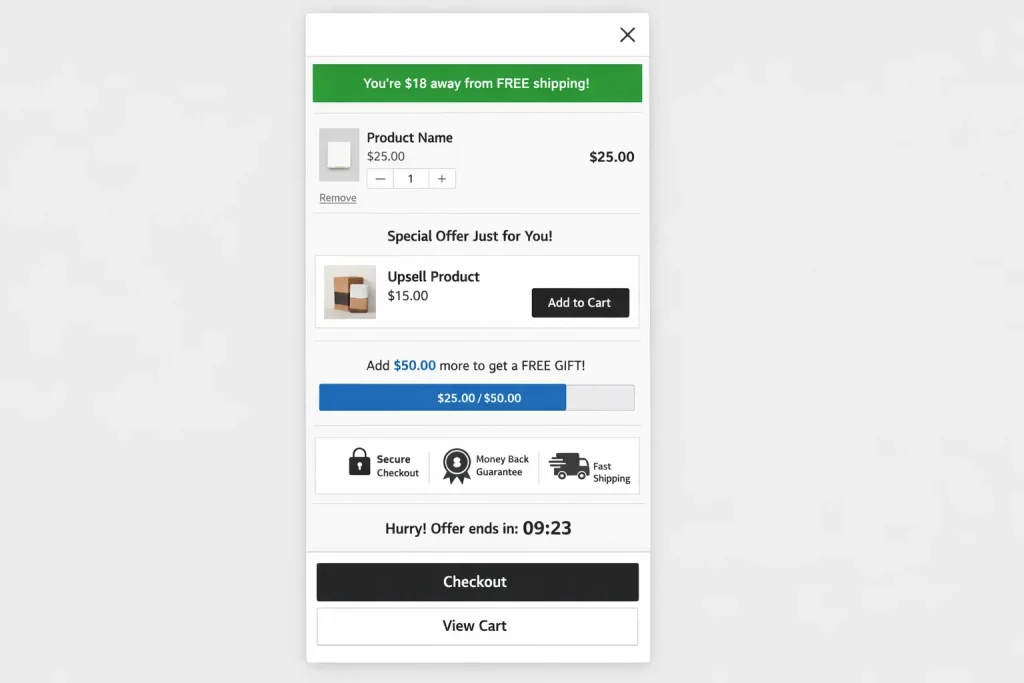
Layer 1 — Free shipping bar (top of drawer). "You're 18 dollars away from FREE shipping!" Set the threshold at 60 dollars if your AOV is around 42. Full free shipping bar guide →
Layer 2 — One targeted upsell (below cart items). Show the product most frequently purchased alongside what is already in the cart, using AI powered FBT recommendations if the app supports it. One suggestion, not five.
Layer 3 — Free gift threshold (progress bar). "Spend 75 dollars and get a FREE [sample/mini product]!" — a second milestone beyond free shipping. Free gift setup guide →
Layer 4 — Trust badges (bottom of drawer). Payment icons, secure checkout badge, money back guarantee. Small addition, measurable impact →
Each milestone gives the shopper a fresh reason to add more. Crossword Bookstores runs a three tier version of this stack (free shipping, then 5 percent off, then 10 percent off); see the case study.
Add-ons once the stack works
- Tiered "buy more save more" milestones: 50 dollars → free shipping, 75 → free gift, 100 → 10 percent off the order. Shoppers see they are "8 dollars away" and add one more item.
- Urgency triggers: a countdown on limited time offers or "free gift expires in 2 hours." Oxify, Kaching, Essent, AMP, and Cartly have timers built in; UpCart needs a separate app for this.
- High margin add ons: gift wrap (3 to 5 dollars), extended warranty, priority shipping — checkbox items that feel helpful and are nearly pure margin.
- Same ecosystem pairing: companion tools from the same developer integrate without conflicts — Oxify has its own Bundles app, AMP has an LTV app for AI automated upsells.
6 Mistakes That Kill Cart Drawer Performance
- Running two cart apps at once. Double elements, broken checkout, slow loads. Pick one cart system.
- Too many upsells. One or two targeted offers beat five random ones.
- Skipping mobile testing. Test on a real phone before you publish. Our best practices checklist has 10 pass or fail tests.
- Using only a free shipping bar. Add one upsell and one gift tier for the real lift.
- Ignoring the product page. The drawer amplifies an offer that already works; it cannot rescue a weak one.
- Not checking page speed. Run PageSpeed before and after install. See does a cart drawer app slow down your store.
Real Merchant Reviews
These are real quotes from the Shopify App Store.
"The support was quick, our conversion rate has increased after using this cart app plus they have done the integration with our bundle app. Highly recommend!" Go Ayurveda Dhanvantri (India), on Oxify Cart Drawer
"We have tried several apps like Rebuy and UpCart, but this one clearly outperforms them for our needs." Crossword.in (India, two months using the app), on Oxify Cart Drawer
"Best cart drawer app as we have seen the AOV has increased. The cart has Geo location translation support which is useful for us." Replenhair (United Kingdom, one month using the app), on Oxify Cart Drawer
"App is very easy to use, and one of the only options that works with Shopify Markets. Support is fast and great at understanding and fixing issues." Merchant review, on Essent Cart Drawer
"The best slide cart app, easily customizable, and they have another app that helps automate upsells with AI. Best customer service too, real people." Long time user, on UpCart
"I have been using this app for over 3 years and honestly it is so good and easy to use." Merchant review, on Monster Cart
Related: Setting up a cart drawer for a specific niche? See the best Shopify apps for beauty and skincare brands, best Shopify apps for coffee and tea brands and best Shopify apps for pet stores.
Frequently Asked Questions
What is a cart drawer in Shopify?
Which cart drawer app is best for Shopify in 2026?
Which cart drawer app is best for Shopify Plus?
Do I need Shopify Plus for checkout upsells?
What is the best free cart drawer app for Shopify?
Is Essent (Essential) Cart Drawer still free?
How much does a cart drawer app cost?
Which cart drawer apps have the Built for Shopify badge?
Will a cart drawer app slow down my store?
Do cart drawer apps actually increase sales?
Can I add a cart drawer to Shopify without an app?
Shopify Cart Drawer Empfehlungen: Welche App ist die beste?
Final Verdict: Pick by Situation
Full funnel AOV (our pick, and our app): Oxify Cart Drawer. Product page, cart, checkout, post purchase, and thank you page in one install, 4.9 stars from 40 reviews, refund if AOV does not rise in 30 days.
Most reviewed, low price: Kaching CartDrawer. Best known name: UpCart. Flat price: AMP.
Shopify Plus and 1,000+ orders: Oxify Cart Drawer for the full funnel including checkout; Kaching or Essent for a published ladder to 10,000+ orders; Ego or AOV.ai for unlimited orders at a price set by your Shopify plan.
Free at any volume: qikify, AMP, or CornerCart. Free with every feature under 30 orders: Essent or AOV.ai.
Speed: CornerCart. Bundles and BOGO: Monster Cart. Shopify Markets: Essent. COD markets: GoKwik. Upsell engines: Selleasy on a budget, Candy Rack for popups.
What to Do Right Now
1. Pick one app that fits your store size and goals, install it, and set up a free shipping bar plus one upsell. That is your day one setup.
2. Run it for two weeks, tracking average order value, conversion rate, and mobile bounce.
3. Add a second offer (a free gift or a timer) based on your data, and keep testing. Every app here has a free plan or a free trial.