
19 Best Shopify Upsell Apps in 2026, Ranked by Placement (With Real Store Data)
Updated 11 October 2026. These are the best Shopify upsell apps for each place an offer can appear: the cart drawer, the product page, the one-click post-purchase page, the thank-you page and the Shopify Plus checkout. We make one of them, so this guide does two things other roundups do not. It shows real revenue dashboards from stores running our app, split by placement. And it scores all 19 apps on a published rubric, including the uncomfortable part where our own app finishes ninth. Every rating, review count and Built for Shopify badge below was re-read from the live Shopify App Store on 19 September 2026.
This list covers offer and funnel apps: tools that put a paid offer in front of the shopper (a bigger bundle, a free-gift threshold, a one-click add-on after payment). If you want a recommendation engine that picks related products for you, read our best Shopify cross-sell apps guide instead.
Short answer: the best upsell app for Shopify depends on the placement. For the cart drawer, which earned the most in our merchant data, our pick is Oxify Cart Drawer & Upsell (4.9 from 40 reviews, Built for Shopify, from $9.99/mo, 14-day trial). Oxify is our app. We built it, so weigh that. It tops the cart group on our rubric and sits ninth of 19 overall, because 40 reviews is a thin record. The highest rubric score and the best free upsell app is Selleasy (4.9, 2,703 reviews, free under 50 orders a month, every placement). For product-page offers, Essential Upsell & Cross Sell (5.0, 2,389 reviews). For one-click post-purchase funnels and Plus checkout, AfterSell (4.9, 1,048 reviews, from $34.99/mo). For a design-led cart, UpCart (4.7, 943 reviews). For bundles and quantity breaks, Kaching (5.0, 5,967 reviews).
Jump to: real store data · how we scored · comparison table · free apps · pricing by order volume · DTC brands · FAQ
What changed in September 2026: Rebuy Personalization Engine is back. Its listing read “not currently available on the Shopify App Store” on 17 September and was live and installable again on 19 September, so it returns to the list at #17 and the count goes from 18 to 19. ReConvert’s listing now leads with the ReConvert name again (the developer is shown as “Upsell.com ex ReConvert”). Bold AI Upsell dropped its revenue share for plan-based pricing, ReConvert added a real free tier, and Oxify Quantity Breaks is now a paid app ($14.99/mo). Six of the 19 apps do not carry the Built for Shopify badge today.
Best Shopify upsell app for each placement
- Cart drawer (in-cart upsells, rewards bar, free gifts): Oxify Cart Drawer & Upsell (our app) if you want the slide cart, product page upsells and free gifts in one flat-fee app; UpCart if you only want a design-led cart; iCart (4.7, 452 reviews, $9/mo) on a tight budget.
- Product page and Frequently Bought Together: Selleasy or Essential Upsell & Cross Sell, or Frequently Bought Together CBB (4.9, 1,200 reviews) if the product page is your only gap. Looking for option fields and paid add-ons rather than upsells? That is a different job: see product add-ons apps.
- Post-purchase (one-click upsell after payment): AfterSell, or ReConvert (4.8, 3,097 reviews) if you also want a heavily customised thank-you page. Deeper comparison: best post-purchase upsell apps.
- Checkout upsell (Shopify Plus): AfterSell or the free SMART Checkout Rules & Upsells (5.0, 746 reviews). How checkout offers work by plan: Shopify checkout upsell guide.
- Bundles and quantity breaks: Kaching for volume tiers, BOGOS (5.0, 4,382 reviews) for free gifts, Amplify for complex mix-and-match.
- AI-personalised offers across the store: Rebuy (4.7, 848 reviews) for large catalogs with a team to run it, LimeSpot (4.6, 507 reviews) if you want a published entry price.
Where upsell revenue actually comes from: real store dashboards
Every roundup on page one of Google ranks upsell apps by feature lists. We make one of these apps, so we can show something those lists cannot: revenue dashboards from stores that run it, split by placement. Each figure below is revenue the Oxify app attributed to its own offers in that store’s analytics. They are single stores and they are not A/B tests, so read them as evidence of where upsell money shows up. They are not a promise of what you will earn.
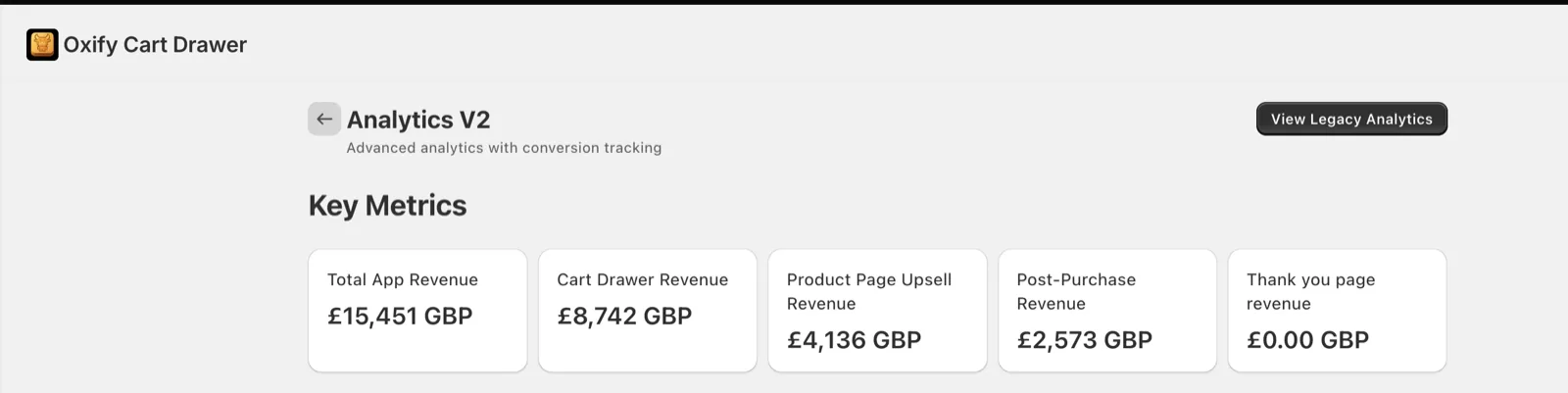
Replenhair (hair care, UK) is the one store where we can show three placements side by side from a single install. Of £15,451 in app-attributed revenue, the cart drawer produced £8,742 (about 57%), product page upsells £4,136 (about 27%) and one-click post-purchase offers £2,573 (about 17%). The thank-you page reads £0 because the store has not switched it on.
| Store | What the dashboard shows | Window |
|---|---|---|
| Replenhair (hair care, UK) | £15,451 app revenue: cart drawer 57%, product page 27%, post-purchase 17% | Since install, read 31 July 2026 |
| Crossword Bookstores (India) | ₹340,639 from the cart drawer alone, using a 3-tier rewards bar. Crossword reports 20% additional revenue against its own pre-Oxify baseline | Since install, read 31 July 2026 |
| Supplement brand (sells in USD, dashboard shared with us) | $289.51 of $771.74 cart revenue came from in-cart upsells (37.5%), with add-ons and subscription upgrades still switched off | Snapshot, September 2026 |
An outside check. Growth Suite, a competing app, published offer acceptance rates from 66 million offer impressions across 250 Shopify stores (January to June 2026): cart drawer 12%, checkout 9% (Shopify Plus only), product page 7%, post-purchase 6%. It is a different vendor measuring a different thing (acceptance, not revenue), and it puts the placements in the same order we see: cart first.
What this data cannot tell you. App-attributed revenue counts every order that contained an accepted offer, and some of those shoppers would have bought the item anyway. Only a holdout test separates the two, and we have not run one. One store is not a benchmark. Our own site also quotes a “30% average AOV lift” with no published sample or date range, so treat that as a vendor claim, the same way you should treat every “+18% AOV” line in other roundups. What the dashboards do support is an order of priority: cart first, product page second, post-purchase third. This list is ordered the same way.
How we ranked these apps (and where our own app really lands)
On 19 September 2026 we opened each app’s live App Store listing and recorded the rating and review count from the listing’s structured data, whether the Built for Shopify badge sits on the app’s own header, and which placements the listing claims. Plan ladders and free-plan limits were read on 17 September, and re-read on the 19th for Oxify, ReConvert and Rebuy. Where a listing hides upper tiers we say “on request”.
What we did not do. We did not install the other 17 apps on a test store, and we did not run revenue A/B tests across 19 apps, so this list contains no invented “+23% AOV” results. Conversion claims belong to each vendor. What we know firsthand is our own app: its dashboards, its reviews, and the stores that moved to it from apps on this list.
The order has two layers, and you can check both.
- Groups follow the money. Cart apps come first, then product page, then post-purchase and checkout, because that is the order revenue showed up in the dashboards above and in Growth Suite’s acceptance data. Bundle apps and all-in-one or AI suites follow.
- Inside each group, apps are ordered by a score out of 100 built only from things on the public listing:
- Review evidence (30 points): the rating above 4.0, scaled by review volume on a log scale that tops out at 3,000 reviews. A 4.9 from 40 reviews scores 12; a 4.9 from 2,703 scores 27.
- Placement coverage (25): 5 points each for product page, cart, post-purchase, thank-you page and Plus checkout.
- Price at 500 orders a month (25): $0 scores 25 and $100 or more scores 0. Revenue-capped apps are priced for a store making $30,000 a month with upsells adding 5% ($1,500). Apps that do not publish the price at that volume get half marks.
- Built for Shopify badge (10), which requires meeting Shopify’s speed and quality bar.
- A free plan a live store can use (10), or 5 for a trial of 14 days or more.
We fixed the weights before calculating anything and did not adjust them afterwards.
| Upsell app | Score /100 | Reviews /30 | Coverage /25 | Price /25 | Badge + free /20 |
|---|---|---|---|---|---|
| 1. Selleasy | 94.4 | 26.6 | 25 | 22.8 | 20 |
| 2. SMART Checkout Rules & Upsells | 84.8 | 24.8 | 15 | 25.0 | 20 |
| 3. ReConvert (by Upsell.com) | 81.5 | 24.0 | 25 | 22.5 | 10 |
| 4. Essential Upsell & Cross Sell | 79.1 | 29.1 | 15 | 15.0 | 20 |
| 5. BOGOS | 77.5 | 30.0 | 15 | 12.5 | 20 |
| 6. AfterSell | 69.7 | 23.5 | 15 | 16.3 | 15 |
| 7. Frequently Bought Together CBB | 68.9 | 23.9 | 5 | 20.0 | 20 |
| 8. Zipify OneClickUpsell | 66.7 | 14.2 | 25 | 12.5* | 15 |
| 9. Oxify Cart Drawer & Upsell (ours) | 64.9 | 12.4 | 20 | 17.5 | 15 |
| 10. Candy Rack | 63.7 | 18.7 | 25 | 10.0 | 10 |
| 11. Kaching Bundles | 62.5 | 30.0 | 5 | 17.5 | 10 |
| 12. LimeSpot AI Bundles & Upsells | 61.5 | 14.0 | 25 | 12.5* | 10 |
| 13. Rebuy Personalization Engine | 60.2 | 17.7 | 25 | 12.5* | 5 |
| 14. Bold AI Upsell & Cross-Sell | 58.3 | 9.6 | 20 | 18.8 | 10 |
| 15. UpCart | 54.2 | 18.0 | 5 | 16.3 | 15 |
| 16. Oxify Quantity Breaks & BYOB (ours) | 49.9 | 8.6 | 5 | 21.3 | 15 |
| 17. iCart | 48.8 | 16.0 | 5 | 17.8 | 10 |
| 18. Honeycomb Upsell & Cross Sell | 41.4 | 11.4 | 20 | 0.0 | 10 |
| 19. Amplify (formerly PickyStory) | 31.9 | 11.8 | 15 | 0.1 | 5 |
Disclosure, with the number attached. Oxify builds two apps on this list, Oxify Cart Drawer & Upsell and Oxify Quantity Breaks & BYOB. On this rubric the cart drawer app scores 64.9, which is ninth of 19. It loses most of its points on review volume: 40 reviews against thousands for Selleasy, ReConvert and Essential. It appears first in this article for two reasons you can verify. The cart group leads the list because the cart produced the most revenue in the data above, and inside that group it has the highest score (64.9, against 54.2 for UpCart and 48.8 for iCart). If you would rather ignore placement and follow the score alone, install Selleasy (94.4). The “best for” label in each heading is our judgment about fit. The score only sets the order.
The four Shopify upsell placements in 60 seconds
- Product page (before add to cart): bundles, multi-packs, premium versions, add-ons. Highest reach, easiest to overdo. Setup guide.
- Cart drawer (after add to cart): free-shipping and free-gift progress bars, in-cart recommendations, shipping protection. Extra costs are the top stated abandonment reason in Baymard’s research, which is why thresholds work here. Strategy guide.
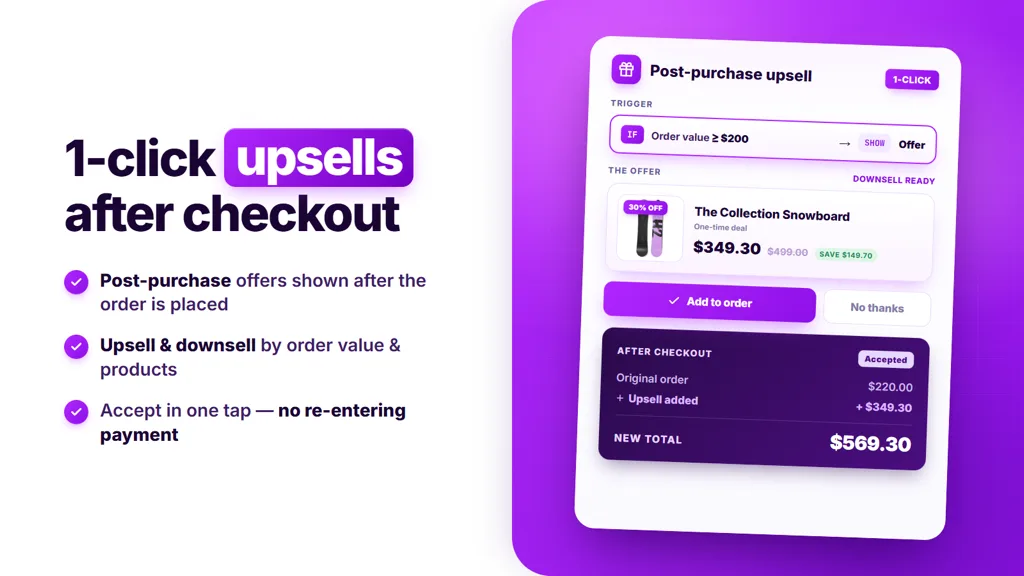
- Post-purchase (after payment, before the thank-you page): one-tap add-on with no card re-entry. Works on every plan, but Shopify does not show it for many wallet, installment and gift-card payments.
- Thank-you / order status page: reorders, subscription upgrades, referrals. Customisable on all plans; offers inside checkout steps need Shopify Plus.
The placements stack rather than compete. For tactics beyond app choice, see Shopify upselling strategies.
Post-purchase limits no app can fix
One-click post-purchase offers run on Shopify’s own extension, so every app on this list inherits the same rules. Shopify’s developer documentation lists them:
- “Only one app can be selected for post-purchase product offers.” You cannot run AfterSell and ReConvert post-purchase offers at the same time.
- “A customer can accept a maximum of three post-purchase offers for each checkout.”
- The offer page is not shown when “the customer chooses to check out with an installment service or a wallet service”, or when the first purchase was made “with a gift card or any payment method other than a credit card”.
- Offers are also skipped on orders with duties and multiple currencies, on local delivery orders, on orders under $0.50, and on orders placed outside the Online Store sales channel.
- Third-party analytics pixels “report only the purchase event and value for the initial purchase”, so the accepted upsell is missing from your ad-platform revenue unless the app reports it separately.
Some app vendors’ help pages say Shop Pay and PayPal Express orders do still see the offer, which does not match the wording above. Place a test order with each payment method you accept before you build a funnel around post-purchase. If most of your checkouts are wallets, put your effort into the cart and product page instead.
Comparison table: 19 best Shopify upsell apps
Placements: PP = product page, C = cart, PU = post-purchase, TY = thank-you page, CO = checkout (Plus). Apps are listed in the order they appear below. The “best for” label for each app is in its heading, and live-store free plans are in the free apps section.
| App | Rating (reviews) | Placements | From | Built for Shopify |
|---|---|---|---|---|
| 1. Oxify Cart Drawer & Upsell | 4.9 (40) | PP, C, PU, TY | $9.99/mo (0–100 orders) | Yes |
| 2. UpCart | 4.7 (943) | C | $29.99/mo (0–200 orders) | Yes |
| 3. iCart | 4.7 (452) | C | $9/mo (0–100 orders) | No |
| 4. Selleasy | 4.9 (2,703) | PP, C, CO, PU, TY | $9/mo (to 500 orders) | Yes |
| 5. Essential Upsell & Cross Sell | 5.0 (2,389) | PP, C ($19.99+), PU | $9.99/mo | Yes |
| 6. Frequently Bought Together CBB | 4.9 (1,200) | PP | $14.99/mo | Yes |
| 7. SMART Checkout Rules & Upsells | 5.0 (746) | CO, PU, TY | Free | Yes |
| 8. ReConvert (by Upsell.com) | 4.8 (3,097) | PP, C, CO, PU, TY | $9.99/mo (usage-based) | No |
| 9. AfterSell | 4.9 (1,048) | CO, PU, TY | $34.99/mo (0–500 orders) | Yes |
| 10. Zipify OneClickUpsell | 4.6 (564) | PP, C, CO, PU, TY | $8/mo, scales with upsell revenue | Yes |
| 11. BOGOS | 5.0 (4,382) | PP, C, TY | $29.99/mo (Shopify Basic) | Yes |
| 12. Kaching Bundles | 5.0 (5,967) | PP | $14.99/mo (to $1k added revenue) | Yes |
| 13. Oxify Quantity Breaks & BYOB | 4.9 (13) | PP | $14.99/mo | Yes |
| 14. Amplify (formerly PickyStory) | 4.5 (537) | PP, C, TY | $99.50/mo | No |
| 15. Candy Rack | 4.9 (259) | PP, C, CO, PU, TY | $29.99/mo (0–50 orders) | Yes |
| 16. LimeSpot AI Bundles & Upsells | 4.6 (507) | PP, C, CO, PU, TY | $9.99/mo, scales with orders | No |
| 17. Rebuy Personalization Engine | 4.7 (848) | PP, C, CO, PU, TY | $25/mo, scales with orders | No |
| 18. Bold AI Upsell & Cross-Sell | 4.4 (596) | PP, C, CO, PU | $4.99/mo (Shopify Basic) | Yes |
| 19. Honeycomb Upsell & Cross Sell | 4.6 (162) | PP, C, PU, TY | $54.99/mo | No |
Reading the table: six apps claim all five placements from one install (Selleasy, ReConvert, Zipify, Candy Rack, LimeSpot and Rebuy) and three more cover four (Oxify Cart Drawer, Honeycomb and Bold), so coverage alone no longer separates them. The tie-breakers are price at your order volume, whether the app replaces your cart drawer or only adds widgets to it, and the Built for Shopify badge. Selleasy is the cheapest way to cover everything; Oxify Cart Drawer and Candy Rack also replace the slide cart itself.
Best cart drawer upsell apps
Check what your theme already gives you before you pick a cart app. If your theme already has a drawer, the decision is whether to replace it with one of the cart apps below or to add offers to it, which is what Selleasy does.
1. Oxify Cart Drawer & Upsell: best cart drawer upsell app (our app)
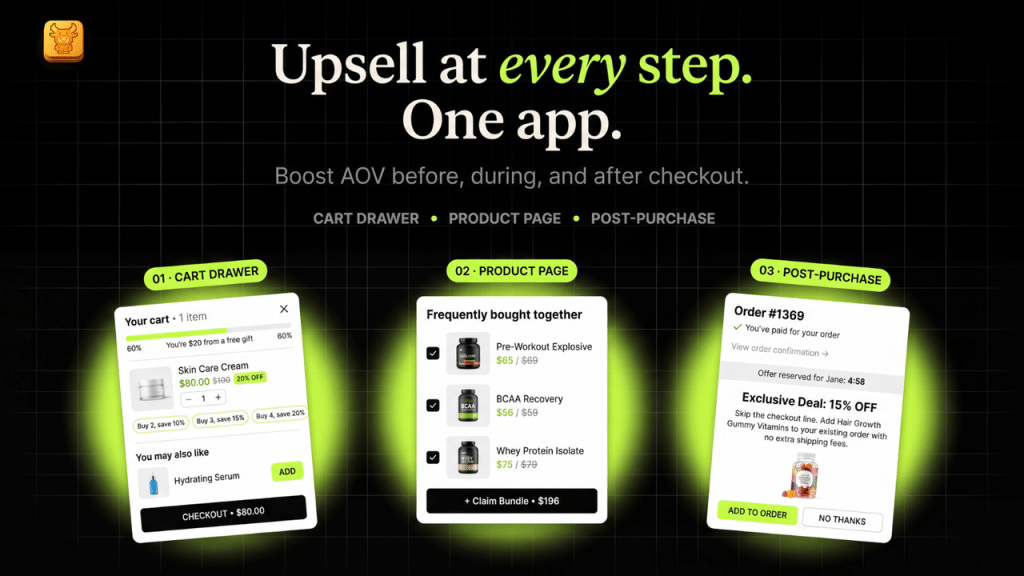
Rating 4.9 (40 reviews) · Score 64.9/100 (1st in cart group, 9th overall) · Built for Shopify: Yes · From $9.99/mo · Trial: 14 days
Placements: product page, cart drawer, post-purchase, thank-you page. The listing also mentions checkout upsells; we have not counted that placement in the score because our own analytics do not report it as a separate revenue line.
Disclosure: Oxify is our app. We built it, so weigh that.
Pros
- One install replaces the slide cart and also runs product page upsells, free gifts with auto-applied discounts, a multi-tier rewards bar, and post-purchase and thank-you offers
- Every feature on every plan, priced by order count with no revenue share
- Built for Shopify badge, and analytics that split revenue by placement (the dashboard shown above)
Cons
- Only 40 reviews, far fewer than UpCart, Selleasy or Essential. On the rubric that costs it 14 points against Selleasy
- No free plan for a live store; under about 50 orders a month a free app is cheaper
- Post-purchase is one feature among many here; stores built around after-payment funnels get more depth from a dedicated app like AfterSell
- One reviewer in 2026 wanted shoppers to be able to add a discount code alongside a cart upsell, and one in 2024 reported a conflict with the theme’s own cart drawer on install
Why it is first: a result, then a fit. In the one store where we can show three placements side by side, the cart drawer produced 57% of app-attributed revenue, the product page 27% and post-purchase 17%. So this list leads with the apps that own the cart. Inside that group ours has the highest score (64.9, against 54.2 for UpCart and 48.8 for iCart), because those two stop at the cart while ours also runs product page and post-purchase offers, and at 500 orders a month it costs $29.99 against $34.99 for UpCart and $29 for iCart. Cheaper apps cover more placements: Selleasy does all five for $9 a month at 500 orders and scores 94.4. The difference is that Selleasy adds widgets to your theme’s cart, while this app replaces the drawer itself with a rewards bar, free-gift tiers and in-cart offers. If that difference does not matter to your store, follow the score and start with Selleasy. Ours is not the most proven app here, and the score table says so.
What our 40 live reviews say (we read all of them on 19 September 2026): 38 are five-star, one is three-star and one is two-star. Thirty-five have text. Twenty-eight of those praise support or custom work, which tells you more about our team size than about upsell results. Eight say sales, AOV or conversion went up, and only one gives a number: a New Zealand store wrote that the app “paid for itself 4x over in the first 3 days”. That is self-reported and we have not audited it. Crossword wrote that it had “tried several apps like Rebuy and UpCart” before settling on ours. The two critical reviews are worth reading before you install. A German store said in 2024 that installing the app broke its theme’s own cart drawer. A UK store said in August 2026 that it wanted shoppers to be able to add a discount code alongside a cart drawer upsell. Both are on the public reviews page.
Real price: by monthly store orders, every feature on every plan, no revenue share: $9.99 (0–100), $19.99 (101–200), $29.99 (201–500), $49.99 (501–1,000), then $79.99, $99.99 and $149.99 as volume grows, plus a $299/mo Enterprise plan with 1:1 onboarding. The App Store listing shows the first four tiers; the rest are on our pricing page. 14-day trial. A 500-order store pays $29.99.
Good for: stores at 100–3,000 orders a month that lead with free-shipping or free-gift thresholds. Not for: stores under 50 orders a month (start free with Selleasy), or stores whose main lever is a multi-step after-payment funnel (pair it with AfterSell, or use AfterSell alone).
2. UpCart: best for a design-led cart drawer
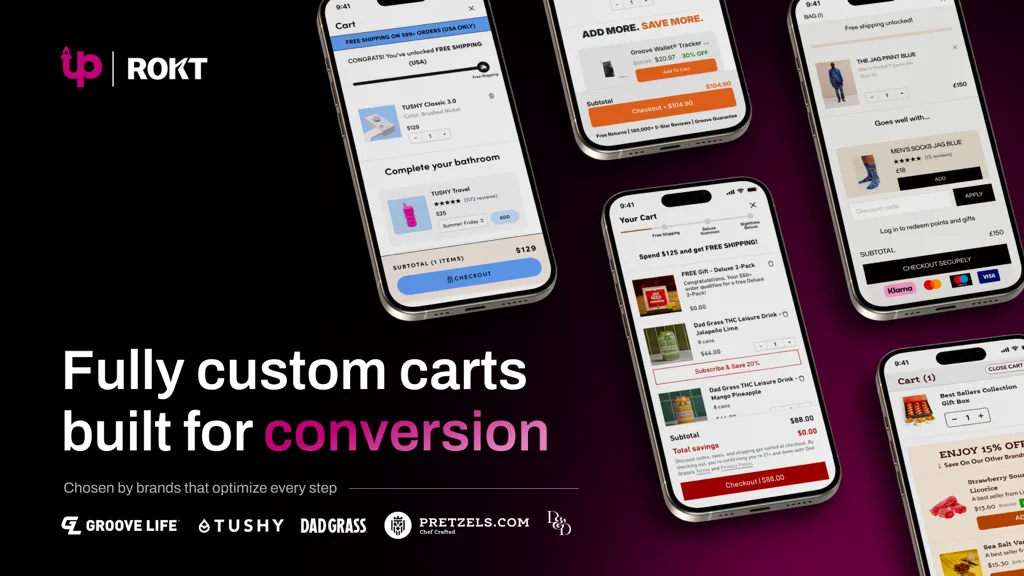
Rating 4.7 (943 reviews) · Score 54.2/100 · Built for Shopify: Yes · From $29.99/mo · Trial: 14 days
Placements: cart drawer only
Pros
- The most-reviewed cart drawer specialist
- Deep design control, including custom HTML/CSS
Cons
- Cart only: no product page or post-purchase offers
- Starts at $29.99, three times the cheapest cart apps
Why it is here: the most-reviewed cart-drawer specialist, with strong design control, a rewards bar, upsell and add-on modules and custom HTML/CSS.
Real price: $29.99/mo (0–200 orders), $34.99 (201–500), $54.99 (501–1,000); 14-day trial; free plan is for development stores only.
For: brands that care most about how the cart looks. Not for: anyone who also wants post-purchase offers without a second app. Compare: UpCart alternatives. Listing status: on 11 October 2026 the UpCart listing showed “not currently available”; check the listing before installing.
3. iCart: best budget cart drawer
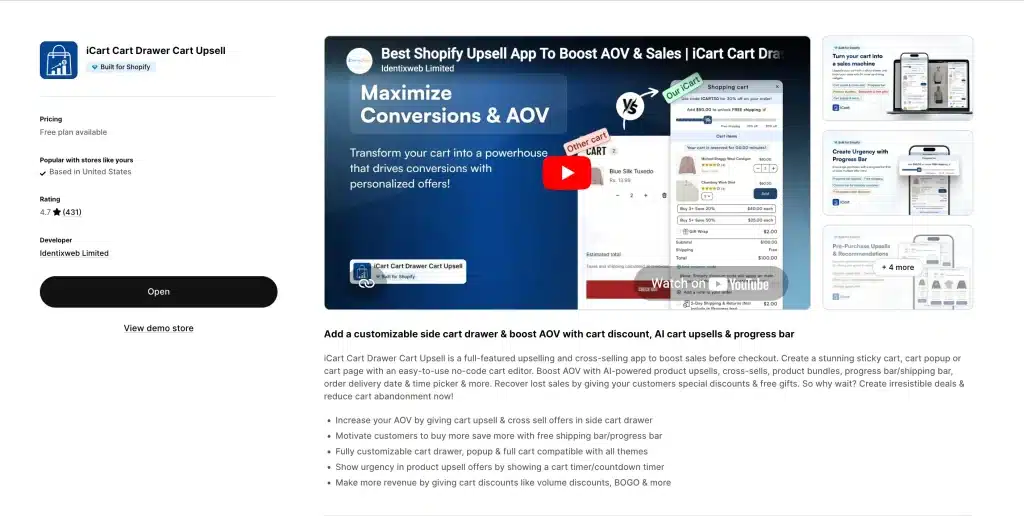
Rating 4.7 (452 reviews) · Score 48.8/100 · Built for Shopify: No · From $9/mo · Trial: free for the first 100 orders
Placements: cart drawer, cart popup, cart page
Pros
- First 100 orders free for life
- Every feature on every plan
Cons
- No Built for Shopify badge
- Prices above 500 orders are not published
Why it is here: the cheapest full-featured cart drawer: first 100 orders free for life, then every feature (sticky cart, multi-tier progress bar, AI cart upsells, bundles, volume discounts) on each plan.
Real price: $9/mo (0–100 orders), $19 (101–200), $29 (201–500); higher bands not published.
For: new stores testing cart upsells. Not for: stores that filter on the Built for Shopify badge. See iCart alternatives.
Best product page upsell and Frequently Bought Together apps
4. Selleasy: best free plan covering every placement
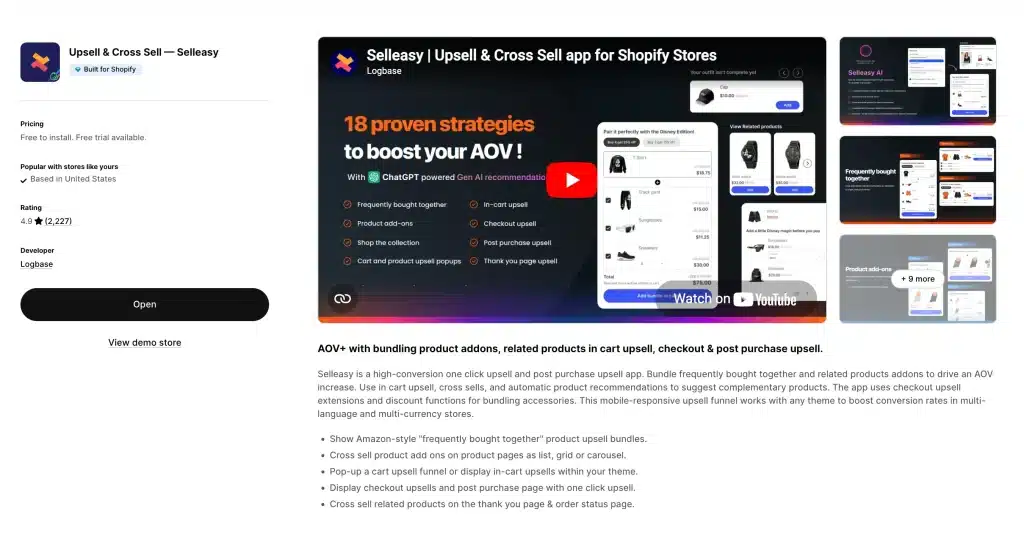
Rating 4.9 (2,703 reviews) · Score 94.4/100 · Built for Shopify: Yes · From $9/mo (free under 50 orders) · Trial: 30 days
Placements: product page, cart, checkout (Plus), post-purchase, thank-you page
Pros
- Cheapest way to run offers at every placement
- Free setup call and a 30-day trial
Cons
- Adds widgets to your theme’s cart rather than replacing the cart drawer
- Counts all store orders, not only orders with an upsell
Why it is here: the cheapest way to put an offer at every step. It runs discounted add-on and bundle offers on the product page and in the cart, checkout upsells on Plus, one-click post-purchase offers and thank-you page offers from one dashboard. It is also the most beginner-friendly app here, and it has the highest score on our rubric (94.4 of 100).
Real price: free up to 50 store orders a month; $9/mo to 500; $19 to 1,000; $29 above 1,000. Counted on total store orders. 30-day trial.
For: new and budget-conscious stores. Not for: brands that want the cart drawer itself redesigned; Selleasy adds widgets to your theme’s cart. See Selleasy alternatives.
5. Essential Upsell & Cross Sell: best for product-page offers
Rating 5.0 (2,389 reviews) · Score 79.1/100 · Built for Shopify: Yes · From $9.99/mo (free until $100 of upsell revenue) · Trial: 14 days
Placements: product page, cart (from $19.99), post-purchase
Pros
- Highest rating on a large review base
- Discounted add-on and bundle offers on the product page plus one-click post-purchase offers
- Free until the offers have earned $100
Cons
- Cart offers need the $19.99 plan
- Price rises with the upsell revenue it generates
Why it is here: the highest-rated upsell app on the list with a large review base. It builds discounted offers: bundle and add-on offers on the product page, cart offers on higher plans, and one-click post-purchase upsells after payment. You pay by the extra revenue those offers bring in.
Real price: free until $100 of additional revenue; Starter $9.99/mo to $500; Essential $19.99 to $1,000 (adds cart offers); Professional $39.99 unlimited. 14-day trial.
For: stores whose first offer belongs on the product page. Not for: stores that need a designed cart drawer or thank-you page offers. See Essential Upsell alternatives.
6. Frequently Bought Together CBB: best single product-page bundle offer
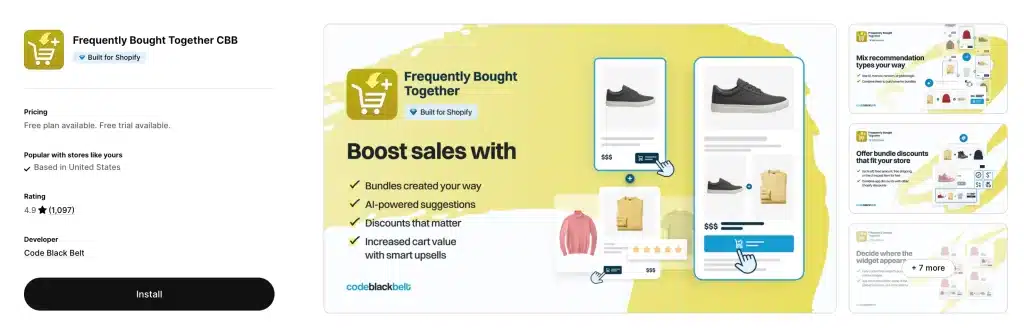
Rating 4.9 (1,200 reviews) · Score 68.9/100 · Built for Shopify: Yes · From $14.99/mo (free Starter) · Trial: 14 days
Placements: product page
Pros
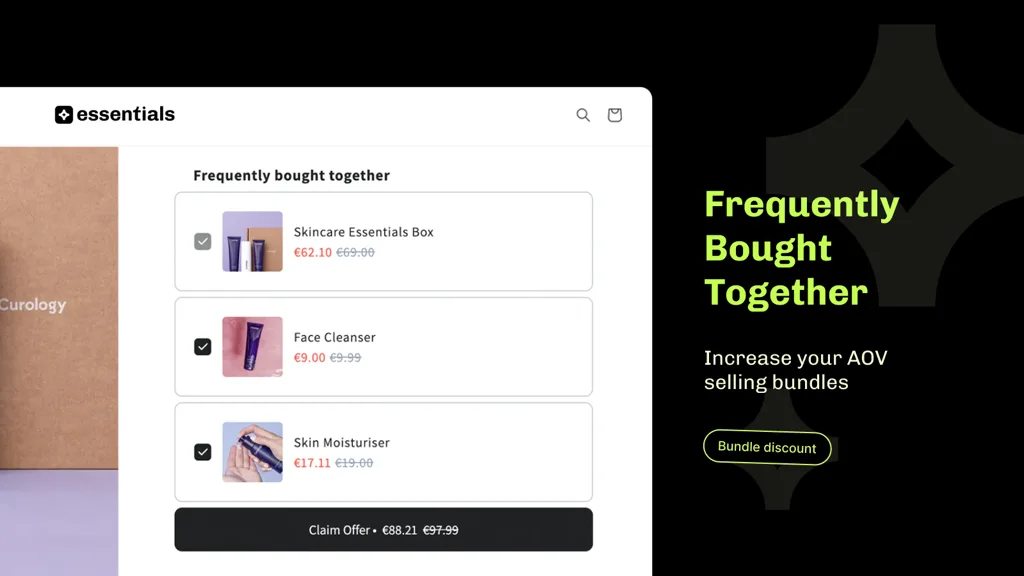
- A clean Amazon-style “add all to cart” offer with a bundle discount
- Free Starter plan with 3 manual bundles
Cons
- Product page only
- The free plan is too small for most live catalogs
Why it is here: the cleanest single-purpose bundle offer. An Amazon-style “add all to cart” block on the product page, with a discount for taking the whole set.
Real price: free Starter (3 manual bundles); $14.99/mo to 50 orders; $19.99 to 500; $39.99 above 500. 14-day trial.
For: stores whose only gap is the product page. Not for: anyone needing a second placement. More options: FBT app roundup.
Best post-purchase and checkout upsell apps
7. SMART Checkout Rules & Upsells: best free Plus checkout app
Rating 5.0 (746 reviews) · Score 84.8/100 · Built for Shopify: Yes · From Free · Trial: not needed (free)
Placements: checkout (Plus), post-purchase, thank-you page
Pros
- Fully free
- Checkout rules and upsells in one app
Cons
- Most of the value needs Shopify Plus
- No product page or cart offers
Why it is here: checkout validation and payment/shipping rules plus checkout blocks and post-purchase offers, and the listing price is simply “Free”.
For: Plus stores that need checkout rules and upsells together. Not for: product page or cart offers; non-Plus stores get only part of the value.
8. ReConvert (by Upsell.com): best thank-you page builder
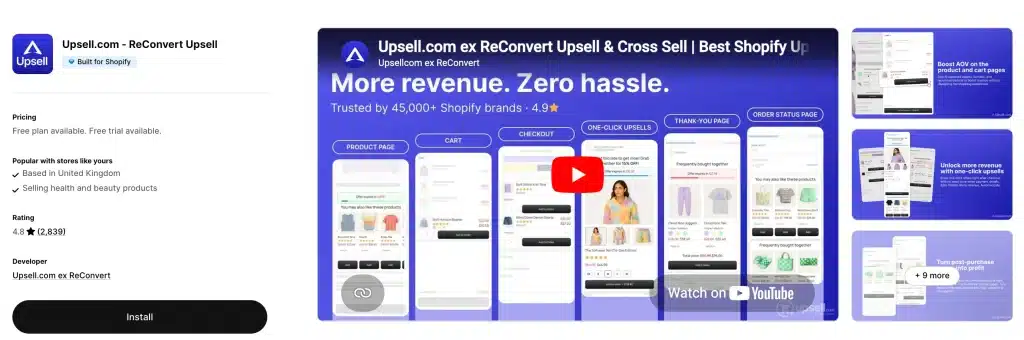
Rating 4.8 (3,097 reviews) · Score 81.5/100 · Built for Shopify: No · From $9.99/mo (free to 50 orders) · Trial: 14 days
Placements: product page, cart, checkout, post-purchase, thank-you page
Pros
- The most flexible thank-you page builder
- Now a real free tier
Cons
- Usage-based bill that is hard to predict
- No Built for Shopify badge
Why it is here: still the most flexible thank-you page builder (upsells, surveys, reorder buttons), now a full funnel with A/B testing and AI recommendations.
Real price: free up to 50 orders or $50 upsell revenue; Growth from $9.99/mo up to 2,000 monthly orders or upsell revenue (“higher of the two”, with usage-based charges); Scale $199/mo to 10,000; Elite $499/mo to 20,000. 14-day trial. Open “see all pricing options” before assuming $9.99 at your volume.
For: stores that want the thank-you page to do real work. Not for: anyone who wants a predictable flat bill. See ReConvert alternatives.
9. AfterSell: best for post-purchase and Plus checkout
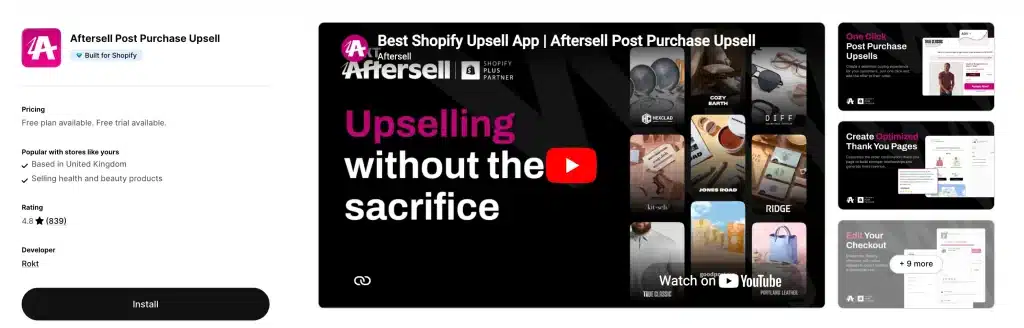
Rating 4.9 (1,048 reviews) · Score 69.7/100 · Built for Shopify: Yes · From $34.99/mo · Trial: 30 days
Placements: post-purchase, checkout (Plus), thank-you page
Pros
- Specialist one-click upsell and downsell funnels with A/B testing
- Checkout-step offers for Plus stores
Cons
- No product page or cart offers
- $34.99 is steep under about 200 orders a month
Why it is here: the specialist for one-click upsell and downsell funnels after payment, with AI offer suggestions and A/B testing. The listing also mentions earning back fees through Rokt Thanks for eligible stores (1,000+ orders in the US, CA, AU or UK).
Real price: $34.99/mo (0–500 orders), $54.99 (501–1,000), $99.99 (1,001–2,000), higher on request. 30-day trial.
For: stores where post-purchase is the main lever, and Plus stores. Not for: product page or cart offers, or stores under about 200 orders a month. See AfterSell alternatives. Listing status: on 11 October 2026 the AfterSell listing showed “not currently available”; check the listing before installing.
10. Zipify OneClickUpsell: best for funnel split-testing
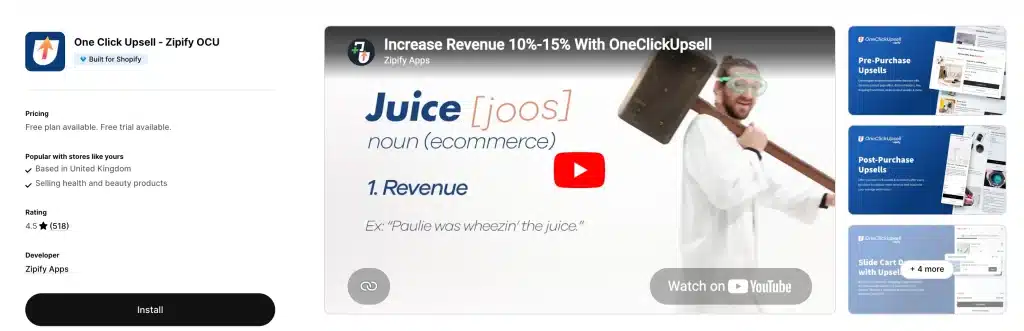
Rating 4.6 (564 reviews) · Score 66.7/100 · Built for Shopify: Yes · From $8/mo, scales with upsell revenue · Trial: 30 days
Placements: product page, cart drawer, checkout, post-purchase, thank-you / order status
Pros
- Split testing across every touchpoint
- Long track record in one-click post-purchase
Cons
- Price ladder is not on the listing
- Lower rating than most apps here
Why it is here: the original one-click post-purchase app, now covering every touchpoint with split testing and AI offers.
Real price: one Unlimited plan from $8/mo that “scales with generated upsell revenue” (the ladder is not on the listing); 30-day trial.
For: funnel-minded teams that test constantly. Not for: stores that want to know next month’s bill. See Zipify OCU alternatives.
Also checked, not ranked: four apps that other roundups include and that checked out on their live listings, but did not displace the apps above. Kaching Post Purchase Upsell (5.0, 353 reviews, Built for Shopify) is the cheapest dedicated one-click post-purchase app we found: $4.99/mo to 99 orders, $7.99 to 199, $19.99 to 499, 14-day trial, post-purchase only. UpsellPlus Checkout Upsell (5.0, 143 reviews, Built for Shopify) covers product page, cart, post-purchase and Plus checkout with a free plan limited to one offer and $500 of upsell revenue, then $49/mo. Both have far smaller review bases than AfterSell or ReConvert. Moon Bundles CartDrawer Upsell (5.0, 651 reviews, Built for Shopify) combines bundles, quantity breaks, a slide cart and post-purchase upsells. It is free up to $500 of revenue it generates, then $19.99, $39.99 and $79.99 a month, with a 7-day trial. Zoorix: Bundles & Cross Sell (4.9, 391 reviews, no Built for Shopify badge) offers bundles, volume discounts and cart drawer offers. It has a free-forever plan with app branding, then $7.99, $14.99 and $29.99 a month as generated revenue passes $100, $200 and $400, with a 30-day trial. Both price by the revenue they generate, and neither has a thank-you page builder. Three more names show up on competing lists and belong in other guides. Fast Bundle (5.0, 3,429 reviews on 18 September, no Built for Shopify badge) is a bundle builder, covered in our bundle app roundup. Wiser (4.9, 559 reviews, no badge) is a recommendation engine, covered in the cross-sell guide. Vitals (4.9, 2,956 reviews, Built for Shopify) is a 40-in-one suite where upsells are one module among many.
Best bundle and quantity break apps
11. BOGOS: best for free gifts and BOGO
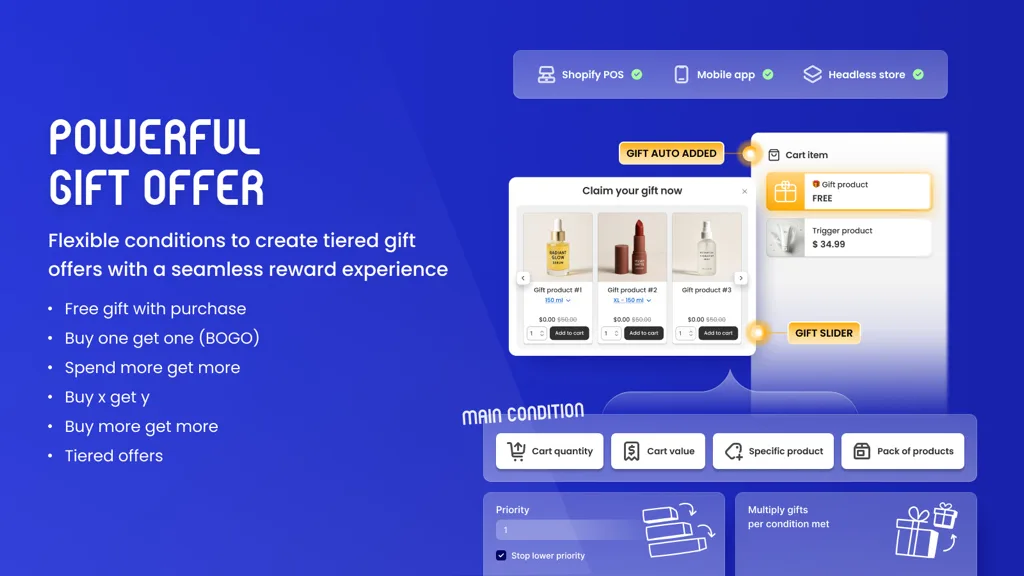
Rating 5.0 (4,382 reviews) · Score 77.5/100 · Built for Shopify: Yes · From $29.99/mo · Trial: 7 days
Placements: product page, cart, thank-you page
Pros
- Deepest Buy X Get Y and gift-with-purchase rules
- Large, highly rated review base
Cons
- Order caps plus $0.05 per extra order
- No post-purchase offers
Why it is here: the specialist for Buy X Get Y, gift-with-purchase and threshold gifts, plus bundles and volume discounts.
Real price: free for 30 orders (lifetime); Basic $29.99/mo (Shopify Basic stores, 300 BOGOS orders); Grow $49.99 (600 orders; $69.99 for Advanced stores with 1,000); Plus $109.99 (2,000 orders); $0.05 per extra order. 7-day trial.
For: gift-led promotions. Not for: post-purchase offers. See BOGOS alternatives and how to add a free gift with purchase.
12. Kaching Bundles: best for quantity breaks
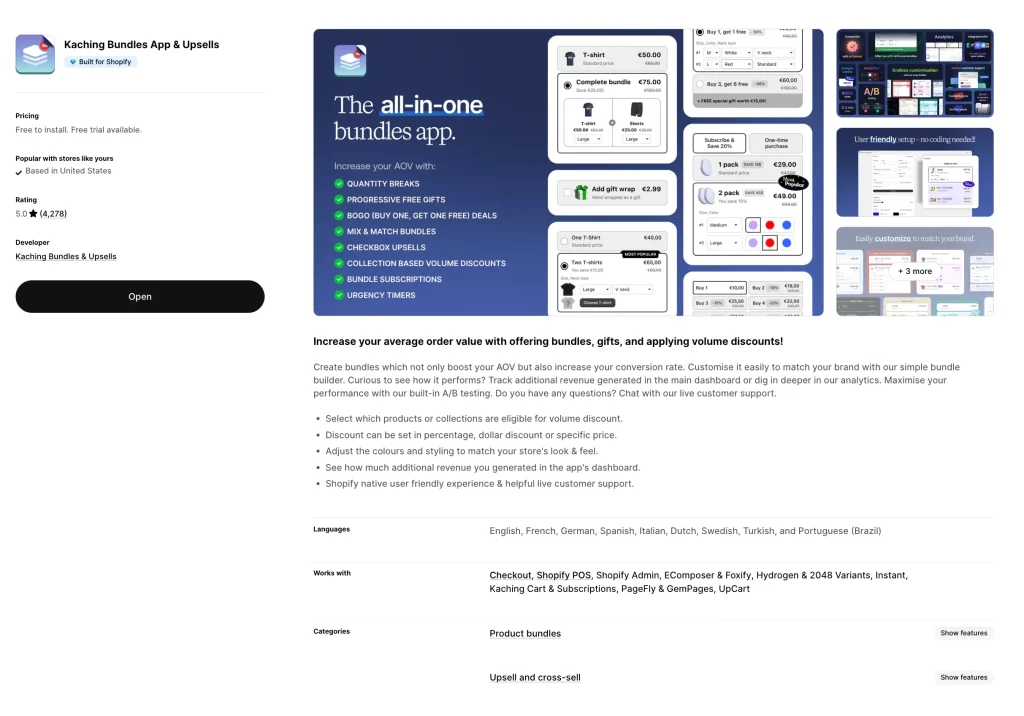
Rating 5.0 (5,967 reviews) · Score 62.5/100 · Built for Shopify: Yes · From $14.99/mo · Trial: 7 days
Placements: product page
Pros
- Most-reviewed app on this list
- Fast to set up volume and bundle offers
Cons
- Product page only
- Tiers are capped by the extra revenue the app generates
Why it is here: the most-reviewed app in this whole list. Quantity-break and bundle widgets that are fast to set up.
Real price: Starter $14.99/mo (to $1,000 of additional revenue), Scale $29.99 (to $5,000), Pro $59.99 (to $10,000); about 25–27% off annually; 7-day trial. No percentage revenue share on the listing.
For: “buy 2, save 10%” offers. Not for: cart or post-purchase offers. See Kaching alternatives.
13. Oxify Quantity Breaks & BYOB: best for build-a-box (our app)
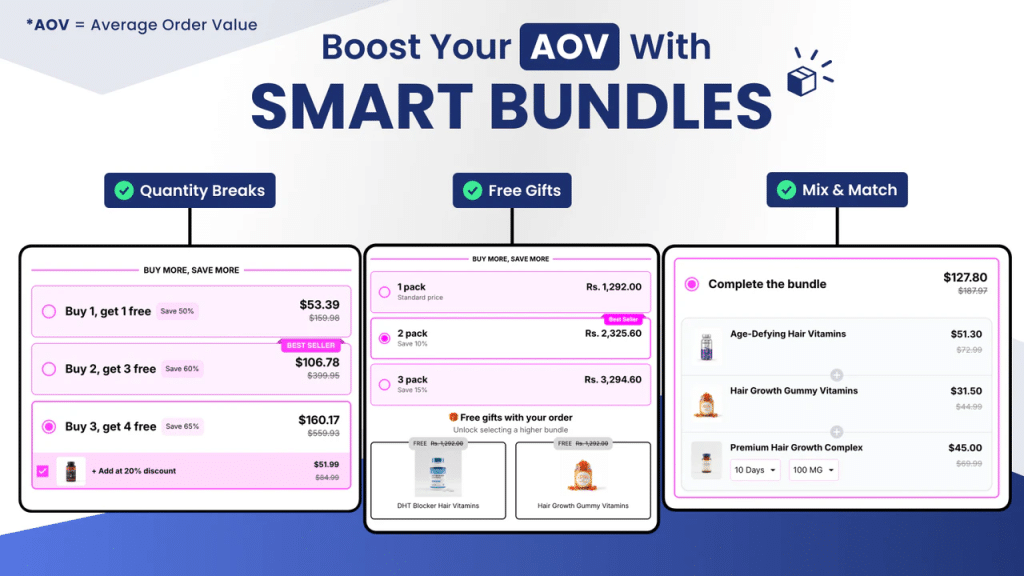
Rating 4.9 (13 reviews) · Score 49.9/100 · Built for Shopify: Yes · From $14.99/mo · Trial: 14 days
Placements: product page
Pros
- Tiered pricing, build-your-own-box and mix-and-match in one widget
- Unlimited bundle deals on one plan
Cons
- Smallest review base on the list (13)
- Product page only; no longer free
Why it is here: our second app (separate from the cart drawer): tiered pricing, build-your-own-box, mix-and-match and free gifts in one widget.
Real price: $14.99/mo or $129.99/year, unlimited bundle deals, 14-day trial. It was listed as free earlier this year; it is not any more.
For: build-a-box and subscription-box stores. Not for: anyone who wants a proven review base; 13 reviews is the smallest sample here. Background: bundle app roundup.
14. Amplify (formerly PickyStory): best for complex mix-and-match
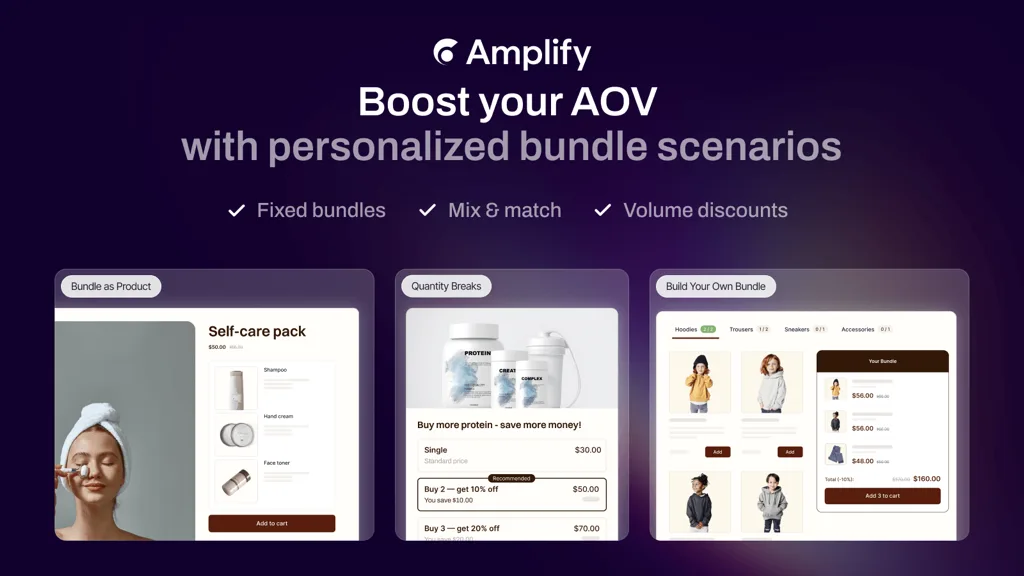
Rating 4.5 (537 reviews) · Score 31.9/100 · Built for Shopify: No · From $99.50/mo · Trial: 30 days
Placements: product page, cart, thank-you page
Pros
- Deepest bundle logic here
- Shop-the-look and bundle builder
Cons
- From $99.50/mo
- No Built for Shopify badge
Why it is here: the deepest bundle logic available: bundle builder, mix-and-match, shop the look, quantity breaks.
Real price: one Pay as You Grow plan from $99.50/mo for stores up to $30k monthly revenue, volume-priced above that; 30-day trial.
For: larger brands with complex bundle rules. Not for: small stores.
Best all-in-one and AI upsell apps
15. Candy Rack: best polished all-in-one for DTC
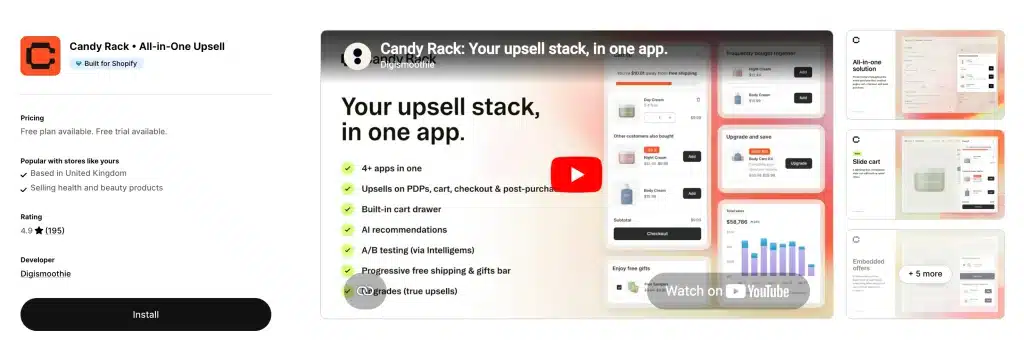
Rating 4.9 (259 reviews) · Score 63.7/100 · Built for Shopify: Yes · From $29.99/mo · Trial: 8 days
Placements: product page, built-in slide cart, checkout, post-purchase, thank-you page
Pros
- Most polished visual execution, with its own slide cart
- 60-day money-back guarantee
Cons
- $29.99 for only 50 orders
- Upper tiers on request
Why it is here: the most polished visual execution, a built-in slide cart, Gemini-powered AI suggestions and quantity breaks.
Real price: Lite $29.99/mo (0–50 orders), Starter $39.99 (51–200), Growth $59.99 (201–500), higher on request; 8-day trial and a 60-day money-back guarantee; unlimited upsell revenue.
For: design-led DTC brands. Not for: stores under 50 orders, where $29.99 is steep.
16. LimeSpot: best AI-targeted offers with a published price
Rating 4.6 (507 reviews, App Store) · Score 61.5/100 · Built for Shopify: No · From $9.99/mo (free to 10 orders) · Trial: 15 days
Placements: product page, cart, checkout extensions, post-purchase, thank-you page, plus email/SMS
Pros
- AI bundles and upsell offers aimed at audience segments
- A/B/n testing of offers
Cons
- No Built for Shopify badge
- Turbo plan not available on Plus; Max from $50/mo
Why it is here: the AI-targeted option with a published entry price. It builds AI bundles and upsell offers at every placement, aims them at audience segments and A/B/n tests them. Its recommendation engine is covered in our cross-sell apps guide.
Real price: Turbo is free up to 10 orders/mo (not for Plus), then from $9.99/mo rising with orders (about $19.99 at 250 orders); Max starts at $50/mo and rises with store revenue (about $150/mo at $50k). 15-day trial.
For: large catalogs that want personalisation without an enterprise contract. Not for: small catalogs where manual offers do the job. Coming from Rebuy? See Rebuy alternatives.
17. Rebuy Personalization Engine: best AI personalisation for larger stores
Rating 4.7 (848 reviews, App Store) · Score 60.2/100 · Built for Shopify: No · From $25/mo, scales with orders · Trial: 14 days
Placements: product page, Smart Cart drawer, checkout, post-purchase, thank-you page
Pros
- The name merchants bring up most for AI recommendations, with its own Smart Cart drawer
- Rules, A/B testing and recommendations at every placement from one data model
Cons
- The listing says only “starts as low as $25 / month” and that pricing “scales based on orders per month”; the ladder is not published there
- No Built for Shopify badge; its listing was unavailable for part of September 2026
Why it is here: it appears on four of the ten roundups that outrank this one and merchants name it in the Shopify Community thread summarised below. It is the most complete personalisation stack on the App Store: AI recommendations feeding a Smart Cart, checkout and post-purchase offers, and A/B tests across all of them.
Real price: free for development stores; paid plans “start as low as $25 / month” and scale with monthly orders, with the modules (cart, checkout and post-purchase, search) priced as a bundle. Ask for the price at your order volume before the 14-day trial ends. The free Rebuy Monetize plan is a different product: it shows third-party offers on your thank-you page and pays you per order.
For: high-volume stores with large catalogs and someone on the team to run tests. Not for: small stores that need a predictable bill. On 17 September 2026 the listing read “not currently available on the Shopify App Store”; on 19 September it was live and installable again, so check it yourself. Alternatives: Rebuy alternatives.
18. Bold AI Upsell: best for Bold Subscriptions users
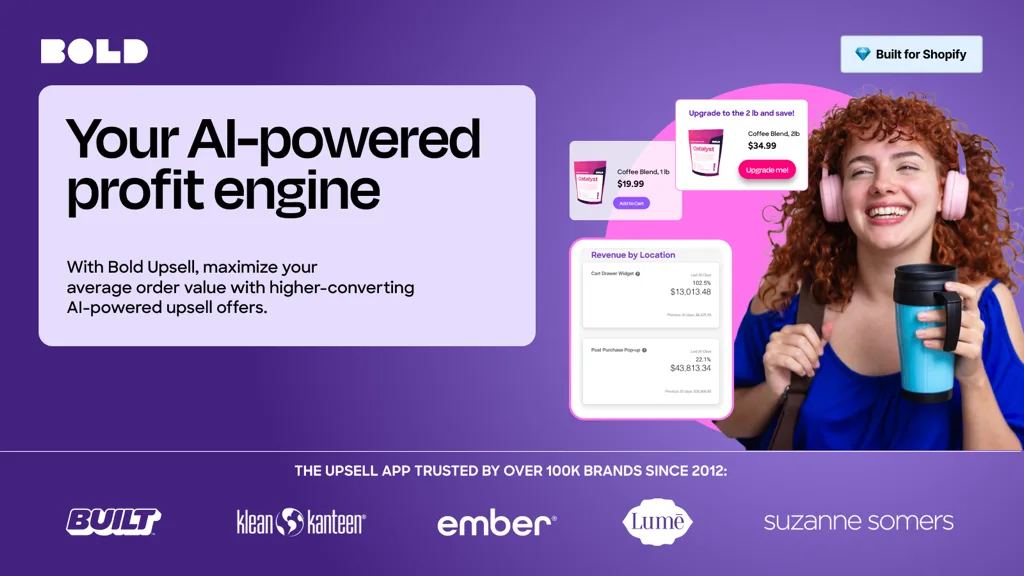
Rating 4.4 (596 reviews), the lowest here · Score 58.3/100 · Built for Shopify: Yes · From $4.99/mo · Trial: 7 days
Placements: product page, cart, checkout, post-purchase
Pros
- Cheap on Shopify Basic
- Subscription upgrade offers that plug into Bold Subscriptions
Cons
- Lowest rating on the list
- $399.99/mo on Plus
Why it is here: AI “true” upsells, free-gift and subscription offers that plug into Bold Subscriptions.
Real price: now priced by your Shopify plan, with no revenue share on the listing: $4.99/mo (Basic), $24.99 (Grow), $74.99 (Advanced), $399.99 (Plus). 7-day trial.
For: stores already on Bold. Not for: Plus stores comparing on price.
19. Honeycomb: best for multi-step funnels
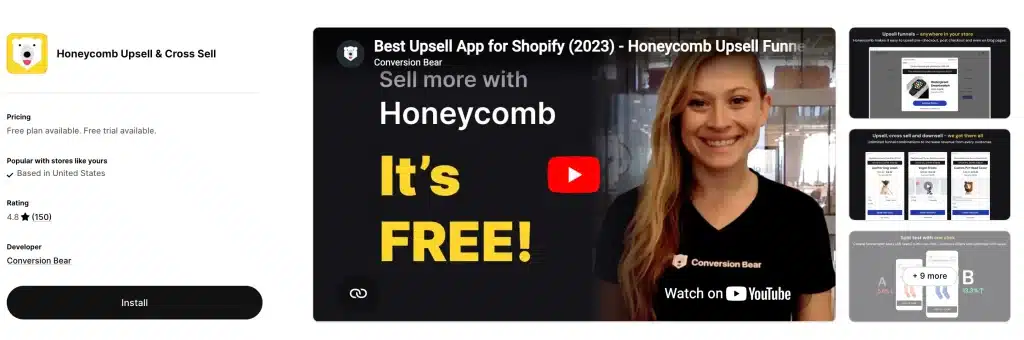
Rating 4.6 (162 reviews) · Score 41.4/100 · Built for Shopify: No · From $54.99/mo (free to 100 views) · Trial: 7 days
Placements: product page, cart page, post-purchase, thank-you page
Pros
- Multi-step upsell and downsell funnels with split tests
- Free tier includes every placement
Cons
- Priced by funnel views, which punishes high-traffic stores
- No Built for Shopify badge
Why it is here: multi-step upsell/downsell funnels with split tests, and a free tier that includes every placement.
Real price: free (100 funnel views/mo); Silver $54.99 (2,000 views); Gold $109.99 (5,000); Platinum $169.99 (10,000). 7-day trial. Priced by views, not orders, so high-traffic stores pay more.
For: testing funnels cheaply at low traffic. Not for: high-traffic, low-conversion stores.
What merchants say about upsell apps
We read a Shopify Community thread where a merchant asked this exact question. In that 2026 thread (23 replies, May to July 2026), a merchant wanted one app to cover cart and product page upsells on a $200 budget. The names merchants suggested most often were ReConvert, Selleasy, Bold and Rebuy. Many other replies came from developers promoting their own apps, and one reply recommending ours carries the line “Boost AOV 25-40%”. We cannot back that range with a published sample, so do not plan around it. The points worth keeping came from merchants:
- Judge the offer on revenue per visitor, not AOV. One merchant put it this way: an upsell “looks good because a few people accept it, but at the same time it can make more people hesitate, abandon cart, or not reach checkout at all.” Check conversion rate and cart abandonment alongside AOV.
- Test one app properly before adding a second. Stacked upsell apps conflict with each other and slow the storefront.
- Most apps price by order volume, so a budget cap matters less than your order count. One merchant noted that at $30 to $100 a month, two years of fees can exceed a custom build. That is true if your offer never changes, and rarely true if you test.
Best free Shopify upsell apps (real limits)
“Free plan available” often means development stores only. These are the plans a live store can run at $0, and where each stops:
- Selleasy: under 50 store orders a month, all placements. The best free upsell app for Shopify.
- ReConvert: up to 50 orders or $50 of upsell revenue.
- Essential Upsell: until the app has generated $100 of extra revenue; product page and post-purchase.
- SMART Checkout Rules: fully free; checkout blocks need Plus.
- Honeycomb: 100 funnel views a month, with branding.
- iCart: first 100 orders for life. BOGOS: first 30 orders for life. FBT CBB: 3 manual bundles. LimeSpot Turbo: 10 orders a month. UpsellPlus: one offer, up to $500 of upsell revenue. Moon Bundles: up to $500 of generated revenue. Zoorix: free forever, with app branding.
Not free for a live store: UpCart, AfterSell, Kaching, Zipify, Candy Rack, Amplify, Bold, Rebuy (development stores only) and both Oxify apps.
Upsell app pricing compared: what each costs at your order volume
Published monthly prices for order-based apps, read on 17 September 2026 (Oxify re-read on the 19th):
| Monthly orders | Oxify Cart Drawer | UpCart | Candy Rack | AfterSell | Selleasy | iCart |
|---|---|---|---|---|---|---|
| 100 | $9.99 | $29.99 | $39.99 | $34.99 | $9 | $9 |
| 500 | $29.99 | $34.99 | $59.99 | $34.99 | $9 | $29 |
| 1,000 | $49.99 | $54.99 | On request | $54.99 | $19 | On request |
Three pricing models, and how each one surprises you:
- By store orders (Oxify, UpCart, AfterSell, Selleasy, iCart, Candy Rack). Predictable. The catch is that every order counts, including the ones with no upsell in them.
- By revenue the app generates (Essential, Kaching, Zipify, ReConvert, Moon Bundles, Zoorix). Cheap while offers are small, and the bill rises exactly when the app starts working. Essential steps from free to $39.99 as upsell revenue passes $100, $500 and $1,000; Kaching from $14.99 to $59.99 as bundle revenue passes $1k, $5k and $10k.
- By your Shopify plan or traffic (Bold, BOGOS, Honeycomb). Bold is $4.99 on Basic and $399.99 on Plus for the same features. Honeycomb charges by funnel views, so a high-traffic store pays more whether or not anyone accepts.
None of the 19 listings shows a flat percentage of upsell revenue today. Model your own numbers with the AOV calculator.
How to choose a Shopify upsell app
- Pick the placement first. Under 50 orders a month, start free with Selleasy or Essential Upsell. Wallet-heavy checkout (Shop Pay, Apple Pay)? Lead with the cart drawer, since Shopify does not show post-purchase offers for many of those payments. Mostly card payments and a strong add-on product? Post-purchase is the highest-intent spot.
- Prefer one app over several. Six apps here cover all five placements and three more cover four; stacking three specialists means duplicate cart scripts, overlapping offers and three bills. Keep a specialist only where it is clearly best for your one gap (Kaching for quantity breaks, AfterSell for post-purchase funnels). Remember that Shopify allows only one post-purchase app at a time.
- Price it at your real volume, using the table above, not the “from” price.
- Filter on speed. The Built for Shopify badge requires apps to meet Shopify’s performance bar. Six apps here lack it today (iCart, ReConvert, Amplify, Honeycomb, LimeSpot and Rebuy); check PageSpeed before and after any install. More: does a cart drawer app slow down your store.
- Launch one offer, measure 14 days, then add the next. Growth Suite’s data shows acceptance falling to 1% by the fourth offer in a session, so more offers is not more revenue. Price the offer well below the main item and add a cheaper downsell. Judge it on revenue per visitor. See how to write offers that convert, how to measure cart upsell performance and do upsells hurt conversion rate.
Best upsell app for DTC brands on Shopify
DTC brands at 200–2,000 orders a month with a high share of mobile and wallet checkouts should lean on the cart over post-purchase, because wallet payments often skip the post-purchase page. A flat-fee app that owns the cart drawer and also runs post-purchase keeps costs predictable: Oxify Cart Drawer ($19.99–$79.99 across that range) for value, or Candy Rack for design. Add AfterSell when card payments dominate and post-purchase becomes your main lever, and Kaching if multi-packs of the hero product are the obvious offer. On Shopify Plus, add checkout offers with AfterSell or the free SMART Checkout Rules.
Related: Upselling in a specific niche? See the best Shopify apps for beauty and skincare brands, best Shopify apps for coffee and tea brands and best Shopify apps for pet stores.
Frequently Asked Questions
What is the best upsell app for Shopify?
What is the best free upsell app for Shopify?
What is the best one-click upsell app for Shopify?
Does a one-click post-purchase upsell create a new order?
Do checkout upsells require Shopify Plus?
What is a good upsell acceptance rate?
Is Rebuy still on the Shopify App Store?
Do upsell apps work with subscriptions?
Does Shopify have a built-in upsell feature?
How much does a Shopify upsell app cost?
Which upsell app is best for Shopify Plus?
Do these upsell apps work on WooCommerce, BigCommerce, Wix or Adobe Commerce?
If the cart drawer is your main placement: Oxify Cart Drawer & Upsell replaces the slide cart with a rewards bar, free gift, add-ons and in-cart upsells, and runs post-purchase and thank-you offers from the same install, from $9.99/mo by order volume with a 14-day trial. The cart drawer upsell page shows each widget, and the case studies show the dashboards.
Sources and changelog
Ratings, review counts and Built for Shopify badges come from each live Shopify App Store listing (linked above), read on 19 September 2026; plan ladders were read on 17 September 2026, with Oxify, ReConvert and Rebuy re-read on the 19th. Store revenue figures come from the Oxify analytics dashboards shown in our case studies. Acceptance rates come from Growth Suite. Platform rules come from shopify.dev (post-purchase product offers), shopify.dev (checkout UI extensions) and Shopify Help; abandonment research from Baymard.
11 October 2026: noted that the UpCart and AfterSell listings showed “not currently available” and re-confirmed that Rebuy’s listing is live; repaired the pricing comparison in the Oxify Cart Drawer & Upsell entry, which had lost its dollar amounts; removed four generic FAQs (revenue-share models, upsell versus cross-sell, store speed, one app or several); the pricing-model, speed and one-app advice stays in the sections above. Other ratings, review counts and plan prices were not re-read this time and stand as of 19 September. 19 September 2026: re-added Rebuy at #17 after its listing came back (19 apps, up from 18); added real store dashboards split by placement; published the scoring rubric and every app’s score, including our own app’s ninth place; reordered apps inside each group by score; added Shopify’s post-purchase limits, a summary of our own 40 reviews including the two critical ones, a pricing-model explainer, a DTC section and four new FAQs; corrected the claim that seven apps cover every placement (six cover all five; ours covers four); renamed Upsell.com back to ReConvert to match its listing; refreshed every rating and review count. 17 September 2026: moved Oxify Cart Drawer & Upsell to #1 with a disclosure; numbered every app; added pros and cons for every app; reframed the list around offer and funnel apps; removed Rebuy (listing unavailable that day) and added LimeSpot; updated Bold (plan-based pricing, no revenue share), ReConvert (new free tier and Growth/Scale/Elite plans) and Oxify Quantity Breaks (now $14.99/mo); added Kaching Post Purchase Upsell, UpsellPlus, Moon Bundles and Zoorix as verified alternatives. 2 September 2026: removed In Cart Upsell (listing unavailable) and corrected Kaching, Zipify and Honeycomb pricing.