
15 Best Frequently Bought Together Shopify Apps (2026)
Updated September 2026. Disclosure: we make Oxify Cart Drawer & Upsell, which is one of the apps on this list. We put it first because it covers FBT, the cart drawer, free gifts and post-purchase in one app, but weigh that bias and check the alternatives below.
Short answer: Oxify Cart Drawer & Upsell (our app) is our #1 pick if you want FBT plus a slide cart drawer, free gifts, add-ons and post-purchase upsells in one Built for Shopify app: 4.9 stars (40 reviews), from $9.99/mo with a 14-day trial. If you only want a dedicated, Amazon-style FBT widget, Frequently Bought Together CBB (Code Black Belt) is the best dedicated option: 4.9 stars from 1,200 reviews, a free Starter plan, and paid plans from $14.99/mo. For the best free plan with many placements, pick Selleasy (free up to 50 orders/mo). If you want to pay only when the widget makes money, look at Essential Upsell, Rapi Bundles or Zoorix, which price by the revenue they generate.
Shopping for the Oxify FBT feature itself? Go to our Frequently Bought Together for Shopify page. This article is the side-by-side comparison of the apps you can choose from.
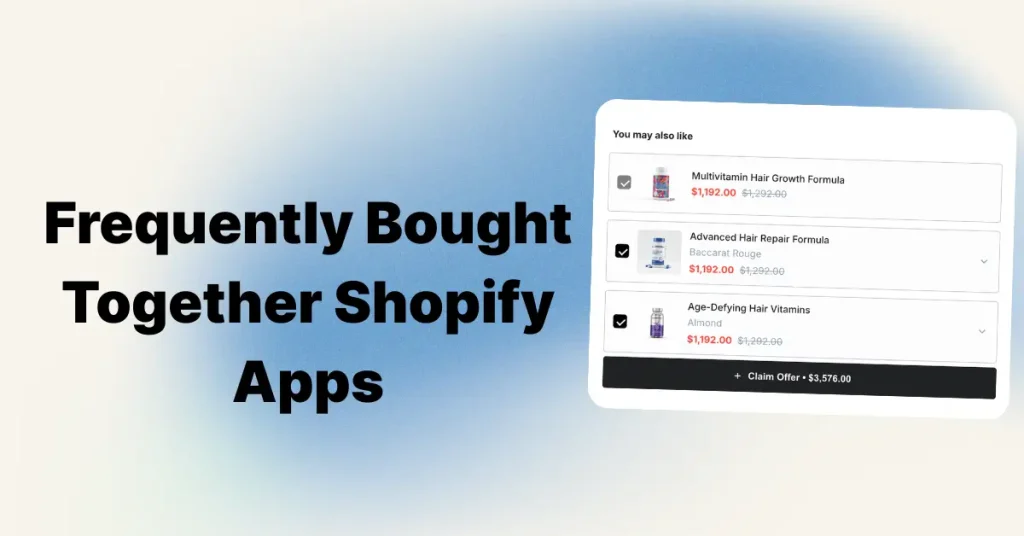
How We Checked These Apps
We didn't copy ratings from other lists, and we didn't make up test results. Here is what we actually did:
- Live listing check (September 17, 2026): we opened every app's Shopify App Store page and recorded its star rating, review count and posted pricing plans. The numbers below come from those pages, not from the vendors' marketing sites.
- Only verified apps: we added Rapi Bundles, Fast Bundle, Addly and IC Frequently Bought Together this month because several other ranking guides name them, and only after confirming their live listing, pricing and install page. Apps whose listings we couldn't confirm were left out.
- Pricing modeled at real volumes: FBT apps charge in three different ways (by store orders, by app-generated revenue, or a flat fee). We show what each one costs at around 300 orders a month, because that is where most growing stores sit.
- Built for Shopify badge: we recorded whether the badge appears in the header of each listing (not in the "more apps like this" cards lower on the page). Eight of the 15 apps carry it.
- Features checked against the listing: where the app says it shows offers (product page, cart, checkout, post-purchase) comes from its own App Store page.
Ratings and prices change often in this category. Check the listing before you install.
What a Frequently Bought Together App Does
A Frequently Bought Together (FBT) app shows two or three products that go with the one a shopper is looking at. Usually there's a small bundle discount and one "Add all to cart" button. Amazon made the format famous, and most Shopify apps copy its layout.
Apps pick the pairings in one of two ways:
- Manual: you choose which products go together. This gives you full control and works well for small catalogs.
- AI / automatic: the app finds pairings in your order history. This saves time on large catalogs but needs enough orders to learn from.
Most good apps do both. If you're deciding between them, see Manual vs AI Frequently Bought Together. If you're unsure whether you need FBT, cross-sells or related products, see FBT vs Cross-Sell vs Related Products.
Does Shopify have Frequently Bought Together built in?
Only partly. Shopify's free Search & Discovery app lets you set "complementary products" for each product, and many Online Store 2.0 themes can show them on the product page. But it doesn't offer a bundle discount, a one-click "add all" button, or any analytics. It's fine for a very small store. Once you want to raise average order value, you'll need an app.
Quick Comparison: 15 FBT Apps Side by Side
| App | Rating (reviews) | Built for Shopify | Free plan | Paid from | How you're billed | ~Cost at 300 orders/mo | Best for |
|---|---|---|---|---|---|---|---|
| Oxify Cart Drawer & Upsell (our app) | 4.9 (40) | Yes | No (14-day trial) | $9.99/mo | Store orders | $29.99 | FBT + cart drawer + free gifts + post-purchase in one app |
| Frequently Bought Together CBB | 4.9 (1,200) | Yes | Yes (3 manual bundles) | $14.99/mo | Store orders | $19.99 | Best dedicated FBT widget |
| Selleasy | 4.9 (2,700) | Yes | Yes (≤50 orders) | $9/mo | Store orders | $9 | Best free plan, many placements |
| Wiser | 4.9 (558) | No | Yes (≤50 orders) | $9/mo | Store orders | $19 | AI recommendations on every page |
| Essential Upsell & Cross Sell | 5.0 (2,385) | Yes | Yes (≤$100 app revenue) | $9.99/mo | App-generated revenue | $9.99–$39.99 | Beginners, pay as it earns |
| Rapi Bundles | 5.0 (1,538) | Yes | Yes (≤$100 app revenue) | $15/mo | App-generated revenue | $0–$59 | Bundles, quantity breaks and A/B tests |
| Fast Bundle (FBP) | 5.0 (3,425) | No | Dev stores only | $19/mo | Bundle sales | $19–$139 | Mix-and-match bundles plus AI FBT |
| Zoorix | 4.9 (391) | No | Yes | $7.99/mo | App-generated revenue | $7.99–$29.99+ | Bundles + FBT on a budget |
| Addly | 4.9 (110) | Yes | Yes (≤$500 app revenue) | $9.99/mo | App-generated revenue | $0–$24.99+ | AI offers with a generous free tier |
| UFE Cross Sell & Upsell Bundle | 4.8 (499) | No | Yes (≤50 orders) | $9.99/mo + usage | Usage-based | Varies | Funnels and A/B testing |
| Upsell.com (ReConvert) | 4.8 (3,102) | No | Yes (≤50 orders) | $9.99/mo | Orders or upsell revenue | From $9.99 | Post-purchase and thank-you page |
| FoxKit | 4.9 (376) | Yes | Yes (limited) | $19/mo | Pop-up impressions | $19 | FBT plus other sales tools |
| LimeSpot | 4.6 (507) | No | Yes (≤10 orders) | $9.99/mo | Orders (Turbo) / revenue (Max) | $19.99+ | Personalization for larger catalogs |
| Vitals | 4.9 (2,954) | Yes | No | $29.99/mo | Flat plan + usage | $29.99+ | 40+ tools in one app |
| IC Frequently Bought Together (Push to buy more) | 5.0 (12) | No | Dev stores only | $4.99/mo | Store orders | $5.99 | Cheapest paid FBT widget |
Ratings, review counts and plans taken from each app's live Shopify App Store listing on September 17, 2026. "Cost at 300 orders" uses the posted tier for that order count. "Built for Shopify" means the badge appears in the listing header. For revenue-based apps, the price depends on how much the app sells for you.
The 15 Best Frequently Bought Together Shopify Apps, Reviewed
1. Oxify Cart Drawer & Upsell: Best for FBT Plus Cart Drawer, Free Gifts and Post-Purchase in One App
Oxify is our app. We built it, so weigh that when you read this entry.
Rating 4.9 (40 reviews) · Built for Shopify: Yes · From $9.99/mo · Trial 14 days · View on Shopify App Store
Why it's first: most stores that add an FBT widget soon want a cart drawer, a free-gift offer and a post-purchase upsell too, and end up running three or four apps. Oxify's listing puts all of that in one plan: a slide cart drawer with an upsell and cross-sell module that includes FBT, add-ons like shipping protection, free gifts in the cart with automatic discount codes, a multi-step rewards progress bar, in-cart subscription upgrades, and post-purchase and thank-you page upsells.
Pros
- One app and one bill instead of separate FBT, cart drawer, free-gift and post-purchase apps.
- Every plan includes every module; tiers only change with order volume, and there's no revenue share.
- Built for Shopify badge and a 4.9 rating.
Cons
- Far fewer reviews (40) than Code Black Belt or Selleasy, so there's less public feedback to judge it by.
- No free plan, only a 14-day trial.
- Order-based tiers mean you pay for store volume even in a month when upsells sell little.
- Pricing (by monthly store orders): $9.99 (0–100), $19.99 (101–200), $29.99 (201–500), $49.99 (501–1,000), then $79.99, $99.99 and $149.99 for higher volumes, plus a $299 Enterprise plan.
- What one store saw: one merchant's dashboard in April 2026 showed $3,107 in upsell revenue over 30 days across 8 active offers, with $672 coming from the FBT widget. That's one store, not an average, so treat it as an example rather than a promise.
- Good for: stores that would otherwise install separate apps for FBT, a cart drawer, free gifts and post-purchase upsells.
- Not for: stores that only want a product-page FBT box. A free or dedicated app (Code Black Belt, Selleasy, FT) is simpler for that.
For details on the feature itself, see Oxify's Frequently Bought Together page.
2. Frequently Bought Together CBB (Code Black Belt): Best Dedicated FBT Widget
Rating 4.9 (1,200 reviews) · Built for Shopify: Yes · From $14.99/mo (free Starter) · Trial 14 days · View on Shopify App Store
This is the app most people mean when they search for "frequently bought together Shopify", and it's the one we'd pick if the Amazon-style product-page widget is all you need. It uses AI recommendations, manual rules or global presets to choose the pairings, and lets you add bundle discounts to the offer.
Pros
- Focused on one job and has done it for years, with 1,200 reviews at 4.9.
- AI, manual and preset pairing options in the same app.
Cons
- The free Starter plan allows only 3 manual bundles, so it's a trial run rather than a real free tier.
- No cart drawer, free-gift or post-purchase features; you'd need a second app for those.
- Pricing (from the listing): Starter is free. Professional I costs $14.99/mo for up to 50 orders, Professional II $19.99/mo for up to 500, and Professional III $39.99/mo for 500+.
- Good for: stores that want the classic FBT box and nothing else, especially catalogs big enough for automatic recommendations to be useful.
3. Selleasy by Logbase: Best Free Plan
Rating 4.9 (2,700 reviews) · Built for Shopify: Yes · From $9/mo (free up to 50 orders) · Trial 30 days · View on Shopify App Store
Selleasy has one of the most usable free tiers in this category. It reaches product page bundles and add-ons, cart upsells, and checkout and post-purchase offers.
Pros
- Free up to 50 orders a month, with most placements included.
- Low paid tiers ($9 up to 500 orders).
Cons
- Tiers count your total store orders, not just orders the app influenced.
- No slide cart drawer of its own.
- Pricing: free up to 50 orders/mo, $9 up to 500, $19 up to 1,000, and $29 above that.
- Good for: new stores and budget-conscious growing stores that want FBT plus a few other upsell spots.
- Not for: merchants who want to pay only for results.
4. Wiser: Best for AI Recommendations Across the Store
Rating 4.9 (558 reviews) · Built for Shopify: No · From $9/mo (free up to 50 orders) · Trial: not listed · View on Shopify App Store
Wiser goes beyond the product page. It shows AI recommendations like FBT, "you may also like", recently viewed and shop-the-look across your whole store, including the cart and post-purchase.
Pros
- AI widgets beyond FBT: "you may also like", recently viewed, shop-the-look.
- Works across product, cart and post-purchase pages.
Cons
- No Built for Shopify badge.
- Only four tiers are posted, topping out at 500 orders; ask for pricing above that.
- Pricing: free for 0–50 orders, Basic $9 (51–100), Growth $19 (101–300), Premium $49 (301–500). Those are the four plans shown on the listing; if you do more than 500 orders a month, ask Wiser for pricing before you install.
- Good for: stores with a mid-size or large catalog that want automatic recommendation widgets on many pages.
- Not for: stores that want a simple manual bundle. The tiers also climb quickly once you pass 300 orders.
5. Essential Upsell & Cross Sell: Best Pay-As-It-Earns Option for Beginners
Rating 5.0 (2,385 reviews) · Built for Shopify: Yes · From $9.99/mo (free up to $100 app revenue) · Trial: not listed · View on Shopify App Store
Essential puts FBT, related products and add-ons on the product page and in the cart. Setup is guided, and the review count is one of the highest in the category.
Pros
- Guided setup and one of the highest review counts in the category.
- The bill grows only when the app is actually selling.
Cons
- Cart page offers start on the $19.99 plan.
- Busy stores end up on the $39.99 plan either way.
- Pricing (by revenue the app generates): free up to $100 in extra revenue, Starter $9.99 up to $500, Essential $19.99 up to $1,000, and Professional $39.99 with no limit. Note that cart page offers are only included from the $19.99 Essential plan up; the Free and Starter plans cover product page and post-purchase offers.
- Good for: first-time FBT users who want the bill to grow only when the widget is actually selling.
- Not for: high-volume stores; compare it with order-based apps once the widget earns well.
6. Rapi Bundles: Best for Bundles, Quantity Breaks and A/B Tests
Rating 5.0 (1,538 reviews) · Built for Shopify: Yes · From $15/mo (free up to $100 app revenue) · Trial 7 days · View on Shopify App Store
Rapi (listed as "Rapid Bundles & Upsell") is a bundle app first: combo and mix-and-match bundles, volume discounts, BOGO, build-your-own box, subscription bundles and FBT, with A/B testing on the free plan.
Pros
- Perfect 5.0 rating from over 1,500 reviews.
- A/B testing and unlimited bundles even on the free plan.
- Works with page builders and cart drawers, per the listing.
Cons
- FBT is one feature among many bundle types, not the focus.
- Revenue-based tiers: $15 up to $1,000/mo in extra revenue, $29 up to $10,000, $59 unlimited.
- Good for: stores that want quantity breaks and bundle offers as well as FBT, and want to test them.
- Not for: stores that only need a simple FBT box.
7. Fast Bundle (FBP): Best for Mix-and-Match Bundles Plus AI FBT
Rating 5.0 (3,425 reviews) · Built for Shopify: No · From $19/mo (free on development stores only) · Trial 7 days · View on Shopify App Store
Fast Bundle builds fixed bundles, mix-and-match, BOGO / Buy X Get Y, volume discounts, product add-ons and AI-powered frequently bought together offers, with a bundle builder page.
Pros
- One of the largest review bases in this guide (3,425 at 5.0).
- AI FBT and an AI bundle image generator on paid plans.
- Lists Shopify POS support.
Cons
- No free plan for live stores.
- Priced by monthly bundle sales, so costs climb fast: $19 up to $1,000, $49 up to $3,000, $139 up to $10,000.
- No Built for Shopify badge.
- Good for: stores that sell kits and bundles as a core part of the catalog.
- Not for: budget stores that want a free FBT widget.
8. Zoorix: Best Budget Bundles + FBT
Rating 4.9 (391 reviews) · Built for Shopify: No · From $7.99/mo (Forever Free plan) · Trial 30 days · View on Shopify App Store
Zoorix combines cross-sell bundles, mix-and-match, volume discounts and a cart drawer. Its free plan is labeled "all features included".
Pros
- Free plan labeled "all features included".
- FBT, mix-and-match, volume discounts and a cart drawer in one app.
Cons
- No Built for Shopify badge.
- Revenue-based tiers rise as the bundles sell.
- Pricing (by revenue Zoorix generates): Basic $7.99 ($100–$200), Growth $14.99 ($200–$400), Premium $29.99 ($400–$800), and higher tiers beyond that. Paid plans come with a 30-day trial.
- Good for: small stores that want FBT plus other bundle types and pay only when those bundles sell.
- Not for: stores that want a well-known pure-FBT algorithm or deep analytics.
9. Addly: Best Generous Free Tier for AI Offers
Rating 4.9 (110 reviews) · Built for Shopify: Yes · From $9.99/mo (free up to $500 app revenue) · Trial: not listed · View on Shopify App Store
Addly adds FBT bundles, AI upsell offers, cross-sells, quantity breaks, volume discounts, product add-ons and mix-and-match, with Markets / localization support on every plan.
Pros
- Free until Addly generates $500 a month, one of the highest free thresholds here.
- Every plan unlocks every feature; tiers only change the revenue cap.
Cons
- Smaller review base (110) than the older apps.
- Revenue-based tiers ($9.99 to $1,000, $13.99 to $2,500, $24.99 to $5,000) rise as it sells.
- Good for: small and mid-size stores that want AI offers without paying until they work.
- Not for: stores that want a flat, predictable bill.
10. UFE Cross Sell & Upsell Bundle: Best for Funnels and A/B Tests
Rating 4.8 (499 reviews) · Built for Shopify: No · From $9.99/mo + usage (free up to 50 orders) · Trial 7 days · View on Shopify App Store
UFE (Upsell Funnel Engine) builds upsell funnels that can show FBT, bundles, volume discounts, cart offers and post-purchase offers, with A/B testing. The listing describes the app as lightweight.
Pros
- Multi-step funnels with A/B testing.
- Covers product page, cart and post-purchase.
Cons
- Usage-based billing makes the monthly cost harder to predict.
- No Built for Shopify badge.
- Pricing: the free plan covers up to 50 store orders a month. Pay Per Use is $9.99/mo plus usage-based billing, with a 7-day trial. Unlimited is $299/mo.
- Good for: merchants who like to test offer against offer and build multi-step funnels.
- Not for: anyone who wants a predictable monthly bill. Read the usage terms before you scale.
11. Upsell.com (formerly ReConvert): Best if Post-Purchase Is the Priority
Rating 4.8 (3,102 reviews) · Built for Shopify: No · From $9.99/mo (free up to 50 orders) · Trial 14 days · View on Shopify App Store
ReConvert is known for thank-you page and post-purchase upsells, and now also includes cart upsells and cross-sells. It isn't a product-page FBT specialist, but if you mostly want to sell after checkout, it's the most-reviewed option here.
Pros
- The most-reviewed app on this list.
- Strong thank-you page and post-purchase builder.
Cons
- Not a product-page FBT specialist.
- Upper tiers jump to $199 and $499 a month.
- Pricing: free up to 50 orders or $50 in upsell revenue. Growth starts at $9.99/mo and covers up to 2,000 monthly store orders or upsell revenue, whichever is higher, with the fee scaling inside that range. Scale is $199/mo (up to 10,000) and Elite $499/mo (up to 20,000). Paid plans have a 14-day trial.
- Good for: stores that care most about post-purchase and thank-you page offers.
- Not for: stores that only want an FBT box on the product page. For a full comparison, see our post-purchase upsell apps guide.
12. FoxKit by FoxEcom: Best FBT Inside a Broader Sales Toolkit
Rating 4.9 (376 reviews) · Built for Shopify: Yes · From $19/mo (limited free plan) · Trial 14 days · View on Shopify App Store
FoxKit bundles FBT and upsells with pop-ups, back-in-stock alerts and other conversion tools. It comes from FoxEcom, the team behind several Shopify themes.
Pros
- FBT sits next to pop-ups, back-in-stock alerts and other sales tools.
- Built by a Shopify theme team.
Cons
- Paid plans are priced by pop-up impressions, not FBT results.
- The free plan is limited.
- Pricing: the free plan has limited features. Starter is $19/mo ($182.40/yr) with 3,000 pop-up impressions, and Growth is $49/mo with 100,000. Paid plans include a 14-day trial.
- Good for: stores that also want pop-ups and restock alerts and would rather not add separate apps for them.
- Not for: stores that want a free, full-featured FBT widget.
13. LimeSpot AI Bundles & Upsells: Best for Personalization at Scale
Rating 4.6 (507 reviews) · Built for Shopify: No · From $9.99/mo (free up to 10 orders) · Trial: not listed · View on Shopify App Store
LimeSpot focuses on personalized recommendations and bundles across the storefront and checkout. It's the lowest-rated app on this list, but it's still a well-known choice for larger catalogs.
Pros
- Personalization across the storefront and checkout.
- Two billing models (orders or revenue) to choose from.
Cons
- Lowest rating on this list.
- Turbo plan is not compatible with Shopify Plus, per the listing.
- Pricing: Turbo is free for up to 10 orders. Paid Turbo starts at $9.99 and rises with order count (the listing gives up to 250 orders = $19.99 as an example). Max starts at $50/mo and rises with store revenue. The listing says Turbo is not compatible with Shopify Plus.
- Good for: established stores that want personalization, not just FBT.
- Not for: new stores. The free plan's 10-order cap runs out almost immediately.
14. Vitals: Best if You Want 40+ Tools in One Subscription
Rating 4.9 (2,954 reviews) · Built for Shopify: Yes · From $29.99/mo · Trial 7 days · View on Shopify App Store
Vitals combines reviews, bundles, FBT-style upsells and dozens of other storefront tools in one plan. The FBT widget isn't its strongest feature, but it can replace a whole stack of small apps.
Pros
- 40+ tools can replace a stack of small apps.
- Large review base.
Cons
- No free plan, and usage fees start after about $1,000/mo in attributed sales.
- FBT logic is basic compared with dedicated apps.
- Pricing: one All-in-One plan at $29.99/mo with a 7-day trial. The listing says usage fees (from $10/mo) start after roughly $1,000/mo in Vitals-attributed sales, and for visitor-recording volume.
- Good for: stores that want to replace several small apps and don't need advanced FBT logic.
- Not for: stores that only want FBT, or stores worried about page speed from turning on many modules at once.
15. IC Frequently Bought Together (Push to buy more): Cheapest Paid FBT Widget
Rating 5.0 (12 reviews) · Built for Shopify: No · From $4.99/mo (free on development stores only) · Trial 15 days · View on Shopify App Store
ITcoders' FBT app, now listed as "Push to buy more", shows an Amazon-style bundle on the product page with manual or automatic pairings and four discount types.
Pros
- Very low flat prices: $4.99 up to 100 orders, $5.99 up to 5,000, $6.99 above.
- Manual and automatic pairings plus multi-currency support.
Cons
- Only 12 reviews, so there is little public feedback.
- No free plan for live stores and no Built for Shopify badge.
- Good for: stores that want a basic FBT box at the lowest paid price.
- Not for: stores that want cart, post-purchase or analytics features.
Two more apps worth a look
Two apps that other roundups often include didn't make our main list, but we checked their listings on the same day:
- FT Frequently Bought Together (Fether): 4.6 ★ from 365 reviews, Built for Shopify, and listed as free with no paid plan. If you want a completely free FBT widget and can live with a lower rating, this is the one to try first.
- K: Cross Sell + Related Products: 4.8 ★ from 90 reviews, free only on development stores, then a single Unlimited plan at $18/mo. It's a simple, flat-fee option if you dislike order- or revenue-based tiers.
Free vs Freemium: Which Apps Are Actually Free?
"Free" means different things on these listings. Only one app is free with no paid plan at all; the rest are free until you hit an order or revenue limit.
| Plan type | Apps | Free limit (from the listing) |
|---|---|---|
| Fully free (no paid plan) | FT Frequently Bought Together | No limit posted; free is the only plan |
| Free tier, capped by store orders | Selleasy, Wiser, UFE, Upsell.com (ReConvert) | Up to 50 orders/mo (ReConvert: or $50 upsell revenue) |
| Free tier, capped by store orders | LimeSpot | Up to 10 orders/mo |
| Free tier, capped by app revenue | Essential, Rapi Bundles | Up to $100/mo generated by the app |
| Free tier, capped by app revenue | Addly | Up to $500/mo generated by the app |
| Free tier, capped by app revenue | Zoorix | "Forever Free" until paid tiers start at $100 in generated revenue |
| Free tier, capped by features | Code Black Belt, FoxKit | CBB: 3 manual bundles; FoxKit: limited features |
| Free on development stores only | Fast Bundle, IC (Push to buy more), K: Cross Sell | Not free on a live store |
| Trial only | Oxify, Vitals | 14-day and 7-day trials |
How to Choose: Three Questions
1. How many orders do you get a month?
- Under 50: use a free plan: Selleasy, Wiser, UFE or ReConvert (each up to 50 orders), Essential and Rapi (free up to $100 in app revenue), Addly (up to $500), Zoorix, or the fully free FT.
- 50–500: order-based apps are cheapest here. That means Oxify ($9.99–$29.99, which also replaces your cart drawer, free-gift and post-purchase apps), Selleasy ($9), Code Black Belt ($14.99–$19.99), Wiser ($9–$49) or IC ($4.99–$5.99).
- 500+: work out the real price. At this volume, revenue-based apps usually sit on their top tier, and order-based apps move up too.
2. Where should the offer appear?
| Placement you need | Apps that cover it |
|---|---|
| Product page FBT box only | Code Black Belt, IC (Push to buy more), FT, Essential, Zoorix |
| Product page + cart drawer | Oxify, Selleasy, Essential, Zoorix, Wiser |
| Bundles, mix-and-match and quantity breaks | Rapi Bundles, Fast Bundle, Addly, Zoorix, Oxify |
| Post-purchase / thank-you page | Oxify, Upsell.com (ReConvert), Selleasy, Wiser, UFE, Rapi |
| Recommendations across the whole store | Wiser, LimeSpot, Vitals |
3. How do you want to be billed?
- By store orders (Oxify, Code Black Belt, Selleasy, Wiser, IC): easy to predict, but you pay for orders the widget didn't influence.
- By app-generated revenue (Essential, Rapi, Addly, Zoorix, Fast Bundle, part of ReConvert): the bill follows results, but it rises as the widget works.
- Flat or usage-based (Vitals, FoxKit, UFE): check what counts as usage, such as impressions or upsell revenue.
How to Add Frequently Bought Together on Shopify
Without an app (free)
- Install Shopify's free Search & Discovery app.
- Go to Product recommendations, pick a product, and add its complementary products.
- In Online Store → Themes → Customize, add the "Complementary products" block to your product template. Most Online Store 2.0 themes include it.
This shows the products, but there's no bundle discount and no one-click "add all" button.
With an app
- Install the app from the Shopify App Store.
- Turn on its app embed or block in Online Store → Themes → Customize.
- Set up pairings manually for your top 10 bestsellers, or turn on automatic recommendations and review them after a couple of weeks.
- Add a small bundle discount (5–10% is a common starting point) and pre-check the add-on items.
- Test on mobile, then check the app's analytics after 30 days.
For benchmarks and ways to improve results, see Frequently Bought Together conversion rate benchmarks. For product-pairing ideas in one vertical, see FBT for beauty products.
What to Measure After Installing
Give any FBT app about 30 days, then check four numbers. Compare them with the same period before you installed, and look at them per placement (product page, cart, thank-you page).
- Widget click-through: the share of shoppers who see the FBT block and interact with it (click a product or the add-all button). Low click-through usually means weak pairings or a block placed too far down the page.
- FBT take-rate: the share of shoppers who see the offer and add at least one suggested item. BOGOS's FBT guide reports about 1–4% on the product page and in the cart, and commonly 4–10% or more on the thank-you page, while noting that figures vary by store and by how a conversion is defined.
- AOV change: average order value before and after install, ideally for the products that show the widget. Watch that bundle discounts aren't cutting margin more than AOV rises.
- Attributed revenue: the revenue the app says it generated. Each app attributes sales its own way, so treat it as a directional number and sanity-check it against your Shopify sales reports. On revenue-based plans, it's also what sets your bill.
Mistakes to Avoid
- Running two recommendation apps at once. You'll get duplicate widgets, conflicting discounts and a slower page. Pick one.
- Random pairings. Pair products that complete each other, like a camera with a memory card, not just two bestsellers.
- Pairing expensive add-ons with a cheap main item. Keep the extras close to or below the main product's price.
- Setting it and forgetting it. Every month, drop pairings nobody adds and keep the ones that sell.
For more ways to raise order value, see Shopify upselling strategies. For apps built for bundles specifically, see our best Shopify bundle apps roundup. For cart and product-page cross-sell tools, see best Shopify cross-sell apps.
Frequently Asked Questions
What is the best Frequently Bought Together app for Shopify?
Is there a free Frequently Bought Together app for Shopify?
Does Shopify have a Frequently Bought Together feature?
How much does a Frequently Bought Together app cost?
Which Frequently Bought Together apps are Built for Shopify?
Will an FBT app slow down my store, and can I run two?
Should I use AI or manual FBT recommendations?
Bottom Line
Our overall pick is Oxify if you want one app for FBT and the rest of your cart and post-purchase upsells. Beyond that, most stores don't need anything fancy. Pick the app that matches where you want the offer shown and how you want to be billed, pair products that actually go together, add a small bundle discount, and review the results every month.
- Only want the classic FBT box: Frequently Bought Together CBB.
- Want it free: FT (fully free) or Selleasy (free up to 50 orders), or Essential, Rapi or Addly if you'd rather pay only for results.
- Want bundles and quantity breaks too: Rapi Bundles or Fast Bundle.
- Want FBT plus a cart drawer, free gifts and post-purchase upsells in one app: try Oxify free for 14 days (from $9.99/mo, no revenue share).