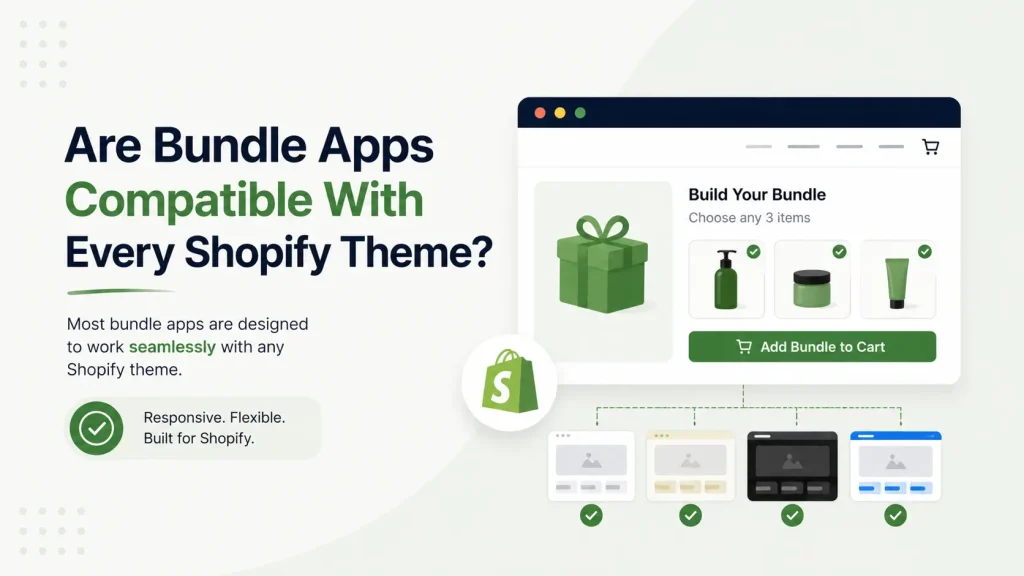
Yes — most modern Shopify bundle apps are compatible with every Online Store 2.0 theme, because they install through theme app blocks instead of editing your theme code. Older bundle apps that inject code can clash with custom themes. So compatibility depends on how the app is built, not which theme you use.
Short answer: most modern bundle apps work with every Shopify theme — but not for the reason you think.
It’s not really about your theme. It’s about how the bundle app is built. An app made the modern way (with theme app blocks) drops into any current theme with no code. An app made the old way can fight your theme, break your cart, or leave junk code behind.
That one difference decides everything — whether the app installs in 2 minutes or causes a week of headaches.
This guide explains it in plain words. You’ll learn the two kinds of bundle apps, the real risk zones (checkout, page builders, other apps), a 2-minute test, and Shopify’s own rules that no bundle app can break. Let’s clear it up.
Quick Answer For Skim Readers
- Modern bundle apps built with theme app blocks work on every Online Store 2.0 theme — Dawn, Sense, Craft, Refresh, and most paid themes.
- Old code-injection apps can clash with custom themes and leave leftover code.
- The biggest real risks aren’t the theme — they’re the checkout page, page builders (PageFly, GemPages), and other installed apps.
- About 78% of Shopify stores already run an OS 2.0 theme, and 92% of apps built since 2023 support app blocks — so most merchants are fine.
- Shopify’s own rule: bundles can’t be sold as subscriptions, and Shopify Scripts don’t apply to bundle items. No app overrides this.
- Always test on a duplicate theme first. It takes 2 minutes.
Why “Works With All Themes” Is a Half-Truth
Open any bundle app page and you’ll see “compatible with all themes.” It sounds reassuring. It’s also not the full story.
Here’s what blog posts skip: a theme and a bundle app talk to each other in one of two “languages.” The language matters far more than the theme.
Think of a phone charger:
- A USB-C charger fits every new phone. Plug in, done.
- An old proprietary cable fits one model. Force it elsewhere and something snaps.
Bundle apps work the same way. The build method is the charger. Your theme is the phone. Get the charger right and the theme barely matters.
The Two Ways Bundle Apps Connect To Themes
This is the core idea. Understand this and every “compatibility” claim makes sense.
Method 1: Theme App Blocks (modern + safe)
In 2021, Shopify launched Online Store 2.0 (OS 2.0) and changed how apps connect to themes. Apps built this way use app blocks and app embeds — small, self-contained pieces you add through the theme editor by dragging and dropping.
Why it’s good for you:
- No code. You never open a Liquid file.
- No theme conflicts. The app doesn’t rewrite your theme files.
- Clean uninstall. Remove the app and its code leaves with it — no “ghost code.”
- Survives theme updates. Since the app doesn’t live inside theme code, updating Dawn won’t break it.
Shopify’s own developer documentation confirms this: app blocks automatically work for all Online Store 2.0 compatible themes, and developers can build components that merchants add, remove, and configure through the theme editor without touching theme code — which also means uninstalls are cleaner because ghost code is removed automatically.
Method 2: Code Injection (old + risky)
Older apps use the Asset API or ScriptTag. In plain words: the app reaches into your theme files and pastes its own code inside.
Why this causes trouble:
- The app has to guess where to put code — and every theme is built differently.
- It can break your layout or slow your store.
- After uninstall, the leftover code often stays behind.
Shopify itself pushed back on this. It emailed apps still using the old method, telling them to update so the app would be compatible with both legacy and Online Store 2.0 themes, including Dawn.
So if an app says “works with all themes” but uses code injection — that’s the one to watch.
What Is an OS 2.0 Theme? (And Do You Have One?)
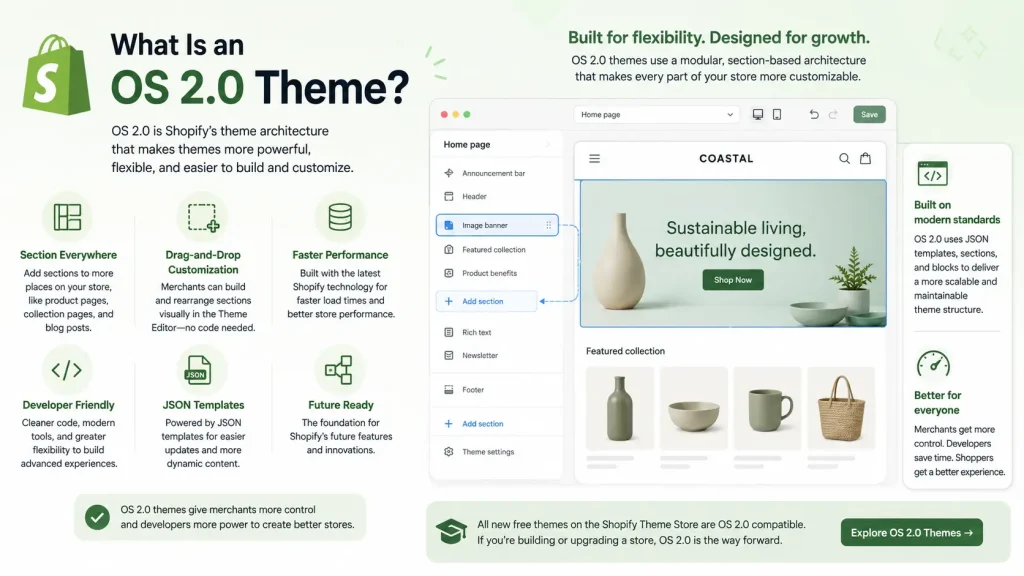
OS 2.0 is just the modern version of Shopify themes. If your store is fairly new, you almost certainly have one.
OS 2.0 themes have three big features:
- JSON templates — page layouts you can rearrange visually.
- Sections everywhere — drag-and-drop sections on every page, not just the homepage.
- App blocks — apps that install through the editor with zero code.
Adoption is high. One 2026 industry guide reports that 78% of active Shopify stores use OS 2.0 themes, every new store starts with one, and 92% of apps published since 2023 support app blocks.
Free OS 2.0 themes include Dawn, Sense, Craft, Studio, and Horizon. Dawn is the most popular — it powers over 268,000 active stores as of early 2026.
The 30-Second Theme Check
Not sure which theme type you have? Here’s the fastest test, straight from Shopify’s Help Center:
- Go to Online Store → Themes.
- Click Customize (or Edit theme).
- Select Products → Default product.
- Look in the sidebar for an “Add section” button.
If your theme supports sections on every page, the “Add section” button appears below the section list. If it doesn’t appear, you may have an older vintage theme.
See the button? You’re on OS 2.0 — ready for any modern bundle app.
The 3 Real Compatibility Risk Zones (Not Your Theme)
Here’s where most articles stop short. Your theme architecture is rarely the problem. These three things are. Check them and you’ve covered 95% of real-world bundle issues.
Risk Zone 1: The Checkout Page
This is the #1 silent failure. A bundle can look perfect on the product page and still break at checkout.
Shopify limits how much the checkout can be customized, so weaker bundle apps can show:
- Bundled items listed as separate products
- Wrong prices or missing discounts
- Upsell pop-ups that don’t fire
Fix: After install, run a full test purchase — desktop and mobile — and confirm the bundle and its discount show correctly all the way through checkout.
Risk Zone 2: Page Builders
If you use PageFly, GemPages, Shogun, or another page builder, your product page isn’t a standard theme template anymore — the builder controls it.
That means a bundle widget may not appear where you expect, or the “Add to Cart” button may not behave normally. This isn’t a theme fault and isn’t an app fault — it’s two tools controlling the same page.
Fix: Most page builders have a dedicated app-block or element slot. Place the bundle block inside the builder, not the theme editor. If unsure, ask the bundle app’s support team directly.
Risk Zone 3: Other Apps (App Conflicts)
Bundle apps change pricing, discounts, and how products show in the cart. So do discount apps, subscription apps, and upsell apps. When two apps touch the same thing, you can get:
- Discounts stacking wrong
- Bundles not applying
- Pages slowing down from overlapping scripts
Fix: Before installing, read the app’s listing for compatibility notes, check recent reviews for conflict complaints, and message support with the names of your other apps. Good developers answer clearly.
Shopify’s Own Rules No Bundle App Can Break
This is the most authoritative part — and almost no competitor article mentions it. These limits come straight from Shopify’s developer documentation. They apply to every bundle app:
- Bundles can’t be sold as subscriptions. Bundles can’t use selling plans — that includes subscriptions, pre-orders, and try-before-you-buy. If you need a “subscribe to a bundle” offer, that’s a Shopify-level limit, not an app weakness.
- Shopify Scripts don’t apply to bundle items. Line-item Scripts are ignored on bundle lines.
- Scripts are ending anyway. Shopify Scripts will be removed on June 30, 2026, and editing or publishing new Scripts stops on April 15, 2026. Stores using Scripts for bundle discounts should move to Shopify Functions or a Functions-based app before then.
Knowing these saves you from blaming an app for limits Shopify built into the platform.
Bundle App Compatibility Checklist (Before You Install)
Run through this quick checklist before you install any bundle app. If an app passes all six, theme compatibility won’t be a problem.
| What to check | Why it matters | Good sign |
|---|---|---|
| Built with theme app blocks | Installs with no code, survives theme updates | Listing says “works with Online Store 2.0 / theme app extensions” |
| Updated in the last 12 months | Old apps may still use code injection | Recent “last updated” date on the App Store listing |
| Checkout tested | Bundles can break between cart and checkout | Reviews mention smooth checkout; app shows bundle pricing correctly |
| Page builder support | PageFly / GemPages control the product page | Listing or support confirms page-builder compatibility |
| No conflict complaints | Discount and subscription apps can clash | Recent reviews don’t mention broken discounts |
| Responsive support | You’ll want help if styling looks off | Live chat or fast email support, replies to negative reviews |
Don’t trust marketing. Trust a 5-minute test. This is the framework experienced merchants use.
Step 1 — Duplicate your theme. Online Store → Themes → click the ⋯ menu → Duplicate. You now have a safe copy. Always test apps and updates on a duplicate before going live.
Step 2 — Install the bundle app on the copy. Use the duplicate, never your live theme.
Step 3 — Add the bundle block. Open the theme editor and drag the bundle block onto a product page. If it shows under the Apps list, that’s a good sign.
Step 4 — Check it on mobile. Most shoppers buy on phones. Preview on a real device, not just the desktop preview.
Step 5 — Run a full test purchase. Add a bundle to cart, go through checkout, and confirm prices and discounts are correct end to end.
Step 6 — Publish only when happy. If everything looks right, make the copy your live theme.
This answers the only question that matters: does it work with my store, my products, my theme?
Why Modern Bundle Apps Win
When a bundle app is built the OS 2.0 way, you get real, lasting benefits:
- It won’t break on theme updates. Dawn updates often — roughly every two months. App-block apps survive those updates because they don’t live in theme code.
- Faster store. App embeds load scripts only on the pages that need them — not every page.
- Easy app swaps. Switching apps later? The old one uninstalls clean, with no leftover junk.
- You stay in control. Move, restyle, or remove the bundle widget yourself, anytime.
That’s the difference between an app that fits your theme and one that fights it.
Oxify Quantity Breaks — Built To Work With Every Theme
This is exactly where Oxify Quantity Breaks stands out.
Oxify Quantity Breaks is built the modern way, using Shopify’s theme app block system. That means it’s compatible with every Shopify theme — Dawn, Sense, Craft, Refresh, paid themes, and OS 2.0 custom themes alike. No code editing, no theme conflicts, and no messy leftovers if you ever uninstall.
You add your bundles and quantity-break offers straight from the theme editor with drag and drop. The widget looks native on your product page because it follows Shopify’s own block rules instead of forcing code where it doesn’t belong. And because it never touches your theme files, a theme update won’t break your offers.
If you want bundles that simply work — on whatever theme you run today and whatever theme you switch to next — that’s the whole point of how Oxify Quantity Breaks is built.

FAQ
Are Shopify bundle apps compatible with every theme?
Modern bundle apps built with theme app blocks work on every Online Store 2.0 theme. Older code-injection apps are less reliable, especially on heavily customized themes. The build method matters more than the theme.
Are Shopify bundle apps compatible with every theme?
Modern bundle apps built with theme app blocks work on every Online Store 2.0 theme. Older code-injection apps are less reliable, especially on heavily customized themes. The build method matters more than the theme.
Will a bundle app break my theme?
A modern app built with theme app blocks won’t, because it doesn’t rewrite your theme files. Older code-injection apps carry more risk.
Does Oxify Quantity Breaks work with the Dawn theme?
Yes. Dawn is an OS 2.0 theme and Oxify Quantity Breaks uses app blocks, so it installs and runs cleanly on Dawn — and every other OS 2.0 theme.
Do I need a developer to install a bundle app?
No. With a modern, no-code bundle app on an OS 2.0 theme, you install and place everything through the drag-and-drop theme editor.
Will a bundle app work with PageFly or GemPages?
Usually yes, but place the bundle block inside the page builder’s own slot, not the standard theme editor. Check with the app’s support team if unsure.
Can I sell a bundle as a subscription?
No. Shopify doesn’t allow bundles to use selling plans like subscriptions or pre-orders. That’s a platform rule, not an app limitation.
How do I know if my theme is OS 2.0?
Open the theme editor, go to the default product template, and look for an “Add section” button. If it’s there, you’re on OS 2.0.
The Bottom Line
“Are bundle apps compatible with every Shopify theme?” The honest answer:
- Modern bundle apps built with theme app blocks — yes, across every OS 2.0 theme.
- Old code-injection apps — not reliably, especially on custom themes.
- The real risks live in your checkout, page builder, and other apps — not the theme itself.
So the smart move isn’t to worry about your theme. It’s to pick a bundle app built the right way, then run one quick test.
Ready to add bundles that work on any theme? Install Oxify Quantity Breaks and set up your first bundle in minutes — no code, no theme conflicts, no stress.