Quick Summary: The Shopify order status page is the post-checkout page where customers track shipments and revisit their order. Customize it in Settings > Checkout > Customize > Order status using Shopify’s checkout and accounts editor, no code needed. Non-Plus stores must move off the legacy system by August 26, 2026 or Shopify auto-upgrades you and wipes existing customizations. The biggest revenue lever isn’t on the order status page itself, it’s the one-click thank you page upsell, which adds 5 to 15% to AOV.
Most articles still floating on Google reference deprecated “additional scripts” or are Shopify Plus only. This guide is updated for the 2026 checkout extensibility era, works for every Shopify plan (Basic through Plus), and includes the actual revenue math and migration deadlines competitors leave out.
What Is the Shopify Order Status Page?
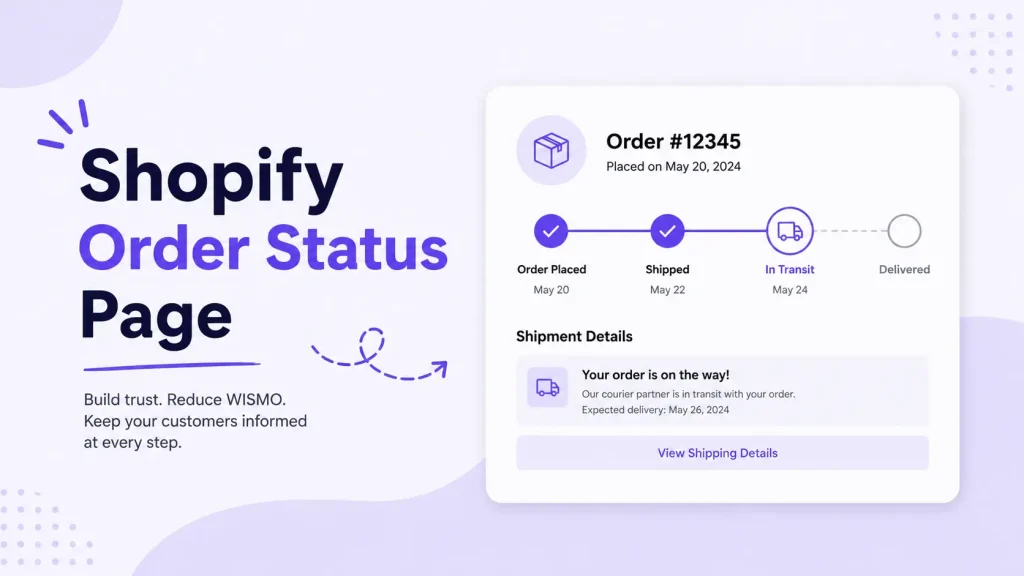
The Shopify order status page is the final page of your store’s checkout where customers can track their orders and view shipping updates. After you add tracking numbers to shipments, customers can return to this page to check the status of their shipment without contacting you directly.
In plain terms: it’s the page customers reach the moment they pay, and the same page they return to when they want to know where their package is.
The page updates in real time as shipment status changes. Possible statuses are: Confirmed, On its way, Out for delivery, Delivered, Attempted delivery.
Key things every Shopify merchant should know:
- It exists by default on every Shopify plan, including Basic
- Each order gets a unique, private URL
- It updates in real time when supported carriers report shipment progress
- Customers can revisit it multiple times during the delivery window
- It is now editable with drag-and-drop blocks (no code) inside the checkout and accounts editor
How Customers Access Your Order Status Page
Customers reach the order status page through four routes:
- Order confirmation email or SMS: Shopify automatically includes a tracking link in the order confirmation notification
- Shop app: Logged-in customers can track all their Shop orders in one place
- Customer account: Anyone with an account sees their order history with direct links
- Order lookup form: Guests can enter their email or phone plus order number to access a limited view
The access window is more restrictive than most merchants realize. Customers can access their order status page from their order confirmation email for 3 weeks without logging in, when using the same browser. When using different browsers, customers can access their order status page for 2 weeks. After that they need to log in, or only limited details show (items, total, status), with personal info hidden.
Order Status Page vs Thank You Page: They’re Now Separate
This trips up most articles still ranking. After Shopify’s 2025 upgrade, the thank you page and order status page are two separate pages with two separate editors.
| Feature | Thank You Page | Order Status Page |
|---|---|---|
| When customer sees it | Immediately after payment | Via confirmation email link or order history |
| Repeat visits | One-time only | Multiple times during delivery |
| Identifier shown | Confirmation number | Order number |
| Best use case | Post-purchase upsell, surveys, account creation | Tracking, support, reorders, loyalty signup |
| Guest access | Same session only | 3 weeks same browser, 2 weeks cross-browser |
Why this matters: customers visit the order status page repeatedly while waiting for delivery. That’s free, recurring impressions on a page that has 100% reach into your paying customer base. Most stores still leave it doing nothing.
The 2026 Deadline Most Stores Are Sleepwalking Into
Shopify is killing the legacy way of customizing these pages. If you ignore this, your tracking pixels, custom scripts, and any old app blocks break.
Hard deadlines:
- Shopify Plus stores: Deadline was August 28, 2025. In January 2026, Shopify will auto-upgrade stores that continue to use the legacy Thank you and Order status pages with 30-day notice by email.
- Non-Plus stores (Basic, Shopify, Advanced): August 26, 2026 is the deadline for stores on a non-Plus Shopify subscription plan to upgrade their existing Thank you and Order status pages.
What breaks if you wait:
- Any code in the legacy “Additional scripts” box stops firing
- Conversion pixels (Meta, Google, TikTok) not migrated to Custom Pixels go dark
- Old app blocks that haven’t been updated by their developers stop loading
- Your customizations get wiped during the auto-migration
How to check your status: Go to Settings > Checkout in admin. If you see a notice that says “Upgrade Thank you and Order status pages,” you’re still on the legacy system. Click it and follow the personalized upgrade guide.
How to Customize the Shopify Order Status Page (Step-by-Step)
Works on every Shopify plan. No code. Around 10 minutes.
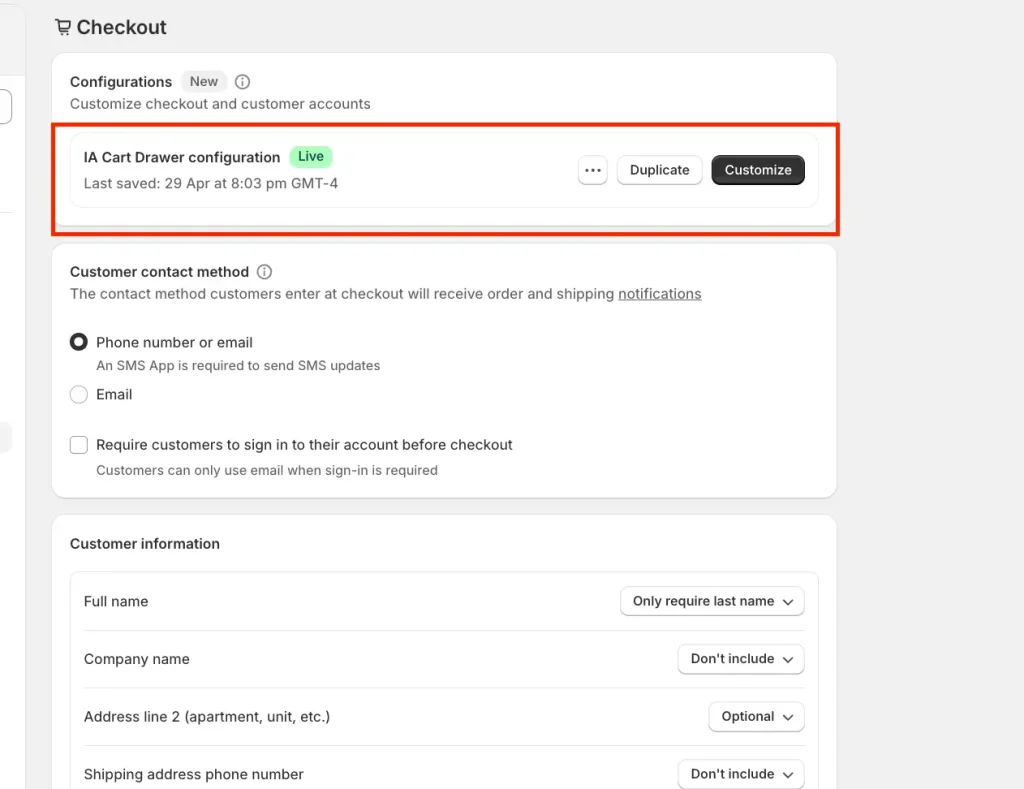
Step 1: Open the Checkout and Accounts Editor
- From your Shopify admin, click Settings (bottom left)
- Click Checkout
- In the Configurations section, find your active checkout and click Customize
Step 2: Switch to the Order Status Page View
At the top of the editor, click the page selector dropdown. By default it’s set to Checkout. Switch it to Order status.
This is the single most common mistake. Merchants edit the Thank you page thinking they’re editing the Order status page. They’re separate. Always confirm the dropdown selection.
Step 3: Set Brand Defaults
In the left sidebar, click the gear icon for Settings, then adjust:
- Logo position and size
- Background color or image
- Accent color (buttons and links)
- Font family
- Corner radius
These choices cascade across Checkout, Thank you, and Order status, so you set them once.
Step 4: Add App Blocks and Content Blocks
Click Add app block or Add block. Two categories show up:
Built-in blocks (no app needed):
- Custom text
- Banner
- Image
- Buttons
- Spacer
App blocks (from any installed app with checkout extensibility):
- Product recommendations
- Upsells and cross-sells
- Order tracking widgets
- Reviews
- Surveys
- Trust badges
- FAQ
- Video
Drag blocks above or below the order summary based on priority. Mobile users see top-of-page blocks first, so put your most important block there.
Step 5: Preview, Test, and Save
Click Save, then test the live page exactly as a customer would:
- Go to your Orders page in admin
- Open any recent order
- Click More actions > View order status page
That URL is the real customer view. You’re redirected to the same order status page that your customer can view. Test on a phone too. Most customers check this page on mobile while waiting at home for their package.
What to Add: The Order Status Page Revenue Stack
Most guides hand you a list of 15 things to add. That’s bad advice. Cluttered pages convert worse than minimal ones. Here’s the priority order I’d actually run:
Tier 1: Trust and clarity (every store)
- Real-time tracking widget with carrier data so customers stop emailing your support inbox
- Estimated delivery date to set expectations
- Customer support link (one button to help center or live chat)
- Order summary with clear “what happens next” text
Tier 2: Engagement (100+ orders/month)
- Account creation prompt for guest checkouts
- Loyalty program signup or points balance display
- Social share buttons (works especially well for gifts)
- One-question survey (“How did you find us?” with 4 to 5 options)
Tier 3: Revenue (any store ready to grow AOV)
- Product recommendation block based on what they bought
- Discount code for the next order
- Refer-a-friend block with rewards
- Bundle suggestions (“complete the look”)
What NOT to add
- More than 4 blocks total (clutter destroys mobile UX)
- Multiple competing CTAs (pick one primary goal)
- Auto-opening pop-ups (they conflict with the page’s tracking purpose)
- Live chat that auto-fires (let users click it)
The Thank You Page Upsell: Where the Real Money Is
Now the move most stores miss completely. Your thank you page (the one shown the moment they pay) is the highest-converting upsell location in your entire funnel.
Why it converts:
- Customer’s payment method is already saved
- They’re in active buying mode, not browsing mode
- Zero risk to you: the original sale is locked in
- One click = one more sale, no second checkout required
Industry data is consistent here. Post-purchase upsells on the thank you page have a 10-15% acceptance rate and increase average order value by 5-15%. Since the customer has already entered payment information, there is zero additional friction, it is essentially free revenue on every order.
Real revenue math (conservative)
Take a store doing 500 orders a month at $60 AOV. That’s $30,000 in monthly revenue.
Add a $25 thank you page upsell at a 10% take rate:
- 500 × 10% = 50 takers per month
- 50 × $25 = $1,250 extra per month
- $15,000 extra per year, from one widget
At a 15% take rate with a $35 upsell, that becomes $31,500 a year. From one setup you do once.
Rules that make thank you page upsells actually convert
- Show one product, not five. Choice paralysis kills the conversion.
- Match the offer to what they bought. Coffee grinder for a coffee machine buyer beats “you might also like.”
- Use a real discount (10 to 20%). Less than that and customers don’t bother.
- Make it truly one-click. No re-entering card details.
- Big, obvious “No thanks” button. Trapping customers hurts long-term trust.
How to Add Thank You Page Upsells (The Easy Way)
You cannot run real one-click thank you page upsells with native Shopify alone. You need an app that supports the new checkout extensibility framework.
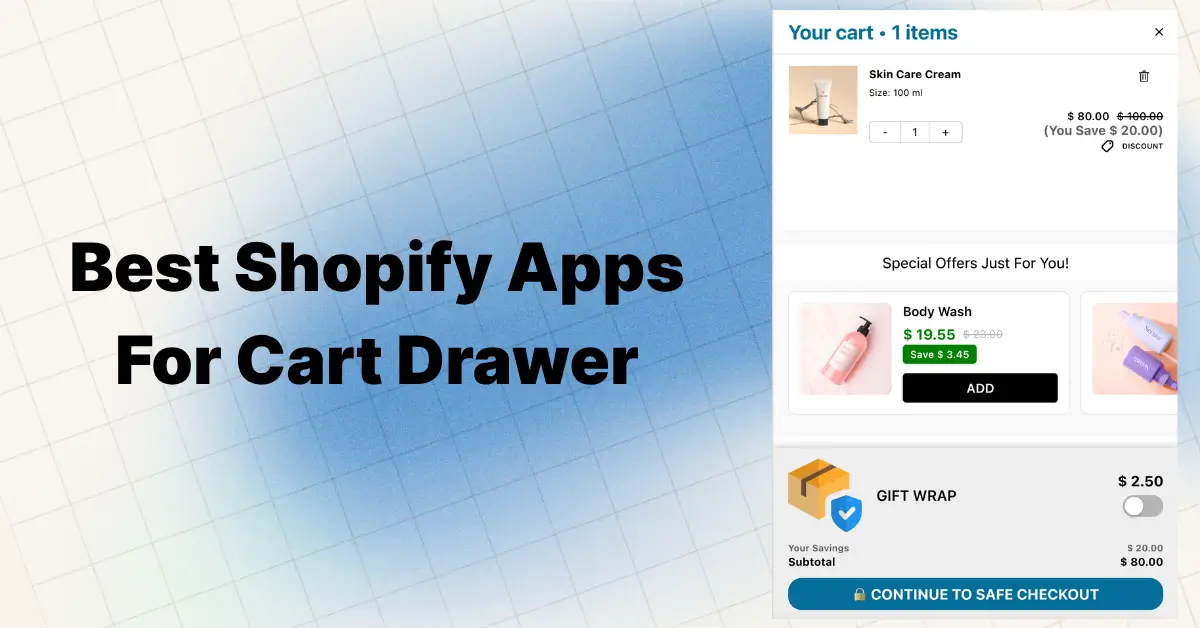
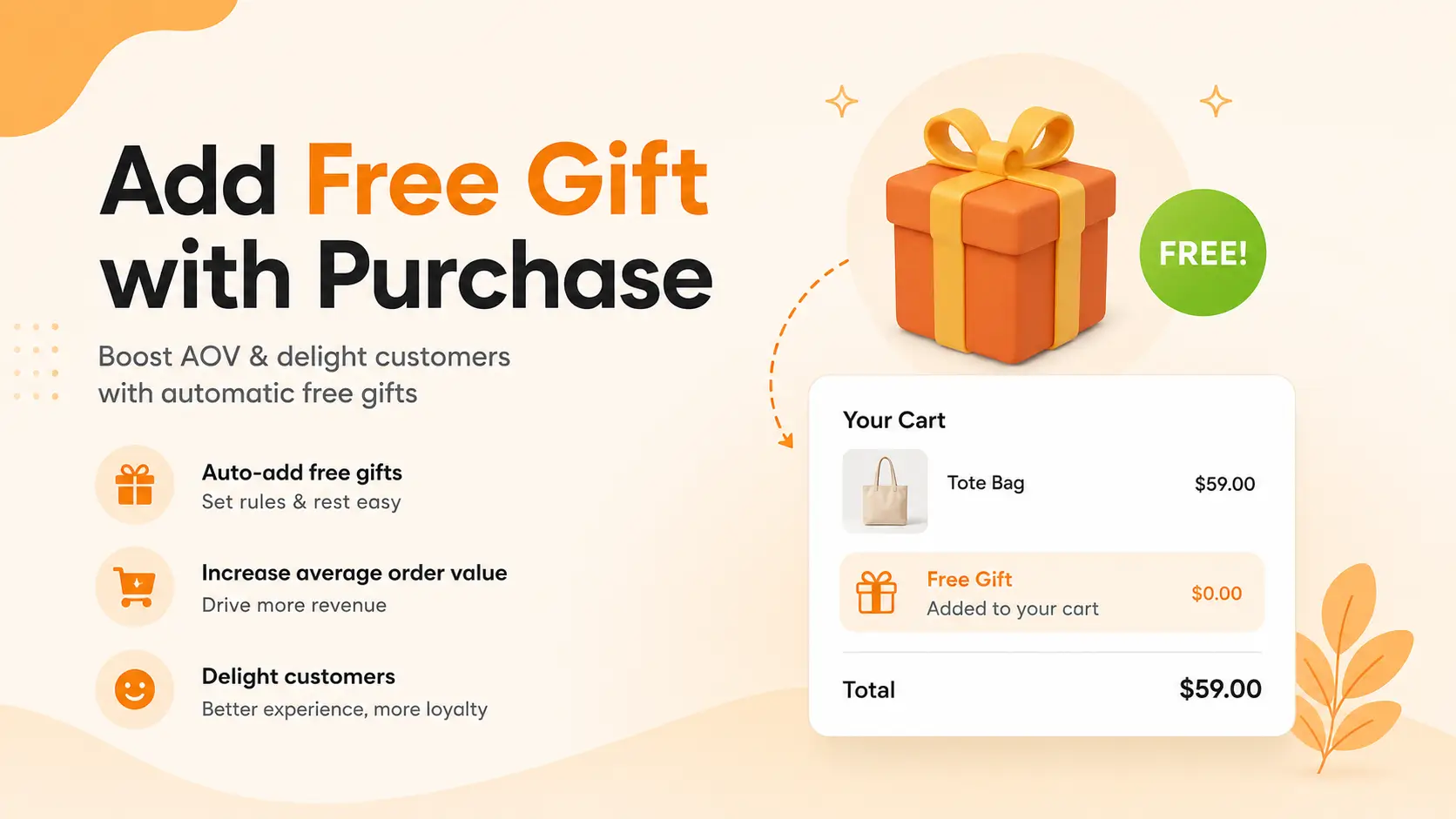
For the full post-purchase funnel (thank you page upsells, order status page widgets, plus an upgraded cart drawer with free gifts, BOGO, volume discounts, and AI recommendations all from one app), install Oxify Cart Drawer & Upsells.
Why it fits this specific use case:
- Native Thank You Page Editor with 7 block types: Product recommendation, Rich text, Banner, Image, Video, FAQ, Trust badges (matches the new checkout and accounts editor format exactly)
- Trigger control to show offers to all customers or filter by what’s in their order
- Manual or automatic product selection: hand-pick high-AOV offers or let the app pick based on cart contents
- Built for Shopify certified, so it works out of the box with the 2026 editor
- 5.0★ rating with all-positive recent reviews
- From $19.99/month with a 14-day free trial
Setup time is around 10 minutes inside the app, then you drop the block into the thank you page from the Shopify checkout and accounts editor.
Customization Options by Shopify Plan
This is buried in every other guide, but it matters because most articles assume Plus:
| Feature | Basic, Shopify, Advanced | Plus |
|---|---|---|
| Brand colors and fonts | ✅ | ✅ |
| App blocks on Thank you page | ✅ | ✅ |
| App blocks on Order status page | ✅ | ✅ |
| App blocks on the Checkout itself | ❌ | ✅ |
| Custom UI extensions | Limited | Full |
| Checkout Branding API | ❌ | ✅ |
Stores that subscribe to the Shopify Plus plan can add UI extensions to their Checkout, Thank you and Order Status pages. Stores on Basic, Shopify, and Advanced plans can only add UI extensions to their Thank you and Order Status pages.
Translation: you don’t need Shopify Plus to customize the order status page or thank you page. You only need Plus to customize the actual checkout flow.
Common Mistakes That Tank Your Order Status Page
After auditing hundreds of post-purchase setups, these patterns consistently fail:
- Cluttering with 6+ widgets. Three blocks is the sweet spot.
- Forgetting mobile testing. Most order status views happen on phones.
- Adding upsells without real discounts. A 5% “discount” converts almost nothing.
- Generic recommendations. “Bestsellers” sells less than relevant complements.
- Ignoring the recurring traffic. Customers come back to this page multiple times during delivery. That’s free impressions.
- Waiting for the auto-upgrade. Your tracking pixels and custom code break the day Shopify migrates you on their schedule.
Quick Pre-Launch Checklist
- [ ] Branding matches your storefront (logo, colors, font)
- [ ] Real-time tracking widget added and tested with a real order
- [ ] Customer support link visible above the fold
- [ ] At least one revenue block on the order status page (upsell, recommendations, or referral)
- [ ] Thank you page has a one-click upsell with a real discount
- [ ] Mobile view tested on Android and iPhone
- [ ] All installed apps are Built for Shopify (checkout extensibility compatible)
- [ ] Old pixels migrated to Customer Events as Custom Pixels (if you were on legacy)
Frequently Asked Questions
Can I customize the Shopify order status page without coding?
Yes. Open Settings > Checkout > Customize > Order status and use the drag-and-drop editor. Built-in blocks (text, banner, image, buttons) need no app. For upsells, install a checkout-extensibility app like Oxify Cart Drawer & Upsells.
Is the order status page the same as the thank you page?
Not anymore. The thank you page shows once, right after payment. The order status page is where customers return via the email link or order history to track shipping. They use the same editor but are separate pages.
Do I need Shopify Plus to customize the order status page?
No. Stores on Basic, Shopify, Advanced, and Plus all customize the thank you and order status pages with app blocks and brand settings. Only the actual checkout flow customization requires Plus.
What is the Shopify order status page URL?
Each order gets a unique private URL in the format yourstore.com/orders/{order_id}/authenticate?.... You can preview yours from any order’s More actions > View order status page in admin.
How long can customers access their order status page without logging in?
Customers can access their order status page from their order confirmation email for 3 weeks without logging in, when using the same browser. When using different browsers, customers can access their order status page for 2 weeks, across a max of 5 different browsers. After that they need to log in or verify identity.
What conversion rate can I expect on thank you page upsells?
Industry data puts it at 10 to 15% acceptance rate, with a 5 to 15% lift to average order value when offers are relevant and one-click. Generic offers convert significantly lower.
When is the Shopify checkout extensibility deadline?
Plus stores: required upgrade by August 28, 2025, with auto-migration starting January 2026. Non-Plus stores: August 26, 2026.
Will my old order status page customizations break in 2026?
If you don’t upgrade manually, Shopify auto-migrates you and customizations using additional scripts, script tags, or checkout.liquid get wiped. Move tracking pixels into Customer Events as Custom Pixels before that happens.
Can customers share their order status page link?
Yes. They can share the link, but anyone without account access sees only a limited view (items, total, status), not personal details like name, address, or payment method.
What’s the difference between an order tracking app and the default Shopify order status page?
The default page tracks shipments using Shopify’s native carrier integrations. Third-party tracking apps add branded tracking pages, custom shipping notifications, delivery delay alerts, and integrate post-purchase upsells. Apps shine when you ship across multiple carriers or want extra UX layers on the existing page.
Bottom Line
The Shopify order status page is the most-viewed, least-optimized page in your store. Every paying customer sees it, many return repeatedly during the delivery window, and most stores leave it looking exactly like Shopify’s default.
Fix it in one afternoon:
- Upgrade to the new checkout and accounts editor before Shopify forces you to in 2026
- Customize the order status page with branding, tracking, and a support link
- Add a one-click thank you page upsell (this is where the real money is)
- Test on mobile and ship
For the upsell side, install Oxify Cart Drawer & Upsells. It handles thank you page upsells, product recommendations, and the cart-to-checkout funnel that leads up to them. Built for Shopify, 5.0★, from $19.99/month, 14-day free trial.
A 30-minute setup. Compounding AOV gains every month for the rest of your store’s life.