 Oxify
OxifyShopify Welcome Email: 13 Best Apps & How to Set Up a Welcome Series (2026)
A Shopify welcome email is the first automated message a new subscriber receives after joining your list, and the one they are expecting. In Omnisend's 2025 benchmark data, the average automated welcome email converted 2.11% of recipients, against 0.08% for regular campaigns. If it arrives fast and gives them a reason to click, you have a shot at the first order; if it never arrives, or shows up late and generic, that moment is gone.
This guide covers the free option already in your Shopify admin, 13 apps compared specifically on their welcome flows, the setup steps, and four email templates. Every rating, price and free-plan limit was re-read from each app's live Shopify App Store listing on 23 September 2026. If you are choosing an email platform for everything (campaigns, SMS, cost as your list grows), our best email marketing apps for Shopify guide goes deeper on that; this one is about the welcome series.
Short Answer: How to Send a Welcome Email on Shopify
The fastest Shopify welcome email is free and already in your admin. Go to Apps > Messaging > Automations, click Create automation and pick "Welcome new subscribers with a discount series". It sends a discount email, two brand-building emails, then a reminder only if they haven't bought. Shopify Messaging's first 10,000 emails a month are free.
- New store, no budget: Shopify Messaging (4.8 stars, 4,522 reviews).
- Email, SMS and push in one welcome flow: Omnisend (4.7 stars, 3,182 reviews; free to 250 contacts, from $16).
- Deep segmentation and scale: Klaviyo (4.7 stars, 3,317 reviews; free to 250 contacts, email from $20).
- Stays inside the Shopify admin: Seguno (4.8 stars, 728 reviews), the only app here with the Built for Shopify badge.
- Need more signups first: Privy (popups from $24, no free plan).
- How many emails: three to four over about a week, and stop the discount track the moment they buy.
Ratings and prices from live Shopify App Store listings, 23 September 2026.
Why Welcome Emails Are the Highest-ROI Thing You Can Do Right Now
Omnisend's 2026 report, built on 27 billion emails sent by 150,000 brands in 2025, puts the gap between automated and scheduled email in plain numbers:
- Automations were 2% of email sends but 30% of email revenue.
- Each automated email earned $2.87 per send, against $0.18 for a scheduled campaign, a 16x difference.
- Welcome and abandoned cart messages drove 76% of all automation orders.
Welcome emails vs. standard campaigns
From Omnisend's 2025 benchmarks (27,000+ brands): welcome emails averaged a 35.53% open rate, 3.94% click rate and 2.11% conversion rate, against 30.41%, 0.74% and 0.08% for campaigns. Opens are close, partly because Apple Mail Privacy Protection inflates every open rate; clicks and orders are where welcome emails pull away, because the email arrives at the exact moment someone has opted in and is paying attention.
A one-line "thanks for signing up" message with no offer and no next step wastes that moment, which is why the welcome flow is the first automation worth building.
How Welcome Email Automation Works on Shopify (The Mechanics)
Get the trigger right and avoid running two flows at once before you touch the copy.
Every welcome email app — whether it's Shopify's built-in tool, Klaviyo, Omnisend, or anything else — runs on the same basic logic:
A trigger fires → The app sends one or more emails → The subscriber moves through your flow
Simple in theory. Here's where it gets complicated in practice.
The Most Common Triggers
1. "Subscriber signs up for marketing" This is the most used trigger. When someone submits their email through a popup, footer form, or landing page signup, the welcome flow starts. This is what most stores use for their main welcome series.
2. "Customer account created" Some stores trigger a welcome when someone creates a Shopify account. This is different from a marketing subscription — not every account creator has opted in to marketing, so only send promotional content to people with email marketing consent.
3. "First purchase placed" Some brands skip the pre-purchase welcome and instead send a welcome series starting with the order confirmation. This works well for brands where most customers don't join the email list until they buy.
4. Shopify Flow custom triggers Advanced setups can fire welcome flows based on tags being added — for example, "added tag: VIP" or "added tag: wholesale." This is Klaviyo and Drip territory.
The Critical Warning Nobody Tells You
If you have two welcome automations active at the same time, your subscribers get two separate welcome series.
This is one of the most common mistakes. A store has a Shopify Messaging welcome automation turned on, and then they install Omnisend and turn on Omnisend's welcome flow without disabling the Shopify one.
Every new subscriber now gets emails from both tools. That means double emails, duplicate discount codes, and the kind of inbox experience that makes people unsubscribe immediately.
Before you set up any new welcome flow: go to your current tools and check what's already running. Turn one off before turning the other on.
How Many Emails Should Your Welcome Series Have?
One email is not a welcome series. It's a wave.
A series gives you room to do more than hand over a code: introduce the brand, show proof, then close. Shopify's own welcome series template follows the same shape (discount, two brand-building emails, a reminder if no purchase). Here's a structure that works across most Shopify niches:
- Email 1 (immediately): Welcome + discount code + top products
- Email 2 (Day 2): Brand story — who you are and why you exist
- Email 3 (Day 4): Social proof — customer reviews and real photos
- Email 4 (Day 7): Last chance — urgency around the discount expiring
Four emails. Seven days. Don't add more just because the app lets you: in Baymard's 2026 ecommerce UX survey of US shoppers, 48% said they unsubscribe from a store's emails because they arrive too often. Everything else is customization.
How to Set Up a Shopify Welcome Email in Shopify Messaging (Free)
If you want a welcome email live today without installing anything, use Shopify's own Messaging app. From Shopify's help center, the steps are:
- On a desktop browser (other automation types need desktop), go to Apps > Messaging in your Shopify admin and click Automations.
- Click Create automation and choose a welcome template: "Welcome new subscribers with a discount email" (one email) or "Welcome new subscribers with a discount series" (a discount email, two brand-building emails, then a discount reminder if no purchase has been made).
- Both fire when a customer subscribes using a form on your online store, so make sure your footer or popup form is live first.
- Click Edit email on each message, set your discount and copy, then use Send test to check it in a real inbox.
- Click Turn on. The first 10,000 emails you send each month are free, then pricing starts at $1 per 1,000.
Before you turn it on, check whether another app (Omnisend, Klaviyo, Seguno and so on) already has a welcome flow running. Only one should be on.
Welcome email vs. Shopify's "customer account welcome" notification
Searching "Shopify welcome email" also turns up Shopify's built-in account notification: a transactional email sent when a shopper creates or activates a customer account, whose subject and body you edit under Settings > Notifications in the customer notifications list. That notification is not a marketing email. It goes to account holders whether or not they subscribed, it cannot run a multi-email series, and it should not carry promotional offers. Use it to confirm the account; use a marketing automation (above) for the welcome series.
Browse Abandonment, Back-in-Stock, and Transactional Emails: What Fits Where
This is a section most welcome email guides skip. I'm including it because these email marketing automation types often get confused with welcome flows — and knowing the difference will make your overall Shopify email strategy much stronger.
Browse Abandonment Emails
A browse abandonment email fires when someone visits a product page but doesn't add anything to their cart and doesn't complete a purchase. It's different from cart abandonment (they added to cart) and different from a welcome email (they haven't subscribed, or they subscribed but browsing triggered a separate flow).
Browse abandonment shows purchase intent without commitment, and the timing is relevant: the person was just on your product page.
Apps that support browse abandonment: Klaviyo, Omnisend, Drip and ActiveCampaign; Seguno from its $35 Standard plan; Brevo PushOwl on its $79 Power bundle. SmartrMail's free plan excludes it.
Back-in-Stock Notification Emails
When a product sells out and a subscriber signs up to be notified when it's back, that's a back-in-stock trigger. These are some of the highest-converting automated emails in ecommerce — people who signed up for a back-in-stock alert are highly motivated buyers.
Apps that support back-in-stock: Klaviyo and Omnisend; Seguno from its $35 Standard plan; Brevo PushOwl on its free bundle. For a dedicated tool, see our back-in-stock apps guide.
Transactional Emails
Transactional emails are order confirmations, shipping updates, refund notifications, and delivery confirmations. Shopify sends these automatically by default. You do not need a third-party email marketing app for basic transactional emails.
However, some stores customize their transactional emails inside Klaviyo or Omnisend to add product recommendations and cross-sell opportunities within order confirmations. This is advanced but worth knowing about as your email marketing strategy matures.
The key point: Your welcome series sits at the very top of the customer lifecycle. Browse abandonment, back-in-stock notifications, and transactional emails fill in different parts of the ecommerce customer journey. The apps covered in this guide handle all of them — but welcome is where you start.
The Drip Campaign vs. Welcome Series: What's the Difference?
Merchants get confused about this terminology, so let me clear it up.
A drip campaign is a broader term for any sequence of emails sent over time based on a trigger or schedule. Welcome series are one type of drip campaign.
Other drip campaigns include:
- Post-purchase sequences (triggered by a first order)
- Win-back sequences (triggered by 90+ days of no purchase)
- Lead nurture sequences (triggered by a content download)
- VIP sequences (triggered by hitting a spend threshold)
Your welcome series is a drip campaign — specifically, the one that starts when someone joins your list. When you're building in Klaviyo, Omnisend, or Drip, you'll often find all these flows inside the same "automations" section. Don't let the terminology confuse you.
The 13 Best Shopify Apps for Automated Welcome Emails (Compared September 2026)
Ranked on how well each app handles the welcome series specifically: free-plan coverage, how quickly you can launch a multi-email flow, and whether it can stop the discount track once someone buys. Ratings, prices and free-plan limits come from each app's live Shopify App Store listing on 23 September 2026, and each app name below links to that listing.
1. Shopify Messaging — Best Free Option for New Stores
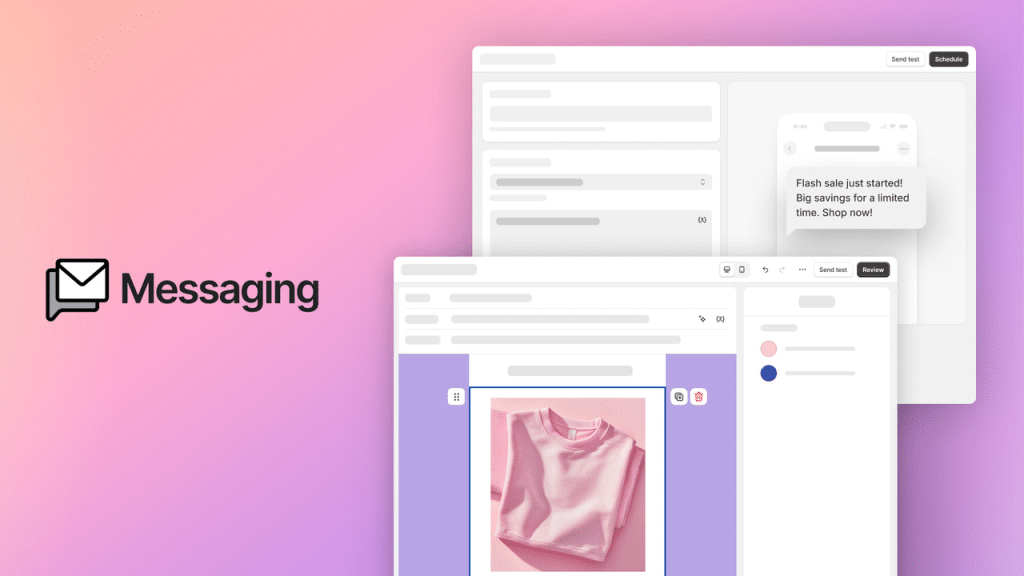
⭐ Rating: 4.8/5 (4,522 reviews on the Shopify App Store) 💰 Pricing: First 10,000 emails each month free, then from $1 per 1,000 emails. No monthly subscription. No contact limit.
What it is: Shopify Messaging (formerly Shopify Email) is built directly into your Shopify admin. There's no separate login and no integration to configure. You open it from Apps > Messaging in your admin, and despite the old name it now handles SMS and WhatsApp as well as email.
What the welcome email setup actually looks like:
In Automations > Create automation, Shopify gives you two welcome templates (names as they appear in Shopify's help center):
- "Welcome new subscribers with a discount email": a single email with a discount, sent when someone subscribes through a form on your store.
- "Welcome new subscribers with a discount series": the discount email, followed by two brand-building emails, then a discount reminder that only sends if the subscriber hasn't bought yet.
Both templates pull your logo, colors, and products automatically from your Shopify theme. You customize the copy, set the delays, and turn it on.
Sidekick AI (Shopify's built-in AI assistant) can help you write copy for each email if you're starting from scratch.
What it does well:
- Absolutely zero setup friction — it's already connected to everything
- Free for up to 10,000 emails per month (most early-stage stores won't exceed this)
- Email template design matches your store's branding automatically
- Shopify Flow integration for stores that want custom triggers
Where it falls short:
- Branching is limited to what the templates include (the series has a built-in "no purchase yet" check before the reminder)
- Segmentation is very basic
- Web push isn't one of its channels, and signup forms come from the separate Shopify Forms app rather than a full popup builder
- Analytics are limited (open rate, click rate, but no deep revenue attribution)
Who should use it: Stores in their first year. Anyone under $5K/month in revenue who wants to get something live fast without any cost. If you're trying to validate your email strategy before investing in a paid tool, start here.
Setup time: an afternoon at most for a live welcome series built from the template.
2. Omnisend — Best Overall for Most Shopify Stores
⭐ Rating: 4.7/5 (3,182 reviews on the Shopify App Store) 💰 Pricing:
- Free: 250 contacts, 500 emails and 500 web push notifications a month, pre-built workflows included
- Standard: from $16/month for 500 contacts (6,000 emails/month), rising with list size
- Pro: from $59/month for 2,500 contacts
What it is: Omnisend is the most widely recommended third-party email app for Shopify across independent reviews — EmailToolTester, EcommerceGold, and Encharge all place it at or near the top — and its welcome workflow is on the free plan.
What makes the welcome email setup different:
The moment you connect Omnisend to your Shopify store, your entire product catalog, customer list, and order history syncs automatically. Then you go to Automations, and there's a pre-built Welcome Series template waiting for you. You click it, customize the copy, drag-and-drop your products in, and turn it on.
Expect it to take longer than Shopify Messaging, because Omnisend gives you more to configure, but that extra configuration is where the money is.
Where Omnisend genuinely separates itself:
Multichannel automation in a single flow. You don't just send email. Your welcome flow can be:
- Email 1 (immediately): Welcome + discount
- SMS Day 2 (on plans that include SMS): Quick reminder with a link
- Push notification Day 4: Product spotlight
- Email Day 7: Last chance
All triggered from one signup event. All managed in one dashboard. No tool-switching.
The product picker. When building your emails, you can pull live products directly from your Shopify store in one click. The email shows real inventory, real prices, real product photos. It updates automatically — you don't have to manually update emails when prices change.
Gamification elements. Scratch cards, spin-to-win offers, and wheel of fortune popups are built into Omnisend's signup form builder. Test one against a plain email form; whether it wins depends on your audience.
Unique discount codes per subscriber. Instead of one code ("WELCOME10") that every subscriber sees and shares online, Omnisend generates a unique code for every single person who signs up. This prevents code leakage and lets you track exactly which subscribers converted.
Where Omnisend falls short:
The free tier is tight — 250 contacts is realistic only for very new stores. If you have an existing list from a previous tool, you'll likely need a paid plan from day one. SMS is not listed on the Standard plan, so budget for Pro if SMS is part of your welcome flow. And while Omnisend's automation is excellent for most stores, it doesn't reach the depth of Klaviyo's predictive analytics.
Who should use it: Stores doing $5,000–$100,000/month that want professional email + SMS automation without hiring a specialist. For most growth-stage stores it is the default pick.
3. Klaviyo — Most Powerful for Data-Driven, Scaling Brands
⭐ Rating: 4.7/5 (3,317 reviews on the Shopify App Store) 💰 Pricing:
- Free: email for up to 250 contacts, plus 150 SMS/MMS credits
- Email: from $20/month for 251–500 contacts, rising with list size
- SMS: from $15/month for 1,250 credits
What it is: Klaviyo is an email and SMS platform built around Shopify store data. Shopify is a Klaviyo shareholder, and the integration between the two platforms is among the deepest available.
What makes Klaviyo's welcome automation genuinely different:
The short answer: Klaviyo knows more about your customers than any other platform, and it uses that data to send smarter emails.
When Klaviyo syncs with your Shopify store, it pulls everything: order history, browsing behavior (which products they viewed, how often), customer lifetime value, geographic data, purchase frequency, average order value, and predictive scores. Predictive analytics estimate things like each customer's likelihood to buy again and their expected lifetime value.
You can use all of that inside your welcome series.
Advanced conditional flows you can build in Klaviyo:
Example 1: Someone signs up for your list and has already purchased before (maybe they bought and then signed up for the newsletter separately). Klaviyo can detect this and route them into a different welcome flow — one that skips the "here's who we are" content they've already experienced and jumps straight to loyalty content.
Example 2: A subscriber browses the women's clothing section three times in a week but doesn't buy. Klaviyo's browse abandonment flow fires automatically. When they then open your welcome email, the product recommendations inside are based on exactly what they were looking at.
Example 3: You sell products at very different price points — $30 impulse buys and $300 premium products. Klaviyo lets you segment your welcome series so subscribers who came from a paid campaign (higher intent) get a different flow than subscribers who came from an organic Instagram post.
A large library of pre-built flows is available out of the box — not just welcome series, but the full customer lifecycle: abandoned cart, win-back, post-purchase upsell, VIP, birthday, and more.
Where Klaviyo falls short:
Price at scale and complexity. Klaviyo bills on active profiles, so costs climb with your list; our email marketing apps guide has a cost-by-list-size table for Klaviyo vs Omnisend. The learning curve is steeper. And most stores under $50K/month in revenue genuinely won't use 80% of what Klaviyo offers. Paying for a Ferrari when you're driving 25 mph is wasteful.
Who should use it: Stores doing $100K+ per month, or growth-stage stores with a dedicated email marketer or agency. If data is your competitive advantage, this is your platform.
4. Privy — Best for Building Your List Before Worrying About Advanced Flows
⭐ Rating: 4.5/5 (4,216 reviews on the Shopify App Store) 💰 Pricing: No free plan.
- Pop Ups & Displays: from $24/month (up to 10,000 monthly pageviews)
- Email: from $30/month (up to 1,500 contacts, unlimited sends, flow builder)
- Email and SMS: from $45/month
What it is: Privy approaches the problem differently from every other app on this list. While Klaviyo and Omnisend focus on what happens after someone subscribes, Privy focuses on getting them to subscribe in the first place.
What makes Privy different for welcome emails:
Privy connects subscriber capture directly to automation. When someone submits a Privy popup, the welcome email fires immediately. There's no gap between "they signed up" and "they got your welcome." The form and the automation are the same tool.
Privy's subscriber capture options include:
- Exit-intent popups (fire when the cursor moves toward the browser tab or address bar)
- Spin-to-win wheels (gamified email capture with prize options)
- Cart saver bars (appear when someone goes to leave with items in their cart)
- Announcement bars (persistent top-of-page banners)
- Embedded signup forms (for blog posts, landing pages, or product pages)
- Flyout tabs (subtle, persistent capture without blocking content)
Each of these connects to a welcome automation that fires the moment someone submits. And every subscriber gets a unique coupon code — not a shared code — which Privy generates automatically.
Popup capture rates:
Privy's strength is the range of capture formats and targeting rules. Capture rates vary too much by store, offer and traffic source for any benchmark to be useful, so A/B test a gamified form against a plain one on your own traffic.
Where it falls short:
Privy's email automation depth trails Omnisend and Klaviyo significantly. You get basic welcome flows, but complex conditional logic, behavioral segmentation, and predictive analytics aren't here. The per-traffic pricing also scales awkwardly — if you run a viral campaign or a big sale and traffic spikes, your Privy bill spikes with it. If you cancel, double-check your Shopify billing tab to confirm the subscription stopped.
Who should use it: Stores with decent traffic but weak email list conversion. If you're getting 5,000 visitors/month but only capturing 20 emails, Privy fixes that problem. Get the list built first. Then upgrade your automation tool when you have something to automate.
5. Seguno — Best Shopify-Native Option (Built for Shopify)
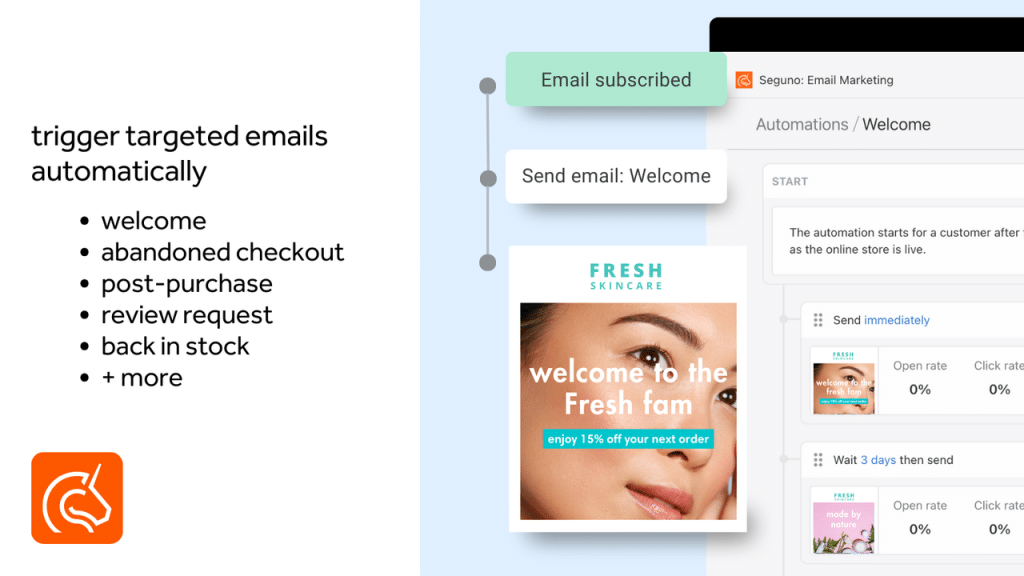
⭐ Rating: 4.8/5 (728 reviews on the Shopify App Store) — the only app on this list with the Built for Shopify badge 💰 Pricing:
- Starter (free): up to 250 subscribers, unlimited sending, pre-built automations, unique discount codes
- Standard: $35/month for 2,500 subscribers, adds multi-email custom automations, browse and cart abandonment, popups and back-in-stock alerts
- Pro: $215/month for 25,000 subscribers
What it is: Seguno is built only for Shopify. It doesn't have a version for WooCommerce or BigCommerce. That singular focus shows in how tightly it integrates — everything lives inside your Shopify admin, not a separate dashboard.
What the welcome email setup looks like:
You go to Seguno from inside Shopify admin. Your products, customers, discount codes, and blog content are already connected without any configuration. You pick the welcome email template, drag in your products, customize the copy using Seguno's AI writing assistant, and turn it on.
Canva is integrated directly — if you want custom-designed headers or graphics in your emails, you can open Canva from inside Seguno, design there, and bring the image back without saving files manually.
What makes Seguno worth considering:
It carries the Built for Shopify badge, Shopify's own bar for performance, design and integration quality, which no other app on this list currently displays. The Pro plan adds a deliverability audit and a customer success manager.
The unlimited sends on the free plan is also unusual — most free tiers limit both contacts AND sends. One catch for welcome series: the free plan gives you Seguno's pre-built automations, while multi-email custom automations start on the $35 Standard plan.
Where it falls short:
If you ever move your store off Shopify, Seguno becomes useless — it's platform-specific by design. Advanced automation (behavioral branching, predictive scoring) isn't as deep as Omnisend or Klaviyo. The community and resource library are smaller, which matters if you get stuck and need troubleshooting help.
Who should use it: Budget-focused stores that want a reliable, well-integrated welcome automation that feels completely native to Shopify. Merchants who want simplicity over sophistication.
Also read: email list segmentation for Shopify stores — how to split your welcome flow by signup source and purchase history.
6. SmartrMail — Best for AI-Powered Product Recommendations

⭐ Rating: 4.7/5 (305 reviews on the Shopify App Store) 💰 Pricing:
- Free: up to 200 active subscribers and 1,000 emails a month; all email flows except browse abandonment
- Essentials: $10/month plus $0.0125 per subscribed profile, 15-day trial
- Pro: $49/month plus $0.01 per subscribed profile
What it is: SmartrMail's differentiator is product intelligence. While other apps let you manually insert products into your welcome emails, SmartrMail analyzes each subscriber's behavior and automatically recommends the products they're most likely to buy.
How it works in the welcome email context:
When a new subscriber signs up, SmartrMail doesn't just fire a generic welcome email. It looks at: what page they signed up on, what products they viewed before signing up, similar customers' purchase patterns, and product category signals. Then it populates the product section of your welcome email with items that are individually relevant to that subscriber.
For a supplements store with 200 SKUs, this means someone who landed on your protein powder page gets a welcome email featuring protein products. Someone who landed on your sleep support page gets a welcome email featuring sleep products. Same flow. Personalized output.
Other features:
- AI-assisted newsletter creation (describe what you want, AI drafts it)
- Welcome, cart and product recommendation flows on the free plan (browse abandonment is the exception)
- Welcome, abandoned cart, cross-sell, upsell, and win-back flows included
- Smart segmentation based on purchase and browse behavior
Where it falls short:
The free plan is limited to 200 subscribers. At larger list sizes, SmartrMail can get expensive compared to Omnisend. The app is managed through its own dashboard rather than inside Shopify admin. The review volume is lower than the big platforms, which means less community support.
Who should use it: Small stores (under 2,500 subscribers) with diverse product catalogs who want AI-driven personalization in their welcome emails without a Klaviyo-level investment.
7. Drip — Best for Behavior-Based Flows at Scale
⭐ Rating: 4.5/5 (56 reviews on the Shopify App Store) 💰 Pricing:
- No free plan; 14-day free trial
- From $39/month, rising with the number of active people on your list and the emails you send
What it is: Drip is an ecommerce email platform whose strength is behavior-based automation — tracking exactly what each subscriber and customer does on your site and building flows that respond intelligently to that behavior.
What makes Drip's welcome automation different:
Where Omnisend and Klaviyo are strong on email + SMS multi-channel automation, Drip is strong on behavioral logic. The visual workflow builder supports parallel automation paths — meaning your welcome series can run different tracks simultaneously based on what a subscriber does.
Example: Email 1 arrives. If they click the product link, they enter Track A (browsed-but-didn't-buy track with product-specific follow-ups). If they open but don't click, they stay in Track B (standard series continues). If they don't open, they enter Track C (re-engagement focused). All of this happens automatically inside the same welcome flow.
Pre-built playbooks include: welcome series, abandoned cart, post-purchase upsell, win-back for lapsed customers, and browse abandonment.
Where it falls short:
No free plan is a meaningful barrier for new stores. $39/month to start is steep when Omnisend's free plan covers the basics. Its App Store review base (56) is small next to Klaviyo or Omnisend, so there is less community help when you get stuck.
Who should use it: Established stores with 2,500+ contacts that want behavioral automation as sophisticated as Klaviyo but prefer Drip's pricing model or visual workflow builder.
8. Retainful — Cheapest Paid Plan for Welcome + Cart Flows

⭐ Rating: 4.4/5 (28 reviews on the Shopify App Store) 💰 Pricing:
- Free: 500 emails a month, with welcome, win-back and post-purchase flows, abandoned cart recovery and signup popups
- Pro: $14/month with unlimited contacts and sends up to 10x your list size, plus $4 per additional 500 contacts
What it is: Retainful is a low-cost email tool that puts the welcome flow, abandoned cart recovery and welcome popups on the free plan. The visual drip sequence builder is beginner-friendly: set the trigger (subscriber signup), add emails with delays, customize the design, and the automation runs.
Where it falls short:
The free plan's 500 monthly emails run out fast once you send campaigns too. The review base is small (28) and the rating (4.4) is the second-lowest here. The automation depth doesn't reach Klaviyo or Drip's level. Less brand recognition means less community documentation for troubleshooting.
Who should use it: Small stores that want welcome and cart flows on the cheapest possible paid plan.
9. Brevo PushOwl — Free Welcome Emails With Unlimited Subscribers
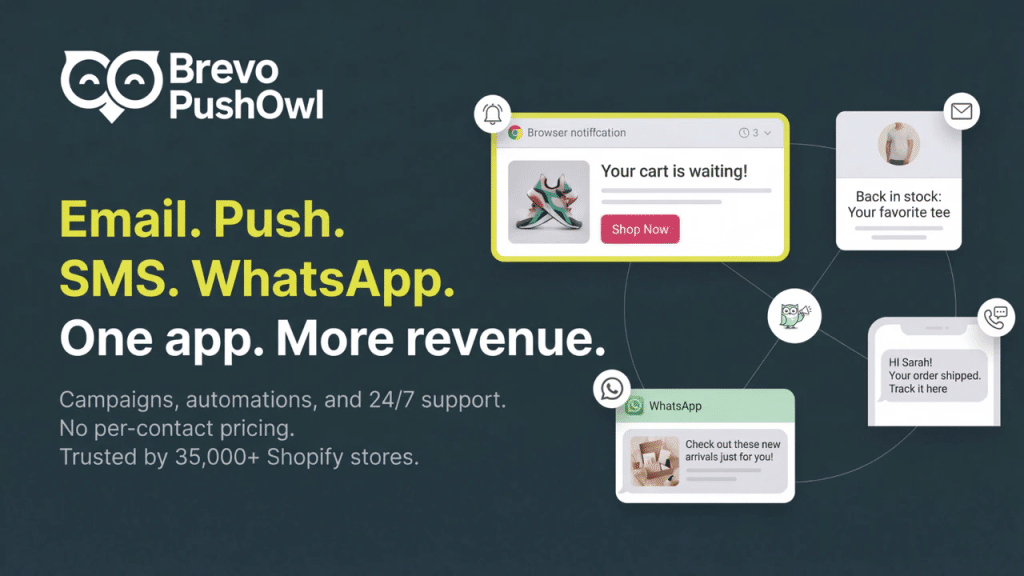
⭐ Rating: 4.8/5 (2,262 reviews on the Shopify App Store) 💰 Pricing:
- Basic Bundle (free): unlimited subscribers, emails from 500 a month, 500 web push notifications, welcome emails, back-in-stock and price-drop alerts
- Plus Bundle: $19/month, adds abandoned cart recovery automation and custom popups
- Power Bundle: $79/month, adds browse abandonment, custom automation and segmentation
What it is: Brevo PushOwl is the Shopify app for Brevo's email suite, bundled with PushOwl's web push notifications. The pricing model is different from most apps on this list: you pay for email and push volume, not for the number of contacts you store.
Why that matters for welcome emails: a store with a large list that sends infrequently pays far less than on a per-contact tool, and the welcome email itself is included on the free bundle. If you send weekly campaigns to a big list, volume pricing stops being cheaper quickly, so model your monthly sends before you choose it.
Welcome email features:
Welcome emails are on every bundle, SMS comes with the paid bundles, and web push can back up the welcome email for shoppers who allow notifications. Custom automation and segmentation are reserved for the $79 Power bundle.
Where it falls short:
Shopify integration isn't as seamless. The ecommerce-specific features are less developed than platforms built specifically for online stores. Setup is more manual. The interface is less polished than competitors.
Who should use it: Stores with large lists that send a few campaigns a month, and anyone who wants web push alongside the welcome email. A poor fit for stores that email very frequently. Also worth considering if you're running both ecommerce and a services/B2B side and need a CRM alongside email.
10. Mailchimp — Only If You're Already Using It
⭐ Rating: 4.8/5 (1,477 reviews on the Shopify App Store) 💰 Pricing:
- Free: email, forms and landing pages, but no marketing automation listed
- Essentials: from $13/month, up to 4 marketing automations
- Standard: from $20/month, up to 200 automations plus behavioral targeting
The honest take:
Mailchimp was the default choice for Shopify email years ago. In 2026 its Shopify rating has recovered (4.8), but for a welcome series it is still behind the Shopify-first tools on price.
The single most important thing to know: Mailchimp retired its Classic Automation builder in June 2025. Automated flows now run on paid plans (Essentials includes up to four). If you're on Mailchimp's free plan thinking you have a welcome automation, check again.
Beyond that, Mailchimp's Shopify integration isn't as deep as Omnisend or Klaviyo. The advanced segmentation and dynamic content features require higher-tier plans that, at that price point, make Omnisend a better value.
The only reason to stay on Mailchimp: You have years of contact history, campaign performance data, and established automation flows that would take significant time to migrate. If you're deeply embedded, the switching cost might not be worth it. If you're starting fresh — don't start here.
Who should use it: Merchants with existing, established Mailchimp setups they've invested years building. Nobody starting fresh in 2026 should choose Mailchimp over Omnisend or Shopify Messaging.
11. ActiveCampaign — Best for Advanced Automation With a Built-in CRM
Rating: 4.5/5 (260 reviews on the Shopify App Store)
Pricing: No free plan — 14-day free trial. Starter $19/month (Shopify integration, multi-step automation, abandoned cart, CRM). Plus $59/month. Pro $89/month (conditional content, predictive sends). Enterprise $159/month.
What it is: ActiveCampaign is one of the most powerful marketing automation platforms available, and its Shopify integration has matured significantly. What makes it different from Omnisend or Klaviyo is its built-in CRM — you're not just getting email marketing, you're getting a complete customer relationship management system that tracks every interaction across your sales pipeline.
What makes ActiveCampaign's welcome automation stand out:
ActiveCampaign's visual automation builder is the most sophisticated on this list. It ships a large library of pre-built automation recipes, including welcome sequences, post-purchase follow-ups, win-back campaigns, and customer re-engagement flows.
The Shopify Deep Data Integration is a two-way sync — Shopify sends order, customer, and cart data into ActiveCampaign, and contact updates in ActiveCampaign flow back to Shopify. This means when someone signs up for your welcome flow and their contact properties change (they click a specific link, they open a certain email, they get tagged as interested in a product category), that information syncs back to your store.
Where ActiveCampaign genuinely shines for welcome flows:
Conditional branching that goes deeper than any other tool. You can build welcome flows that branch based on not just whether someone purchased, but which page they signed up from, what lead score they've accumulated, whether they've visited your pricing page, and which tags have been applied. Klaviyo does behavioral branching well, but ActiveCampaign's conditional logic is more granular and flexible.
Lead scoring baked into the welcome series. As subscribers interact with your welcome emails — opening, clicking, visiting specific product pages — ActiveCampaign assigns a score. Subscribers who hit a certain score can automatically be routed to a "high-intent" follow-up track, while lower-scoring subscribers stay in the standard nurture sequence.
CRM pipeline integration. For stores that do B2B sales, wholesale, or high-ticket products, ActiveCampaign lets you move a subscriber from a welcome email flow directly into a sales pipeline. When a subscriber clicks a "Request a Quote" button in your welcome email, they become a deal in your CRM with a task assigned to your sales team.
Where it falls short: There's no free plan — only a 14-day trial. The interface is more complex than Omnisend or Shopify Messaging, and the learning curve is steeper. Some Shopify merchants have noted that the Shopify integration, while solid, isn't as seamless as Klaviyo's native connection. The email template designs are functional but not as modern as competitors.
Who should use it: Mid-size to large Shopify stores that need advanced marketing automation combined with a CRM. Particularly strong for stores with higher average order values, B2B ecommerce, wholesale operations, or any business where tracking individual customer journeys beyond just email is important.
12. GetResponse — Best for Stores That Need More Than Just Email Marketing
Rating: 5.0/5 from only 5 reviews on the Shopify App Store
Pricing: No free plan on the Shopify listing — 14-day free trial. Starter $19/month includes a welcome email series and one custom automation workflow. Marketer $59/month adds abandoned cart recovery, product recommendations and unlimited workflows. Creator $69/month. All scale with contact count.
What it is: GetResponse goes well beyond email marketing. It's a full marketing suite that includes email campaigns, marketing automation, landing pages, webinars, a built-in CRM, and conversion funnels — all in one platform. For Shopify store owners who also run educational content, online workshops, or need advanced funnel-building tools alongside their email marketing, GetResponse fills a gap that none of the other tools on this list cover.
What makes GetResponse's welcome automation different:
The Customer Journey Builder is GetResponse's visual automation tool for creating welcome flows. It supports branching logic, time-based delays, condition-based splits, and scoring — similar to what you'd find in ActiveCampaign. Welcome sequences, abandoned cart recovery, browse abandonment, and post-purchase flows are all available as pre-built templates.
The funnel builder is where GetResponse stands apart. You can create an entire conversion funnel that starts with a Facebook ad, drives traffic to a GetResponse landing page, captures the email through a signup form, and then triggers a welcome email series — all without leaving the platform. For Shopify store owners running paid acquisition, this eliminates the need for a separate landing page tool.
Webinar integration is unique on this list. If your store sells courses, supplements with educational angles, fitness programs, or any product where live demonstrations help convert customers, you can invite welcome email subscribers to a webinar directly from your welcome series. No Zoom subscription required.
AI-powered product recommendations based on shopper behavior help personalize your welcome emails with relevant products, similar to what SmartrMail offers but within a much larger feature set.
Where it falls short: Abandoned cart recovery and product recommendations start on the $59 Marketer plan, so a full Shopify lifecycle setup costs more than Omnisend's entry plans. Its Shopify App Store record is only five reviews, which is too few to judge the integration on. The platform is feature-rich, which also means the learning curve is steeper than simpler tools like Seguno or Shopify Messaging.
Who should use it: Shopify stores that combine product sales with content marketing, education, or lead generation. If you regularly run webinars, create landing pages for specific campaigns, or need a marketing funnel builder alongside your email automation, GetResponse is the only tool on this list that bundles all of that together. It's particularly strong for supplement brands, course creators with physical products, and stores that use educational content to drive purchases.
13. MailerLite — Cheap, but Its Shopify App Is Rated 2.4

Rating: 2.4/5 (27 reviews on the Shopify App Store) — the lowest on this list
Pricing: Free for up to 250 subscribers and 2,500 emails a month. Comfort $12/month (500 subscribers, 5,000 emails). Power $25/month (500 subscribers, unlimited emails). 14-day trial on paid plans.
What it is: MailerLite is one of the most affordable email marketing platforms that integrates with Shopify, and it consistently ranks among the easiest to use. It doesn't try to be everything — no built-in CRM, no webinars, no SMS. It focuses on doing email marketing well at a price point that's hard to beat.
What makes MailerLite worth considering for welcome emails:
The automation builder is beginner-friendly and includes core welcome email flows. You set a trigger (new subscriber joins list), add your email sequence with delays, customize the content, and turn it on. There's no overwhelming dashboard or feature overload.
Product syncing with Shopify is straightforward. You can pull your Shopify products directly into your welcome emails. MailerLite also auto-generates customer segments based on your Shopify data — first-time customers, repeat customers, and high-spending customers are created automatically without you having to build them manually.
The free plan has shrunk. The old 1,000-subscriber free tier most roundups still quote is gone; the Shopify listing now shows 250 subscribers and 2,500 emails a month, in line with Omnisend and Klaviyo.
Built-in landing pages and popups are included on all plans. You can create signup forms, embed them on your Shopify store, and connect them directly to your welcome email flow without needing a separate tool like Privy.
Where it falls short: The Shopify integration is the weak point: its App Store rating is 2.4 from 27 reviews, the lowest of any app here, and reviewers report the integration disconnecting, and customer support for Shopify-specific issues isn't as responsive as Omnisend or Klaviyo. Advanced automation triggers — like browse abandonment or behavioral branching based on product page visits — aren't as deep as what you'd get with Klaviyo or ActiveCampaign. Email templates on the free plan are limited; you'll need a paid plan for access to the full template library.
Who should use it: Small Shopify stores, side projects, and solo entrepreneurs who want solid email marketing at the lowest possible cost. If you already use MailerLite outside Shopify it can work, but on a new Shopify store, Shopify Messaging, Omnisend or Retainful give you a welcome flow for the same money or less with a far better-rated integration.
Full Comparison Table — All 13 Welcome Email Apps at a Glance
| App | Rating (reviews) | Free plan | Welcome flow on free plan? | Paid from | Best for |
|---|---|---|---|---|---|
| Shopify Messaging | 4.8 (4,522) | 10,000 emails/mo | Yes, 2 welcome templates | $1 per 1,000 emails | New stores |
| Omnisend | 4.7 (3,182) | 250 contacts, 500 emails/mo | Yes | $16/mo | Email + SMS + push in one flow |
| Klaviyo | 4.7 (3,317) | 250 contacts, 150 SMS credits | Yes | $20/mo (email) | Segmentation at scale |
| Privy | 4.5 (4,216) | None | No free plan | $24/mo popups, $30/mo email | List building |
| Seguno | 4.8 (728) | 250 subscribers, unlimited sends | Pre-built only; custom multi-email on $35 | $35/mo | Staying inside the admin (Built for Shopify) |
| SmartrMail | 4.7 (305) | 200 subscribers, 1,000 emails/mo | Yes | $10/mo + per profile | AI product picks |
| Drip | 4.5 (56) | None (14-day trial) | No free plan | $39/mo | Behavior-based branching |
| Retainful | 4.4 (28) | 500 emails/mo | Yes | $14/mo | Cheapest paid plan |
| Brevo PushOwl | 4.8 (2,262) | Unlimited subscribers, from 500 emails/mo | Yes | $19/mo | Big lists, web push |
| Mailchimp | 4.8 (1,477) | Yes, no automation listed | No (automation from $13) | $13/mo | Existing Mailchimp users |
| ActiveCampaign | 4.5 (260) | None (14-day trial) | No free plan | $19/mo | Automation + CRM |
| GetResponse | 5.0 (5) | None (14-day trial) | Welcome series from $19 | $19/mo | Webinars and funnels |
| MailerLite | 2.4 (27) | 250 subscribers, 2,500 emails/mo | Not listed on free plan | $12/mo | Existing MailerLite users |
Source: live Shopify App Store listings, 23 September 2026. Seguno is the only app here that displays the Built for Shopify badge.
How to Choose the Right Welcome Email App for Your Store
Skip the feature lists and answer three questions. Each answer comes from a limit we read on the live listings on 23 September 2026.
Do You Need a Welcome Flow on the Free Plan?
Shopify Messaging, Omnisend, Klaviyo, SmartrMail, Retainful and Brevo PushOwl all include a welcome flow on their free plans. Seguno's free plan has pre-built automations only, with custom multi-email flows starting at $35 a month, and Mailchimp's free plan lists no automation at all. Privy, Drip, ActiveCampaign and GetResponse have no free plan on their Shopify listings.
Will SMS or Push Sit Inside the Same Flow?
Omnisend adds SMS on its Pro plan and includes 500 web push notifications a month on its free plan. Klaviyo sells SMS from $15 a month. Shopify Messaging now handles SMS and WhatsApp as well as email. Brevo PushOwl bundles web push, and Privy includes SMS on its $45 plan. Collect SMS consent separately from email consent.
Is Your List Big but Your Sending Light?
Brevo PushOwl bills on email and push volume rather than on contacts, so a large list that you email rarely costs less there. Klaviyo (active profiles), Omnisend (contacts) and SmartrMail (a fee per subscribed profile) get more expensive as the list grows, and Privy's popup plans scale with pageviews. For how revenue stage changes the pick, see the Klaviyo vs Omnisend vs Shopify Messaging comparison below.
Step-by-Step: How to Set Up Your Welcome Email Flow (Works in Any App)
This section is a complete walkthrough — not a vague "go to the settings page" guide. Here's exactly how to do it.
Step 1 — Install and Connect
Go to the Shopify App Store (apps.shopify.com), search for the app you've chosen, and click Add app. You'll be prompted to authorize the app's access to your Shopify data. This typically includes: your customer list, order history, products, and marketing subscription status.
Authorization takes about 30–60 seconds. Every app on this list completes this through Shopify's standard OAuth process — you're not giving any app your Shopify admin password.
For Shopify Messaging: Open Apps → Messaging → Automations in your Shopify admin (install Shopify Messaging from the App Store first if it isn't listed).
Step 2 — Let the Data Sync
After connecting, give the app 2–5 minutes to pull your store data. Don't start building automations until the sync is complete. Some apps need existing customer segments to be built before you can create behavioral flows.
If you have an existing email list from a previous tool (or a CSV file), import it now. Most apps support CSV import under Contacts or Audience. Before importing, remove duplicates and clean invalid email addresses — paying for duplicate contacts wastes money and hurts your sender reputation.
Step 3 — Set Up Your Signup Forms First
Here's the mistake most guides make: they tell you to set up the automation before setting up the form that feeds it.
Your welcome flow is worthless if no one enters it.
Before you build the email sequence, set up a signup form on your store. Options:
Option A: Built-in popup (Omnisend, Privy, SmartrMail, Retainful, Seguno Standard) These apps include popup builders. Create an exit-intent popup or timed popup that shows after 15 seconds on the homepage. Offer something real: a 10–15% discount, free shipping on the first order, or early access to new products.
Option B: Shopify Forms (free) If your email app doesn't include a popup builder, use Shopify's free Forms app. It creates embeddable signup forms and popups that connect directly to your Shopify customer database.
Option C: Privy standalone If you specifically need advanced popup formats (spin-to-win, exit-intent with countdown timers, cart saver bars), Privy is the dedicated tool — even if you use Omnisend or Klaviyo for the emails themselves.
Popup best practices:
- Show the popup after 15 seconds on page, not immediately
- Mobile popup should show after scrolling 40% of the page — not on page load
- Offer something meaningful. A concrete first-order offer ("15% off your first order", free shipping) gives people a reason a generic "join our newsletter" does not.
- Only ask for email on the first touch. Don't ask for name, phone, and birthday simultaneously.
Step 4 — Build the Welcome Automation
Navigate to the automations or flows section of your chosen app:
Shopify Messaging: Apps → Messaging → Automations → Create automation → "Welcome new subscribers with a discount series"
Omnisend: Automations → New Workflow → Welcome → Choose a template → Customize
Klaviyo: Flows → Create Flow → Browse pre-built flows → "Welcome Series" → Customize
Seguno: Automations → Create automation → Welcome → Set trigger → Add emails
SmartrMail: Automations → New automation → Welcome → Configure
In every app, you'll configure:
- The trigger — "Subscribed to marketing" or "Customer joins list"
- The emails — how many, in what order
- The delays — how long between each email
- The conditional logic — skip discount emails for people who already purchased (Shopify's series template does this for the reminder; in most other apps you add the split yourself)
Step 5 — Design Each Email
Most apps give you a template to start from. Customize it rather than building from scratch — it's faster and you can always refine later.
For each email in your welcome series, make sure you have:
Subject line: Under 50 characters. Has a clear purpose. Creates curiosity or delivers a clear benefit. Tested (where possible) with A/B.
Preview text: The line that appears after the subject line in most inboxes. Don't leave this blank — it's 40–90 characters of free real estate that many marketers ignore.
Header: Your logo. Clean. Recognizable.
Hero section: One image. Your best product photo or a lifestyle shot that communicates your brand clearly.
Body copy: Short. Under 150 words for most emails. No walls of text.
Products: 2–4 of your best sellers with clear "Shop Now" buttons.
CTA button: One per email. One clear action. Don't split attention.
Footer: Unsubscribe link (legally required), your physical address (legally required in most jurisdictions), and social links if you use them.
Step 6 — Test Before Going Live
This step is non-negotiable.
Send the welcome flow to a test email address you control. An Outlook or Gmail account works. Go through the entire experience:
Check these things on mobile (not desktop preview):
- Does every image load within 3 seconds on mobile data?
- Are the CTA buttons large enough to tap with a thumb?
- Does the layout break on iPhone 13 or Galaxy S22?
- Is the font readable without zooming in?
Check these things functionally:
- Does the discount code work at checkout?
- Do the product links go to the right product pages?
- Does the unsubscribe link actually work?
- Do the delays between emails look correct?
Check these things for conditional logic:
- If you added a "skip if already purchased" condition — make a test purchase and check that Email 4 doesn't fire
Step 7 — Go Live and Monitor
Turn on the flow. Then watch these metrics for the first 30 days. The benchmark column is Omnisend's 2025 average for automated welcome emails across 27,000+ brands; use it as a floor, not a target.
| Metric | Welcome email benchmark (Omnisend, 2025) | Action if below |
|---|---|---|
| Open rate | 35.53% | Test subject lines, check sender authentication |
| Click rate | 3.94% | Improve the offer, the CTA button, or the products shown |
| Conversion rate | 2.11% | Check the discount works at checkout and the landing pages load fast |
| Revenue per email | $6.16 | Feature best sellers, not new or niche products |
| Unsubscribes and spam complaints | Keep spam complaints under 0.1% | Slow the cadence or cut an email |
If open rates are healthy but click rates are low, your offer or CTA needs work. If open rates are low, your subject lines are the problem. If unsubscribe rates are high, you're sending too frequently or the content isn't relevant enough.
The Complete Welcome Email Copywriting Templates
These are ready to use. Adapt the brand-specific elements. Keep the structure.
EMAIL 1 — Immediate Welcome (The Most Important Email You'll Send)
Subject line options (A/B test these):
Your [X]% discount is inside 🎁Welcome to [Brand Name] — here's your gift[First Name], you're officially inOpen this before you forget (your code expires)
Preview text options:
Your discount code + our 5 best sellers are waitingWelcome! Here's [X]% off your first orderQuick — grab this before it expires
Email Body:
Hi [First Name],
Welcome to [Brand Name]. You're now part of a community of [X number] people who [describe your customer in one line — e.g., "care deeply about what they put in their body" or "believe clothes should last more than one season"].
As a thank you for joining, here's [X]% off your first order:
[DISCOUNT CODE: WELCOME10]
This code is yours — it won't work for anyone else, and it expires in 48 hours.
Here's where to start 👇
[Product 1 Image] | [Product 2 Image] | [Product 3 Image] [Shop Now Button]
If you have questions, just reply to this email. Real humans read it.
— [Your Name], Founder of [Brand Name]
What makes this template work:
- Discount code is front and center — this is what they came for
- Expiry creates urgency without being pushy
- "This code is yours — it won't work for anyone else" builds perceived exclusivity
- Founder signature makes it feel personal instead of corporate
- "Real humans read it" invites a reply, which tells you what new subscribers actually want
EMAIL 2 — Day 2: The Brand Story Email
Subject line options:
Why we started [Brand Name] (the real reason)The story you probably haven't heardWhat we believe about [your niche]Before you shop — read this
Preview text options:
This is who we are and why it mattersMost brands don't tell you this. We do.
Email Body:
Hi [First Name],
I wanted to tell you something before you buy anything.
[Brand Name] started because [your founding story in 2–4 honest sentences. Specific details. What problem you personally experienced. What you found was missing in the market. Why you decided to do something about it].
Most companies in [your niche] do [the thing you do differently from]. We do [what makes you different]. Because we believe [the core belief your brand holds].
That's still true today, even though we've grown to [milestone — customers served, countries shipped to, years in business].
Here's what our customers think about it:
⭐⭐⭐⭐⭐ "[Short customer review in one or two sentences — pick one that's authentic and specific]" — [Customer first name, City]
⭐⭐⭐⭐⭐ "[Second customer review]" — [Customer first name, City]
Your discount from yesterday is still valid for [X hours]. Use it here:
[Browse Our Products Button]
— [Your Name]
What makes this template work:
- Opening line "before you buy anything" creates curiosity and feels honest
- Founder-voice storytelling is more compelling than corporate copy
- Real reviews from named customers (with city) are far more believable than anonymous quotes
- Subtle discount reminder without making it the entire focus of the email
EMAIL 3 — Day 4: Social Proof and Real Customer Stories
Subject line options:
What [X] customers are saying about usReal photos, real customers, real resultsYou might relate to what [Customer Name] saidBefore and after: here's what happened
Preview text options:
Don't take our word for it — see what they say3 reviews that made us smile this week
Email Body:
Hi [First Name],
We know you're probably comparing options. That's smart. Here's what some of the [X number] people who've already chosen [Brand Name] have to say:
[Customer photo if available] ⭐⭐⭐⭐⭐ "[Specific, detailed review — ideally mentions what problem it solved or what result they saw]" — [Full first name], [City], [verified customer since year if available]
[Customer photo if available] ⭐⭐⭐⭐⭐ "[Second review — different type of customer, different pain point]" — [Full first name], [City]
[Optional: UGC image of customer using your product, if you have one]
If you've been on the fence, now's a good time to try us. Your discount code still works:
[DISCOUNT CODE] — expires [Day/Date]
[Shop Now Button]
— [Your Name]
P.S. If you end up loving it, we'd genuinely appreciate a review. Those reviews are what keep new customers trusting us.
What makes this template work:
- "We know you're probably comparing options" — this is honest and disarming. It meets the subscriber where they actually are.
- Reviews that name a specific problem solved give a reader something concrete to relate to; generic "I love this product" reviews do not
- The P.S. plants the seed for future reviews without demanding them immediately
- Discount reminder is present but secondary — the email isn't a pure sales pitch
EMAIL 4 — Day 7: Last Chance (The Closing Email)
Subject line options:
Your discount expires at midnight [First Name]Last chance — [X]% off ends tonightI don't want you to miss thisOne last thing before this expires...
Preview text options:
This is the last email about your discount codeYour code [CODE] expires in [X] hours
Email Body:
Hi [First Name],
Quick heads up — your welcome discount expires today.
After midnight tonight, [DISCOUNT CODE] won't work anymore. I'm not saying this to pressure you. I just don't want you to forget and come back next week expecting it to still be valid.
If you've been thinking about [your product category], this is the lowest price you'll pay for your first order.
Our three most popular items right now:
[Product 1 — image + name + price + "Add to Cart" button] [Product 2 — image + name + price + "Add to Cart" button] [Product 3 — image + name + price + "Add to Cart" button]
[Shop Before Midnight Button]
If you're not ready to buy yet — that's completely fine. You'll stay on our list and we'll send you new arrivals, seasonal sales, and useful content about [your niche] going forward.
But if you've been waiting for a sign — this is probably it.
— [Your Name]
P.S. After this, we won't mention the discount again. Just good content and products we think you'll genuinely like.
What makes this template work:
- "I'm not saying this to pressure you" — counterintuitively, this reduces pressure and increases trust
- The P.S. is crucial: "we won't mention the discount again" tells the subscriber they can stay subscribed without worrying about being bombarded with sales urgency
- Honest and human tone throughout — no countdown timers, no fake urgency, just a clear and respectful heads up
- Showing specific products with prices makes the decision concrete
IMPORTANT AUTOMATION NOTE: Set a conditional split BEFORE Email 4. If the subscriber purchased after Email 1, 2, or 3 — skip Email 4 entirely. Instead, trigger a post-purchase thank-you email. Nobody who already bought should receive a "last chance" discount reminder. Shopify Messaging's series template does this for its reminder; in the other apps you build the split yourself, so run the purchase test in Step 6.
Klaviyo vs Omnisend vs Shopify Messaging — The Definitive Comparison
For a welcome series, the choice mostly comes down to where your store is today.
If You're Making Under $5,000/Month
Use Shopify Messaging.
You don't need to pay for email software at this stage. Shopify Messaging is free, functional, and will do exactly what you need: send a welcome series, abandoned cart emails, and basic campaign messages. Put the $16–$20/month you'd spend on Omnisend toward paid traffic or product development instead.
The only exception: if SMS is critical to your strategy from day one, or if you're in an industry where personalization is a significant differentiator (beauty, supplements, pet products), consider starting with Omnisend's free plan (250 contacts) to get the infrastructure in place.
If You're Making $5,000–$100,000/Month
Use Omnisend.
At this revenue level, you need email + SMS in one place, you need automation that goes beyond Shopify Messaging's basic templates, and you need better analytics. Omnisend delivers all of this for $16–$59/month.
Klaviyo at this revenue level is often overkill. Yes, Klaviyo is technically more powerful. But a Shopify store doing $40K/month doesn't need predictive lifetime value scoring or cohort-level analytics. Omnisend's automation depth covers what most stores at this size actually use. Save the Klaviyo investment for when you genuinely need the capabilities.
If You're Making Over $100,000/Month
Use Klaviyo.
At this scale, Klaviyo's predictive analytics and behavioral segmentation start paying for themselves, and on price the two converge: at 10,000 contacts Klaviyo's email plan and Omnisend Pro both run about $150 a month (see the cost table in our email marketing apps guide). The difference between Omnisend and Klaviyo becomes meaningful when you have:
- 5,000+ active subscribers
- Multiple product lines requiring different messaging strategies
- A dedicated email marketer or agency to actually use the advanced features
- The revenue base where even marginal improvements compound significantly
The Migration Path
Most successful Shopify stores follow this path:
Stage 1 (0–$5K/month): Shopify Messaging → free, fast setup, good enough Stage 2 ($5K–$100K/month): Omnisend → professional multi-channel automation Stage 3 ($100K+/month): Klaviyo → data-driven scaling with full behavioral intelligence
You don't need to skip ahead. Each tool is right for its stage.
Customer Lifecycle Email Marketing: Where Welcome Emails Fit
Your welcome series is Email Chapter 1 in your customer's journey with your brand. Understanding the whole lifecycle helps you see why welcome is so important — it's the foundation everything else is built on.
Here's the full lifecycle:
Chapter 1: Welcome Series (days 0–7 after signup) → Build awareness, deliver the offer, establish trust, drive first purchase
Chapter 2: Browse Abandonment (days 1–30, triggered by browsing behavior) → Re-engage subscribers who showed product interest without converting
Chapter 3: Cart Abandonment (triggered immediately + reminders at 4 hours + 24 hours) → Recover the highest-intent moment before checkout (our abandoned cart recovery apps guide compares the tools)
Chapter 4: Post-Purchase (immediately after first order) → Thank them, confirm shipping, upsell complementary products (a post-purchase upsell app adds one-click offers right after checkout), ask for a review
Chapter 5: Win-Back / Re-engagement (triggered by 60–90+ days of inactivity) → Re-activate dormant subscribers before they disengage permanently
Chapter 6: VIP / Loyalty (triggered by hitting spend thresholds) → Reward and retain your highest-value customers (see the best Shopify loyalty apps)
Welcome is Chapter 1. But it directly determines how many people reach Chapter 4 (post-purchase) — and therefore how many reach Chapters 5 and 6. A weak welcome series means a weaker entire email program.
This is why the data shows welcome emails driving such a disproportionate share of automation revenue. They're not just a nice first impression. They're the handshake that determines the entire relationship.
Email Deliverability: The Technical Factor Most Shopify Stores Ignore
You can have the best welcome email in the world, and it won't matter if it lands in the spam folder.
Deliverability is your email's ability to reach the inbox. Here's what affects it:
Sender reputation: Email service providers (like Gmail, Outlook, Yahoo) judge every sender based on how recipients interact with their emails. High open rates, click rates, and replies = good reputation. High spam complaint rates, low engagement, and frequent bounces = poor reputation.
List quality: Sending to a large number of invalid email addresses or unengaged contacts hurts your sender score. Clean your list every 6 months — remove addresses that haven't opened an email in 12 months, and remove any hard bounces immediately.
Email authentication: Your domain needs SPF, DKIM, and DMARC records set up correctly. Set them up in your email app's sending-domain settings before the first send; don't skip it. These records tell inbox providers that your emails are legitimately from your domain.
Sending volume consistency: Don't go from 0 to 10,000 emails per week overnight. Ramp up your sending volume gradually, especially with a new domain. Start with your most engaged subscribers and expand outward.
Complaint rate: Keep spam complaints below 0.1% (1 complaint per 1,000 emails). Google's sender guidelines ask bulk senders to stay under 0.1% and never reach 0.3%. Above that, your deliverability suffers rapidly.
How to maintain strong deliverability for your welcome series:
- Only email subscribers who genuinely opted in
- Use double opt-in for EU subscribers (GDPR requires consent you can prove, and double opt-in is the simplest proof; it also improves list quality)
- Include a clear unsubscribe link in every email (required under CAN-SPAM, GDPR and most other email laws)
- Suppress invalid and bounced addresses immediately
- Monitor your engagement metrics weekly, especially in the first 30 days
Common Mistakes That Kill Welcome Email Performance
These are the mistakes that most often break a welcome flow. Avoid them.
Mistake 1: Running two welcome automations at the same time. If Shopify Messaging AND Omnisend are both active, every new subscriber gets two welcome sequences. This is the fastest way to get spam complaints and damage your sender reputation. Before enabling any new welcome flow, check what's already running and turn it off.
Mistake 2: Sending all four emails within 48 hours. That's not a welcome series. That's a barrage. Give people room to breathe. Day 0, Day 2, Day 4, Day 7 is a common cadence. If you're seeing high unsubscribes, check your delay settings first.
Mistake 3: Not testing on a real mobile device. Most ecommerce email is read on phones, and the email builder preview in every app is not the same as a real phone screen. Send your test email to yourself and open it on your phone. Look at it critically. If the buttons are hard to tap, the images take more than 3 seconds to load, or you have to zoom in to read the text — fix it before going live.
Mistake 4: Using a generic, shared discount code. "WELCOME10" is a generic code that gets shared on coupon websites, Reddit, and TikTok. One frustrated customer posts it and suddenly everyone uses it, including people who never signed up to your list. Use unique per-subscriber discount codes (available in Omnisend, Klaviyo, Privy, and most paid plans).
Mistake 5: Not using the "already purchased" conditional split. If someone buys after Email 1, they should exit the discount-urgency track and enter a post-purchase track. Sending "your discount expires tonight" to someone who already bought is embarrassing and damages brand trust.
Mistake 6: Not A/B testing subject lines. Your subject line determines whether your email gets opened or ignored. Test two subject lines on Email 1 first, because it reaches the most subscribers, and judge the winner on clicks and orders rather than opens, since Apple Mail Privacy Protection inflates open rates.
Mistake 7: GDPR and email compliance omissions. If you have EU subscribers you need consent you can prove (double opt-in is the standard way, and effectively expected in Germany). You also need a physical address in every email footer, an unsubscribe link in every email, and a compliant privacy policy on your website. Check your app's consent settings: double opt-in is usually a setting you have to turn on yourself.
Mistake 8: Ignoring email deliverability signals. If your welcome email open rate drops significantly from month one to month three, something is wrong with your deliverability. Check your spam complaint rate, bounce rate, and verify that your domain authentication records (SPF, DKIM, DMARC) are still correctly configured.
Mistake 9: Choosing an email tool based on features you'll never use. Mid-stage stores often read a Klaviyo comparison, see the feature list, and sign up for a plan far bigger than their welcome and cart flows need. Match the tool to your current stage and your team's capacity — not to a hypothetical future where you have a dedicated email marketing manager.
2026 Benchmark Data: What Welcome Emails Actually Generate
Every number below links back to a primary source. We removed figures from earlier versions of this guide (a "$68 ROI", a "50–68% open rate", "up to 90% more revenue from a 4-email series" and two brand case studies) because we could not trace them to a primary source.
| Metric | Figure | Source |
|---|---|---|
| Welcome email open rate | 35.53% | Omnisend benchmarks, 2025 data, 27,000+ brands |
| Welcome email click rate | 3.94% | Omnisend benchmarks |
| Welcome email conversion rate | 2.11% (campaigns: 0.08%) | Omnisend benchmarks |
| Welcome email revenue per email | $6.16 | Omnisend benchmarks |
| Share of automation orders from welcome + abandoned cart | 76% | Omnisend 2026 report, 150,000 brands |
| Automations' share of sends vs revenue | 2% of sends, 30% of email revenue | Omnisend 2026 report |
| Revenue per automated email vs campaign | $2.87 vs $0.18 | Omnisend 2026 report |
| Shoppers who unsubscribe because emails come too often | 48% | Baymard 2026 UX survey |
Frequently Asked Questions
Can I send automated welcome emails on Shopify for free?
What is the best free Shopify welcome email app?
Does Shopify have a built-in welcome email feature?
How many emails should be in a welcome series?
What should my welcome email open rate be?
Is Klaviyo better than Omnisend for Shopify?
Should I use Mailchimp for Shopify welcome emails in 2026?
How do I stop welcome emails from going to people who already bought?
What is the best app for abandoned cart and welcome flows?
How do I edit the Shopify customer account welcome email?
Can I send a welcome SMS on Shopify?
What to Do Right Now
Stop reading and make one decision.
Pick your app. Install it today. Build the 4-email welcome series using the templates in this guide. Test it. Turn it on.
Welcome and abandoned cart messages drove 76% of all automation orders in Omnisend’s 2025 data. If your store doesn't have a welcome series running right now, you are actively leaving revenue uncollected that your competitors are capturing.
Here's your decision in 30 seconds:
Under $5K/month revenue? → Open your Shopify admin. Go to Apps → Messaging → Automations. Turn on the welcome series template. Costs nothing for your first 10,000 emails a month.
$5K–$100K/month? → Install Omnisend today. Use the free plan to start. Set up the welcome flow, add a popup to your homepage, and customize the 4 emails using the copy templates in this guide.
$100K+/month? → Move to Klaviyo. If you don't have someone who knows it, hire a Klaviyo-certified agency or freelancer for the initial setup. The investment pays back fast at your revenue level.
Need advanced automation + CRM? → ActiveCampaign. If you sell high-ticket products, work with B2B clients, or need to track individual customer journeys beyond email opens, this is the tool that bridges marketing automation and sales.
On a tight budget with a small list? → Stay on Shopify Messaging (first 10,000 emails a month free), or use Retainful's free plan (500 emails a month, including welcome and abandoned cart flows) if you also want signup popups. MailerLite's free tier shrank to 250 subscribers and its Shopify app is rated 2.4, so it is no longer the default cheap pick.
The best welcome email you'll ever send is the one that actually gets sent.
Set it up today. Improve it next week. The compounding is real.