Your shopper just clicked “Add to Cart.” Their wallet is already half open.
This is the most valuable second in your whole store. They are not browsing anymore. They are buying. Right now, you have one shot to slip in something extra before they hit checkout.
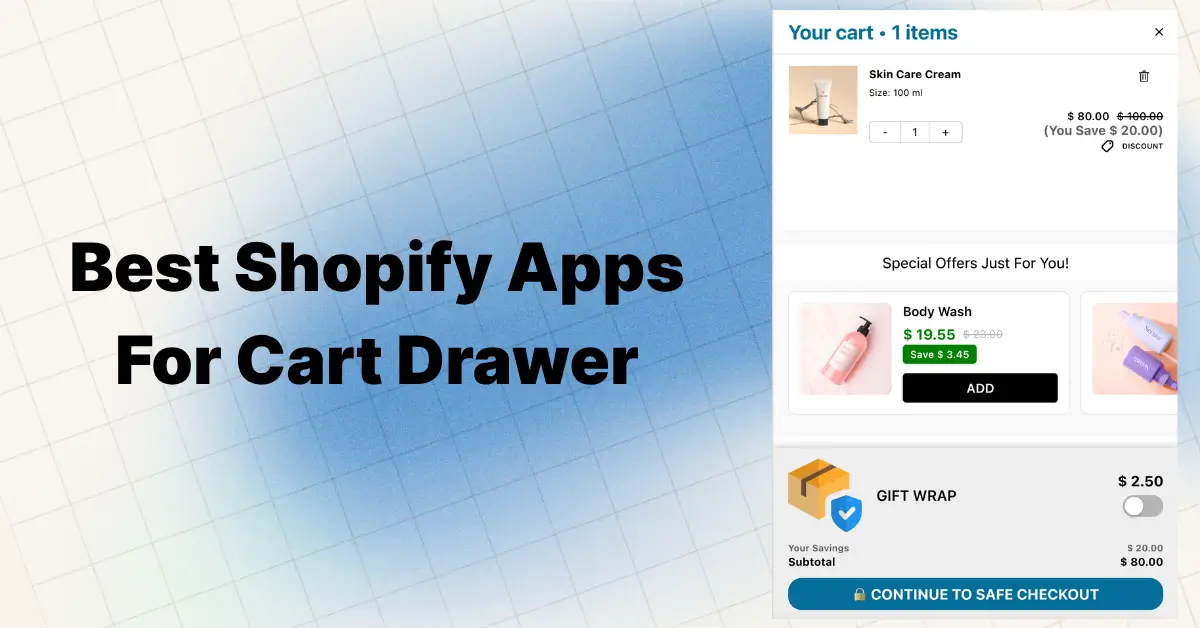
That is exactly what in-cart recommendations do. They show small, related products right inside the cart drawer or cart page. One tap, and the item joins the order. No new tab. No re-entry. No price shock.
Here is the catch most stores miss. Baymard Institute, the gold-standard ecommerce UX research firm, tested cart cross-sells on hundreds of major sites and found 52% of desktop sites present cross-sells in the cart that are either completely irrelevant or based only on what other customers bought. Half of the internet is doing this wrong, and shoppers feel it.
This guide shows you exactly how to do it right, with verified data and a setup path you can ship today.
Key Takeaways
- In-cart recommendations are product suggestions shown inside the cart drawer or cart page when a shopper is about to check out. It is the highest-intent upsell spot on a Shopify store.
- AI-powered cart suggestions outperform manual picks. Growth Suite’s benchmark study reported a 3.8 percent add-to-cart rate for AI vs 1.56 percent for static manual recommendations, more than 2x the lift.
- Amazon attributes 35 percent of its total revenue to its recommendation engine (McKinsey).
- Real merchant data: Oxify’s own analytics shows a single Shopify store generated $16,438 in cart drawer revenue in 30 days from in-cart upsells alone.
- The golden rule: show 2 to 3 relevant suggestions, never more. Decision paralysis kills conversion.
- The highest-leverage stack: free shipping progress bar + one cart upsell + upsell with discount. Three reasons to add more, zero friction.
- The fastest path for most stores is a Built for Shopify cart drawer app like Oxify Cart Drawer & Upsells, which ships with three recommendation algorithms (AI-powered Related, Complementary, Manual) plus FBT, free gifts, and a shipping bar out of the box.
What Are In-Cart Recommendations on Shopify?
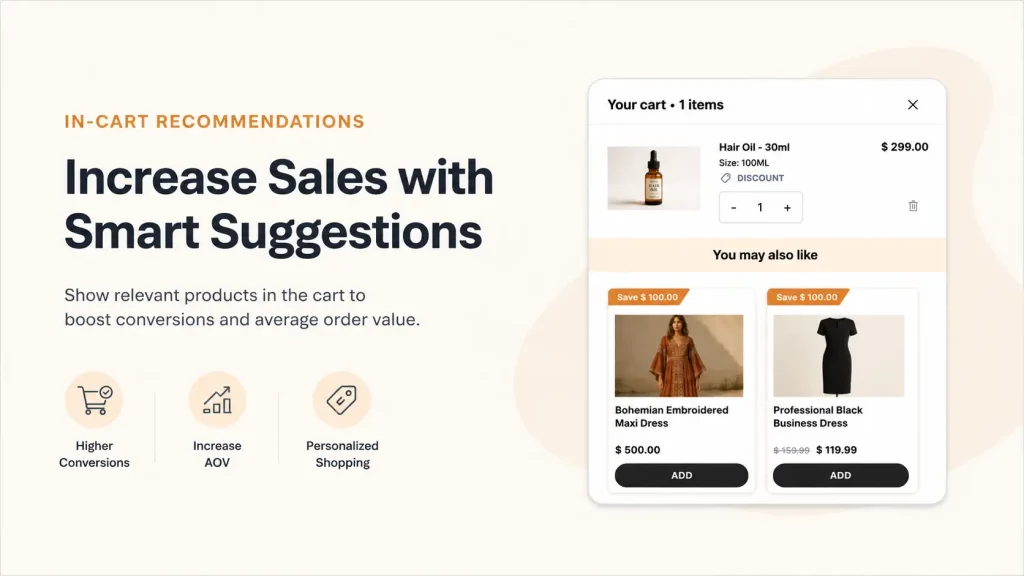
In-cart recommendations are product suggestions that appear inside the shopping cart. They show up as small product cards with an image, name, price, and a quick “Add” button.
You will see them in two main places:
- Cart drawer, the slide-out panel that opens when someone adds an item
- Cart page, the full page shoppers see before checkout
Think of them as the candy bars at a checkout counter. The shopper is already there. The barrier to add one more item is tiny. The product is small, useful, or fun.
The goal is simple. Get one more item into the cart before the customer leaves.
Upsell vs Cross-Sell vs In-Cart Upsell: What’s the Difference?
These three terms get mixed up all the time. Here is the plain-English breakdown.
- Upsell is asking the customer to buy a bigger or premium version of what they already picked. (250ml serum becomes the 500ml.)
- Cross-sell is asking them to add something different that goes with their pick. (Phone gets a case.)
- In-cart upsell is doing either or both, but inside the cart itself, right before checkout.
In-cart recommendations are mostly cross-sells (because they suggest add-ons), but the smartest setups use both. Recommend the bigger size AND the matching add-on. That gets you two ways to win the same order.
Why In-Cart Recommendations Work So Well
The cart is a high-intent zone. The shopper has already decided to spend money. That changes everything about how they think.
Here is what makes this moment special:
- The hardest decision is over. They already said yes to one product. Saying yes to a smaller add-on feels easy.
- No page switching. They stay in the same view, so there is no risk of losing them to a new tab.
- Context is fresh. A phone case shown next to a phone makes instant sense. The brain does not have to work to connect the dots.
- One-click adds reduce friction. No need to read a long product page. The picture and price tell the whole story.
The data backs this up. Industry research from EasyApps’ 2026 Shopify upsell benchmarks shows in-cart upsells convert at 5 to 12 percent, while properly placed offers lift AOV by 10 to 30 percent. McKinsey’s research on Amazon found 35% of Amazon’s revenue is generated from recommendations. Cart drawer optimization studies show a 15 to 25 percent AOV lift is realistic when the drawer is treated as a real selling surface and not just a receipt.
Here is the math in real numbers. A store doing 500 orders a month with a 5 percent cart upsell rate at a 12 dollar average add-on generates an extra 300 dollars a month. That is 3,600 dollars a year from a feature that runs on autopilot once set up. On bigger stores, the same setup throws off five-figure annual lifts.
That is real money from traffic you already paid for.
The Psychology That Makes In-Cart Recommendations Convert
Why do tiny product cards inside a cart do so much work? Five proven principles do the heavy lifting.
- Commitment and consistency. Once a shopper adds the first product, their brain wants to stay in “yes” mode. The next yes is the easiest one of the day.
- Price anchoring. Showing a 14 dollar add-on next to a 60 dollar cart makes the add-on feel small. The original price is the anchor.
- Reciprocity. Offering a free shipping bar or free gift makes the shopper feel they are getting something. They want to “earn” it by spending a little more.
- Loss aversion. “You are 8 dollars away from free shipping” frames staying at the current cart as a loss. Shoppers add to avoid leaving value on the table.
- Social proof. A “Bestseller” tag or rating on the recommendation card tells the brain “other people did this.” That removes doubt instantly.
You do not need to use all five. Two stacked together (commitment + reciprocity, or anchoring + social proof) is usually enough.
How Do In-Cart Product Recommendations Work on Shopify?
Shopify has a built-in tool for this called the Product Recommendations API. It is the same engine that powers the “You may also like” section in most themes.
Here is how it works in plain English:
- A shopper adds a product to their cart.
- Your theme or cart app sends that product ID to Shopify’s recommendations endpoint.
- Shopify looks at sales data, product descriptions, and collection links to find related items.
- The API returns up to ten products in order of relevance.
- Your cart drawer or cart page shows them with a quick add button.
Shopify uses two main recommendation intents:
- Related products are generated automatically. The algorithm starts with collection-based matches for new stores, then shifts to sales-pattern matches as data builds up.
- Complementary products need to be set up by you using the free Shopify Search & Discovery app. These are perfect-fit add-ons you pick by hand, like a charger for a laptop.
Most cart drawer apps build on top of this API. They add design controls, smart rules, and analytics so you do not need to write code.
Cart Drawer vs Cart Page vs Popup: Which Wins?
You have three places to put your in-cart recommendations. They are not equal. Here is the side-by-side.
| Feature | Cart Drawer | Cart Page | Popup |
|---|---|---|---|
| Keeps browsing flow | Yes | No | Maybe |
| Page reload needed | No | Yes | No |
| Mobile experience | Excellent | Good | Poor |
| Upsell space | Great | Best | Tight |
| Risk of annoying users | Low | Low | High |
| Modern best practice | Yes | Older | Avoid |
The cart drawer wins for most stores. It slides in over the page, keeps the shopper one click from continuing to shop, and gives you enough room for two recommendations plus a free shipping bar plus a checkout button. This is what most people now call a “smart cart” on Shopify, because it stops being a static receipt and starts acting like a salesperson.
Popups are the weakest option. They feel aggressive and most shoppers click out instinctively.
If you are still using a full cart page and considering the switch, the breakdown in How to Replace Shopify Cart Page With Slide Cart Drawer walks through the trade-offs.
7 Types of In-Cart Recommendations That Actually Convert
Not all recommendations are the same. Here are the seven types you can mix and match.
1. Product Add-Ons. Small, cheap items that complete the main product. (Yoga mat gets a carrying strap. Coffee maker gets filters.)
2. Frequently Bought Together (FBT). Shopify shows the items most often purchased with the cart item. AI-powered. Sets itself.
3. Premium Upgrades. If they have the 250ml, offer the 500ml at a better per-unit price. Higher AOV, same cart slot.
4. Bundles. Two or three items together at a small discount. Great for skincare, gifting, and starter packs.
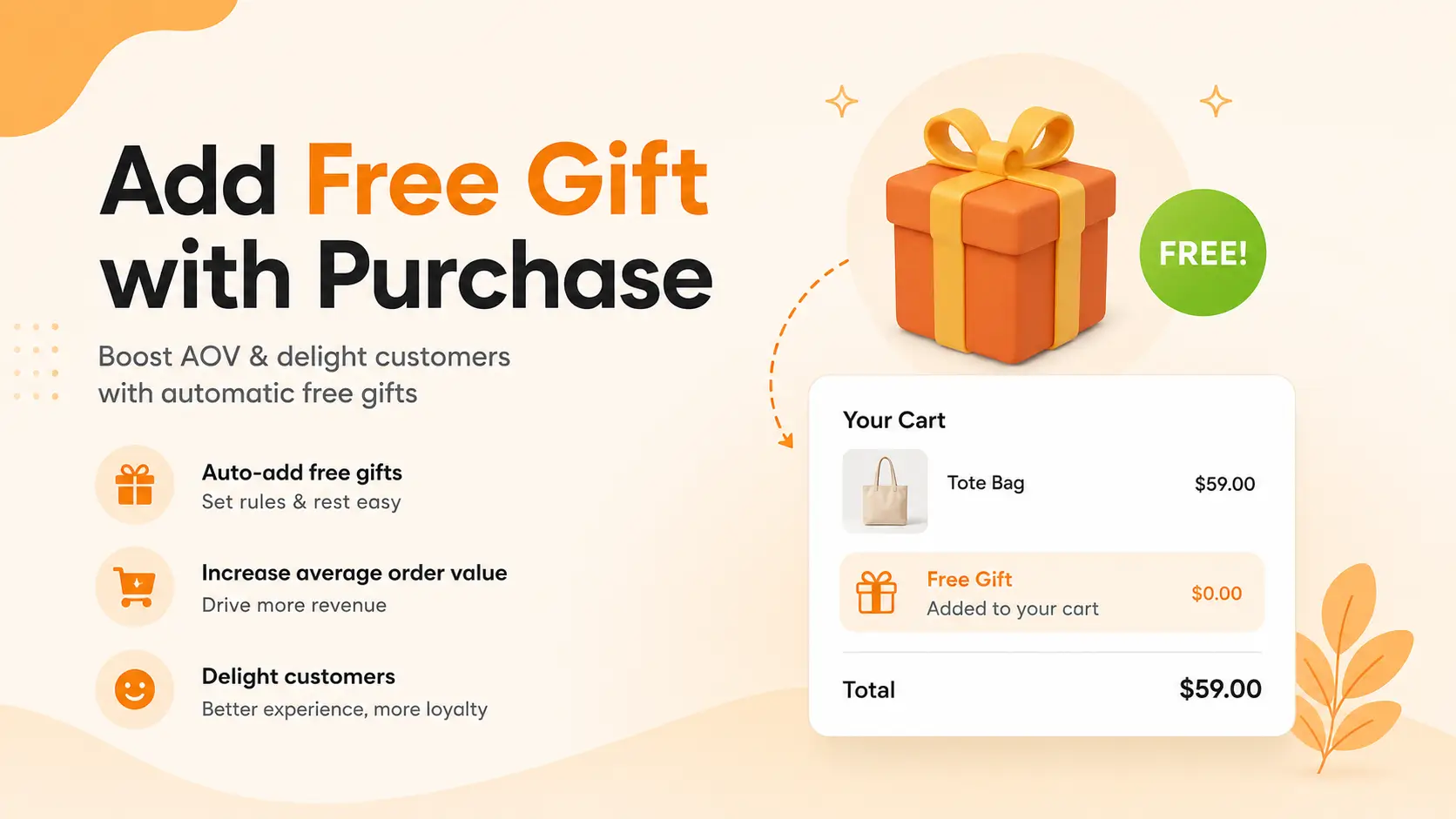
5. Free Gift Threshold. “Spend 80 dollars, pick a free gift.” Pushes carts past your average order value.
6. Volume or Quantity Breaks. “Buy 2, save 10%. Buy 3, save 15%.” Powerful for consumables and apparel. (You can run these natively with Oxify Quantity Breaks.)
7. Subscription Upgrades. “Get this delivered every month for 10% off.” Works inside the cart for products people reorder.
Most stores stack three of these. A common winner: free shipping bar + one product add-on + free gift threshold.
Where to Place In-Cart Recommendations
Placement matters more than people think. The wrong spot can hurt your cart-to-checkout rate.
Here are the spots that work, ranked from highest impact to lowest.
Inside the cart drawer (top performer). This is the slide-out panel that opens the second someone adds a product. Shoppers are most attentive here. Place one or two recommendations below the cart items but above the checkout button.
On the cart page (still strong). For stores using a full cart page, a row of three to four recommendations below the cart summary works well. Make sure it does not push the checkout button below the fold.
In a sticky cart on the side. Some stores use a mini cart that stays open as the shopper browses. Recommendations here can run through the whole session.
Do not stack them in too many places. Shoppers get fatigued fast. One smart placement beats three loud ones.
9 Smart Plays That Make Recommendations Actually Convert
Showing random products is the fastest way to lose trust. Here are the plays that move the needle, drawn from running real Shopify stores.
1. Pick add-ons, not alternatives
If a shopper added a yoga mat, do not show another yoga mat. Show the carrying strap, the cleaning spray, or the resistance band. Alternatives create doubt. Add-ons create stacks.
2. Use the “under twenty percent” rule
The recommended product should cost less than twenty percent of the cart total. A ten dollar add-on next to a fifty dollar product feels small. A thirty dollar add-on feels like a second purchase decision.
3. Pair recommendations with a free shipping bar
This is a sneaky-good combo. If your shopper is eight dollars away from free shipping, show items priced between eight and fifteen dollars. The math does itself in their head. Their brain says, “I might as well, shipping is free anyway.”
Common rule of thumb: set your free shipping threshold about 20 to 30 percent above your current AOV. Reachable, but a stretch.
4. Show social proof on the card
A small “Bestseller” tag or “★ 4.9 (820)” rating next to the add button can do more work than a discount. People trust other shoppers more than they trust your copy.
5. Cap it at two or three products
More choices kill conversion. The cart is not a catalog. Two well-picked items beat ten random ones every single time. Showing five or more triggers decision paralysis, the same pattern documented across cart drawer benchmark studies.
6. Make the “Add” button huge and obvious
The add button should be the loudest thing in the recommendation card. No drop-downs. No size pickers unless absolutely needed. One tap, item in cart, done.
7. Test the headline above your recommendations
Small copy tests make big differences. Try:
- “Complete your order”
- “You might also need”
- “Pairs well with your cart”
- “Customers also added”
Run each for two weeks. Keep the winner.
8. Segment by cart value
A shopper with a 20 dollar cart and a shopper with a 200 dollar cart need different recommendations. Show shipping protection on larger carts. Show cheap impulse buys on smaller ones.
9. Design mobile first
Shopify’s own commerce trends show mobile is now the majority of traffic on most stores. If your recommendation card is too small to tap, the price is hidden, or the add button is below the fold, you lose every mobile shopper. Test on a real phone before you launch.
Real Brand Examples to Steal From
Big Shopify brands use these plays every day. Here is what they do, observed from public-facing store experiences:
- Bombas uses cart-page recommendations paired with a “free 2-day shipping” reminder, so the recommendation feels less like a sales pitch and more like a perk reminder.
- ColourPop unlocks exclusive “cart specials” that only appear once the cart hits a threshold. The phrasing makes shoppers feel like insiders.
- Bison Coolers prices in-cart recommendations just under their free shipping gap, so the shopper “completes” the order without overthinking it.
- Pura Vida features a mystery cart recommendation with a “Reveal” button, sparking curiosity-based conversions.
- Wandering Bear Coffee uses the cart to nudge shoppers toward a subscription upgrade with a “save 15%” angle.
The pattern across all of them is the same. Emotionally framed offers, never random products, always relevant to what is already in the cart.
What to Avoid (These Quietly Kill Sales)
Baymard Institute’s research found 52% of desktop sites present cross-sells in the cart that are either completely irrelevant or based only on what other customers bought. That is the trap most stores fall into. A few common moves quietly hurt revenue. Skip them.
- Recommending out-of-stock items. Frustrating and pointless.
- Showing the same product already in the cart. Embarrassing.
- Pricing add-ons higher than the main product. Feels like a trap.
- Auto-adding items without permission. Trust killer.
- Forcing variant pickers inside the cart. Drop the friction.
- Hiding the checkout button under the recommendations. Never block the path to purchase.
- Running two cart apps at the same time. They will conflict, break the drawer, and slow page loads.
- Pushing the same recommendation to every shopper. Personalization beats static every time.
A Simple Framework for Picking the Right Products
Use this three-step check before you set up any recommendation:
- Is it useful? Does it solve a problem the main product creates? (Shoes need socks. Phones need cases.)
- Is it cheap? Does it cost less than a quarter of the cart total?
- Is it fast to understand? Can the shopper “get it” from a one-line description?
If the answer is yes to all three, it belongs in your cart.
Manual Recommendations vs AI Recommendations
You have two ways to power your in-cart suggestions. Both have a place.
Manual recommendations are picked by you. You tell the cart, “When someone buys product A, show product B.” Clean, predictable, and great for hero combinations like phone + case.
AI recommendations use Shopify’s algorithm or a third-party engine. They learn from sales patterns and adjust over time. Growth Suite’s benchmark testing found AI-powered cart recommendations average a 3.8 percent add-to-cart rate vs 1.56 percent for static manual picks, more than 2x the lift. The difference comes down to context. AI reads what is actually in the cart and adapts. Manual rules are static guesses.
One caveat. AI needs data. If your store has fewer than 100 orders of history, start with manual picks and switch to AI as the order count grows.
The smartest setup uses both. Manual rules for your top sellers and obvious pairs. AI fallback for everything else.
The 3 Recommendation Algorithms (and When to Use Each)
Most cart drawer guides talk about “smart recommendations” without ever showing how they actually work. Here is the inside view from Oxify Cart Drawer & Upsells, which exposes all three algorithms Shopify supports:
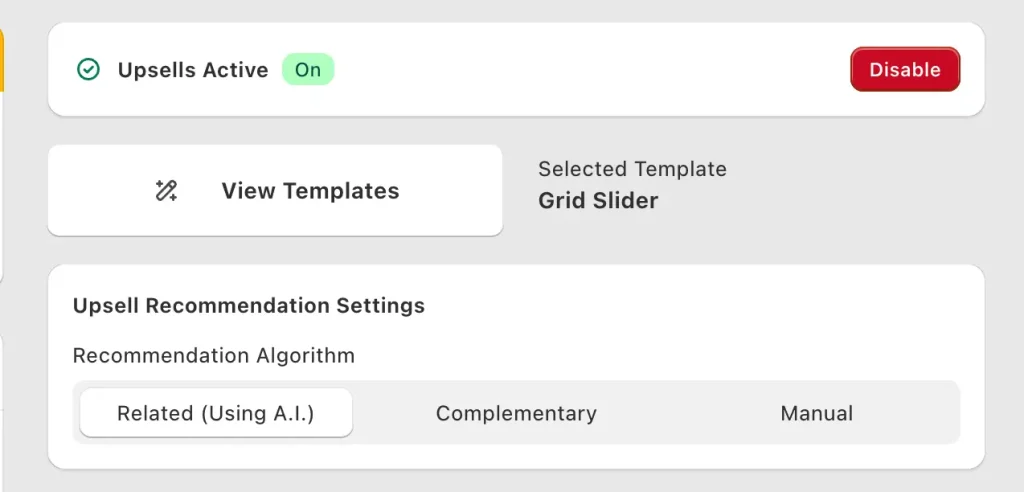
Here is how to pick the right one for your store.
1. Related (Using A.I.) — best for stores with 100+ orders
Shopify’s AI reads the cart in real time and surfaces products other customers actually bought together. It updates as your sales data grows. This is the default for most growing stores because it requires zero manual setup and gets smarter every week.
Use this when: You have at least 100 orders, you sell more than 30 SKUs, and you want recommendations that adapt to seasons and trends without you babysitting them.
2. Complementary — best for stores with obvious add-on pairs
You pre-define perfect-fit pairings through Shopify’s free Search & Discovery app. Phone gets a case. Coffee maker gets filters. Yoga mat gets a strap. The cart shows exactly what you said it should, every time.
Use this when: Your catalog has clear “this needs that” pairings, you sell fewer than 30 SKUs, or you are a brand-new store without enough sales data for AI to work.
3. Manual — best for promotional control
You hand-pick exactly which products show as recommendations regardless of what is in the cart. Great for pushing a new launch, clearing inventory, or featuring a high-margin product across every cart.
Use this when: You are running a campaign, launching a new product, or want to control margin by always recommending your most profitable SKU.
The smartest setup: Use Related (AI) as the default, override with Manual on specific products where you want to control the recommendation, and add Complementary pairings for your hero products. Stacking all three gives you both algorithmic lift and editorial control.
Real Merchant Data: What In-Cart Upsells Actually Generate
Most articles on this topic quote industry benchmarks. Here is something most articles don’t show: actual revenue from a real Shopify store running in-cart upsells.
This is the Oxify Cart Drawer analytics dashboard for one merchant over a 30-day window:
- Total app revenue: $16,438 in 30 days
- Cart drawer revenue: $16,438 (100% of the lift came from in-cart upsells, not product page upsells)
- Product page upsell revenue: $0 (this merchant only ran in-cart, no product page offers)
What this tells you in practical terms:
- In-cart upsells alone can drive five-figure monthly revenue lifts on a mid-size Shopify store.
- You do not need product page upsells to win. This store ran zero product page offers and still pulled $16K in 30 days from the cart drawer alone.
- Cart drawer revenue is incremental. This is money the store would not have earned without in-cart recommendations, since these are add-on items shoppers chose to add at the cart stage.
Extrapolate the math: $16,438 over 30 days is roughly $197,000 a year in incremental revenue from one feature. Even if you cut that figure in half to be conservative, you are still looking at six figures from a play most stores either don’t use or set up badly.
The two highest-impact moves we see across the Oxify install base:
- Pure in-cart upselling (Related AI recommendations, 2-3 products max, placed below cart items and above checkout).
- Upsells with discount (the same recommendations, but with a small 5-10% off applied only if added from the cart). This is what most “smart cart” benchmarks are actually measuring when they report 20%+ AOV lifts.
If you want both built into one app, Oxify Cart Drawer & Upsells ships with three recommendation algorithms, upsells with discount, free gifts, and a free shipping bar in a single install. Pricing starts at $19.99/month for up to 200 orders, with a 14-day free trial on every plan.
How to Add In-Cart Recommendations to Your Shopify Store
You have a few options, sorted from simplest to most custom.
Option 1: Use your theme’s built-in recommendations
Most modern Shopify themes (Dawn, Sense, Refresh, Studio, and others) ship with a built-in cart recommendation section. Open your theme editor, find the cart drawer or cart page settings, and toggle “Enable recommendations.” Done in two minutes.
This works, but the design and rules are limited. You get whatever the theme builder shipped and you cannot run logic like “show free gift if cart is over 50 dollars.”
Option 2: Install a cart drawer app (recommended for growing stores)
This is where most growing stores end up. An app like Oxify Cart Drawer & Upsells gives you a full cart drawer with smart recommendations, frequently bought together bundles, AI suggestions, free gifts, a free shipping bar, and a countdown timer, all in one place. You pick what shows, when, and to whom, with no code needed.
Oxify is rated 5.0 stars on the Shopify App Store, Built for Shopify certified, and includes a 14-day free trial on every plan. Pricing starts at 19.99 dollars a month for up to 200 orders.
For a wider comparison of cart drawer apps, see the 12 best Shopify cart drawer apps in 2026 breakdown.
Option 3: Custom build with the Recommendations API
If you have a developer and very specific rules, you can call Shopify’s Product Recommendations API directly at /recommendations/products.json?product_id={id}&intent=related. This gives you total control, but you take on the design, testing, and maintenance.
How to Measure If Your Recommendations Are Working
Set up real tracking from day one. Otherwise you are guessing.
Watch these five numbers:
- Attach rate. Percent of carts that include a recommended product. Aim for 10 percent or higher as a starting bar.
- Recommendation click-through rate. How often shoppers tap the add button. A healthy rate sits between 2 and 8 percent based on aggregated industry benchmarks.
- AOV with vs without recommendations. Compare orders that included a recommended item against those that did not.
- Cart-to-checkout rate. Make sure your recommendations did not slow down the path to checkout. If this drops, something is too pushy.
- Per-recommendation revenue. Which specific products got added the most? Double down on winners, kill losers.
Most cart drawer apps show these stats inside their dashboard. If yours does not, switch.
Quick Setup Checklist
Before you turn on in-cart recommendations, run through this list:
- Pick 2 to 3 add-on products per main product
- Make sure each add-on is in stock
- Keep add-on prices under 20 percent of the average cart
- Write a short, clear headline above the recommendations
- Test on mobile first
- Set a baseline AOV before you launch, so you can measure the lift
- Plan to refresh recommendations every 4 to 6 weeks
- Set up tracking for attach rate and CTR from day one
Frequently Asked Questions
How do in-cart product recommendations work on Shopify?
In-cart recommendations show suggested products inside the cart drawer or cart page using Shopify’s Product Recommendations API. The API looks at sales data, product descriptions, and collection links, then returns related items in order of relevance. Shoppers can add them to the cart with a single tap, without leaving the cart view.
Do in-cart recommendations hurt conversion?
Only if they are placed badly or pushed too hard. Well-designed recommendations sit below cart items and above the checkout button, so they never block the path to purchase. When relevant, they actually improve checkout completion because shoppers feel they are getting more value from the same order. Baymard’s research warns that irrelevant recommendations damage trust sitewide, so relevance matters more than volume.
What is the best AOV lift I can expect?
Industry benchmarks from EasyApps’ 2026 Shopify upsell study show in-cart upsells typically lift AOV by 10 to 30 percent. Cart drawer optimization can hit 15 to 25 percent on its own. Stores combining a cart drawer with a free shipping bar, free gifts, and smart recommendations consistently report lifts in the 20 to 40 percent range.
Are AI cart recommendations better than manual ones?
Growth Suite’s benchmark study found AI-powered cart recommendations average a 3.8 percent add-to-cart rate vs 1.56 percent for static manual picks, more than 2x the lift. AI wins on most stores with enough order history (100+ orders). For brand-new stores or hero product combinations (like phone + case), manual rules still win. The strongest setup uses both.
Can I show different recommendations to different customers?
Yes. Most cart drawer apps let you set rules based on cart value, product, collection, or customer tag. For example, you can show shipping protection only when the cart hits 50 dollars, or show a free gift only for first-time buyers.
How many recommendations should I show?
Two to three is the sweet spot. More than that and shoppers get overwhelmed, which actually drops conversion. Five or more triggers decision paralysis. Less is more inside the cart.
What is the best Shopify cart recommendations app?
The right pick depends on your store size and what you need. Oxify Cart Drawer & Upsells is a 5.0-star Built for Shopify app that bundles smart recommendations, FBT, free gifts, a free shipping bar, and a countdown timer in one place, with a 14-day free trial. For a full comparison, see the 12 best cart drawer apps breakdown.
Can I add in-cart recommendations for free?
Yes. Most modern Shopify themes (Dawn, Sense, Refresh) ship with basic cart recommendations built in. Turn them on inside your theme editor under “Cart drawer” or “Cart page” settings. For real customization, segmentation rules, and analytics, you will want an app.
Do in-cart recommendations work on mobile?
They have to. Mobile is now the majority of Shopify traffic on most stores. The best cart drawer apps are mobile-first by design, with large tap targets, fast load times, and recommendation cards that scroll smoothly inside the drawer.
What is the difference between in-cart upsell and post-purchase upsell?
In-cart upsell happens before the customer pays, inside the cart or cart drawer. Post-purchase upsell happens on the thank-you page after the order is placed. EasyApps’ 2026 study reports in-cart converts at 5 to 12 percent and adds to the original order. Post-purchase is one-click and frictionless but typically converts at 3 to 8 percent. The two stack well together.
How does Shopify pick which products to recommend?
For new stores, Shopify’s algorithm starts with collection-based matches (products in the same collection as the cart item). As your store builds sales data, the algorithm shifts to sales-pattern matches based on what real customers bought together. You can also manually set complementary products inside the free Shopify Search & Discovery app to override the algorithm for specific pairings.
What is an “upsell with discount” in the cart?
An upsell with discount is a cart recommendation that comes with a small price cut, but only if the shopper adds it from the cart drawer. For example: “Add this for $14 (save 10%).” It blends a recommendation with a micro-incentive. Real Oxify merchant data shows this format outperforms plain recommendations because it removes the last bit of hesitation. Apps like Oxify Cart Drawer & Upsells let you toggle “Upsells with Discount” as a separate widget alongside standard cart recommendations.
How much revenue can in-cart upsells actually generate?
It depends on your traffic and AOV, but real merchant data is the best benchmark. One Shopify store running Oxify Cart Drawer & Upsells generated $16,438 in pure cart drawer revenue over a 30-day window from in-cart upsells alone, with zero product page offers running. That extrapolates to roughly $197,000 a year in incremental revenue from one feature. Even mid-size stores can clear five figures per month from a well-configured cart drawer.
Start Small, Measure, Then Scale
In-cart recommendations are one of the highest-leverage tweaks you can make to a Shopify store. The traffic is already there. The shopper is already buying. You are just helping them complete a smarter order.
The Oxify analytics dashboard above ($16,438 in cart drawer revenue, 30 days, one store) is what a properly configured cart looks like. It is not theoretical. It is real merchant data from in-cart upsells alone, with zero product page offers.
Start with two complementary products per main item. Place them inside the cart drawer using the Related (AI) algorithm. Watch your attach rate for two weeks. Then layer in upsells with discount, a free shipping bar, and a countdown timer. Each layer compounds.
If you want a faster path, Oxify Cart Drawer & Upsells gives you all three recommendation algorithms (Related AI, Complementary, Manual), upsells with discount, frequently bought together bundles, free gifts, a free shipping progress bar, and a sticky cart out of the box. 5.0-star rated, Built for Shopify certified, 14-day trial on every plan.
Your cart drawer is doing one job today. Make it do five.