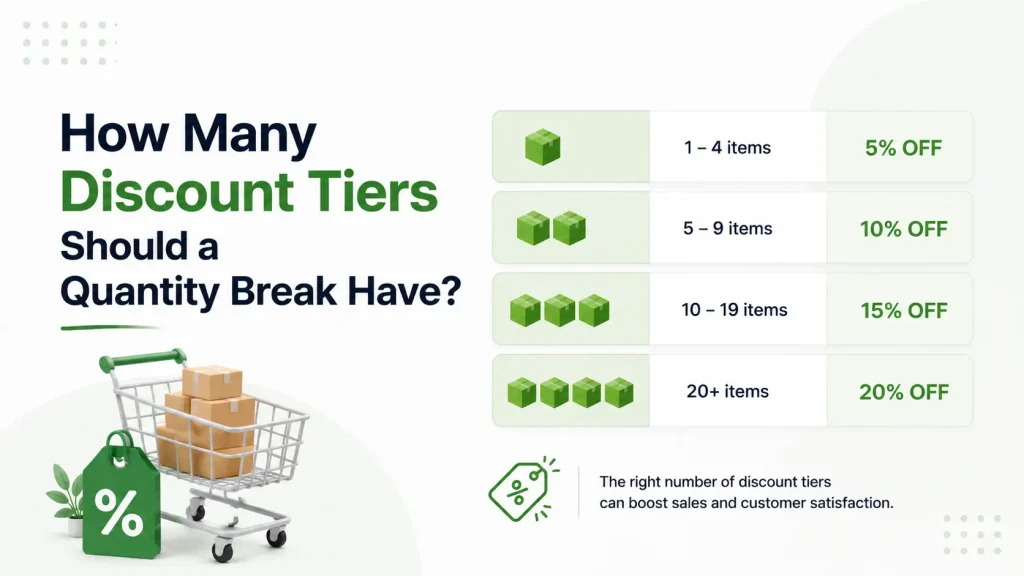
Short answer: three. For most Shopify stores, three quantity break tiers is the sweet spot. Three gives shoppers a real choice without making them stop and do math. Go past five and people freeze up. Drop below three and the offer feels flat — there’s nothing to climb toward.
But “three” is the easy part. The harder questions are which three, how far apart to space them, and how deep each discount should go. Get those wrong and even three tiers won’t move your average order value.
This guide gives you the 3 tier rule, real spacing numbers you can copy, and the exact mistakes that quietly kill bulk sales. If you’re new to the topic, our ultimate guide to quantity breaks covers the basics first. Already set up? Then let’s talk tiers.
Why the Number of Tiers Matters More Than the Discount Size
Most store owners argue about the wrong thing. They debate whether the top tier should be 20% off or 25% off — and ignore how many tiers they’re showing at all.
The number of price breaks is what actually steers behavior. Here’s why:
- Too few tiers = no journey. A single discount is just a sale. There’s nothing to reach for.
- Too many tiers = decision paralysis. A shopper sees eight rows, can’t compare them fast, and buys one unit — or nothing.
- The right number = a clear ladder. The shopper instantly sees where they are and where they could be.
A good quantity break changes the question in the shopper’s head. Instead of “Should I buy this?” it becomes “How many should I buy?” That shift only happens when the whole offer is readable in about three seconds. More tiers means more reading. More reading means slower decisions. Slower decisions mean smaller carts.
The 3 Tier Rule: Anchor, Target, Reward
The 3 tier rule is simple to remember: every tier has one job.
Tier 1 — The Anchor
One unit, full price. This isn’t really a “deal.” It exists so the other tiers have something to look better than. Without an anchor, your discounts have nothing to be measured against.
1 unit — $20.00 each
Tier 2 — The Target
This is the tier you want most people to choose. It should feel like the obvious smart pick. The discount is modest but real, and the quantity is only a small step up from what shoppers already buy.
3 units — $17.00 each (save 15%)
Tier 3 — The Reward
The “stock up and save big” tier. Most shoppers won’t reach it — and that’s fine. Its real job is to make Tier 2 look reasonable by comparison. A handful of bulk buyers will jump straight here, and those orders are pure AOV upside.
6 units — $14.00 each (save 30%)
Look at what Tier 3 does: it makes Tier 2 feel like the safe middle choice. This is the “good, better, best” pattern your brain already trusts from coffee sizes and streaming plans. People are wired to pick the middle option — so build a middle worth picking.
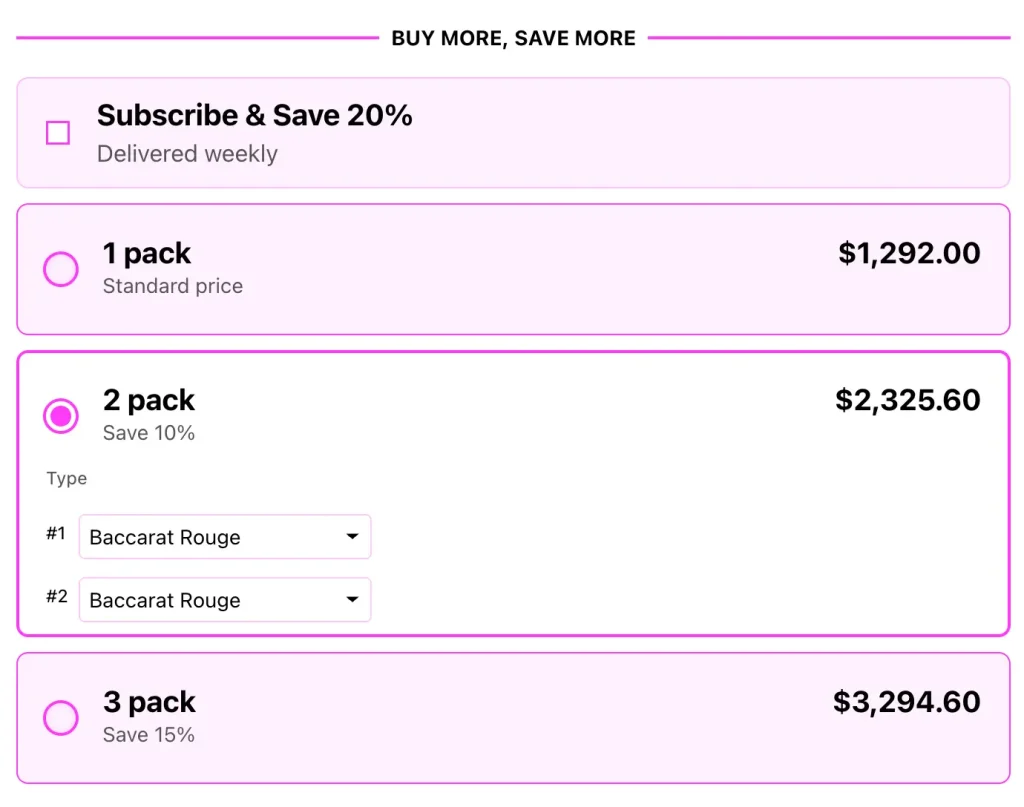
When to Use More (or Fewer) Than Three
Three is the default, not a hard law. The expert consensus across pricing guides and Shopify’s own B2B documentation lands on three to five tiers as the workable range. Here’s how to choose inside it.
Use 4 tiers when:
- Your product has a wide natural quantity range — coffee pods, vitamins, pet food, skincare refills.
- You have real order data showing customers already buy in big batches.
- You sell B2B or wholesale, where large orders are normal.
Use 2 tiers when:
- The product is expensive and people rarely buy more than two.
- You’re running a short flash sale and want zero friction.
- Your store is new and you have no order data yet.
Almost never use 5+ tiers on a single product. The extra rows look thorough but they slow the shopper down. For context, Shopify’s native B2B volume pricing allows up to 10 price breaks per product — but “allowed” is not “advised.” Just because the platform lets you stack ten doesn’t mean a shopper can process ten.
A simple test: if a shopper can’t understand your full offer without scrolling or doing math, you have too many tiers.
Tier Spacing: The Mistake Almost Everyone Makes
Choosing three tiers is easy. Tier spacing is where stores actually go wrong.
Spacing means two things at once: the quantity gaps between tiers and the discount jumps between tiers. Break either one and the ladder collapses.
Mistake 1 — Quantity gaps too wide
If Tier 1 is 1 unit and Tier 2 is 10 units, you’ve lost everyone. Nobody leaps from “I’ll try one” to “I’ll buy ten.”
Fix: Make the first jump small and believable. 1 → 3 feels doable. 1 → 10 does not.
Mistake 2 — Discount jumps that don’t grow
If your tiers are 5% off, then 8% off, then 11% off, the reward for climbing feels tiny. Why stretch your budget for 3% more?
Fix: Each tier should add a meaningful jump — generally at least 5–10 percentage points. Savings should feel like they snowball, not trickle. If you want to layer offers, see how to stack buy-more-save-more discounts without breaking your margins.
Mistake 3 — Tiers that ignore your real AOV
If your average order is one $25 item, don’t make Tier 2 require six units. You’re asking the shopper to 6x their spend in one click. They won’t.
Fix: Set Tier 2 just slightly above current buying behavior. Pull shoppers one comfortable step up — not five.
Mistake 4 — A top-tier discount that loses money
A 40% discount on a product with a 30% margin means you lose money on every extra unit sold. Bulk volume doesn’t save a tier that’s underwater.
Fix: Check the math on Tier 3 before launch. Your deepest discount must still leave profit after product cost and shipping.
Here’s a clean spacing example for a $20 product:
| Tier | Quantity | Price Per Unit | Shopper Saves |
|---|---|---|---|
| Anchor | 1 unit | $20.00 | — |
| Target | 3 units | $17.00 | 15% |
| Reward | 6 units | $14.00 | 30% |
The quantity doubles each step. The discount climbs 15 points each step. It’s predictable — and predictable is exactly what makes it easy to say yes to.
A 5-Step Framework to Set Your Tiers
Use this the next time you build a quantity break:
- Find your real per-product AOV. Look at how many units shoppers typically buy right now. That number is your starting line.
- Set the Anchor. One unit, full price, no discount.
- Set the Target just above current behavior. If most people buy 1–2, make Tier 2 require 3. Add a 10–15% discount.
- Set the Reward as a genuine stretch. Double or triple the Target quantity. Add a discount jump that feels exciting — often 25–35% total.
- Stress-test Tier 3 margins. If your deepest discount erases profit, shrink the discount — not the tier count.
Then watch the data for 30 days. If almost everyone picks Tier 1, your Target sits too far away. If everyone jumps to Tier 3, your discounts are too generous and you’re handing away margin. The same testing logic applies to any product bundle pricing strategy — set it, measure it, then refine.
Why Tiers Beat a Plain Discount
It’s worth saying plainly: a quantity break is not the same as a sale.
A flat discount teaches customers your normal price was inflated. A tiered quantity break teaches them that buying more is the smart move — a far healthier lesson. One trains people to wait for the next sale. The other trains them to fill the cart now. We break this difference down fully in quantity breaks vs regular discounts.
That’s the real reason tier count matters. Three well-spaced tiers create a sense of progress, and progress feels good. Shoppers who feel good about climbing a ladder spend more than shoppers who simply clip a coupon — which is why quantity breaks belong in any serious set of Shopify upselling strategies.
The Catch: Shopify Makes Three Tiers Harder Than It Sounds
Here’s what most articles skip. Shopify has no built-in “quantity breaks” feature. (Shopify’s own discount documentation confirms this.) To build a 3-tier break with native tools, you create one separate automatic discount for every single tier — one rule for “Buy 3,” another for “Buy 6,” and so on.
That creates three real problems:
- The 25-discount ceiling. Shopify caps a store at 25 active automatic discounts. Three tiers across just nine products is already 27 rules — over the limit.
- No tiers on the product page. Native discounts only show up in the cart or at checkout. Shoppers can’t see your ladder while they’re deciding how much to buy — which kills the exact behavior the tiers were built to drive.
- Manual upkeep. Every price tweak means editing multiple discount rules by hand. Easy to break, easy to forget one.
So you can design a perfect 3 tier rule on paper and still fail, simply because shoppers never see it.
Set Up Smart Quantity Break Tiers in Minutes
This is where a dedicated app earns its place. Oxify Bundles Quantity Breaks lets you build clean, well-spaced quantity break tiers on any Shopify product — and, crucially, displays them as a clear pricing table right on the product page where shoppers actually decide.
With Oxify you can:
- Set your Anchor, Target, and Reward tiers without writing code or juggling separate discount rules.
- Show the savings on each tier so the “how many should I buy?” question answers itself.
- Adjust spacing and discounts anytime based on your 30-day data — no rebuilding required.
- Skip Shopify’s 25-discount ceiling entirely, since tiers live inside one app, not 27 native rules.
Start with three tiers. Watch your average order value. Refine from there.
👉 Add Oxify Bundles Quantity Breaks to your store and turn “should I buy this?” into “how many should I get?”
Frequently Asked Questions
What is the ideal number of quantity break tiers?
Three is ideal for most stores: an anchor at full price, a target tier most shoppers choose, and a reward tier for bulk buyers. Four can work for consumable products with a wide quantity range. Beyond five, you risk decision paralysis and slower buying decisions.
What is the 3 tier rule?
The 3 tier rule gives each tier in a quantity break one clear job: the anchor (full price, sets the comparison point), the target (the discount you want most people to pick), and the reward (a deeper bulk discount that makes the target look reasonable).
How big should the discount jump between tiers be?
Each tier should add a meaningful jump — generally at least 5–10 percentage points. Small, equal jumps give shoppers no reason to climb. The savings should feel like they grow as the quantity grows.
Can a quantity break have just two tiers?
Yes. Two tiers work well for higher-priced items people rarely buy in bulk, or for short flash sales where you want minimal friction. You lose the “middle option” psychology, but the offer stays very simple.
Should every product use the same tier structure?
No. Higher-margin products can support deeper discounts and more tiers. Low-margin or commodity items need tighter discounts. Match the structure to each product’s margin and to how customers actually buy it.
How many quantity breaks does Shopify allow?
Shopify B2B volume pricing supports up to 10 price breaks per product, and a store can run up to 25 active automatic discounts total. Those are technical ceilings, not recommendations — three to five well-spaced tiers per product perform far better than the maximum.