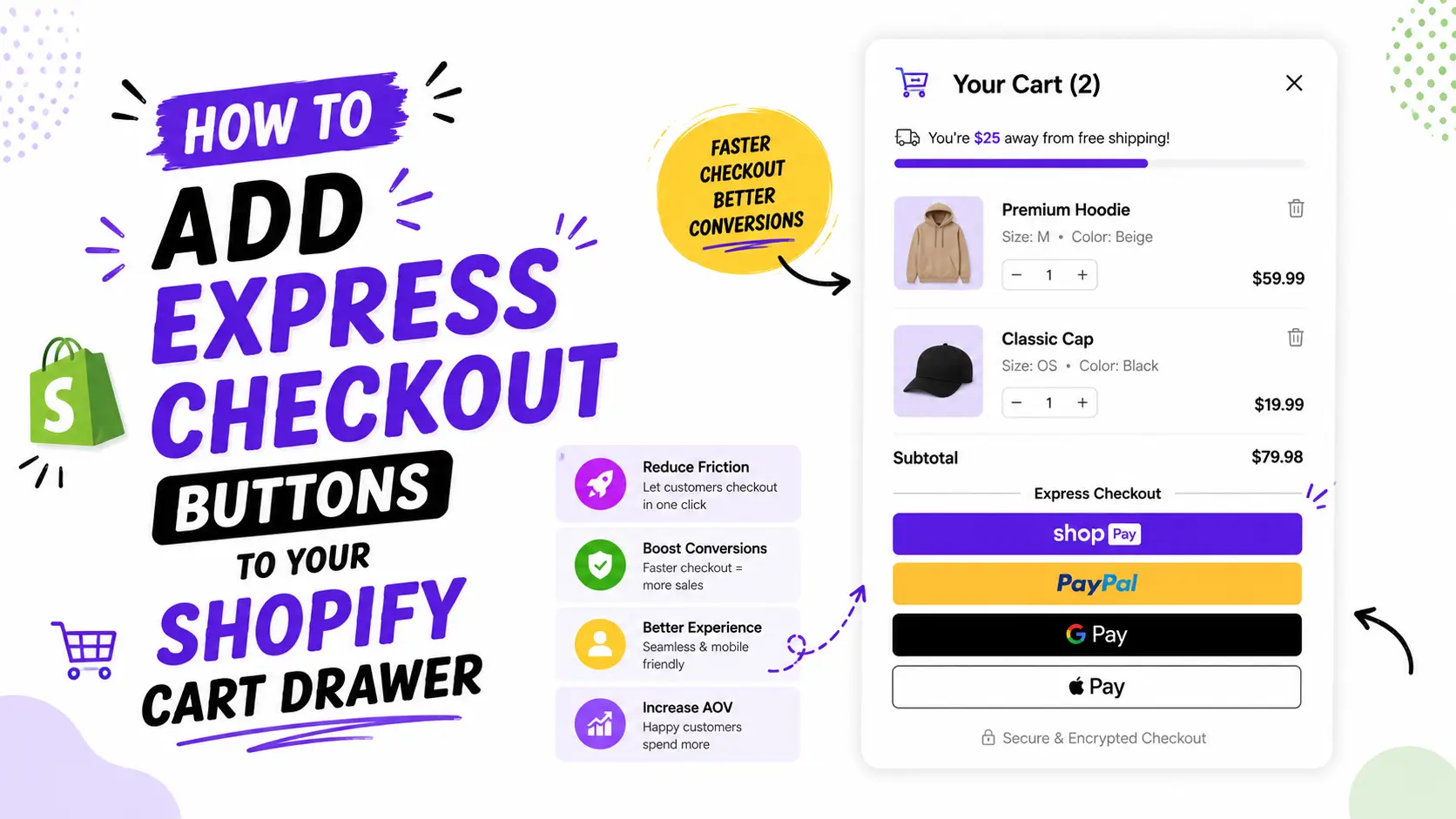
Your cart drawer is the last thing a shopper sees before they pay. If it just shows a list of items, you are missing easy sales. If it shows the right offer at the right moment, it can lift your average order value by double digits.
This guide ranks the 14 best Shopify cart drawer apps for 2026. Every rating, review count, and price here was checked against the live Shopify App Store. No copy and paste. No paid placements. Just the apps that actually help you sell more.
Shopify lists over 400 apps with cart drawer features. Most do not matter. This guide cuts the list down to the 14 that do, so you can pick the right one in about ten minutes.
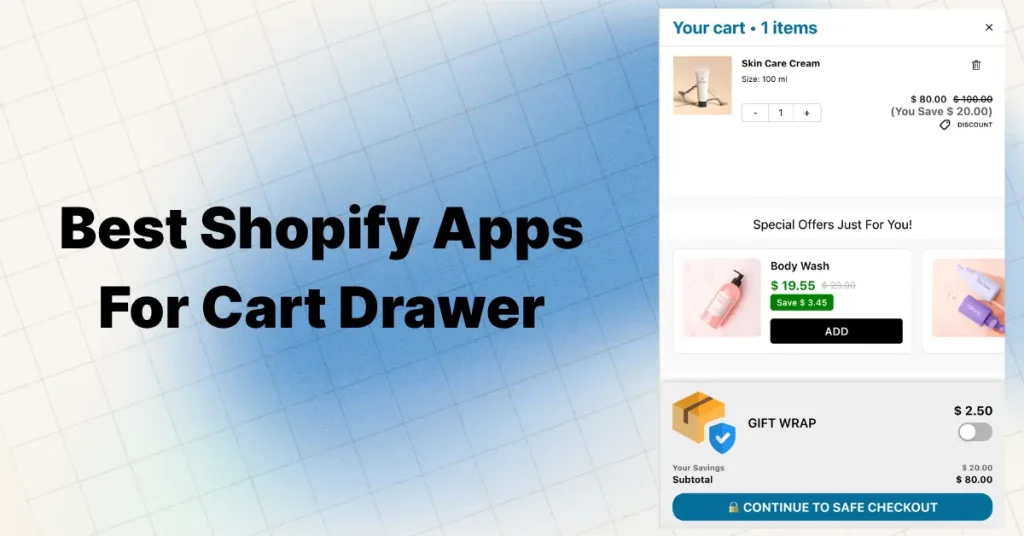
Quick answer (short on time?)
For most Shopify stores in 2026, Oxify Cart Drawer is the best overall pick. It is the only app here that lifts average order value across the whole funnel: product page, cart drawer, checkout, post purchase, and thank you page. It has a perfect 5.0 star rating, carries the Built for Shopify badge, and backs everything with a 30 day promise: if your average order value does not go up, you get a full refund. Agencies favor it because one app covers the full funnel instead of four.
Want a free app? AOV.ai (5.0 stars, 789 reviews) and Essent Cart Drawer (5.0 stars, 694 reviews) are both strong and cost nothing. Want the most established name? UpCart has the longest track record. Selling bundles or BOGO deals? Monster Cart is built for that.
What Is a Shopify Cart Drawer? (Slide Cart, Side Cart, AJAX Cart)
A cart drawer is a panel that slides in from the side of your store when a shopper adds something to their cart. You’ve probably seen them — they’re also called slide carts, side carts, mini carts, or AJAX carts.
Instead of sending the customer to a full cart page (which breaks their flow), the drawer opens right there on the same page. They see what’s in their cart, can adjust quantities, and keep shopping — without a single page reload.
That alone reduces friction. But here’s where it gets interesting.
In 2026, the best Shopify cart drawer apps don’t just show cart contents. They work as mini conversion funnels. Inside that sliding panel, you can show in-cart upsells, free shipping progress bars, free gift thresholds, countdown timers, product bundles, and AI recommendations — all before the customer even reaches checkout.
Think of it this way: your cart drawer is the last touchpoint before someone pays. If you’re not using that real estate to increase order value, you’re leaving money on the table.
What Is Cart Upselling? (And Why It Matters More Than Most People Think)
Cart upselling means showing targeted product suggestions or offers inside the cart — at the exact moment a shopper is about to check out.
This could be a “frequently bought together” suggestion, a gift wrap add-on, a free gift if they hit a spending threshold, or a one-click bundle deal.
Why does this matter so much?
Because getting an existing customer to add $10 more to their order is dramatically cheaper than acquiring a new customer. Industry data suggests roughly 30% of e-commerce revenue comes from upsell and cross-sell offers. A single well-placed suggestion inside your cart can add $5–$20 per order — and across hundreds of daily transactions, that compounds into serious revenue.
The best cart drawer apps in 2026 are designed specifically for this. They don’t just display cart contents — they use upselling strategies backed by psychology and data to turn every cart view into a revenue opportunity.
What a Great Cart Drawer App Actually Does
Before you pick an app, know what you are buying. A strong Shopify cart drawer app in 2026 should handle most of this list:
- A slide out cart drawer that replaces the default cart page
- In cart upsells and cross sells (either smart or rule based)
- A free shipping and free gift progress bar with tiered rewards
- In cart bundles and frequently bought together offers
- A sticky cart button that reopens the drawer from any page
- A countdown timer or other urgency element
- Shipping protection or add on upsells
- Subscribe and save options
- Express payment buttons inside the drawer, like Shop Pay, Apple Pay, and Google Pay
- Support for many currencies and languages
The best apps cover eight to ten of these in one install. Apps that only cover three or four are usually single feature tools, not full cart systems. Use this list as your scorecard as you read on.
3 Benefits That Actually Show Up in Merchant Data
Every listicle mentions “benefits.” But here are the three that real store owners consistently report — not theory, but observed results.
1. Higher conversion rates (less friction = more completed purchases)
The average US e-commerce conversion rate sits around 2.5–3%. One major reason shoppers abandon: too many clicks between “I want this” and “I’m buying.” A cart drawer eliminates a full page load. Shoppers add to cart, see their order, and can check out — all without leaving the current page. That streamlined experience consistently lifts completion rates.
2. Lower cart abandonment (shoppers stay in the flow)
Cart abandonment rates hover around 70% industry-wide. That’s 7 out of 10 shoppers leaving empty-handed. A big reason? They click to a separate cart page, get distracted, open another tab, and never return. A slide cart keeps them in the flow — they see their cart on the same page they’re shopping on. That reduces the “I’ll come back later” dropout that kills so many stores.
3. Higher AOV (the real money-maker)
This is the one that pays for the app. When you combine a cart drawer with a free shipping bar, a free gift trigger, and one smart upsell — AOV jumps. Merchants using optimized cart setups consistently report 15–40% AOV increases. Apps like Oxify report an average 30% lift across their install base. Even a 15% lift on $50 average orders means an extra $7.50 per order. On 100 daily orders, that’s $750/day — $22,500/month — from one app.
Cart Drawer vs Cart Page — Which Wins in 2026?
This comes up in almost every Shopify forum. The right answer depends on what you sell.
Pick a cart drawer when:
- You want shoppers to keep browsing after they add to cart
- You sell everyday or mid price products (under 150 dollars)
- You rely on upsells, cross sells, or reward bars to lift order value
- Most of your traffic is on mobile (drawers work great on phones)
- You want fewer page loads and a faster path to checkout
Pick a cart page when:
- You sell high price or custom products (500 dollars and up)
- Shoppers need to review long, detailed orders before buying
- Your brand uses stories or extra content at the cart stage
- You need space for shipping calculators or tax details
Pro tip: Many successful stores use both. A slide cart for quick shoppers, with a “View Full Cart” link for those who want the full page experience. Apps like iCart and Oxify support this hybrid setup natively.
How I Picked These Apps
Star ratings alone do not tell the full story. Here is what I weighed across all 14 picks:
- Live App Store data: real ratings, review counts, and pricing checked on the Shopify App Store, not old numbers
- Feature depth: does the app cover most of the ten point checklist above, or does it need helper apps?
- Speed and stability: lightweight code that does not slow your store, especially on mobile
- Setup time: how fast you can go live and see your first result
- Fair pricing: a usable free plan or trial, and pricing that scales in a sane way
- Support quality: fast replies and real help, not just a bot
- Built for Shopify badge: Shopify’s own stamp for apps that meet its highest bar for speed, design, and fit
The 14 Best Shopify Cart Drawer Apps for 2026
1. Oxify Cart Drawer: Best Overall Cart Drawer App for 2026
Rating: 5.0 stars (37 reviews) | Pricing: Free plan, then from 9.99 dollars a month by orders, up to a 299 dollar Enterprise plan | Free trial: 14 days | Setup: about 5 to 10 minutes | Built for Shopify
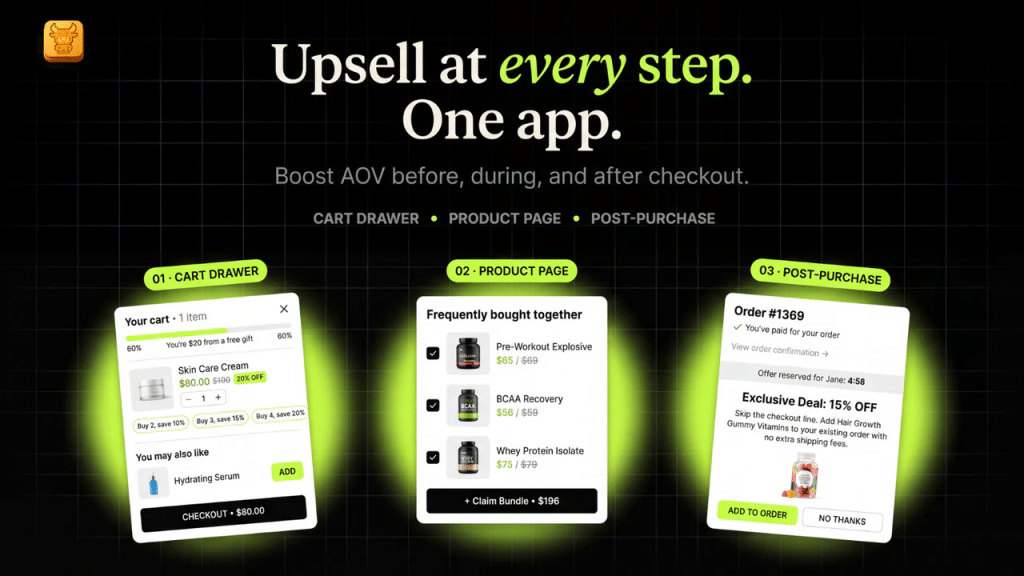
Oxify Cart Drawer is the app I would hand to most stores, and it is our top pick for 2026. Most cart drawer apps stop at the cart. Oxify does not. It is a full funnel tool that lifts average order value at five points in the buying journey: the product page, the cart drawer, the checkout, the post purchase page, and the thank you page. That single difference is why it earns the number one spot.
Think about what that means. A normal cart app only helps once a shopper opens the cart. Oxify starts working on the product page with bundles and frequently bought together offers, keeps selling inside the slide cart, then adds a one click post purchase upsell and a thank you page offer after the shopper has already paid. Each stage is one more chance to grow the order, with no extra apps to install.
Full funnel in one app
- Product page upsell: bundles, frequently bought together, and volume discounts shown before the shopper even adds to cart
- Cart drawer upsell: in cart upsells, cross sells, and one click add ons inside the slide cart
- Checkout upsell: offers shown on the checkout, powered by Shopify checkout extensions
- Post purchase upsell: a one click offer right after payment, with no need to re enter card details
- Thank you page upsell: one more offer on the order confirmation page
Everything else you get
- Smart frequently bought together picks and AI recommendations
- A free shipping progress bar with tiered reward steps
- Auto add free gifts (BOGO, spend goals, or let the shopper choose)
- Bundles, quantity breaks, and buy more save more volume discounts
- Countdown timers, announcement bars, trust badges, and order notes
- One click add ons like shipping protection, warranties, and gift wrap
- In cart subscription upgrades (works with ReCharge, Appstle, Seal, and more)
- A discount code field and automatic discounts inside the drawer
- A full funnel analytics dashboard: click through rates, conversion rates, and revenue per offer
- Support for many languages and currencies, plus Shopify Markets
- A drag and drop editor, a sticky cart button, and a mobile first design
- Direct integrations with GemPages, PageFly, Klaviyo, Judge.me, and Reviews.io
Why agencies pick Oxify
Agencies that manage many client stores tend to prefer Oxify for one simple reason: it optimizes the whole funnel from one dashboard, so they do not have to stitch together a cart app, an upsell app, a post purchase app, and a bundle app for every client. Fewer apps means fewer conflicts, faster setup, and one place to read the numbers. The Enterprise plan adds the most advanced HTML template support in the app, so agencies can build fully custom cart and upsell layouts that match any brand pixel for pixel.
Why it is number one: It replaces what would normally take four or five separate apps (a cart builder, a free gift app, an upsell app, a post purchase app, and an analytics tool) with one clean install. It carries the Built for Shopify badge, holds a perfect 5.0 rating, and it is the only app on this list with a 30 day money back promise tied to your average order value. If your AOV does not rise in 30 days, you get a full refund.
What merchants say: One store put it bluntly after switching: they had tried several apps like Rebuy and UpCart, and Oxify clearly outperformed them for their needs. Reviews again and again praise how fast the team ships custom tweaks.
Best for: DTC brands and agencies that want to lift average order value across the whole funnel, not just the cart, without juggling many apps.
Oxify Cart Drawer pricing
There is a free plan for development and partner stores. Paid pricing is based on your monthly order count, and every order based plan includes all funnel features. There is a 14 day free trial on paid plans.
| Plan | Price per month | Best for |
|---|---|---|
| Free (dev and partner stores) | 0 dollars | Building and testing |
| 0 to 200 orders | 19.99 dollars | New stores |
| 201 to 500 orders | 29.99 dollars | Growing stores |
| 501 to 1,000 orders | 49.99 dollars | Scaling stores |
| 1,001 to 2,000 orders | 79.99 dollars | High volume stores |
| 2,001 to 3,000 orders | 99.99 dollars | Larger brands |
| 3,001 and up | 149.99 dollars | High order counts |
| Enterprise | 299 dollars | Agencies and brands needing the most advanced HTML template support and full custom layouts |
The App Store listing shows only a few of these tiers. You can see the full pricing at oxify.app/pricing.
2. UpCart — Cart Drawer Cart Upsell — Best for Established Stores
Rating: 4.7 stars (831 reviews) | Pricing: Free for dev stores, then 29.99 to 54.99 dollars a month | Setup: about 15 to 30 minutes | Built for Shopify
UpCart has the biggest review count in this entire category. Over 733 merchants have weighed in — and that volume tells you something about reliability. It’s been battle-tested across fashion, supplements, home goods, and everything in between.
It’s not the most feature-rich app. It doesn’t try to do everything. But what it does — a branded sliding cart with upsells, free shipping bars, and add-ons — it does consistently well.
Key features:
- In-cart upselling and cross-selling blocks
- Free shipping bar + rewards progress bar
- Free gift automation
- Sticky cart button for always-visible access
- Add-on options (shipping insurance, warranty, gift wrap)
- Cart announcements for brand messaging or updates
- Fully branded UI + custom CSS/HTML
- Mobile-optimized design
What merchants say: One long-time user wrote: “The best slide cart app — easily customizable and they have another app LTV which helps automate upsells with AI. Best customer service too, REAL people.” Another merchant reported $5,000+ per month in extra revenue while paying just $14.99/month.
Weakness: No bundles, no countdown timers, no real analytics dashboard. If you want those, you’d need additional apps or should look at Oxify or iCart instead.
Best for: Stores doing $10K+/month that value plug-and-play reliability over cutting-edge features.
3. iCart Cart Drawer Cart Upsell — Best Value
Rating: 4.7 stars (431 reviews) | Pricing: Free for first 100 orders, then 9 to 29 dollars a month | Setup: about 15 to 30 minutes
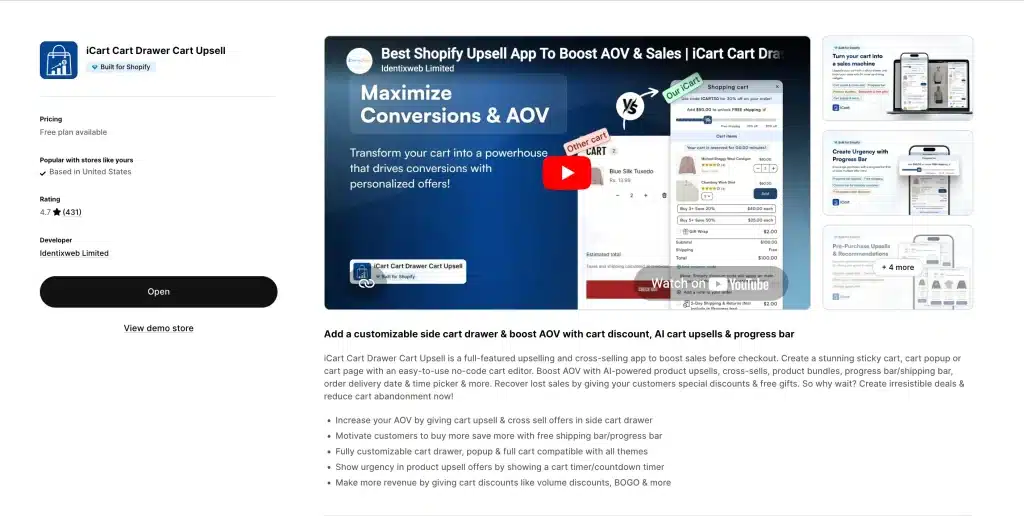
iCart is the Swiss Army knife of this category. It’s the only app on this list that gives you both a slide cart drawer AND a full customizable cart page — at a price that starts at free.
One iCart user called it “the one mission critical app I have. Cleverly designed, packed with options.” That tracks with what I found during testing — it does a lot, and most of it works well.
Key features:
- AI-powered upsells and cross-sells with smart product recommendations
- Product bundles + volume discounts + BOGO offers
- Free gifts with multiple trigger types
- Countdown timers for urgency
- Drag-and-drop cart builder (both drawer AND full cart page)
- Shipping calculator inside the drawer
- Gift wrap option
- Multi-tier progress bar with milestone thresholds
- Order delivery date & time picker
- Works with all Shopify themes
What merchants say: Consistently called the “best value pick” across Shopify forums. One popular discussion stated: “iCart is the best Shopify upsell app… it does more.” It’s the go-to budget recommendation among experienced store owners.
Weakness: The feature density creates a learning curve. Setup takes longer than UpCart or Amote. Not ideal if you need something running perfectly in 5 minutes.
Best for: Growing stores that want maximum control, don’t mind spending time on configuration, and love that the free tier lets them test with zero risk.
4. AMP — Slide Cart Drawer — Best for Paid Ad Stores & CRO
Rating: 5.0 stars (602 reviews) | Pricing: Free plan, then paid tiers by orders | Setup: about 20 to 40 minutes | Built for Shopify
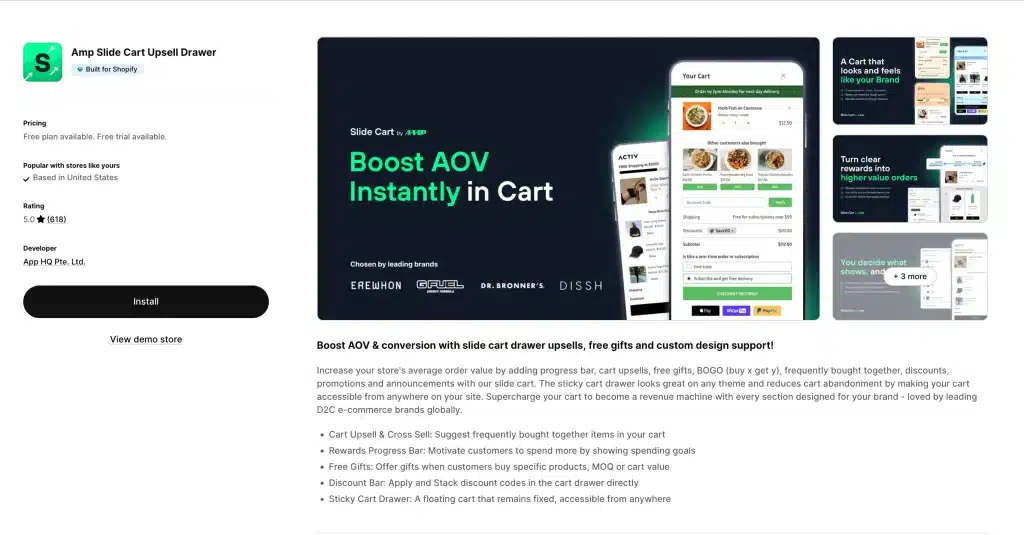
AMP is built around one goal: make every cart worth more. It uses simple psychology, like progress bars, free gift goals, and stacked offers, to push shoppers past spending steps.
What you get:
- Cart upsells and cross sells, including frequently bought together
- A rewards progress bar with spend goals
- Free gifts triggered by product, quantity, or cart value
- Discount stacking inside the cart
- Announcement bars
- One click shipping protection upsells
- A sticky cart drawer reachable from any page
What merchants say: One store that has used it for over a year praised the real human support. Many like the companion analytics app that helps automate upsells.
Weakness: Several merchants note that pricing can climb once you move past the free tier. If budget is tight, compare it with Oxify and iCart first.
Best for: Stores running heavy Meta or Google ads, where every visitor needs to convert at the highest value.
5. AOV.ai Cart Drawer
Rating: 5.0 stars (789 reviews) | Pricing: Free to install | Setup: under 10 minutes | Built for Shopify
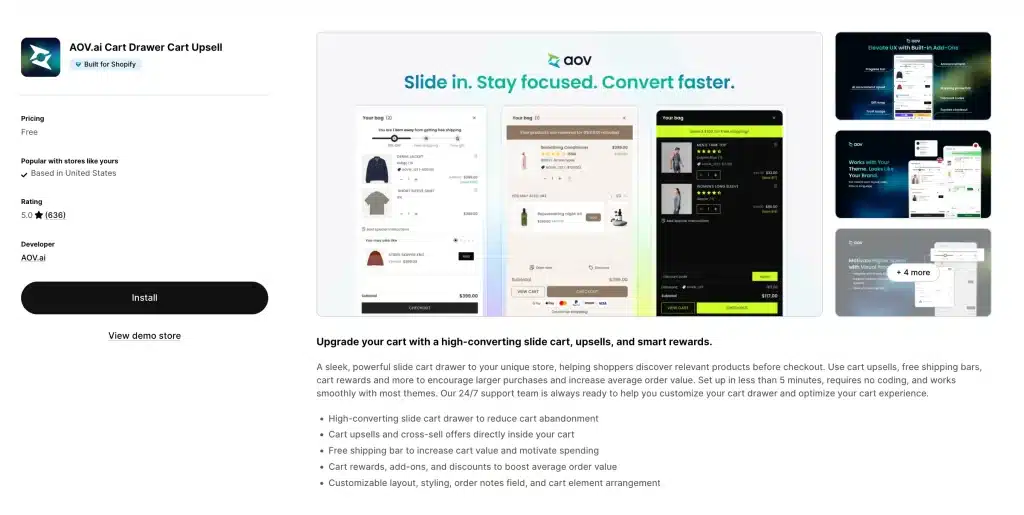
A perfect 5.0 rating across nearly 800 reviews, and it is genuinely free. Not a trial. Not free for 50 orders. Actually free.
What you get:
- A clean, fast slide cart
- Built in product upsells
- A free shipping progress bar
- A high converting mobile layout
It does not have the depth of Oxify or iCart. There are no countdown timers, bundles, or analytics. But if you want to test whether a cart drawer helps your store, this is a no risk starting point.
Best for: New stores, side projects, and bootstrapped brands that want a solid drawer for zero cost.
6. Essent Cart Drawer: Best Free App for Shopify Markets Stores
Rating: 5.0 stars (694 reviews) | Pricing: Free | Setup: under 5 minutes | Built for Shopify
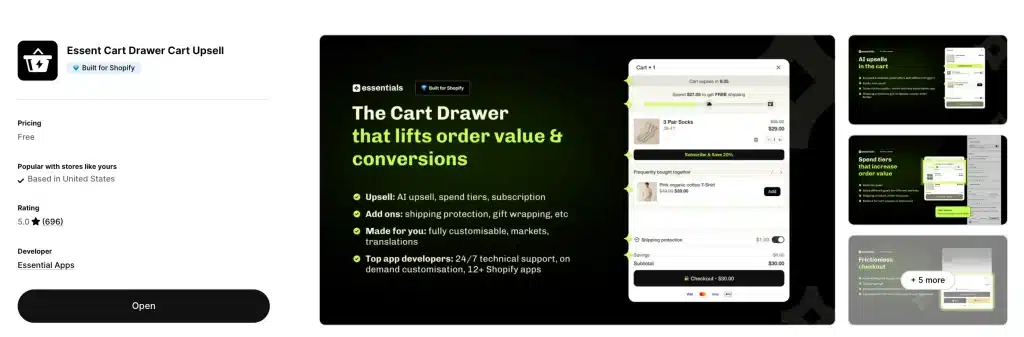
Essent Cart Drawer is the most underrated app on this list. It has a perfect 5.0 rating across nearly 700 reviews, carries the Built for Shopify badge, and costs nothing. Almost no other roundup includes it, which makes it a quiet win.
What you get:
- A customizable slide cart drawer
- In cart upsells and cross sells
- Subscription support inside the cart
- A reward bar with free shipping goals
- Countdown timers and discount codes
- Order notes and payment icons
- A sticky add to cart bar plus an announcement bar
- Full support for many languages, currencies, and Shopify Markets
- Custom HTML for deeper design control
What merchants say: Reviews highlight fast setup and strong support. One merchant said it was one of the only options that worked cleanly with Shopify Markets. Another called it the rebuy cart drawer replacement they had been hunting for.
Best for: Stores selling in many countries that want a free, well built drawer with real Shopify Markets support.
7. CornerCart: Best for Speed and Real Inventory Free Gifts
Rating: 4.9 stars | Pricing: Free plan available
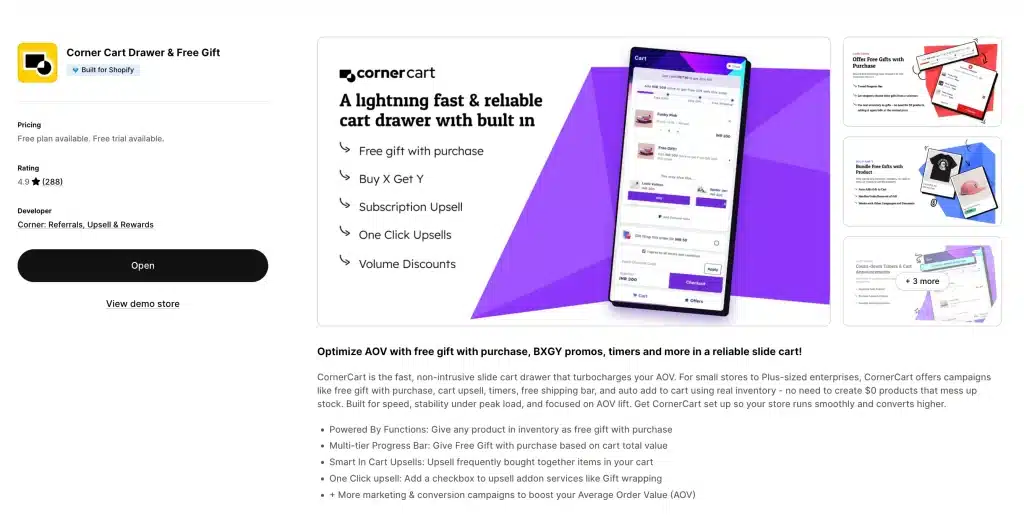
CornerCart is built for one thing: being fast and stable under load. If you’re running flash sales or high-traffic promotions, this is the app that woCornerCart is built to stay fast and stable under load. If you run flash sales or big promotions, this is the app that will not buckle.
What you get:
- A lightweight, high speed cart drawer
- Free gifts using real products (no fake zero dollar items that mess up your stock)
- A multi step progress bar for free gifts and free shipping
- Smart frequently bought together upsells
- One click add ons like gift wrap and shipping protection
- A helpful FAQ widget in the corner popup
- Support for many currencies and languages
Why it stands out: Most free gift apps make you create zero dollar dummy products, which breaks your inventory reports. CornerCart uses real products as gifts instead. If a shopper adds that gift on its own, they pay full price. That small design choice solves a real problem other apps ignore.
Best for: High traffic stores and Shopify Plus brands that cannot afford any speed drop.
8. Snap Cart Drawer — Best for Gamification & Engagement
Rating: Strong | Pricing: Paid plans | Setup: about 10 to 20 minutes
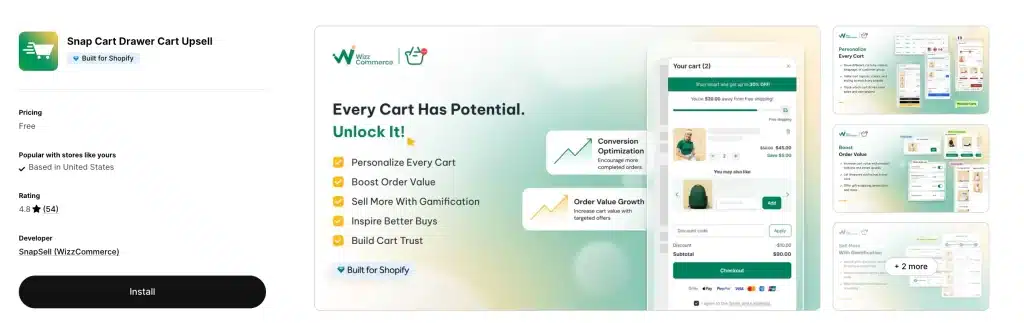
Snap Cart turns the cart into a game. Instead of just showing offers, it uses reward steps and fun effects to nudge bigger carts.
What you get:
- Tiered progress bars with clear milestones
- Confetti effects when a shopper unlocks a reward
- A rewards system
- A bundle builder inside the cart
- Trust badges and add on products
When a shopper sees “you are 12 dollars away from a free gift” with a bar filling up and confetti ready to pop, that is a dopamine trigger. It is the same trick mobile games use, except here it gets people to add one more item.
Best for: Stores selling impulse products like fashion accessories, snacks, beauty, and phone cases, where buying is emotional.
9. Monster Cart: Best for Bundles and BOGO
Rating: 4.6 stars (496 reviews) | Pricing: Free plan, then usage based, 10 day free trial | Setup: about 15 to 30 minutes | Built for Shopify
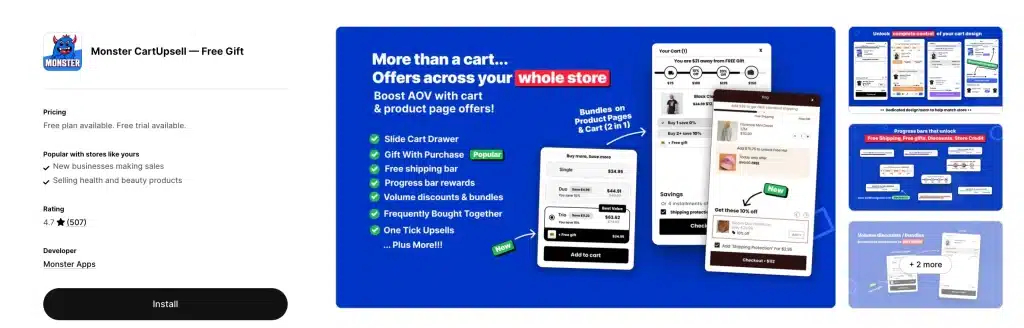
Monster Cart is built for stores that live on bundles and volume deals. It works across the whole store, not just the cart drawer.
What you get:
- Buy more save more volume discounts on product pages
- Cart drawer progress bars that unlock free gifts, free shipping, and store credit
- Smart frequently bought together picks
- One click add ons for shipping protection, warranties, and priority processing
- In cart scarcity timers and announcement banners
- A fully custom slide cart to match your brand
What merchants say: Many praise the responsive support and the way it lifts average order value without popups. A few older reviews mention billing confusion, so keep an eye on your plan as you scale.
Best for: Bundle heavy and BOGO focused stores that want volume discounts and cart rewards in one app.
10. qikify Sticky Cart: Best Sticky Bar and Drawer Combo
Rating: 4.9 stars | Pricing: Free plan available | Setup: about 10 to 20 minutes
qikify solves a mobile problem: the “add to cart” button scrolls out of view as shoppers read. Their sticky bar keeps it visible, and the slide cart drawer opens when a shopper taps it.
What you get:
- An always visible sticky add to cart button on scroll
- A slide cart drawer with in cart upsells
- A free shipping progress bar and countdown timer
- A cart note box and a discount code field
- An estimated delivery fee calculator
- A terms checkbox and trust badges
Best for: Stores with heavy mobile traffic that want the sticky bar and the drawer in one install.
11. Amote — Cart Upsell Cart Drawer — Best for Beginners
Rating: 4.9 stars | Pricing: Free plan plus paid upgrades | Setup: under 10 minutes
Amote is the simplest app on this list. No overwhelming dashboard, no 20-tab settings panel. You install it, choose your options, and it works.
Key features:
- AI-powered product recommendations
- Trust badges inside the cart
- Progress bar upsells
- Clean, modern cart UI
- Free plan to start
Best for: First-time Shopify merchants who want a professional cart drawer without touching code or spending hours on setup.
12. Candy Rack — Best for Full-Funnel Upselling (Beyond Just the Cart)
Rating: 4.9 stars | Pricing: Free for dev stores, then from 29.99 dollars a month by Shopify plan | Setup: about 10 to 20 minutes
Candy Rack is different from everything else on this list. Instead of focusing just on the cart, it manages upsells across the entire buying Candy Rack is different from the rest. Instead of focusing only on the cart, it runs upsells across the whole journey: product page, cart, checkout, and after purchase.
What you get:
- Upsells on product pages, cart, checkout, and the thank you page
- A minimal built in drawer cart tuned for upsell performance
- An AI mode that picks products for you
- Offers targeted by cart value, product, or collection
- A/B testing for offers
Weakness: Pricing is based on your Shopify plan, starting at 29.99 dollars a month (Basic) and rising to 99.99 dollars a month (Advanced). The cart drawer itself is minimal, so if you want heavy cart design with bundles and timers, Oxify or iCart fit better. Candy Rack’s strength is full funnel coverage, not the cart alone.
Best for: Stores that want one app running upsells everywhere, not just in the cart.
13. Kaktus Slide Cart: Best Free Basic Slide Cart
Rating: 4.8 stars | Pricing: Free plan, then from 8.99 dollars a month | Setup: about 10 to 15 minutes
Kaktus built one of the cleanest free slide carts on Shopify. It does not have the deep tools of Oxify or iCart, but the basics are solid and the free plan is generous enough for small stores.
What you get:
- A clean, modern slide cart drawer
- Rewards and offers to lift cart value
- A free shipping bar
- Works with any Shopify theme
- Custom CSS for design tweaks
Best for: Small stores that want a good looking slide cart for free, as a stepping stone before a bigger app.
12. Upsell & Cross Sell — Selleasy
Rating: 4.9 stars (2,447 reviews) | Pricing: Free up to 50 orders a month, then 8.99 to 16.99 dollars a month | Setup: about 10 to 15 minutes | Built for Shopify
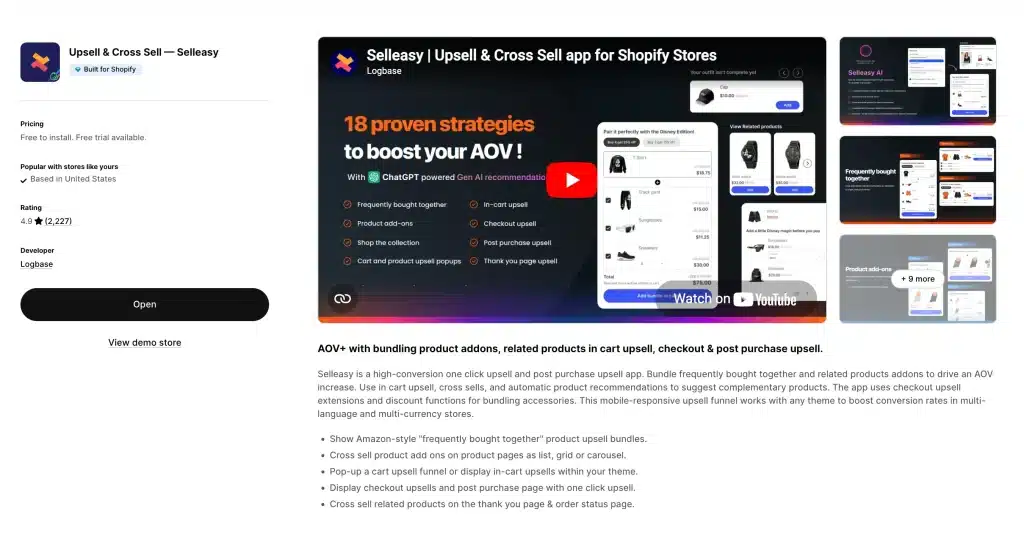
Selleasy has quietly built one of the most reviewed upsell apps on the whole App Store, with over 2,400 reviews at 4.9 stars. It covers upsells on the product page, cart, checkout, and after purchase, all at a low price.
What you get:
- Frequently bought together bundles on product pages
- In cart upsell and cross sell widgets
- Post purchase one click upsell pages
- Checkout upsells (works with Shopify Plus)
- Cart add ons like warranty and gift wrap
- A free plan with all features for up to 50 orders a month
- Many languages and currencies
Weakness: The cart drawer itself is not as customizable as Oxify or iCart. It is mainly an upsell engine that includes cart features, rather than a dedicated cart builder.
Best for: Budget minded stores that want upsells at every step without paying 30 dollars a month or more.
Full Comparison Table (2026)
| App | Rating | Reviews | Price from | Free? | Setup | Upsells | Free gifts | Bundles | Timer | Best for |
|---|---|---|---|---|---|---|---|---|---|---|
| Oxify Cart Drawer | 5.0 | 37 | Free, then 19.99 | Yes | 5 to 10 min | Full funnel | Yes | Yes | Yes | Overall best |
| UpCart | 4.7 | 831 | 29.99 | Dev only | 15 to 30 min | Advanced | Yes | No | No | Reliability |
| iCart | 4.7 | 431 | Free | Yes | 15 to 30 min | Advanced | Yes | Yes | Yes | Value |
| AMP | 5.0 | 602 | Free | Yes | 20 to 40 min | Advanced | Yes | No | No | Paid ads |
| AOV.ai | 5.0 | 789 | Free | Yes | Under 10 min | Basic | No | No | No | Free pick |
| Essent | 5.0 | 694 | Free | Yes | Under 5 min | Medium | Yes | No | Yes | Markets stores |
| CornerCart | 4.9 | Growing | Free | Yes | 10 to 15 min | Advanced | Yes | No | Yes | Speed |
| Snap Cart | Strong | Growing | Paid | Trial | 10 to 20 min | Medium | Yes | Yes | Yes | Gamification |
| Monster Cart | 4.6 | 496 | Free | Yes | 15 to 30 min | Advanced | Yes | Yes | Yes | Bundles |
| qikify | 4.9 | Growing | Free | Yes | 10 to 20 min | Medium | No | No | Yes | Sticky combo |
| Amote | 4.9 | Growing | Free | Yes | Under 10 min | Basic | No | No | No | Beginners |
| Candy Rack | 4.9 | Growing | 29.99 | Dev | 10 to 20 min | Advanced | No | No | No | Full funnel |
| Kaktus | 4.8 | Growing | Free | Yes | 10 to 15 min | Basic | No | No | No | Free basic |
| Selleasy | 4.9 | 2,447 | Free | Yes | 10 to 15 min | Advanced | No | Yes | No | Budget |
Pricing Breakdown
Cart drawer apps range from fully free to 150 dollars a month at high volume. Here is how the top picks price out.
| App | Free tier? | Starting price | Pricing model |
|---|---|---|---|
| Oxify Cart Drawer | Free plan plus 14 day trial | 19.99 dollars (up to 299 for Enterprise) | By monthly orders |
| UpCart | Dev stores only | 29.99 dollars | By monthly orders |
| iCart | Free (100 orders) | 9 dollars | By monthly orders |
| AMP | Free plan | Paid tiers by orders | By monthly orders |
| AOV.ai | Free forever | 0 dollars | Always free |
| Essent | Free forever | 0 dollars | Always free |
| CornerCart | Free plan | 15 dollars | By Shopify plan |
| Monster Cart | Free plan | Usage based | By orders and usage |
| Candy Rack | Dev stores | 29.99 dollars | By Shopify plan |
| Selleasy | Free (50 orders) | 8.99 dollars | By monthly orders |
Money tip: Most of these price by order volume, not store size. If you are new, you will land on the cheapest tier. Start on a free plan or trial, prove the app pays for itself, then upgrade when your orders grow.
How to Choose the Right App
Match the app to where your store is right now.
Just starting out (under 5,000 dollars a month)
Go with AOV.ai, Essent, or Amote. All free. Learn what works, then upgrade when you have data.
Growing (5,000 to 50,000 dollars a month)
Pick iCart or Oxify Cart Drawer. You need upsells, free gift tiers, and a progress bar, plus good value. Both deliver.
Scaling (50,000 dollars a month and up)
Use UpCart or Oxify Cart Drawer. At this stage, reliability matters as much as features. You cannot risk a broken cart during a flash sale.
Running heavy paid ads
Pick AMP or Oxify Cart Drawer. You need fast triggers like free gifts, timers, and stacked offers to squeeze value from every paid click.
Selling bundles or BOGO deals
Monster Cart or iCart. Both are built for volume discounts and buy one get one offers.
Selling in many countries
Oxify Cart Drawer or Essent. Both handle many languages and currencies, and Essent has strong Shopify Markets support.
Speed is your top worry
Oxify cart Drawer. The lightest option, safe even if you already run several apps.
How to Add a Cart Drawer to Your Shopify Store (Step-by-Step)
Never set one up before? Here’s the process — it’s the same across most apps:
Step 1: Go to the Shopify App Store → Cart Customization. Search for the app you chose.
Step 2: Click “Add app” and authorize. Most apps activate in under 60 seconds.
Step 3: Open the app dashboard. Enable the slide cart drawer, pick your drawer position (right side is standard), match colors and fonts to your theme.
Step 4: Add your first conversion element — a free shipping progress bar. Set the threshold slightly above your current AOV. If your average order is $45, set the bar at $60.
Step 5: Add one upsell. Pick a product that naturally complements your best-seller. One targeted suggestion beats five random ones.
Step 6: Test on mobile. Open your store on your phone. Add a product. Check that the drawer opens smoothly, looks good, and all elements render correctly.
Step 7: Go live. Track for 2 weeks. Measure AOV, conversion rate, and mobile bounce rate.
Start simple: Don’t enable everything at once. One progress bar + one upsell on Day 1. Add free gifts, timers, and bundles later — after the basics are working.
Real-World Cart Funnel Example (Copy This Setup)
This is the exact cart drawer configuration I’d recommend for a store doing $30K–$100K/month selling physical products. You can build this in Oxify, iCart, or AMP.
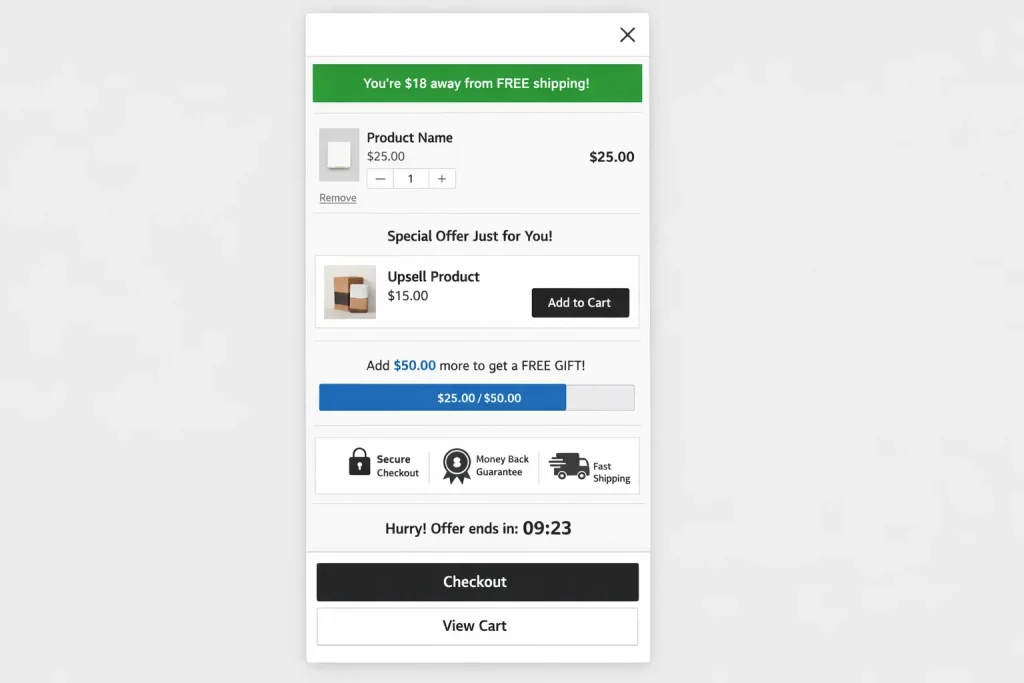
The Setup:
Layer 1 — Free Shipping Bar (Top of Cart Drawer)
Message: “You’re $18 away from FREE shipping!”
Set threshold at $60 (if your AOV is ~$42). This nudges people to add one more item. Full guide on setting up a free shipping bar →
Layer 2 — One Targeted Upsell (Below Cart Items)
Show the product most frequently purchased alongside whatever’s already in the cart. Use AI-powered FBT recommendations if the app supports it. One suggestion. Not five.
Layer 3 — Free Gift Threshold (Progress Bar)
Message: “Spend $75 and get a FREE [sample/mini product]!”
This creates a second milestone beyond free shipping. How to set up free gifts in your cart drawer →
Layer 4 — Trust Badges (Bottom of Cart Drawer)
Payment icons, secure checkout badge, money-back guarantee. Small addition, measurable impact on checkout confidence →
Optional — Countdown Timer
Add if you’re running a time-limited offer. “Free gift expires in 1h 42m.” Creates urgency without feeling spammy.
Expected Results:
This three-layer stack (shipping bar + upsell + free gift) consistently lifts AOV by 20–40% across merchants I’ve tracked. The key is the tiered structure — each milestone gives the shopper a reason to add more.
6 Mistakes That Kill Your Cart Drawer Performance
Mistake 1: running two cart apps at once
Two cart apps at the same time will clash. You get double elements, broken checkout, and slow loads. One experienced merchant put it plainly: they will conflict with most wholesale or bundling apps. Pick one cart system. Full stop.
Mistake 2: too many upsells
One or two targeted offers beat five random ones every time. When everything is an upsell, nothing feels like a real recommendation. Lead with the single product most likely to be added.
Mistake 3: skipping mobile testing
Most Shopify traffic is on phones. If your drawer has tiny buttons or slow animations on mobile, you are losing sales. Test on mobile first, desktop second.
Mistake 4: using only a free shipping bar
A shipping bar alone is a start, but it is not enough to call your cart optimized. Add at least one upsell and one free gift tier for the real lift.
Mistake 5: ignoring the product page
Here is the truth most guides skip: the cart drawer boosts what already works. If your product page, price, or offer is weak, no app will save you. Fix the basics first, then add the cart tools.
Mistake 6: not checking your page speed
Some apps add heavy code that slows load times, especially on mobile. After you install any app, run a quick Google PageSpeed test. If your score drops a lot, switch to a lighter option like CornerCart.
Advanced CRO Strategies from 8-Figure Shopify Stores
These aren’t textbook tips. They’re patterns from stores that have optimized their cart drawers through months of A/B testing and real data. Every strategy here can be implemented with the apps listed above.
Strategy 1: The Three-Incentive Stack
Combine three elements inside your cart:
- Free shipping progress bar — “Add $18 more for free shipping”
- Free gift threshold — “Spend $75 to unlock a free sample”
- One relevant upsell — a complementary product, not random
This is the single highest-ROI cart setup I’ve found. Oxify, iCart, and AMP all support it natively.
Strategy 2: Tiered “Buy More Save More” Rewards
Set up milestones that create a visual pull:
- $50 → Free shipping
- $75 → Free gift
- $100 → 10% off entire order
Shoppers see they’re “$8 away” from the next tier and add one more item. This alone can increase AOV by 20–30%.
Strategy 3: Urgency Triggers Inside the Cart
- Countdown timer on limited-time offers
- “Only 3 left in stock” low-inventory alerts
- “Free gift expires in 2 hours” — time-limited rewards
Oxify and iCart have built-in countdown timers. For AMP or UpCart, you’d need a separate app.
Strategy 4: High-Margin Add-Ons (Gift Wrap, Warranty, Priority Shipping)
Add low-friction items as checkbox add-ons inside the cart. Gift wrapping ($3–5), extended warranty, priority shipping, matching accessories. These feel helpful to the customer and add pure margin per order.
Strategy 5: Same-Ecosystem App Pairing
Some developers build companion tools that integrate seamlessly. Oxify has its own Bundles app. AMP has an LTV app for AI-automated upsells. Using tools from the same developer reduces conflict risk dramatically.
Real Merchant Reviews
These are real quotes from the Shopify App Store.
“The support was quick, our conversion rate has increased after using this cart app plus they have done the integration with our bundle app. Highly recommend!” Go Ayurveda Dhanvantri (India), on Oxify Cart Drawer
“We have tried several apps like Rebuy and UpCart, but this one clearly outperforms them for our needs. Any feature requests we had were implemented incredibly fast.” Crossword.in (India), on Oxify Cart Drawer
“App is very easy to use, and one of the only options that works with Shopify Markets. Support is fast and great at understanding and fixing issues.” Merchant review, on Essent Cart Drawer
“The best slide cart app, easily customizable, and they have another app that helps automate upsells with AI. Best customer service too, real people.” Long time user, on UpCart
“This is the one mission critical app I have. Simple to use, cleverly designed, and packed with options to improve add to cart and reduce abandonment.” Merchant review, on iCart
“I have been using this app for over 3 years and honestly it is so good and easy to use.” Merchant review, on Monster Cart
Frequently Asked Questions
What is a cart drawer in Shopify?
A cart drawer (also called a slide cart, mini cart, side cart, or AJAX cart) is a sliding panel that opens when a shopper adds a product. It appears on the same page without redirecting — letting customers view their cart, adjust items, and keep browsing without any friction.
Do cart drawer apps actually increase conversions?
Yes — when configured with upsells, rewards, and shipping thresholds. Merchants consistently report 15–40% AOV lifts. But the drawer alone isn’t magic. It amplifies a store that already has good products and offers. More on reducing cart abandonment with drawers →
Which cart drawer app is best for Shopify in 2026?
For most stores, Oxify Cart Drawer is the best overall. It is the only option that lifts average order value across the full funnel (product page, cart drawer, checkout, post purchase, and thank you page), which is why many agencies choose it. It has a 5.0 star rating, the Built for Shopify badge, and a 30 day money back promise tied to your average order value. For a free option, AOV.ai and Essent Cart Drawer are both excellent. For the most established name, choose UpCart.
How do I add a cart drawer to Shopify?
Install a cart drawer app from the Shopify App Store, such as Oxify Cart Drawer, UpCart, or iCart. The app replaces your default cart with a slide out drawer. No coding is needed, and most apps use a drag and drop editor that goes live in under a minute.
Cart drawer vs cart page — which is better?
Drawers are better for everyday products, mobile shoppers, and stores that use upsells. Cart pages suit high price items where shoppers need a detailed review. Many stores use both: a drawer for quick shoppers and a “view full cart” link for those who want the full page.
How do I add upsells inside my Shopify cart?
Install a cart drawer app with upsell support (Oxify, UpCart, iCart, or AMP). Configure which products appear as upsells — most apps let you set rules or use AI to auto-suggest complementary items. Full cart upsell strategy guide →
Will cart drawer apps slow down my store?
Some will. Script-heavy apps can add 1–3 seconds of load time on mobile. CornerCart is the lightest option. The #1 rule: install only ONE cart app. Running multiple cart-related apps simultaneously is the biggest performance killer.
How to increase average order value (AOV) on Shopify?
The highest value method is to install a cart drawer app and set up the three offer stack: a free shipping progress bar, a free gift tier, and one targeted upsell. See the full AOV strategy guide for details.
Can I use a cart drawer with Shopify Online Store 2.0 themes?
Yes. All 12 apps in this guide work with OS 2.0 themes. Several (including UpCart, AMP, and CornerCart) carry the “Built for Shopify” badge — Shopify’s highest certification for performance and integration.
How to customize the Shopify cart without coding?
Use a no-code cart builder like iCart or Oxify. Both have drag-and-drop visual editors where you can add upsells, progress bars, trust badges, countdown timers, and more — without writing a single line of code.
Do cart drawer apps really increase sales?
Yes, when set up with upsells, rewards, and shipping goals. Swapping the cart page for a drawer lifts the cart to checkout rate by about 3 to 12 percent, and a full offer stack lifts average order value by roughly 5 to 20 percent. The drawer boosts what already works, so a strong product and offer still matter most.
Final Verdict — Pick Your Winner
Best overall: Oxify Cart Drawer. The only full funnel option (product page, cart, checkout, post purchase, and thank you page), 5.0 rating, 30 day money back promise, and the agency favorite for full funnel work.
Best for reliability: UpCart & Oxify Cart Drawer. The longest track record and plug and play setup.
Best value: Oxify Cart Drawer. The most features per dollar, plus a free tier.
Best for paid ads: AMP & Oxify Cart Drawer. Built around offers and urgency.
Best free apps: AOV.ai and Essent Cart Drawer. Both 5.0 stars and free.
Best for speed: Oxify Cart Drawer. The lightest footprint.
Best for bundles and BOGO: Monster Cart.
Best for gamification: Snap Cart.
Best sticky and drawer combo: qikify.
Best for beginners: Amote.
Best full funnel upselling: Candy Rack.
Best budget all rounder: Selleasy.
What to Do Right Now
1. Pick one app that fits your store size and goals.
2. Install it. Set up a free shipping bar and one upsell. That is your day one setup.
3. Run it for two weeks. Track average order value, conversion rate, and mobile bounce.
4. Add a second offer (a free gift or a timer) based on your data.
5. Keep testing. The stores that win with cart drawers are the ones that measure and improve, not the ones with the fanciest app.
Every app here has a free plan or a free trial, so there is no risk in testing today.
One Last Thought
Your cart drawer isn’t a design decision. It’s a revenue decision. The best Shopify merchants in 2026 treat their cart like a sales page — with offers, urgency, and psychology built into every pixel. Stores still running the default Shopify cart page are leaving 15–40% of their potential AOV on the table.
Don’t be one of them.