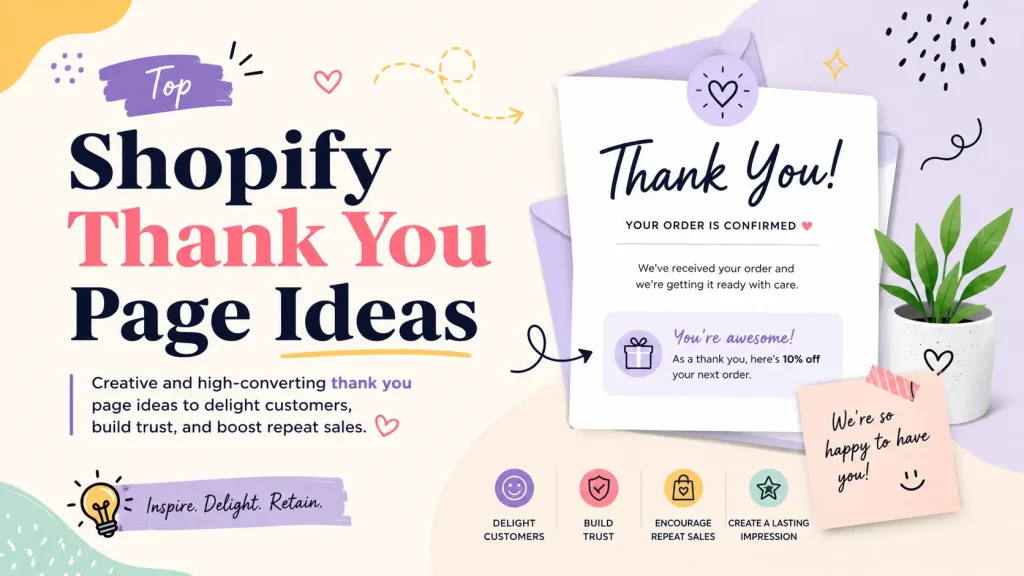
Every paying customer sees one page for sure. Not your homepage. Not your best product. The thank you page.
It loads the second they tap “Pay Now.” Their card is saved. They already trust you. They feel good about the order. And most stores meet that golden moment with a plain summary and a tracking number. That is a billboard on the busiest road in town, left blank.
This guide fixes it. You get 20 thank you page ideas you can use today, grouped so you can skim. You also get the right way to edit the page in 2026 (most guides still teach a method Shopify switched off in August 2025), plus the one thing almost nobody explains clearly: there are three post-purchase moments, not one, and each needs a different play.
Let’s dig in.
Quick Summary: The Shopify thank you page has a 100% view rate and reaches buyers at peak trust. The biggest wins are a one-click post-purchase upsell, a reason to come back (loyalty, subscribe, store credit), a referral or share prompt, and a one-question survey. Build all of it with the new Checkout editor and apps, not the old Additional Scripts box, which Shopify made view-only on August 28, 2025. Start with one upsell, measure for two weeks, then add more.
What a Shopify thank you page actually is
A Shopify thank you page is the page a shopper lands on right after checkout. Shopify also calls it the order confirmation page. It shows the order number, the items, the total, and shipping details.
By default it does one job: confirm the order. But it is the single page every buyer is guaranteed to see, at the exact moment they trust you most. That makes it the best free selling space your store owns.
The three post-purchase moments (most guides miss this)
Here is the part that trips up almost every other guide. “After checkout” is not one page. In Shopify’s modern checkout, there are three separate moments, and each calls for a different idea:
- The post-purchase upsell page. This loads right after payment and before the thank you page. It shows a one-click offer the customer can add without re-entering card details. This is the highest-converting upsell spot because there is zero friction.
- The thank you page (order confirmation). Seen once, right after that. Great for more upsells, a discount for the next order, social and referral prompts, and a warm brand message.
- The order status page. The page customers return to again and again while they wait for delivery, usually from the link in their confirmation and shipping emails. Best for tracking, support links, and “what happens next.”
Knowing which moment you are designing for is the difference between an offer that converts and one that annoys. A surprise discount belongs on the thank you page. Tracking belongs on the order status page. The one-click upsell belongs on the post-purchase page. If you want the full breakdown, see our guide on the post-purchase page vs the thank you page in Shopify. <h2 id=”why”>Why it pays off</h2>
The shopper in front of you just said yes. Their card is on file. They are proud of the buy and open to one more good idea. That is the warmest lead your store will ever get, and it costs you nothing in ads.
There is a compounding effect too. A first order is a maybe. A second order turns a buyer into a habit. The thank you page is your first and cheapest chance to push for that second order, and the work you do here keeps paying off on every future purchase. (For the bigger picture, see our guide to Shopify upselling strategies that lift AOV.)
And there is the human side. A page that feels warm and personal makes people glad they chose you. Glad customers come back, and they tell friends. That is growth you do not pay for.
The 2026 way to edit it
Before the ideas, get the method right, because the rules changed and many posts have not caught up.
For years the advice was: go to Settings > Checkout > Additional Scripts and paste in HTML, CSS, and JavaScript. Do not do this anymore. Straight from Shopify:
- As of August 28, 2025, the Additional Scripts box is view-only. You can no longer edit it. (Shopify Help Center)
- Starting January 2026, Shopify began auto-upgrading stores. Old customizations built with additional scripts, script tags, or checkout.liquid on the Thank you and Order status pages are removed in that process. (Shopify Help Center)
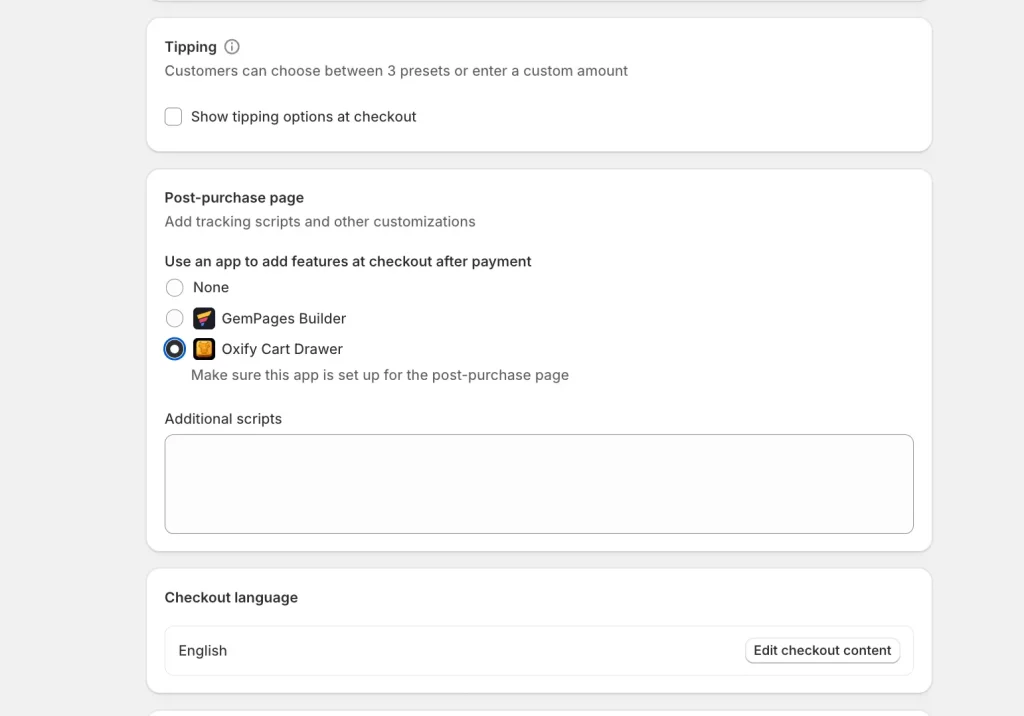
The current method is Checkout Extensibility. Here is the path:
- In your Shopify admin, open Settings, then Checkout.
- Click Customize to open the Checkout and accounts editor.
- Pick the Thank you page or Order status page from the page menu.
- Drag in app blocks and checkout UI extensions. No code needed.
Good news: Thank you and Order status page customization works on every Shopify plan, not just Plus. (The full in-checkout editor for the payment steps is still Plus only.) (Shopify dev docs)
In plain words: pick an app or block in the editor instead of pasting code. It is safer, faster, and it will not get wiped in the next update.
What to put on each page
Use this as a quick map before you build:
| Moment | When the customer sees it | Best ideas to place here |
|---|---|---|
| Post-purchase upsell page | Right after payment, one time | One-click upsell, complementary add-on, quantity bump |
| Thank you page | Right after that, one time | Next-order discount, referral, social share, brand note, reviews |
| Order status page | Revisited while waiting for delivery | Order timeline, tracking, support links, product care tips |
Now, the 20 ideas.
Earn more on the next click (5 ideas)
The card is already on file, so there is almost no friction here. This is the fastest money on the page.
1. Add a one-click post-purchase upsell. Offer one product they can add with a single tap, no card re-entry. Keep it to one strong, relevant offer, not five. Here is how a one-click post-purchase upsell works end to end.
2. Show a “frequently bought together” pick. Suggest the item that pairs with what they bought. Bought a camera? Offer the memory card. The match should feel helpful, never random. (Not sure which to use? See frequently bought together vs cross-sell vs related products.)
3. Drop a surprise time-limited discount. Give a small code (10% to 15%) that only works in the next 30 minutes or on this week’s next order. A short clock turns “maybe later” into “buy now.” Here is how to use FOMO countdown timers without hurting trust.
4. Offer a “complete the set” bundle. If your products come in collections, show the rest of the set at a small saving. A dollar amount saved reads stronger than a percentage.
5. Add a quantity bump. “Add a second one for 20% off.” Many shoppers happily take a deal on something they already chose, especially gifts and consumables.
Give them a reason to come back (5 ideas)
These plant a seed so the customer returns days or weeks later, which is how a one-time buyer becomes a regular.
6. Give store credit with an expiry date. “You just earned $10 to use in the next 14 days.” A small reward plus a deadline is a strong reason to return.
7. Invite them to your loyalty program. Show the points this order earned and what they unlock next. A “you are 50 points from a free gift” bar works well.
8. Push the email and SMS signup. Offer a small perk for joining while goodwill is high. These are your cheapest repeat-sales channels.
9. Promote a subscription. If they bought something they will run out of (coffee, supplements, skincare), offer “subscribe and save” so they never reorder by hand. See how to add a subscription upgrade to your cart and post-purchase flow.
10. Set up the refill reminder. For repurchased products, set the tone now: “Running low in about 30 days? Here is 10% off your refill.”
Build trust and connection (5 ideas)
These make people feel something. That feeling turns a buyer into a fan.
11. Write a warm, human thank you note. Skip the robot voice. Tell them they made a great choice and that a real team is excited to ship it.
12. Add a short founder or team video. A 20-second clip saying thanks builds more connection than any banner. People buy from people.
13. Show what happens next. A simple three-step timeline (“Packing today, ships tomorrow, arrives in 3 to 5 days”) calms nerves and cuts “where is my order” tickets. Put this on the order status page.
14. Display real reviews and ratings. A star rating and one short quote from a happy buyer eases buyer’s remorse before it starts.
15. Add trust badges and guarantees. Money-back promise, secure checkout, easy returns. Put them where the customer can see them so any leftover doubt fades. The same logic applies earlier in the funnel too, as we cover in trust badges in the cart drawer.
Turn buyers into advocates (3 ideas)
The customer is at peak satisfaction, so this is the best moment to ask them to spread the word.
16. Add a referral offer. “Give a friend $10, get $10.” Show a unique link and easy share buttons.
17. Make social sharing one tap. Pre-fill a friendly message and add buttons for the platforms your audience uses.
18. Show your brand’s impact. If each order does some good (plants a tree, funds a meal), say so. “Your order just planted 2 trees” feels great and gets shared. <h2 id=”data”>Learn from every order (2 ideas)</h2>
19. Add a one-question survey. Ask one easy thing: “How did you hear about us?” One question gets far more answers than a long form, and the replies are gold for your ad spend.
20. Collect a birthday (with a reason). “When is your birthday? We would love to send you something.” It powers a friendly birthday offer later. Tell them what they will get.
Match the idea to your store type
You do not need all 20. Pick the ones that fit what you sell:
- Consumables (coffee, supplements, skincare): Lead with subscribe and save, plus a refill reminder. These products get reordered, so lock in the habit early.
- Gifting and multi-buy items: Lead with a quantity bump and “complete the set” bundle. Buyers are often shopping for more than one person.
- High-ticket or electronics: Lead with a warm note, a care guide on the order status page, and a protection or warranty add-on. Reassurance matters more than a hard upsell.
- Fashion and lifestyle: Lead with social sharing, reviews, and a referral offer. These categories spread through word of mouth.
- New or low-traffic stores: Lead with the one-question survey and email or SMS signup. Cheap data and a way to reach buyers again beat squeezing every order.
A quick real-world story
Picture a small coffee brand. Their thank you page said “Thanks for your order” and nothing else.
They made three changes. A one-click post-purchase upsell for a $6 bag of beans. A “subscribe and save 15%” offer. And one survey question: “How often do you drink coffee?”
The upsell caught buyers who wanted a second roast. The subscribe offer turned one-time buyers into monthly regulars. And the survey told them most customers drink coffee daily, so they leaned the whole site into “your daily ritual.” One page, three small moves, real change. None of it needed code. <h2 id=”mistakes”>Mistakes to avoid</h2>
- Do not use the old Additional Scripts method. It is switched off, and anything left there will vanish in the upgrade.
- Do not ask for a product review yet. They have not received the item. Say “we will check in after it arrives,” then request the review 7 to 14 days after delivery.
- Do not cram in 10 offers. A confused shopper does nothing. One clear offer wins.
- Do not hide the order details. People still want their confirmation and tracking. Add value, do not bury the basics.
- Do not show a random upsell. An offer that has nothing to do with what they bought reads as spam and kills trust. If you are worried about this, here is when upsells help and when they hurt your conversion rate.
Build it without code
You do not need a developer to build a strong thank you page in 2026. The simplest path is one app that covers all three post-purchase moments, so you are not stitching together separate tools for the upsell page, the thank you page, and the cart.
Oxify Cart Drawer & Upsells is built for this. It gives you a one-click post-purchase upsell funnel and thank you page upsells, plus upsells on the product page and inside the cart drawer, all from one dashboard with no code. It is Built for Shopify certified, has a free plan, and runs a 14-day free trial. If you want bigger orders through bundles and volume deals, Oxify Quantity Breaks pairs with it.
Want to weigh your options first? See our roundups of the best Shopify thank you page apps and the best Shopify post-purchase upsell apps, or read how to enhance the whole post-purchase customer experience.
Your next step: pick one idea from “Earn more on the next click” and set it up today. The one-click post-purchase upsell is the easiest place to start, and it earns on every order without spending a cent on ads. Install Oxify Cart Drawer & Upsells free and turn your thank you page into a page that actually earns.
Frequently asked questions
What is a Shopify thank you page?
It is the page a customer sees right after checkout, also called the order confirmation page. It shows the order number, items, total, and shipping info, and it is the one page every buyer is guaranteed to see.
Can I still edit the Shopify thank you page with Additional Scripts?
No. As of August 28, 2025, the Additional Scripts box is view-only and can no longer be edited. Since January 2026, Shopify has been auto-upgrading stores, which removes old customizations made with additional scripts or checkout.liquid. You now customize the page in the Checkout and accounts editor using app blocks and checkout extensions.
Do thank you page upsells work on all Shopify plans?
Yes. Thank you and order status page customization through Checkout Extensibility is available on every Shopify plan, not just Plus. The full in-checkout editor for the payment steps is still Plus only, but the post-purchase pages are open to all.
What is the difference between the post-purchase page, the thank you page, and the order status page?
The post-purchase page loads right after payment and shows a one-click upsell with no card re-entry. The thank you page is the order confirmation seen once after that, good for next-order offers and brand messages. The order status page is revisited while the customer waits for delivery, so it suits tracking and support.
Why are post-purchase upsells so effective?
The customer has already paid and their card is on file, so adding an item takes one click and adds zero risk to the original order. They are also at peak trust right after buying, which makes them more likely to say yes.
Should I ask for a review on the thank you page?
Not yet. The customer has not received the product. Tell them you will follow up after it arrives, then send the review request 7 to 14 days after delivery.
What is the best post-purchase upsell for Shopify?
A complementary, one-click product offer at a small discount, shown right after payment. Relevance plus zero friction is what makes it convert.
How many ideas should I add to my thank you page?
Start with one or two. A clean page with a single clear offer converts better than a page crammed with discounts, surveys, and pop-ups. Add more only after you see what works.