Want to add a product page upsell to your Shopify store but you are not sure how? You are in the right spot.
A product page upsell is an offer you show while a shopper is still looking at an item, before they add it to cart. Done well, it lifts your average order value with zero extra ad spend.
This guide stays on one thing: upsells on the product page itself. You get what they are, a quick test to pick offers people want, the exact steps to set one up (with an app or your theme), real store examples, real revenue numbers from our own dashboard, and the metrics to watch. For upsells in the cart or after checkout, those live in separate guides linked below.
A product page upsell on Shopify is an offer placed on the product page that nudges a shopper to pick a better version, add a matching item, or buy more for less, before checkout. To set one up: choose one or two relevant offers, place them near the Add to Cart button, turn them on with a Built for Shopify app or your theme, then track your average order value (AOV). For an all in one setup, most stores use Oxify Cart Drawer & Upsells.
What is a product page upsell on Shopify?
It is an offer that lives on the product page itself. The shopper has not paid yet. They are deciding. That is what makes this spot so useful.
Three terms get mixed up a lot. Here is the simple split:
- Upsell: a better or bigger version of the same item. Example: the 100ml serum instead of the 50ml.
- Cross-sell: a different item that pairs well. Example: socks with the running shoes.
- Bundle: a few items packed together for one price, usually with a small saving.
All three can sit on the product page. If you want the deeper version of these terms, here is the difference between FBT, cross-sell, and related products.
Why the product page is the best place to upsell
Most shoppers add to cart and then leave before paying. Across ecommerce, more than half of carts get abandoned, and the rate is higher on phones.
So waiting until the cart is risky. Many buyers are already gone by then.
The product page is your best shot to grow the order while you still have full attention. You are not asking for more money. You are helping them buy smarter. Shopify makes the same point in its own upselling and cross-selling guide: show the right upgrade at the right time and you lift AOV with little extra effort.
Recommendations move serious money when they fit. McKinsey has estimated that about 35% of Amazon’s sales come from product recommendations. You do not need Amazon’s tools to use the same idea. You need one good offer in the right place. (Want offers in the cart and after checkout too? See the cart upsell guide and the one-click post-purchase upsell guide.)
The 3-second match test
This is the rule I use before turning on any offer. If an upsell cannot pass all three checks in about three seconds, it gets cut.
- Is it relevant? Would a real person want this with the item in front of them? A case with a phone, yes. A case with a winter coat, no.
- Is it an easy yes? Can they accept it in one tap, with no thinking? If they have to do math or read a paragraph, you lost them.
- Is the gain clear? Do they instantly see what they get? Save money, save a trip, get more, never run out.
Most weak upsells fail check one or check three. They are random, or the value is hidden. Fix those two and your numbers climb.
The product page upsells that convert
You do not need all of these. Pick the one or two that fit your store.
- Tier upgrade (good, better, best): show a premium version next to the standard one. The middle option often wins.
- Quantity breaks: “Buy 2, save 10%. Buy 3, save 20%.” Great for items people use up, like skincare, coffee, or supplements.
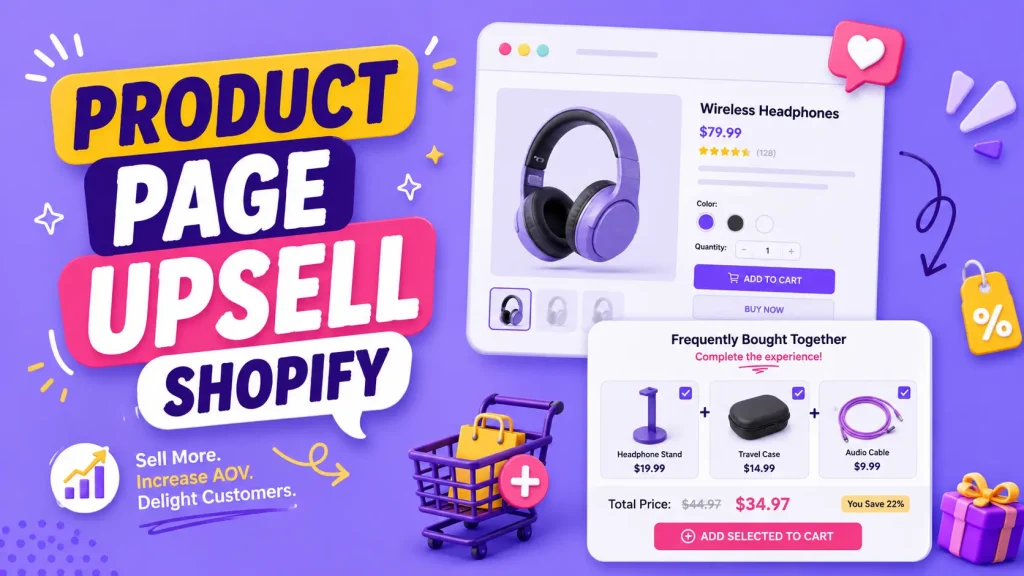
- Frequently bought together: group the main item with one or two natural partners and one button to add them all. Here is what frequently bought together does to conversion rate.
- Add-ons: small, low-risk extras like gift wrap, a warranty, or a starter kit. See the best Shopify product add-on apps if this is your main play.
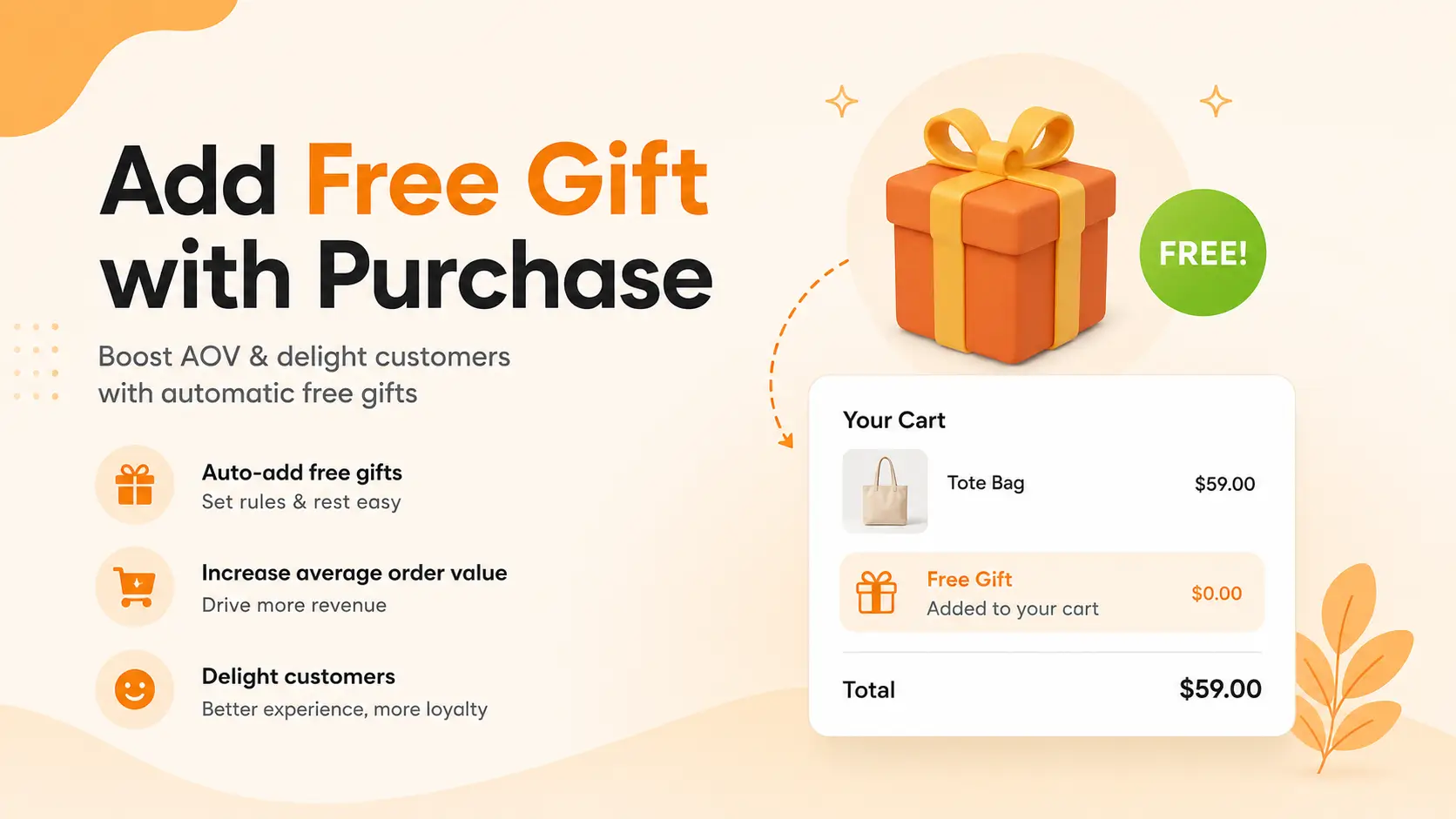
- Free gift threshold: “Spend $50, get a free travel size.” This nudges a slightly bigger basket.
How to set up product page upsells on Shopify
You have three ways to do it. Here is the quick comparison, then the steps.
| Method | Cost | Setup effort | Best for |
|---|---|---|---|
| Theme block | Free | Low | A basic related-products row |
| App | Paid, with free trial | Low | Real offers (FBT, tiers, add-ons) |
| Custom code | Dev time | High | Full control, no monthly fee |
Option 1: Use your theme (free, but limited)
Some Online Store 2.0 themes (like Dawn and Horizon) include a basic “complementary products” or “you may also like” block.
- Go to your Shopify admin, then Online Store, then Themes, then Customize.
- Open a product template and look for a Complementary products or Product recommendations section.
- Add the section, then set the related products under Search & Discovery (Shopify’s free app) so the picks are not random.
The catch: themes do not show price tiers, true bundles, or one tap “add all” buttons. For a simple related row, the theme is fine. For offers that actually lift AOV, you will want an app.
Option 2: Use an app (recommended for most stores)
An app is faster to launch and safer than code, as long as you pick a light one with the Built for Shopify badge. Here is the flow with Oxify Cart Drawer & Upsells, which runs product page upsells and add-ons, frequently bought together, and one click post-purchase offers in one app:
- Install the app from the Shopify App Store. No code needed.
- Open the dashboard and create a new product page upsell or frequently bought together offer.
- Pick the main product, then add one or two partner products that pass the match test.
- Set a small saving if you want one (for example, 10% off when bought together).
- Write the offer so it sells itself: a clear title, a one-line reason to add it, and a real product photo.
- Place the block near the Add to Cart button, match your store colors, then check it on desktop and phone.
If your win is quantity breaks or bundles instead, use Oxify Quantity Breaks. Create a deal, open the Offers tab, and stack your tiers (1 pack, 2 pack, 3 pack), each with its own quantity and discount. Add a label like “Most Popular” on the tier you want pre-selected. The full walkthrough is here: how to set up tiered pricing on Shopify.
Option 3: Custom code (advanced)
With a developer, you can build an upsell block using Shopify’s app blocks and metafields. You map a “recommended product” metafield to each item, then render it under the buy box.
This avoids monthly fees. But you own every bug, and heavy scripts can slow your page. Slow pages lose sales. For most stores, a light app is the smarter trade.
Where to place upsells on the product page
Placement matters as much as the offer.
- Best spot: right next to the Add to Cart button. This is where eyes already are.
- Inside the variant picker: good for tier upgrades. The shopper is already choosing.
- Just below the buy box: good for frequently bought together blocks.
- Avoid: big pop-ups that cover the screen, especially on mobile. They block the page and raise drop-off.
Keep it inline and clean. The shopper should never lose sight of the Add to Cart button.
Real store examples by store type
You do not have to guess what works. The biggest Shopify and DTC brands all run product page upsells. The wording changes by store type, but the idea is the same. Here is the pattern for each, so you can copy the one that fits you.
- Fashion and apparel: “Complete the look.” On a top, show the matching leggings, shorts, or jacket the model is wearing, with one button to add the set. Shoppers buy the outfit, not just one piece.
- Tech and accessories: an upgrade plus a bundle ladder. Let the shopper add an upgrade (like a stronger case or a stand), then show a “case plus screen protector” bundle with the saving spelled out. A single case order turns into a bigger one.
- Beauty and skincare: “Pair it with.” Under a serum, show the cleanser and moisturizer that complete the routine. We build these for merchants, and the beauty stores we work with lean on this hard. Here is the data behind frequently bought together for beauty products.
- Coffee, supplements, and refills: a quantity ladder. Show “1 bag,” “2 bags (save 15%),” and “3 bags (save 20%)” right on the page. People who buy these stock up, so the bigger pack is an easy yes.
Notice the common thread: every example pairs items that truly belong together, and the value is clear at a glance. That is the match test in action.
Real numbers from our dashboard
We do not have to hand-wave this. We track product page upsells inside the app, so here is a real view from the Oxify Cart Drawer Product Page Upsell Analytics.
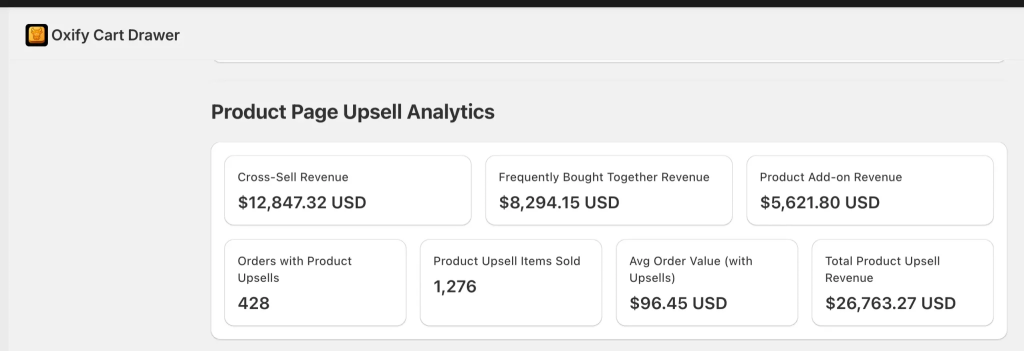
Here is what those numbers say:
- Total product upsell revenue: $26,763.27. That is money the product page offers brought in on top of the base orders.
- By offer type: cross-sell $12,847.32, frequently bought together $8,294.15, and product add-ons $5,621.80. The three add up to the total, and cross-sells pulled the most.
- 428 orders included a product upsell, with 1,276 upsell items sold across them. That is close to three extra items per upsell order.
- Average order value with upsells: $96.45.
Two takeaways. First, no single offer type does all the work, so it pays to run more than one. Second, the product page on its own can become a real revenue line, not a rounding error.
How to pick and price a bundle
Bundles are the highest-impact product page upsell, but only when they make sense. Use these three rules.
- Pick items that truly go together. Camera and memory card, razor and refills, shirt and matching pants. A coffee maker bundled with a t-shirt feels like a trick and hurts trust.
- Keep the saving small and clear. A light nudge (for example, 10% off the set, or “Save $15”) is enough. A deep cut just trains people to wait for discounts.
- Show the saving, not just the price. “Save $15 when bought together” beats a quiet total. People act on the gain they can see.
For a deeper breakdown, see frequently bought together vs bundle revenue.
Which app should you use?
I will be straight with you. The first two apps are ours at Oxify, so weigh that as you read.
- Oxify Cart Drawer & Upsells: built for the full funnel. Product page upsells and add-ons, frequently bought together, one click post-purchase offers, free gifts, a free shipping bar, and a sticky cart in one app. Holds a 5.0 rating, carries the Built for Shopify badge, and starts at $19.99/month with a 14-day free trial. The product page upsell analytics shown above come from this app. Best when you want offers on the product page, in the cart, and after checkout without stacking apps.
- Oxify Quantity Breaks: the pick when bundles and quantity breaks are your main play. Full bundle builder, build your own box, quantity breaks, tiered pricing, volume discounts, BOGO, and Buy X Get Y, all shown on the product page. Built for Shopify, rated 4.9, from $9.99/month with a 14-day free trial. The same features sit on every plan.
Want the full landscape with honest pros and cons for other tools? See the best Shopify upsell apps roundup. Whatever you pick, check your page speed before and after. An offer is not worth a slow site.
Mistakes that quietly cost you sales
- Too many offers. More choices freeze people. Two beats five.
- Random picks. An unrelated suggestion breaks trust fast.
- Pushy words. “You must add this” feels like a sleazy salesperson. Helpful beats pushy.
- Heavy scripts. Slow pages drop conversions everywhere.
- Ignoring mobile. Most shoppers are on phones. If your offer cuts off on a small screen, you are leaking money.
- No testing. Turn an offer on, measure, keep winners, cut the rest.
A fair question: can upsells ever hurt you? Yes, if they add friction or feel pushy. Here is an honest look at whether upsells hurt conversion rate so you can avoid the traps.
How to measure success
Average Order Value, or AOV, is the score to track.
AOV = total revenue / number of orders
When upsells work, AOV goes up. Watch two safety numbers too:
- Take rate. The share of shoppers who accept an offer. A low take rate usually means the offer failed the match test.
- Cart abandonment. If it rises after you add offers, your page may be too busy or too slow. Pull back.
A good dashboard makes this easy. The Oxify view above tracks revenue by offer type, orders with upsells, items sold, and AOV with upsells, so you can see which offers earn and which to cut. Give it two weeks before you judge anything. One slow day is not a trend.
Your 5-step starter plan
Do this week:
- Pick your top 3 products by traffic. Start where the visitors already are.
- List 1 to 2 offers per product that pass the 3-second match test.
- Place them near the Add to Cart button. Keep it inline, not in a pop-up.
- Write value words only. Save, get more, free, never run out.
- Check AOV and abandonment after 2 weeks. Keep what works, cut what does not.
Repeat it across more products as you go. For the bigger picture beyond the product page, see our Shopify upselling strategies guide.
Frequently asked questions
What is a product page upsell on Shopify?
It is an offer shown on the product page, before checkout, that nudges the shopper to pick a better version, add a related item, or buy a bundle. The goal is a bigger, more useful order.
How do I add an upsell to a Shopify product page?
You have three ways. Use a theme block for basic related products, use a Built for Shopify app for real offers like frequently bought together or quantity breaks, or build a custom block with code. An app is the easiest for most stores.
Does a product page upsell increase average order value?
It can, when the offer is relevant and easy to accept. Track AOV (total revenue divided by orders) and your offer take rate. Test for two weeks before judging.
What is the difference between an upsell and a cross-sell?
An upsell is a better or bigger version of the same item. A cross-sell is a different item that pairs with it. Many stores use both together.
Where should upsells go on a Shopify product page?
Right next to the Add to Cart button works best. The variant picker suits tier upgrades. Avoid full-screen pop-ups, especially on mobile.
How many offers should I show?
One or two strong offers beat a wall of choices. Too many options make shoppers freeze and skip the extras.
What discount should I offer on a bundle?
A small, clear saving works best. Around 10% off the set, or a fixed amount like “Save $15,” nudges people without hurting your margins or training them to wait for sales.
Will product page upsells slow down my site?
A light, Built for Shopify app should have little impact, and theme blocks have almost none. Heavy or poorly built apps can slow the page, so test your speed before and after you turn an offer on.
Do I need an app or can I do it free?
Some themes include a basic related-products block for free. For true bundles, price tiers, and one tap add-all offers, you will want an app.
Ready to set this up?
Want product page upsells live without touching code? Install Oxify Cart Drawer & Upsells (5.0 rating, Built for Shopify, 14-day free trial) and turn on product page offers, frequently bought together, and post-purchase upsells in minutes. If bundles and quantity breaks are your focus, start with Oxify Quantity Breaks instead.
Pick your top 3 products, add one offer that passes the match test, and check your AOV in two weeks.