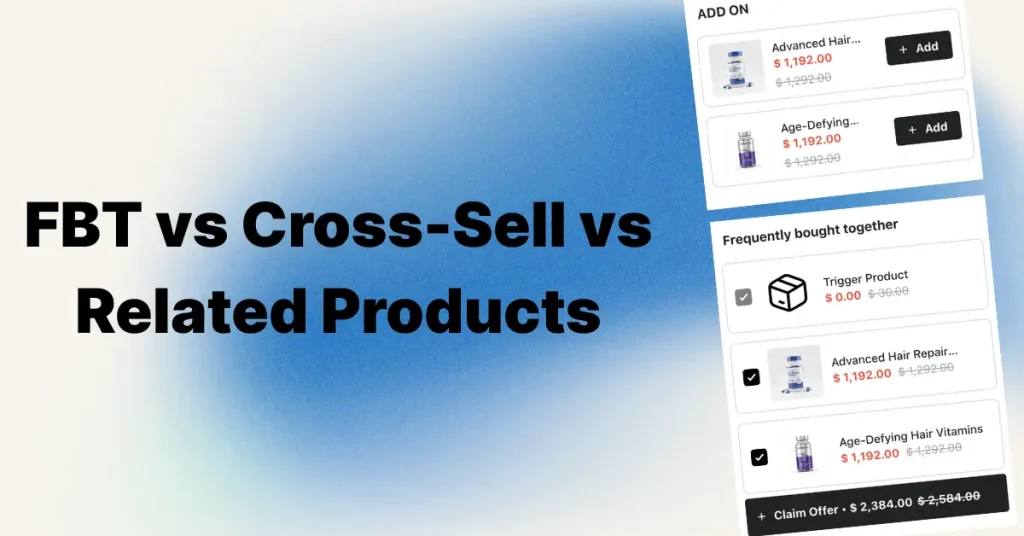
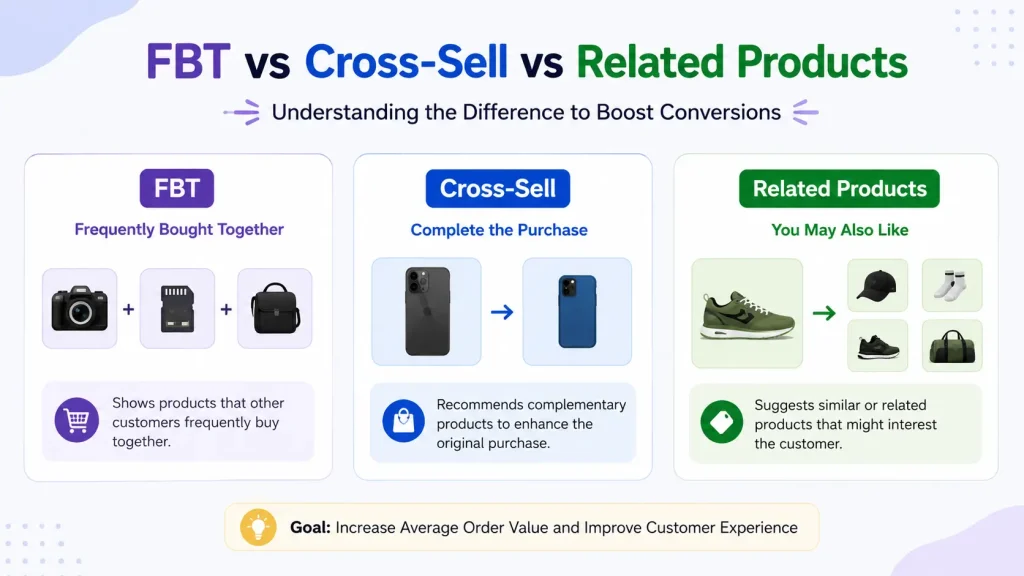
FBT (Frequently Bought Together) shows products customers actually buy together based on real order data. Cross-sell is the broader strategy of suggesting any complementary product. Related products show similar items in the same category.
The simple rule:
- FBT and cross-sell add items to the cart (raise items per order)
- Related products keep shoppers browsing (save the sale)
- FBT is a type of cross-sell — the data-driven version
| Feature | FBT | Cross-Sell | Related Products |
|---|---|---|---|
| Relationship | Bought together | Complementary | Similar |
| Data source | Real order history | Manual or AI rules | Tags, collections |
| Goal | Raise AOV | Raise AOV | Reduce bounce |
| Best placement | Product page (top) | Cart drawer, checkout | Product page (bottom) |
| AOV lift potential | 10–30% | 10–30% | Minimal direct |
| Cost (Shopify) | $9–$99/month | $0–$99/month | Free (built-in) |
For a Shopify store in 2026, the best setup combines all three: FBT with a bundle discount on top-selling product pages, cross-sells inside the cart drawer with a free shipping bar, and related products at the bottom of product pages for discovery.
The Oxify Cart Drawer & Upsells app (Built for Shopify, 5.0 rating, $19.99/month) handles all three from one place — FBT with bundle discounts, cart cross-sells, automatic discount codes, and free gifts.
Full Guide: What Each One Actually Is
Three sections on a Shopify product page can look almost the same. “Frequently Bought Together.” “You May Also Like.” “Customers Also Bought.” Same row of products. Same little Add-to-Cart button. Same goal — sell more.
But under the hood, they are not the same thing.
- FBT (Frequently Bought Together) uses real co-purchase data — products that often end up in the same order.
- Cross-sell is the broader strategy of suggesting complementary products. FBT is one type of cross-sell.
- Related products are similar items — same category, same tag, same vibe. Not complementary.
The fbt vs cross sell question matters because each one does a different job in a different spot. Mix them up and you waste your best slot on the page.
This guide breaks down what each one actually is, when to use it, where it goes, what it costs, and how successful brands use them. The placements and numbers come from running Oxify Cart Drawer & Upsells across real merchant stores — not generic theory.
What Is FBT (Frequently Bought Together)?
FBT shows products that customers actually buy together in the same order.
Think of a camera. The FBT widget shows a memory card and a camera bag. Why those two? Because past customers bought all three in one checkout. The data picks the products. You don’t.
Key traits of a real FBT widget:
- Pulls from real order history (or AI trained on co-purchase patterns)
- Shows 2–3 products max
- Has a single “Add all to cart” button
- Often comes with a small bundle discount
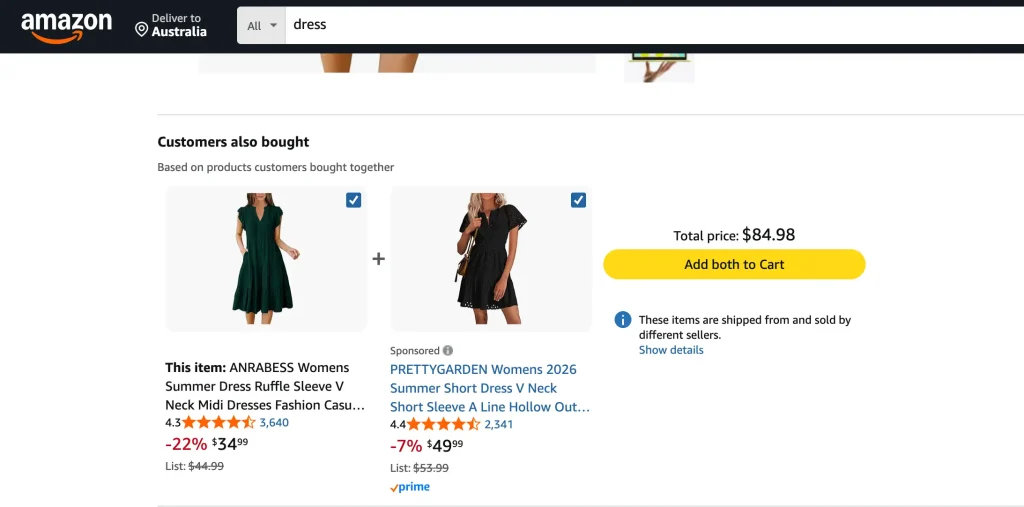
Amazon made this format famous. The “Customers who bought this item also bought” and “Frequently bought together” widgets on every Amazon product page are the original blueprint — and a huge chunk of Amazon’s revenue comes from this exact cross-sell pattern. The reason it works: the suggestion isn’t random. It’s based on what real shoppers did with their money.
If you want to dig into specific FBT setups, our guide on frequently bought together for beauty products on Shopify walks through one of the highest-converting categories. We’ve also rounded up the best frequently bought together Shopify apps if you’re comparing tools.
Where FBT Goes Wrong
If you have fewer than 30 days of order data, FBT will suggest products that have only been bought together once or twice. That’s not “frequently” anything.
Honest rule: Don’t run FBT on a brand-new product with zero co-purchase data. Use related products there instead, or set up a manual cross-sell rule.
What Is Cross-Sell?
Cross-sell is the umbrella. It’s any time you suggest a complementary product to push the order higher.
The customer keeps the original item. They add something extra alongside it.
Cross-sell examples:
- Buy a phone → suggest a phone case
- Buy a coffee machine → suggest beans
- Buy a dining table → suggest matching chairs
- Buy a yoga mat → suggest a strap and block
FBT is one type of cross-sell — the data-driven one. Cross-sell also includes manual rules, AI cross-sell, cart drawer cross-sell, and post-purchase cross-sell. For a deeper dive, our cart upsell strategy guide for Shopify covers the full funnel.
The Cross-Sell Sweet Spot
Rule of thumb: keep the cross-sell item at 25% or less of the main product’s price. A $200 jacket pairs well with a $40 scarf. A $200 jacket plus a $180 second jacket? Most shoppers walk.
Cross-Sell Revenue Impact
Cross-sell is one of the highest-leverage moves you can make on a Shopify store. Done right, targeted product recommendations consistently lift average order value — and they cost nothing extra in ad spend because they only touch shoppers who are already on your site. The mechanics are simple: a shopper buying one item is far more open to a complementary one than a cold visitor is to anything. More setup detail in our Shopify upselling strategies guide.
What Are Related Products?
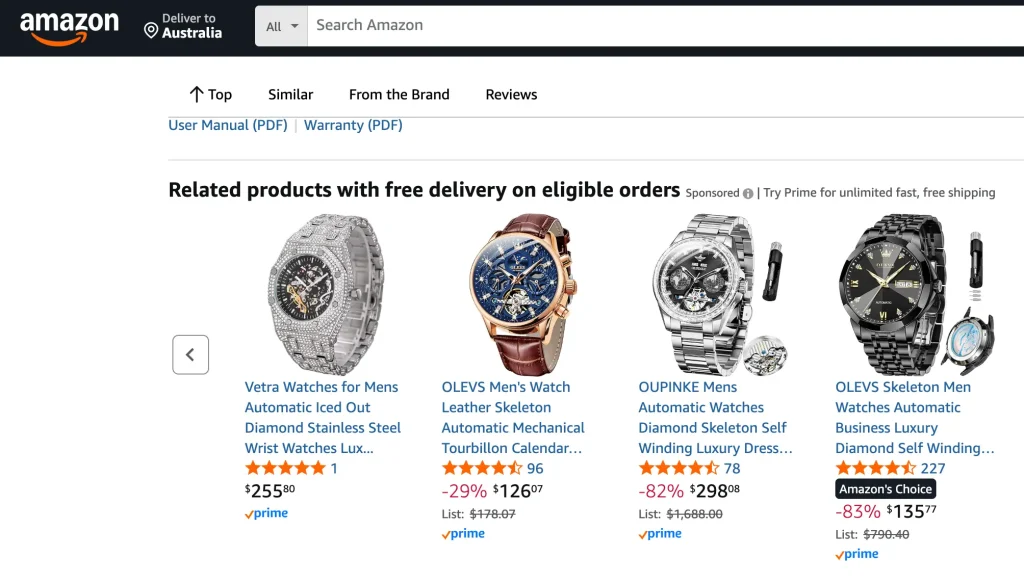
Related products are similar items. Not complementary. Not bought together. Just… alike.
A black t-shirt → other black t-shirts. A running shoe → other running shoes. A nightstand → other nightstands.
The data behind it is usually: same product tag, same collection, same product type, or same vendor.
This is the “keep browsing” tool, not the “add to cart” tool.
When Related Products Actually Help
Related products do one job well: they keep the visitor on your site when the current product is not quite right.
- Wrong color? Show similar shirts in other colors.
- Wrong price? Show alternatives in the same category.
- Wrong style? Let them pivot without leaving.
This is why related products live at the bottom of the product page. By the time the visitor scrolls there, they’ve already decided this product isn’t the one. You’re catching them before they bounce.
Where Related Products Go Wrong
Putting “Related Products” right next to “Add to Cart” is a leak. You’re basically telling the buyer, “Hey, are you sure? Look at these other ones.” That hurts conversion. Related products belong below the fold. Always.
Where Does Upsell Fit In?
Upsell is the fourth tool — and it works differently from all three above.
| Strategy | What happens | Example |
|---|---|---|
| Upsell | Customer replaces their choice with a better one | Standard hoodie → Premium hoodie |
| FBT | Customer adds items based on real co-purchase data | Camera + memory card + case |
| Cross-sell | Customer adds a complementary item | Coffee machine + beans |
| Related products | Customer might replace with a similar item | Black t-shirt → Navy t-shirt |
The shortcut: Upsell = upgrade. FBT and cross-sell = additions. Related products = alternatives. For post-purchase upsell, see our best Shopify post-purchase upsell apps roundup.
How to Decide: FBT, Cross-Sell, or Related Products for Your Store?
This is the question most merchants actually have. Here’s a clean framework.
Choose FBT if:
- You sell products with natural pairings (electronics + accessories, beauty + routines, pet food + treats)
- You have 30+ days of order data showing real co-purchases
- You can offer a 5–10% bundle discount without killing margin
Choose cross-sell if:
- You’re a new store or new product with no co-purchase data yet
- You sell apparel, food, or subscription items where add-ons are obvious
- You want a quick win without building from data
Choose related products if:
- You have a deep catalog with multiple variants (fashion, home decor, books)
- Your shoppers browse multiple options before buying
- Your main goal is reducing first-visit bounce, not raising AOV
The honest answer most articles dodge: you don’t choose one. You use all three — but in different spots. FBT on the product page (top), cross-sells in the cart drawer, related products at the bottom of the product page. That’s the full stack.
Best Strategies for Using FBT, Cross-Sell, and Related Products
Here’s the playbook the highest-converting Shopify stores use, broken down by strategy.
FBT Best Practices (5 rules)
- Wait until you have 30+ orders on the product before turning on FBT
- Place the widget below price + Add-to-Cart button — top half of the product page
- Show 2–3 products max — more than 3 and acceptance drops
- Add a 5–10% bundle discount — this single change visibly lifts acceptance
- One “Add all to cart” button — never make the shopper add items one by one
Cross-Sell Best Practices (5 rules)
- Pick the touchpoint by purchase intent — cart drawer = high intent, post-purchase = highest intent
- Match the 25% price rule — cross-sell item should be ≤ 25% of the main product
- One offer per touchpoint — don’t stack 3 different cross-sells in one place
- Cart-aware suggestions — base the recommendation on what’s actually in the cart
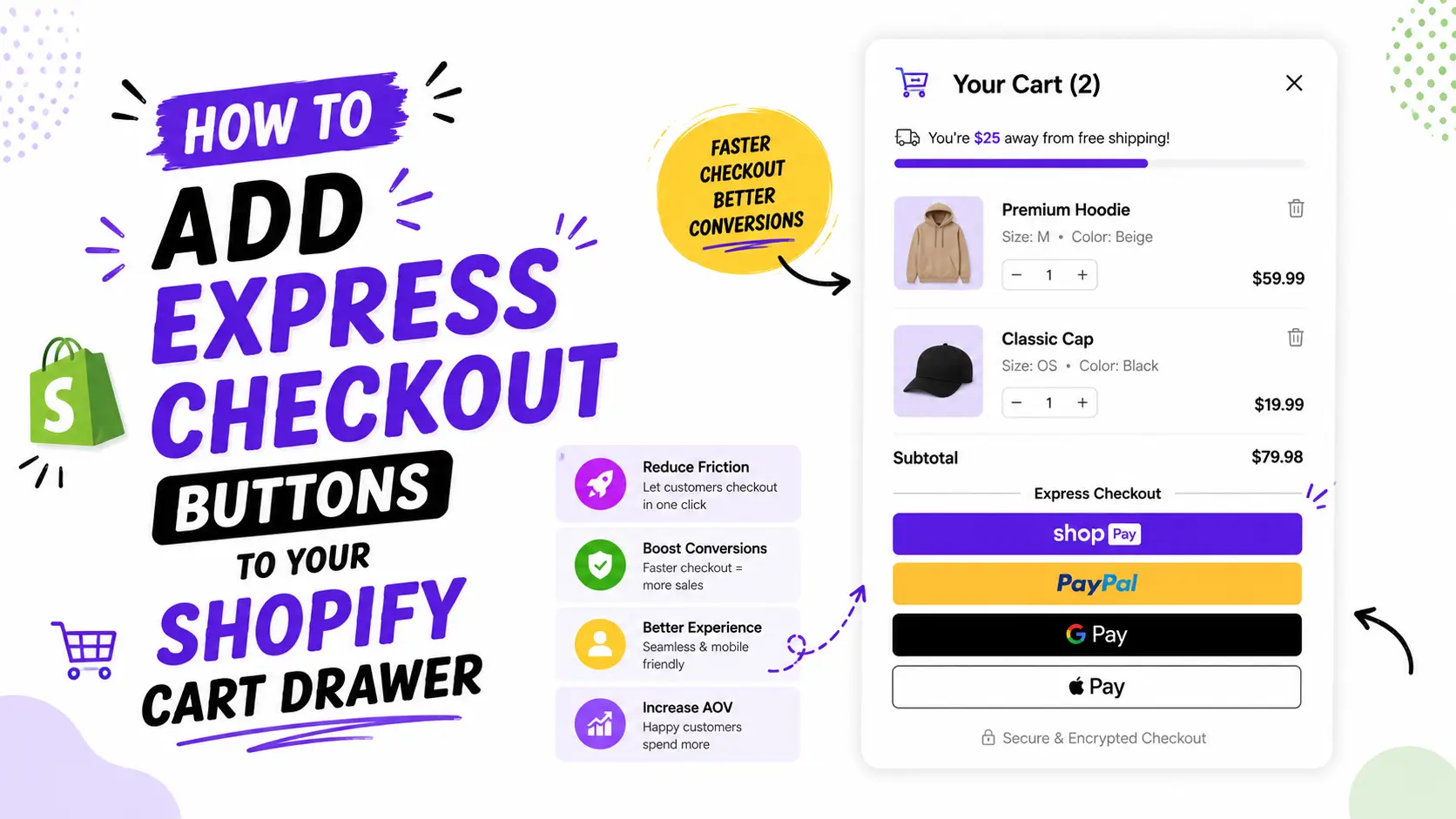
- Pair cross-sell with a free shipping bar — “you’re $12 from free shipping” + a $15 add-on is one of the highest-converting setups on Shopify (more in our Shopify cart drawer free shipping bar guide)
Related Products Best Practices (3 rules)
- Bottom of product page only — never near Add-to-Cart
- Tag products consistently — bad tags = bad suggestions
- Use Shopify’s built-in section unless you have a recommendation engine doing it better
Which Should You Choose to Increase Sales: FBT, Cross-Sell, or Related Products?
If you’re forced to pick only one for sales lift, here’s the honest ranking:
1. FBT with bundle discount — highest acceptance rate per impression. Real co-purchase data + a discount = social proof + reason to act. Typical lift: 5–15% on items per order.
2. Cart drawer cross-sell — broader reach because it works on every cart, not just product pages with FBT data. Lower per-impression acceptance but more total impressions. Pair with a free shipping bar for the best results.
3. Related products — does not directly raise sales. It saves them. Don’t expect a revenue lift from related products alone; expect a bounce rate reduction.
The realistic stack for sales: FBT on top 10 products + cart drawer cross-sell with free shipping bar + post-purchase upsell on checkout. This is what the Oxify Cart Drawer & Upsells app is built to do from one place, instead of stitching 3–4 apps together.
How to Implement FBT vs Cross-Sell vs Related Products on Your Online Shop
If you’re setting up a new Shopify store, here’s the order to do it in.
Week 1 — Set up Related Products (free, easy):
- Enable Shopify’s built-in “Related products” section at the bottom of product pages
- Tag products consistently (collection, product type, vendor)
- Done. No app needed.
Week 2 — Set up cart drawer cross-sells:
- Install a cart drawer app like Oxify Cart Drawer & Upsells
- Add a free shipping bar with your typical threshold ($50 or $75)
- Configure 2–3 cross-sell rules for your top product categories
- Add an auto-applied discount code to lift acceptance
Week 3–4 — Wait for order data, then set up FBT:
- Wait until top products have 30+ orders
- Turn on FBT on the product page, below price + Add-to-Cart
- Set a 5–10% bundle discount on the FBT widget
- Limit to 2–3 products per widget
Week 5+ — Analyze and optimize:
- Track acceptance rate per widget
- Kill widgets pulling under 2% acceptance
- Double down on winning combinations
- Add post-purchase upsell as the final layer
Our customize Shopify cart drawer guide walks through colors, copy, and layout once the basics are live.
What Are the Benefits of FBT vs Cross-Sell vs Related Products?
Each one delivers a different type of business value.
FBT benefits:
- Higher per-impression acceptance (5–15% typical) thanks to social proof
- Visible bundle discounts that compete with discount-driven competitors
- Naturally seeds the catalog — shoppers discover products they’d otherwise miss
- Works as both a sales tool and a retention tool (bigger first orders = stickier customers)
Cross-sell benefits:
- Works across the full funnel (product page, cart, checkout, post-purchase)
- Doesn’t require historical order data — manual rules work day one
- Higher total revenue contribution because it touches more carts
- Easier to A/B test specific offers
Related products benefits:
- Free if you use Shopify’s built-in section
- Reduces bounce rate by giving shoppers alternatives without leaving the site
- Improves discovery for deep catalogs
- No risk of “over-selling” because it doesn’t push add-to-cart
The combined benefit: when all three work together, they cover three different shopper psychology states — buying intent (FBT), commit intent (cross-sell), and uncertainty (related products).
Tools to Implement FBT, Cross-Sell, and Related Products on Shopify
Here’s the realistic landscape of Shopify apps for each strategy, with honest pricing.
Best Tools for FBT
- Oxify Cart Drawer & Upsells — Built for Shopify, 5.0 rating, $19.99/month. FBT with bundle discounts on product pages, plus cart cross-sells and free gifts.
- Frequently Bought Together by Code Black Belt — flat $9.99/month, the original Amazon-style FBT app
- Selleasy — multi-touchpoint FBT, ranges free to $19.99/month
- See our full breakdown of the best frequently bought together Shopify apps
Best Tools for Cross-Sell
- Oxify Cart Drawer & Upsells — covers in-cart cross-sells, post-purchase, and product page upsells from one app
- Rebuy — AI-powered, premium pricing
- UpCart — cart drawer focus with cross-sells
Best Tools for Related Products
- Shopify’s built-in “Related products” section — free, works fine for discovery
- Wiser — AI-powered, multi-widget
The “All Three in One App” Option
If you want FBT + cross-sell + discount + free gifts in a single app, Oxify Cart Drawer & Upsells is the cleanest stack. Most merchants don’t realize they’re paying for 3–4 separate apps to do what one app should do.
Cost Comparison: FBT vs Cross-Sell vs Related Products
This is the question almost no comparison article answers honestly.
| Strategy | Free option? | Typical paid pricing | Hidden costs |
|---|---|---|---|
| FBT | No (Shopify native doesn’t support true FBT) | $9.99–$49.99/month | Bundle discount eats 5–10% margin per accepted offer |
| Cross-sell | Limited (Shopify checkout extensions, basic only) | $19.99–$99/month | App stacking if you need multiple touchpoints |
| Related products | Yes (Shopify built-in) | $0 (free) or $9.99+ for premium | Bad tagging = bad suggestions |
| All three combined | No | $19.99–$149.99/month for full-funnel app | Saves money vs. 3 separate apps |
The cost trap most merchants fall into: buying a $19.99 FBT app + a $19.99 cart drawer app + a $14.99 discount app = $54.97/month. A single full-funnel app like Oxify Cart Drawer & Upsells at $19.99/month does all three with shared logic, so the FBT bundle discount, free shipping bar, and free gift threshold all talk to each other.
How They Differ in Terms of Customer Engagement
Each strategy creates a different type of customer engagement.
FBT creates “trust engagement.” Shoppers see real co-purchase data and think “if others bought this combination, it’s probably the right setup.” The engagement is short — a quick add-all-to-cart decision — but high-intent.
Cross-sell creates “moment engagement.” It appears at peak buying intent (cart, checkout) and asks for one more small commitment. The engagement is brief but timed perfectly.
Related products create “discovery engagement.” Shoppers browse multiple options, compare, and learn the catalog. The engagement is longer (more page views) but lower per-page intent.
What this means for your strategy:
- High-intent traffic (paid ads, retargeting) → lean into FBT and cross-sell
- Top-of-funnel traffic (SEO, social) → related products help conversion later
- Returning customers → all three work, but cross-sell wins because trust is already built
Successful Brand Examples
These are well-known examples of each strategy used at scale.
FBT — Amazon. The original. Amazon’s “Frequently Bought Together” widget on every product page is the format every Shopify FBT app tries to replicate. According to Shopify, Amazon attributes up to 35% of sales to cross-selling features including FBT.
Cross-sell — Apple. Apple’s “Complete your kit” prompts after a MacBook or iPhone selection — AppleCare, accessories, adapters — are textbook cart drawer cross-sells. The price ratio rule shows up clearly: AirPods (~10% of a MacBook’s price) are pushed harder than Studio Display (~50%).
Cross-sell — ASOS. “Complete the look” carousels on every product page, showing the exact outfit with accessories. Apparel cross-sell done right.
FBT with discount — Canyon Bicycles. Their “Complete Your Kit” framing on product pages bundles helmets, lights, and locks at a small discount. It’s FBT with a psychological hook: “you can buy the bike, but you won’t enjoy the full benefit without these.”
Related products — Etsy. “You might also like” rows at the bottom of every listing, pulling from similar shops and categories. Pure discovery, not push.
The pattern: every brand worth modeling uses all three in different spots, never stacked together.
How Bundling and FBT Impact Average Order Value
Let’s get specific on what FBT and bundling actually do to your numbers.
The three types of AOV lift FBT delivers:
- Personalization lift — when product recommendations are based on real co-purchase data, shoppers convert on add-on products at meaningfully higher rates than with generic suggestions
- Cross-sell + upsell stack lift — combining FBT with cart drawer cross-sells and post-purchase offers compounds the AOV gain across multiple touchpoints, not just one
- Single-interaction lift — shoppers who interact with even one product recommendation tend to spend more per order than shoppers who don’t see any recommendation at all
Where the lift comes from mechanically:
- More items per cart — higher dollar value per order, plain and simple
- Bundle discounts — they make multiple items feel like a deal (we cover discount math in product bundle pricing strategy)
- Social proof — “frequently bought together” tells shoppers that other real customers chose this combination
Where the lift evaporates:
A 20% AOV jump is meaningless if your contribution margin drops 25%. The most common mistake: stacking too many discounts on top of an FBT bundle. Track contribution margin per order, not just AOV. If you’re stacking discounts, our stack buy more save more discounts guide walks through how to layer offers without eating margin.
Why FBT With Discount Outperforms Plain FBT
This is the single biggest lever most merchants leave on the table.
A plain FBT widget says: “Customers also bought these.” Social proof, but no reason to act now.
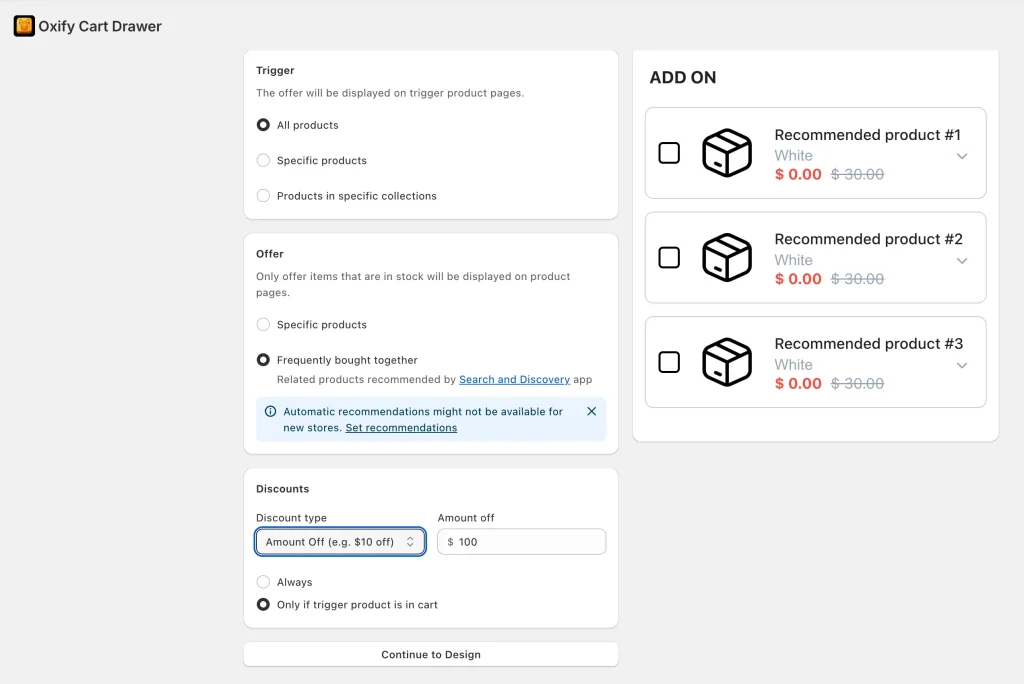
An FBT widget with a discount says: “Customers also bought these — buy all 3 together and save 10%.” Social proof + reason to act now.
Two discount formats that work for FBT:
- Percentage off the bundle — “Save 10% when you buy all 3 together.” Easiest to communicate.
- Fixed amount off — “$15 off when you add the matching kit.” Works better for higher-priced products
The Oxify Cart Drawer & Upsells FBT module supports all two, plus a separate module for auto-applied discount codes inside the cart drawer.
Which Industries Benefit Most From FBT vs Cross-Sell?
Best for FBT (real co-purchase data drives lift)
- Electronics & accessories — cross-selling ecosystem products is one of the strongest CLV moves for electronics. Cameras need memory cards, phones need cases, laptops need adapters. The pairings are obvious and consistent.
- Beauty & skincare — routines, not single products (see our FBT for beauty products on Shopify guide)
- Pet supplies — food + toys + treats are bought in the same order, and pet retailers consistently see some of the highest customer lifetime value in ecommerce thanks to predictable replenishment cycles
- Home & furniture — shoppers who buy for one room (bedroom, living room, kitchen) often return within months to outfit related rooms, which makes both FBT and follow-up cross-sells highly effective
Best for Cross-Sell
- Apparel & fashion — “complete the look” framing
- Food & beverage — low-friction add-ons
- Subscription boxes — one-time add-ons inside subscription flows (see subscription upsell in slide cart)
Best for Related Products
- Fashion with multiple variants — comparison shoppers
- Home decor — subjective style
- Books and media — discovery is the whole point
Worst-fit combinations
- Single-product stores — skip all three
- Luxury / high-AOV ($1,000+) — use related products and post-purchase only
- B2B with long sales cycles — these strategies are tuned for impulse-friendly carts
How FBT and Cross-Sell Affect Customer Retention Differently
Cross-sell drives retention indirectly. When you suggest a coffee filter to someone who just bought a coffee machine, you solve a problem before they hit it. That builds trust. Trust drives repeat purchases. Existing customers reliably spend more per order than new ones, and even small retention improvements compound into significant profit gains over time — which is why cross-sell is often more profitable than chasing new acquisition.
FBT drives retention directly through bigger first orders. A customer who buys a $40 camera + memory card + case is more invested. They’re more likely to return for a lens, a tripod, replacement straps.
Related products drive retention by reducing first-visit bounce. A shopper who finds the right variant on visit 1 is far more likely to return for visit 2. (See Shopify cart abandonment with cart drawer.)
The strategies stack. Cross-sell builds the routine. FBT seeds the catalog. Related products keep the visit alive.
Common Mistakes to Avoid
Treating FBT as “any cross-sell.” Not the same. FBT is data-driven. A manual cross-sell rule is not FBT.
Calling similar products “frequently bought together.” Customers who notice the mismatch lose trust in every future suggestion.
Showing related products near Add to Cart. Conversion leak. Move them to the bottom.
Running 4 widgets on one product page. The shopper freezes. Pick one or two.
No bundle discount on FBT. A 5–10% bundle discount visibly lifts acceptance.
Using a separate app for each function. Merchants end up paying for an FBT app + cart drawer app + discount app + post-purchase app separately. A full-funnel app like Oxify Cart Drawer & Upsells handles all four from one place.
How Oxify Cart Drawer & Upsells Handles FBT, Cross-Sell, and Discounts in One App
Oxify Cart Drawer & Upsells is Built for Shopify with a 5.0 rating and pricing from $19.99/month, and it covers the full FBT-cross-sell-discount stack in one place:
| What you need | How Oxify handles it |
|---|---|
| Product page FBT with bundle discounts | AI-powered FBT module with percentage or fixed discount on the bundle |
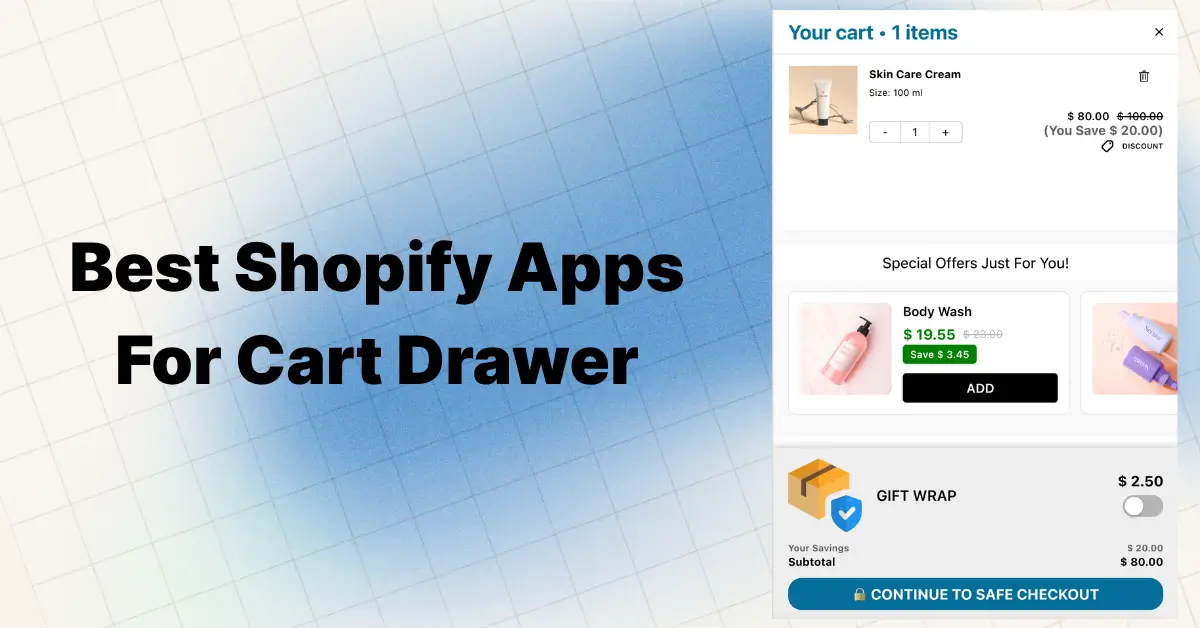
| Cart drawer cross-sell | Smart in-cart upsells & cross-sells with free shipping bar and progress bar |
| Auto-applied discount codes | Automatic discount codes in the cart drawer — no manual entry needed |
| Free gift with purchase | Auto and manual free gift selection, plus BXGY flows |
| One-click cart upsells | Shipping protection, product add-ons, and bundle upsells inside the slide cart |
| Volume discounts & buy more save more | Tiered discount logic stacked with FBT |
| Countdown timer + sticky cart | Built-in FOMO timers that pair with FBT widgets |
| Multi-currency + multi-language | Works across markets — see our multi-currency cart drawer guide |
| Built-in analytics | Click-through rates, conversion rates, recommendation performance, funnel performance |
The point isn’t that Oxify does everything — it’s that FBT, cross-sell, and discount logic should talk to each other. A shopper who adds the FBT bundle sees the free shipping bar update in the cart. The discount auto-applies. The free gift threshold reflects the new cart total. With three different apps, those signals don’t connect. With one app, they do.
Pricing transparency:
- $19.99/month — up to 200 orders
- $29.99/month — 201–500 orders
- $49.99/month — 501–1,000 orders
- $79.99/month — 1,001–2,000 orders
- 14-day free trial on every plan
If you’re switching from another app: Best Rebuy alternative, Best UpCart alternative, Best iCart cart drawer alternative, and Best Kaching cart drawer alternative.
Decision Framework: Which One Should You Set Up First?
Ask three questions about the product:
1. “Does this product need something else to work?”
- Yes → FBT or cross-sell
- No → Skip FBT. Use related products.
2. “Do I have order data showing real pairings?”
- Yes, 30+ days of orders → FBT works
- No, brand-new product → Use a manual cross-sell rule, or skip to related products
3. “Is the customer browsing or buying?”
- Browsing → Related products keep them moving
- Buying → FBT and cross-sell push AOV up
FAQ
Is FBT a type of cross-sell?
Yes. FBT is a data-driven cross-sell. All FBT widgets are cross-sells, but not all cross-sells are FBT. Manual cross-sell rules are still cross-sells, just without the order-history backing.
What is the primary difference between frequently bought together and cross-selling?
FBT uses real co-purchase data — products that customers actually bought together. Cross-selling is the broader strategy of suggesting any complementary product. FBT is a subset of cross-selling.
Are related products and FBT the same thing?
No. Related products show similar items (same category, same tag). FBT shows complementary items that are bought together. Different data, different intent, different result.
Where should I put FBT on a Shopify product page?
Just below the price and Add-to-Cart button. High enough that buyers see it, low enough that it doesn’t push the main product image down on mobile.
How many products should an FBT widget show?
Two or three. More than that and acceptance drops because shoppers have to evaluate too many options.
Do related products hurt conversion?
They can — if you put them next to the Add-to-Cart button. At the bottom of the page, they help by catching shoppers about to bounce.
What’s the difference between FBT and an upsell?
An upsell is an upgrade — same product, better version. FBT is an addition — keep the product, add something that goes with it.
Which has higher revenue potential — FBT or cross-sell?
Cross-sell has higher total revenue potential because it works at multiple touchpoints. FBT is concentrated on the product page. But FBT often has higher per-impression acceptance because the social proof is stronger.
What industries benefit most from FBT?
Electronics, beauty, pet supplies, and home goods — categories with natural product pairings and enough order volume to generate real co-purchase data.
How much can FBT and cross-sell increase AOV?
Industry data suggests targeted product recommendations lift AOV by 10–30%, with personalization-heavy implementations going higher.
Does FBT work better with a discount?
Yes. Plain FBT relies on social proof alone. FBT with a 5–10% bundle discount adds a clear reason to act now and consistently outperforms identical widgets without one.
Can I run FBT, cross-sell, and related products on the same product page?
Yes, but spread them out. FBT near the top (below price). Cross-sell in the cart drawer (not on the product page itself). Related products at the bottom.
What’s the best way to start with FBT?
Use a free app trial for an FBT-capable app on your top product. Apps like Oxify Cart Drawer & Upsells offer 14-day free trials starting at $19.99/month, which is best than running three separate apps.
Which option is most effective for upselling specifically?
None of these three are upselling. For upselling (replacing the product with a premium version), use a dedicated product page upsell or post-purchase upsell. FBT and cross-sell add to the cart; they don’t upgrade the product.
Do I need a separate app for related products on Shopify?
No. Shopify has a built-in “Related products” section that uses tags and collections. It’s free and good enough for the discovery job. Only buy a paid related-products app if you need AI personalization.
The Takeaway
FBT, cross-sell, and related products solve three different problems.
- FBT turns one purchase into two or three using real order data
- Cross-sell is the broader strategy — anywhere you suggest something complementary
- Related products save the sale when the current product isn’t quite right
The merchants who get this right don’t pick one. They use all three — but in different spots, for different reasons, and never stacked on top of each other.
Set up FBT with a bundle discount on your top sellers. Add a cart drawer cross-sell with a free shipping bar. Let Shopify’s default related products section handle discovery at the bottom. That’s the full stack.