 Oxify
Oxify16 Best Shoppable Video Apps for Shopify (October 2026): Pricing, SEO & Real Cost

A shoppable video app for Shopify turns your TikToks, Instagram Reels, and product clips into videos a shopper can tap to add a product to the cart without leaving the page. Shoppable video app pricing runs from $0 to $249 a month for a store with 30,000 billable video views monthly (listings read October 11, 2026). These Shopify video apps number more than 40 on the App Store, and almost every "best apps" list you will find is published by one of the app vendors, which is why the vendor always happens to come first.
Every rating, review count, Built for Shopify status, and price below was re-read from the live Shopify App Store listing on October 11, 2026 (previous full check: September 23), and our new #1, Foxr, was added after reading its listing and documentation on October 13, 2026. Nothing here is copied from another roundup. We also score something most lists skip: whether the app helps Google and AI answer engines find your videos at all.
Short answer (updated October 13, 2026), because most lists bury it:
- Best shoppable video app for Shopify overall: Foxr Shoppable Videos & UGC. It is free, with no view meter on its listing, and comes with five layouts, in-video add to cart with a variant picker, A/B testing, revenue per video, and VideoObject structured data with transcripts for video SEO. It is new: launched September 25, 2026, rated 5.0 from 7 reviews.
- Best established pick: Moast. It has 5.0 stars (343 reviews), the Built for Shopify badge, a flat $15/mo plan, and unlimited video views.
- Best free forever: Video Slider by Doran — 4.9 stars, Built for Shopify, unlimited views and 50 uploads free, or $9/mo for unlimited uploads.
- Best paid value among view-metered apps: Quinn — 4.9 stars, Built for Shopify, $49/mo for unlimited views and uploads.
- Most polished experience: ReelUp — 4.9 stars, now Built for Shopify, 20+ widget styles, but view-capped tiers.
- Best hands-off automation: Whatmore — daily auto-sync from Instagram and TikTok with AI product tagging.
- Best built-in editor: Vimotia by Hextom — flat $19.99, trims clips and adds subtitles in the app.
- Best all-in-one with AI: Tolstoy — the only app here that generates video for you.
- Best analytics: Videowise — per-clip revenue attribution.
- Best value for Instagram-only stores: Instafeed — 4.9 across 2,202 reviews, free, then $8/mo.
The most useful thing on this page is not the ranking. It is the real cost table, because the same 30,000 monthly video events cost $0 on one app and about $250 on another. That gap, not the feature list, is what you will feel.
Compare every app at a glance (verified October 2026)
| App | Developer | Rating (reviews) | Built for Shopify | How it charges | Entry price |
|---|---|---|---|---|---|
| 1. Foxr Shoppable Videos & UGC | FOXR APP | 5.0 (7) | No (launched Sep 25, 2026) | Free, no view meter listed | Free |
| 2. Moast | Moast | 5.0 (343) | Yes | Flat, unlimited views | Free, Pro $15/mo |
| 3. Video Slider | Doran | 4.9 (372) | Yes | Flat, unlimited views | Free, then $9/mo |
| 4. Quinn | Quinn | 4.9 (107) | Yes | View tiers, unlimited at top | Free, then $9/mo |
| 5. ReelUp | ReelUp LTD | 4.9 (299) | Yes | Per video view | Free, then $29.99/mo |
| 6. Whatmore | Whatmore | 4.9 (387) | No | Per video click | Free, then $29/mo |
| 7. Vimotia | Hextom | 4.7 (187) | No | Flat monthly | Free, then $19.99/mo |
| 8. Tolstoy | Tolstoy | 4.7 (278) | No | Viewers + AI tokens | Free trial, then $12/mo |
| 9. Videowise | Videowise | 4.8 (252) | No | Per widget impression | Free, then $9/mo |
| 10. PlayShorts | Skallup | 5.0 (95) | No | Per impression | Free, then $49/mo |
| 11. Storista | Storista LLC | 4.9 (54) | Yes | Feature tiers, unlimited views | Free, then $15/mo |
| 12. Instafeed | Mintt Studio | 4.9 (2,202) | Yes | Flat monthly | Free, then $8/mo |
| 13. Reelfy | KiteApps | 4.8 (254) | Yes | Per video uploaded | Free, then $9.99/mo |
| 14. Vidjet | Vidjet Technologies | 5.0 (105) | No | Per view | $49/mo, no free plan |
| 15. Sauce | Sauce Social Commerce | 4.6 (347) | No | Flat tiers (check external charges) | From $50/mo |
| 16. Firework | Firework | 5.0 (48) | No | Flat tiers, monthly view caps | Free pilot, then $39/mo |
Seven of the 16 carried the Built for Shopify badge on October 11, 2026, the same seven as on September 23: Moast, Video Slider, Quinn, ReelUp, Storista, Instafeed, and Reelfy. That list changed since July: ReelUp and Reelfy gained the badge, while Vimotia and PlayShorts no longer show it. Ratings held between our last two checks, but review counts moved on ten of the fifteen listings and two apps (Video Slider and Storista) changed their plans, so confirm on the listing before you install. Foxr, the newest app here, launched on September 25, 2026, which is too recently to hold the badge yet.
What is a shoppable video app, exactly?
It adds a tag-and-buy layer on top of video. You upload a clip or import one from Instagram, TikTok, or YouTube, tag the products that appear in it, and the app renders a player with an add-to-cart button inside the video itself.
Without one, a shopper has to watch the video, leave it, search your store, find the product, and then buy. With one, they watch, tap, and buy. Every step you remove is a drop-off point you remove. Shopify's built-in product video, an uploaded file or a YouTube or Vimeo link shown in the product gallery, is a plain player: it covers the watching, but products are not tagged inside the clip.
Most apps ship the same core formats, and the names are almost interchangeable between vendors:
- Carousel or slider — a horizontal row of thumbnails, usually placed under the add-to-cart button. The workhorse format.
- Stories — circular avatars at the top of the page, exactly like Instagram.
- Full-screen feed — a vertical swipe feed that behaves like TikTok.
- Floating bubble — a small player that follows the shopper as they scroll.
- Video background or banner — an autoplay hero clip, usually on the homepage.
- Popup — triggered on entry or exit intent. Use sparingly.
Shoppable video is not the same as live shopping, where you broadcast in real time and viewers buy during the stream. Most of the apps on this list do the first. Only a handful do the second, and they are covered further down.
The real cost of a shoppable video app
This is the part every vendor list leaves out, and it is the only thing that will surprise you on your second invoice.
These apps charge in eight different ways, and the label on the pricing page matters enormously:
- Free, no meter listed — Foxr. Its listing shows one plan, Free, and states no view, play, or impression limit.
- Flat monthly, unlimited views — Moast, Video Slider, Vimotia, Instafeed, and Storista (its tiers differ by features, not traffic). Your bill never moves.
- By library size, unlimited views — Reelfy (by videos uploaded). Your traffic is irrelevant; only library size matters.
- Per video view — ReelUp, Quinn, Vidjet. Counted when someone actually watches.
- Per video click — Whatmore. Only counted on interaction, so a tier stretches much further than a view-metered one.
- Per viewer — Tolstoy, plus AI token pools on every tier.
- Per widget impression — Videowise, PlayShorts. The harshest meter: an impression can be counted when the widget merely loads on the page, whether or not anyone presses play.
- Flat tiers aimed at bigger programmes — Sauce ($50 to $2,000) and Firework ($39 to $259). Firework's tiers carry monthly view allowances (1,000, 10,000 and 50,000). Sauce's tiers list monthly allowances for gallery impressions and for "Sauce sales", and its listing says external charges may be billed separately from your Shopify invoice, so get the full fee terms in writing.
Here is one store priced across all of them. Assume 100,000 monthly visitors, 30% of whom trigger the video, giving roughly 30,000 billable events. Prices are the October 11, 2026 listings:
| Priced app | Plan needed at 30,000 events | Monthly | Per year |
|---|---|---|---|
| Foxr Shoppable Videos & UGC | Free (the only plan listed, read October 13) | $0 | $0 |
| Video Slider | Free (50 uploads), or Unlimited for unlimited uploads | $0 (Unlimited $9) | $0 (Unlimited $108, or $86 annual) |
| Reelfy | Starter, 25 uploads (traffic not metered) | $9.99 | $120 ($89.91 annual) |
| Moast | Pro, unlimited views | $15 | $180 ($165 annual) |
| Storista | Starter, branding removed (Free has unlimited views with Storista branding) | $15 | $180 |
| Vimotia | Basic, flat | $19.99 | $240 |
| Quinn | Unlimited, no cap | $49 | $588 ($470 annual) |
| PlayShorts | Starter, 30,000 impressions | $49 | $588 ($468 annual) |
| Tolstoy | Plus $44 + 10,000 extra viewers at $10 per 1,000 | ~$144 | ~$1,728 |
| Whatmore | Scale, 40,000 clicks | $149 | $1,788 ($1,430 annual) |
| ReelUp | Elite, 50,000 views | $199.99 | $2,400 |
| Vidjet | Scale, 30,000 views | $249 | $2,988 |
| Videowise | Pro $9 (5,000 impressions) + $10 overage packs | Ask Videowise | Pack size not listed |
Same traffic, same job, and the dearest plan costs more than twenty times the cheapest paid one. That is not a rounding error, it is the whole decision. Two caveats: PlayShorts and Videowise count impressions, which on a busy page usually run well ahead of the 30,000 plays assumed here, and Tolstoy's viewer count may not match another app's view count. Model your own numbers before you commit.
Three rules follow:
- If your traffic is growing, metered pricing taxes your own success. A viral month raises your bill whether or not it raises your revenue.
- Read what the meter counts. "Impressions" is not "views." An impression-metered app on a busy product page burns a tier without anyone watching anything. ReelUp's listing states that a view counts only after at least four seconds of watching, and that other apps count a view as soon as the video is shown (read on October 11, 2026).
- Check the annual price before you commit monthly. Quinn's unlimited plan drops from $588 to $470 a year, Moast's Pro from $180 to $165, Video Slider's Unlimited from $108 to $86, Whatmore's Scale from $1,788 to $1,430, and PlayShorts and Tolstoy take 20% to 34% off. Nobody advertises this in the install flow.
The Shop app change nobody updated their list for
Plenty of listings and roundups still advertise publishing your videos to Shop app product pages. That changed on 15 October 2025, when Shopify removed shoppable videos from Shop product pages and Shop Stores and discontinued shoppable posts entirely, as part of refocusing the Shop Minis platform on buyer-first discovery.
In practice:
- Shoppable video is still discoverable in the Shop home feed, which is arguably better reach for buyers who have never heard of you.
- Shoppable posts are gone. If an app's pitch leans on them, that feature is dead.
- Shopify has said product-page video will return with enhanced discovery, but no date has been committed.
- None of it affects your own storefront. Product pages, collections, and homepage work exactly as before.
So treat Shop app publishing as a bonus channel in 2026, not a reason to pick one app over another.
Video SEO: does a shoppable video app help Google find your videos?
Most roundups put "SEO" in a feature bullet and leave it there. These are the things that decide whether a shoppable clip is visible to search engines and AI answer engines:
- Search engines must know a video is there. Shoppable widgets are drawn by JavaScript, often from the vendor's servers. The standard way to describe a video to Google is schema.org
VideoObjectstructured data: its title, description, thumbnail, upload date, and duration. Google's video documentation listsname,thumbnailUrl, anduploadDateas the required properties. - Video thumbnails in Google go to pages where the video is the main content. Since a 2023 change, Google only shows a video thumbnail next to a result when the video is the main content of the page. A carousel on a product page usually is not, so do not expect a thumbnail next to that result. Structured data still helps Google understand and index the clips. It matters most on pages built around one video, like a how-to or landing page.
- Transcripts are what answer engines can quote. ChatGPT, Perplexity, and Google's AI answers quote text, not pixels. A transcript in the structured data, or captions, gives them words to cite. Captions help shoppers too, because most people watch product video with the sound off.
- Speed is part of SEO. Google's Core Web Vitals thresholds are LCP within 2.5 seconds, INP within 200 ms, and CLS under 0.1. You want lazy-loaded widgets, small poster images, and playback sized to the player.
- Know who holds the files. Clips saved to your Shopify Files stay with your store. Clips on a vendor's CDN go when you uninstall.
Of the 16 apps here, Foxr is the only one whose public documentation lists which VideoObject fields it writes. They are title, description, video and thumbnail, upload date, duration, the tagged product, and a transcript taken from your subtitles. It is on by default. Video Slider's Unlimited plan advertises "SEO rich snippets", and some other vendors list SEO or AEO features on paid plans. For any app, ask which schema it outputs, then check for yourself:
- Install the app and publish one widget on a product page.
- Paste that page's URL into Google's Rich Results Test.
- Look for a detected "Videos" item. If nothing is found, the app is not describing your clips to Google. Viewing the page source and searching for
VideoObjectworks as a quick second check.
How to judge a shoppable video app in five minutes
Skip anything that fails two or more of these:
- Built for Shopify badge. Shopify only grants it to apps that pass its standards for performance, design, and integration. Video is the heaviest content you can add to a page, so this is the only free third-party proof of speed discipline you get. Seven apps here had it on October 11, 2026; well-known names PlayShorts, Whatmore, Tolstoy, Videowise, Vidjet, Sauce, and Firework do not.
- Theme app blocks, not code edits. If setup means pasting a snippet into
theme.liquid, uninstalling later leaves debris behind that you will be hunting months from now. - Import by link. Pulling straight from TikTok, Instagram, and YouTube is the difference between a 15-minute setup and a weekend project.
- Real product tagging with add to cart. Some cheaper apps only link out to the product page, reintroducing the exact step you installed the app to remove.
- Lazy loading, compression, and below-the-fold deferral. Without all three you trade conversion for a slower Largest Contentful Paint and lose on both sides.
- Revenue attribution, not view counts. Views flatter you. Add-to-carts and attributed revenue tell you whether to keep paying.
- Video SEO output. Check whether the app writes VideoObject structured data for the clips on your pages, and whether it can include a transcript. Without that, search engines and AI answer engines see a JavaScript widget, not a video. See video SEO for shoppable video below.
- A/B testing. You want to test Stories against Carousel on your own traffic. Otherwise you are guessing.
- Pricing that does not scale with traffic. See the table above.
The 16 best shoppable video apps for Shopify
1. Foxr Shoppable Videos & UGC — best overall

Verdict: the most complete shoppable video app you can install for $0. I haven't found another free app with no view meter that gives you all of this: five layouts, add to cart inside the video, A/B testing, revenue per clip, and video structured data that search engines can actually read.
I'll be honest about why it surprised me. With most apps in this list you pick two of three: free, full-featured, or fairly priced as your traffic grows. The free ones are basic. The flat-priced ones keep their testing tools on paid plans. The ones with deep analytics bill you for every view. Foxr is free and still doesn't make that trade.
Setting it up. Setup took me less time than reading this section. In Video library I clicked Add media, opened the Instagram tab, and pasted a few Reel links. You have to tick a box confirming you have the rights to the videos before the link field unlocks, which is a sensible guardrail. Foxr shows a preview card for each post, then copies the video into your Shopify Files. That part matters more than it sounds: the clip keeps playing even if the original post is deleted, and the file stays in your store rather than on someone else's server. One tip: keep the tab open while it imports, because it runs in your browser.
Next, I opened each clip and chose Product under Call to action to tag what it shows. Then I created a widget, switched on the FOXR - Shoppable Video app embed in the theme editor, and dropped a UGC widget block onto the product page. I didn't touch any code. The Home screen has a setup checklist with a Recheck button that turns to Live once everything is connected, so you aren't left guessing whether it worked.
What shoppers get. There are five layouts: stories, carousel, grid, a floating pop-up bubble, and a product-page strip. The product-page layout is the one I'd start with. It shows only the clips tagged with the product being viewed, so one widget covers your whole catalogue. Tapping a clip opens a swipeable full-screen player with the product, price, and a variant picker at the bottom. Shoppers add to cart without leaving the video, which is the whole point of the category and something a few cheaper apps still get wrong by linking out to the product page.
The SEO part nobody else documents. This is what pushed Foxr to the top for me. Under Settings → AEO & GEO there are two switches, both on by default. The first adds VideoObject structured data for every video in a widget, built from the clip's name, caption, thumbnail, upload date, duration, and tagged product. The second adds each clip's subtitles as a transcript. If you upload a .vtt or .srt file, that text becomes something Google and AI answer engines can read and quote. Other apps say "SEO-friendly" on their listing. Foxr's documentation tells you exactly which fields it writes, and you can confirm it with Google's Rich Results Test.
Speed. Widgets lazy-load, and thumbnails and the pop-up bubble always use a small file. The default Performance playback mode serves a version sized to the player, capped at 720p. I'd only switch to Quality for products where fine detail sells, like jewellery or fabric close-ups. Even so, run PageSpeed Insights before and after you install, as you should with any video app.
Knowing what sells. Analytics read as a funnel for each widget and each clip: views, plays, product clicks, add-to-carts, orders, and attributed revenue. Look at the first rate that drops sharply and you know where shoppers lose interest. A/B testing sits on its own tab in the widget. Create variant B, change one thing (Stories against Carousel is a good first test), and Foxr tells you when one version is ahead by more than chance. One gotcha worth knowing: switch back to Variant A before you click Save, otherwise the widget's placement resets to "any page".
It also works with Sidekick, Shopify's AI assistant. Asking "Which FOXR clips sell best?" in the admin is quicker than digging through a dashboard, and any edit Sidekick prepares waits for you to approve it.
Why it ranks above Moast: at the 30,000 monthly views we priced, Foxr costs $0 and Moast $15. Foxr's free plan also includes A/B testing, structured data with transcripts, and the product-filtered page strip. Moast wins on track record, with 343 reviews and a Built for Shopify badge against Foxr's 7 reviews and no badge yet. If that track record matters more to you than the extra features, take Moast.
- Loved for: everything for $0, video SEO you can verify, A/B testing, and revenue tracked down to the clip.
- Watch out for: it is brand new. Foxr launched on September 25, 2026, has 7 reviews, and doesn't hold the Built for Shopify badge yet. The listing is English-only. There is no automatic daily Instagram sync, so you import by link, and there is no live shopping. Subtitles have to be uploaded because they aren't generated for you. Also, a widget with fewer clips than its minimum quietly hides itself without a warning in the editor, so check that setting if one goes missing.
- Pricing: Free. It is the only plan on the listing, and the listing states no view, play, or impression limit (read October 13, 2026).
- Rating: 5.0 stars, 7 reviews. Developer: FOXR APP, United Kingdom.
- Listing: apps.shopify.com/foxr-shoppable-videos-ugc · Foxr docs
2. Moast — best established pick

Verdict: the safest choice if you want a long track record, because it pairs a Built for Shopify badge and 5.0 across 343 reviews with truly flat pricing and unlimited views on every plan, including the free one.
It converts Reels, TikToks, and customer UGC into tagged carousels, supports 30+ languages, and connects to Klaviyo, Judge.me, Loox, and TikTok. There is no meter to monitor and no tier to outgrow.
- Loved for: a free plan that never meters you, a $15 ceiling, and near-weightless code.
- Watch out for: the free plan caps you at 10 videos per widget, and it is a focused carousel tool, not a video studio. No AI generation and no live shopping.
- Pricing: Free Forever (unlimited views, 10 videos per widget, unlimited widgets). Pro $15/mo or $165/yr for unlimited videos per widget, multi-product tagging, advanced analytics, branding removal, and UGC collection, with a 14-day trial.
- Rating: 5.0 stars, 343 reviews, Built for Shopify.
- Listing: apps.shopify.com/moast-interactive-ugc
3. Video Slider by Doran — best free forever
Verdict: the lowest-priced unlimited-upload plan in this list, a free plan with unlimited views, and a Built for Shopify badge.
The free tier gives you 50 video uploads with unlimited views. The paid Unlimited plan is $9 a month ($86 a year, 30-day free trial) for unlimited uploads, plus analytics, UGC collection from customers, automatic discounts, SEO rich snippets, and support for 250 languages. Neither plan meters views, so traffic never moves the bill: on annual billing the Unlimited plan costs $258 over three years, against about $7,200 for ReelUp's Elite tier at the same traffic.
Worth flagging: several roundups, including the earlier version of this one, quote Video Slider with a $49 one-time lifetime plan. The listing re-read on October 11, 2026 shows no one-time option, only Free and Unlimited at $9/month or $86/year. If a lifetime price is why you shortlisted it, check the listing first.
- Loved for: a $9 unlimited plan, five widget formats (carousel, grid, pop, popup, stories), and unlimited views at every tier.
- Watch out for: five widget formats against 10+ at Vidjet and 20+ at ReelUp, and a free plan capped at 50 uploads.
- Pricing: Free Forever (50 uploads, unlimited views, Shop.app integration). Unlimited $9/mo or $86/yr for unlimited uploads, analytics, UGC collection, and automatic discounts, with a 30-day free trial.
- Rating: 4.9 stars, 372 reviews, Built for Shopify.
- Listing: apps.shopify.com/doran-shoppable-videos
4. Quinn — best paid value
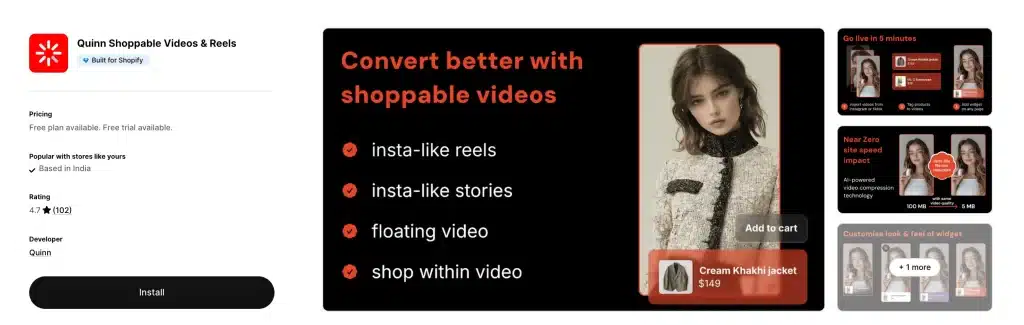
Verdict: the best-value plan among the apps that meter views, and the app most other roundups get wrong.
Quinn turns Reels and TikToks into swipeable Instagram Stories-style video anywhere on your site, with AI compression the vendor says cuts file size up to 20x at the same quality, plus built-in revenue and add-to-cart tracking. It is Built for Shopify, and its top tier is $49/mo for unlimited views and unlimited uploads, which undercuts ReelUp's $199.99 and Vidjet's $249 at the same traffic by a wide margin.
Worth flagging: several published lists (including an earlier version of this one) quote Quinn at 4.7 stars with a 150-view free plan and a $29 ceiling. The live listing (re-checked October 11, 2026) shows 4.9 stars, 107 reviews, a 550-view free plan, and an unlimited $49 tier. If you ruled Quinn out based on someone else's numbers, look again.
- Loved for: Built for Shopify, an unlimited tier at $49, aggressive compression, and a clean mobile-first feel.
- Watch out for: only 107 reviews, fewer widget styles than the all-in-ones, and a free plan capped at 5 uploads and 2 pages.
- Pricing: Free (550 views/mo, 5 uploads), Starter $9/mo or $90/yr (5,000 views, 50 uploads), Growth $19/mo or $189/yr (12,000 views, 200 uploads), Unlimited $49/mo or $470/yr (unlimited views, uploads, and pages).
- Rating: 4.9 stars, 107 reviews, Built for Shopify.
- Listing: apps.shopify.com/quinn-shoppable-videos
5. ReelUp — most polished experience
Verdict: the best-looking front end in the category, held back by the price at real traffic.
One-click import from Instagram and TikTok, 20+ customisable widget styles, an Instagram Stories-style widget, autoplay across devices, and multi-currency plus geolocation support. If you want the on-store experience to feel indistinguishable from the social apps your customers already use, ReelUp is it, and its 4.9 across 299 reviews is one of the strongest score-plus-volume combinations here.
The catch is the meter. The free plan allows only 100 video views a month, and paid tiers run $29.99 for 3,000 views, $99.99 for 20,000, and $199.99 for 50,000. To its credit, the listing states that a view counts only after at least four seconds of watching (read again on October 11, 2026), a stricter rule than counting a view as soon as the video is shown. New since our July check: ReelUp now carries the Built for Shopify badge.
- Loved for: the widest range of good-looking widgets, a Built for Shopify badge, a top rating on real volume, and honest four-second view counting.
- Watch out for: a barely usable 100-view free plan, a $29.99 floor, and costs that climb as you grow.
- Pricing: Free (100 views, 10 videos), Basic $29.99/mo (3,000 views, 100 videos), Premium $99.99/mo (20,000 views, 250 videos), Elite $199.99/mo (50,000 views, 1,000 videos). 7-day trials on paid plans.
- Rating: 4.9 stars, 299 reviews, Built for Shopify.
- Listing: apps.shopify.com/reelup
6. Whatmore — best for hands-off automation
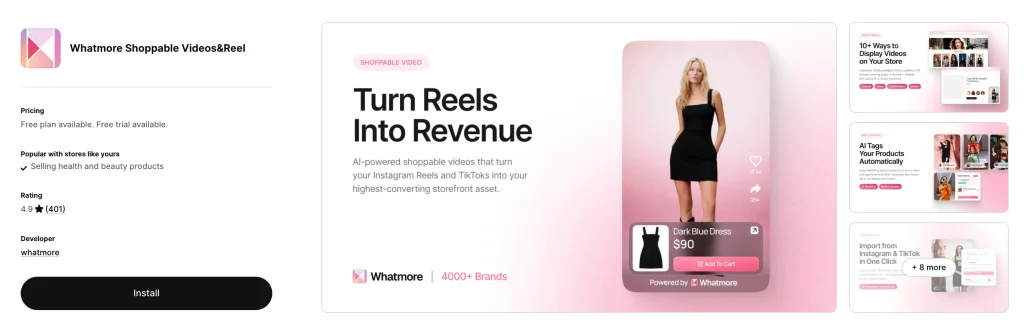
Verdict: the app built around keeping your store's video current without you touching it.
Whatmore connects to your Instagram and TikTok, auto-syncs your newest videos every day, and uses AI to match the right products into each clip. It also fires Meta Pixel events so you can retarget people who watched. If you post several times a week, this is the app that stops your on-store video going stale by month three, which is the quiet way most video projects die. Auto-sync is no longer unique (Storista's $15 Starter plan and Vimotia's $49.99 Pro plan list it too, and Instafeed syncs Instagram hourly on its free plan), but Whatmore pairs daily auto-sync (Starter plan, $29/mo) with AI product matching (5 matches a month on the free plan, more on paid tiers).
It bills per click rather than per view or impression, which stretches a tier considerably further than the metered alternatives, and its 4.9 across 387 reviews is the largest review base of any video-first app here.
- Loved for: daily auto-sync, AI product matching, 10+ formats, 50+ styling options, and click-based billing.
- Watch out for: a token free plan (300 clicks, 15 videos), AI matches capped per tier, and no Built for Shopify badge.
- Pricing: Free (300 clicks/mo, 15 videos), Starter $29/mo or $278/yr (3,000 clicks, 100 videos), Growth $79/mo or $758/yr (15,000 clicks, 300 videos, embed video in email), Scale $149/mo or $1,430/yr (40,000 clicks, unlimited uploads).
- Rating: 4.9 stars, 387 reviews.
- Listing: apps.shopify.com/whatmore-live
7. Vimotia by Hextom — best built-in video editor
Verdict: a low-risk flat-priced install from an established developer, and the only app here with a real video editor built in.
Hextom has been shipping widely used Shopify apps for years, and Vimotia has been on the App Store since 2020, which is unusually long-lived for this category. It is priced flat and includes something none of the top five offer: a built-in video editor for trimming, resizing, and adding music or subtitles, plus Picture-in-Picture playback and imports from TikTok, YouTube, Instagram, and AliExpress.
That matters more than it sounds. Captions are the single biggest lever on shoppable video performance, and most apps expect you to burn them in elsewhere before uploading.
- Loved for: a proven developer, flat pricing, and in-app editing with subtitles.
- Watch out for: the Built for Shopify badge it showed in July was not on the listing when we re-checked on September 23 or October 11, 2026, 4.7 is among the lower scores here, and the interface feels more utilitarian than ReelUp or Quinn.
- Pricing: Free (import, editing, shoppable features), Basic $19.99/mo (white-label player, gallery, social feed import), Pro $49.99/mo (auto-import, multi-platform posting, advanced analytics).
- Rating: 4.7 stars, 187 reviews.
- Listing: apps.shopify.com/video-marketing
8. Tolstoy — best all-in-one with AI
Verdict: the only sensible pick if you have no video library and need the app to help create one.
It is the widest toolset here by a distance: shoppable galleries, stories, and feeds, plus AI generation of video, images, and ad creative, virtual try-on, AI sales agents, A/B testing, and distribution to the Shop app, TikTok Shop, Meta Ads, email, and SMS. Nothing else on this list will make a video for you.
The catch is the billing model. Tolstoy reworked its plans since our July check: tiers are now metered by monthly viewers plus AI Studio and Sales Agent tokens, with overage at $10 per 1,000 viewers ($7 on Pro). That is cheaper at the entry level than before, but it still scales with traffic. Its 4.7 rating is among the lowest of the top seven, some merchants report a page-speed hit, and it has no Built for Shopify badge, so test it against a saved PageSpeed baseline before you commit.
- Loved for: genuine breadth, AI content generation, multi-channel publishing, and responsive support.
- Watch out for: traffic-metered billing plus token limits, reported speed impact, and a dashboard with a real learning curve.
- Pricing: Free (a 30-day trial with uncapped views, no card). Starter $12/mo or $96/yr (5,000 viewers, 2,000 AI Studio + 500 Sales Agent tokens). Plus $44/mo or $348/yr (20,000 viewers, 7,300 + 2,500 tokens). Pro $195/mo or $1,548/yr (100,000 viewers, 32,400 + 10,000 tokens). Overage $10 per 1,000 viewers, $7 on Pro.
- Rating: 4.7 stars, 278 reviews.
- Listing: apps.shopify.com/tolstoy
9. Videowise — best analytics
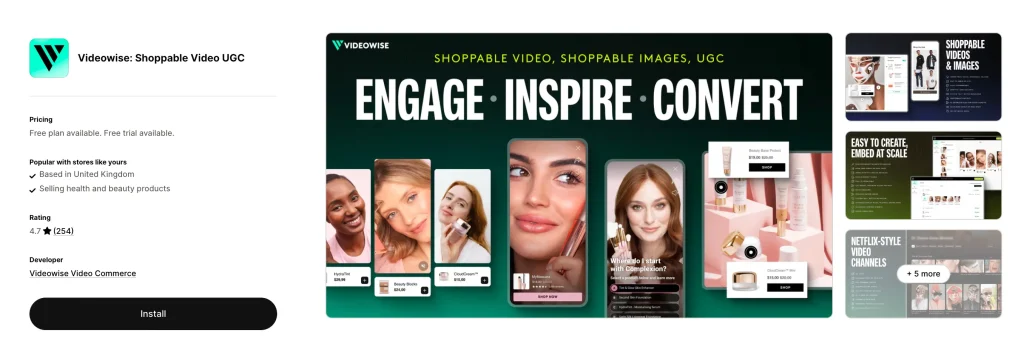
Verdict: the right choice if you need to know which clip drove which sale, and you have the budget for that answer.
16+ widget types, AI compression, bulk publishing across thousands of pages, imports from TikTok, Instagram, Google Drive, Dropbox, and Meta Ads, and per-video revenue attribution that separates directly attributed from influenced revenue. For a store running a real video programme across hundreds of SKUs, that reporting is the product.
Two things to know before you install: Videowise does not carry the Built for Shopify badge, and its $9 Pro plan is metered. As of October 11, 2026 the listing says Pro includes 5,000 unique widget impressions (up from 1,000 in July), with extra impressions priced at $10. The listing does not state how many impressions that buys, so ask before you model a busy month.
- Loved for: the deepest reporting in the category, bulk publishing, and a wide format library.
- Watch out for: impression billing that escalates fast, no Built for Shopify badge, and far more tool than a new store needs.
- Pricing: Free plan (Shop app shoppable videos, Shop home feed placement, TikTok Shop publishing, Instagram and TikTok import, compression and hosting). Pro $9/mo with 5,000 unique widget impressions, then extra impressions at $10 (the listing does not say how many). 14-day trial.
- Rating: 4.8 stars, 252 reviews.
- Listing: apps.shopify.com/video-shopping
10. PlayShorts — best for video beyond the storefront
Verdict: a well-built newcomer with an unusual reach: it pushes shoppable video into email and QR codes as well as your site.
Launched in mid-2025 with a spotless 5.0 across 95 reviews. It showed the Built for Shopify badge in July, but not on our September 23 or October 11 re-checks. Mobile-first carousels, popups, and galleries on any page, plus email stories, QR code generation, UGC search, and rights management. If you put QR codes on packaging or inserts, it is one of the few apps here that closes that loop.
PlayShorts repriced since our July check. Plans are now metered on impressions alone, with far bigger allowances: the free tier includes 2,000 impressions a month, and $49 buys 30,000. Remember an impression can count when the widget loads, not when someone presses play, so a busy product page burns through a tier faster than a view meter would.
- Loved for: a perfect rating, email and QR distribution, and UGC rights management.
- Watch out for: impression metering, only 95 reviews, and a $49 floor for a paid plan.
- Pricing: Free (2,000 impressions/mo), Starter $49/mo or $468/yr (30,000 impressions, AI credits, video editor), Growth $99/mo or $948/yr (150,000 impressions, email integration, QR codes), Scale $211/mo or $2,028/yr (400,000 impressions).
- Rating: 5.0 stars, 95 reviews.
- Listing: apps.shopify.com/playshorts
11. Storista — strongest young flat-price option
Verdict: a 4.9 rating plus a Built for Shopify badge on a young app is a strong signal, and tiers separated by features rather than views mean no traffic meter to manage.
It turns TikToks, Reels, and UGC into carousels, stories, spotlights, grids, banners, and galleries, with Shop app publishing and unlimited videos and views on every plan, including the free one (which carries Storista branding). Less to configure than the all-in-ones, which for a lot of merchants is a feature.
- Loved for: Built for Shopify standards, flat pricing, quick setup.
- Watch out for: only 54 reviews, so the long-term support record is unproven, and the jump from Starter ($15) to Growth ($49) buys AI tagging, analytics, and A/B tests rather than more capacity. The video caps this page quoted in September (10, 50 and 500 videos) are no longer on the listing.
- Pricing: Free (unlimited videos and views, Shop app integration, Storista branding), Starter $15/mo (removes branding, adds auto-sync from Instagram and TikTok, multiple products per video), Growth $49/mo (AI smart tagging, advanced analytics, A/B tests), Scale $199/mo (multiple stores, VIP support, custom widgets; labelled for Shopify Plus stores). 14-day trials on paid plans.
- Rating: 4.9 stars, 54 reviews, Built for Shopify.
- Listing: apps.shopify.com/storista-stories
12. Instafeed — best if your strategy is Instagram
Verdict: the lowest-risk install on this page, by review volume alone.
With 2,202 reviews it has more than five times the review base of anything else here, plus a Built for Shopify badge. Strictly it is an Instagram feed app that also renders Reels and UGC as shoppable video, so if your entire video plan is "put my Instagram on my store," start here and skip the evaluation.
- Loved for: by far the largest proven review base, Built for Shopify, and a usable free plan.
- Watch out for: Instagram-first, so TikTok-heavy brands and full-screen feed formats are better served elsewhere.
- Pricing: Starter free, Pro $8/mo (product tagging, add to cart buttons, embedding in marketing emails), Plus $20/mo or $180/yr (shoppable videos on the Shop app, auto-tagging). 7-day trials.
- Rating: 4.9 stars, 2,202 reviews, Built for Shopify.
- Listing: apps.shopify.com/instafeed
13. Reelfy — best pricing model for heavy traffic
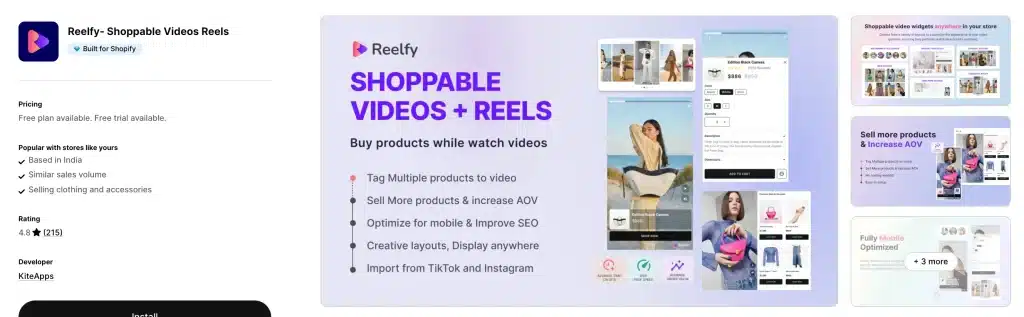
Verdict: the smartest structure if you have big traffic and a small library, since it charges for uploads rather than audience.
It imports from Reels and TikTok and offers stories, carousels, and stacked layouts, with no third-party branding even on the free plan. A store doing 500,000 monthly sessions with 25 videos pays $9.99.
- Loved for: pricing that ignores traffic entirely, no branding on free.
- Watch out for: 4.8 is a touch below the leaders, and gallery counts are limited per widget on lower tiers. New since July: it now carries the Built for Shopify badge. Its Starter and Growth tiers are marked "Not available in shopify plus" on the listing, so Plus stores need Enterprise.
- Pricing: Free (10 uploads), Starter $9.99/mo or $89.91/yr (25 uploads), Growth $19.99/mo or $179.91/yr (100 uploads), Enterprise $39.99/mo or $359.91/yr (unlimited uploads).
- Rating: 4.8 stars, 254 reviews, Built for Shopify.
- Listing: apps.shopify.com/reelfy
14. Vidjet — best format variety
Verdict: the widest format range and the only app here built for running several storefronts, but the floor is high.
10+ formats including stories, carousels, video backgrounds, and a floating bubble that follows shoppers as they scroll, plus 40+ customisation options and bulk embedding across thousands of pages without code. Higher tiers support multiple domains, which genuinely matters if you run regional storefronts.
There is no free plan and the cheapest tier is $49/mo for 4,000 views. At 30,000 views you are on the $249 Scale plan. It is aimed squarely at brands that have already proven video converts for them.
- Loved for: the widest format range, multi-domain support, a claimed zero speed impact regardless of video count.
- Watch out for: no free plan, a $49 floor, view caps at every tier, no Built for Shopify badge.
- Pricing: Starter $49/mo (4,000 views, 40 videos), Growth $99/mo (10,000 views, 100 videos), Scale $249/mo (30,000 views, 300 videos), Pro $499/mo (60,000 views, 600 videos). Unlimited impressions on every plan; only plays count. 7-day trial.
- Rating: 5.0 stars, 105 reviews.
- Listing: apps.shopify.com/vidjet
15. Sauce — best for creator and influencer programmes
Verdict: a full social-commerce programme rather than a video widget, with a pricing model you need to read closely.
UGC collection, influencer partnerships, creator rewards, Instagram and TikTok shopping, and a Netflix-style browse-and-buy feed. If your growth plan runs through creators rather than your own content, nothing else here covers that ground.
Be careful with the pricing. The listing shows four tiers, Essentials $50, Standard $200, Prime $600, and Enterprise $2,000 a month, each with a 7-day trial. Each tier also lists monthly allowances for gallery impressions and for "Sauce sales" (Essentials: 20K impressions and $2.5K of sales), and the listing says external charges may be billed separately from your Shopify invoice. Earlier plan terms layered revenue attribution on top, taking a cut of orders where a shopper saw a Sauce image or video before buying, and merchant reviews flag that model; it is a big part of why its 4.6 rating is the lowest on this list. Get the full fee terms, including any attribution charge, in writing before you sign.
- Loved for: a real creator programme and an authentic UGC-led feel.
- Watch out for: a $50 floor that climbs fast, reviews that complain about attribution-based charging, and the lowest rating here (about 6% of reviews are one star).
- Rating: 4.6 stars, 347 reviews.
- Listing: apps.shopify.com/instagram-shop-by-sauce
16. Firework — best for enterprise and video in email
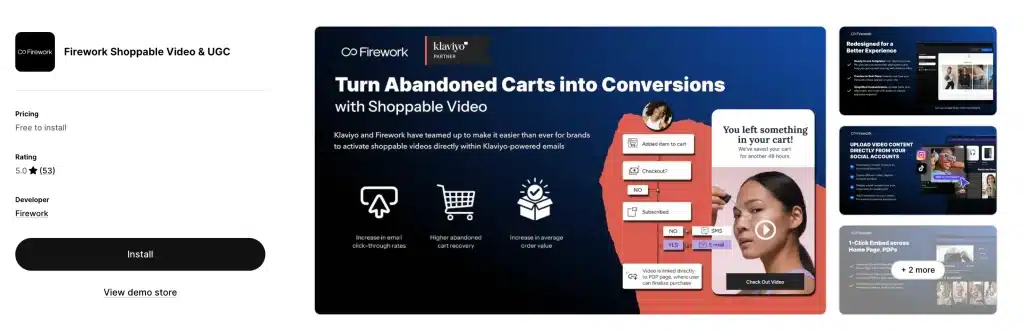
Verdict: the most premium option, and one of the few that also does live shopping.
Short autoplay TikTok-style video on your store, AI-driven video recommendations, livestream shopping, and shoppable video pushed into email through Klaviyo so a clip keeps selling after the session ends.
- Loved for: the email video angle, live shopping, enterprise polish.
- Watch out for: only 48 reviews, a big jump from Starter to Growth, and clearly aimed at larger brands.
- Pricing: Pilot free to install (1,000 monthly views, 10 uploads, Klaviyo integration, embed videos in email and SMS), Starter $39/mo (10,000 views, 50 uploads), Growth $259/mo or $2,388/yr (50,000 views, unlimited uploads, branding removed).
- Rating: 5.0 stars, 48 reviews.
- Listing: apps.shopify.com/firework
Also worth knowing
These did not make the ranking but fit specific situations (the ratings below are from our September 23, 2026 check; we did not re-read them on October 11):
- SwipeUp (5.0, 46 reviews) and InstaVid by Instasell (4.8, 34) — young, cheap, worth testing on a small store.
- TikTok Feed by Reputon (4.9, 48) — the mirror image of Instafeed if TikTok, not Instagram, is your main channel.
- Clevercat (4.9, 19) — very new, low review volume, but a genuinely light widget.
- Shopeo by Acowebs — a mobile-first swipeable player. Note that Acowebs publishes one of the roundups that ranks Shopeo first.
- Smartzer — clickable hotspot overlays plus live streams, better for richer interactive video than simple carousels.
- Novel — worth checking if you want Shop app distribution, though it uses per-impression overage pricing.
What if you need live shopping or a non-Shopify platform?
Everything above is a Shopify App Store app for pre-recorded video. If you need real-time broadcasting, or the same video layer across Shopify plus other platforms, you are in a different and considerably more expensive market:
- Bambuser — one of the pioneers of live shopping, strongest for broadcast plus one-to-one video consultation. Enterprise-positioned, so expect a sales call and a contract rather than a self-serve plan.
- Firework — the most credible bridge between an App Store install and an enterprise platform, since it does both on-site short video and livestreams.
- Smartzer and JOIN — interactive video layers that work across storefronts and channels rather than only on Shopify.
- Storyly — stories-format video for brands that also have a native mobile app, which no App Store widget can reach.
Honest guidance: unless you are already running scheduled live events with an audience, skip this tier. Live shopping fails far more often than shoppable video, because it needs a host, a schedule, and promotion. Pre-recorded video needs none of those. Prove the cheap thing works first.
Should you build it yourself instead?
Some agencies will offer to build a custom shoppable video layer for you. It is occasionally the right answer, but rarely:
- Build makes sense if you are on a headless storefront where theme app blocks do not apply, you need a video experience genuinely unlike anything above, or you are doing enough traffic that metered app fees exceed developer cost (a metered plan in the $150 to $250 a month range is $1,800 to $3,000 a year, which pays for real developer hours).
- Build is a mistake if your reason is cost at normal traffic. Foxr at $0, Moast at $15 flat, or Video Slider's Unlimited plan at $9 a month will never be beaten by a custom build once you count video hosting, transcoding, a CDN, and the ongoing maintenance of a player across browsers.
The middle path most stores miss: install a flat-priced app, prove video moves your numbers, and only then consider whether a custom build earns its keep.
Head to head: the comparisons people actually ask about
Foxr vs Moast. Both are flat: Foxr is free, Moast is $15. Foxr adds A/B testing, documented VideoObject structured data with transcripts, and a product-page strip that filters clips by product. Moast has 343 reviews and the Built for Shopify badge, against Foxr's 7 reviews and a September 2026 launch. Pick Foxr for features and video SEO. Pick Moast if a long public track record matters more.
Moast vs ReelUp. Both now carry the Built for Shopify badge. ReelUp has better-looking widgets and more of them. Moast has flat $15 pricing. At 30,000 monthly views ReelUp costs $199.99 and Moast costs $15. Pick ReelUp if the on-site experience is your brand differentiator and you have budget; pick Moast otherwise.
Quinn vs ReelUp. Both are Built for Shopify stories-and-reels apps rated 4.9. Quinn's top tier is unlimited views at $49; ReelUp charges $199.99 for 50,000 views. ReelUp has more widget styles and nearly three times the reviews; Quinn wins clearly on cost.
Whatmore vs Vimotia. Whatmore automates: daily auto-sync and AI product tagging, billed per click. Vimotia is flat-priced and includes a video editor with subtitles, but you feed it manually until you reach the $49.99 Pro plan, which adds auto-import. Neither showed the Built for Shopify badge on our October 11 check. If you post constantly, Whatmore pays for itself. If you have a fixed set of clips, Vimotia at $19.99 flat is the better deal.
Tolstoy vs Videowise. Both meter your traffic (Tolstoy by viewers, Videowise by widget impressions), so both get dearer as you grow. Tolstoy is for creating content you do not have. Videowise is for measuring content you do have. Do not pay for both.
Video Slider vs Moast. Both Built for Shopify with unlimited views and near-identical review volume (372 vs 343). Video Slider is cheaper ($9/mo or $86/yr for Unlimited versus $15/mo or $165/yr for Moast Pro) and supports more languages. Moast has the higher score (5.0 vs 4.9) and lists Klaviyo and Judge.me under "Works with", which Video Slider does not (both list Loox). Pick Video Slider on pure cost, Moast if Klaviyo or Judge.me is in your stack.
What should you actually film?
Most video projects fail on content, not tooling. Once the app is installed you still need clips, and the ones that convert look nothing like a TV commercial.
Use this order of priority:
- Video you already own. Your best-performing Reel or TikTok. Free, already validated by an audience, and no rights questions.
- Creator content with written commercial rights. Cheap, authentic, and reusable in ads.
- Customer UGC with explicit permission. Highest trust, hardest to collect at volume. Moast, Video Slider, PlayShorts, and Sauce all have collection tools for this.
- Something filmed on a phone this afternoon. Still better than no video.
What actually works in the player:
- Keep product-page clips to 30 to 45 seconds. A full demo can run 60 to 120 seconds, but the buying decision is usually made in the first ten.
- Burn in captions before you upload. On-site video autoplays muted on mobile, so most shoppers see your clip without sound. A clip that needs a voiceover to make sense is a clip that fails silently, and auto-captions from embeds are unreliable. Vimotia can add subtitles in-app; for everything else, caption the file first.
- Shoot vertical. For most Shopify stores the majority of traffic is on phones (check your own device split in Shopify Analytics), and a horizontal clip in a vertical player wastes most of the screen.
- Show the product in use, not on a plinth. The job of the clip is to answer the specific doubt that stops the click: how big is it, how does it move, does it fit a real person.
- Front-load the payoff. Lead with the result, then the detail. Nobody is waiting through a slow build.
- Keep tap targets large. The product tag has to be comfortably tappable with a thumb, and the add-to-cart flow should stay inside the video overlay rather than bouncing to another page.
Where to place shoppable video
Placement decides the result more than the app does. Each spot does a different job.
- Product page, below add to cart: the highest-value slot, and where you should start. A clip of the product in real use answers the doubt that stops the click.
- Homepage: a gallery or hero clip for brand story and best sellers. High reach, low intent.
- Collection pages: a compact video row helps shoppers compare and choose faster.
- Landing pages: for a launch or a sale, build the page around one strong shoppable video.
- Cart drawer: a short clip of a complementary product while intent is at its peak.
- Email: Firework, PlayShorts, and Whatmore (Growth plan) list ways to put shoppable video into email so the clip keeps working after the visit; details below.
- Packaging and inserts: PlayShorts generates QR codes, which turns unboxing into a second sales moment.
- Shop home feed: free incremental reach in front of buyers who have never heard of you.
Shoppable video in email and SMS
Video does not play inline in a text message, and most email clients will not play it either. So "shoppable video in email or SMS" really means a thumbnail or animated preview that links to a hosted, shoppable player or straight to the product page. Four listings say they handle part of this (read October 11, 2026): Firework's free Pilot plan lists a Klaviyo integration and embedding videos in email and SMS; PlayShorts' Growth plan ($99/mo) lists email integration; Whatmore's Growth plan ($79/mo) lists embedding video in email; and Instafeed's Pro plan ($8/mo) lists embedding a feed in marketing emails. With any other app, link your SMS or email to the product page that already carries the video.
Which shoppable video apps work with Klaviyo, Okendo, Yotpo, Judge.me or Loox?
Check the video app against the tools you already run before you compare features. On October 11, 2026 we read the "Works with" field on all 16 listings, which is the vendor's own list.
| Tool you run | Video app listings that name it |
|---|---|
| Klaviyo | 7 of 16: Moast, Tolstoy, Videowise, PlayShorts, Vidjet, Sauce, Firework |
| Okendo | 1 of 16: Tolstoy |
| Yotpo Product Reviews | 4 of 16: ReelUp, Whatmore, Tolstoy, Videowise |
| Judge.me | 4 of 16: Moast, ReelUp, Videowise, Instafeed |
| Loox | 7 of 16: Moast, Video Slider, ReelUp, Whatmore, Tolstoy, Videowise, Instafeed |
Two things stand out. Klaviyo and Loox are each named by seven of the fifteen listings, while Okendo is named by only one (Tolstoy). A missing name does not prove a missing integration, because "Works with" is optional and vendor-written, but if you run Okendo, ask the vendor in writing before you install.
Best shoppable video app for Shopify Plus stores and agencies
Read the Plus line on each pricing table before you shortlist. In the sixteen pricing sections we read (October 11, and October 13 for Foxr), only two mention Shopify Plus: Reelfy marks its Starter and Growth tiers "Not available in shopify plus" and points Plus stores to its Enterprise tier ($39.99/mo), and Storista labels its $199 Scale tier "For Shopify Plus stores". For brands and agencies managing several stores, the rest comes down to licensing and scale:
- Several storefronts: Storista's Scale plan ($199/mo) covers multiple stores, and Vidjet's Scale ($249) and Pro ($499) tiers list multiple domains.
- High traffic: free, flat, or library-priced apps (Foxr, Moast, Video Slider, Storista, Reelfy Enterprise, Quinn Unlimited) keep the bill fixed however big a sale gets.
- Agencies: standardise on one flat-priced, Built for Shopify app across clients so you learn one set of theme blocks, and bill clients the plan directly so the subscription stays with the store.
The 15 minute setup plan
- Run PageSpeed Insights on your best-selling product page and save the score. Do this before you install anything. Without a baseline you cannot prove damage later.
- Pick one app based on your traffic and its pricing model, using the tables above rather than the marketing copy.
- Start on the free plan or the trial. Never pay before you have seen a number.
- Add one video to that one top product page. Resist rolling it out site-wide on day one.
- Use a video you already have, captioned, vertical, 30 to 45 seconds.
- Tag the exact product in the clip so add to cart works from inside the player.
- Re-run PageSpeed Insights. If Largest Contentful Paint moves meaningfully, uninstall and try the next app.
- Check it on a real phone, not just a desktop preview. Tap the product tag with a thumb, then add to cart from inside the player and note what happens next: does your cart drawer open, does the shopper stay in the player, or do they land on the cart page?
- Wait 14 days, then read add-to-carts and attributed revenue. Views prove nothing.
- Only then roll out to your next five products and the homepage.
How to measure whether it worked
This is where most merchants get fooled, usually by their own app dashboard.
Three numbers matter, in this order:
- Directly attributed revenue — orders where the shopper added to cart from inside the player. This is the only number the app can genuinely claim.
- Influenced revenue — orders where someone watched a video at some point before buying. Useful, but heavily inflated: a shopper who was going to buy anyway still counts here. Discount it hard.
- Watcher versus non-watcher conversion rate — the gap looks enormous, often several times baseline. Remember that people who choose to watch were already more interested, so most of that gap is self-selection, not causation.
The only clean test is a holdout: show the widget to half your traffic for two to four weeks and compare site-wide conversion rate, not widget metrics. If your app cannot do that, compare a like-for-like period before and after and accept the result is directional.
Then apply the one question that settles it: does directly attributed revenue exceed the app bill? On a $15 flat plan that bar is easy to clear. On a $299 metered plan it is not.
What results should you actually expect?
Be sceptical of every number in this category, because nearly all of them are published by the vendors selling the apps.
Nearly every published uplift figure for shoppable video comes from a vendor measuring its own customers, usually without a public method or a control group. We have not found an independent, controlled study we would stand behind, so we are not repeating anyone's percentage here. Treat any "2x conversion" headline as marketing until you have run your own holdout test.
A realistic frame for planning:
- Site-wide conversion lift will be far smaller than the watcher-only numbers on vendor landing pages, because most visitors never press play.
- Your first month is a test, not a result. One video on one product page cannot move a store-wide number.
- Higher-consideration products benefit most. Anything where fit, scale, texture, or assembly is the objection. A commodity refill pack will barely move.
- The gains decay if the content goes stale. This is the strongest argument for Whatmore's auto-sync, or for putting a recurring reminder in your calendar.
Video gets them excited. Your cart closes the sale.
A shoppable video creates intent and then hands it to the rest of your store: the video adds one item to the cart, and what the shopper sees next decides your average order value. Test that handoff on your own theme rather than assuming a drawer opens.
A slide-out cart with relevant upsells, a free-shipping progress bar, and frequently-bought-together picks is what turns a one-item impulse buy into a bigger basket. If you are going to spend on creating demand with video, pair it with a cart built to capture that demand, like Oxify Cart Drawer & Upsells (our app; App Store listing). Skip it if you do not plan to run upsells, rewards, or a free-shipping goal in the cart. Video brings the spark. The cart closes the deal.
For the cart side of that equation, see our comparison of the best Shopify cart drawer apps, how a cart drawer compares with a cart page, and the upsell placements that raise order value.
How this list was made
Every rating, review count, developer name, Built for Shopify status, and price above was re-read from the live Shopify App Store listing on October 11, 2026 (first compiled in July 2026, re-checked September 23), not copied from other roundups. The one exception is the six apps under "Also worth knowing", which we did not re-read. Where a figure could not be confirmed on the listing itself it is marked as approximate, and unverifiable install counts were removed rather than repeated.
We also re-checked our own previous version and found several figures had drifted, most significantly on Quinn, whose rating, free-plan limits, top tier, and Built for Shopify status were all wrong when taken from secondary directories. Those corrections are noted in the entries themselves rather than quietly edited, because if you read this page earlier you deserve to know what changed.
What changed in the September 2026 re-check: ReelUp and Reelfy gained the Built for Shopify badge and Vimotia and PlayShorts no longer show it; PlayShorts, Tolstoy, Storista, and Firework all published new pricing (PlayShorts' paid entry is now $49 for 30,000 impressions, Tolstoy's is $12, Storista's $15, Firework now lists $39 and $259 plans instead of quote-only); Videowise's $9 plan now includes 5,000 impressions; Whatmore and ReelUp slipped from 5.0 to 4.9 on higher review counts. The ranking order is unchanged, because none of those changes moved the pricing-fairness verdicts that drive it.
What changed between September 23 and October 11, 2026: ratings and Built for Shopify badges were identical, but review counts moved on ten of the fifteen listings (Moast 335 to 343, Video Slider 366 to 372, Whatmore 378 to 387, Instafeed 2,156 to 2,202, Tolstoy 272 to 278, Reelfy 248 to 254, Videowise 251 to 252, Vimotia 186 to 187, and ReelUp 301 to 299 and Storista 55 to 54, both down). Video Slider's $49 one-time plan is gone from its listing, replaced by Unlimited at $9 a month, and Storista's listing no longer states video caps. While re-reading we also recorded details we had not noted before: Reelfy's Plus restrictions, Firework's monthly view allowances, and Sauce's external-charges notice. The ranking order is still unchanged.
Apps were ranked on four weighted factors: how fairly the pricing model behaves as traffic grows (heaviest weight, because that is where merchants actually get hurt), verified page-speed discipline via the Built for Shopify badge, rating quality combined with review volume, and fit to a real merchant situation rather than raw feature count. Since October 13, 2026 we also weigh what an app gives you beyond playback. That means documented video SEO output, A/B testing, and revenue attribution, because those decide whether video earns its place on the page. Oxify publishes a cart drawer app and does not compete in shoppable video.
What changed on October 13, 2026: we added Foxr Shoppable Videos & UGC at #1. On our updated criteria it beats every other app: $0 at any traffic level, the only documented VideoObject output with transcripts, A/B testing, and per-clip revenue on a free plan. We have been upfront about its youth (launched September 25, 2026, 7 reviews, no Built for Shopify badge yet). Moast moves to #2 as the best established pick, and every other app moved down one place. We will re-read Foxr's listing at the next monthly check.
Prices and ratings change often. Confirm on the listing before you install.
Related: Selling beauty? See how many big brands run video in the best Shopify apps for beauty and skincare brands.