 Oxify App
How to Set a Minimum Order Quantity (MOQ) on Shopify
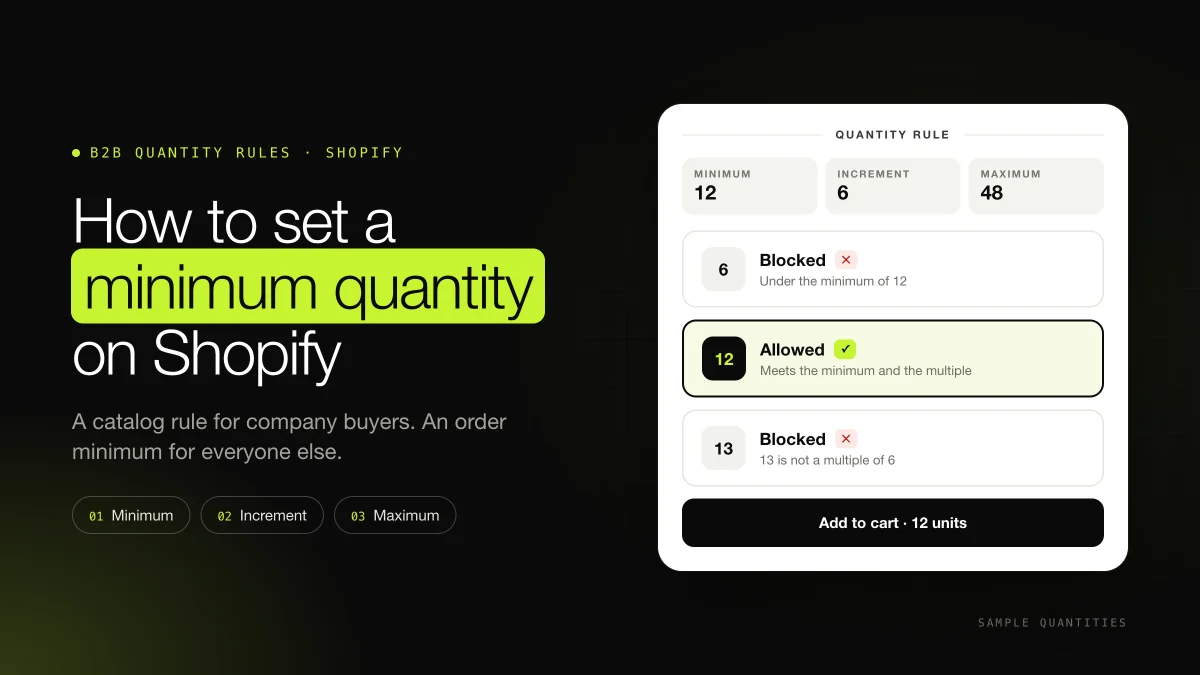
Short answer: A Shopify minimum order quantity (MOQ) is the smallest number of units a buyer must order. Shopify has it built in for logged-in B2B company buyers: set it under Markets → Catalogs → Quantity rules, with a minimum, a maximum and an increment, on Basic, Grow, Advanced and Plus. For ordinary shoppers, Shopify has a minimum order value in Checkout Blocks, but no per-product unit minimum. That takes an app. Our pick is Oxify Bundles & Quantity Break: set its smallest pack to your minimum (6 units, say), and the product page sells only that pack or a bigger one, with a better price on the bigger packs.
The quantities in the examples are samples so you can check the arithmetic. They are not figures from a live store.
Key facts (checked 17 November 2026)
- B2B quantity rules set a minimum, a maximum and an increment per variant, on Basic, Grow, Advanced and Plus. Starter and Retail have no B2B (Shopify Help: B2B features by plan).
- The rules apply to each variant on its own. In Shopify's hat example, 5 gray and 5 blue do not meet a minimum of 10 (Quantity rules and volume pricing).
- Basic, Grow and Advanced get 3 active catalog assignments across active B2B markets. The same catalog on two markets uses 2 of the 3. Plus has unlimited assignments, plus catalogs assigned directly to a company (B2B features by plan).
- Checkout Blocks can block checkout below a minimum subtotal or above a maximum. Since 13 April 2026 this is on Basic, Grow, Advanced and Plus (Shopify Changelog).
- Settings → Checkout → Add-to-cart limit is a storewide maximum per variant, on by default. Stores with fewer than 250 sales see a recommended limit of 50 (Add-to-cart limit).
On this page
- MOQ, MOV or case pack: which minimum you need
- Need bigger orders? Reward them instead
- Method 1: Native MOQ for B2B buyers
- Which quantities get through
- Show the minimum on the product page
- Method 2: Minimum order value with Checkout Blocks
- Method 3: An MOQ app for retail shoppers
- The 7 best Shopify MOQ apps
- Settings that look like a minimum but are not
- Sell the case as its own product
- Test and troubleshoot
- FAQ
MOQ, MOV or case pack: which minimum you need
Merchants use one phrase for several different rules. Each lives on a different admin screen, and only some of them stop an order.
| What you want | Example | Where Shopify puts it | Who it applies to |
|---|---|---|---|
| Minimum order quantity (MOQ) | At least 12 of this candle | B2B catalog quantity rules, or an MOQ app for retail | Company buyers natively; everyone with an app |
| Case packs (sell in multiples) | 12, 18, 24, never 13 | The same screen, Increment field | Company buyers natively; everyone with an app |
| Minimum order value (MOV) | Subtotal of at least $75 | Checkout Blocks, order value limits | All customers, or B2B companies only |
| A cap on one variant | No more than 48 in one order | Quantity rules Maximum field, or the storewide add-to-cart limit | Company buyers, or every online cart |
| A cheaper unit price at higher quantities | 10% off from 3 units, 1 unit still allowed | An automatic discount or a quantity break app | Everyone. The small order still checks out |
"MOQ" also means the minimum a supplier will make or sell to you. That is a purchasing term, not a store setting, and it is outside this guide. Volume price breaks for wholesale, such as 24 units at $8.00 and 96 at $7.20, sit next to quantity rules in the same catalog screen. The click path for those is in Shopify tiered pricing.
Need bigger orders? Reward them instead
Many retail stores that search for a minimum order quantity want a bigger average order, not fewer small ones. A minimum deletes the one-unit order. A quantity break keeps it and pays you more when the buyer steps up. Take a $24 serum that costs you $9 to land. These figures are a sample for the comparison.
| Offer | What a 1-unit buyer does | Your gross profit |
|---|---|---|
| Minimum of 3, no discount | Leaves, or buys 3 at $24 | $0 if they leave. $45 if they buy 3 ($72 − $27). |
| No minimum, 10% off at 3 units | Buys 1 at $24, or 3 at $21.60 | $15 on one unit. $37.80 on three ($64.80 − $27). |
The minimum wins only when you cannot fulfil one unit profitably: a printed case, a production run, or a pick-and-pack cost bigger than the unit's margin. For a consumable people already buy one at a time, the minimum throws away the orders it blocks.
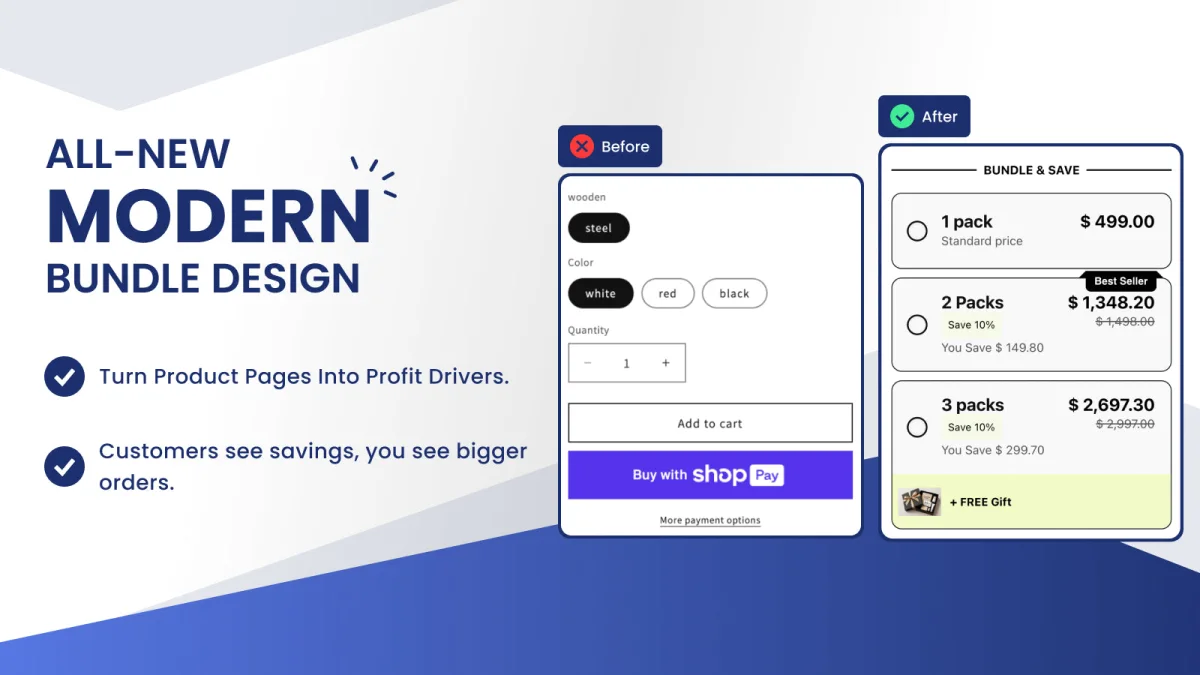
Oxify Bundles & Quantity Break is the app we recommend for this. It replaces the theme's quantity box with a pack table (1, 3 or 6 units, for example), pre-selects the pack you choose, and can add a free gift to the top tier. Shoppers who use the table are steered to the bigger packs, but nobody is refused. Checkout counts the units actually in the cart: if the shopper lowers the quantity below the pack they picked, they get the highest tier they still reach, or no discount, and the order still goes through (How quantity breaks work). It is Built for Shopify, rated 4.9, and the listing shows a Free plan (checked 16 November 2026).
For a minimum spend goal, the same logic applies in the cart. Oxify Cart Drawer & Upsells shows a free-shipping or free-gift progress bar ("You're $12 away from free shipping") instead of a checkout error, from $9.99 a month with a 14-day trial. Use a hard minimum when a small order must fail. Use a reward when you want more in the cart. Setup for both is in how to add quantity breaks to Shopify and Shopify quantity discounts.
Method 1: Native MOQ for B2B company buyers
This is Shopify's built-in minimum order quantity. It runs for a company buyer who is logged in and buying from a catalog. A retail visitor on the same product page is outside it.
- Create the company under Customers → Companies, with a location and a buyer who can sign in.
- Go to Markets → Catalogs and open the catalog, or create one. Leave it in Draft while you edit, and set it to Active when the prices and rules are ready.
- In Products and pricing, click Manage → Manage products and pricing.
- For every variant of a product, hover the product and use Quantity rules. For one variant, open the variant link under the product name, then hover that variant.
- Click + Add. Enter Increment, Minimum and, if you need a ceiling, Maximum. Click Done, then Save.
- Assign the catalog to a B2B market. On Plus you can also assign it directly to a company or a location. On Basic, Grow and Advanced, direct company assignment is unavailable, and you have 3 active catalog assignments across active B2B markets.
Shopify's own instruction is to make the theme show the minimum on the product page, so the buyer sees the number before checkout. A rule that first appears as a checkout error is where wholesale orders get abandoned. The Liquid for that is below.
B2B on Basic, Grow and Advanced dates from 2 April 2026 (Shopify Changelog). Many guides written before then still say quantity rules are Plus-only. They are not. Starter and Retail still have no B2B catalogs, so this screen is missing there.
Which quantities get through
The increment is a multiple. Shopify's catalog CSV describes it as restricting the buyer to quantities that are multiples of that number. The minimum is a floor on top of those multiples, and the maximum is a ceiling. With an increment of 6 and a minimum of 12, the order can be 12, 18, 24 and so on. It cannot be 6, 11 or 13.
| Quantity | Minimum 12, increment 6, maximum 48 |
|---|---|
| 6 | Blocked. It is a multiple of 6, but under 12. |
| 12 | Allowed. It meets the minimum and the multiple. |
| 13 | Blocked. 13 is not a multiple of 6. |
| 48 | Allowed. It is the maximum. |
| 54 | Blocked. It is over the maximum. |
Set the increment to 1 when any whole number above the floor is fine. A minimum of 12 with an increment of 1 allows 12, 13, 14 and every larger number up to the maximum.
The count is per variant. Ten blue and ten gray stay two lines of ten. If buyers mix colours to fill a case, a minimum of 12 on each colour forces two full colours. Lower the per-variant minimum, use an app that counts all of a product's variants together, or sell a mixed case as its own product, when the real rule is "12 units, any colours."
Show the minimum on the product page
Themes can read the rule from Liquid. Each variant has a quantity_rule with min, max and increment. With no rule, Shopify returns the default: min 1, no max, increment 1 (shopify.dev: quantity_rule). Many current themes, including Dawn, already print these rules beside the quantity box for B2B buyers. If yours does not, a Custom Liquid block can:
{%- assign rule = product.selected_or_first_available_variant.quantity_rule -%}
{%- if rule.min > 1 or rule.increment > 1 -%}
  <p class="moq-note">
    Minimum order: {{ rule.min }} units
    {%- if rule.increment > 1 %}, sold in multiples of {{ rule.increment }}{% endif -%}
    {%- if rule.max %}, up to {{ rule.max }} per order{% endif %}.
  </p>
{%- endif -%}
Use the same three values as the min, step and max attributes on the theme's quantity input, so the plus and minus buttons move in whole cases. The note and the input are guidance. The catalog rule is what blocks the order at checkout.
Set the same rules from a spreadsheet
Catalogs can be imported by CSV. The columns are Quantity Increment, Minimum Order Quantity and Maximum Order Quantity. To write a rule, both the increment and the minimum must be 1 or greater. The maximum can be blank. A row with all three blank removes the quantity rules for that variant. Volume prices, if you add them in the same file, go in Quantity Break and Price Break columns, up to 10 pairs, with no currency symbol (Shopify's catalog CSV page).
Method 2: Minimum order value with Checkout Blocks
If the gate is money rather than units, Shopify does it natively for everyone. Checkout Blocks can refuse a checkout whose subtotal is below a minimum or above a maximum you enter.
- Install Shopify's free Checkout Blocks app.
- Go to Apps → Checkout Blocks → Functions → Create function → Order limit validation.
- Assign it to all customers, or only to B2B companies.
- Enter the minimum and, if you want one, the maximum subtotal. Save.
- Set the function to Active. A new function is saved as Inactive, so a test run before you change that setting will sail through.
The limit is calculated on the subtotal before gift cards or store credit. A $40 gift card on an $80 cart leaves $40 to pay, and a $75 minimum still sees $80. Shopify converts the amounts you enter into the customer's local currency. The check covers Shop Pay, other accelerated checkouts, and Shop Cash (Order value limits). Since 13 April 2026 it is on Basic, Grow, Advanced and Plus. Shopify's general Checkout Blocks page still says most of its features need Plus, so confirm that Order limit validation appears in your admin before you announce the minimum.
Method 3: An MOQ app for retail shoppers
A public product page has no Quantity rules field, so a minimum for every visitor takes an app. Apps do it in two ways:
- On the product page. The app replaces the quantity box with your pack sizes, so the shopper can only add 6, 12 or 24, and sees a better price on the bigger packs. This is how Oxify Bundles & Quantity Break works, and it is our pick, because the minimum doubles as an upsell instead of an error message.
- At checkout. The app's rule runs as a cart and checkout validation, the same kind of Shopify Function that Checkout Blocks uses for the spend limit, and refuses any order under the minimum.
For a checkout-level rule, where it runs decides whether it holds. Per shopify.dev, validation functions run on the cart, checkout, express checkouts such as Shop Pay, PayPal, Google Pay and Apple Pay, and draft orders, but not on POS, order edits or subscription renewals (shopify.dev: cart and checkout validation). A message painted on the product page is useful, but on its own a shopper who uses Buy it now or a cart link walks around it.
After installing, most validation apps ask you to switch their rule on under Settings → Checkout → Checkout rules. Skip that step and the app shows messages but blocks nothing.
The 7 best Shopify MOQ apps
These apps set minimum quantities for any shopper, not only B2B companies. Ratings, review counts and prices come from each Shopify App Store listing on 16–17 November 2026. Plans the listing priced in local currency are converted to US dollars. For apps 2 to 7, the last column quotes what the listing says, and we did not install and test each one, so run the checks in the test section on any app you pick. Oxify makes the first app.
| App | Rating (reviews) | Pricing | Built for Shopify | How the minimum is enforced |
|---|---|---|---|---|
| Oxify Bundles & Quantity Break | 5.0 (14) | Free | Yes | On the product page: only your pack sizes can be added, and bigger packs get a discount. A smaller cart is not blocked at checkout |
| Melon Minimum Order Quantity | 5.0 (393) | Free (1 active rule); $4.99, $8.99/month; $15.99 for Plus; 7-day trial | Yes | "Fully compatible with Shopify Checkout Rules" |
| Avada Order Limits Quantity | 5.0 (300) | Free (blocks 50 over-limit carts); $9.99, $19.99, $24.99/month; 7-day trial | Yes | Runs quantity rules on Shopify Functions |
| Yuko Minimum Order Quantity | 4.9 (234) | Free | Yes | "Uses Shopify custom checkout rules to block orders" |
| Madgic Order Limits Quantity | 4.9 (184) | Free (1 rule, 1 product); $4.99, $8.99/month; 7- or 30-day trial | Yes | "Strictly validate orders at checkout" |
| Minmaxify Order Limits | 4.8 (179) | $10, $20, $50/month; 7-day trial | Not shown | Checkout validation functions on every plan |
| P: Order Limits Quantity (Pareto) | 4.9 (151) | 30 orders free every 30 days, then $2 per 100 orders | Yes | "Block over-limit orders at checkout" |
1. Oxify Bundles & Quantity Break: our pick
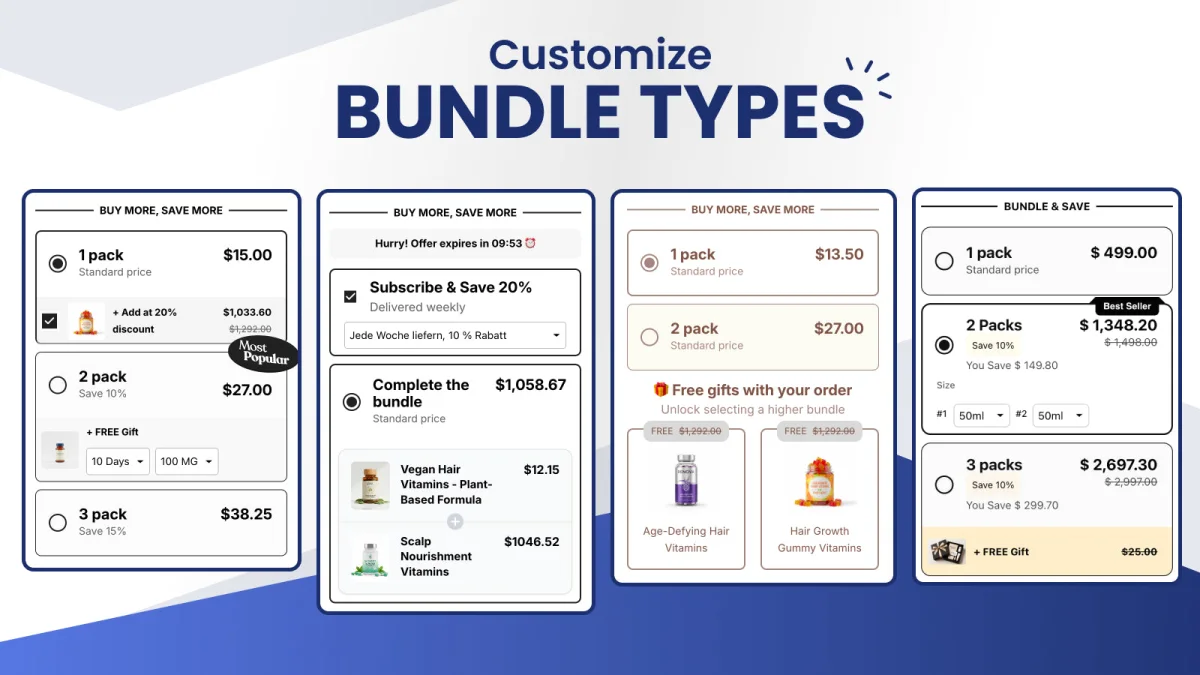
This is the app we recommend for a minimum order quantity on a retail store. Instead of showing a shopper an error, it only offers the quantities you sell. Create a quantity break whose smallest tier is your minimum, for example a 6 pack, a 12 pack and a 24 pack, with the bigger packs at a discount. While the quantity break shows, the app hides the theme's own quantity picker and the accelerated checkout buttons such as Buy it now (How quantity breaks work). From the product page, the only way to add the product is in one of your pack sizes.
Why we put it first:
- The minimum is a sales tool, not a wall. The shopper sees "6 pack", "12 pack, save 10%" and "24 pack, save 15%" with prices per unit, so the minimum reads as the starting offer and the larger packs raise the order.
- Each pack can mix variants. A 6 pack can hold three colours, with a variant picker per unit. Shopify's native B2B rules count each variant separately, and most MOQ apps need a separate rule for mixed cases.
- It does more than one job. The same app runs free-gift tiers, build-a-box bundles, A/B tests between pack ladders, and analytics, so you are not paying for a single-purpose limit app.
- Price: the listing shows a Free plan (checked 16 November 2026). Built for Shopify, rated 4.9.
Know the limit before you rely on it. The minimum is enforced on the product page, not at checkout. A shopper who edits the quantity in the cart can still lower it, and checkout then charges the tier they still reach, or full price. That is fine when your minimum exists to raise order size. When a smaller order must never go through, for example a sealed case you cannot split, add a B2B quantity rule for company buyers, or keep a checkout-validation rule as a backstop. Setup is in how to add quantity breaks to Shopify.
2. Melon Minimum Order Quantity
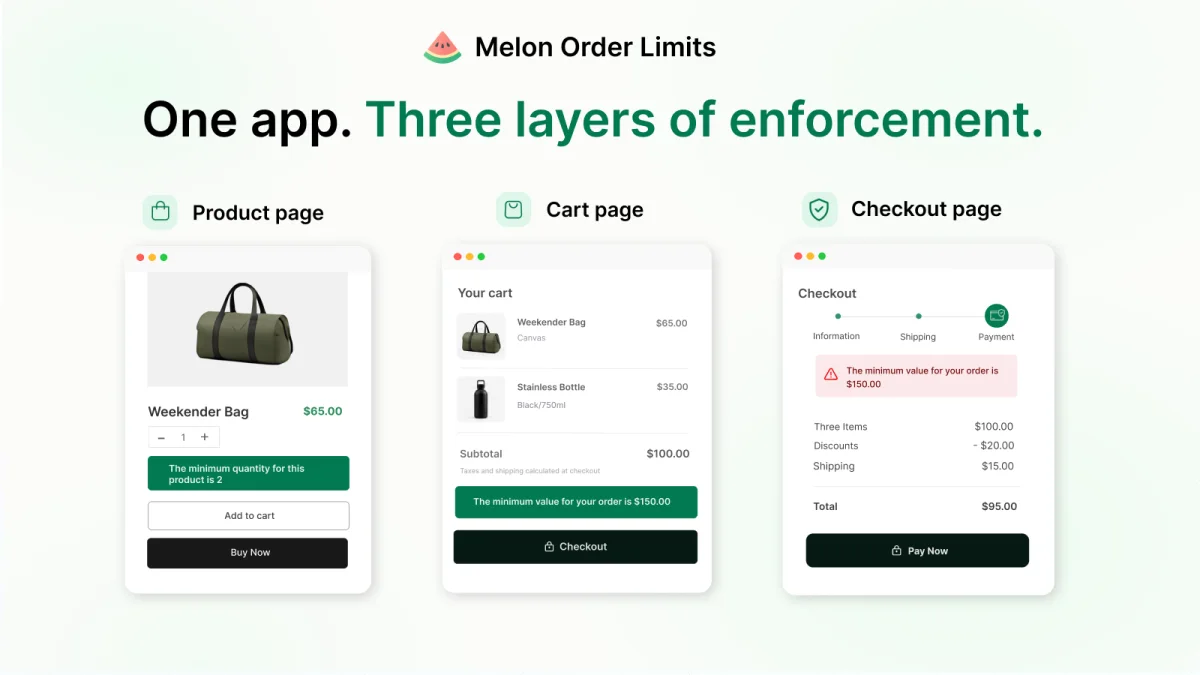
The highest-rated MOQ app by review count, at 5.0 from 393 reviews. The listing shows the rule on three layers: the product page, the cart, and checkout. The free plan allows 1 active rule. Essential is $4.99 a month for 5 rules, Advanced is $8.99 for unlimited rules, and a $15.99 plan is for Plus stores, each with a 7-day trial.
3. Avada Order Limits Quantity
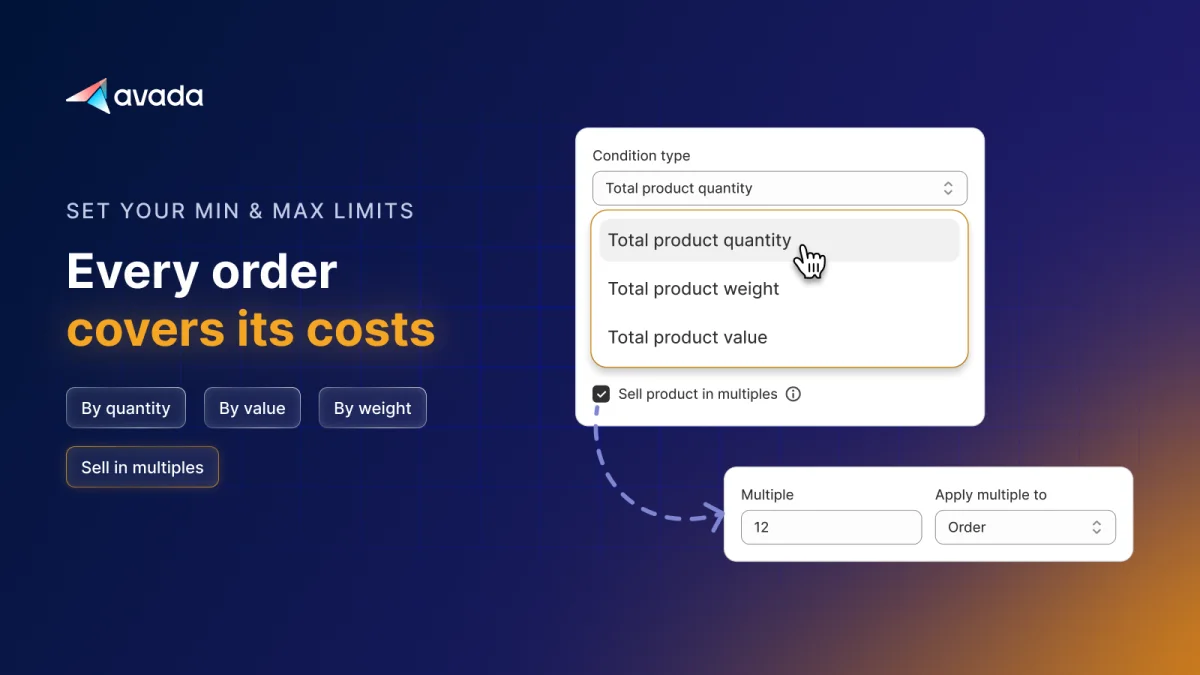
5.0 from 300 reviews. Limits can be set by quantity, order value or weight, and products can be sold only in multiples. The free plan blocks up to 50 over-limit carts. Paid plans are $9.99, $19.99 and $24.99 a month with a 7-day trial, all with unlimited blocking.
4. Yuko Minimum Order Quantity
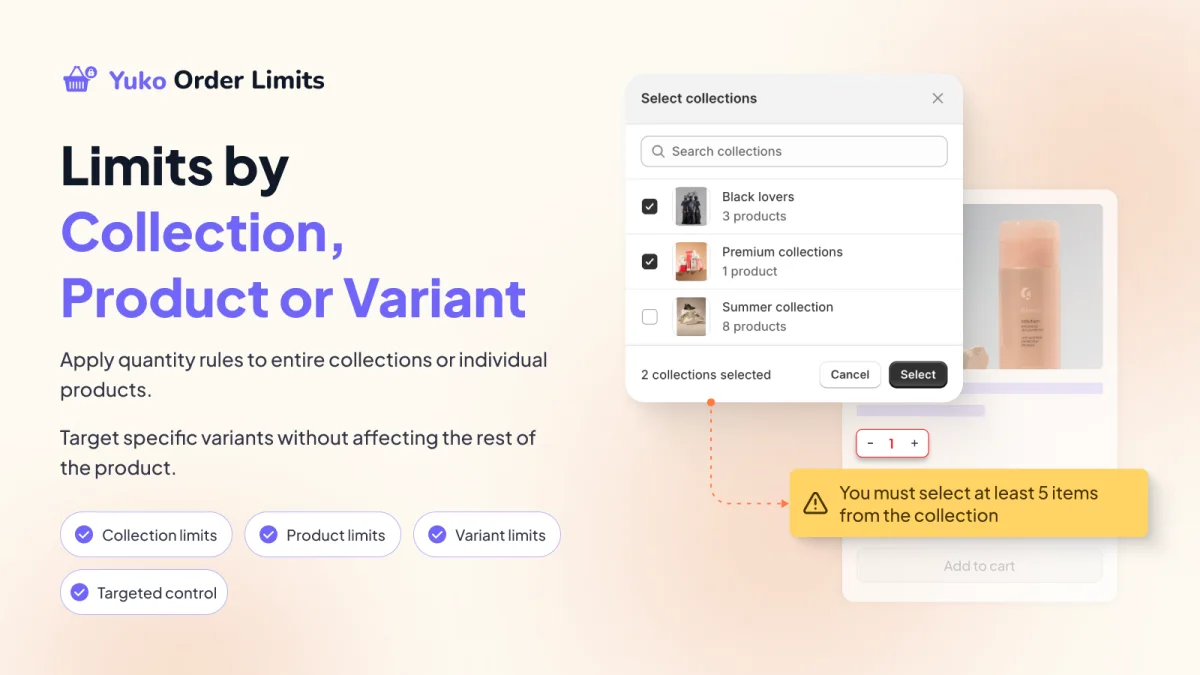
4.9 from 234 reviews, and entirely free. Rules target collections, products or single variants, and the listing says it uses Shopify's checkout rules to block orders that miss the limit. A collection-level limit is the answer to the "12 units, any colours" problem from earlier, so check whether its collection rules count units across products before you rely on that.
5. Madgic Order Limits Quantity
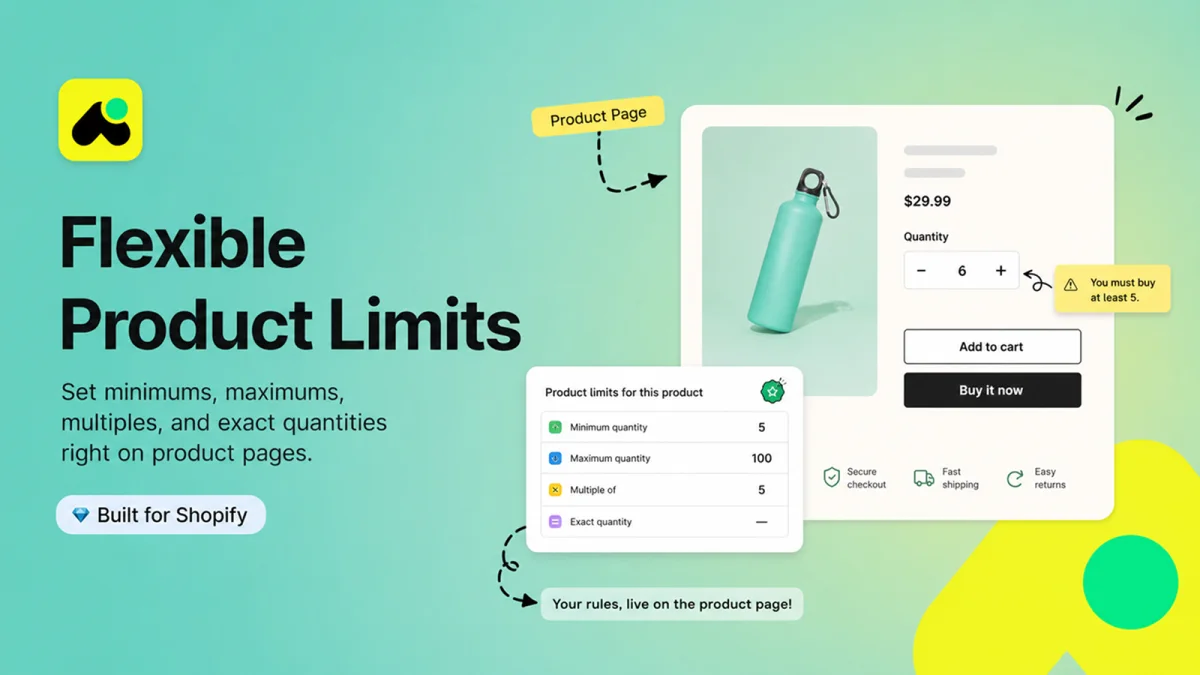
4.9 from 184 reviews. It sets minimums, maximums, multiples and exact quantities, and shows them on the product page. The free plan covers 1 rule on 1 product, which is enough to test. Starter is $4.99 a month (7-day trial) and Pro is $8.99 with unlimited rules (30-day trial).
6. Minmaxify Order Limits
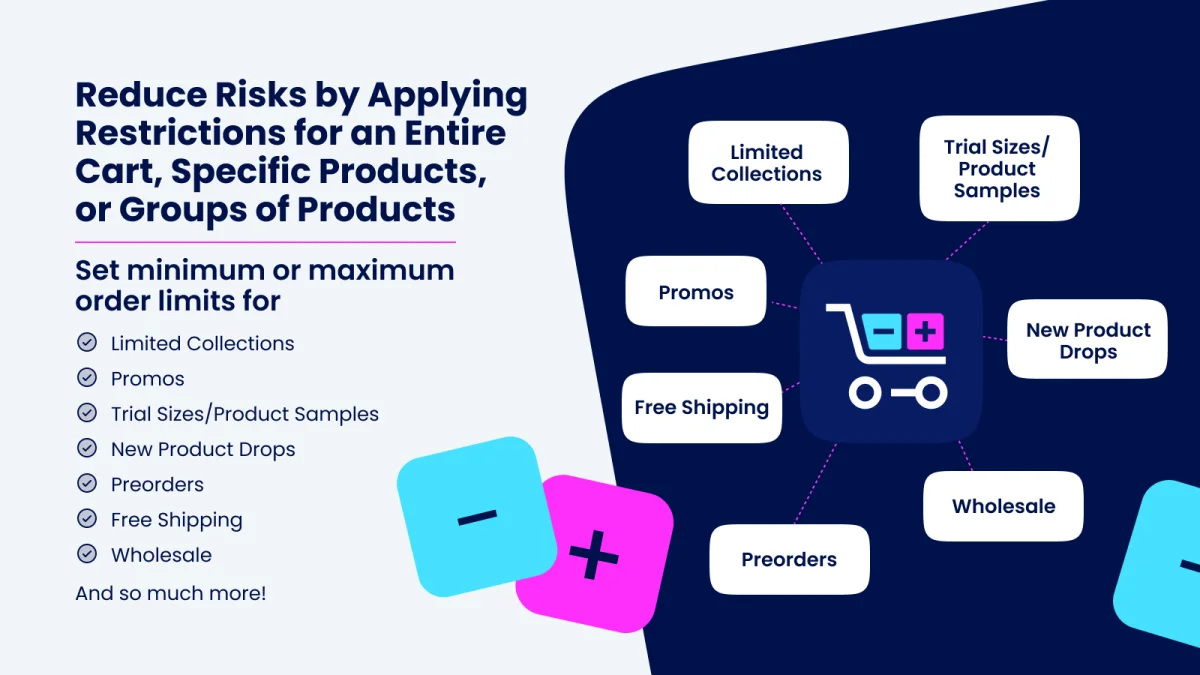
4.8 from 179 reviews, and one of the longest-running order-limit apps. It has no free plan. Standard is $10 a month, Premium $20 (adds rule groups and Buy Now button support), and Plus $50, with a 7-day trial. The listing did not show a Built for Shopify badge when we checked.
7. P: Order Limits Quantity (Pareto)
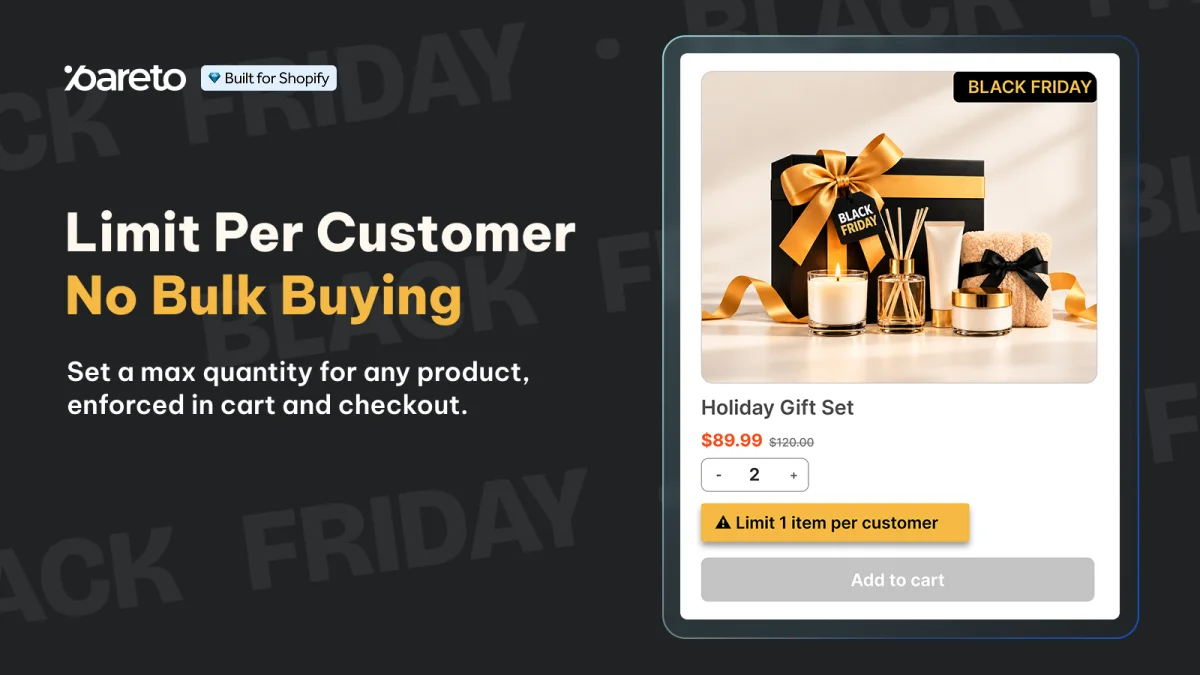
4.9 from 151 reviews. Usage-based pricing: 30 orders free every 30 days, then $2 per 100 orders. It is strongest on maximums and per-customer limits (daily to lifetime), which makes it the pick for limited drops as well as minimums.
If you also need wholesale pricing: broader B2B suites such as BSS B2B and MultiVariants include order limits next to price lists and quick-order forms. They cost more, and on Basic and above native B2B now covers much of the same ground, so start with Method 1.
Settings that look like a minimum but are not
The add-to-cart limit is a maximum
Settings → Checkout → Advanced preferences → Add-to-cart limit caps how many of each variant can go into one online order. It applies to each variant separately. Shopify's own example: a limit of 30 on a shirt lets a customer buy 30 red, 30 blue and 30 green. Stores with fewer than 250 sales are shown a recommended limit of 50. Above that, Shopify calculates a recommendation from your orders. It is on by default.
The limit skips POS carts, draft orders, carts with B2B catalog products that have quantity rules, customers logged in with a B2B profile, variants without inventory tracking, and variants set to keep selling when out of stock. Check it before you publish a 6-pack or a 12-pack. On a tracked product that stops selling at zero, a storewide cap of 5 means the sixth unit never enters the cart.
"Minimum quantity of items" on a discount
An Amount off products discount can require a minimum quantity of items. At that quantity the discount turns on. Below it, the customer pays full price and the order completes. That is a quantity discount, the method in the tiered pricing guide, not a minimum order.
The theme's quantity box
A theme can start the quantity box at 6, or stop the minus button there. That helps a shopper who uses the box. A cart link, a second add from another page, or an express button that never renders the box ignores it. Treat the box as a label. Put the real rule in a catalog, in Checkout Blocks, or in a checkout validation.
A quantity break that starts at 3
A pack table that offers 3 and 6, and hides the theme's own quantity box, steers people who use the table toward those packs. It still prices a cart. It does not refuse a smaller one, which is the point when you want more units without losing buyers.
Draft orders
The add-to-cart limit does not apply to drafts, and automatic discounts stay off a draft until someone checks Apply all eligible automatic discounts on it (Discounts on draft orders). Validation functions from MOQ apps do run on draft orders, per shopify.dev, so a hand-built wholesale order can trip an app's rule. Know which rules your staff will hit before they build drafts for customers.
Sell the case as its own product
A "Case of 12" product, priced at 12 times the unit price, lets any plan sell a case at quantity 1, with no rules or apps. Inventory then lives on the case. A buyer who wants 18 units has to buy a case plus a 6-pack, or you keep a separate unit product and accept that people will buy one. This fits a catalog that only ever ships cases, and gets clumsy the moment someone wants a quantity that is not a whole case.
Test and troubleshoot
Test the block before you announce it
- Sign in as the company buyer. Add one unit under the minimum. Checkout should stop, and the product page should already have shown the number.
- Add exactly the minimum. Checkout should continue. A minimum of 12 that only lets 13 through is an off-by-one in the rule.
- Add a quantity that misses the increment, such as 13 when the step is 6.
- Split the quantity across two variants. Five and five must fail a minimum of 10 on each variant.
- Open a private window, signed out. The same product should sell at retail quantities. A B2B minimum that reaches the public page means the catalog is assigned too widely.
- For a retail MOQ app, repeat the failing quantity with Buy it now, Shop Pay and a direct cart link. Shopify's accelerated checkouts are not available to B2B buyers, so this step only applies to retail rules.
- If you also sell packs, try to add more units than the add-to-cart limit. Raise the limit, or rely on its documented exceptions, before the pack goes live.
When the minimum does not work
- A B2B buyer can order below the minimum. The catalog is still in Draft, it is not assigned to the buyer's market or company, or the buyer is browsing without logging in as the company.
- The minimum does not show on the product page. The theme does not print
quantity_rule. Add the Custom Liquid block above. - An app shows the message but checkout goes through. Its rule is not switched on under Settings → Checkout → Checkout rules, or its app embed is off in the theme editor.
- The spend minimum never triggers. The Checkout Blocks function is still Inactive.
- Shoppers cannot add a full case. The storewide add-to-cart limit is lower than the case size.
Match the rule to the buyer
Company accounts get the minimum from a B2B catalog quantity rule, with the increment set to the case size. A public store gets a Checkout Blocks subtotal limit when the gate is money. When the gate is units, use Oxify Bundles & Quantity Break: set the smallest pack to your minimum, and the product page sells only your pack sizes, with a better price on the bigger ones. It is Built for Shopify, rated 4.9, and the listing shows a Free plan. Add Oxify Cart Drawer & Upsells to turn a spend minimum into a free-shipping progress bar.