 Oxify App
Shopify Quantity Discounts: How to Increase Units Per Order
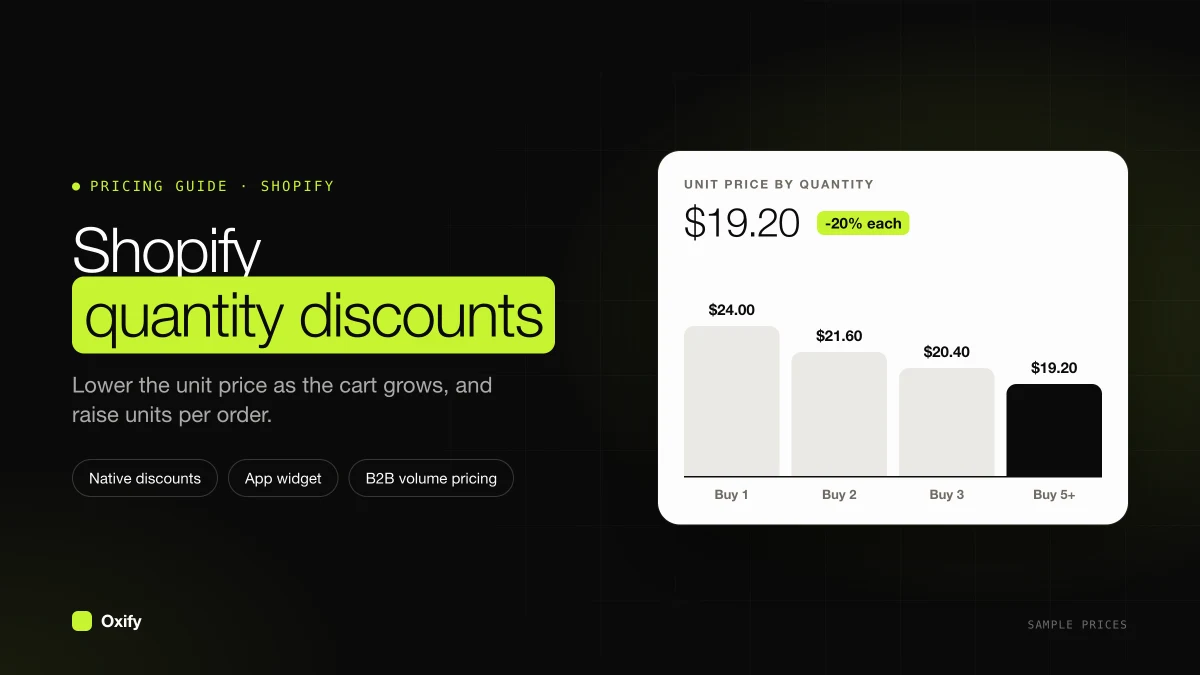
Short answer: A Shopify quantity discount is a lower price per item once the cart holds more units: 1 for $30, or 2 for $27 each. Shopify can do one break per automatic discount, and that break shows up in the cart, not on the product page. To show the steps where people choose a quantity, use Oxify Bundles & Quantity Break. Put the first break one unit above the quantity most orders of that product already have, or you will discount orders you were already getting.
The order counts below are a sample you can copy. They are not a report from a live store. The install clicks are in how to add quantity breaks to Shopify.
Key facts (checked 16 November 2026)
- In Shopify admin, Analytics → Reports → Orders over time shows average units ordered for the dates you pick. Our Black Friday bundle playbook uses that same report.
- The average is not the quantity most people buy. You need both numbers. A few huge orders pull the average up.
- A native quantity rule is one automatic Amount off products discount with one Minimum quantity of items. If that discount targets a collection, every eligible item counts together, so one mug and two plates can fire a "buy 3" rule (Shopify Help: Amount off discounts).
- When two of those discounts cannot combine, Shopify applies the best one for the cart (Combining discounts). A store can have 25 active automatic discounts.
- Shoppers who never see the ladder cannot add the extra unit. Oxify draws the packs on the product page and applies Oxify Bundle Discount at checkout (How quantity breaks work).
On this page
- What a Shopify quantity discount is
- The two numbers to write down
- Where to find them
- Where the first discount goes
- The profit test
- The orders that were already big
- Check the edge of every break
- What to watch after launch
- FAQ
What a Shopify quantity discount is
A quantity discount lowers the price of each item when the shopper buys more of it in one order. People also call it a volume discount, a bulk discount, or a quantity break. On a product page, the list of those prices is the quantity break.
Shopify gives you one minimum quantity per discount. To get 10% at 2 units and 15% at 3, you create two automatic discounts, or you put both rows in one Oxify deal. The Oxify deal still uses a single checkout discount, named Oxify Bundle Discount, for the packs (How quantity breaks work).
- Same product. 2 bottles of this serum. This is the Quantity Breaks template.
- A collection counted together. Any 3 items from the collection. A native discount does this when you target the collection. Oxify's Bundle Builder does it when the shopper picks the mix.
- One variant on its own. B2B volume pricing works this way. Ten blue and ten gray do not make a 20-unit break. Retail automatic discounts do not split the count by variant unless the discount itself is limited to that variant.
How to calculate a quantity discount
Three short sums cover almost every case. The example is a $30 candle.
- Price per item after a percent: price × (1 − discount). $30 × 0.90 = $27.
- What the shopper saves: (old price − new price) × units. ($30 − $27) × 2 = $6.
- The real percent behind a pack price: 1 − (pack price ÷ (price × units)). "3 for $75" is 1 − (75 ÷ 90) = 16.7% off.
The last one matters when you write "3 for $75" and someone asks how big the deal is. Say 16.7%, or round down to 16%. Rounding up to 17% overstates it.
The types you will run into
| Type | How it works | On Shopify |
|---|---|---|
| All-units | Hit the break, and every unit gets the lower price | How native automatic discounts work |
| Whole packs | The discount covers complete packs only. 7 units on a 3-pack: 6 discounted, 1 at full price | Oxify's default. Turn on Show quantity selector to discount every unit. |
| Pack price | "3 for $75" for the whole pack | Oxify Fixed Price |
| Wholesale price table | Per-unit price by quantity, per variant | B2B catalog volume pricing |
| Cumulative | Units add up across past orders | Not a native discount. That is a loyalty program. |
A flat 10% off the whole catalog is not a quantity discount. Every order gets the cut, including people who still buy one unit. Units per order often stay flat. The comparison is in quantity breaks vs regular discounts.
Units per order is two numbers, not one
Units per order is units sold divided by orders. Stores stop there. The quantity that shows up most often matters more, because that is what people already do without a discount.
Sample, for one candle at $30, over 200 orders:
- 150 orders buy 1 candle.
- 40 orders buy 2.
- 10 orders buy 3.
Units sold are 150 + 80 + 30 = 260. Units per order are 260 ÷ 200 = 1.30.
The most common quantity is still 1. That is 150 of 200 orders, or 75%. If you only stare at 1.30, you might build a ladder that starts at 3. Most shoppers would have to more than double their order to see any save.
Where to find them in Shopify
- Open Analytics → Reports → Orders over time. Read average units ordered for the last 90 days. That is the store-wide number.
- For one product, export orders for those 90 days. In the line-item quantity column, count how many orders of that product are for 1 unit, how many for 2, and how many for 3 or more.
- Write down the most common quantity and the average. Keep the page. You will compare it after the discount is live.
Store-wide average units ordered mixes candles with gift cards. Build the discount from the product you are about to discount, not from the whole store.
Put the first discount one step above the usual order
In the candle sample, most people buy 1. The first Shopify quantity discount belongs at 2.
- 1 candle: full price. This row makes the save visible.
- 2 candles: the deal you want them to take. Highlight this row.
- 4 candles: a stretch, only if a household really burns that many. If your count shows almost no 4-unit orders, skip this row.
If the most common quantity is already 2, a discount at 2 gives money off orders you were getting anyway. Move the real jump to 3 or 4.
Does a bigger row nobody picks still help? Possibly. In experiments published in the European Journal of Marketing (Huang and Yang, 2015), shoppers who missed a "buy 4, get 30% off" deal were more willing to buy one item at full price than those who missed "buy 2, get 30% off". The setting was clothing and imagined shopping trips, so test it on your store before you rely on it.
Three rows is the shape that fits a phone. Spacing details are in how many quantity break tiers to use.
The profit test, in one example
Same candle, $30 price, $12 cost. One candle leaves $18.
A 2-pack at 10% off is $27 each. Profit per candle is $15. Profit on the order is $30. That is $12 more than selling one candle.
So a shopper who moves from 1 to 2 is a win. You gave up some margin on each candle and still kept more dollars.
Run the same sum on your cost before you type the percent into Oxify. If the bigger pack's profit is under the one-unit profit, do not publish that row. Shrink the percent until the dollars rise.
| Order | They pay | Product cost | Profit |
|---|---|---|---|
| 1 at $30 | $30 | $12 | $18 |
| 2 at 10% off | $54 | $24 | $30 |
| 2 at 40% off | $36 | $24 | $12 |
The 40% row sells two candles and makes less profit than one candle at full price. Units per order go up. Profit goes down.
A sitewide 10% off cuts every order, including the 150 people who still buy one candle. Those one-candle orders fall from $18 profit to $15. The full break-even against a flat sale is in quantity breaks vs regular discounts.
Count the orders that were already big enough
Forty of the sample orders already contain 2 candles. At 10% off, each of those orders is discounted by $6 (two candles times $3). If all 40 still buy 2, you give away 40 × $6 = $240 and the unit count on those orders does not move.
Each person who moves from 1 candle to 2 adds $12 of profit ($30 minus $18). You need $240 ÷ $12 = 20 of the 150 single-candle buyers to move up before the discount pays for itself.
That is 20 ÷ 150, or about 13 of every 100 people who used to buy one. If you do not think that many of them will take the 2-pack once they can see it, the percent is too deep, or this product is a weak fit for a quantity discount.
This is arithmetic on the sample, not a test we ran. Your 13% will be a different number. The steps stay the same: leak on orders that already qualify, divided by extra profit on each order that steps up.
Check the edge of every break
Big breaks can make a smaller order cost more than a bigger one. Here is a wholesale-style example: $10 a unit, and 20% off at 50 units.
| Units | Price per unit | Order total |
|---|---|---|
| 40 | $10.00 | $400 |
| 45 | $10.00 | $450 |
| 49 | $10.00 | $490 |
| 50 | $8.00 | $400 |
Anyone who needs 41 to 49 units will order 50 and pay less money for more goods. Every order in that gap is lost revenue for you. Two fixes:
- Add a step in between, such as 10% off at 25 units, so the jump at 50 is smaller.
- Use smaller cuts at big counts. 10% at 50 makes 50 units $450. The gap shrinks to orders of 46 to 49.
The quick test: for each break, work out the total for one unit fewer. If the bigger order is cheaper, the gap exists. On small retail packs, like 2 at 10% off, it barely matters. On B2B tiers, check it every time.
Build it, then watch units per order
- In Oxify Bundles & Quantity Break, create a Quantity Breaks deal on that product only.
- Set the highlighted pack to the quantity one step above your most common order. Use Discounted % if the collection has mixed prices. The type rules are in the discount types doc.
- Put the per-item price on the row with
{{new_price_per_item}} each. People add a unit when they can see the new each-price. Wording is in buy more save more offers. - After two weeks, repeat the export. You want fewer 1-unit orders and more at the pack you highlighted.
- Also read profit, not only units. If units per order rose and profit per order fell, the discount is too deep.
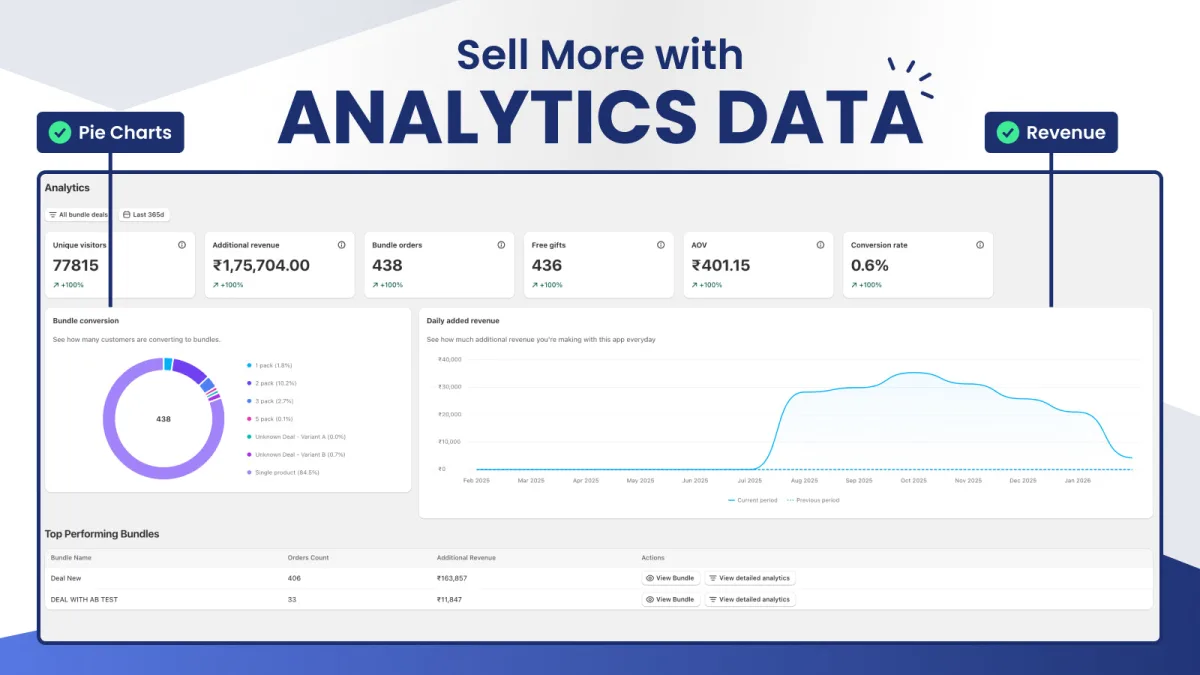
The app's analytics page shows visitors, extra revenue, bundle orders, average order value, and conversion rate for your deals. Its Bundle conversion chart splits orders by pack, so you can see if the 2-pack is really the one people take (Analytics). Use it next to the Shopify export. Do not treat either screen as the whole story by itself.
Want to change one thing and measure it? Oxify can split traffic between up to three versions of a deal, such as 10% versus 15% on the 2-pack. The app marks results "Need more data" until each version has 100 visitors (A/B testing).
A free way to sketch the revenue side of a unit-count change is the AOV calculator. More offer ideas, once the first break is in the right place, are in quantity break strategies.
Write down the usual quantity, then add the pack
Export 90 days of orders for one product. Circle the quantity that shows up most. In Oxify Bundles & Quantity Break, highlight the pack one unit above that, after the profit on that pack beats the profit on a single unit. Check the same export two weeks later.