 Oxify
OxifyHow Many Discount Tiers Should a Quantity Break Have?
Short answer: three. For most Shopify stores, three quantity break tiers is the best place to start: a full-price anchor, a target tier most shoppers will pick, and a deeper reward tier. Four fits consumables with a wide quantity range; five or more rarely earns its extra row. Three is a convention to test, not a measured optimum.
But "three" is the easy part. The harder questions are which three, how far apart to space them, and how deep each discount should go. Get those wrong and even three tiers won't move your average order value.
This guide gives you the 3 tier rule, a worked spacing example you can copy, the Shopify limits that cap your tier count (checked against Shopify's Help Center in October 2026), and the mistakes that quietly kill bulk sales. If you're new to the topic, our ultimate guide to quantity breaks covers the basics first. Already set up? Then let's talk tiers.
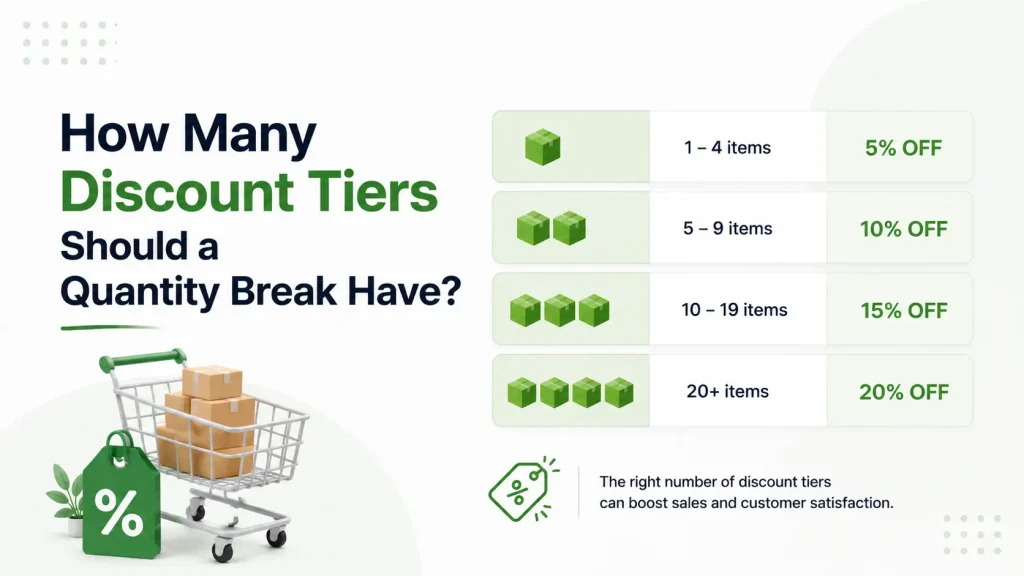
Why the Number of Tiers Matters More Than the Discount Size
Most store owners argue about the wrong thing. They debate whether the top tier should be 20% off or 25% off — and ignore how many tiers they're showing at all.
The number of price breaks is what actually steers behavior. Here's why:
- Too few tiers = no journey. A single discount is just a sale. There's nothing to reach for.
- Too many tiers = decision paralysis. A shopper sees eight rows, can't compare them fast, and buys one unit — or nothing.
- The right number = a clear ladder. The shopper instantly sees where they are and where they could be.
A good quantity break changes the question in the shopper's head. Instead of "Should I buy this?" it becomes "How many should I buy?" That shift only happens when the whole offer is readable in about three seconds. More tiers means more reading. More reading means slower decisions. Slower decisions mean smaller carts.
The 3 Tier Rule: Anchor, Target, Reward
The 3 tier rule is simple to remember: every tier has one job.
Tier 1 — The Anchor
One unit, full price. This isn't really a "deal." It exists so the other tiers have something to look better than. Without an anchor, your discounts have nothing to be measured against.
1 unit — $20.00 each
Tier 2 — The Target
This is the tier you want most people to choose. It should feel like the obvious smart pick. The discount is modest but real, and the quantity is only a small step up from what shoppers already buy.
3 units — $17.00 each (save 15%)
Tier 3 — The Reward
The "stock up and save big" tier. Most shoppers won't reach it — and that's fine. Its real job is to make Tier 2 look reasonable by comparison. A handful of bulk buyers will jump straight here, and those orders are pure AOV upside.
6 units — $14.00 each (save 30%)
Look at what Tier 3 does: it makes Tier 2 feel like the safe middle choice. This is the "good, better, best" pattern your brain already trusts from coffee sizes and streaming plans. People are wired to pick the middle option — so build a middle worth picking.
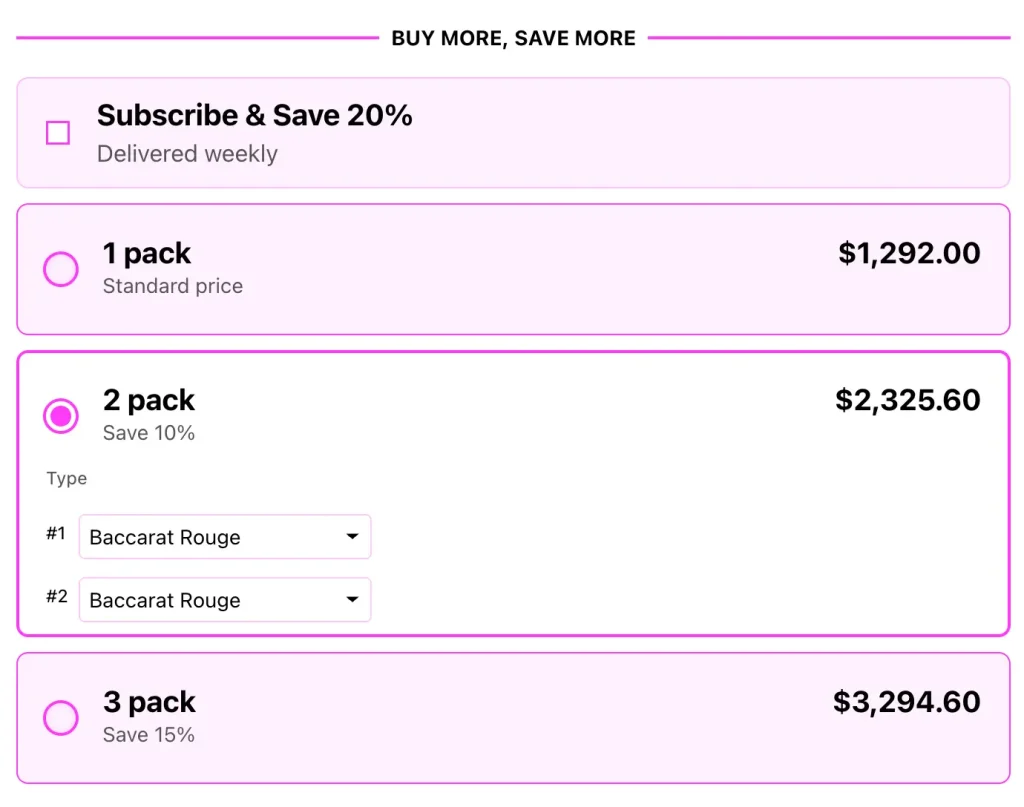
When to Use More (or Fewer) Than Three
Three is the default, not a hard law, and it is a convention rather than a measured result: we have not found a controlled test of tier count, and we have not run one. Treat the ranges below as starting points to test against your own order data.
Use 4 tiers when:
- Your product has a wide natural quantity range — coffee pods, vitamins, pet food, skincare refills.
- You have real order data showing customers already buy in big batches.
- You sell B2B or wholesale, where large orders are normal.
Use 2 tiers when:
- The product is expensive and people rarely buy more than two.
- You're running a short flash sale and want zero friction.
- Your store is new and you have no order data yet.
Almost never use 5+ tiers on a single product. The extra rows look thorough but make the table harder to read at a glance. For context, Shopify's native B2B volume pricing allows up to 10 price breaks per product (Shopify Help Center, October 2026) — but "allowed" is not "advised." Just because the platform lets you stack ten doesn't mean a shopper can process ten.
A simple test: if a shopper can't understand your full offer without scrolling or doing math, you have too many tiers.
Tier Spacing: The Mistake Almost Everyone Makes
Choosing three tiers is easy. Tier spacing is where stores actually go wrong.
Spacing means two things at once: the quantity gaps between tiers and the discount jumps between tiers. Break either one and the ladder collapses.
Mistake 1 — Quantity gaps too wide
If Tier 1 is 1 unit and Tier 2 is 10 units, you've lost everyone. Nobody leaps from "I'll try one" to "I'll buy ten."
Fix: Make the first jump small and believable. 1 → 3 feels doable. 1 → 10 does not.
Mistake 2 — Discount jumps that don't grow
If your tiers are 5% off, then 8% off, then 11% off, the reward for climbing feels tiny. Why stretch your budget for 3% more?
Fix: Each tier should add a meaningful jump — generally at least 5–10 percentage points. Savings should feel like they snowball, not trickle. If you want to layer offers, see how to stack buy-more-save-more discounts without breaking your margins.
Mistake 3 — Tiers that ignore your real AOV
If your average order is one $25 item, don't make Tier 2 require six units. You're asking the shopper to 6x their spend in one click. They won't.
Fix: Set Tier 2 just slightly above current buying behavior. Pull shoppers one comfortable step up — not five.
Mistake 4 — A top-tier discount that loses money
A 40% discount on a product with a 30% margin means you lose money on every extra unit sold. Bulk volume doesn't save a tier that's underwater.
Fix: Check the math on Tier 3 before launch. Your deepest discount must still leave profit after product cost and shipping. On the $20 example below, the 6-unit tier sells at $14.00 a unit, so product cost plus shipping and payment fees must stay under $14.00 per unit or every extra unit loses money.
Here's an illustrative spacing example for a $20 product (the numbers are a worked example, not store data):
| Tier | Quantity | Price Per Unit | Shopper Saves |
|---|---|---|---|
| Anchor | 1 unit | $20.00 | — |
| Target | 3 units | $17.00 | 15% |
| Reward | 6 units | $14.00 | 30% |
The first step asks for two more units, the second for three more, and the discount climbs 15 points each step. It's predictable — and predictable is exactly what makes it easy to say yes to.
A 5-Step Framework to Set Your Tiers
Use this the next time you build a quantity break:
- Find your real per-product AOV. Look at how many units shoppers typically buy right now. That number is your starting line.
- Set the Anchor. One unit, full price, no discount.
- Set the Target just above current behavior. If most people buy 1–2, make Tier 2 require 3. Add a 10–15% discount.
- Set the Reward as a genuine stretch. Double or triple the Target quantity. Add a discount jump that feels exciting — often 25–35% total.
- Stress-test Tier 3 margins. If your deepest discount erases profit, shrink the discount — not the tier count.
Then watch the data for 30 days. If almost everyone picks Tier 1, your Target sits too far away. If everyone jumps to Tier 3, your discounts are too generous and you're handing away margin. The same testing logic applies to any product bundle pricing strategy — set it, measure it, then refine.
Why Tiers Beat a Plain Discount
It's worth saying plainly: a quantity break is not the same as a sale.
A flat discount teaches customers your normal price was inflated. A tiered quantity break teaches them that buying more is the smart move — a far healthier lesson. One trains people to wait for the next sale. The other trains them to fill the cart now. We break this difference down fully in quantity breaks vs regular discounts.
That's the real reason tier count matters. Three well-spaced tiers give shoppers a visible next step, which a flat coupon never does — which is why quantity breaks belong in any serious set of Shopify upselling strategies.
The Catch: Shopify Makes Three Tiers Harder Than It Sounds
Here's what most articles skip. Shopify's retail discounts have no tier-ladder feature. To build a 3-tier break with native tools, you create one automatic "Amount off products" discount for every discounted tier — one rule with a "Minimum quantity of items" of 3, another with 6 — and, as long as those discounts aren't set to combine, Shopify applies the best one for the customer (amount off discounts and combining discounts, Shopify Help Center, October 2026). The true volume-pricing feature, with up to 10 price breaks per product, sits in B2B catalogs and prices B2B orders. Our step-by-step for the native route is in how to set up tiered pricing on Shopify.
That creates three real problems:
- The 25-discount ceiling. Shopify allows a maximum of 25 active automatic discounts, and the total includes app-based discounts. A ladder with two discounted tiers (3+ and 6+) costs two slots for every group of products that shares it, so thirteen products that each need their own ladder already need 26. Because app discounts share the same pool, ask any app how many automatic discounts it creates before you count on it to get around the limit.
- No tiers on the product page. Native discounts apply in the cart and at checkout, and nothing on the product page shows the ladder unless you add the text by hand. Shoppers can't see it while they're deciding how much to buy — which defeats the behavior the tiers were built to drive.
- Manual upkeep. Every price tweak means editing multiple discount rules by hand. Easy to break, easy to forget one.
So you can design a perfect 3 tier rule on paper and still fail, simply because shoppers never see it.
Show Your Quantity Break Tiers on the Product Page
This is where a dedicated app earns its place. Oxify Quantity Breaks (our app; the App Store listing is titled "Oxify Quantity Breaks & BYOB") lets you build well-spaced quantity break tiers on any Shopify product and displays them as a pricing table right on the product page where shoppers actually decide.
With Oxify Quantity Breaks you can:
- Set your Anchor, Target, and Reward tiers without writing code or juggling separate discount rules.
- Show the savings on each tier so the "how many should I buy?" question answers itself.
- Adjust spacing and discounts anytime based on your 30-day data — no rebuilding required.
- Keep every tier of an offer in one place instead of one native discount rule per tier.
Price and fit (App Store listing, October 2026): one plan at $14.99 a month or $129.99 a year with every feature included, 4.9 stars from 13 reviews, and the Built for Shopify badge. Avoid it if you want a long review history before installing or a permanently free plan; the comparison of the best Shopify quantity breaks apps covers the alternatives.
Start with three tiers. Watch your average order value. Refine from there.
👉 Add Oxify Quantity Breaks to your store and turn "should I buy this?" into "how many should I get?"
Related: Selling something that goes stale? See how the best Shopify apps for coffee and tea brands sizes its ladder.