
11 Best Shopify Order Editing Apps (2026): Self-Serve & Admin
A customer places an order. Two minutes later, they email you: "Wrong address! Please fix it before it ships!"
You open Shopify admin. The shipping label is queued. Now it's a tangle of refunds, reorders, and apologies.
Every Shopify store hits this wall. And in 2026, the smart move isn't hiring more support agents. It's installing the best Shopify order editing app and letting customers fix their own mistakes.
This guide compares the 11 top-rated Shopify order editing apps — both self-serve apps that let customers edit their own orders and admin-side tools for your support team — tested against live Shopify App Store data (verified August 2026), merchant reviews, pricing, integrations, and Built for Shopify badge status. By the end, you'll know exactly which order editing app fits your store, whether you do 50 orders a month or 50,000.
Quick Answer: The Best Shopify Order Editing App for Each Situation
If you're in a hurry, here's the short version:
| Your Situation | Best App | Starting Price |
|---|---|---|
| Shopify Plus / 5,000+ orders per month | OrderEditing.com / Revize: Order Editing & Upsell | $99/mo |
| Best value + subscription editing | Revize: Order Editing & Upsell | Free, then $49/mo |
| Best UX + address validation | AE: Order Editing & Upsell | $39/mo |
| Longest track record (12+ years) | Cleverific AI Upsell & Editing | $59/mo |
| Free plan to test the waters | CP: Order Editing & Upsell | Free (25 edits/mo) |
| Admin-side backdating for POS | Editify | $19/mo |
| Cheap address edits only | Relocate+ Order Editing | Free, then $19/mo |
| Simple cancel + reorder | Orderify | $4.99/mo |
| Tiny stores under 100 orders | EOE – Easy Order Editing | Free, then $9.99/mo |
| Merge duplicate orders + address validation | Tacey: Order Editing & Merge | $29/mo |
| B2B / wholesale draft orders | Cleverific | $59/mo |
Now let's go deep on each one.
Why You Need an Order Editing App for Shopify
Shopify's native order editor is useful, but limited. Here's what it can't do:
- Let customers edit their own orders without emailing support
- Validate addresses before the label prints
- Offer post-purchase upsells during the edit flow
- Handle orders after a shipping label is generated
- Sync edits with your 3PL or warehouse management system
- Change the order date (backdating for offline sales)
- Auto-refund to store credit based on rules (Shopify's native store credit refunds are manual, full-balance only)
- Edit subscription orders before the next charge
- Let your team backdate POS orders synced in from the weekend
Industry data suggests roughly 5–7% of online orders — about 1 in 15 to 1 in 19 — get a change request after checkout: wrong size, wrong color, wrong address, wrong quantity, or simply "can I add one more?"
Multiply that by your monthly order count. If you do 1,000 orders, that's 50–70 support tickets every month — or roughly 20 hours of someone's time at 20 minutes per ticket.
An order editing app makes that problem solve itself.
Full Comparison Table: 11 Best Shopify Order Editing Apps
Here's the complete side-by-side. All data verified directly against live Shopify App Store listings as of August 2026.
| App | Starting Price | Free Plan | Built for Shopify | Self-Serve Portal | Address Validation | Post-Purchase Order Edit | 3PL Integrations | Subscription Edits |
|---|---|---|---|---|---|---|---|---|
| OrderEditing.com | $99/mo | ❌ Free trial | ❌ | ✅ | ✅ | ✅ | 100+ | Via Recharge |
| Revize: Order Editing & Upsell | $49/mo | ✅ 20 edits/mo | ✅ | ✅ | Coming soon | ✅ | 100+ | Supports Most apps |
| AE: Order Editing & Upsell | $39/mo | ❌ Free trial | ✅ | ✅ | ✅ Google-powered | ✅ | ShipStation, CartRover, etc. | ❌ |
| Cleverific AI Upsell & Editing | $59/mo | ❌ 14-day trial | ❌ | ✅ | ❌ | ✅ AI upsells ($1/conversion) | ShipStation, NetSuite | Via Recharge |
| CP: Order Editing & Upsell | Free to install | ✅ 25 edits/mo | ✅ | ✅ | ✅ Google Maps | ✅ | 3PL/WMS sync | ❌ |
| Editify | $19/mo | ❌ 3-day trial | ❌ | ✅ | ❌ | ✅ | ERP (Enterprise plan) | ❌ |
| Relocate+ Order Editing | $19/mo | ✅ Free plan | ✅ | ✅ | ❌ | ❌ | ShipStation, Recharge | Via Recharge |
| Orderify | $4.99/mo | ❌ Free trial | ❌ | ✅ (cancel-and-reorder) | ❌ | ❌ | All Shopify gateways | ❌ |
| EOE – Easy Order Editing | $9.99/mo | ✅ 5 orders/mo | ❌ | ✅ | ❌ | Limited | Basic | ❌ |
| LEO – Order Editing & Upsell | Free | ✅ Fully free | ❌ | ✅ | ❌ | ✅ | Basic | ❌ |
| Tacey: Order Editing & Merge | $29/mo | ❌ 14-day trial | ❌ | ✅ | ✅ Auto-hold | ✅ | 3PL, Shopify Flow | ❌ |
Key takeaway: There's no single "best" app. Your order volume, whether you run subscriptions, and your international footprint decide which one fits.
1. OrderEditing.com — Best for Shopify Plus & High-Volume Brands
Rating: 5.0 stars (299 reviews, verified August 2026) Pricing: From $99/month with a 7-day free trial Used by: Mejuri, Grüns, Koh, Aviator Nation, Oh Polly, HexClad, Ridge, Liforme Best for: Stores doing 2,500+ orders/month, Shopify Plus brands
OrderEditing.com is the category heavyweight. The team has partnered with thousands of Shopify brands representing over $6B worth of GMV, and the listing shows 5-star reviews from Liforme, ellaandjo.ie, and AlienSeal USA.
What makes it different
Most order editors treat Shopify as the source of truth and push edits into your 3PL. OrderEditing.com flips that model. It acts as an integration platform that stops your 3PL from pulling orders from Shopify immediately after checkout, creating a protected editing window before fulfillment begins.
That's a big deal if you use ShipHero, Fulfil, NetSuite, Brightpearl, or any warehouse system that normally pulls orders within seconds.
Standout features
- Self-service edits for address, product, shipping method, discount code, and order cancel
- Address validation with smart post-purchase suggestions
- One-click post-purchase upsells (replaces $100+/mo upsell apps)
- 100+ integrations with fulfillment, shipping, fraud, and subscription apps
- Customer edits update the original order number — no duplicate orders
- Mejuri uses it to let customers edit orders before Forter fraud checks and before Fulfil receives them
- Grüns uses it to let customers upgrade Recharge subscription orders from monthly to yearly
Real results from customers
One merchant shared this on the developer's site: "We tracked a 98% reduction in customer enquiries for order changes after going live with Order Editing. From 2,000 monthly contacts to just 40."
Nakie, an Australian hammock brand, reported "In two months it's already generated over $22,000 in upsell revenue — an incredible ROI."
Pricing breakdown
- 0–2,500 orders/month: $99/mo
- 2,500–5,000 orders/month: $199/mo
- 5,000–10,000 orders/month: $399/mo
- 10,000–20,000 orders/month: $599/mo
Pros & cons
✅ Pros: Most integrations, proven at scale, enterprise-grade architecture, dedicated Slack support from founders, 12 languages supported ❌ Cons: No free plan for live stores, expensive for small stores, no Built for Shopify badge
Verdict: If you run a brand that processes thousands of orders and integrates with a 3PL, this is the gold standard. If you're doing under 500 orders/month, the price tag is hard to justify.
2. Revize: Order Editing & Upsell — Best Overall Value + Subscription Editing
Rating: 5.0 stars (106 reviews, 100% 5-star, verified August 2026) Pricing: Free plan available, Starter $49/mo, Pro $149/mo Badge: Built for Shopify ✅ Best for: Growing Shopify Plus and DTC brands
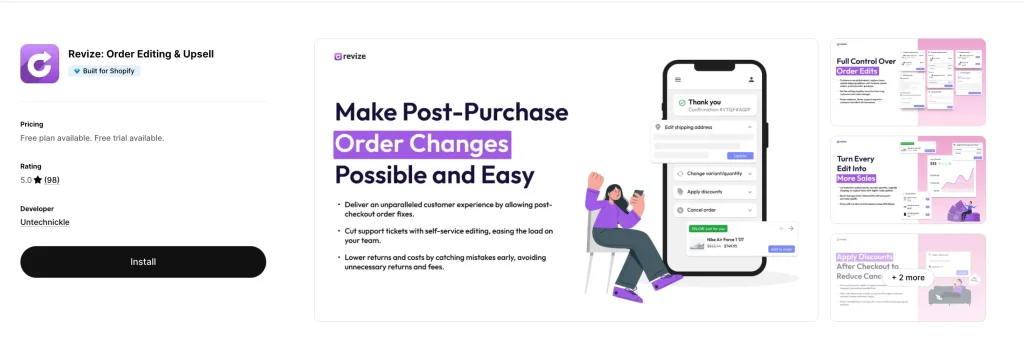
Revize is the sweet spot on this list. You get a real free plan (20 edits/mo), then unlimited edits for $49/mo on the Starter tier.
What makes it different
Revize integrates with nearly every major subscription app (including Recharge) to enable subscription order editing. It's not a native subscription platform itself — instead, it works in sync with whatever subscription app you're already using, so customers can edit their upcoming subscription orders before the next charge.
It also supports 20 languages including Japanese, Korean, Arabic, Thai, and Chinese (both Simplified and Traditional). For any store selling internationally, that's a huge advantage.
Standout features
- Edit address, variants, quantity, shipping, swap/add products, discounts
- Order status page and email upsells — customers can add products even after they leave your site
- Self-serve order cancel with refund-to-store-credit option (retains revenue)
- Auto-cancel rules for high-risk orders
- AI upsells on the Pro plan
- Integrated with thank you page, order status page, and customer accounts
- 100+ integrations and full Shopify Markets support
Real merchant feedback
- Sybotanica (Netherlands) : 10/10 onboarding experience. I tried lots of apps, always a headache, something never works as you like. This one actually not. I was surprised. The translations (We have 10 languages) were auto-added and after a quality check actually pretty good too. Already in first 24 hours 10 orders edited so pretty nice.
- Horsham Coffee Roaster (United Kingdom) : "We have been using Revize for 6 months now and I am very happy to confidently give a 5 star review. It has saved us hundreds of hours that would have been spent on customer support emails to make simple changes to orders. Recently we encountered an issue with how the app was working in collaboration with another app we use and the technical support we received from Revize was exceptional — they took ownership of the issue from the outset, and subsequently identified and resolved the bug the same day. I highly recommend this app, it will save you a lot of time and money.": "Works great for customers who realize they put in wrong address or want to change their order — or add something."
Pricing breakdown
- Free: 20 order edits/mo, basic features, priority chat
- Starter ($49/mo): Unlimited edits, address editing, Shopify Markets support
- Pro ($149/mo): AI upsells, invoice generation, shipping method upgrades, auto-refunds as store credit
Pros & cons
✅ Pros: Real free plan, integrates with all major subscription apps, 20-language support, Built for Shopify badge, lowest entry price among premium apps ❌ Cons: Fewer integrations than OrderEditing.com, newer app (launched November 2024)
Verdict: For most merchants, Revize delivers 90% of what OrderEditing.com offers at half the price. The combination of a real free plan, unlimited edits at $49/mo, and deep subscription app integrations makes it the top pick for growing DTC brands.
3. AE: Order Editing & Upsell (Account Editor) — Best UX & Google Address Validation
Rating: 5.0 stars (250 reviews, 100% 5-star, verified August 2026) Pricing: From $39/month with 14-day free trial Badge: Built for Shopify ✅ Best for: Stores where address errors drive high shipping costs
AE (Account Editor) is loved for one specific strength: its Google-powered address validation. If your store struggles with typos and undeliverable addresses, this is the app that catches them before the label prints.
Standout features
- Self-serve order editing on the order status page and customer accounts
- Google-powered address validation with deliverable suggestions
- Smart cancel order retention rules with restocking fees
- Post-purchase upsell offers shown during the edit flow
- Automatic tax and shipping recalculation after edits
- Full Shopify Flow integration for automation
- 3PL support including Brightpearl, CartRover, and ShipStation
- Available in 9 languages: English, French, Dutch, Spanish, Portuguese, Italian, Swedish, German, and Japanese
Real merchant feedback
- Kore Essentials (US): "We've been using Account Editor since they were just starting out, the app has always worked well and they are continually improving the features. The address edits, order cancellations and order edit features have saved us a lot of time and are well worth the price."
- Mondo Cattolico (Italy): "The support has been outstanding, they helped us very quickly and implemented an important customization for us in no time."
- MySecretCase (Italy): "Support has been amazing, super responsive and always quick to help."
Pricing breakdown
- 0–1,200 orders/month: $39/mo
- 1,201–5,000 orders/month: $99/mo
- 5,001–10,000 orders/month: $179/mo
- 10,001–20,000 orders/month: $249/mo
Pros & cons
✅ Pros: Lowest entry price with Built for Shopify badge, strong Google-powered address validation, deep Shopify Flow integration, 9 languages ❌ Cons: No subscription editing, no free plan, English-first UI
Verdict: Best pick if your #1 problem is bad addresses costing you in reshipments and customer service time. Cheaper than OrderEditing.com with 80% of the features.
4. Cleverific AI Upsell & Editing — Best for B2B, Wholesale & Complex Orders
Rating: 4.7 stars (204 reviews, verified August 2026) Pricing: From $59/month with 14-day free trial Launched: February 2014 (12+ years on Shopify) Trusted by: 3,500+ brands including Incrediwear, Limited Run Games, TopJob Best for: B2B, wholesale, custom orders, Shopify Plus stores with complex operations
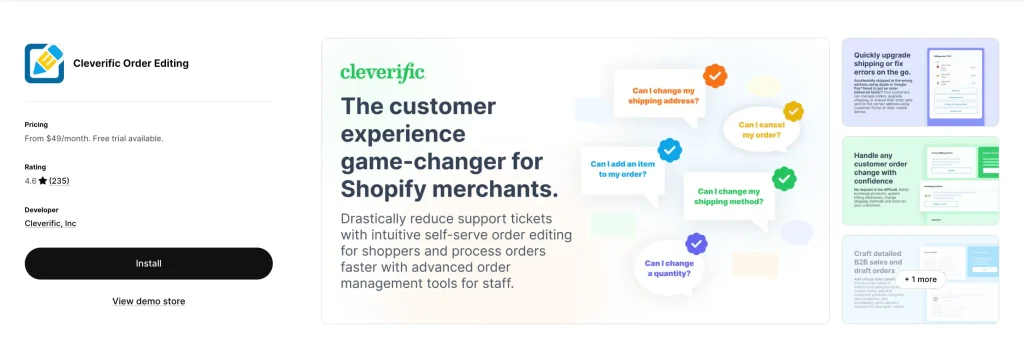
Cleverific is one of the longest-running order editors on Shopify. It launched in February 2014 — a full decade before most of the newer apps on this list — and in 2026 it rebranded from "Cleverific Order Editing" to Cleverific AI Upsell & Editing, adding AI-personalized post-purchase upsells on top of its editing engine. That history shows — it handles edge cases others don't, especially for wholesale, custom, and draft orders.
What makes it different
Cleverific still leads with backend power for your team. Its "Advanced Mode" lets staff edit things Shopify normally locks down — billing addresses, product customizations, taxes after an order is placed. It also enhances draft orders for sales, custom orders, wholesale orders, backorders, and preorders. The new AI layer adds personalized post-purchase upsells with built-in A/B testing, billed at $1 per converted upsell on the Growth plan rather than a percentage of revenue.
Standout features
- Self-serve customer portal for standard edits
- Advanced staff editor for complex changes (billing address, taxes, custom pricing)
- Order editing automations via Shopify Flow (e.g., auto-add free gifts to orders over $100, auto-split bundles for fulfillment)
- AI-personalized post-purchase upsells with A/B testing ($1 per conversion on Growth)
- Abandoned cart recovery with payment requests
- Draft order enhancements for wholesale and B2B
- ShipStation, NetSuite, Recharge, Klaviyo, Order Printer Pro integrations
- SOC 2 Type II attestation on Premium Plus plan (rare for this category)
Real merchant feedback
- Incrediwear Holdings (US, 9+ years using): "Have had a couple of issues with the app here and there over the years, but customer service is excellent and quick to respond and stay in contact."
- Limited Run Games (US, 7+ years using): "A game-changer for anyone struggling with the limitations of Shopify's native order edit options."
- TopJob (US): "Great app for customers to edit the order after placing them, as many would change their minds. It saved us TONs of time for our customer service team."
Pricing breakdown
- Growth ($59/mo): 100 edits, AI upsells at $1 per conversion
- Professional ($119/mo): 400 edits + higher automation limits
- Premium Plus ($359/mo): 800 edits + SOC 2 Type II + white-glove onboarding
Pros & cons
✅ Pros: Longest track record, best for complex B2B/wholesale, strong Flow integration, AI upsells with A/B testing, SOC 2 compliance available ❌ Cons: No Built for Shopify badge, no address validation, English only, edit count caps (not unlimited), $1-per-conversion upsell fee on Growth
Verdict: If you run a wholesale, B2B, or custom-order store (think enterprise apparel, industrial products, specialty retail), Cleverific is the pick — and the new AI upsell layer means DTC brands no longer have to rule it out either.
5. CP: Order Editing & Upsell (Clickpost) — Best Free Plan to Start
Rating: 5.0 stars (51 reviews, verified August 2026) Pricing: Free to install — 25 edits free every month, paid plans from $49/mo Badge: Built for Shopify ✅ Best for: New stores testing the waters, high-growth stores with unpredictable volume
Clickpost gives you one of the friendliest on-ramps in this guide: a genuinely free installation with 25 free edits every month, then clearly tiered plans (with 14-day trials) once your volume justifies upgrading.
Standout features
- Self-service editing on thank-you page, order status page, and customer accounts
- Address validation via Google Maps
- Auto-cancellations with automated refunds or store credit
- Post-purchase upsells to lift AOV
- 3PL/WMS integrations (Easycom, Unicommerce, and more)
- 24/7 chat + Slack support on paid plans
- Klaviyo and Judge.me integration
Real merchant feedback
- Mars By GHC (US): "Customers can handle order edits themselves, and the post-purchase upsells have been a solid bonus for incremental revenue."
- Samoh by TATA (India): "We already edit 100+ orders monthly and has resulted in lower support tickets. What I appreciate is the flexibility, from modifying addresses to changing products and even adding upsells, it all just works."
- Bonhomie (India): "A much needed solution to a very common support issue."
Pricing breakdown
- Free to install: 25 edits per month
- Growth ($49/mo): 500–5,000 orders/mo, unlimited edits + upsells
- Professional ($129/mo): 5,000–15,000 orders/mo, dedicated Account Manager
- Enterprise ($199/mo): 15,000+ orders/mo (all paid plans have 14-day trials)
Pros & cons
✅ Pros: Truly zero-risk start, Built for Shopify badge, 24/7 support, strong 3PL/WMS sync ❌ Cons: Free plan capped at 25 edits/month, smaller review base than the category leaders
Verdict: Best for stores that want to test order editing without committing to a monthly subscription. Once you're consistently above 25 edits a month, the $49/mo Growth plan is the natural next step.
6. Editify Order Editing & Upsell — Best for Admin-Side Editing & Backdating
Rating: 3.8 stars (23 reviews, verified August 2026) Pricing: Starter $19/mo, Pro $39/mo + 1% upsell fee, Enterprise $199/mo Best for: Retail + online stores using a separate POS
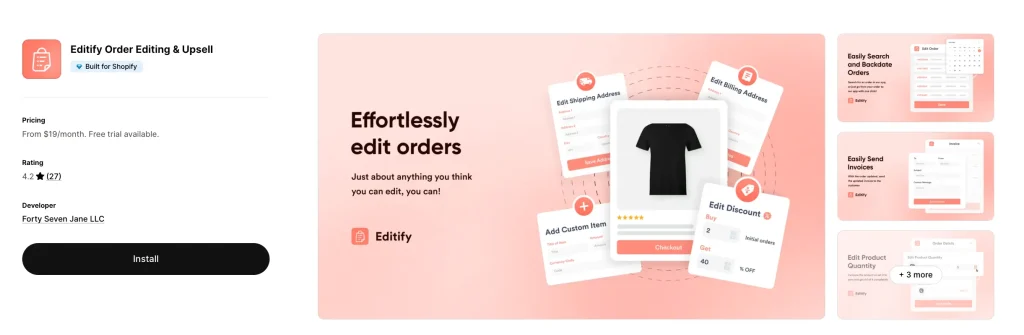
Editify is best known on this list for letting you backdate orders. If you run a physical store with a separate POS system (Clover, Square, Lightspeed, etc.) and enter weekend sales into Shopify on Monday, Editify fixes your analytics. While some enterprise tools like Cleverific's Advanced Mode allow staff to edit locked-down fields, Editify's dedicated backdating feature is purpose-built for this specific workflow.
Standout features
- Backdate Orders — change the order date to match when the sale actually happened
- Edit products, shipping costs, and billing addresses from Shopify admin
- Custom Shopify Flow actions for post-purchase automation
- Customer Portal on the Pro plan for self-serve edits
- Invoice generation with custom branding
- Financial reporting accuracy (correct revenue by actual sale date)
Real merchant feedback
- High Cotton Decor (US): "We use a separate POS in our store on are too busy on the weekends to scan items in Shopify so on Mondays I manually add all the orders from the weekends and back date them. Editify does it perfectly! And the support is excellent! I had a question and Alberto scheduled a video call with me immediately to walk me through what I needed to do."
- Beer Golf (US): "Easy to onboard, easy to use. Has reduced the amount of time I have had to spend each day responding to customers who commonly put in the wrong shipping address."
The cautionary note
Editify's rating has slipped to 3.8 stars as of August 2026, and it no longer carries the Built for Shopify badge it once displayed. One merchant (Wil Shrike Art) reported a duplicate-charge issue when amending a billing address — the developer responded within 24 hours and offered a fix. If you rely on perfect billing data, test carefully before going live, and consider RetroOrder: Order Editing (apps.shopify.com/retroorder) as an alternative backdating pick — it competes directly on the change-order-date workflow.
Pricing breakdown
- Starter ($19/mo): Backdating, edit shipping cost, billing address, invoices, financial reporting
- Pro ($39/mo + 1% upsell fee): Everything plus customer portal and Flow actions
- Enterprise ($199/mo): ERP integrations, white-glove onboarding, 1-to-1 Slack support
Pros & cons
✅ Pros: Dedicated backdating workflow, cheap $19/mo entry price, strong for admin-side operations ❌ Cons: 3.8-star rating with mixed reviews on edge cases, no Built for Shopify badge, 1% upsell fee on Pro plan, English only
Verdict: Niche but necessary if you backdate offline orders into Shopify — just weigh the rating dip and compare it against RetroOrder first. For pure e-commerce stores, skip it.
7. Relocate+ Order Editing — Best Lightweight Rule-Based Editor
Rating: 5.0 stars (37 reviews, verified August 2026) Pricing: Free plan (one edit type, unlimited edits), Basic $19/mo, Advanced $39/mo Badge: Built for Shopify ✅ Languages: 31 languages including Arabic, Hebrew, Hindi, Japanese, Korean, Thai, Vietnamese, and Chinese Best for: Pre-orders, shipping delays, and stores that need granular rules
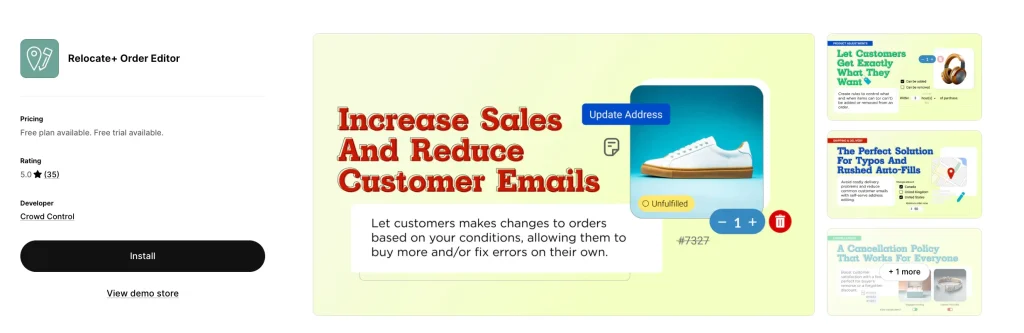
Relocate+ (by Crowd Control) is the rule-based specialist. It's not trying to do upsells or subscription edits — it nails one thing: giving you precise control over what customers can change, when, and under what conditions.
Standout features
- Time-based restrictions for when the address editor is available
- Customers can edit variants-only or add/remove products based on your rules
- Integrates with ShipStation and Recharge
- Available on thank-you page, order status page, order confirmation emails, AND store accounts
- Exclude certain products from being edited (e.g., preorders, final sale)
- Set expiration dates for editing specific product types
- 31-language support — the widest on this list
Real merchant feedback
- Merchant review (US): "This app is an absolute no brainer. If you have customers that provide the wrong shipping address (happens to every store owner really) this app allows your customer to edit their shipping address after checkout. 15 minutes has been our sweet spot."
- Not-for-profit retailer: "It gives our customers peace of mind during times when we're not monitoring our customer service email, such as over the weekend and on holidays."
- Common theme: easy setup, responsive support, minimal friction.
Pros & cons
✅ Pros: Free plan with unlimited edits of one type, widest language support, strong rule-based editing, Built for Shopify badge ❌ Cons: No post-purchase upsells, no address validation, smaller review base than Cleverific/OrderEditing
Verdict: Best for international stores that don't need upsells but do need granular control — especially fashion brands with preorders and made-to-order items.
8. Orderify — Simplest Cancel + Reorder Tool
Rating: 4.8 stars (59 reviews, verified August 2026) Pricing: Priced by your Shopify plan — Basic $4.99/mo, Shopify $8.99/mo, Advanced $24.99/mo, Plus $99.99/mo — with a 30-day free trial Developer: Customer First Focus Best for: Stores that want fast cancel + reorder without complex edits
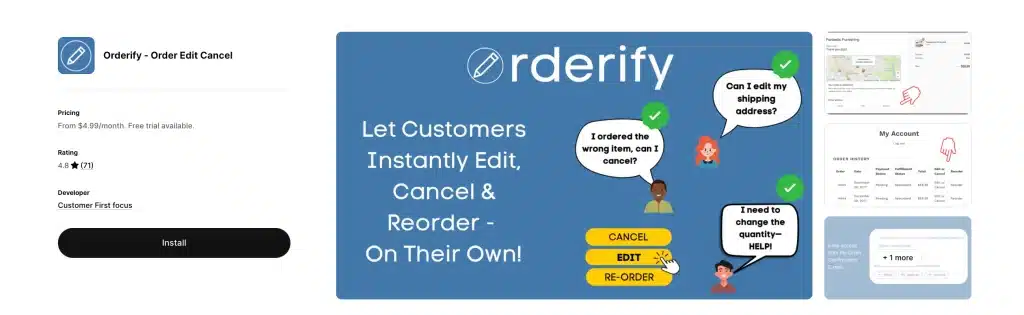
Orderify takes a fundamentally different approach. Instead of modifying orders in place, it cancels the original order and drops items into a fresh cart for the customer to re-checkout.
How it works
Orderify adds a self-service customer portal to your order status pages, confirmation emails, and account section. Customers can easily modify unfulfilled orders or place one-click reorders, while automatic refunds and inventory restocking handle the backend processes.
Standout features
- One-click cancel from the thank-you page and order status page
- One-click reorder for repeat customers
- Automatic refunds and inventory restocking
- Setup takes 5 minutes
- Works with all Shopify payment gateways
- Customizable edit-time limits
Real merchant feedback
- Multi-site merchant: "We are using Orderify across 10 of our websites and it has saved our customer service team a lot of time and effort dealing with requests to cancel orders."
- Endless Blading Co.: Gave a tip for other merchants — "implement a Flow automation to delay payment capture on new orders so that when customers cancel and create new orders (for edits) you don't lose the Shopify payments fees."
- stamplab.com.au: "It's reduced those 'can I make a change?' emails, which has been a relief."
The important caveat
Because Orderify cancels and recreates orders instead of editing them, you will lose Shopify Payments processing fees unless you configure a Flow automation to delay payment capture. Several negative reviews cite this as a dealbreaker — one merchant reported the app "messed up my whole checkout code." Test in a development store before going live on high-volume sites.
Pros & cons
✅ Pros: Cheapest paid option at $4.99/mo for Basic-plan stores, generous 30-day trial, simple setup, long track record (since 2016) ❌ Cons: Price scales with your Shopify plan (up to $99.99/mo on Plus), cancel-and-reorder model loses payment fees, outdated UI ("early 2000's vibes" per one reviewer), no true in-place editing
Verdict: Best for stores where most "edits" are really just cancellations or full reorders. Avoid if you rely on preserving original order IDs for accounting.
9. EOE – Easy Order Editing — Cheapest Way In
Rating: 5.0 stars (8 reviews, verified August 2026) Pricing: Free (5 orders/mo), Pro $9.99/mo (100 orders), Elite $89.99/mo (1,000 orders), Ultra $299.99/mo (unlimited) Languages: 7 including English, French, Spanish, Portuguese, Italian, and German Best for: Micro stores doing under 100 orders/month
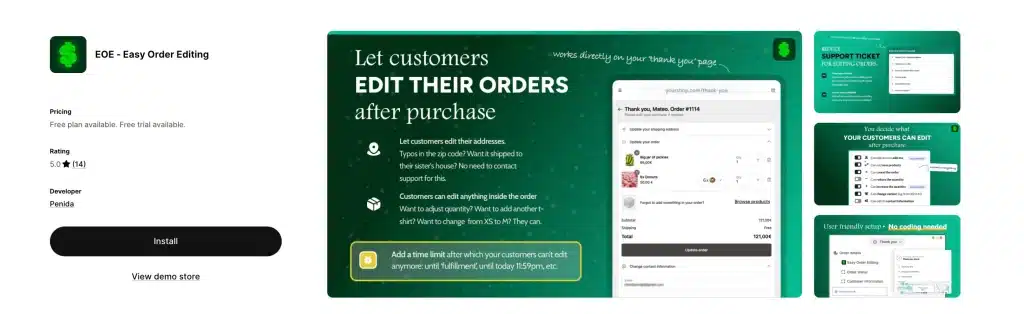
EOE (Easy Order Editing) is the budget-friendliest way to get real order editing on Shopify. The free plan covers 5 orders per month — enough to test whether self-serve editing is worth the investment.
Standout features
- Customers can edit order details post-purchase
- Update shipping address, product variants, or quantities
- Generate branded invoices with custom logo and colors
- Change variants (size, color) after purchase
- Enable/disable order cancellation
- Quantity adjustments
- Free gift and shipping protection offers (on higher tiers)
Real merchant feedback
- Zoyoka (India): "EOE works smoothly, and their customer service is truly the best. The support person who helped me set up the app was super kind, patient, and awesome to work with."
- Rebellious Pins (US): "Customers began using the feature the first day I installed the app. I don't have to manually update orders anymore which saves so much time!"
- Madre Tierra Celestial (Mexico): "Es de esas apps que siempre deberías tener configurada para evitarte dolores de cabeza con clientes que se equivocan al colocar sus direcciones."
The caveat
EOE's listing warns: "If your store uses the manual payment capture method, secondary payments added to edited orders may need to be captured separately." Translation: if you hold charges until fulfillment, you'll need manual intervention on edit fees.
Pros & cons
✅ Pros: Cheapest real free plan, simple UI, 7-language support, great for side-hustle stores ❌ Cons: No Built for Shopify badge, limited upsell features, 1,000-order cap on Elite plan forces Ultra plan jump
Verdict: Perfect for micro stores, Etsy migrants, and first-time Shopify sellers who want to try self-serve editing without financial risk.
10. LEO – Order Editing & Upsell — Best Truly Free Option
Rating: 5.0 stars (5 reviews, verified August 2026) Pricing: Free Best for: Hobby stores and brand-new Shopify merchants
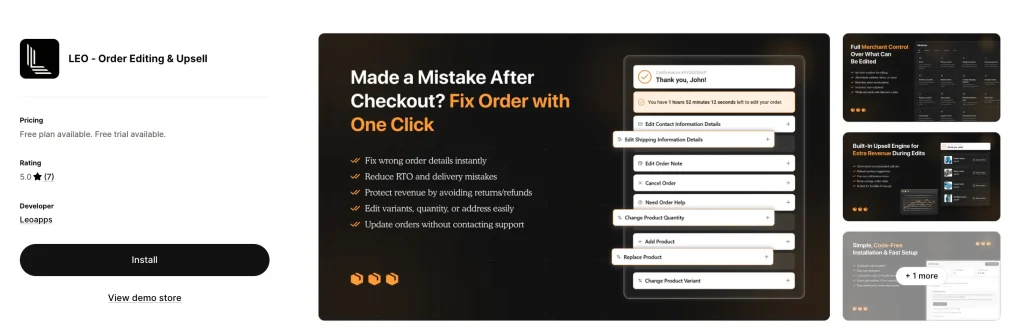
LEO is the newest entry on this list, with only 5 reviews, but it's showing up in "more apps like this" across the category. Its claim: full order editing and upsells, completely free.
Standout features
- Self-serve order editing (address, items, variants)
- Order cancellation
- Basic post-purchase upsells
- Works with Shopify customer accounts
- Zero cost
The honest reality
LEO is early-stage. 5 reviews isn't enough to validate long-term reliability or support quality. But for merchants who want to experiment before committing to a paid app, LEO is a low-risk way to see if order editing moves the needle for your store.
Pros & cons
✅ Pros: Truly free, includes upsells, 5-star rated ❌ Cons: Very small review base, no BFS badge, unclear roadmap for long-term sustainability
Verdict: Test it on a staging store. If support is responsive and the features hold up, it's a fantastic free option.
11. Tacey: Order Editing & Merge — Best for Order Merging + Address Validation
Rating: 5.0 stars (1 review, verified September 2026) Pricing: $29/mo (0–750 orders), $49/mo (751–1,500), $79/mo (1,501–2,500), $129/mo (2,501–5,000); annual billing saves 17%; all features on every plan Free trial: 14 days Languages: 20, including Japanese, Korean, Turkish, and Thai Best for: Stores whose customers often place two orders back-to-back, or that lose money to wrong addresses

Tacey (by OnDutyOps) puts self-serve order editing directly on the Shopify thank-you and order-status pages, so customers fix mistakes before fulfillment without opening a ticket or learning a separate portal. Its standout is order merging: two paid orders from the same customer become one shipment, with no refund and no second charge. Few apps in this category offer that.
What makes it different
Most apps on this list lock features behind higher tiers. Tacey prices by order volume only, so a store on the $29 plan gets the same self-serve editing, address validation, order merging, and upsells as one on the $129 plan.
Standout features
- Self-serve edits: fix a wrong address, change quantity, swap a variant, add items, apply discounts, or cancel
- Address validation on every order, with fulfillment held until the address is corrected
- Edit windows with auto-hold on fulfillment, plus pre-shipment reminders while the window is open
- Order merge: combine two paid orders into one shipment
- Cancellations with refund to the original payment method or store credit, restocking fees, and retention offers
- Post-purchase upsells and a downloadable PDF invoice on the order-status page
- Log of every edit, charge, and refund, matched to what Shopify processed
- Works with Checkout, Customer Accounts, Shopify Flow, 3PLs, preorder and shipping apps, and Sidekick
Pricing breakdown
- 0–750 orders: $29/mo ($290/yr)
- 751–1,500 orders: $49/mo ($490/yr)
- 1,501–2,500 orders: $79/mo ($790/yr)
- 2,501–5,000 orders: $129/mo ($1,290/yr)
Every plan includes a 14-day free trial and Slack support directly with the founder.
Pros & cons
✅ Pros: All features on every plan, order merging, address validation with auto-hold, detailed edit and refund log, store-credit refunds, 20 languages ❌ Cons: Brand-new app with only 1 review, no free plan, no Built for Shopify badge yet, no subscription order editing
Verdict: The best pick if duplicate orders and wrong addresses are your main headaches. The review base is too small to judge long-term reliability, so use the 14-day trial to test merging and address holds with your 3PL before committing.
View Tacey on the Shopify App Store →
Self-Serve vs Support-Driven Order Editing: Which Model Fits Your Store?
Searches for "self serve order editing" are climbing for a reason: the biggest split in this category isn't price — it's who actually performs the edit. Some apps hand the controls to your customer; others give your support team superpowers inside Shopify admin. Here's how the 11 apps above break down:
| Editing Model | Apps (verified live, August 2026) | Best When |
|---|---|---|
| Customer self-serve — shoppers edit their own orders from the order status page, emails, or their account | OrderEditing.com, Revize, AE, CP, Relocate+, EOE, LEO, Tacey | You want to eliminate "wrong address / wrong size" tickets entirely and capture upsells while you're at it |
| Support-driven (admin-first) — your staff makes complex edits Shopify normally locks | Cleverific, Editify | You handle B2B, wholesale, custom orders, backdating, billing-address or tax edits that customers should never touch |
| Cancel-and-reorder — the "edit" is really a cancellation plus a fresh checkout | Orderify | Most of your change requests are full cancellations or simple reorders |
Most growing DTC stores need the first model — it's the one that actually deletes support tickets. But if your edits involve taxes, billing addresses, or draft orders, a self-serve portal won't help; that's support-driven territory. Plenty of Plus stores run one of each (for example, Revize for customers plus Cleverific for staff).
What About Redo, RetroOrder, and the Apps We Left Out?
A few apps come up in searches for Shopify order editing that didn't make our top 11 — here's the honest take on each:
Order Editing by Redo (apps.shopify.com/redo) — Redo offers customer self-serve order editing (variant swaps, address changes, add/remove items, discounts, cancellations) with no monthly fee for the editing feature. The catch: it's bundled into Redo's broader returns, exchanges, and package-protection platform, so you're adopting a full post-purchase suite, not a lightweight editing tool. If you're already shopping for a returns platform anyway, Redo's free order editing is genuinely disruptive to this category's pricing. If you only want order editing, a dedicated app from the list above gives you tighter control.
RetroOrder: Order Editing (apps.shopify.com/retroorder) — the most direct rival to Editify for changing order dates and admin-side fixes. With Editify's rating slipping to 3.8 stars, RetroOrder is worth a parallel trial before you commit to a backdating workflow.
Apps we evaluated but excluded: Order Desk (an order management/automation hub rather than a customer-facing editor), OrderEase and Cart Pencil (small review bases with narrower feature sets than comparable picks above), and EditsYard (overlaps almost entirely with cheaper options on this list). We'd rather keep the list at 11 apps we can fully stand behind than pad it to 15.
Shopify Order Editing App Feature Deep-Dive: What Actually Matters
You've seen the table. Now let's break down what each feature actually does for your business and which apps execute it best.
Self-Serve Customer Portal
This is the #1 reason to install any of these apps. It lets customers fix their own orders without emailing support.
Best execution: OrderEditing.com, Revize, AE — all three surface the portal on the order confirmation page, order status page, AND in customer accounts. Orderify only uses the cancel-and-reorder flow, which is less elegant.
Address Validation
This catches typos and undeliverable addresses before the label prints. The ROI is huge if you ship internationally or have lots of mobile checkouts where typos are common.
Best execution: AE (Account Editor) and CP (Clickpost) both use Google Maps-powered validation with deliverable suggestions. OrderEditing.com flags bad addresses but doesn't always suggest corrections.
Post-Purchase Upsells
Turn order edits into revenue. When a customer opens the edit flow to fix an address, you show them "Customers like you also bought…"
Best execution: OrderEditing.com, Revize, and AE all offer one-click upsells, and Cleverific's 2026 rebrand added AI-personalized upsells with A/B testing. OrderEditing.com reports brands like Forme boosting AOV at checkout and post-purchase, and Nakie's email drives six figures of additional revenue.
3PL / WMS Integrations
Critical if your warehouse pulls orders fast. Without this, customers edit orders after your warehouse has already started picking — creating chaos.
Best execution: OrderEditing.com (100+ integrations, explicitly stops 3PLs from pulling orders until edit window closes). Revize (100+ integrations). AE (ShipStation, CartRover, Brightpearl). Cleverific (NetSuite, ShipStation).
Subscription Order Editing
Let customers edit subscription orders before the next billing cycle. Rare but growing in demand — and every app on this list that supports it does so through integration with third-party subscription apps (like Recharge), not as a native feature.
Best execution: Revize integrates with nearly all major subscription apps. OrderEditing.com and Cleverific also support subscription editing via Recharge integration. There is no order-editing app on Shopify that has native subscription billing built in — you'll always need a subscription app (like Recharge or Shopify Subscriptions) running alongside.
Store Credit Refunds
Instead of refunding to the original payment method (losing the revenue), refund to store credit (keeping the revenue). Huge for LTV. Shopify now supports store credit natively on all plans — but only as a manual, staff-initiated refund, and customers can't apply store credit to edited or draft orders. What apps add is automatic, rule-based store-credit refunds inside the self-serve cancel flow.
Best execution: Revize (Pro plan), AE, CP — all three offer automated store credit as a refund option during customer-initiated cancellations.
Shopify Flow Integration
Automate order-edit triggers: tag edited orders, notify Slack, add free gifts, split bundles for fulfillment.
Best execution: Cleverific (strongest Flow automation focus, with automation counts explicitly built into pricing tiers). AE, OrderEditing.com, and Editify all have Flow actions too.
Edit Windows
Set a time limit on edits — for example, "customers can edit for 30 minutes after checkout" — so orders close for editing before they're pulled by the warehouse.
Best execution: Every app supports this. OrderEditing.com's default is 30 minutes and they rarely find customers using the order editing app after 30 minutes.
How to Edit an Order in Shopify (Without an App)
Before you install anything, here's what Shopify already lets you do:
- Go to Shopify admin → Orders
- Click the order you want to change
- Click Edit at the top right
- Add items with "Add products," remove line items, or change quantities
- Click Save and choose whether to send the customer an updated invoice
That's the native flow. It works — but only for staff-side edits, only on unfulfilled orders, and only for line items, quantities, and a limited set of fields.
What you can't do natively:
- Customers can't edit their own orders — there is no native self-serve order editing in Shopify
- You can't validate addresses
- You can't offer upsells during the edit
- You can't remove fulfilled line items or reduce their quantities (you can still add products or change the shipping address on a partially fulfilled order — unless it includes duties or import taxes, which blocks editing entirely)
- You can't change the order date (backdate)
- You can't auto-refund to store credit with rules (native store credit refunds exist, but they're manual)
- You can't set rules by product type
A few more native gotchas Shopify's docs bury: shipping rates are not recalculated when you edit an order (you have to adjust shipping manually), orders paid with Shop Pay Installments and local delivery orders can't be edited at all, store credit can't be applied to edited or draft orders, and if a higher balance results from an edit, Shopify collects it by sending the customer an updated invoice rather than charging automatically. On the store-credit front: Shopify does now support issuing store credit as a refund on all plans, but only manually, only for the full balance at once — and stores created on or after May 12, 2025 pay third-party transaction fees on store-credit orders unless they're on Plus with Shopify Payments.
That's the entire business case for every app in this article.
Can I Edit a Shopify Order After Shipping?
Short answer: mostly no, not through Shopify itself.
Once a shipping label exists, Shopify locks most edits. Your options are:
- Cancel the label (if your carrier allows it — varies by carrier and timing)
- Issue a partial refund and ship a replacement
- Contact the carrier to reroute (extra fees usually apply)
- Intercept at the facility (UPS, FedEx, and USPS all offer paid intercept services)
The apps above handle this differently:
- OrderEditing.com and Revize set an "edit window" (typically 30 minutes) so orders are flexible right after checkout but lock once warehouse picks begin
- AE and CP auto-close the edit window when fulfillment starts
- Relocate+ lets you set custom time limits per product type
If post-shipping edits are your main problem, focus on preventing bad orders with address validation (AE or CP) rather than trying to fix them after the fact.
How Order Editing Reduces Support Tickets: Real Numbers
Across every app listing we reviewed, merchants consistently report the same metric:
Support tickets drop 40–98% in the first 30 days after installing an order editing app.
Breaking down the math:
- Baseline: ~7% of orders trigger a support ticket for changes
- After installing a self-serve editor: That drops to 0.5–2%
- Savings: For a 5,000-order/month store, that's 250–350 fewer tickets per month
At an average cost of $5 per support ticket (salary + time + software), that's $1,250–$1,750 in savings every month — more than enough to cover any app on this list, including the $99+ enterprise tiers.
One Order Editing customer tracked a 98% reduction — from 2,000 monthly support contacts down to just 40.
How Order Editing Increases AOV: The Upsell Opportunity
Order editing isn't just defensive. It's offensive revenue generation.
Here's why: the moment right after checkout is the highest-intent moment of the entire customer journey. The shopper already entered their card, already committed, and is feeling buyer's satisfaction. If you show a relevant add-on during the edit flow, conversion rates explode.
Nakie, an Australian hammock brand, generates six figures of additional revenue from a single post-purchase email sent through Order Editing.
Upsell winners across these apps:
- Free shipping unlocks ("Add $15 more for free shipping")
- Warranty & protection (one-click add)
- Frequently bought together bundles
- Gift wrap & priority processing
- Volume discounts ("Buy 2, get 15% off")
Apps that natively support this: OrderEditing.com, Revize, AE, CP, LEO.
Which Shopify Order Editing App Should You Pick? Decision Tree
Use this tree to narrow down in under 60 seconds:
Start here:
Are you on Shopify Plus or doing 5,000+ orders/month?
- Yes → OrderEditing.com (enterprise proven, $6B+ GMV handled)
- No → Continue
Do you run subscriptions (Recharge, Shopify Subscriptions)?
- Yes → Revize (integrates with all major subscription apps and offers the widest feature set for subscription-aware editing)
- No → Continue
Is your #1 problem wrong addresses and bad shipping data?
- Yes → AE: Order Editing & Upsell or CP: Order Editing & Upsell (both have Google-powered validation)
- No → Continue
Do customers often place a second order right after the first?
- Yes → Tacey (merges two paid orders into one shipment, plus address validation, from $29/mo)
- No → Continue
Do you run B2B, wholesale, or custom orders?
- Yes → Cleverific AI Upsell & Editing (12 years on Shopify, strongest B2B features)
- No → Continue
Do you need to backdate orders from offline POS sales?
- Yes → Editify (dedicated backdating feature) — but trial RetroOrder alongside it given Editify's 3.8-star rating
- No → Continue
Do you want to start free with no monthly commitment?
- Yes → CP: Order Editing & Upsell (free plan, 25 edits/mo) or Revize (free plan, 20 edits/mo)
- No → Continue
Are you a micro-store doing under 100 orders/month?
- Yes → EOE ($9.99/mo) or LEO (free)
- No → Continue
Are you international and need 20+ language support?
- Yes → Revize (20+ languages) or Relocate+ (31 languages)
- No → AE or Revize will cover most cases
Frequently Asked Questions: Shopify Order Editing
Can customers edit their own Shopify orders natively?
What happens if I edit a Shopify order after payment?
Can I edit a Shopify order after fulfillment?
Does order editing work with Shopify subscriptions?
Is there a free Shopify order editing app?
How do I change the shipping address on a Shopify order?
Will edits affect my 3PL?
Can I cancel a Shopify order automatically?
What's the best Shopify order editing app for small stores?
How do order editing apps handle refunds?
Refund to original payment — Shopify standard behavior
Refund as store credit — keeps the revenue in your store, encourages repurchase
Shopify supports store credit refunds natively on all plans now, but only as a manual staff action. Revize, AE, CP, and Tacey automate store-credit refunds with rules inside the self-serve flow — typically the higher-LTV choice.
Can I merge two Shopify orders into one shipment?
What is self-serve order editing on Shopify?
Does Redo offer free order editing on Shopify?
Can I refund to store credit in Shopify without an app?
Final Verdict: Our Top Picks for 2026
After testing 10+ apps against Shopify App Store data, review sentiment, and feature depth, here are our final recommendations:
🥇 Best Overall: Revize: Order Editing & Upsell
The combination of a real free plan, Built for Shopify badge, subscription editing, 20-language support, and unlimited edits at $49/mo makes Revize the best app for 80% of merchants.
🥈 Best for Enterprise: OrderEditing.com
If you're on Shopify Plus or processing 5,000+ orders/month, the integrations, 3PL protection, and case study results from brands like Mejuri, Aviator Nation, and Oh Polly justify the $99+ price tag.
🥉 Best for Address Problems: AE: Order Editing & Upsell
Best UX, Built for Shopify badge, and the cleanest Google-powered address validation in the category — all starting at $39/mo.
🏅 Best Hidden Gem: Cleverific AI Upsell & Editing
12 years of reliability, strong B2B and draft-order features, deep Shopify Flow automation — and, since its 2026 rebrand, AI-personalized post-purchase upsells. The pick for wholesale and custom-order merchants who need staff-side power.
Your Next Step: Install, Test, Measure
Pick one app that fits your store size. Install the free plan or free trial. Run it for 14 days. Track these three numbers:
- Support tickets about order changes — should drop 40%+ immediately
- Post-purchase upsell revenue — any positive number is pure profit
- Bad address shipments — if you installed AE or CP, this should approach zero
If those numbers move, you'll have your answer. If they don't, uninstall and try the next app — most offer full free trials.
The merchants who win in 2026 aren't the ones with the most traffic. They're the ones who recover every order that would have otherwise become a refund, cancellation, or support ticket.
Your shoppers will make mistakes. The question is whether they can fix those mistakes in 30 seconds, or whether your support team has to fix them in 30 minutes.
Pick your app. Install it today. Watch the tickets disappear.