
26 Best Shopify Apps (September 2026): Free, Paid & Must-Have Picks
The best Shopify apps can double your average order value, automate your email marketing, and cut your support workload in half. The wrong ones will slow your site, drain your budget, and conflict with each other.
Shopify’s own App Store homepage says it lists over 16,000 apps (checked September 2026). Most merchants do not need more than 8 to 15 of them. The difference between a store doing $10K/month and one doing $100K/month is rarely the number of apps installed — it is whether each app serves a clear, revenue-generating purpose.
This guide covers the 26 best Shopify apps for 2026 across every major category: cart optimization, email marketing, upsells, reviews, loyalty, SEO, customer support, subscriptions, and more. Every app includes pricing checked in July–August 2026, App Store ratings re-checked on 23 September 2026, pros and cons, setup tips, and the specific use case it solves best.
In a hurry? The eight apps we recommend most often are in our 60-second best Shopify apps web story — one card per app, with July 2026 pricing.
Short Answer: The Best Shopify Apps in 2026
The best Shopify apps cover four jobs, one app each: reviews (Judge.me, free), email (Klaviyo or Omnisend), average order value (a cart drawer app such as Oxify Cart Drawer & Upsells, our app) and automation (Shopify Flow, free). Add loyalty, subscriptions, helpdesk and SEO tools only once you pass roughly $10K/month.
Those four cover social proof, retention, AOV and operations — the levers that move revenue for almost every store. Keep customer-facing apps under 15 so your storefront stays fast.
Everything below is the long version: what each app actually costs in July 2026, where the free plans stop being free, and which apps you can safely skip.
How We Tested and Picked These Apps
Recommendation lists are easy to fake, so here is our method — judge the list against it.
- Pricing was re-verified in August 2026 directly against each vendor's public pricing page and Shopify App Store listing, not copied from older roundups. Shopify app pricing changes constantly; several apps in this guide have repriced since our March 2026 version.
- Ratings and review counts are read from the Shopify App Store, which only accepts reviews from merchants who have actually installed the app.
- We disclose our own apps. Oxify builds three of the apps recommended here (Cart Drawer & Upsells, Quantity Breaks & BYOB, Oxify Section). Those are marked clearly, and in every category we also name the strongest competitor — including cases where a competitor is the better pick.
- We flag the cliff, not just the headline price. The number that matters is not "from $15/month" — it is what you pay at 1,000 or 10,000 orders, and which features are locked behind the tier above. That is where most merchants get surprised.
- Performance is judged against Shopify's rule, not a feeling. Shopify enforces one performance limit: an app must not lower a store's Lighthouse performance score by more than 10 points (shopify.dev, checked 11 October 2026), and Built for Shopify repeats it. We note "Built for Shopify" where it applies and publish no speed numbers for individual apps.
- Re-checked on 11 October 2026. We re-read the live App Store listings for Oxify Cart Drawer & Upsells, Oxify Quantity Breaks & BYOB, Judge.me, Klaviyo, Loox and Rebuy, and Shopify's Help Center page for Flow. That corrected two claims: Loox has a free plan (we had said none) and Shopify Flow is available on the Basic plan (we had said it was not). Every other rating and price keeps the date printed beside it.
What we cannot claim: we have not run a controlled A/B test of all 26 apps on a single store — nobody has. Where we cite lift percentages, they come from vendor-reported or aggregate merchant data, and we say so. Treat them as directional, not guaranteed.
For what this looks like with real numbers on real stores — revenue by placement, what was switched on, and screenshots of the analytics behind each figure — see our case studies.
Key Takeaways
If you are short on time, here is the cheat sheet:
- Best cart app: Oxify Cart Drawer & Upsells — 4.9 stars (40 reviews), Built for Shopify, covers cart drawer, product page, post-purchase and thank-you page in one install from $9.99/mo with no revenue share
- Best email app: Klaviyo (power) or Omnisend (value) — automated flows earn far more per send than broadcasts
- Best free review app: Judge.me — unlimited reviews, rich snippets, 47,000+ reviews
- Best upsell app: Oxify Cart Drawer & Upsells — product page, cart drawer, post-purchase and thank-you upsells in one install. ReConvert if you only want post-purchase; Oxify Quantity Breaks & BYOB ($14.99/mo, 14-day trial) for volume discounts
- Best helpdesk: Gorgias — unified inbox, AI support, Shopify-native order management
- Best loyalty app: Smile.io — points + VIP tiers + referrals, from $15/mo (but VIP tiers need the $199 Growth plan)
- Best SEO app: TinyIMG (free image optimization) + Plug In SEO (health audits)
- Best free automation: Shopify Flow — replaces half the paid apps in your stack
- Best data management: Matrixify — the most essential data management tool for scaling stores
- Ideal app count: 8-15 total. Under 10 customer-facing apps to maintain site speed.
Keep reading for the full breakdown with implementation tips, pricing, and the exact stack to build at each revenue stage.
What Changed in the Shopify App Ecosystem in 2026
If you last picked your stack in 2024 or 2025, five things have shifted enough to change your decisions:
- The App Store kept growing. Shopify now describes it as “over 16,000 apps”. App Store search placement is no longer a useful quality filter — review count, review recency and Built for Shopify certification are.
- Klaviyo moved to active-profile billing. Since February 2025 you pay for every reachable contact, including cold ones. List hygiene became a direct line-item cost, and this alone pushed a lot of small merchants to Omnisend.
- Loyalty pricing got top-heavy. Smile.io's useful features — VIP tiers, Klaviyo and Gorgias integrations — now sit on the $199/month Growth plan. Entry pricing of $15 is real but rarely what you end up paying.
- Built for Shopify became a genuine filter. The certification now carries real performance requirements, and it is the fastest way to screen out apps that will damage your Core Web Vitals.
- AI assistants became a discovery channel. A growing share of merchants now ask Claude, ChatGPT or Google's AI Overviews "what app should I use for X" instead of browsing the App Store. That rewards apps with clear, factual, consistent public documentation — and punishes ones whose pricing is hidden behind a demo call.
Quick Comparison: Best Shopify Apps at a Glance (2026)
| Category | Best Overall Pick | Rating | Price | Free Plan? | Key Benefit |
|---|---|---|---|---|---|
| Cart Optimization | Oxify Cart Drawer & Upsells | 4.9/5 | $9.99–$149.99/mo | 14-day trial | All four upsell placements in one app |
| Email & SMS | Klaviyo | 4.7/5 | Free, then from $20/mo | 250 profiles / 500 sends | Deepest Shopify segmentation |
| Email (Budget) | Omnisend | 4.7/5 | From $16/mo | Yes | Email + SMS + push in one app |
| Reviews (Free) | Judge.me | 5.0/5 | From $15/mo | Yes (unlimited) | Rich snippets + 47K+ reviews |
| Reviews (Visual) | Loox | 4.9/5 | Free, then from $49.99/mo | Yes (up to 500 orders) | Instagram-style galleries |
| Post-Purchase | Oxify Cart Drawer & Upsells | 4.9/5 | $9.99–$149.99/mo | 14-day trial | One-click upsells on thank-you page |
| Bundles & Discounts | Oxify Quantity Breaks | 4.9/5 | $14.99/mo or $129.99/yr | No — 14-day free trial | Tiered pricing + BOGO |
| Loyalty | Smile.io | 4.9/5 | $15 / $79 / $199 | Yes | Points + VIP + referrals |
| Helpdesk | Gorgias | 4.3/5 | From $10/mo | No | AI support + sentiment triggers |
| SEO | TinyIMG | 4.8/5 | From $9.99/mo | Yes | Auto image compression + SEO audit |
| Data Management | Matrixify | 4.9/5 | From $20/mo | Yes | Bulk import/export up to 10GB |
| Automation | Shopify Flow | 4.7/5 | Free | Yes | Native no-code automation |
| Landing Pages | PageFly | 4.9/5 | From $18/mo | Yes | Drag-and-drop page builder |
| Popups | Privy | 4.5/5 | From $30/mo | Yes | Exit-intent + email capture |
| Order Tracking | Parcel Panel | 5.0/5 | Free plan available | Yes | Branded tracking + product recs |
| Subscriptions | Appstle | 5.0/5 | Free plan available | Yes | Top-rated subscription app |
Why Your Shopify App Stack Matters More Than Ever in 2026
Before we get into specific apps, here is why this decision is so important right now.
Customer acquisition costs keep climbing. Winning a new customer usually costs far more than selling again to an existing one. Your Shopify app stack should squeeze every dollar of value from the traffic you already have — not just chase new eyeballs. The right Shopify plugins and integrations can help you increase Shopify sales without increasing your ad spend.
Site speed is a ranking factor. Google's Core Web Vitals directly punish slow stores. Every app that loads JavaScript on your storefront drags down performance. Research from Deloitte found that a 0.1-second improvement in mobile site speed lifted retail conversions by 8.4% (and travel conversions by 10.1%). For a store doing $500K a year, that speed difference can mean tens of thousands in lost or gained revenue.
AI is reshaping how people shop. We are moving toward what the industry calls "agentic commerce" — where AI assistants browse and buy on behalf of customers. Your store needs to be machine-readable, structured, and clean. A bloated mess of conflicting app scripts makes that harder.
The bottom line: Your tech stack is not a shopping list. It is Shopify store optimization at its core. Every app should have a clear job — whether that is upselling, cross-selling, driving loyalty, or improving your conversion rate. If it does not earn its place, uninstall it. This applies whether you are a small business just starting out or a Shopify Plus operation doing seven figures.
Best Shopify app for cart and checkout optimization
The cart is the most important page on your store. Not the homepage. Not the product page. The cart.
Why? The customer already said yes. They picked a product. They clicked "Add to Cart." Your only job now is to not lose them — and ideally, to increase how much they spend before checkout. Baymard Institute's 2026 compilation of 50 cart-abandonment statistics averages 70.22%, which means about 7 out of 10 shoppers who add something to their cart leave without buying. A well-optimized cart drawer is your best tool for abandoned cart recovery because it reduces friction, adds incentives, and keeps the shopper in their flow.
A traditional cart page pulls the shopper away from the page they were browsing to look at a plain list of items on a separate page — the extra step a drawer removes.
The modern solution is a slide cart drawer — a sleek panel that slides out from the side of the screen, shows cart contents, and lets customers keep shopping. (For a deep dive on why cart drawers outperform cart pages, we break down the data in a separate guide.)
This is not a small upgrade. Across the stores we have published figures for, the cart drawer is consistently the highest-earning placement of the four — see our case studies for the numbers and the analytics screenshots behind them. (Not sure about the difference? Here is our breakdown of slide cart vs. mini cart — and why it matters for your conversion rate.)
Check your theme first. Check what your theme already includes before paying for a drawer, and add an app when you need the upsell, reward-bar and gift mechanics a native drawer may lack.
Oxify Cart Drawer & Upsells (our app) — Best for Covering All Four Upsell Placements in One App
Rating: 4.9/5 (40 reviews, 11 Oct 2026) | Built for Shopify | Pricing: From $9.99/mo, tiered by monthly order volume — $9.99/mo up to 100 orders, rising through $19.99, $29.99, $49.99, $79.99 and $99.99 to $149.99 at 3,001+ orders, plus a $299/mo enterprise plan. All features on every tier, no revenue share | 14-day free trial
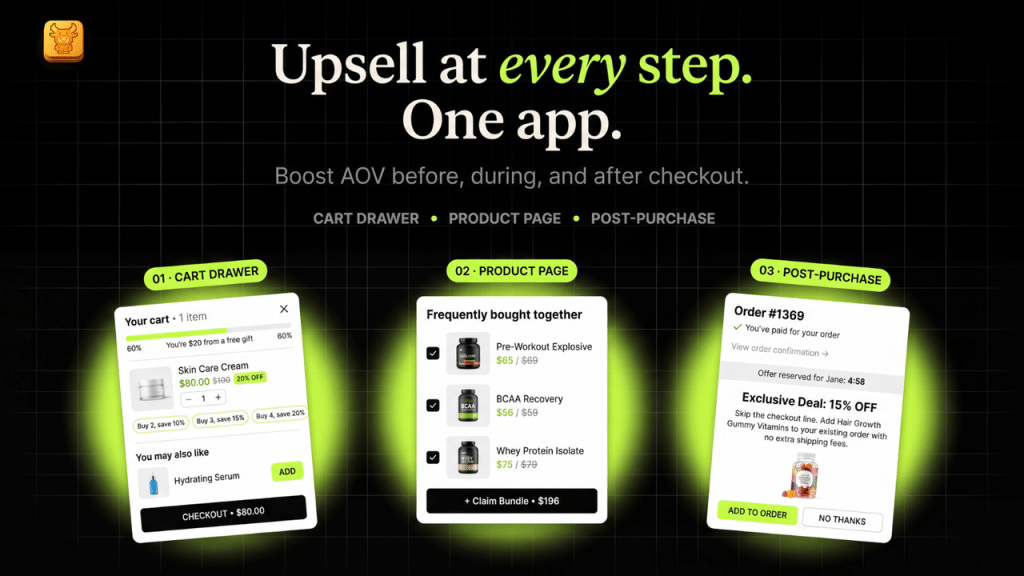
Oxify turns the slide cart drawer into a complete revenue funnel — combining five or six separate apps into one performance-optimized installation.
Core features:
- Tiered Progress Rewards Bar — Free shipping, discounts, and free gifts at spend milestones. Uses the Zeigarnik Effect (the urge to "complete" a task) to nudge bigger carts.
- Smart In-Cart Upsells & AI Recommendations — Embedded product suggestions inside the drawer (not pop-ups). Zero friction, one-click add.
- Frequently Bought Together — ML-powered bundles based on your store's real purchase data.
- One-Click Add-Ons — Gift wrapping, shipping protection, warranties — high-margin extras with a single tap.
- Post-Purchase Upsell — Present targeted offers immediately after checkout to capture additional revenue while customer trust is at its peak.
- Free Gifts & BOGO — Spend-based gift selection and "buy one get one" offers to increase basket size and clear inventory.
- Countdown Timer — In-cart urgency that pushes hesitant buyers to complete checkout now.
- Sticky Add to Cart — Floating button follows users on long product pages.
- Discount Code Validation — Apply promo codes inside the drawer. Kills the "leave to Google a coupon code" abandonment loop.
- Trust Badges & announcement bar for checkout confidence.
- Full Theme Integration — Pulls native fonts, colors, and button styles. Looks custom-coded, not third-party.
- Multi-language, multi-currency, and real-time analytics built in.
Unique selling point: every feature on every tier — you pay by order volume, never for unlocks, and there is no revenue share.
Pros: Replaces 4-5 separate apps. 4.9-star rating. Built for Shopify certified. No revenue share at any tier.
Cons: Newer app with fewer reviews than legacy competitors. No free plan (14-day trial is fully featured).
Setup tip: Set your free shipping threshold 10-15% above your current AOV. Pick one primary upsell product per purchase context. Do not overwhelm the drawer.
For a full head-to-head comparison, see our dedicated best Shopify cart drawer apps guide.
Who should avoid Oxify Cart Drawer & Upsells: stores under about 30 orders a month, where Selleasy or Essential Upsell will prove the concept on a free tier first; anyone who needs a long public track record before installing, since we are at 40 reviews against UpCart’s 942; and large catalogues needing enterprise AI recommendation logic, which is Rebuy’s job, not ours.
UpCart — Best for Reliability
Rating: 4.7/5 (942 reviews, 23 Sep 2026) | Pricing: Free plan available | Paid from $14.99/mo
Availability: On 11 October 2026 the UpCart listing showed “not currently available”; check the listing before installing.
View on the Shopify App Store →
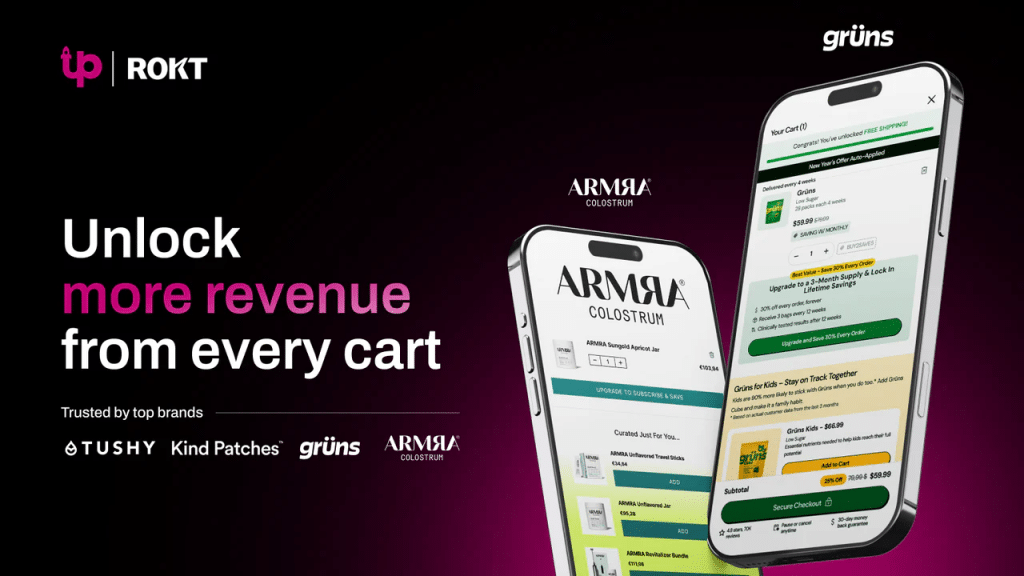
The most-reviewed cart drawer app on this list; the listing is published by Rokt. UpCart offers a branded slide-out cart drawer with upsell recommendations, add-on widgets, and a free shipping bar. Highly stable, sleek UI that matches storefront aesthetics well.
Pros: Proven reliability with 942 reviews (23 September 2026). Clean, professional design. Strong free plan to start.
Cons: Fewer upsell mechanics than Oxify. Add-on features are more limited on lower tiers.
Best for: Established stores doing $10K+/month that want plug-and-play reliability without heavy configuration.
iCart — Best for Customization Control
Rating: 4.7/5 (452 reviews, 23 Sep 2026) | Pricing: Free plan available | Paid from $12.99/mo
View on the Shopify App Store →
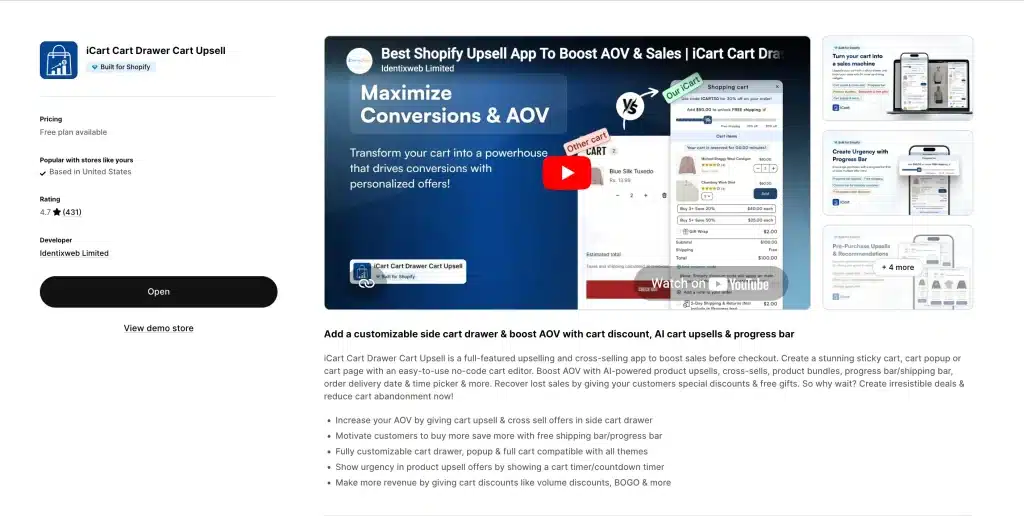
The "Swiss Army Knife" of cart apps. iCart gives you both a slide-out drawer and a customizable cart page builder, which few cart apps do. Its drag-and-drop widget system includes unique elements like birthday collection fields and customer surveys directly inside the cart.
Pros: Most flexible customization. Dual cart modes (drawer + full page). Unique data collection widgets.
Cons: More setup time required. Can feel overwhelming for beginners. Interface is less polished than competitors.
Best for: Merchants who want granular control over every element of their cart experience and do not mind spending time on configuration.
The Three-Layer Cart Formula
Here is the three-layer setup we recommend most often (results vary by store; our case studies show the real numbers for two named stores):
- Layer 1: Free Shipping Progress Bar — sets the baseline incentive
- Layer 2: Smart Upsell — adds a relevant product suggestion inside the cart
- Layer 3: Free Gift or Add-On — seals the deal with a tangible reward
Oxify handles all three layers in a single app. That matters — stacking three separate apps to achieve this would crush your site speed and create integration nightmares.
Best Shopify app for email and SMS marketing
Social media algorithms change every quarter. Ad costs go up every year. But your email list? That is an asset you own. Nobody can take it away, throttle your reach, or charge you more to access it.
Full comparison: best email marketing apps for Shopify.
Behaviour-triggered flows — welcome, abandoned cart, browse abandonment, win-back — consistently earn far more revenue per recipient than manual broadcast campaigns, because they reach someone who has just shown intent rather than everyone at once. Build the flows before you worry about campaign cadence.
Klaviyo — The Gold Standard
Rating: 4.7/5 (3,370 reviews, 11 Oct 2026) | Pricing (July 2026): Free up to 250 active profiles and 500 email sends/mo | Paid email from $20/mo (251–500 profiles), ~$30 at 1,000, ~$150 at 10,000
The billing detail nobody mentions: since February 2025 Klaviyo bills on active profiles — every contact you could still reach, including cold subscribers you have not emailed in a year. You are not billed on sends. That means list hygiene is a direct cost lever: suppressing or deleting dead profiles lowers your bill immediately. Merchants who let their list grow unpruned routinely pay two tiers more than they need to.
Klaviyo is not just an email tool. It is a Customer Data Platform that happens to send emails and texts. It connects directly to your Shopify backend and pulls in purchase history, browsing behavior, customer lifetime value predictions, and more — all in real time.
Why serious merchants pick Klaviyo:
- Hyper-Precise Segmentation. Send different emails to first-time buyers vs. repeat customers vs. VIPs vs. at-risk churners. Segments update in real time based on live Shopify data.
- Predictive Analytics. AI estimates each customer's lifetime value and churn probability. You can create a segment for "likely to buy again in the next 30 days" and target them specifically.
- Dynamic Product Feeds. Abandoned cart emails automatically pull the exact product image, name, and price the customer left behind.
- SMS Built In. Run text campaigns alongside email without a second app. Two-way SMS conversations are supported.
- Revenue Attribution. See exactly how much money each email flow and campaign generates. No guessing.
The Five Flows You Must Set Up on Day One:
- Welcome Series (3-4 emails). Tell your brand story. Show bestsellers. Highlight reviews. Do not just throw out a 10% coupon and call it done.
- Abandoned Cart (2-3 emails). First email at 1 hour. Second at 24 hours with social proof. Third at 72 hours with a small incentive. Klaviyo dynamically inserts the exact product the customer left behind.
- Browse Abandonment. Triggered when a known subscriber views a product but does not add it to their cart. Use this sparingly — one email maximum, or you will come across as creepy.
- Post-Purchase. Confirm the order. Set delivery expectations. Cross-sell a complementary product while trust is high.
- Win-Back. Fires automatically 60, 90, or 120 days after a customer's last purchase with a "we miss you" offer.
The key to making these flows work is proper email list segmentation — sending the right message to the right segment at the right time.
Pros: Best segmentation in the industry. Predictive analytics. Massive resource library. Scales from 100 subscribers to millions.
Cons: Pricing scales steeply as your list grows. Steeper learning curve for email beginners. Advanced features take time to set up properly.
Best for: Stores doing $10K+/month that are ready to invest in retention as a serious revenue channel.
Omnisend — Best Value Alternative
Rating: 4.7/5 (3,182 reviews, 23 Sep 2026) | Pricing: Free plan available | Paid from $16/mo
Omnisend is gaining serious ground in 2026. Merchants switching from Klaviyo consistently cite three reasons: significantly lower cost, transparent pricing with no surprises, and faster customer support.
Key strengths:
- Omnichannel in One Dashboard. Email, SMS, and web push notifications all managed together. No separate apps needed.
- Pre-Built E-commerce Flows. Abandoned cart, welcome series, order confirmation, winback — they work out of the box. Install, connect your store, turn them on.
- Web Push Notifications. This is underrated. Push notifications reach anonymous visitors who never gave you their email. That is an entire segment of traffic most stores completely ignore.
- Built-In Popup Builder. Spin-to-win wheels, landing pages, and signup forms included — no need for a separate popup app.
Pros: All-in-one platform eliminates need for 2-3 separate apps. Generous free plan. E-commerce templates that work immediately. Lower cost than Klaviyo at every tier.
Cons: Reporting is less deep than Klaviyo at enterprise scale. Template design variety is slightly more limited. Advanced segmentation is less granular.
Best for: Stores that want effective email and SMS marketing without Klaviyo's complexity or price tag.
Seguno — Best Native Shopify Experience
Rating: 4.8/5 (645 reviews) | Pricing: Free up to 250 subscribers | Paid from $35/mo
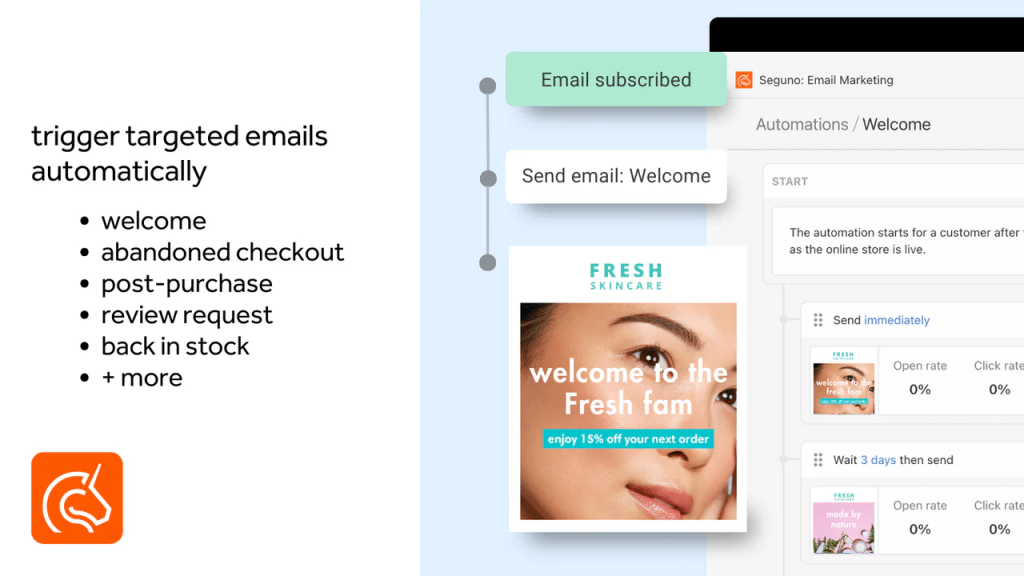
Seguno lives entirely inside your Shopify admin. No separate login. No data syncing delays. No switching between platforms. Winner of Shopify's 2024 Build Award, it is the most deeply integrated native email solution available.
Pros: One admin, one platform. Perfect Shopify data sync. Extremely easy setup. Great for non-technical merchants.
Cons: Fewer advanced automation features than Klaviyo or Omnisend. Limited SMS capabilities. Not suited for complex, multi-branch automation.
Best for: Solo founders and small teams who want professional email automation without the complexity of an external platform.
What Merchants Actually Choose
The consensus among experienced merchants is clear: Klaviyo is still the most-mentioned revenue driver, but Omnisend is rapidly gaining ground as the "better value" play. Several seven-figure stores also run email marketing entirely on Shopify's native tools (Shopify Email + Shopify Flow) for simple campaigns.
Stack tip from merchants: "Start with Klaviyo or Omnisend + Shopify Flow. Do not layer three marketing apps."
Best Shopify app for product reviews and social proof
If a customer lands on your product page and sees zero reviews, they leave. Social proof is the digital version of a packed restaurant. When people see that others bought the product and loved it, their buying resistance drops dramatically.
Reviews also directly impact SEO. Google displays star ratings in search results through rich snippets, which can increase your organic click-through rate significantly. (For a deeper comparison of review platforms, see our full best Shopify review apps guide.)
Best Shopify Review Apps 2026: Verified Pricing Comparison
| App | Free plan | Entry price | How pricing scales | Best for |
|---|---|---|---|---|
| Judge.me | Yes — unlimited reviews and review requests | $15/mo flat | Flat fee, no order-based scaling | Most stores, and anyone on a strict budget |
| Loox | Yes — free Beginner plan, up to 500 orders | $49.99/mo (Convert plan) | Order-based: 300 orders included, then $50 per extra 300; Unlimited is $299.99/mo | Visual categories — fashion, beauty, food, decor |
| Yotpo | Yes (limited) | ~$79/mo Starter (500 orders) | Order-based; Pro ~$169/mo | Brands wanting reviews + loyalty + SMS in one platform |
The Judge.me and Loox rows were re-read from their live App Store listings on 11 October 2026; the Yotpo row is from July 2026.
Which Review App Should You Actually Choose?
Skip the feature grids. Three questions decide it:
- Are you a small business or under ~$20K/month? Judge.me. The free plan is genuinely usable — unlimited reviews, unlimited requests, photo and video, and Google rich snippets at $0. The $15/month Awesome plan is a flat fee that does not climb with your order volume, which makes it the cheapest review app in the category at scale. This is the answer to "best Shopify reviews app for small businesses" in almost every case.
- Is your product bought with the eyes? Loox. If you sell apparel, cosmetics, jewellery, food or home decor, customer photos show the product in use in a way paragraphs cannot, and Loox is built end-to-end around collecting and displaying them. Its listing shows a free Beginner plan for up to 500 orders; past that the Convert plan is $49.99/month (300 orders included, then $50 per extra 300) and Unlimited is $299.99/month (checked 11 October 2026).
- Do you want reviews, loyalty, SMS and subscriptions from one vendor? Yotpo — but only above roughly $50K/month. Below that it is overbuilt, and the jump from Judge.me's $15 flat fee to Yotpo's ~$79 Starter buys you consolidation, not better reviews. Smaller merchants consistently report that the pricing and support do not justify it.
Looking for Loox alternatives? Judge.me collects photo and video reviews too — the gap is presentation polish, not capability. If you are leaving Loox purely over the order-volume caps, Judge.me's flat pricing is the direct swap. If you are leaving over widget design, Stamped and Okendo are closer replacements.
What about Google Customer Reviews and Google Shopping stars? Judge.me includes Google Shopping integration on its $15 plan, which is what feeds star ratings into Google Shopping listings and product rich results. This is the cheapest legitimate route to stars in Google, and it is a common reason merchants upgrade off the free tier.
Judge.me — Best Free Review App (and Overall Best for Most Stores)
Rating: 5.0/5 (48,342 reviews, 11 Oct 2026) | Built for Shopify | Pricing: Free forever plan | Paid from $15/mo
View on the Shopify App Store →
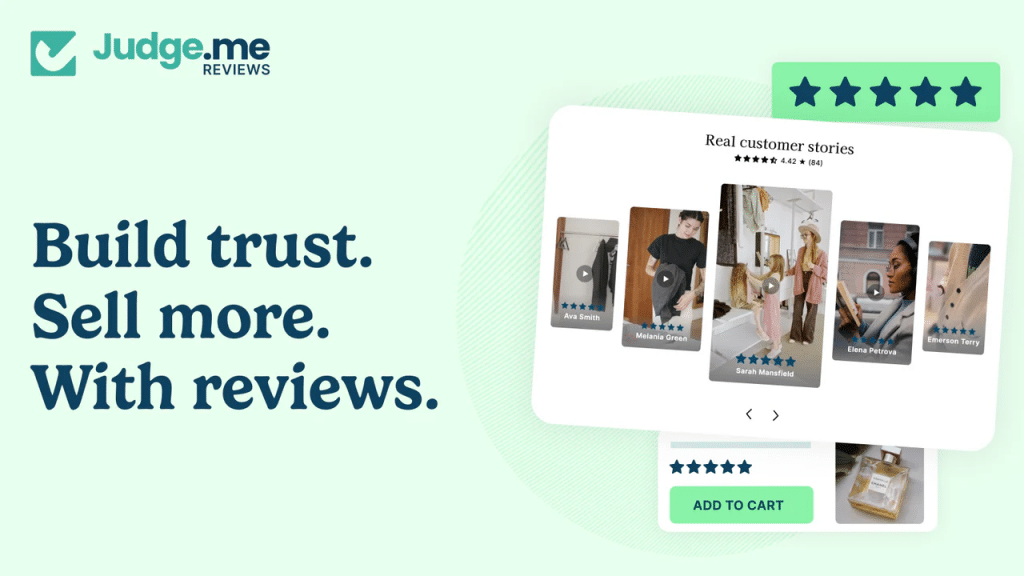
Judge.me dominates every merchant forum and "what apps do you use" discussion in 2026. The forever-free plan gives you unlimited review requests, photo and video reviews, Google rich snippets, automated review request emails, and coupon incentives — all without paying anything.
Why Judge.me wins:
- Built for Shopify. The listing carries the Built for Shopify badge (checked 11 October 2026). We publish no speed numbers for any app, so test it on your own theme.
- Smart Timing. Integrates with your shipping data to request reviews only after the product is delivered. No awkward "rate your purchase" emails while the package is still in transit.
- Photo and Video Reviews. Text reviews are good. A video of a customer unboxing your product is gold. Judge.me automates collection by offering discount codes for media reviews.
- Rich Snippets. Those orange stars under your listing in Google search results? Judge.me feeds them automatically. This is one of the highest-ROI SEO tactics you can implement.
- Minimal Theme Invasion. It does not inject clunky, ugly widgets that clash with your design.
Pros: Insanely generous free plan. 47,000+ reviews (the most-reviewed app on this list). Rich snippets for Google SEO. Automated smart timing.
Cons: Advanced UGC features (galleries, carousels) are less sophisticated than premium alternatives. Free plan design customization is limited.
Best for: Every store. Seriously. If you are not on Judge.me yet, install it today. It is the single highest-ROI free app in 2026.
Loox — Best for Visual Social Proof
Rating: 4.9/5 (9,831 reviews, 11 Oct 2026) | Built for Shopify | Pricing (11 Oct 2026): Free Beginner plan (up to 500 orders) | Convert $49.99/mo (300 orders included, then $50 per extra 300) | Unlimited $299.99/mo
View on the Shopify App Store →
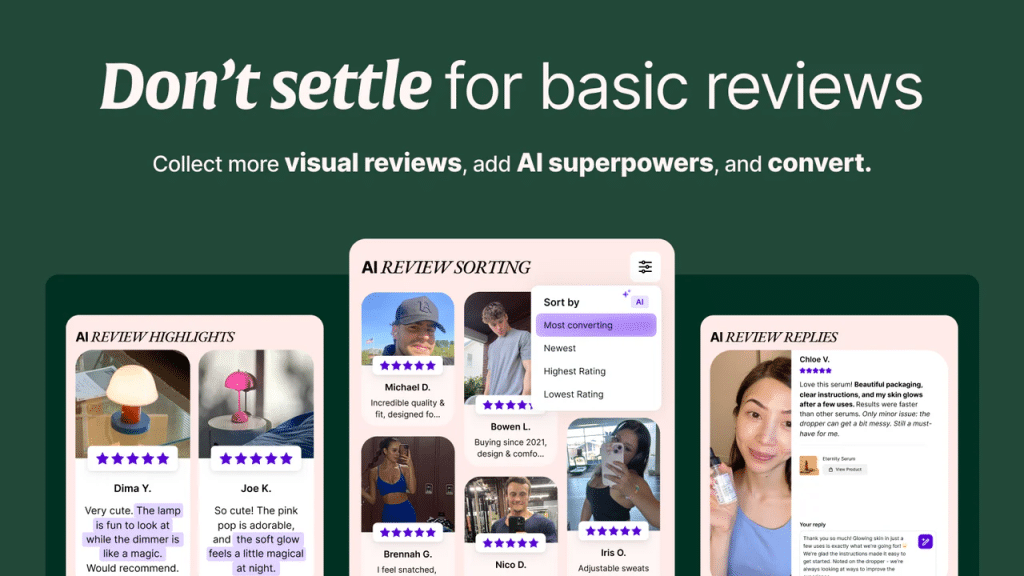
If you sell fashion, beauty, home decor, or anything where the product needs to be seen to be believed, Loox specializes in beautiful photo and video review galleries. It creates Instagram-style review carousels that turn your product pages into visual social proof machines.
Pros: Stunning visual review displays. Strong incentive system for photo/video reviews. Seamless theme integration. Works well with any Shopify page.
Cons: Paid plans start at $49.99/month once you pass 500 orders. Less suited for products where visual reviews are not a key factor (digital products, B2B).
Best for: Visual-heavy brands (fashion, beauty, food, lifestyle, home decor) that want polished, Instagram-quality review galleries.
Yotpo — Best for Enterprise Retention Ecosystem
Rating: 4.8/5 (4,626 reviews, 23 Sep 2026) | Pricing (July 2026): Limited free plan | Starter ~$79/mo (500 orders) · Pro ~$169/mo, scaling with order volume
View on the Shopify App Store →
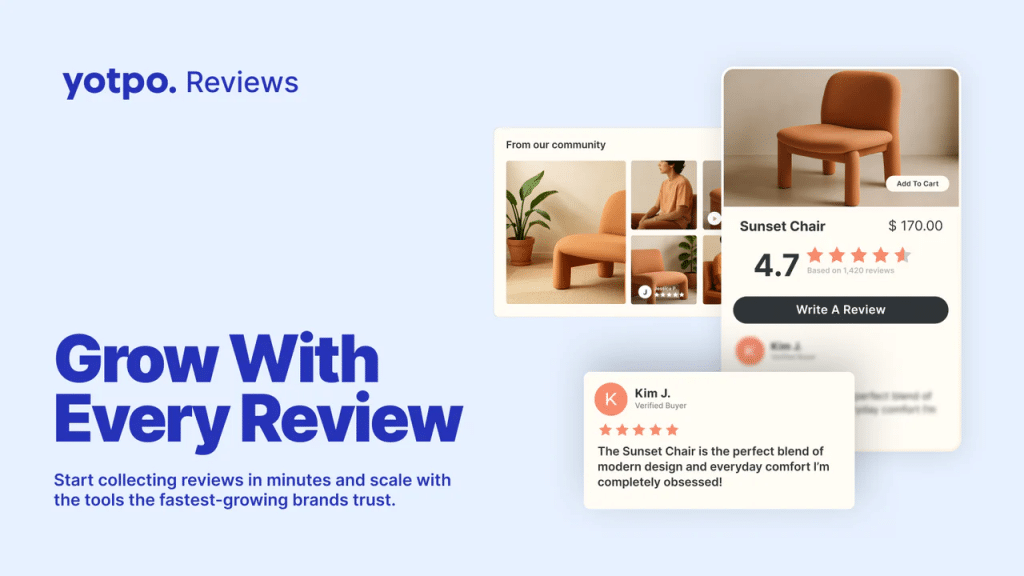
Yotpo consolidates reviews, loyalty programs, and user-generated content under one roof. The standout feature is module synergy — a customer submits a photo review, automatically earns loyalty points, and gets an SMS notification about their new balance. All within one platform.
Honest take: Yotpo is powerful for larger operations, but it has drawn criticism from smaller merchants for pricing and support quality. Consider it if you are doing $50K+/month and need a unified retention platform. For everyone else, Judge.me plus a separate loyalty app will serve you better.
Pros: Unified platform combining reviews + loyalty + UGC. Module synergy reduces "app tax." Strong for large catalogs.
Cons: Expensive at scale. Customer support has been criticized. Smaller stores find it overbuilt and bloated.
Best for: Established brands doing $50K+/month that want reviews, loyalty, and UGC consolidated in one platform.
Best Shopify app for upsells, bundles and AOV
Getting a customer to spend $60 instead of $40 is almost always more profitable than finding a second customer who spends $40. AOV is the metric that separates struggling stores from thriving ones. For the full category, ranked by placement, see the best Shopify upsell apps.
Full comparison: best Shopify bundle apps.
Oxify Quantity Breaks & BYOB (our app) — Best for Volume Discounts
Rating: 4.9/5 (13 reviews, 11 Oct 2026) | Built for Shopify Badge | Pricing: $14.99/mo or $129.99/yr (saves 28%), every feature included, 14-day free trial
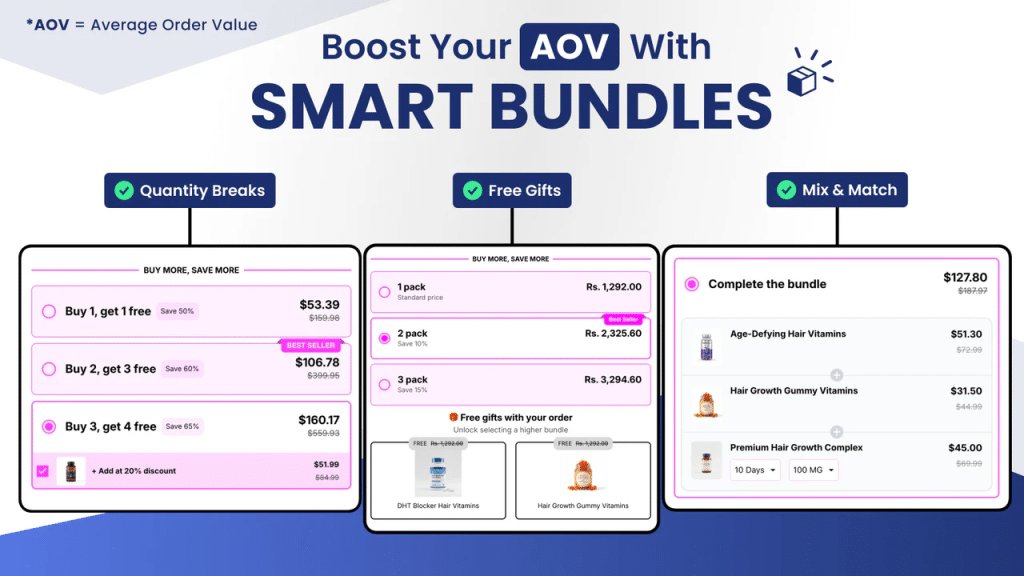
This app directly targets AOV by giving customers a clear financial incentive to buy more.
What it does:
- Tiered Volume Discounts. "Buy 2, save 10%. Buy 3, save 15%. Buy 5, save 25%." Discounts apply automatically — no coupon codes needed.
- BOGO Offers. "Buy one, get one 50% off" — a classic retail tactic that clears inventory and boosts unit volume.
- Custom Bundle Builder. Let customers mix and match products to create their own bundle at a discounted rate.
- Visual Pricing Tables. Clear, attractive tables on product pages show customers exactly what they save at each tier. No confusion. No guessing.
- Seamless Oxify Cart Integration. Volume discounts reflect instantly inside the Oxify Cart Drawer & Upsells as customers adjust quantities. Same ecosystem, zero conflicts.
Pros: Works natively with Oxify Cart Drawer & Upsells. Clean pricing tables on product pages. Automatic discount application at checkout. One flat plan with every feature included. 4.9-star rating.
Cons: Newer app with smaller review base. No free plan — you get a 14-day trial, then $14.99/mo.
Best for: Any store selling consumables, supplements, accessories, or products where buying multiples makes sense.
Who should avoid Oxify Quantity Breaks & BYOB: stores needing build-a-box mechanics at scale — Easy Bundle Builder and Amplify both handle complex bundle logic we do not — and anyone already running Kaching whose bundle volume is low enough that its 1% share costs less than the switching effort.
Easy Bundle Builder — Best for Build-a-Box, Gift Boxes, and Mix & Match
Rating: 4.9/5 (1,316 reviews, 23 Sep 2026) | Built for Shopify Badge | Pricing: Free to install (up to $500/mo in bundle sales) | Paid from $49/mo
View on the Shopify App Store →
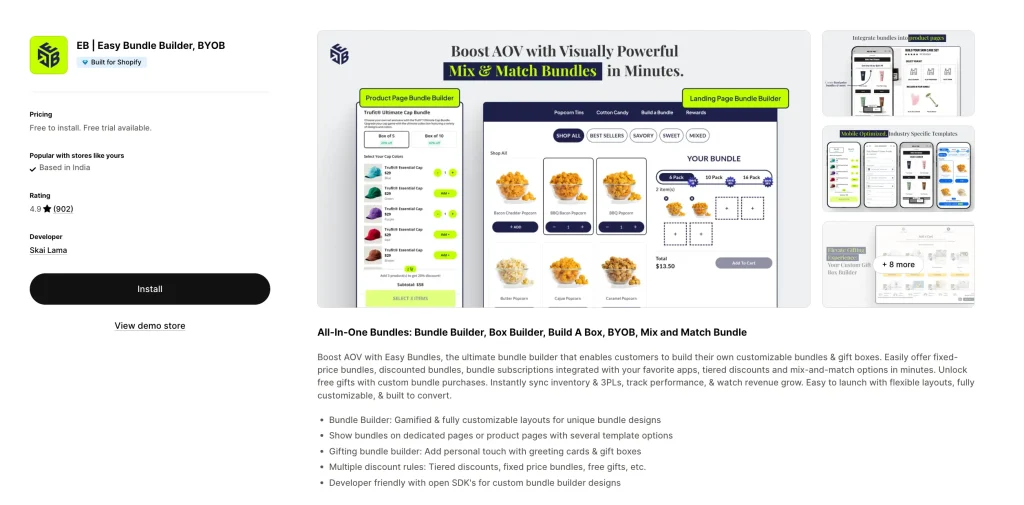
Easy Bundle Builder owns the build-your-own-bundle experience. Powered by Shopify's Cart Transformation API (the same native infrastructure Shopify itself uses for bundles), it handles the bundle formats that simple quantity-discount apps cannot — BYOB, mix-and-match, fixed bundles, and subscription bundles — without breaking inventory or 3PL sync.
What it does:
- Build Your Own Bundle (BYOB). Multi-step bundle builders where customers pick items from curated collections and assemble their own pack. The exact pattern that powers high-AOV brands in coffee, supplements, snacks, beauty, and pet food.
- Gift Boxes with Personalization. Add greeting cards, gift wrap, and personalized notes inside the bundle flow. Massive Q4 revenue driver for any store with a gifting use case.
- Mix and Match Bundles. "Pick any 3 for $30." Customers choose from a defined product pool at a flat or tiered price.
- Subscription Bundles. Native integration with all major subscription apps (Appstle, Recharge, Loop, Seal). Turn a one-time gift box into a recurring monthly box with one toggle.
- Powerful Discount Engine. Fixed pricing, percentage discounts, tiered discounts, free gifts unlocked at bundle completion, and add-ons inside the bundle flow.
- Native Cart Transformation API. Bundle items appear as a single line in the cart with accurate inventory deduction across all included SKUs. No phantom SKUs, no double-decrementing stock, no 3PL conflicts.
- Display Anywhere. Embed on product pages or dedicated landing pages with several template layouts, plus open SDKs for fully custom designs.
Pros: Built for Shopify certified. 4.9 rating across 800+ reviews. Trusted by thousands of merchants for high-AOV gift box and subscription brands. Truly free to start (up to $500/mo in bundle sales with full feature access). Works natively with subscription apps, side cart apps, Klaviyo, and Judge.me.
Cons: $49 → $149 → $399 pricing tiers can jump quickly as bundle sales scale. Overkill if all you need is a "buy 3, save 15%" volume discount — use Oxify Quantity Breaks instead. Custom design work requires SDK comfort.
Best for: Stores selling consumables, supplements, snacks, coffee, beauty, pet food, or any catalog where customers want to assemble their own box. Essential for any brand running a gifting strategy or planning to launch subscription boxes.
Rebuy — Best for AI Personalization
Rating: 4.7/5 (853 reviews, 11 Oct 2026) | Pricing: Free plan available | Paid from $99/mo
View on the Shopify App Store →
Rebuy is the personalization engine for stores with large catalogs. It uses AI to tailor product recommendations to each individual shopper based on their browsing and purchase history — across product pages, cart, checkout, and post-purchase.
Pros: True per-visitor personalization. Full-funnel deployment. Strong analytics.
Cons: Expensive (paid plans start at $99/mo). Requires significant order history for AI to work well. Overkill for small stores.
Best for: Stores doing $50K+/month with large catalogs where manual recommendation curation is impossible.
Frequently Bought Together by Code Black Belt — Best for Amazon-Style Bundling
Rating: 4.9/5 (1,202 reviews, 23 Sep 2026) | Pricing: Free plan available | Paid from $9.99/mo
View on the Shopify App Store →
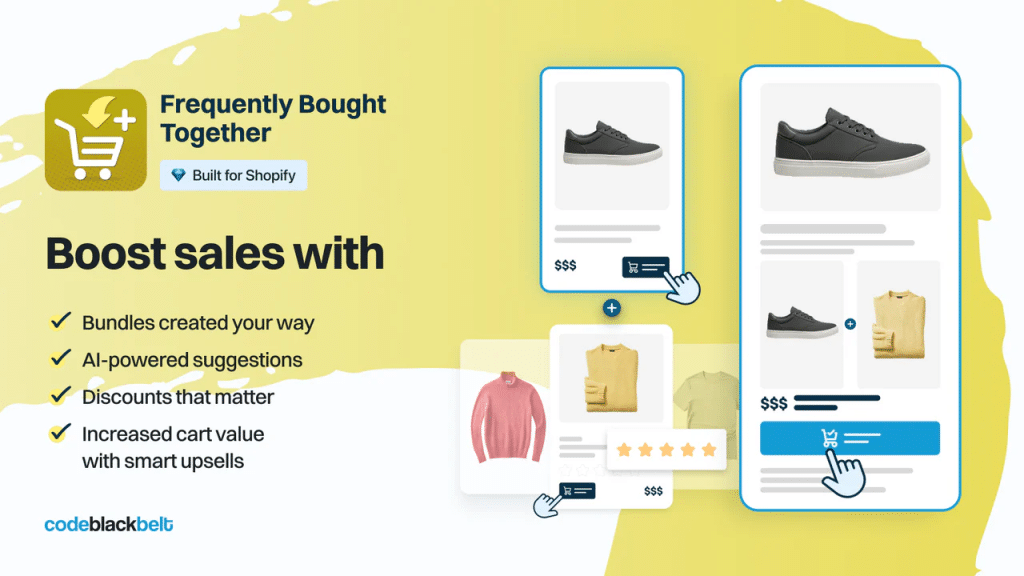
This brings the Amazon "Frequently Bought Together" experience to your Shopify product pages. AI trained on your store's actual order data surfaces the most logical complementary products with a one-click "add bundle to cart" button.
Pros: Replicates Amazon's proven UX. AI improves over time. Extremely affordable.
Cons: Recommendations only appear on product pages, not in cart or post-purchase. AI needs order history to work well — new stores benefit less.
Best for: Stores with established order volume and complementary product catalogs.
Bold Upsell — Best for Pure AOV Impact
Rating: 4.4/5 (597 reviews, 23 Sep 2026) | Pricing: Free plan available | Paid from $9.99/mo
View on the Shopify App Store →
Bold is the veteran. AI-powered recommendations based on real purchase patterns, with upsell touchpoints across the entire funnel — product page, cart, and post-purchase.
Pros: Long track record. Multi-funnel upsell sequences. Works with Bold's broader app suite (Subscriptions, Bundles). Solid A/B testing.
Cons: Interface feels dated. Higher price at upper tiers. Setup can be complex for beginners. Some merchants report inconsistent support response times.
Best for: Stores that want multi-touchpoint upsells and are willing to invest in configuration.
Best Shopify app for post-purchase revenue
The moment right after a purchase is the highest-trust point in the entire customer relationship. The customer's credit card is out. Their brain has already justified the spending. This is the perfect time to offer more value.
Full comparison: best post-purchase upsell apps.
ReConvert — Best Post-Purchase Upsell App
Rating: 4.8/5 (3,092 reviews, 23 Sep 2026) | Pricing: Free plan available | Paid from $4.99/mo
View on the Shopify App Store →
ReConvert transforms the normally boring Shopify "Thank You" page into a high-converting revenue engine.
High-ROI tactics:
- One-Click Post-Purchase Upsells. Customer just bought coffee? Offer a second bag at 20% off with a 5-minute countdown timer. Shopify already has their payment info saved — they buy with one click, no re-entering credit card details.
- Zero-Party Data Collection. Add a birthday collector widget to the thank you page. Feed that data to Klaviyo. Send a birthday discount automatically a year later.
- Post-Purchase Surveys. "How did you hear about us?" — a multiple-choice question that gives you attribution data more accurate than your Facebook pixel in 2026.
- Drag-and-Drop Builder. No developer needed. Customize the entire post-purchase experience visually.
Pros: Captures incremental revenue without disrupting checkout. One-click purchases. Intuitive builder. Extremely affordable entry price.
Cons: Best features locked behind higher tiers. Some template designs feel dated. Full checkout extensibility requires Shopify Plus.
Best for: Every store doing more than $5K/month. The ROI on this app typically pays for itself within the first week.
Best Shopify app for customer service and support
As you scale, customer support becomes either a growth engine or a bottleneck. If customers wait 48 hours to find out where their package is, your chargeback rate skyrockets and your reviews tank.
Gorgias — Best Helpdesk for E-commerce
Rating: 4.3/5 (705 reviews, 23 Sep 2026) | Pricing: From $10/mo
View on the Shopify App Store →
Gorgias centralizes all customer communications — email, live chat, Instagram DMs, Facebook comments, SMS, WhatsApp — into one unified dashboard.
The real game-changer: When someone messages "Where is my order?", Gorgias instantly pulls up their Shopify order history right next to the chat window. You can refund, track, or cancel with one click without ever opening the Shopify admin.
The AI layer: Gorgias now handles routine inquiries autonomously. Order status, tracking requests, return policy questions — the AI agent resolves them instantly. Your human team focuses on complex, high-value conversations.
The retention play: Gorgias can trigger Klaviyo flows automatically based on customer sentiment. Frustrated customer detected? Auto-send a discount code apology email. Potential one-star review becomes a save.
Pros: Unified inbox across every channel. Deep Shopify integration. AI handles routine tickets. Sentiment-triggered automation. Macros save hours per week.
Cons: Pricing can add up quickly on higher tiers. Steeper learning curve than basic chat apps. Some merchants feel the AI responses need heavy tuning initially.
Best for: Stores doing $20K+/month where support volume is growing and you need to scale without hiring proportionally.
Tidio — Best Budget Chat Alternative
Rating: 4.8/5 (1,341 reviews, 23 Sep 2026) | Pricing: Free plan available | Paid from $29/mo
View on the Shopify App Store →
Live chat with AI chatbots, marketing automation, and ticketing built in. Great for stores that want chat functionality without Gorgias-level complexity or cost.
Pros: Generous free plan. AI chatbot handles common questions. Easy setup. WhatsApp integration.
Cons: Not as deeply integrated with Shopify as Gorgias. Less powerful for high-volume support operations.
Best for: Stores under $20K/month that want live chat and basic automation.
Best Shopify app for loyalty and retention
A Shopify loyalty program turns one-time buyers into repeat customers by creating "switching costs." If someone has $15 worth of points with your brand, they are unlikely to buy the same product from a competitor. The best Shopify discount and loyalty apps make this psychology work for you automatically.
Full comparison: best Shopify loyalty apps.
Smile.io — Best Overall Loyalty App
Rating: 4.9/5 (4,599 reviews, 23 Sep 2026) | Pricing (July 2026): Free plan available | Essential $15/mo · Standard $79/mo · Growth $199/mo · Plus $999/mo
View on the Shopify App Store →
Read the tier table before you install. Smile's $15 entry price is real, but the two features most merchants actually want — VIP tiers and integrations with tools like Klaviyo and Gorgias — sit on the $199 Growth plan. Order-volume caps also push growing stores up a tier faster than they expect. Budget for $79–$199/month, not $15, if loyalty is a serious part of your retention plan.
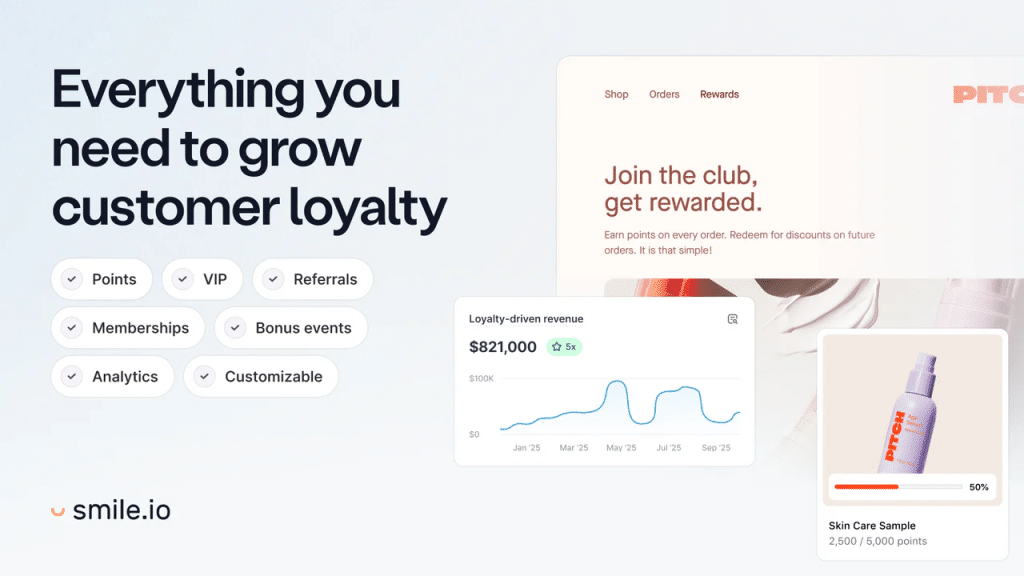
Smile.io turns one-time buyers into repeat customers by making shopping feel like a game. Customers earn points for purchases, account signups, social shares, and birthdays. They log in to check their balance, creating habitual engagement and "switching costs" — if someone has $15 in points with you, they are not buying from a competitor.
Core features:
- Points Program — Award points for purchases, reviews, social follows, account creation, and birthdays. Customers redeem for discounts, free shipping, or free products.
- VIP Tiers — Create Bronze, Silver, Gold levels that unlock exclusive perks. Motivates customers to spend more to reach the next tier.
- Built-In Referral Program — Reward customers for referring friends. Each referral gets a unique link with tracking.
- Branded Loyalty Widget — Fully customizable panel that matches your store's design. Displays points balance, available rewards, and referral link.
- Deep Integrations — Works natively with Klaviyo (trigger emails based on loyalty status), Judge.me, Gorgias, and 30+ other tools.
Pros: Trusted by 100,000+ merchants. Beautiful branded widget. Combines loyalty + referrals in one app. Strong Shopify integrations with Klaviyo, Omnisend, and most major platforms. Clear ROI analytics.
Cons: Free plan is restrictive (200 orders/month). Pricing jumps significantly at higher tiers ($49 → $199 → $999). Points expiry and advanced VIP features are only available on premium plans.
Setup tip: Start with a simple points structure — 1 point per dollar spent, 100 points = $5 off. You can always add complexity later. The key is getting customers enrolled quickly.
Best for: Stores with repeat-purchase products (consumables, fashion, beauty, supplements) where customer retention directly drives revenue.
Growave or Rivo — Rising Alternatives
Both are gaining traction as strong alternatives to Smile.io, especially for stores that want loyalty, referrals, wishlists, and reviews combined in a single platform at a lower price point. Worth evaluating if Smile.io's pricing feels steep for your current revenue stage.
Growave (4.8 from 1,296 reviews, Built for Shopify) · Rivo (4.7 from 1,451 reviews) — ratings checked 23 September 2026.
Best Shopify app for SEO and site speed
You can have the best-looking store in the world. But if Google cannot read it, or if it takes five seconds to load on mobile, you will not make sales. Shopify SEO apps handle the technical heavy lifting that most merchants do not have time to manage manually — image compression, meta tags, structured data, broken links, and page speed optimization.
Full comparison: best Shopify SEO apps.
Plug In SEO — Best SEO Health Monitor
Rating: 4.6/5 (674 reviews, 23 Sep 2026) | Pricing: From $29.99/mo (free trial available)
View on the Shopify App Store →
Automated health checks across your entire store. Scans for broken links, missing meta tags, missing image alt text, and JSON-LD structured data issues. Gives you step-by-step instructions to fix each problem.
Pros: Comprehensive automated SEO audits. Actionable fix instructions. JSON-LD structured data support. Catches issues you would never find manually.
Cons: No free plan. Most impactful for stores with 200+ products where manual SEO management is impossible.
Best for: Growing stores that want to systematically eliminate SEO issues across a large catalog.
TinyIMG — Best for Image Optimization and Page Speed
Rating: 4.8/5 (3,000+ reviews) | Pricing: Free plan available | Paid from $9.99/mo
Large image files are the number one cause of slow Shopify stores. TinyIMG compresses images automatically in the background, adds lazy loading, and runs SEO audits — all from one app.
Pros: Automatic image compression without quality loss. Lazy loading with one click. SEO audit features. Free plan available.
Best for: Every store. Image optimization is not optional — it directly impacts your Google Core Web Vitals score and organic rankings.
Booster SEO — Hands-Off Alternative
Rating: 4.8/5 (4,200+ reviews) | Pricing: Free plan available | Paid from $19/mo
More automated than Plug In SEO. It generates alt text for product images automatically and dynamically updates meta titles and descriptions when you change product names. Good for merchants who want SEO improvements on autopilot.
Best Shopify app for store design and landing pages
Your Shopify theme is the skeleton of your store. These apps add the muscle — high-converting design sections and custom landing pages that make your store look professionally built.
Full comparison: best Shopify page builder apps.
Oxify Section — Best for Conversion-Focused Sections on a Small Budget
Rating: 4.9/5 (9 reviews, 23 Sep 2026) | Built for Shopify Badge
View on the Shopify App Store →
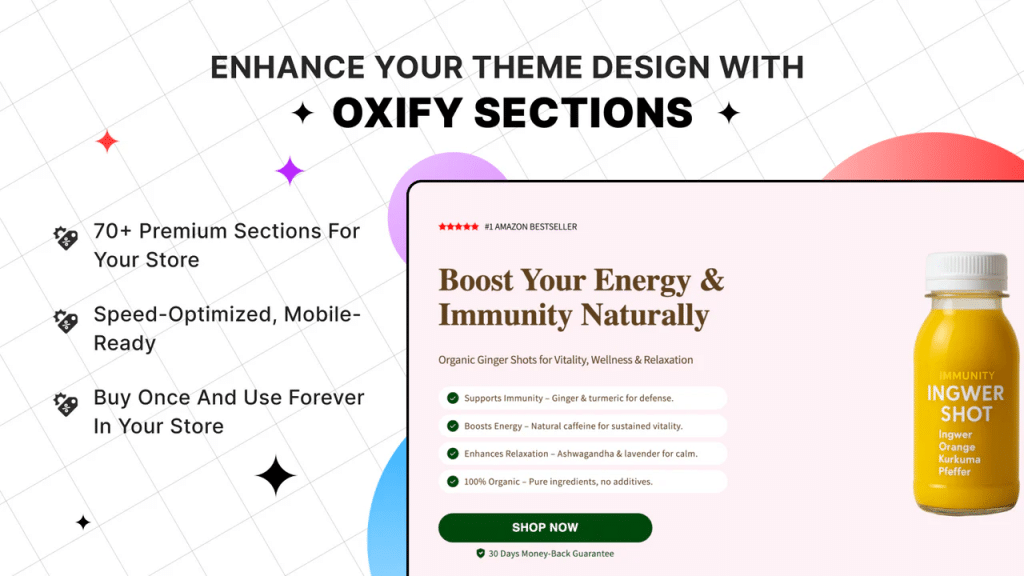
Shopify themes ship with a limited set of sections. Oxify Section adds 100+ pre-designed, conversion-focused sections and blocks that drop into any Online Store 2.0 theme with no code.
Be honest about the comparison: if you want the largest library, Section Store (by Appify) is the category leader with 700+ sections and 4.9 stars across 2,684 reviews — roughly seven times our catalogue and a far longer track record. Oxify Section is the narrower, newer option: fewer sections, chosen for conversion rather than breadth, and worth a look mainly if you are already running Oxify Cart Drawer & Upsells and want the design system to match. If breadth is what you need, install Section Store.
Why this matters:
- No-Code Customization. Drag and drop beautiful sections — hero banners, testimonial sliders, feature grids, comparison tables, FAQ accordions — without touching Liquid or CSS.
- Built for Shopify. The listing shows the Built for Shopify badge. We publish no speed numbers for any app, so test sections on your own theme.
- Mobile-First. All sections are optimized for mobile, which accounts for over 60% of all e-commerce traffic in 2026.
- Visual Storytelling. A polished, professional store converts at a higher rate than one that looks like a generic template. Design builds trust.
Best for: Merchants who want bespoke design without hiring a developer or using a heavy page builder.
Who should avoid Oxify Section: anyone whose priority is library breadth. Section Store has 700+ sections to our 100+, and seven years of reviews to our seven. Pick us only if you are already in the Oxify stack and want the design system to match.
PageFly — Best Landing Page Builder
Rating: 4.9/5 (5,892 reviews, 23 Sep 2026) | Pricing: Free plan available | Paid from $18/mo
View on the Shopify App Store →
If you run paid ads, you need dedicated landing pages. PageFly gives you a drag-and-drop builder to create advertorial pages, custom product pages with video backgrounds, animated comparison tables, and mobile-specific layouts.
Pros: 100+ templates. Drag-and-drop builder. Mobile-specific editing. Free plan lets you build your first page at no cost. CountDown timers and sales banners built in.
Cons: Can slow page speed if sections are not optimized. Complex pages require careful mobile testing.
Best for: Stores running paid advertising that need high-converting landing pages separate from standard product pages.
Best Shopify app for data management and bulk operations
Once your store grows past a few hundred products, managing data manually becomes a full-time job. Updating prices, tagging products, migrating catalogs, exporting order data — doing this one product at a time is insane.
Matrixify — The Single Most Useful App in Shopify (According to Merchants)
Rating: 4.9/5 (700+ reviews) | Pricing: Free plan available | Paid from $20/mo
Matrixify is consistently called the single most useful app by experienced Shopify merchants. It appears in virtually every "what app could you not live without" discussion.
Matrixify handles bulk imports, exports, and updates — products, customers, orders, metafields, collections, pages, blog posts, redirects — using spreadsheets. It supports up to 10 GB file sizes.
Use cases that save you hundreds of hours:
- Bulk update prices, tags, or descriptions across your entire catalog in minutes instead of days
- Migrate from WooCommerce, Magento, or BigCommerce with full data transfer including product variants, images, and customer records
- Export order data for accounting, tax filing, or external analysis
- Mass-update SEO fields (meta titles, descriptions, URL handles) across thousands of pages
- Seasonal bulk changes — mark 500 products as "sale" before Black Friday, then revert them all afterward
- Error checking that catches data inconsistencies before they go live
Pros: Handles massive data sets (10GB+). Supports virtually every Shopify data type. Robust error checking. Import/export via spreadsheet is intuitive for anyone who knows Excel.
Cons: Learning curve to understand the spreadsheet format. Interface is functional but not pretty. Overkill for stores with fewer than 100 products.
Best for: Any store with 200+ SKUs, multiple staff members, or plans to migrate from another platform. If Matrixify and Shopify Flow are not in your stack, you are doing manual work that a machine should handle.
Best Shopify app for popups and lead capture
Most visitors to an e-commerce store leave without buying or sharing a single contact detail. Popup apps exist to convert that anonymous traffic into email subscribers you can market to later.
Privy — Best All-in-One Popup Tool
Rating: 4.5/5 (4,216 reviews, 23 Sep 2026) | Pricing: Free plan available | Paid from $30/mo
View on the Shopify App Store →
Privy captures visitor emails and phone numbers through exit-intent popups, flyout banners, spin-to-win wheels, and embedded forms. It also includes basic email and SMS automation — abandoned cart sequences, welcome series, and promotional campaigns.
Why exit-intent matters: When a user moves their cursor toward the browser's close button, Privy detects it and triggers a last-second offer — a discount code, free shipping, or a lead magnet. This intercepts visitors at the exact moment they are about to leave forever.
Pros: One of the fastest tools to set up — live within minutes. Nearly 4,000 reviews. Combined popup + email/SMS in one platform. Strong free plan for new stores. Extensive template library.
Cons: Email automation is less advanced than Klaviyo or Omnisend. Pricing scales with your contact list. Segmentation options are limited.
Best for: Stores that want list-building and basic email automation in a single, simple app — especially pre-revenue stores building their first email list.
Important note: If you are already using Klaviyo or Omnisend for email, you do not need Privy's email features. But its popup and exit-intent tools can still complement your primary email platform for list building.
OptiMonk — Best for Advanced Popup Targeting
Rating: 4.8/5 (460 reviews, 23 Sep 2026) | Pricing: Free plan available | Paid from $39/mo
View on the Shopify App Store →

OptiMonk goes beyond basic popups with behavioral targeting, personalized recommendations, and A/B testing for popup designs. It is more sophisticated than Privy but requires more setup time.
Best for: Stores with existing traffic that want to optimize popup conversion rates through testing and segmentation.
Best Shopify app for analytics and attribution
You cannot optimize what you cannot measure. And in 2026, with Apple's privacy changes making ad platform tracking increasingly unreliable, having your own analytics layer is critical.
Triple Whale — Best for Multi-Channel Attribution
Rating: 4.1/5 (90 reviews, 23 Sep 2026) | Pricing: From $100/mo
View on the Shopify App Store →
Essential for stores spending significant money on ads across multiple channels. Real-time dashboards consolidate spend and tie it back to revenue. Their AI agent, Moby, makes complex data analysis accessible to non-technical merchants.
Best for: Eight-figure brands and stores spending $5K+/month on ads where accurate attribution directly impacts ad budget decisions.
Lucky Orange — Best for Understanding User Behavior
Rating: 4.7/5 (881 reviews, 23 Sep 2026) | Pricing: Free plan available | Paid from $32/mo
View on the Shopify App Store →
Session recordings and heatmaps that show you exactly where customers click, scroll, hesitate, and drop off. Before you change anything on your site, use Lucky Orange to identify where the friction actually is.
Best for: Any store with decent traffic that wants to identify and fix specific conversion bottlenecks.
Best Shopify app for order tracking and shipping
"Where Is My Order?" tickets make up roughly half of all e-commerce support inquiries. Solving this proactively saves hours of support time every week — and turns a pain point into a revenue channel.
Parcel Panel — Best Order Tracking App for 2026
Rating: 5.0/5 (3,163 reviews, 23 Sep 2026) | Pricing: Free plan available | Paid plans scale with shipment volume
View on the Shopify App Store →
Parcel Panel creates a branded, on-site tracking page so customers check their shipment status on your domain instead of a confusing FedEx or USPS page. The magic is what happens while they are checking: they see product recommendations, turning a support moment into a revenue opportunity.
Core features:
- Branded Tracking Page — Customizable page on your domain with your logo, colors, and product recommendations.
- Automated Shipping Notifications — Email and SMS alerts for key shipment milestones (shipped, in transit, out for delivery, delivered). Cuts down "where is my order" tickets.
- Estimated Delivery Dates — Displays expected arrival dates on product pages, which increases buyer confidence and conversion rates.
- Product Recommendations on Tracking Page — Customers visit the tracking page 3-4 times per order. Each visit shows relevant cross-sell suggestions.
- 1,200+ Carrier Support — Works with virtually every global shipping carrier.
Pros: 3,000+ reviews at 5.0 (the listing now appears as “CWILL Order Tracking”). Generous free plan. Turns a cost center into a revenue channel. Reduces support workload significantly.
Cons: Advanced analytics and full customization require paid tiers. Some carriers have slower tracking data sync.
Best for: Every store that ships physical products. Non-negotiable for dropshipping stores where long shipping times create customer anxiety.
AfterShip — Established Alternative
Rating: 4.6/5 (1,504 reviews, 23 Sep 2026) | Pricing: Free plan available
View on the Shopify App Store →
The established incumbent with the broadest carrier integration network. AfterShip offers similar branded tracking and notification features. Slightly more robust for enterprise-scale shipping operations with complex multi-carrier setups.
Best for: Larger stores with complex, multi-carrier shipping operations that need maximum carrier coverage.
Best Shopify app for subscriptions
Recurring revenue is the holy grail of e-commerce. If you sell consumables, supplements, coffee, pet food, or anything customers need to repurchase regularly, a subscription app turns one-time buyers into predictable monthly revenue.
Full comparison: best Shopify subscription apps.
Appstle Subscriptions — Best Subscription App for 2026
Rating: 5.0/5 (8,781 reviews, 23 Sep 2026) | Pricing: Free plan available | Paid plans scale with revenue
View on the Shopify App Store →
Appstle is the most highly rated subscription app in the Shopify ecosystem. It handles everything for recurring revenue — subscribe-and-save, build-a-box, prepaid subscriptions, and membership programs.
Core features:
- Flexible Subscription Models — Subscribe and save, prepaid, build-a-box, and membership tiers.
- Customer Self-Service Portal — Subscribers pause, skip, swap products, or change delivery frequency without contacting support. Reduces both churn and support tickets.
- Dunning Management — Automated retry logic for failed payments plus email reminders for expired cards. Recovers revenue that would otherwise silently disappear.
- Analytics Dashboard — Track MRR, churn rate, subscriber growth, and average subscription lifetime.
- Shopify Checkout Integration — Works natively with Shopify's checkout, including Shop Pay.
You can also upsell subscriptions directly inside your slide cart for even higher conversion.
Pros: Generous free plan. 4.9-star rating. Self-service portal reduces support load. Flexible enough for simple or complex subscription models.
Cons: Advanced features require paid plans. Interface can feel complex for very simple setups.
Best for: Stores selling consumables, supplements, coffee, pet food, beauty products, or anything customers repurchase regularly.
Alternatives: Recharge (enterprise-grade, higher pricing), Loop (praised for customer support), Seal Subscriptions (simple and affordable).
Best Shopify app for automation
Shopify Flow — The Free App That Replaces Half Your Paid Apps
Rating: 4.7/5 (14,666 reviews, 11 Oct 2026) | Pricing: Free (built into Shopify)
View on the Shopify App Store →
This is the most underrated tool in the entire Shopify ecosystem. Flow automates everything: flagging suspicious orders, tagging customers based on behavior, managing inventory rules, applying B2B discounts, sending Slack notifications, enforcing pre-order limits.
The advice from experienced merchants is consistent: "Shopify Flow first — it replaces half the paid apps." Before paying for any automation app, check if Flow can do it for free. In most cases, it can. Flow is a free app on the Basic, Grow, Advanced and Plus plans (Shopify Help Center, checked 11 October 2026).
Bonus: Underrated Gems
These apps get mentioned repeatedly in "underrated apps" threads but rarely make mainstream listicles:
- Oxify Countdown Timer Bar (App Store, 5.0 from 5 reviews) — Adds urgency across your entire store with a customizable countdown timer bar. Perfect for flash sales, shipping cutoff deadlines, and product launches. The visual ticking clock triggers loss aversion — customers complete checkout now instead of "coming back later."
- Oxify Announcement Bar — A sleek, customizable bar at the top of your store for promotions, free shipping thresholds, new arrivals, or important updates. Supports multiple bars with targeting rules, scheduling, and mobile optimization. Small app, big impact on communication.
- Vitals — Bundles 40+ conversion tools (reviews, currency converter, urgency timers, heat maps) into a single subscription, for lean startups that want fewer separate apps.
- Rewind / BackupMaster — Store backups. "Essential insurance" according to merchants who have lost theme data, product info, or customer records due to a bad app install or accidental deletion.
- Hextom Ultimate Sales Boost — Countdown timers, free shipping bars, BOGO offers, trust badges, stock countdowns — all in one app instead of installing five separate tools. Great value if you want conversion triggers without bloating your stack.
- Videowise — Shoppable video. Customers watch demos and buy without leaving the player. Videowise says its video compression keeps the speed impact low; test it on your own theme. Increasingly important as video becomes the dominant content format in 2026.
- Marketplace Connect — Syncs your Shopify catalog to Amazon, eBay, Walmart, and Etsy. Manages orders and inventory from one centralized dashboard. Prevents overselling across channels. Essential if you sell on multiple marketplaces.
- LangShop — AI-powered translation for international expansion. Translates content, currency, and SEO tags for different markets. Localizes cultural nuances beyond simple word-for-word translation.
- Tapcart — Turns your Shopify store into a native iOS and Android app without developers. Unlimited push notifications give you a free marketing channel. Native apps generally load faster and convert better than mobile websites.
- Wishlist Plus — Lets shoppers save products without committing to a purchase. Each wishlist entry is a clear purchase intent signal you can use for targeted remarketing.
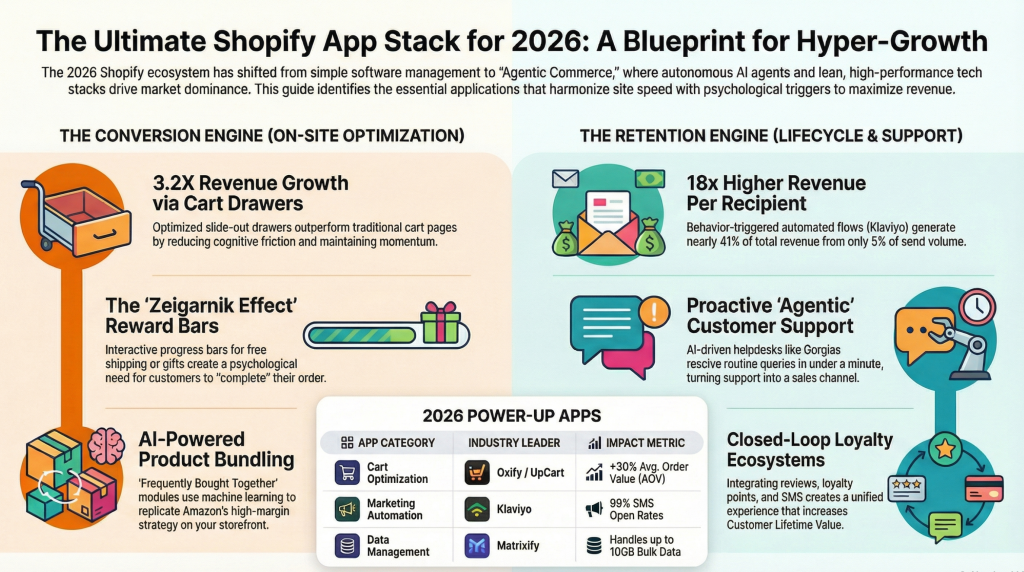
Best Shopify Apps by Category: The Complete Directory
The 26 apps above are the ones we use and recommend most. But plenty of stores have a specific need that falls outside the core stack. This directory covers every remaining major category, with the current category leader and the one-line reason to pick it.
| Category | Top pick | Alternative | Why it matters |
|---|---|---|---|
| Site search & discovery | Searchanise | Klevu, Searchspring | Shoppers who use search convert several times higher than browsers; Shopify's native search is weak on synonyms and typos |
| Dropshipping & sourcing | DSers | Spocket, Zendrop | DSers is the official AliExpress partner; Spocket for faster US/EU shipping |
| Print on demand | Printful | Printify | Printful for print quality and branding; Printify for margin and supplier choice |
| Back in stock alerts | Back in Stock (Appikon) | Restock Rocket | Recovers demand you already earned; one of the highest-ROI free apps |
| Wishlists | Wishlist Plus | Wishlist King | Captures intent from shoppers not ready to buy, and feeds email flows |
| Pre-orders | Pre-Order Manager | PreProduct | Sell through stockouts and validate demand before you commit inventory |
| Returns & exchanges | Loop Returns | Return Prime | Converts refunds into exchanges and store credit, protecting revenue |
| Translation & international | Weglot | LangShop, Transcy | Essential once non-domestic traffic passes ~20% of sessions |
| B2B & wholesale | B2B Wholesale Club | Shopify B2B (Plus) | Tiered price lists and net terms without a second storefront |
| A/B testing | Intelligems | Shoplift | Price and offer testing; only worth it above roughly 50K sessions/month |
| Affiliate & referral | UpPromote | ReferralCandy, GoAffPro | Pay-on-performance acquisition, which holds up as paid CAC rises |
| Mobile app builder | Shopney | Tapcart | Only justified once repeat purchase rate is already strong |
| Forms | Hulk Form Builder | Powerful Contact Form | Wholesale applications, custom quotes, product personalisation intake |
| Shoppable video & UGC | Videowise | Tolstoy | Lifts engagement on considered purchases; watch the performance cost |
| Size guides | Kiwi Size Chart | CommerceGurus Size Guides | Directly reduces the single biggest return driver in apparel |
How to use this table: do not install from it. Identify the one metric you are trying to move this quarter — return rate, international conversion, stockout losses — and add only the app that touches it. Categories in this directory are situational by definition; none of them belongs in a default stack.
Best Free Shopify Apps in 2026
You can run a credible store on free apps alone. These are the ones where the free tier is a real product rather than a trial in disguise:
| App | What the free plan actually gives you | Where it stops |
|---|---|---|
| Shopify Flow | Unlimited no-code automations — tagging, fraud holds, inventory alerts, win-back triggers | The Send HTTP Request action needs the Grow plan or above; tasks from custom partner apps need Plus |
| Judge.me | Unlimited reviews, unlimited review requests, photo and video reviews, rich snippets | Branding removal, Q&A and Google Shopping need the $15 plan |
| Shopify Email | 10,000 emails per month, native templates, no external platform | No advanced segmentation or predictive analytics |
| Parcel Panel | Branded order tracking page, cuts "where is my order?" tickets | Shipment quota per month |
| TinyIMG | Image compression and alt-text automation | Monthly optimisation quota |
The cheapest genuinely complete stack in 2026: Judge.me (free) + Shopify Email (free) + Shopify Flow (free) + TinyIMG (free) + one paid cart app. That is roughly $20/month total and covers social proof, email, automation, page speed and AOV. Everything past that is optimisation, not foundation.
Best Shopify Apps for Small Businesses
Small stores fail with apps for a specific reason: they buy tools priced for volume they do not have, then cancel three months later having learned nothing. The rule that fixes this is flat pricing over order-based pricing until you are past roughly $20K/month.
- Reviews: Judge.me. Free tier is complete; $15/month flat never scales against you.
- Email: Shopify Email while you are under a few thousand contacts, then Omnisend from $16/month. Klaviyo is better software, but its active-profile billing punishes small lists that grow faster than they convert.
- AOV: One cart or bundle app, not three. Quantity breaks and a free-shipping progress bar are the two mechanics that work at low traffic, because neither depends on having enough sessions for AI recommendations to learn anything.
- Support: Shopify Inbox (free) or Tidio. Gorgias is excellent and wrong for you until ticket volume actually hurts.
- Skip entirely for now: loyalty programs, subscriptions, attribution platforms and A/B testing tools. All four need traffic volume to produce a signal. Installing them early costs money and teaches you nothing.
Realistic budget: $0–$40/month at launch, $80–$200/month at $10K, $400+/month at $50K. If your app bill is growing faster than your revenue, something in the stack is priced on volume you have not reached.
Must-Have Shopify Apps: What Every Store Should Install
Which apps should every Shopify store install? Four jobs, one app each: reviews (Judge.me), email (Shopify Email, then Klaviyo or Omnisend), an AOV tool in the cart (such as Oxify Cart Drawer & Upsells), and automation (Shopify Flow). Everything else is situational.
Strip away every vendor list, including this one, and merchant communities converge on a remarkably short set. The same names recur in r/shopify threads and in the Shopify Community forums year after year, and the advice attached to them is consistent: keep the stack light. Every app injects scripts, and five conversion apps commonly net out slower and worse than two.
The apps that survive that filter, with ratings verified against live App Store listings on 23 September 2026 (Judge.me, Shopify Flow, Loox and Klaviyo re-read on 11 October 2026):
| App | Job | Rating | Reviews | Free plan |
|---|---|---|---|---|
| Judge.me | Product reviews | 5.0 | 48,342 | Yes, unlimited reviews |
| Shopify Flow | Automation | 4.7 | 14,666 | Free, built in |
| Loox | Photo & video reviews | 4.9 | 9,831 | Yes, up to 500 orders |
| Appstle Subscriptions | Subscriptions | 5.0 | 8,781 | Yes |
| PageFly | Landing pages | 4.9 | 5,892 | Yes |
| Shopify Inbox | Live chat | 4.5 | 5,787 | Free |
| Yotpo | Reviews at enterprise scale | 4.8 | 4,626 | Limited |
| Smile.io | Loyalty | 4.9 | 4,599 | Yes |
| Klaviyo | Email & SMS | 4.7 | 3,370 | Yes, 250 profiles |
| Omnisend | Email & SMS on a budget | 4.7 | 3,182 | Yes |
| Vitals | 40+ features in one app | 4.9 | 2,951 | No |
| ReConvert | Post-purchase upsell | 4.8 | 3,092 | Yes |
On Vitals specifically, since it comes up constantly and we do not otherwise cover it: it bundles roughly 40 features — reviews, urgency, sticky cart, upsells — into one subscription. The trade-off is real and worth stating plainly. You get competent versions of everything rather than the best version of anything, and you avoid five separate bills and five separate scripts. For a store under about $20K/month that has not yet worked out which levers matter, that trade is often correct.
On ShipStation (4.2, 706 reviews): the default once you are shipping enough that label printing is a daily job rather than a weekly one. Below that volume, Shopify's native shipping is sufficient and free.
Best Shopify apps for clothing and apparel stores
Apparel is the one vertical where the generic list is actively wrong. Clothing stores have a problem no other category shares at the same scale: returns driven by fit. Before you optimise AOV, fix sizing — a return costs you the shipping both ways, the restocking labour and often the customer.
| App | Job | Rating | Reviews |
|---|---|---|---|
| Kiwi Size Chart & Recommender | Interactive size guides with automatic unit conversion and size recommendations | 4.7 | 1,212 |
| MP Size Chart & Size Guide | Pre-made templates and automated size recommendations from customer inputs | 5.0 | 817 |
| Loox | Photo reviews showing garments on real customers of different body types | 4.9 | 9,831 |
Loox suits apparel because a photograph of a garment on a real body answers the sizing question that a star rating cannot. Studio photography shows you the product; customer photography shows you the fit.
After sizing is handled, apparel AOV responds best to bundles and volume breaks — buy two, save 15% — because clothing is naturally multi-unit. A free-shipping progress bar in the cart drawer works well here for the same reason.
Best Shopify Apps for Supplement Stores
Supplements are a repeat-purchase business: the same customer buys the same tub every 30 to 60 days. That changes the priority order. Retention and replenishment come before anything else, and two compliance habits matter more than in most categories.
This is the short version. For the payment-gateway rules, subscription costs at scale, claims rules, and live ratings, read our full guide to the best Shopify apps for supplement brands.
| Job | What to install | Why it matters for supplements |
|---|---|---|
| Subscribe & save | Appstle Subscriptions, or Shopify Subscriptions (free, by Shopify) for simple plans | Replenishment is the business model; a subscription turns one order into a year of them |
| Subscription upsell in the cart | Oxify Cart Drawer & Upsells | Offer the one-time to subscription upgrade inside the cart drawer, where the shopper is already deciding |
| Multi-pack pricing | Oxify Quantity Breaks & BYOB | “Buy 3 months, save 15%” matches how supplements are actually consumed |
| Reviews | Judge.me (or Loox for visual products like gummies and powders) | Social proof carries more weight when the product can’t be judged from a photo |
| Email & SMS replenishment | Klaviyo or Omnisend | Reorder reminders timed to when the bottle runs out |
| Loyalty | Smile.io | Points on repeat orders reward exactly the behaviour you want |
Two compliance habits: moderate reviews before they go live so customer testimonials don’t make disease or treatment claims your own labels can’t, and keep upsell copy to the same claims your product pages already make. Neither needs a special app — Judge.me and most review apps let you hold reviews for approval.
For the subscription side in depth, see our comparison of the best Shopify subscription apps.
Best Paid Shopify Apps: Which Are Worth Paying For?
Free plans cover a surprising amount (see the free-app table above). A paid app earns its bill when it either adds revenue you can measure or removes hours of work every week. These are the paid apps most likely to clear that bar, and the point at which each one starts paying for itself:
| Paid pick | Pays for itself when… | Free alternative until then |
|---|---|---|
| Klaviyo (email & SMS) | Your list passes the free tier and automated flows (welcome, abandoned cart, winback) are live | Shopify Email |
| Oxify Cart Drawer & Upsells (AOV) | You have steady daily orders for cart upsells and a free-shipping bar to act on — from $9.99/mo, no revenue share | Your theme’s native cart |
| Loox (photo reviews) | You sell something bought with the eyes — apparel, beauty, food, decor | Judge.me free plan |
| Gorgias (helpdesk) | Support volume is high enough that one inbox and order actions inside tickets save real hours | Shopify Inbox |
| Matrixify (bulk data) | You edit or migrate hundreds of products, orders or customers at a time | Shopify’s CSV import/export |
| Triple Whale (attribution) | Ad spend is large enough that mis-attributed budget costs more than the subscription | Shopify Analytics + platform reporting |
The rule of thumb: if you can’t name the number a paid app is supposed to move, you are not ready to pay for it.
Shopify Plus Apps for Enterprise Brands
At Plus scale the question changes from “which app” to “which app survives your volume, your integrations and your checkout.” A few things are genuinely different on Plus:
- Checkout is extensible. Plus stores can add checkout UI extensions to the information, shipping and payment steps; every plan can use the thank-you and order-status pages. That opens checkout upsells and custom fields that non-Plus stores can’t run in checkout itself.
- Integrations beat features. Pick apps that connect cleanly to your ERP, 3PL and helpdesk. Matrixify for bulk data, Gorgias for support with order actions, and Klaviyo for lifecycle messaging are the usual backbone.
- Personalisation needs data volume. Rebuy-style AI recommendations and Yotpo’s retention suite make sense here because Plus stores have the order history to train them.
- Mobile commerce means a native app. Brands scaling mobile often add a native app builder such as Tapcart or Shopney once repeat purchase rate is strong — push notifications become a free channel.
- Post-purchase operations matter at volume. Self-serve order editing takes a large share of “can I change my order?” tickets off your team; see our comparison of Shopify order editing apps.
Which Shopify Apps Have the Highest ROI?
Nobody publishes a like-for-like ROI study across apps, so treat any “X% lift” claim as vendor-reported. What we can rank is the mechanism — how directly an app touches revenue and how little it costs to run:
- Automated email flows (Klaviyo, Omnisend, Shopify Email). Welcome, abandoned-cart and winback flows run on every order without extra ad spend. See how they fit with the rest of your abandoned cart recovery stack.
- Cart and AOV apps with flat pricing (Oxify, UpCart, iCart). They act on traffic you already paid for; flat, order-tiered pricing keeps the cost fixed while the upside scales.
- Free review apps (Judge.me). Near-zero cost, and reviews support conversion on every product page.
- Shopify Flow. Free, and it replaces paid tagging and alerting apps.
- Loyalty and subscriptions — high ROI for repeat-purchase categories, low for one-off purchases.
How to Build Your Stack by Store Phase
Do not install everything at once. Here is the proven deployment sequence based on revenue stage:
Phase 1: Launch ($0 – $10K/month)
| App | Purpose | Monthly Cost |
|---|---|---|
| Oxify Cart Drawer & Upsells | Cart optimization + AOV lift + Post Purchase | $9.99 |
| Judge.me | Reviews and social proof | Free |
| TinyIMG or Booster SEO | Image speed + basic SEO | Free |
| Shopify Email + Shopify Flow | Email marketing + automation | Free |
Total: Under $25/month. This gives you a professional cart experience, social proof, SEO fundamentals, and basic email marketing. Everything else can wait.
Phase 2: Growth ($10K – $50K/month)
Add to Phase 1:
| App | Purpose | Monthly Cost |
|---|---|---|
| Klaviyo or Omnisend | Advanced email/SMS marketing | Scales with list size |
| Oxify Quantity Breaks | Volume discounts + bundles | $14.99 |
| Oxify Cart Drawer & Upsells | Post-purchase upsells | Scales with orders |
| Parcel Panel or AfterShip | Order tracking + WISMO reduction | Low-Mid |
What changes: You graduate from Shopify Email to a proper marketing engine. You add post-purchase revenue capture. Branded tracking slashes your support ticket volume.
Phase 3: Scale ($50K+/month)
Add to Phase 2:
| App | Purpose | Monthly Cost |
|---|---|---|
| Gorgias | AI-powered customer service | Mid-High |
| Matrixify | Bulk data management | Mid |
| Smile.io | Loyalty + referral program | $79–$199 realistically |
| Oxify Cart Drawer & Upsells | All In One Upselling Apps | Scales with orders |
| PageFly | Custom landing pages for ads | From $24 |
What changes: You invest in support infrastructure, loyalty mechanics, design polish, and operational efficiency. At this scale, doing things manually is no longer viable.
The Same-Ecosystem Advantage
One pattern you will notice in the highest-performing stacks: apps from the same ecosystem work better together than random tools stitched together.
The Oxify stack demonstrates this:
- Oxify Section keeps storefront design consistent with the rest of the Oxify stack.
- Oxify Quantity Breaks incentivizes larger purchases through tiered pricing on product pages.
- Oxify Cart Drawer & Upsells acts as the final funnel — capturing impulse upsells, applying rewards, and maximizing order value right before checkout.
Because these apps share the same codebase, design system, and data layer, they play nicely together. No conflicts. No redundant JavaScript. No "why does my cart look different from my product page" headaches.
This is the opposite of the typical Shopify mistake: installing one app from five different developers and hoping they all cooperate.
The App Audit Protocol
Now that you know the best apps, here is how to implement them without wrecking your store:
1. Test Before You Install. Duplicate your live theme. Install the new app on the duplicate. Test on mobile and desktop. Check your page speed score before and after. Only publish if the impact is acceptable.
2. One App at a Time. Install one. Measure its impact for two weeks. Then install the next. If you add five apps at once and your conversion rate drops, you will have no idea which caused the problem.
3. Hunt for Ghost Code. When you uninstall a Shopify app, it often leaves its JavaScript behind in your theme.liquid file. This dead code slows your site forever. Periodically do a theme cleanup — either manually or by hiring someone to strip out leftover scripts from deleted apps.
4. Check for Conflicts. Some apps inject overlapping functionality. If you have two apps trying to modify the cart, they will fight. Audit for overlap quarterly.
5. Shopify Flow First. Before paying for any automation or tagging app, check if Shopify Flow can do it for free. It handles far more than most merchants realize.
Related: Selling in a specific niche? See our industry guides: best Shopify apps for beauty and skincare brands, best Shopify apps for coffee and tea brands and best Shopify apps for pet stores.
FAQ
Which apps should every Shopify store install?
How many Shopify apps should I install?
Do Shopify apps slow down my store?
What is the best Shopify cart drawer app?
What are the best Shopify apps for increasing Average Order Value?
What is the best Shopify app for product reviews?
What is the cheapest reviews app for Shopify?
What is the best Shopify reviews app for small businesses?
What are the best free Shopify apps in 2026?
Which Shopify apps have the highest ROI?
What are the best Shopify apps for a clothing store?
What are the best Shopify apps for supplement stores?
What Shopify Plus apps are worth using for enterprise brands?
Final Verdict: The Three Apps to Install Today
If you install nothing else, start with these three must-have Shopify apps:
- Oxify Cart Drawer & Upsells — For AOV gains without a second install. Progress bars, in-cart upsells and free-gift mechanics across all four placements, from $9.99/mo with no revenue share. Install here →
- Klaviyo (or Omnisend if budget matters) — For lifecycle marketing. Automated flows earn far more per recipient than broadcasts.
- Judge.me — For trust and social proof. Free, and it feeds star ratings to Google search results through rich snippets.
That is your foundation. Everything else builds on top of it.
Your store does not need more apps. It needs the right Shopify apps, installed in the right order, configured with intention. Start lean. Measure everything. Delete what does not earn its place.
Now go build.