 Oxify
OxifyAre Bundle Apps Compatible With Every Shopify Theme?
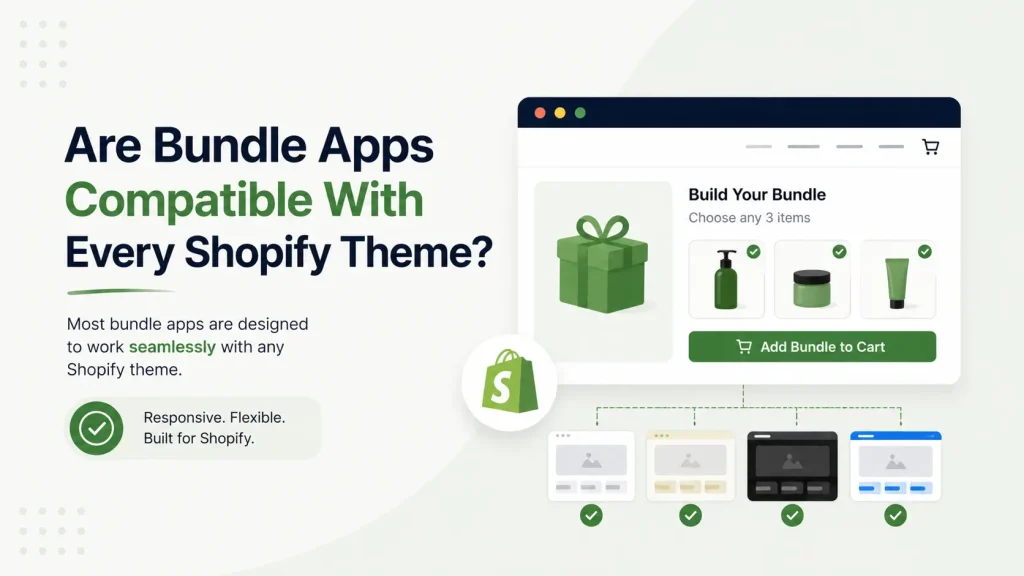
Yes, with one condition: modern Shopify bundle apps work on any Online Store 2.0 theme whose product section accepts app blocks, because they install through theme app blocks instead of editing your theme code. Older apps that inject code can clash with custom themes, so the build method matters more than the theme's name.
An app made the modern way (with theme app blocks) drops into a current theme with no code. An app made the old way can fight your theme, break your cart, or leave junk code behind. That one difference decides whether an app installs in two minutes or causes a week of headaches.
Below: the two kinds of bundle apps, the exact condition Shopify sets for app blocks, which bundle types touch your theme at all, the real risk zones (checkout, page builders, other apps), a 5-minute test, and Shopify's own rules that no bundle app can break. The Shopify developer-documentation facts were checked on 11 October 2026.
Quick Answer For Skim Readers
- Modern bundle apps built with theme app blocks work on Online Store 2.0 themes whose product section accepts app blocks. Shopify requires this of every theme in its Theme Store (Dawn, Sense, Craft, Refresh, Horizon and the paid ones). A custom-built theme is the one to test.
- Old code-injection apps can clash with custom themes and leave leftover code.
- The biggest real risks aren't the theme name — they're the checkout page, page builders (PageFly, GemPages), and other installed apps.
- Stores run a long tail of themes, so test on your theme, not on Dawn.
- Shopify's own rules: bundles can't be sold with selling plans (subscriptions, pre-orders), and Shopify Scripts stopped running on 30 June 2026.
- Always test on a duplicate theme first. It takes 5 minutes.
Why "Works With All Themes" Is a Half-Truth
Open any bundle app page and you'll see "compatible with all themes." It sounds reassuring, but it's not the full story. A theme and a bundle app connect in one of two ways, and the way matters far more than the theme's name.
The Two Ways Bundle Apps Connect To Themes
Understand this and every "compatibility" claim makes sense.
Method 1: Theme App Blocks (modern + safe)
In 2021, Shopify launched Online Store 2.0 (OS 2.0) and changed how apps connect to themes. Apps built this way use app blocks and app embeds — small, self-contained pieces you add through the theme editor by dragging and dropping.
Why it's good for you:
- No code. You never open a Liquid file.
- No theme conflicts. The app doesn't rewrite your theme files.
- Cleaner uninstall. The app's blocks live in the app, not pasted into your theme files, so there is no stray code to hunt for afterwards.
- Survives theme updates. Since the app doesn't live inside theme code, updating your theme doesn't overwrite it.
Shopify's theme app extension documentation (checked 11 October 2026) says the same: these extensions don't edit theme code, which lowers the risk of breaking changes, and one set of integration logic works for all themes. Merchants add and configure them in the theme editor without touching Liquid.
The one condition. For an app block to appear, the theme needs JSON templates and a section that accepts blocks of type @app. Shopify requires every JSON template in a Theme Store theme to offer an Apps section, and says only the main section of the default product template has to accept app blocks. A custom-built theme may not meet that requirement, so check yours. App embed blocks, which are used for floating or page-wide elements, don't have this requirement and are supported on vintage and Online Store 2.0 themes alike. They are off after install until the merchant switches them on under Theme settings, App embeds.
Method 2: Code Injection (old + risky)
Older apps use the Asset API or ScriptTag. In plain words: the app reaches into your theme files and pastes its own code inside.
Why this causes trouble:
- The app has to guess where to put code — and every theme is built differently.
- It can break your layout or slow your store.
- After uninstall, the leftover code often stays behind.
One documented difference: a ScriptTag can't be limited to specific pages, while an app embed block can load its scripts only on the pages that need them. So if an app says "works with all themes" but relies on code injection, that's the one to watch.
What Is an OS 2.0 Theme? (And Do You Have One?)
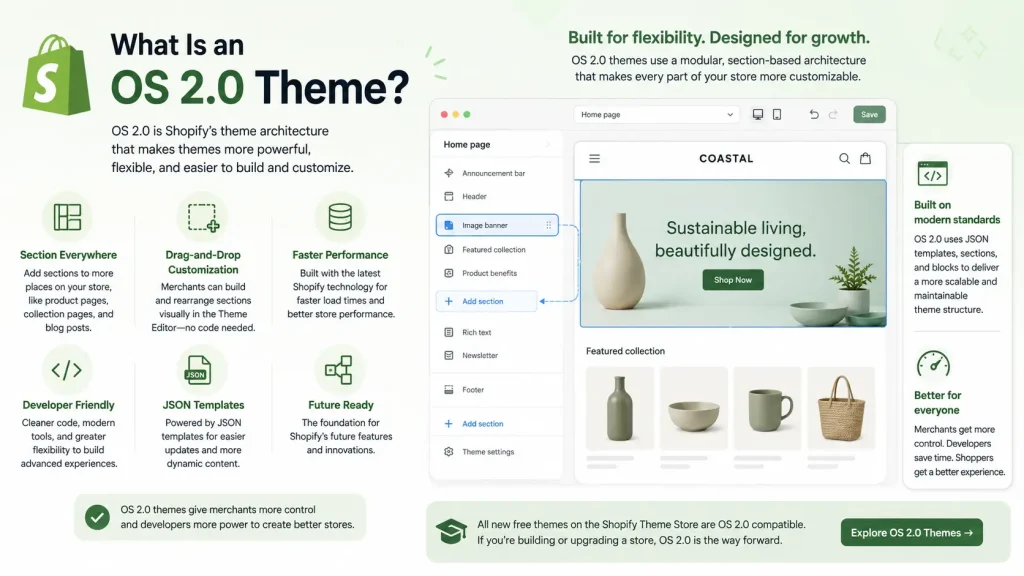
OS 2.0 is just the modern version of Shopify themes. If your store is fairly new, you almost certainly have one.
OS 2.0 themes have three big features:
- JSON templates — page layouts you can rearrange visually.
- Sections everywhere — drag-and-drop sections on every page, not just the homepage.
- App blocks — apps that install through the editor with zero code.
Free OS 2.0 themes from Shopify include Dawn, Sense, Craft, Studio and Horizon. Dawn is Shopify's reference theme for app blocks, so it is the easiest place for an app to work. Not every store runs it.
The takeaway is simple: "it works on Dawn" is a weak test for your store.
The 30-Second Theme Check
Not sure which theme type you have? Here's the fastest test, straight from Shopify's Help Center:
- Go to Online Store → Themes.
- Click Customize (or Edit theme).
- Select Products → Default product.
- Look in the sidebar for an "Add section" button.
If your theme supports sections on every page, the "Add section" button appears below the section list. If it doesn't appear, you may have an older vintage theme.
See the button? You're on OS 2.0. That's the first half of Shopify's condition. The second half, that the product section accepts app blocks, is what the 5-minute test below confirms.
Which Bundle Types Touch Your Theme At All?
Not every bundle needs a block in your theme. Shopify's bundles documentation (checked 11 October 2026) separates two kinds:
- Fixed bundles are Shopify's default: standard bundles and multipacks that fit within Shopify's variant limits. They work on your existing product pages without theme changes.
- Customized bundles offer more choices or a more complex mix, such as mix-and-match. They are paired with a theme app block where shoppers pick the components on the product page. This is the case where theme compatibility is a real question.
The cart page is the other place a theme matters. Shopify shows the bundle parent line there, and a theme can list the bundle's components with Liquid's item_components if you want shoppers to see them. Bundles can also be sold on the Shop app and POS, and on custom storefronts when bundle publishing is on. A headless storefront has no theme, so a theme app block doesn't apply there.
The 3 Real Compatibility Risk Zones (Not Your Theme)
Your theme architecture is rarely the problem once the product section accepts app blocks. These three things are.
Risk Zone 1: The Checkout Page
This is a common silent failure. A bundle can look perfect on the product page and still break at checkout.
Shopify limits how much the checkout can be customized, so weaker bundle apps can show:
- Bundled items listed as separate products
- Wrong prices or missing discounts
- Upsell pop-ups that don't fire
Fix: After install, run a full test purchase — desktop and mobile — and confirm the bundle and its discount show correctly all the way through checkout.
Risk Zone 2: Page Builders
If you use PageFly, GemPages, Shogun, or another page builder (our page builder comparison covers them), your product page isn't a standard theme template anymore — the builder controls it.
That means a bundle widget may not appear where you expect, or the "Add to Cart" button may not behave normally. This isn't a theme fault and isn't an app fault — it's two tools controlling the same page.
Fix: Most page builders have a dedicated app-block or element slot. Place the bundle block inside the builder, not the theme editor. If unsure, ask the bundle app's support team directly.
Risk Zone 3: Other Apps (App Conflicts)
Bundle apps change pricing, discounts, and how products show in the cart. So do discount apps, subscription apps, and upsell apps, and stores rarely run a bundle app alone. When two apps touch the same thing, you can get:
- Discounts stacking wrong
- Bundles not applying
- Pages slowing down from overlapping scripts
Fix: Before installing, read the app's listing for compatibility notes, check recent reviews for conflict complaints, and message support with the names of your other apps. Good developers answer clearly. If slow pages are your worry, the speed audit in our post on whether a cart drawer app slows down your Shopify store works for any app stack.
Shopify's Own Rules No Bundle App Can Break
These limits come from Shopify's developer documentation, checked on 11 October 2026. They are platform rules, not app features:
- Bundles can't be sold with selling plans. Shopify's bundles documentation lists subscriptions, pre-orders and try-before-you-buy as unsupported on a bundle. If you need a "subscribe to a bundle" offer, that's a Shopify-level limit, not an app weakness.
- Shopify Scripts no longer run. Editing and publishing new Scripts ended on 15 April 2026, and all Scripts stopped executing on 30 June 2026 (Shopify developer changelog, 9 April 2026). A store that discounted bundles with a Script now needs Shopify Functions or a Functions-based app.
Knowing these saves you from blaming an app for limits Shopify built into the platform.
Bundle App Compatibility Checklist (Before You Install)
Run through this quick checklist before you install any bundle app. If an app passes all six, theme compatibility is unlikely to be a problem. For the wider buying decision (pricing, bundle types, support), see our guide to choosing a bundle app.
| What to check | Why it matters | Good sign |
|---|---|---|
| Built with theme app blocks | Installs with no code, survives theme updates | Listing says "works with Online Store 2.0 / theme app extensions" |
| Updated in the last 12 months | Old apps may still use code injection | Recent "last updated" date on the App Store listing |
| Checkout tested | Bundles can break between cart and checkout | Reviews mention smooth checkout; app shows bundle pricing correctly |
| Page builder support | PageFly / GemPages control the product page | Listing or support confirms page-builder compatibility |
| No conflict complaints | Discount and subscription apps can clash | Recent reviews don't mention broken discounts |
| Responsive support | You'll want help if styling looks off | Live chat or fast email support, replies to negative reviews |
A listing tells you what the developer claims. A 5-minute test on your own theme tells you the rest.
Step 1 — Duplicate your theme. Online Store → Themes → click the ⋯ menu → Duplicate. You now have a safe copy. Always test apps and updates on a duplicate before going live.
Step 2 — Install the bundle app on the copy. Use the duplicate, never your live theme.
Step 3 — Add the bundle block. Open the theme editor on a product template, choose Add block in the main product section, and look for the bundle block under Apps. If it's listed and you can place it, the section accepts app blocks. If it isn't listed, the app may need its app embed switched on under Theme settings, or your product section may not accept app blocks (the "one condition" above). The app's support team can tell you which.
Step 4 — Check it on mobile. Most shoppers buy on phones. Preview on a real device, not just the desktop preview.
Step 5 — Run a full test purchase. Add a bundle to cart, go through checkout, and confirm prices and discounts are correct end to end.
Step 6 — Publish only when happy. If everything looks right, make the copy your live theme.
This answers the only question that matters: does it work with my store, my products, my theme?
Why Modern Bundle Apps Win
When a bundle app is built the OS 2.0 way, three things follow from how it connects:
- Theme updates don't overwrite it. The app isn't stored in your theme files, so a theme update or a switch to a new theme doesn't wipe the app itself. You place its block again in the new theme's editor.
- Scripts can load only where needed. Per Shopify's documentation, an app embed block can limit its scripts to the pages that need them, which a
ScriptTagcan't do. - You stay in control. Move, restyle, or remove the bundle widget yourself in the theme editor, anytime.
How Oxify Quantity Breaks Handles Theme Compatibility
Oxify Quantity Breaks (our app; the App Store listing title is "Oxify Quantity Breaks & BYOB") is built the modern way, as a theme app extension with app blocks. You add bundles and quantity-break offers from the theme editor without editing code. It doesn't rewrite your theme files, so a theme update won't remove your offers.
Here is what we checked on the live App Store listing on 11 October 2026. The description says it "Works with any theme and cart drawer apps", and the Works-with section names GemPages, PageFly and ecomposer. The listing shows a 4.9 rating from 13 reviews, a Built for Shopify badge, and a price of $14.99 a month with a free trial. That is the developer's own claim plus public listing data, not a test of your theme. Shopify's condition from earlier applies to our block like any other app block: if your custom theme's product section doesn't accept app blocks, run the duplicate-theme test or ask our support before you install.
Who may not need it: if all you want is a fixed "pack of 3" product, Shopify's own fixed bundles work on existing product pages without a theme block. Oxify Quantity Breaks is for tiered quantity discounts, mix-and-match and build-your-own-box offers. You can see what it does on our Shopify product bundles page.

FAQ
Are Shopify bundle apps compatible with every theme?
Will a bundle app break my theme?
Does Oxify Quantity Breaks work with the Dawn theme?
Do I need a developer to install a bundle app?
Will a bundle app work with PageFly or GemPages?
Do bundle apps work on old (vintage) Shopify themes?
Can I sell a bundle as a subscription?
How do I know if my theme is OS 2.0?
The Bottom Line
"Are bundle apps compatible with every Shopify theme?" The honest answer:
- Modern bundle apps built with theme app blocks — yes, on OS 2.0 themes whose product section accepts app blocks (every Theme Store theme does).
- Old code-injection apps — not reliably, especially on custom themes. A custom-built theme is the one to test.
- The real risks live in your checkout, page builder, and other apps — not the theme itself.
So the smart move isn't to worry about your theme's name. It's to pick a bundle app built the right way, check that your product section accepts app blocks, then run one quick test. Still comparing apps? Our comparison of the best Shopify bundle apps lists ratings and prices.
Ready to try bundles on your own theme? Install Oxify Quantity Breaks on a duplicate theme first and set up your first offer from the theme editor, with no code to edit.