 Oxify App
How to Offer 2-Pack, 3-Pack and 5-Pack Discounts on Shopify
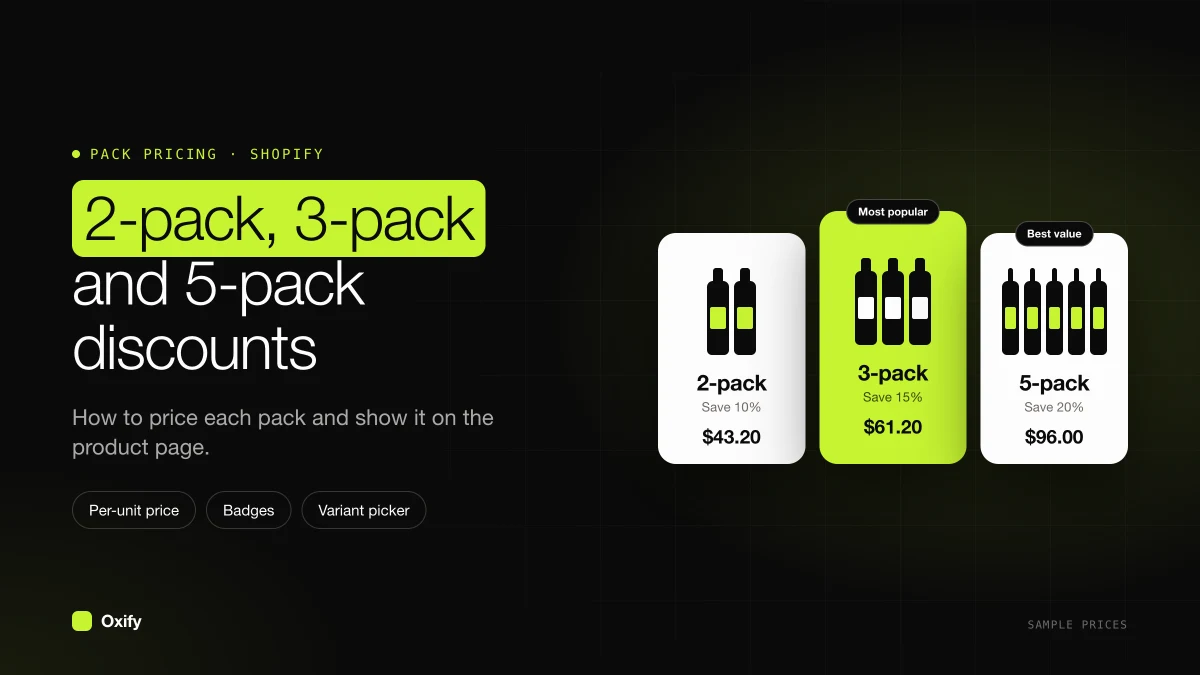
Short answer: Shopify 2 pack 3 pack discounts belong on the original product: one row for 2 units, one row for 3, and a 5-pack only if five is a real way people buy. In Oxify Bundles & Quantity Break, each row has its own quantity and discount. The shopper taps 3 Pack and three units go into the cart. Stock stays in one pile.
A study of public Shopify pages, not our orders, found a middle discount of 15% on 2 units and 25% on 3 units, across 397 stores whose bars showed the exact percent (Section Store, checked November 5, 2026). Use that as a starting range, then check it against your cost. A thin margin should sit lower, around 10% and 15%.
The photo above is a real product page we saved on 29 October 2026, from a store named Replenhair. It is an example of the layout, not our customer and not our sales data. The single, the highlighted 2-pack, and the bigger pack each show a per-bottle price.
This page is about packs of the same item. Mixed boxes, where the shopper picks different products, are in build-a-box on Shopify.
Key facts (checked 16 November 2026)
- A quantity break row has a quantity and a discount. The template starts at 1 pack, 2 pack at 10% off, and 3 pack at 15% off (Choose a template).
- Fixed Price is the price of the whole pack. Type 24 on a 3-pack and they pay $24 for all three, not $24 each (Discount types).
- With Show quantity selector off, the discount covers whole packs. On a 3-pack, 7 units means 6 get the deal and the 7th is full price (How quantity breaks work).
- Shopify's free Bundles app is listed as fixed bundles and multipacks. A multipack is its own product. It is not a 2-pack, 3-pack, and 5-pack list on the original product page (Shopify Bundles).
On this page
- How big the 2-pack and 3-pack discounts should be
- Two ways to sell a pack
- A 2-pack, 3-pack, and 5-pack you can copy
- Set the rows in Oxify
- What happens at 4 units
- What to write on each pack
- When the pack is a mix, not a stack
How big the 2-pack and 3-pack discounts should be
On a $24 candle that costs $9, one candle leaves $15. That is a 62.5% gross margin: $15 of the $24 is left after the product cost.
A 2-pack at 10% off is $21.60 each, so $43.20. Cost is $18. Profit is $25.20, which is more than $15.
A 3-pack at 15% off is $20.40 each, so $61.20. Cost is $27. Profit is $34.20, which is more again.
There is a shortcut for this check, and it ignores extra shipping. A 2-pack makes more profit than one unit while the discount stays under half your gross margin. Half of 62.5% is 31.25%, so 10% is inside the line. A 3-pack stays ahead while the discount stays under about two thirds of the margin. Section Store's pricing write-up uses the same test. Their middle 2-pack discount, 15%, needs at least a 30% margin before it beats a single sale on product cost alone.
Here is that rule worked out for 2, 3, and 5 packs. Each cell is the deepest discount before the pack makes fewer profit dollars than one unit. The formula is margin × (units − 1) ÷ units, on product cost only.
| Your gross margin | 2-pack limit | 3-pack limit | 5-pack limit |
|---|---|---|---|
| 30% | 15% | 20% | 24% |
| 50% | 25% | 33% | 40% |
| 62.5% (the candle) | 31% | 41% | 50% |
| 75% | 37% | 50% | 60% |
At the limit you break even with a single sale, so stay well under it. A good working target is about half the limit. If you pay shipping per order, packs look even better than this table, because one box carries more units.
If this candle cost $20, one sale would leave $4. A 2-pack at 10% off would leave $3.20. That pack loses. Do the dollar check with your cost before you copy 15% and 25%.
Two ways to sell a pack
Extra products. You create a "3-pack" product with its own price and its own stock number. The shopper might buy the single and the 3-pack as two different items. Your warehouse then has to keep two counts, or you need another tool to tie them together.
Rows on the original product. There is still one product. The 3-pack row adds quantity 3. Inventory drops by 3 on that one product. The discount is a checkout discount, not a second SKU.
Use rows when the pack is "more of this". Use a separate product only when the pack is packed, labeled, and shipped as its own item, and you want it to have its own page in Google.
Shopify's own Bundles app can make a fixed multipack. That fits a pack you want as its own product. It does not put a 2-pack, a 3-pack, and a 5-pack on the single's product page as a list the shopper taps.
A pack ladder on a $24 candle
Sample math, so you can check each cell. Your cost will differ.
| Row title | Quantity | Discount in Oxify | They pay | Each |
|---|---|---|---|---|
| 1 Pack | 1 | No Discount | $24.00 | $24.00 |
| 2 Pack | 2 | Discounted %, 10 | $43.20 | $21.60 |
| 3 Pack | 3 | Discounted %, 15 | $61.20 | $20.40 |
| 5 Pack | 5 | Fixed Price, 100 | $100.00 | $20.00 |
Each step is cheaper per candle: $24, then $21.60, then $20.40, then $20.
The 5-pack uses Fixed Price because "5 for $100" is easy to read. That 100 is the whole pack. Five candles at $20 each is $100, so 100 is the right number if $20 each is the price you want. Type 20 by mistake and the whole 5-pack costs $20.
Say the cost is $9 a candle. Profit is $15 on one candle, $25.20 on the 2-pack, $34.20 on the 3-pack, and $55 on the 5-pack. Every pack makes more dollars than the single.
If the cost were $20, one candle would leave $4. The 5-pack at $100 would leave $0, because five candles cost $100. You would ship five candles and make less than the single sale. Leave that row off.
Four packs is a lot on a phone. If you only need 2 and 3, stop there. A 5-pack earns its row when people really stock up, or when five is how you already pack a shipper. More on row count: how many tiers to show.
Set the 2-pack, 3-pack, and 5-pack
- Install Oxify Bundles & Quantity Break and turn on Oxify: Product Bundle in the theme's app embeds. Save.
- Add a deal from the Quantity Breaks card. The full clicks are in how to add quantity breaks to Shopify.
- On Offer 1, quantity
1, No Discount, title1 Pack. - On Offer 2, quantity
2, Discounted %, discount per item10, title2 Pack, subtitleSave {{saved_percentage}}. - On Offer 3, quantity
3, Discounted %, discount per item15, title3 Pack. - Click Add Offer for the 5-pack. Quantity
5. Discount Type Fixed Price. Discount Value100, or your own pack total. Title5 Pack. - Tick Selected by default on the 3-pack if that is the one you want the page to open on. Only one row can be selected.
- Badge the 2-pack or the 3-pack, not every row. Badges show in the horizontal layout. The style Most Popular always says "Most Popular".
- Set Visibility to this product while you test. Click Save.
Quantity has to be a whole number of at least 1. A 0, a negative number, or a decimal is reset to 1. You cannot make a "2.5 pack".
Label each paid row with {{new_price_per_item}} each so the 5-pack shows $20.00 each without you doing the division in the title. The variable list is in text variables.
Let shoppers pick a size or color for each unit
A 3-pack of shirts in one color rarely sells. In Advanced Settings, under Variants, tick Let customers choose different variants for each item. The 3-pack then shows three pickers. The pack discount stays the same, whatever they pick. If your theme's picker also shows, tick Hide theme variant picker (Variant settings).
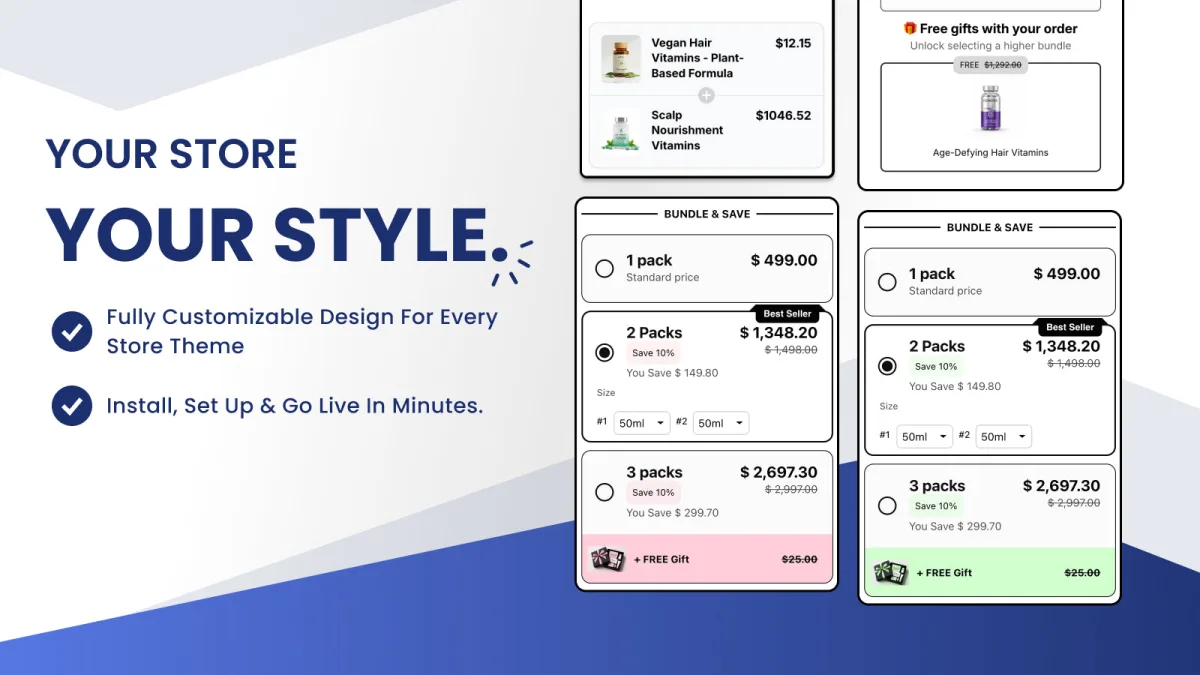
Two more switches in Advanced Settings, under Pricing, help packs read clearly. Show prices per item shows $20.00 instead of $100.00 on the 5-pack, so the rows compare at a glance. Update theme product price changes the price at the top of the page to match the pack they picked (Pricing settings).
Test 4 units before you advertise the 5-pack
Shoppers change quantities in the cart. Two rules from the Oxify docs matter here.
- If they end up below the pack they tapped, they get the best pack their new quantity still reaches, or no discount.
- Unless Show quantity selector is on, checkout discounts whole packs. The documented case: on a 3-pack, 7 units means 6 are discounted and the 7th pays full price. With the selector on, every unit gets the discount.
Add 4 units in a test cart and read the checkout total before you launch. Four is not a 5-pack, and it is more than a 3-pack. You want to see that total yourself, on your theme, rather than guess it from a blog. Do the same with 7 units if the 3-pack is live.
Also add the 5-pack once the honest way: tap the row, confirm five units in the cart, then open checkout. The cart can show full price for a moment. The paid total is the checkout total. The discount name is Oxify Bundle Discount.
When stock runs low
Pack rows do not read your Shopify stock. If only 2 candles are left, the 5-pack still shows. Shopify's own inventory settings decide what the cart accepts.
To retire a pack for now, switch on Show as Sold out at the bottom of that row. It stays on the page, faded, and cannot be picked. If the selected row is marked, the page moves to the first row that is not sold out. Do not mark every row: the Add to cart button still works in that state. To stop selling, set the deal to inactive instead (Sold out tiers).
What to write on each pack
- 1 Pack has no badge. It is the price they compare against.
- 2 Pack can say Most Popular if your orders show people will take two. On a $24 candle, 10% off is $4.80 off the pair. Say the each-price.
- 3 Pack is often the row to pre-select. "Set of 3" works better than "3 Pack" for gifts.
- 5 Pack should say Best Value only if the each-price is the lowest. In the candle table, $20 each is the lowest, so the badge is fair.
Do not badge all four rows. Nothing stands out. More lines you can paste are in buy more save more offers.
Odd packs (3 and 5) are fine. Even packs (2 and 4) are fine. Match the number to use, not to a pattern. Vitamins often fit 2 and 3 because that is two months and three months. Wipes often fit 2 and 4 because that is how the case is packed. A 5-pack of wipes can leave you splitting cases.
When 3-pack means three different items
A 3-pack of the same candle is a quantity break. A set of three different scents is a box.
Build that in the Bundle Builder. Turn on the embed named Oxify: Bundle Builder. On the Products tab, open Quantity as an option and add sizes such as Box of 3 and Box of 5, each with its own discount. Option 1 is the size selected when the page loads, and the sizes cannot be dragged into a new order, so make Option 1 the size you want them to start on.
The field notes and the sample ladder are in Box sizes and discounts. % Off there is a percent off the box total. Fixed Price is the price of the whole box.
Put 2, 3, and 5 on one product
Install Oxify Bundles & Quantity Break, add a 2-pack and a 3-pack to the product people already reorder, and add a 5-pack only if the each-price is lower and the profit is higher. Place a test order at 3 units and at 4 units before you turn the deal on for the whole collection.