 Oxify App
How to Create a Custom Subscription Box on Shopify
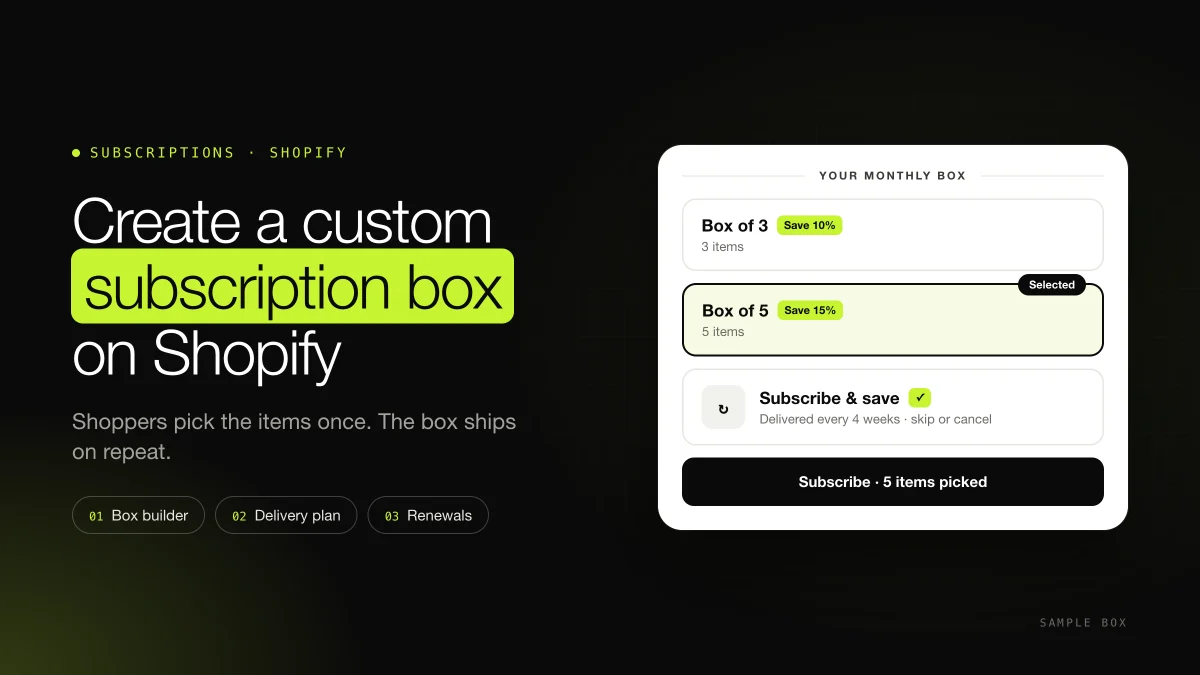
Short answer: A Shopify custom subscription box needs two parts: a box builder where shoppers pick the items, and a subscription app that bills the box on a schedule. Shopify can't do both in one product, because its bundles aren't compatible with subscriptions. If shoppers build the box once and it repeats, I'd build it with Oxify Bundles Quantity Breaks and let your subscription app bill it. If subscribers must re-pick every month, use a subscription app with its own build-a-box, such as Recharge, Skio or Loop.
Oxify Bundles Quantity Breaks turns a build-your-own box into a subscription box on Shopify: its Bundle Builder has a Subscribe & Save checkbox that puts every picked item in the cart on your subscription app's delivery plan (Free plan, 5.0 from 14 reviews, Built for Shopify; App Store listing, 18 November 2026). It doesn't bill subscriptions itself. The plans can come from a paid app or Shopify's free Subscriptions app, but Oxify's docs don't name specific apps, so test the pairing with a real order before launch.
Key facts (checked 18 November 2026)
- Shopify bundles can't be subscribed. Shopify's help center says bundles "aren't compatible with purchase options, which includes subscriptions" and "aren't compatible with the Shopify Subscriptions app."
- App discounts cover the first payment by default. On renewals, Shopify reuses discounts from apps that use functions, and "By default, discounts apply only to the first payment."
- The plan's own discount repeats. A selling plan can discount every cycle, or give a bigger first discount and a smaller recurring one.
- Oxify's Subscribe & Save rules: every product and variant in the builder must be on the delivery plan, and the box must use individual cart lines.
- The app: Oxify Bundles Quantity Breaks lists Build a box and Subscription boxes among its bundle types on the Shopify App Store (18 November 2026). It builds the box; your subscription app handles the subscription billing.
On this page
- Curated vs custom: which box model are you selling?
- Why you can't put a Shopify bundle on subscription
- Box builder or subscription box app?
- Route A: a subscribe and save box with Oxify
- Will the box discount repeat on renewals?
- Route B: apps that let subscribers re-pick
- Running the box once orders repeat
- What to test before launch
- FAQ
Curated vs custom subscription box: which model are you selling?
Pick your model first, because it decides which apps you need. Shopify names four subscription box models: curated, replenishment, build your own and hybrid (subscription plus one-time purchase). A custom box, also called a build your own subscription box or a customizable subscription box, comes in two versions, so the table splits it.
| Box model | Who picks the items | What ships next time | What you need | Good fit |
|---|---|---|---|---|
| Curated box | You | A new mix you choose | One product on a subscription plan. No builder. | Snack of the month, wine club, book box |
| Build once, repeat | The shopper, at signup | The same box, until they change it | A box builder plus delivery plans from a subscription app (Route A) | Coffee, supplements, pet food, skincare refills |
| Re-pick every cycle | The shopper, before each order | New picks, or a default box if they don't choose | A subscription app with build-a-box, a cutoff and default picks (Route B) | Meal kits, rotating menus, monthly flavours |
| Starter box, then custom | You first, then the shopper | Your starter box, then their picks | A subscription app with a subscribers-only custom bundle (Route B) | Brands that want new subscribers to try the range |
Most refill brands sell the second model. People already know which coffee or vitamins they want; they just want it on time and a little cheaper. The payoff, per Shopify's subscription business guide: more predictable recurring revenue and a higher customer lifetime value.
Sell a curated box as one ordinary product on a plan, not as a Shopify bundle. Our product kits guide covers stocking a pre-packed box.
Don't add choice for its own sake. Shopify's subscription box ideas article tells how Odd Bunch, a produce box, first let customers pick every item. Produce went to waste, customers found it a chore, and the brand switched to a few set seasonal boxes. Choice helps when customers have strong preferences, not when they'd rather you decided. Our guide to build-your-own bundles covers how much choice to give.
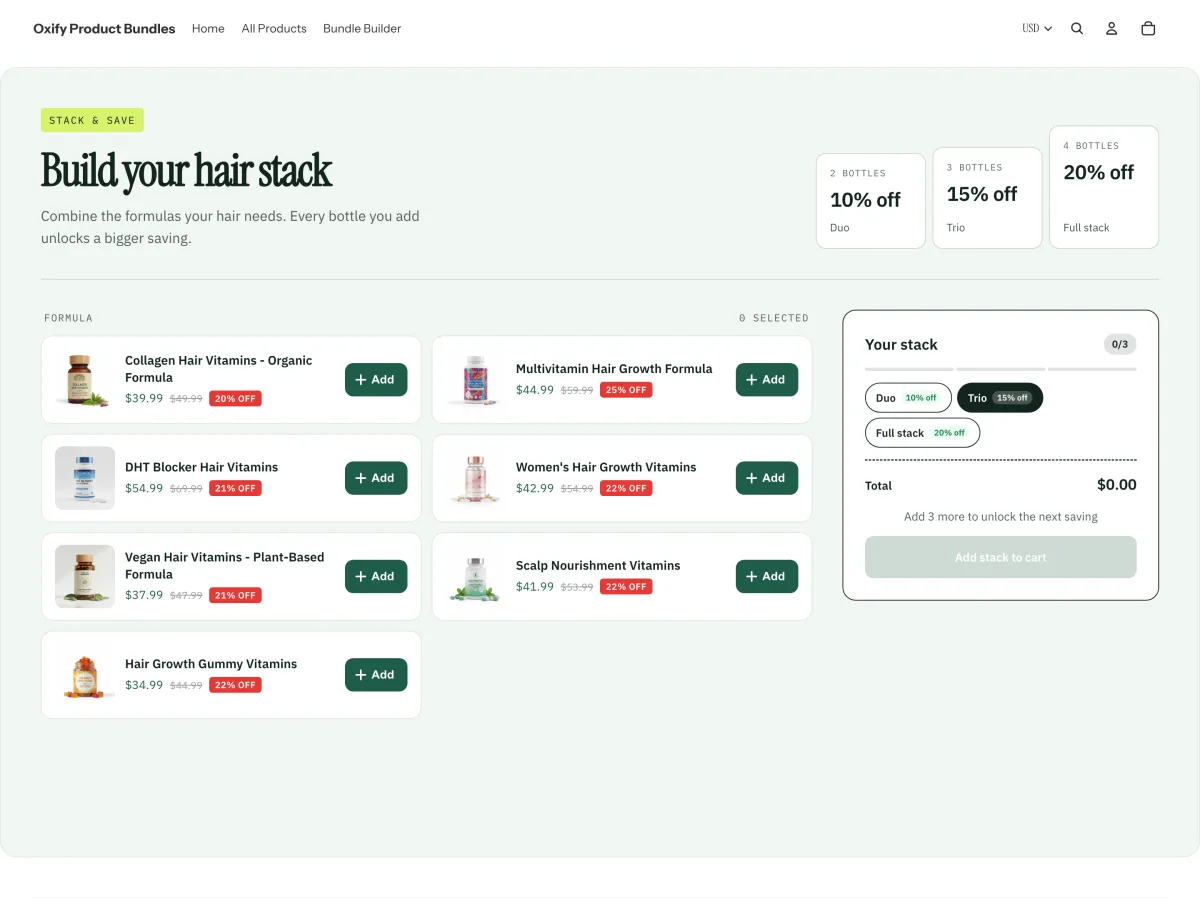
Why can't you put a Shopify bundle on subscription?
Shopify's bundle eligibility page is blunt: "Bundles aren't compatible with purchase options, which includes subscriptions, pre-orders, and try-before-you-buy." Its Shopify Subscriptions considerations say the same about the free Subscriptions app. There are two ways around it:
- Separate lines on one plan. The box's items go into the cart as ordinary product lines, each on the same delivery plan. That's what Oxify's Subscribe & Save does.
- The subscription app builds the box. Recharge, Skio, Loop and Appstle have their own bundle features. Recharge's help center says Shopify Bundles aren't compatible with Recharge subscriptions and points merchants to Recharge Bundles.
Shopify's Admin API (2026-10) now lets subscription apps edit bundles on existing contracts, but that's for app developers. The merchant help still says the two don't mix.
Separate lines change a few things. The cart shows each item, not one box line. Your warehouse sees separate order lines. And a shopper who deletes one item from the cart can drop the box below its size and lose the discount.
Which setup does a Shopify custom subscription box need: a box builder or a subscription box app?
| Question | Route A: Oxify builder + your subscription app | Route B: subscription app with build-a-box |
|---|---|---|
| When does the shopper pick? | Once, at signup. The box repeats. | At signup, and again before each order if you allow it |
| What you install | Oxify Bundles Quantity Breaks plus a subscription app that creates delivery plans | One subscription app, on a plan that includes build-a-box |
| One-time buyers on the same page? | Yes. The checkbox is optional. | Depends on the app |
| Where subscribers edit the box later | Your subscription app's portal, under that app's rules | The same app, with its box rules |
| Cost on 18 November 2026 | Oxify listing showed a Free plan, plus your subscription app (Shopify Subscriptions is free) | Build-a-box sits on paid plans (see Route B) |
My rule of thumb: if you'd be happy for a subscriber's first box to ship unchanged for six months (refills, staples), use Route A. If your menu changes every cycle and subscribers expect to choose again (meal kits, rotating flavours), use Route B.
There's also a one-app shape. A few bundle builders now sell the box as a subscription themselves (Mageworx's Mix and Match Bundle Builder lists a subscription box feature on its paid plan), which suits stores with no subscription app yet.
How to build a subscribe and save box with Oxify (Route A)
These are the subscription steps in the Bundle Builder of Oxify Bundles Quantity Breaks (docs.oxify.app still calls the app "Oxify Quantity Breaks & BYOB"). The full builder setup is in how to create a bundle builder on Shopify.
Step 1: Create the delivery plan in your subscription app
Oxify doesn't create subscription plans, so set them up in your subscription app first:
- Create the plans you want, for example every 4 weeks and every 8 weeks.
- Add every product that can go in the box, and every variant a shopper can pick. If even one is missing, Oxify's checkbox stays hidden on your store, and the app can't warn you. When you add a flavour to the builder, add it to the plan the same day.
- Put the saving you want subscribers to get every month on the plan itself, for example 10% off. The renewals section explains why.
Step 2: Build the box
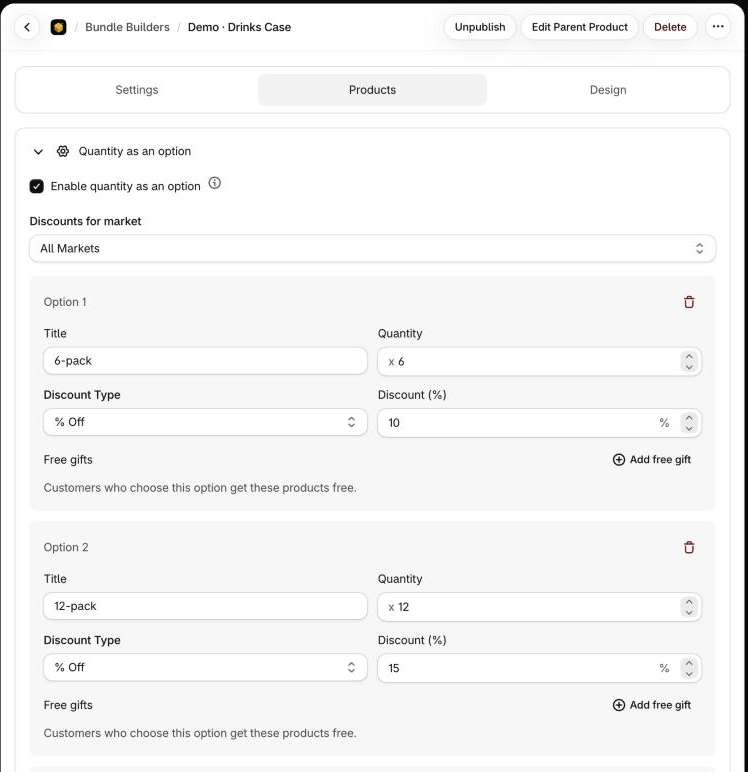
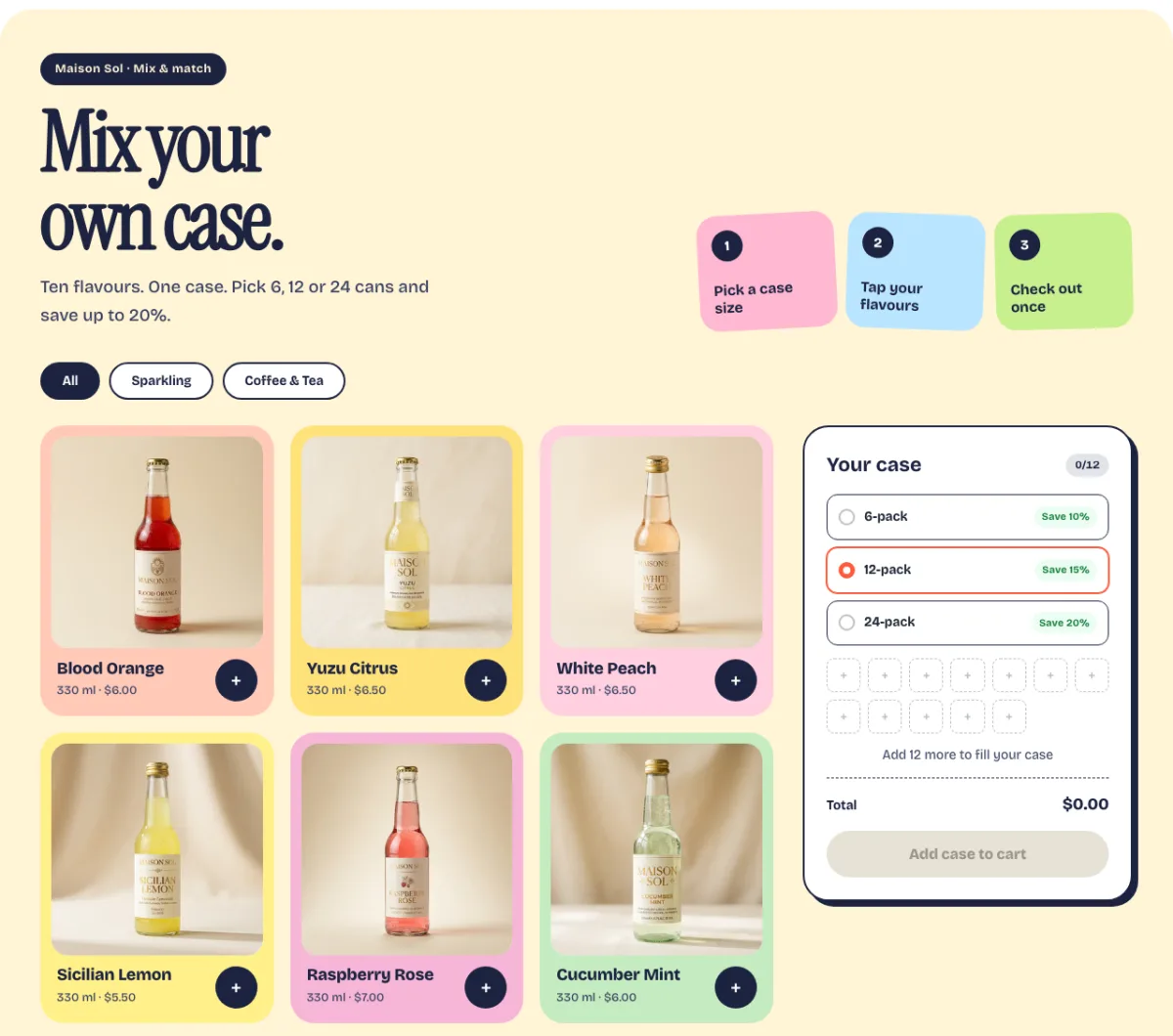
Click Bundle Builder, then Create Bundle Builder. On the Products tab, set your sizes in the Quantity as an option card and add products with Add Category. I'd offer two or three sizes that match how fast people use the product, such as a month's and two months' supply. For a big range, see bundle builder categories.
Step 3: Switch to individual cart lines
Go to the Settings tab, then General Settings > Advanced settings, and tick Show products as individual lines in the cart. Shopify can't merge cart lines that carry a subscription plan. Also tick Add the bundle SKU to each product in the order, so packers can see which lines belong to one box.
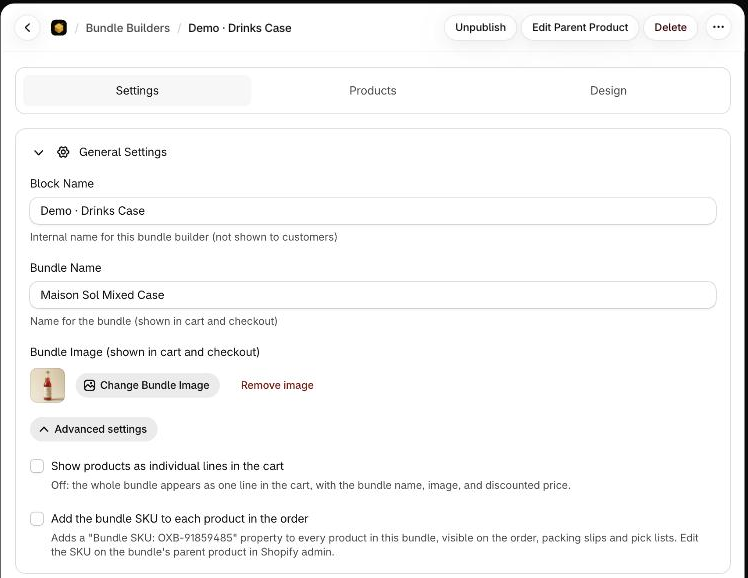
With individual lines, the box discount comes from an automatic discount called Oxify Bundle Discount. Some themes' carts don't show automatic discounts, so check the total at checkout.
Step 4: Turn on Subscribe & Save
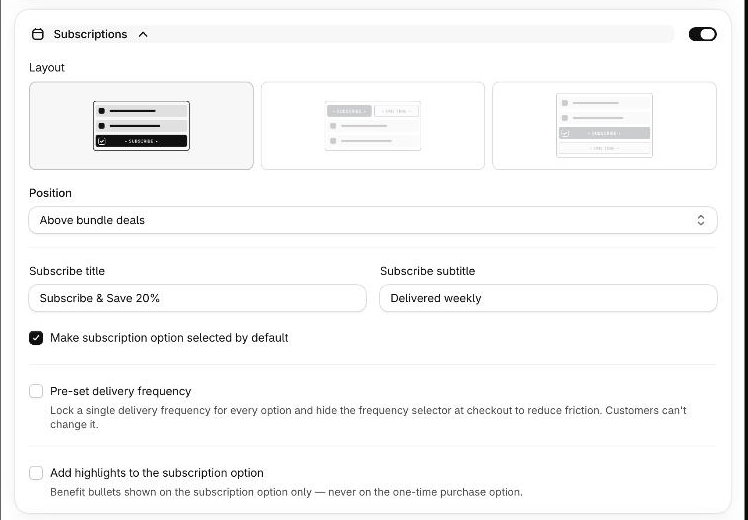
Open the Design tab, expand Subscriptions, switch it on and choose a Delivery plan. If the list says "No subscription plans found on this store", go back to Step 1. Then set the options:
- Let shoppers choose the delivery frequency adds a dropdown with every plan that all the box's products share.
- Checkbox label defaults to Subscribe & Save.
- Description (optional) is a line under the label, such as "Ships every 4 weeks. Skip or cancel anytime." Only promise skips if your subscription app allows them.
- Tick the checkbox by default starts shoppers subscribed. They can still untick it; there's no subscription-only mode.
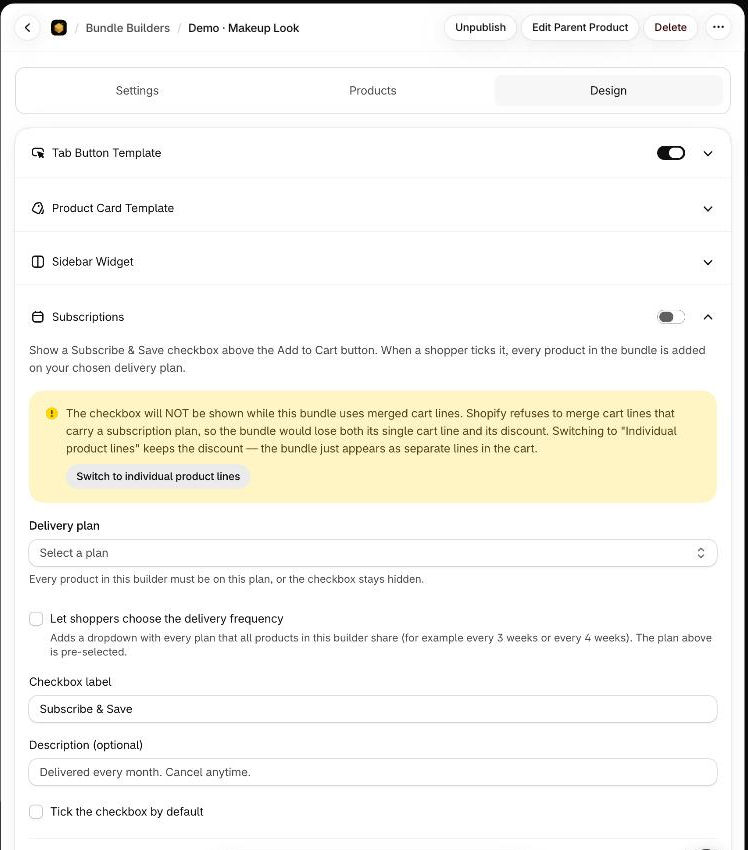
When a shopper ticks it, the sidebar shows the subscription price and every item goes into the cart on the plan. Details are on Oxify's Subscribe & Save docs page.
Step 5: Set the box discount, publish and test
Your box discount (set per size on the Products tab) is worked out on the plan prices, so first-order subscribers get both savings. Read the renewals section before you write "save 20% every month" anywhere. For discount depth, see our bundle pricing strategy. Price the worst case first: your biggest box, filled with your lowest-margin item, with both discounts applied.
Then publish. With Create the builder as on New page, Oxify creates an Online Store page for the builder; click Add to menu to link it. To wrap it in a hero and FAQ, see how to build a bundle landing page. Test on the live page: the app preview can't check your products against the plan, so it shows the checkbox before your store does.
Selling one product on repeat instead?
"3 bags of the same coffee every month" doesn't need a builder. It's a subscribe and save bundle on the product page. Oxify's Quantity Break offers have a Subscriptions card on the Offers tab: your tier discount applies either way, and the plan's discount is added when shoppers subscribe. Per the subscription bundles docs, the plan must have a discount.
Will the box discount repeat on every renewal?
Not necessarily. A subscribed box can carry two discounts, and Shopify treats them differently.
- The plan discount lives in the delivery plan, so it's part of the subscription. Shopify's selling plan docs describe a flat discount on every cycle, or a first-cycle discount followed by a different recurring one (say 20% on the first order, 15% after). Whether you can set the second kind depends on your subscription app.
- The box discount comes from your bundle app. Shopify's subscription help says that for recurring payments it reuses discounts from apps that use functions, the app sets how many payments they cover, and "by default, discounts apply only to the first payment."
Oxify's docs don't say how many renewal payments its box discount covers. Until you've seen a real renewal order, treat it as a first-box saving.
Here's what that means in money. Say a box of 6 jars at $9.00 each, a 10% plan discount and a 10% box discount:
| Price line (example) | One-time buyer | Subscriber, first box | Renewal, if the box discount covers the first payment only |
|---|---|---|---|
| 6 jars at full price | $54.00 | $54.00 | $54.00 |
| After the plan's 10% | Not applied | $48.60 | $48.60 |
| After the box's 10% | $48.60 | $43.74 | Not applied |
| Customer pays | $48.60 | $43.74 | $48.60 |
Look at the last column. If your page says "save 19% every month", a subscriber who checks the second charge will feel tricked. So:
- Put the promise on the plan. The plan discount is the saving that repeats, so advertise that one as monthly.
- Word the box saving as a welcome. "10% off every delivery, plus your box saving on the first one" is honest whatever the renewal does.
- Test a renewal. Make a test subscription on your shortest plan and check the second order's total.
Fixed box prices need care too, because Oxify's fixed price only ever lowers the total. Say a Box of 6 has a fixed price of $45. With a 10% plan, subscriber prices total $48.60, so they pay $45. With a 20% plan, they total $43.20, already under $45, so the fixed price does nothing. For most subscription boxes I'd use % Off. See fixed price bundles for when a set price makes sense, and check each size's margin in the bundle calculator.
Which subscription apps let subscribers re-pick every month? (Route B)
A box that changes every cycle needs a portal where subscribers choose again before a cutoff, and a default box for people who forget. That lives in the subscription app. Here's what four of them document in their help pages and App Store listings (I haven't tested them).
Recharge
Recharge's help center lists customizable bundles on its Scale, Plus and Custom plans, in three types: fixed-price, dynamically priced and subscribers-only (everyone starts with the same box, then customizes later orders). For re-pick boxes, a setting called Clear customer selections after each order clears the picks after each charge, and you can limit re-picking to a customization window before the next order. If subscribers don't choose, default selections ship; without defaults, Recharge warns, the box contains no products. Prepaid subscriptions (several deliveries paid up front) can't use the reset.
Skio
Skio offers static boxes (customizable or preset), dynamic boxes and sectioned boxes. Subscribers edit customizable boxes in the customer portal; preset boxes can't be edited. Dynamic boxes don't work with prepaid subscriptions or some quick actions, such as swaps.
Loop Subscriptions
Loop's "Build your bundle" supports fixed or range box sizes, categories with per-category limits and tiered discounts, applied on top of the plan discount. Subscribers edit their bundle in the portal. It can't be sold as one-time only.
Appstle Subscriptions
Appstle's build-a-box has fixed pricing (the price of a parent product) or dynamic pricing (the sum of the picks, with minimum and maximum counts and tiered discounts). I couldn't find a help page on re-picking in Appstle's portal, so ask Appstle before you plan a rotating menu on it.
Route A and Route B tools side by side
| Box tool | Box feature on the listing | Plan that lists it | Listed price | Rating |
|---|---|---|---|---|
| Oxify Bundles Quantity Breaks | Route A. Build Your Own Box builder; Subscription boxes listed as a bundle type. No billing or subscriber portal: it uses your subscription app's plans | Free | Free | 5.0 (14 reviews) |
| Recharge Subscriptions | Route B. Customizable bundles & tiered discounts | Scale | $499 a month + 1.25% + 20¢ per transaction | 4.8 (3,161 reviews) |
| Skio, a Recharge Company | Route B. Build-a-Box (Static/Dynamic) | Scale | $599 a month + 1.25% + 20¢ per transaction | 5.0 (248 reviews) |
| Loop Subscriptions | Route B. Build-your-own and preset bundles | Starter | $99 a month + 1% transaction fee | 4.9 (818 reviews) |
| Appstle Subscriptions | Route B. Build-a-Box, Bundling | Business, up to $15,000 a month in subscription revenue | $30 a month, 0% transaction fee | 5.0 (9,299 reviews) |
| Shopify Subscriptions | Billing only. No box builder (pause, skip and cancel) | Free app | Free | 3.8 (913 reviews) |
Prices are from the App Store listings on 18 November 2026, converted to US dollars at the rate each listing showed. For fees at different revenue levels, see our Shopify subscription apps comparison, and for other box builders, our bundle builder apps comparison.
How do you run a recurring box once orders repeat?
Forecast inventory by item, not by box
A pick-any box from 12 products has hundreds of possible mixes, so "300 boxes" tells you nothing about stock. Say 300 subscribers renew on the 1st, and last cycle 120 of them had two Salted Caramel bars. You need 240 of those bars that morning, plus a buffer.
Ask your subscription app what it does when a subscribed item is sold out at renewal: skip it, hold the order or swap it. Oxify's Hide out of stock and unavailable products setting keeps sold-out items off the builder page for new signups only.
Pick a cutoff and say it out loud
Subscribers need to know the last day they can change, skip or re-pick. Shopify's selling plans support a delivery anchor (say, ship on the 15th) and a cutoff period before it. Recharge's customization window does the same for re-pick boxes; its example is a meal menu published Wednesday, picks due Saturday, delivery Monday. Put the date on the builder page and in a reminder email.
Decide what subscribers may change
In Route A, Oxify's box sizes and rules run on your storefront only. After checkout, the box lives in your subscription app as separate lines, under that app's rules. If the portal lets people remove an item, a "box of 6" can become a box of 5. Set swaps, removals and quantity changes to fit your packing.
Price shipping by box size
A box of 12 weighs about twice a box of 6. If you charge flat shipping, run the numbers on your biggest size and check how your subscription app charges shipping on renewals.
Make the packing slip show the box
A subscription box from Oxify arrives as individual lines, so your warehouse sees six products, not one box. Oxify's order templates are Liquid snippets that group a box's lines under one heading on packing slips, emails and Order Printer, using the Bundle SKU and a hidden box ID. Renewal orders come from your subscription app, and Oxify's docs don't say whether those properties carry over, so print a renewal's slip while testing.
Make skipping easier than cancelling
A subscriber who can't skip a month cancels instead. Even the free Shopify Subscriptions app lets customers pause, skip or cancel, per its listing. Let people choose their frequency at signup, send a reminder before each charge, and show skip before cancel. Then track retention in your subscription app: churn (the share of subscribers who cancel) and lifetime value. To turn one-time buyers into subscribers later, see subscribe and save in the cart drawer.
Put the terms next to the checkbox
In the US, subscription offers fall under the Restore Online Shoppers' Confidence Act (ROSCA), which the FTC enforces. Shopify's subscription guide lists three duties: disclose the terms before you collect billing details, get informed consent to the charge, and give a simple way to cancel. So state the price, frequency and how to cancel beside the checkbox.
What should you test before launching a subscription box?
Run these checks on your live store, on a phone and a laptop:
- The checkbox shows on the live page. Pick every variant you sell in the box; one that isn't on the plan hides the checkbox.
- The cart holds every item on the delivery plan, and the checkout total matches your own math.
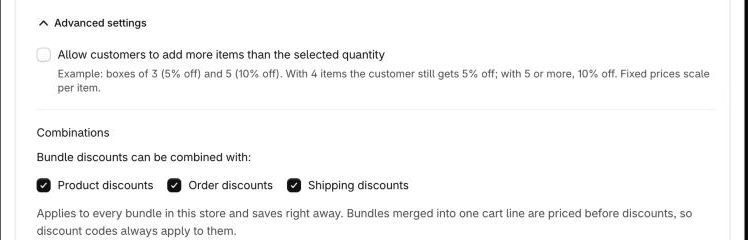
- A discount code stacks (or not) the way you want. Oxify's Combinations setting decides.
- A renewal order has the price you promised, the right items and a readable packing slip.
- A free gift, if the box has one. Oxify adds it at 100% off at checkout, but its docs don't cover renewals, so check whether your subscription app repeats the gift and at what price.
- The portal lets a test subscriber skip, change frequency and cancel the way your page says.
- A sold-out item at renewal does what you expect. Set one to zero stock on a test subscription and watch.
- The one-time path still works with the checkbox unticked.
For box design itself, our build-a-box tutorial covers sizes and pricing math.
Frequently asked questions
Can I create a subscription box on Shopify without an app?
Can customers change what's in their subscription box each month?
Does the bundle discount apply to every subscription renewal?
Can I use the free Shopify Subscriptions app for a build-your-own box?
Why isn't the Subscribe and Save checkbox showing on my box?
Should a subscription box have a fixed price or a percentage discount?
What is the best app for a Shopify custom subscription box?
Build the box once, let it repeat
Oxify Bundles Quantity Breaks is the box builder for Route A: box sizes with % off or a fixed price, categories and step rules, a page created for you, and a Subscribe & Save checkbox that uses your subscription app's delivery plans. The listing showed a Free plan on 18 November 2026. See examples on the product bundles page.